11 Process SDK: Installation and Configuration
Within processes, it is possible to call PHP functions in order to perform operations or use data not available in the BPMN engine standard.
In particular, there are 3 different types of functions that can be registered and called at different points in the configuration of a process: Field Action, Task Action and Task Condition.
- 11.1 SDK Field Action
- 11.2 SDK Action
- 11.3 SDK Task Condition
- 11.4 Process SDK Registration Procedure
11.1 SDK Field Action
This type of function is normally used to enhance the fields of a record, dynamic form, etc. with values calculated using the following method:
SDK::setProcessMakerFieldAction($func, $src, $label, $parameters='');
$func : function name
$src : file path containing the function
$label : function label
$parameters (optional) : static parameters (e.g. fixed field reference)
To unregister the file use:
SDK::unsetProcessMakerFieldAction($func);
$func: function name
These functions can be called from the appropriate “SDK Functions” sections available in the “Option Selection” drop-down menu located at the top right of each individual field.
N.B: All registered custom functions will always be inserted in the “SDK Functions” section, the “Date Functions” section is used exclusively to contain the php functions available as standard that concern the date fields.
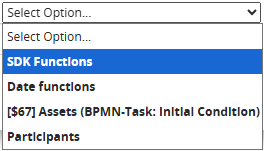
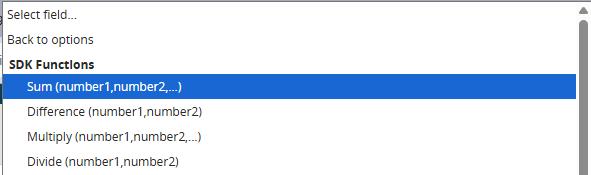
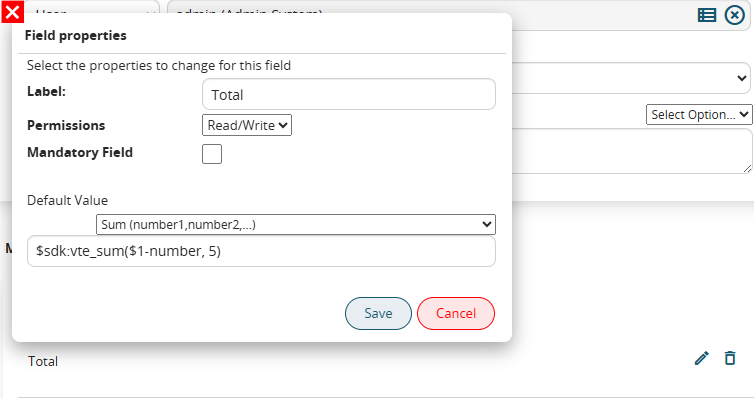
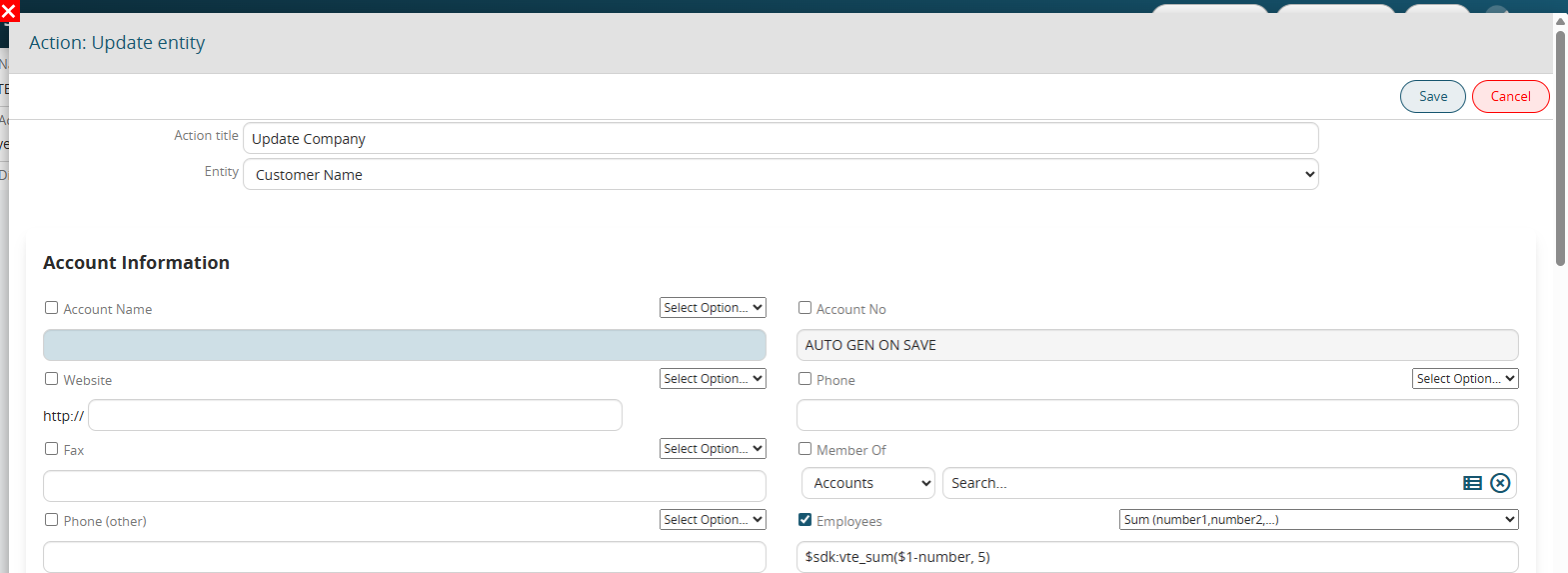
A concrete example of an SDK function of this type is the “sum()” function that returns the sum of the parameters (static or dynamic) passed.
It is possible to store the result in a field of a dynamic form of a Process helper by inserting the function as a default value, or insert it directly into a field of a form using the standard actions of create or update entity.
Example
I am recording a function to calculate the percentage that will need the input parameters percentage and total.
SDK::setProcessMakerFieldAction('vte_calculate_percentage','modules/SDK/src/ProcessMaker/Utils.php','Calculate percentage (percentage,total)');In the implemented function I will then indicate the 2 parameters and return the result of the operation.
function vte_calculate_percentage($percentage, $total) {
    global $engine, $current_process_actionid;

	$value = ($percentage / 100) * $total;
	return $value;
}
N.B. Inside the registered functions, the global variables $engine and $current_process_actionid are available.
These respectively contain the object containing all the information relating to the process being executed and the id of the current action (e.g. Create entity, Update entity, ...)
11.2 SDK Action
It is a type of function that is used to create custom BPMN actions.
You can register new actions with the following method:
SDK::setProcessMakerAction($func, $src, $label);
$func : name of the function
$src : path to the file containing the function
$label : label of the function
To unregister the file use:
SDK::unsetProcessMakerAction($func);
$func : name of the function
Once registered, it is available for use in the "Action" section where all the other BPMN actions are present.

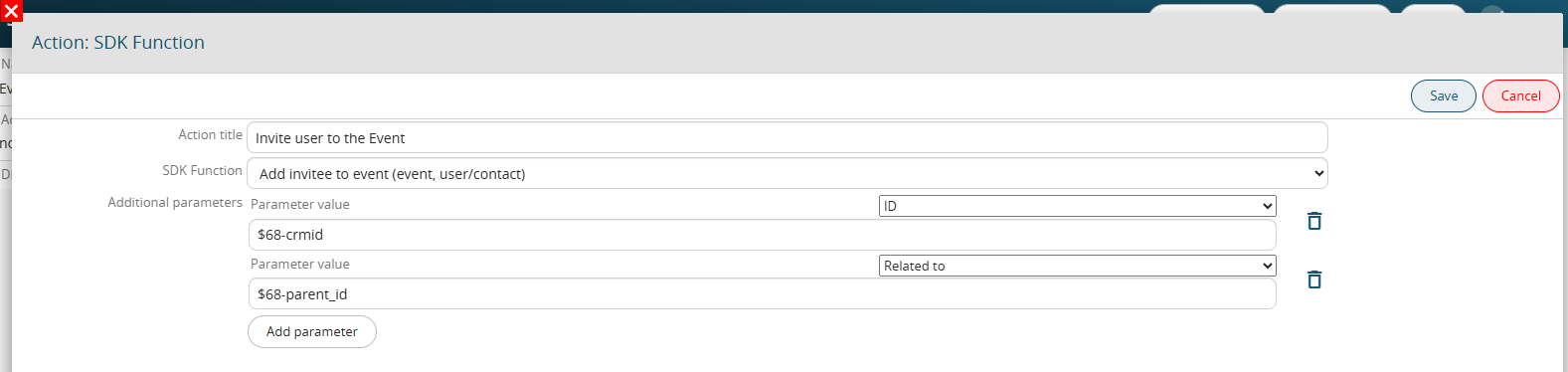
Furthermore, once we have chosen the function to call, if we manage input parameters in the function we have the possibility of passing them directly from the interface:
Example
In the following example I record a function to add a guest to an event.
SDK::setProcessMakerAction('vte_add_event_invitee', 'modules/SDK/src/ProcessMaker/Utils.php', 'Add invitee to event (event, user/contact)');This function requires two parameters: the event id and the invitee id, which can be a user or a contact. For clarity, I also indicate the parameters in the function label in the registration command.
In the function that I will develop, the $event and $invitee parameters must be added, which will be populated with the values passed by the action configuration interface.
The first two parameters are fixed and are:
$engine, the object containing all the information relating to the process that is being performed
$actionid, the id of the current action
function vte_add_event_invitee($engine, $actionid, $event, $invitee) {
    $engine->log('vte_add_event_invitee', "event:$event invitee:$invitee");

    if (strpos($event,'x') !== false) list(,$event) = explode('x',$event);
    if (strpos($invitee,'x') !== false) list(,$invitee) = explode('x',$invitee);

    $parent_module = getSalesEntityType($invitee);
    if ($parent_module == 'Contacts') {
        $_REQUEST['inviteesid_con'] = $invitee;
    } else {
        $_REQUEST['inviteesid'] = $invitee;
    }
    $focus = CRMEntity::getInstance('Events');
    $focus->retrieve_entity_info_no_html($event,'Events');
    $focus->mode = 'edit';
    $focus->save('Events');
}
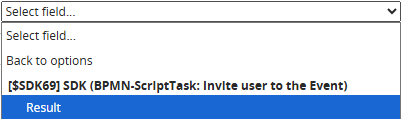
If necessary, it will be possible to foresee within the function the return of a value that can then be recalled and saved within a field of a dynamic form or a module through the "Result" variable in the dedicated section available in the "Select option" picklist.
11.3 SDK Task Condition
It is a type of function that is used to perform custom checks in process control tasks (conditional tasks).
To register them, use the method:
SDK::setProcessMakerTaskCondition($func, $src, $label)
$func : name of the function
$src : path to the file containing the function
$label : label of the function
To unregister the file, use:
SDK::unsetProcessMakerTaskCondition($func);
$func : name of the function
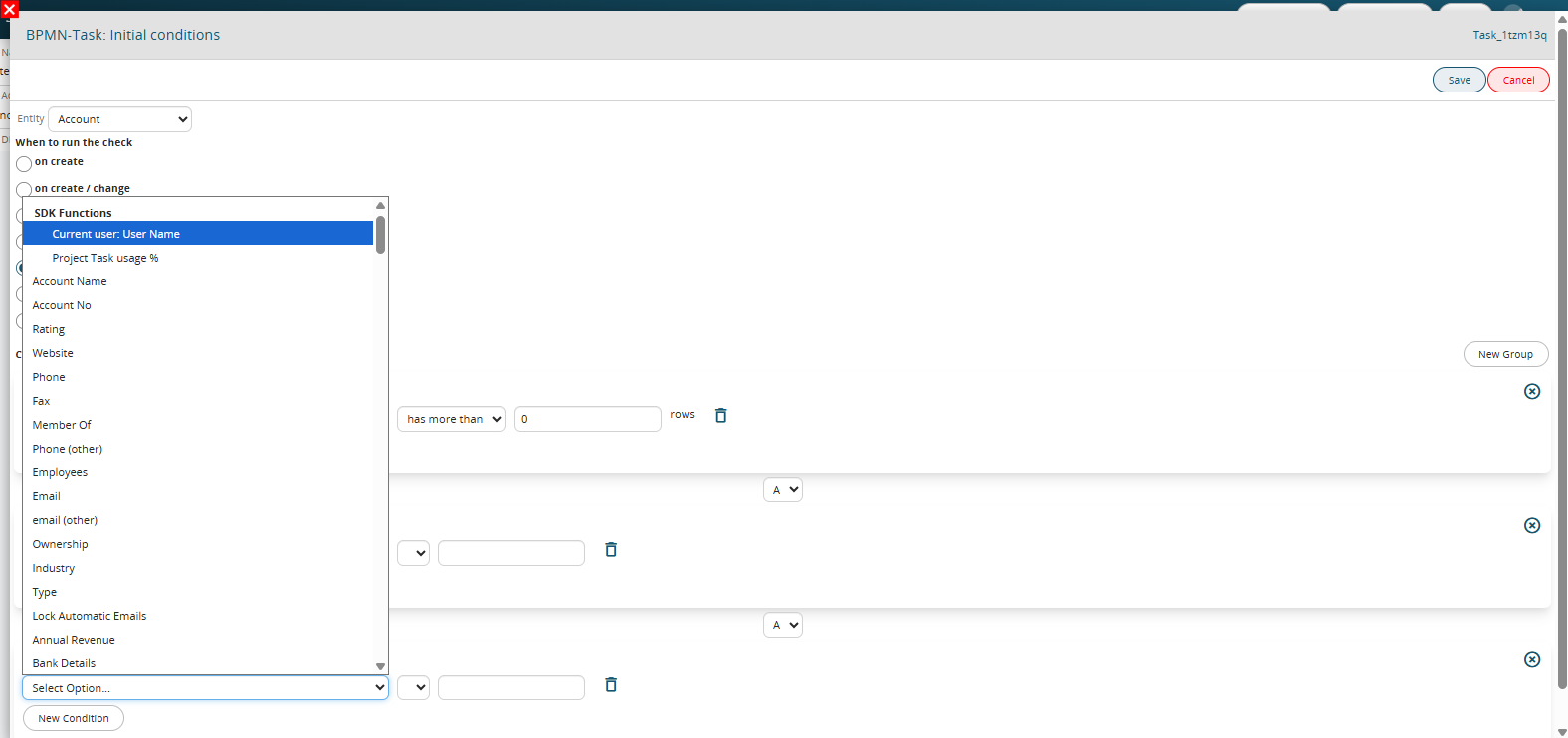
If you call on the “initial condition” task (task in which the process start rules are defined), it is possible to make the start of the process specific based on the returned result.
 If you call instead simple control tasks they allow you to make the process take different paths based on the returned result.
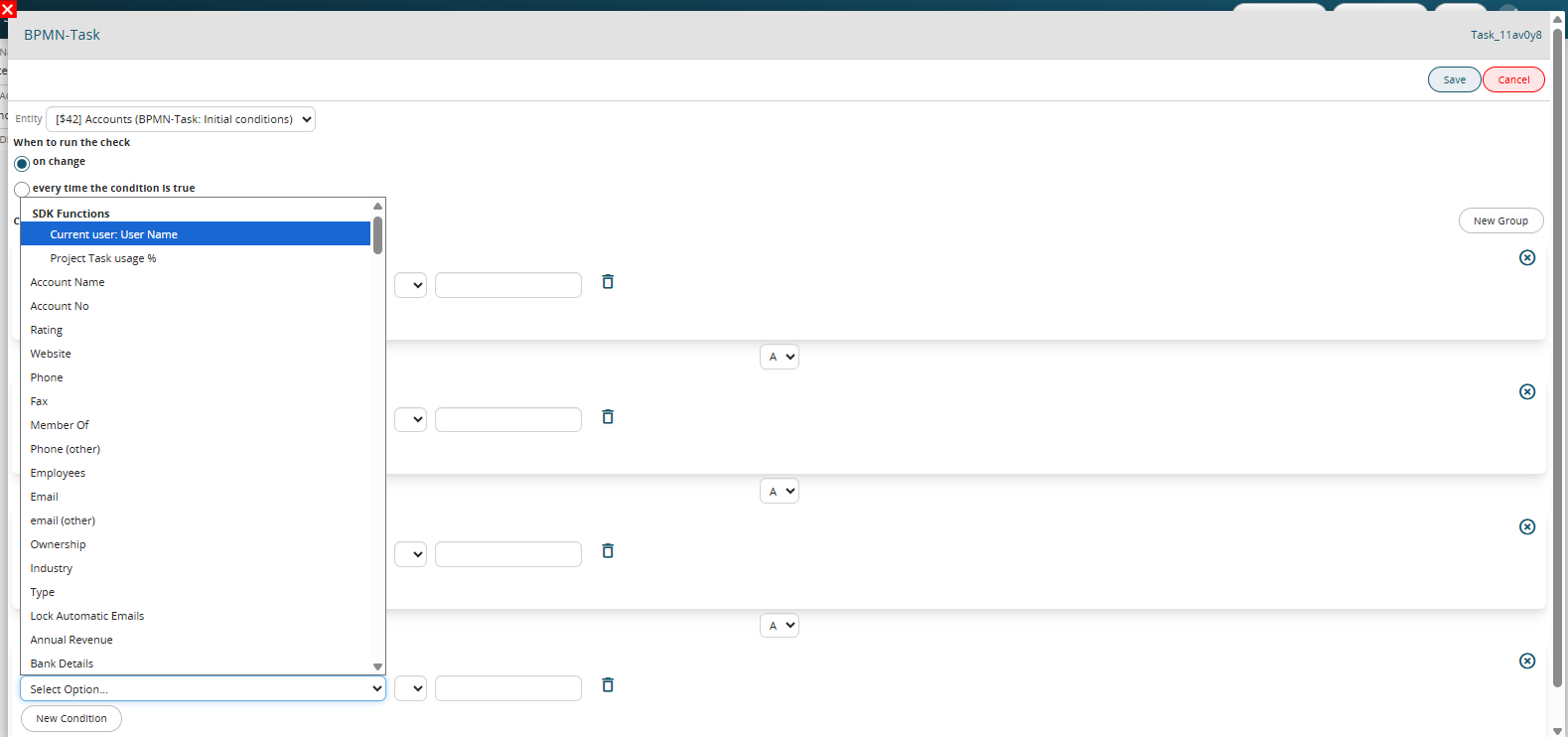
Functions of this type will always be available in the form of variables that can be used to perform checks.
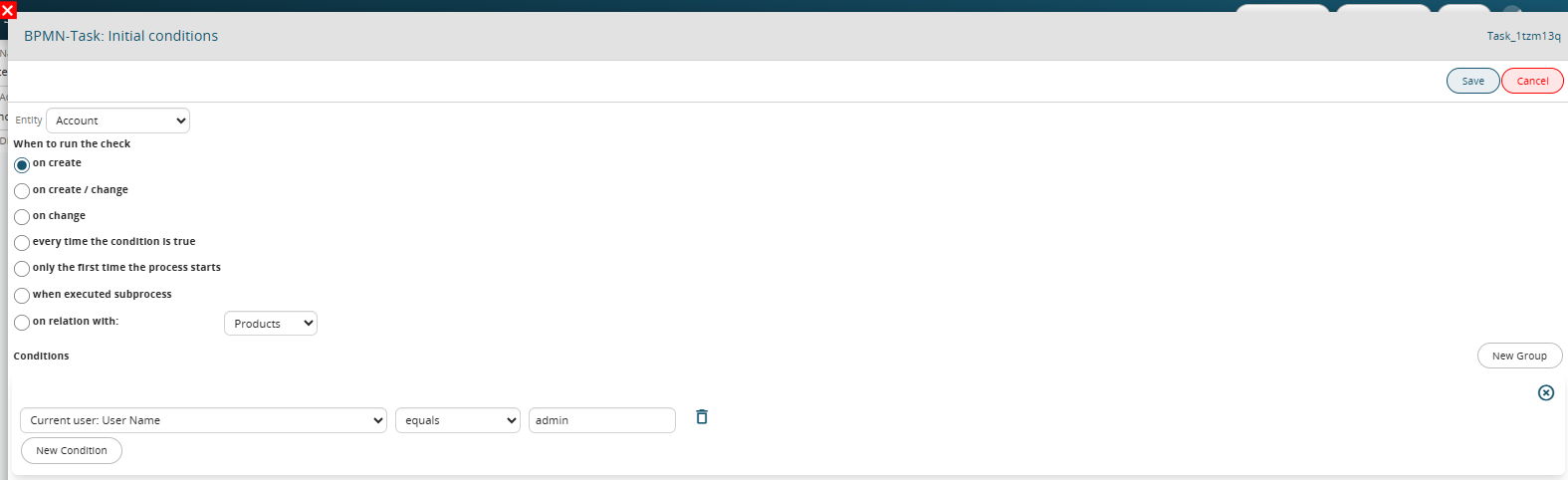
A concrete example of an SDK function of this type is the “get_running_process_current_user” function that allows you to check whether the name of the current user is the same or different from the user defined in the condition.
If used in the initial condition, it allows you to start the process only if the current user is the same as a specific user.
Example
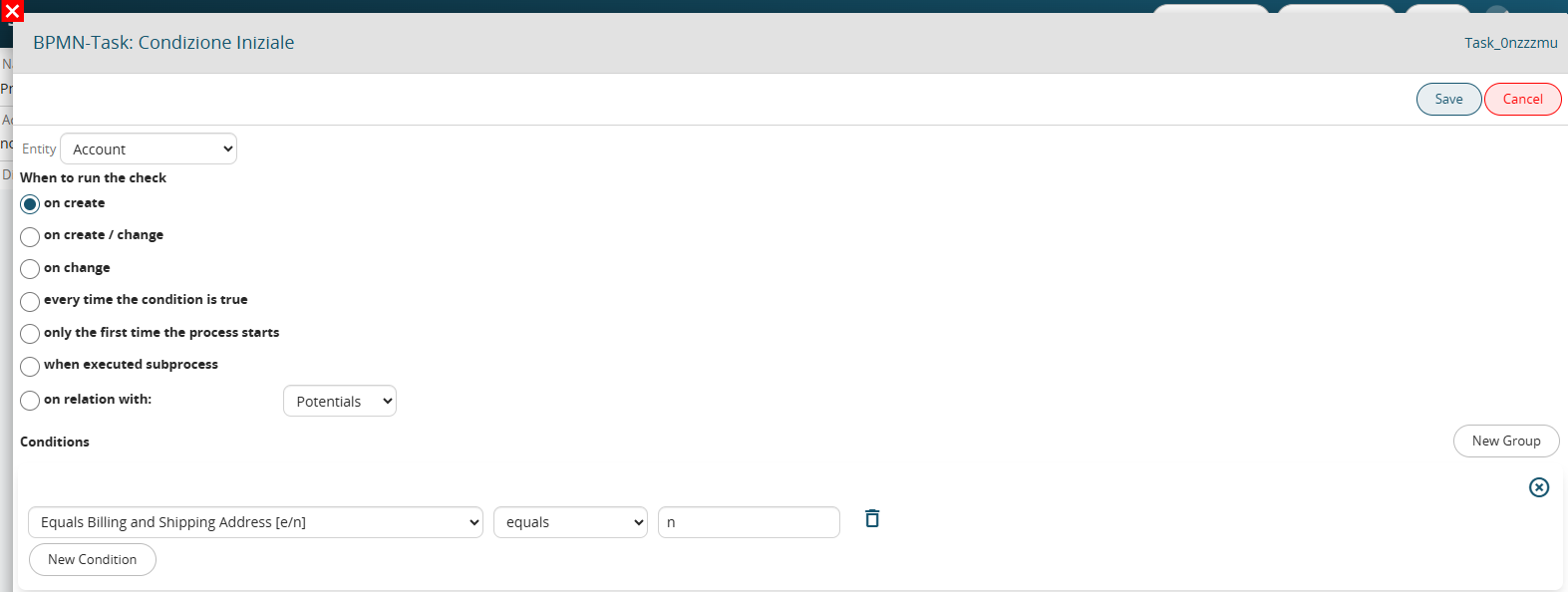
I register a function to check if the company's billing address is the same as the shipping address.
SDK::setProcessMakerTaskCondition('vte_compare_account_bill_ship_street', 'modules/SDK/src/ProcessMaker/Utils.php', 'Indirizzi di spedizione e fatturazione uguali [e/n]');The implemented function contains the following parameters.
$module: module of the entity on which the condition is executed
$id: identifier of the entity in ws format (e.g. 3x55126)
$data: array with the values of the fields of the record
The function must return a string to be used for the interface-side comparison.
function vte_compare_account_bill_ship_street($module, $id, $data) {
	list($wsModId,$id) = explode('x',$id);	// do it every time

	if ($data['bill_street'] == $data['ship_street']) {
		return 'e';
	} else {
		return 'n';
	}
}
At this point I can set up a process that starts when a company is created when the billing address is different from the shipping address.
11.4 Process SDK Registration Procedure
The procedure described below is the same for the 3 types of process sdk functions.
Suppose we need to create and register a “FIELD ACTION” type SDK function that allows you to perform the division between multiple values.
Once written, it must be inserted into the Utils.php file available in the modules/SDK/src/ProcessMaker path.
It must then be registered through the following command to be inserted into the script.php file available in the plugins/script path:
SDK::setProcessMakerFieldAction('function name','path','function label');
'function name' → name of the function
'path' → path where the function to be registered is located
'function label' → name with which the function will be displayed to the user in the processes section.
We then insert the command in the script.php file and compile it with the data from the SDK:
SDK::setProcessMakerFieldAction('division','modules/SDK/src/ProcessMaker/Utils.php','division(value1,value2,...)');
N.B: Each typology has its own dedicated command, so if we had to load an “ACTION” type SDK we should use the following command:
SDK::setProcessMakerAction('function name','path','function label');
If instead we had to load an “TASK CONDITION” type SDK we should use the following command:
SDK::setProcessMakerTaskCondition('function name','path','function label');
Once these steps are completed, just launch the script.php file and the function will be correctly registered.