14 Standard Task Condition Process SDK: Description and Usage
14.1 SDK Task Condition: Current User: User Name
This SDK function allows you to perform a check on the user who triggered the process, i.e. the user who performed the save.
Specifically, it allows you to check if this user corresponds to a statically specified user within the function (Figure 1)
For more information on the operating logic of these types of SDKs, see chapter 11.3 of the processes manual.
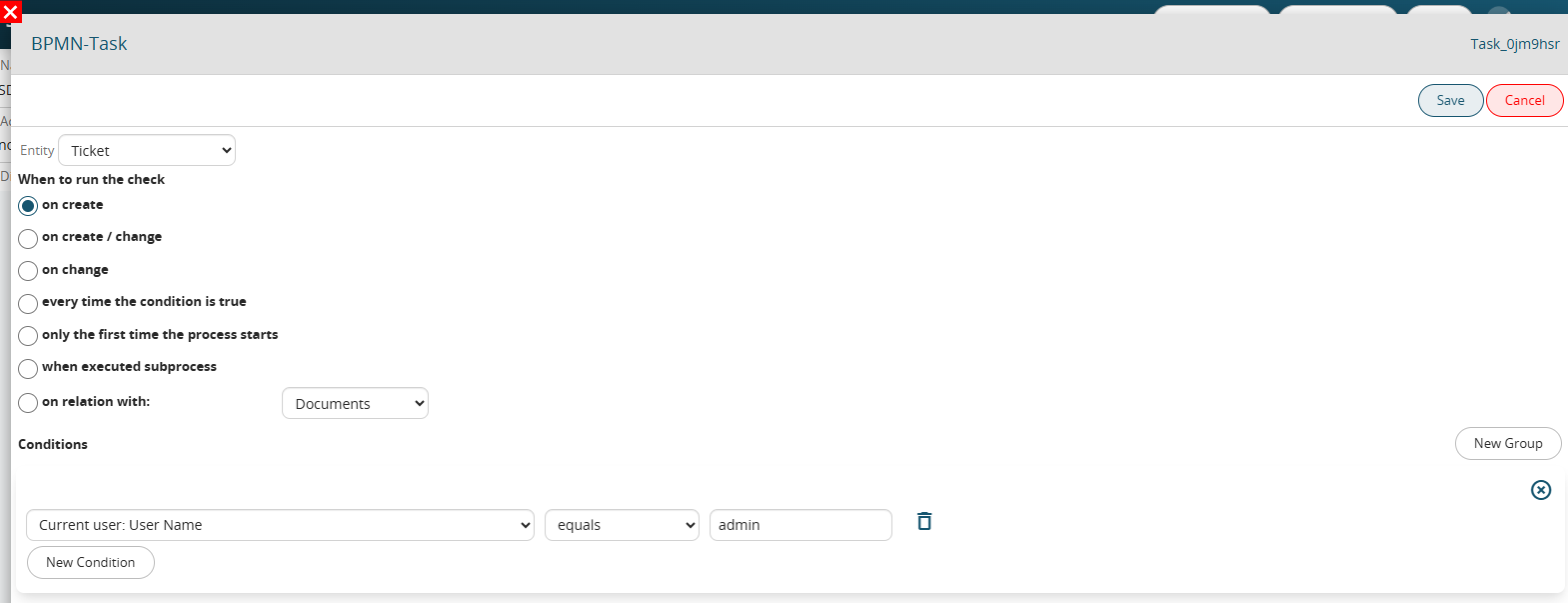
Figure 1 (click on the image for a higher graphic resolution)
14.2 SDK Task Condition: Project Task usage %
This SDK function allows you to perform a comparison between a static value (passed to the function) and a percentage value calculated based on the content of the "Service Delivery" field of the Operations module.
If the "Package" item has been selected in the operation, the percentage value will be calculated based on the "Hours Used" and "Package Hours" fields.
Instead, if the "Project" item has been selected in the operation, the percentage value will be calculated based on the "Hours Used" and "Forecasted Hours" fields.
For more information on the operating logic of these types of SDKs, see chapter 11.3 of the process manual.
To better understand how they work, Figure 1 shows the configuration of a process that is triggered when the percentage of hours used in an operation with "Service Delivery" = "Package" is greater than 70%.
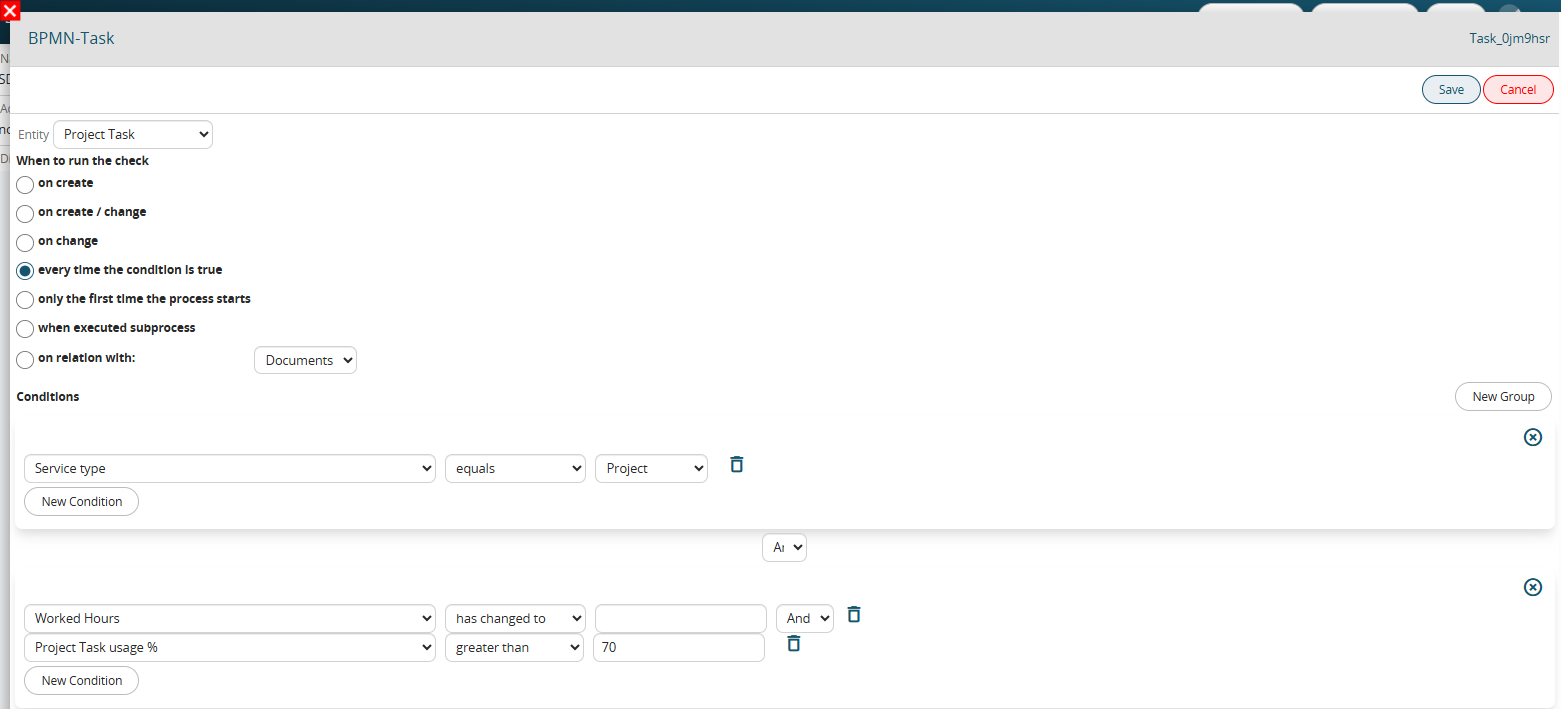
Figure 1 (click on the image for a higher graphic resolution)