# User preferences

**User preferences with Office 365 authentication**

**[![preferenze1.jpg](https://usermanual.vtenext.com/uploads/images/gallery/2019-11-Nov/scaled-840-0/preferenze1.jpg)](https://usermanual.vtenext.com/uploads/images/gallery/2019-11-Nov/preferenze1.jpg)**

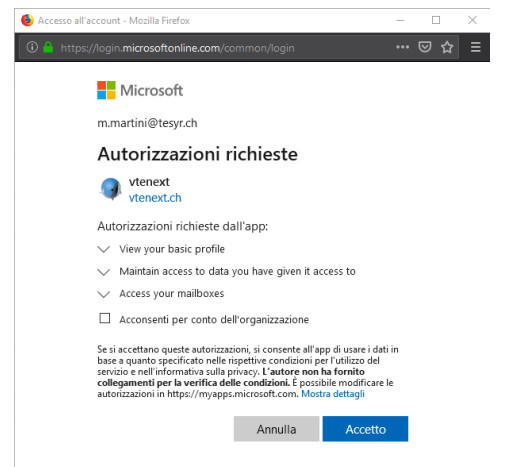
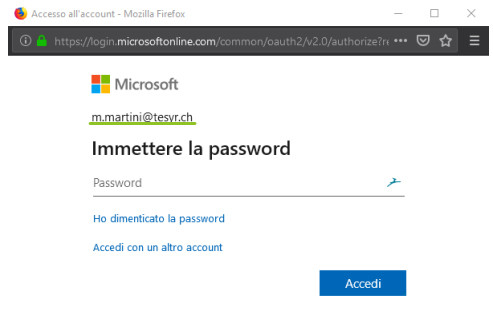
**User preferences with Office 365 authentication PopUp orAuth2 MS**

<table border="1" id="bkmrk--0" style="border-collapse: collapse; width: 100%;"><tbody><tr><td class="align-center" style="width: 50%; vertical-align: top;">**[![accessoaccount.jpg](https://usermanual.vtenext.com/uploads/images/gallery/2019-11-Nov/scaled-840-0/accessoaccount.jpg)](https://usermanual.vtenext.com/uploads/images/gallery/2019-11-Nov/accessoaccount.jpg)**</td><td class="align-center" style="width: 50%; vertical-align: top;">**[![autorizzazioni.jpg](https://usermanual.vtenext.com/uploads/images/gallery/2019-11-Nov/scaled-840-0/autorizzazioni.jpg)](https://usermanual.vtenext.com/uploads/images/gallery/2019-11-Nov/autorizzazioni.jpg)**</td></tr></tbody></table>

**User preferences with authentication via ntlm or basic protocol for Exchange on premise**

**[![preferenze2.jpg](https://usermanual.vtenext.com/uploads/images/gallery/2019-11-Nov/scaled-840-0/preferenze2.jpg)](https://usermanual.vtenext.com/uploads/images/gallery/2019-11-Nov/preferenze2.jpg)**

<span style="color: rgb(224, 62, 45);">**WARNING:** Once a user has been configured, **it is no longer possible to modify the folder mapping for Contacts, Tasks, and Events**. To change this mapping, manual intervention by technical support is required, including resetting the user's entire configuration. We therefore strongly recommend correctly setting up user folders from the very beginning.</span>