License Assignment
Once the license has been activated for the selected number of users, it will be possible to assign that license to the CRM users who will use the service. From the Users tab, a paginated table with search and filters is available: for each row, it is possible to assign or release the slot, and view Google status, sync direction, start date, sync token, mapping, and last synchronization. With the Assign new licenses button, a popup opens to select multiple users and confirm with Assign.
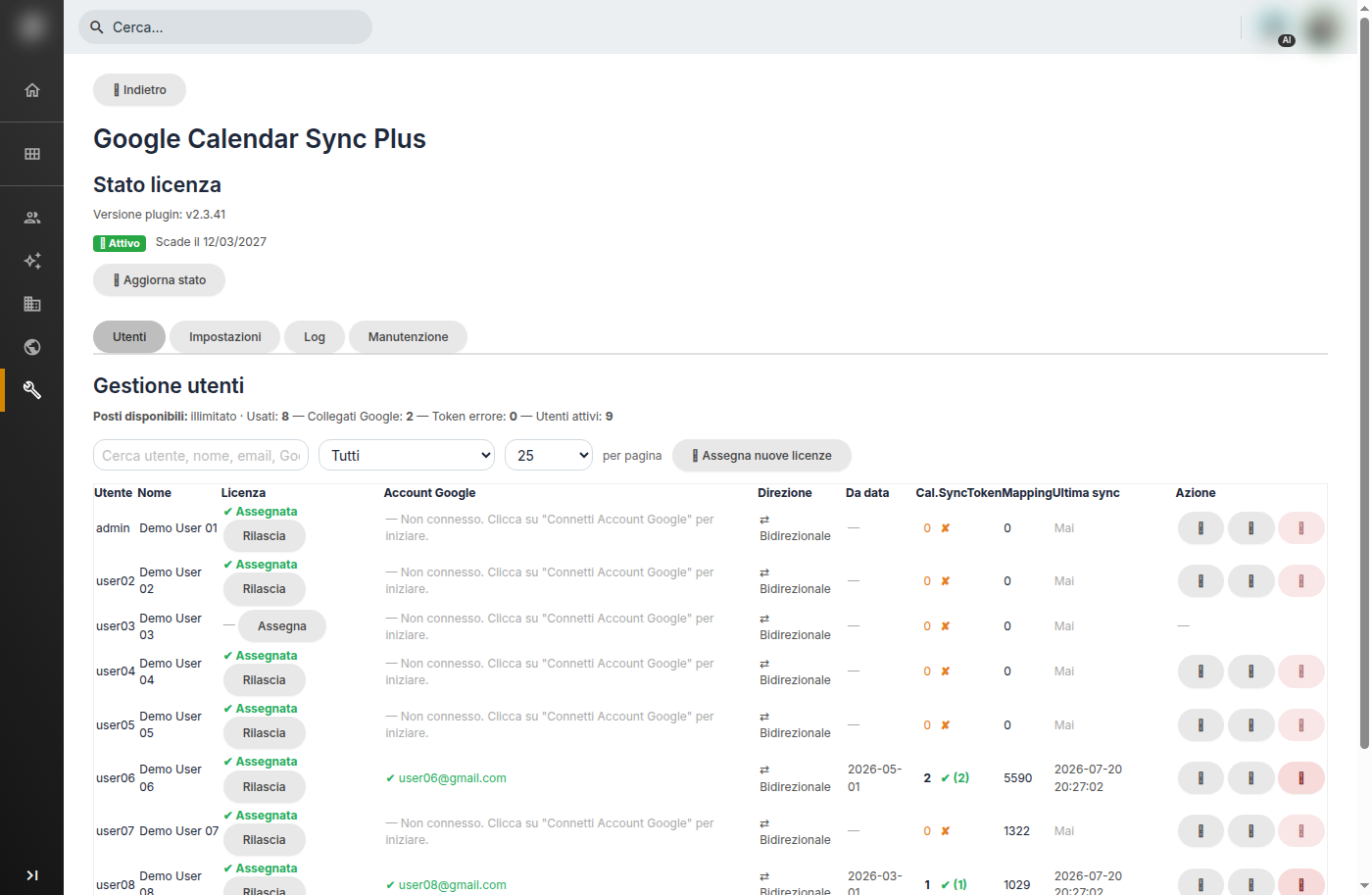
User Management Table
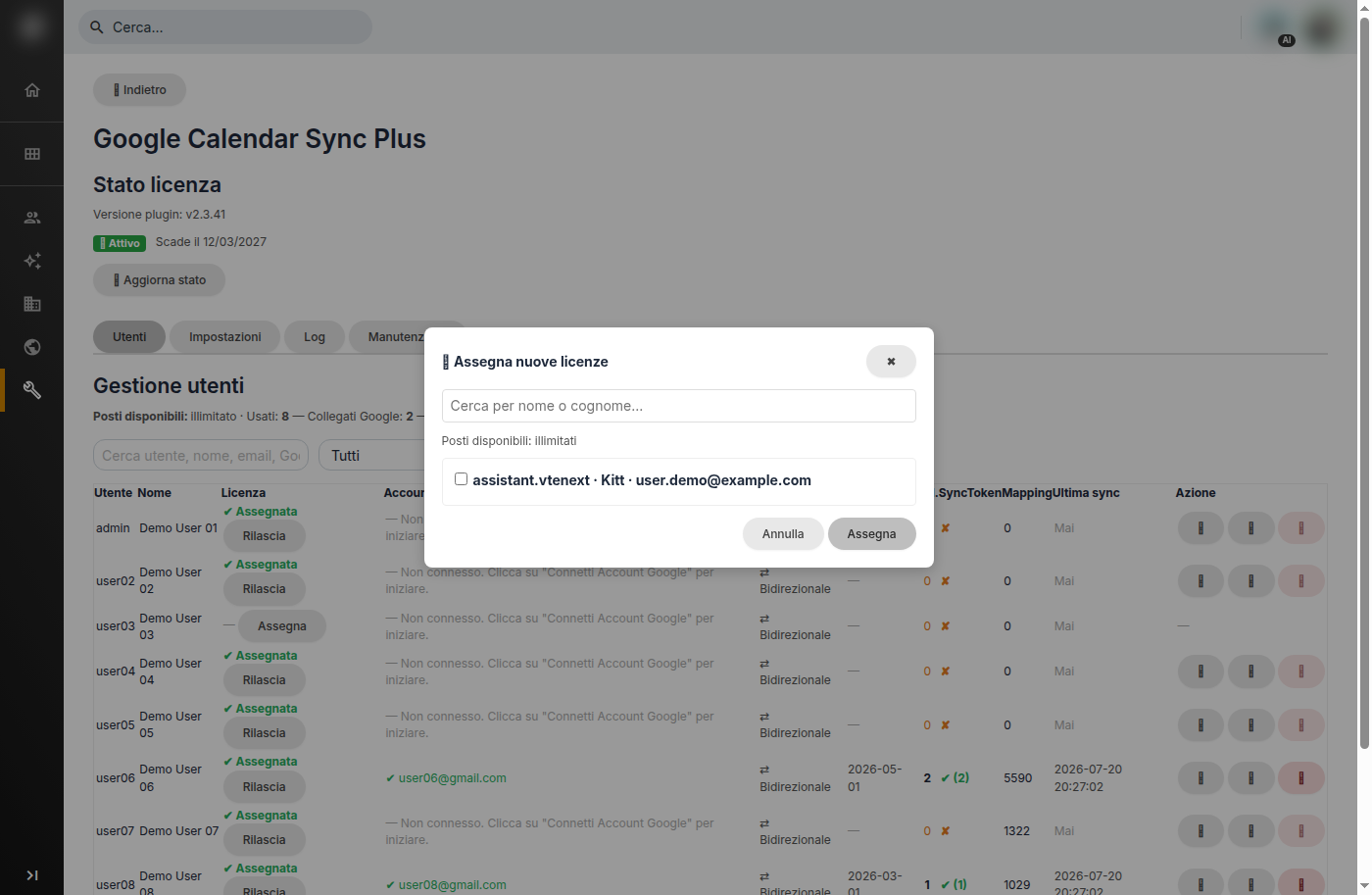
Assign Licenses Popup
On the rows of connected users, administrative actions are available (with explanations displayed on mouse hover): updating fields/mapping, retrieving missing events (catchup, respecting the sync start date), and disconnecting the Google account.