# Release Note vtenext 26.07
# Processes
##### Action Cycle Records
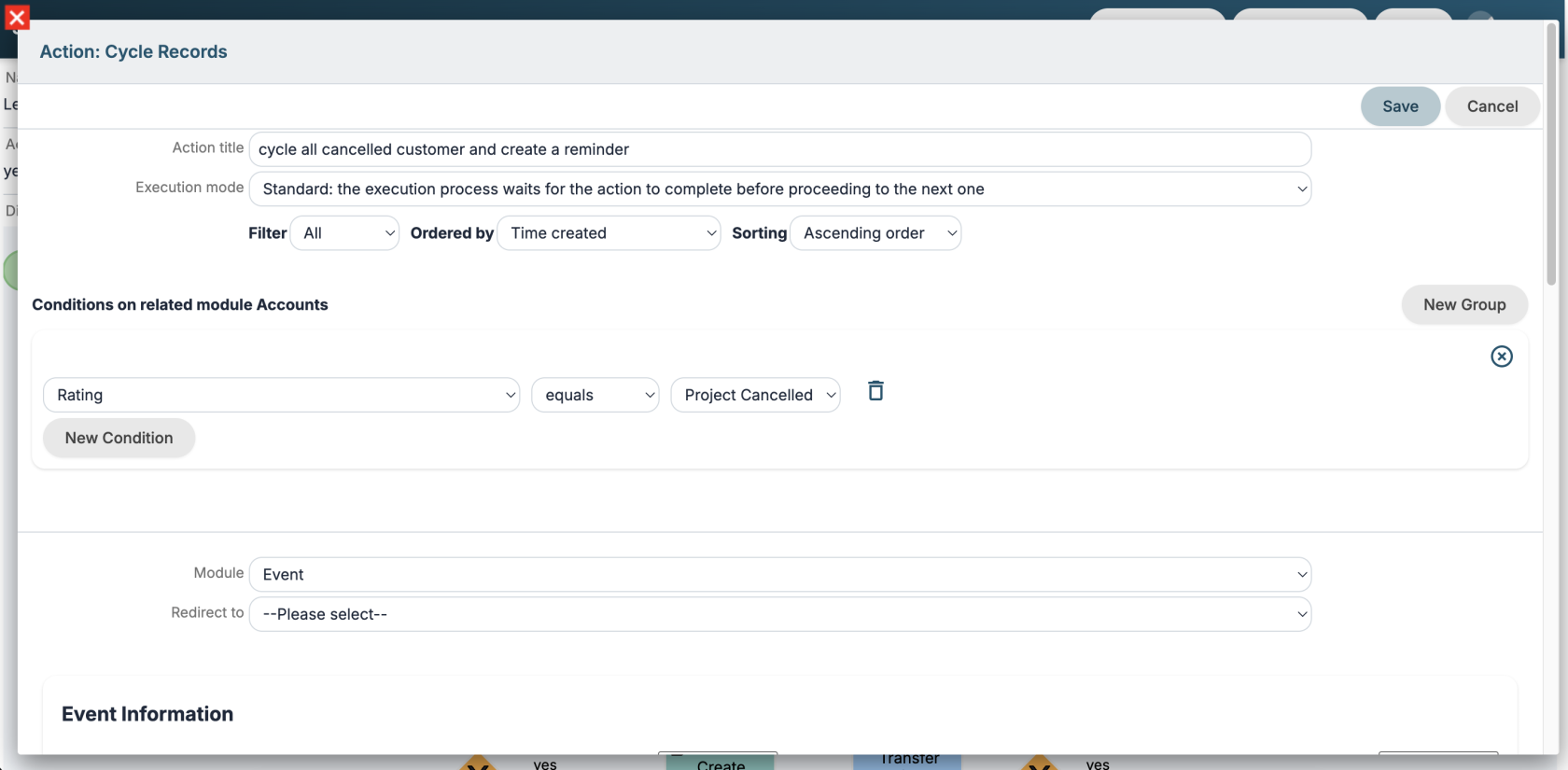
New action to cycle through all records of a module. Filter and sort options are available.
[](https://usermanual.vtenext.com/uploads/images/gallery/2026-06/screenshot-2026-06-25-alle-15-05-00.png)
##### Execution mode
For all process actions, you can specify the Execution Mode:
\- Standard: the execution process waits for the action to complete before proceeding to the next one
\- Background: the process stops and the action is executed in background by [worker](#bkmrk-worker) or cron
##### New options in conditions
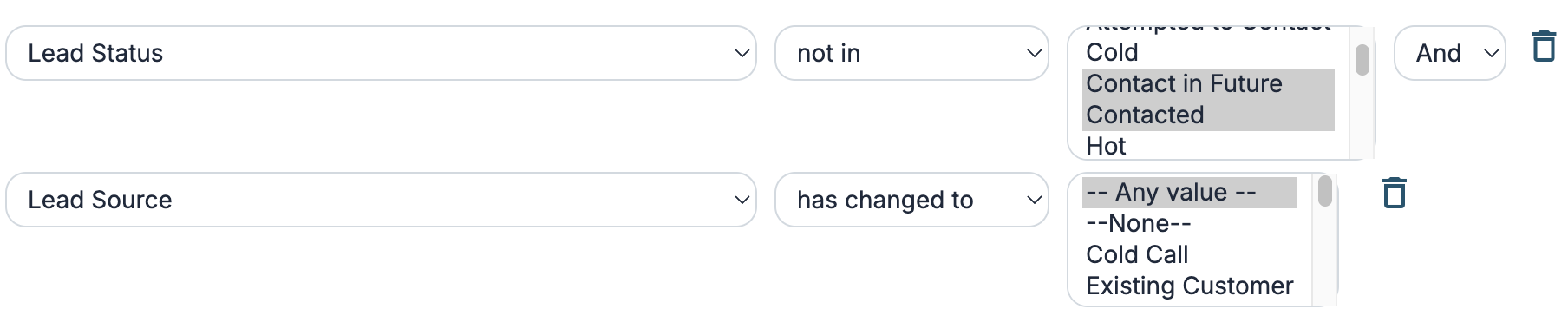
"in" and "not in" options have been added to conditions on picklist fields to check multiple entries.
In the "has changed" option, the "any value" entry has been added to check if a picklist field has changed to any value.
[](https://usermanual.vtenext.com/uploads/images/gallery/2026-06/screenshot-2026-06-25-alle-15-14-00.png)
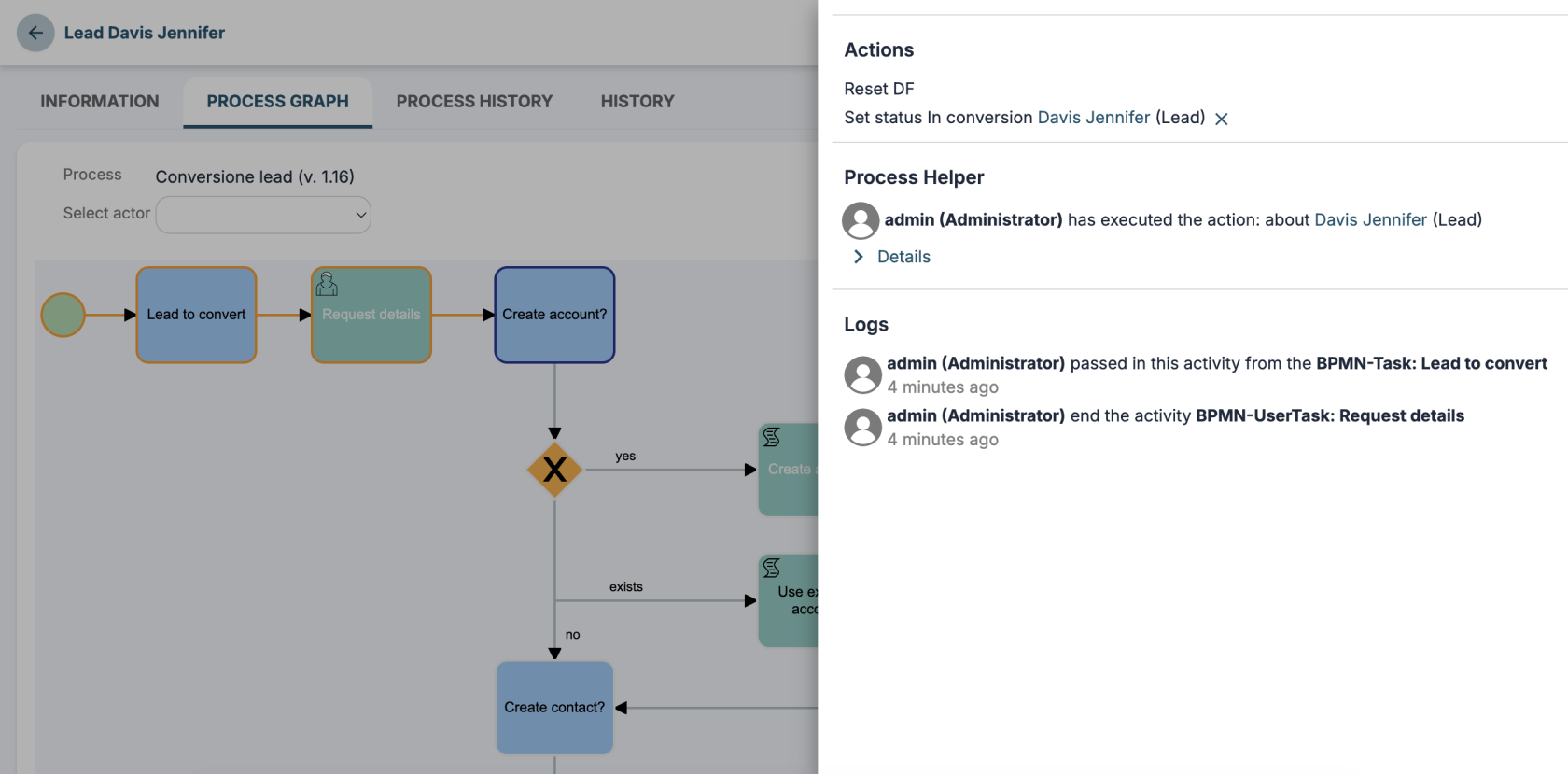
##### New panel for process graph logs
Improved the process graph UI in the record detail view.
[](https://usermanual.vtenext.com/uploads/images/gallery/2026-06/screenshot-2026-06-25-alle-15-22-36.png)
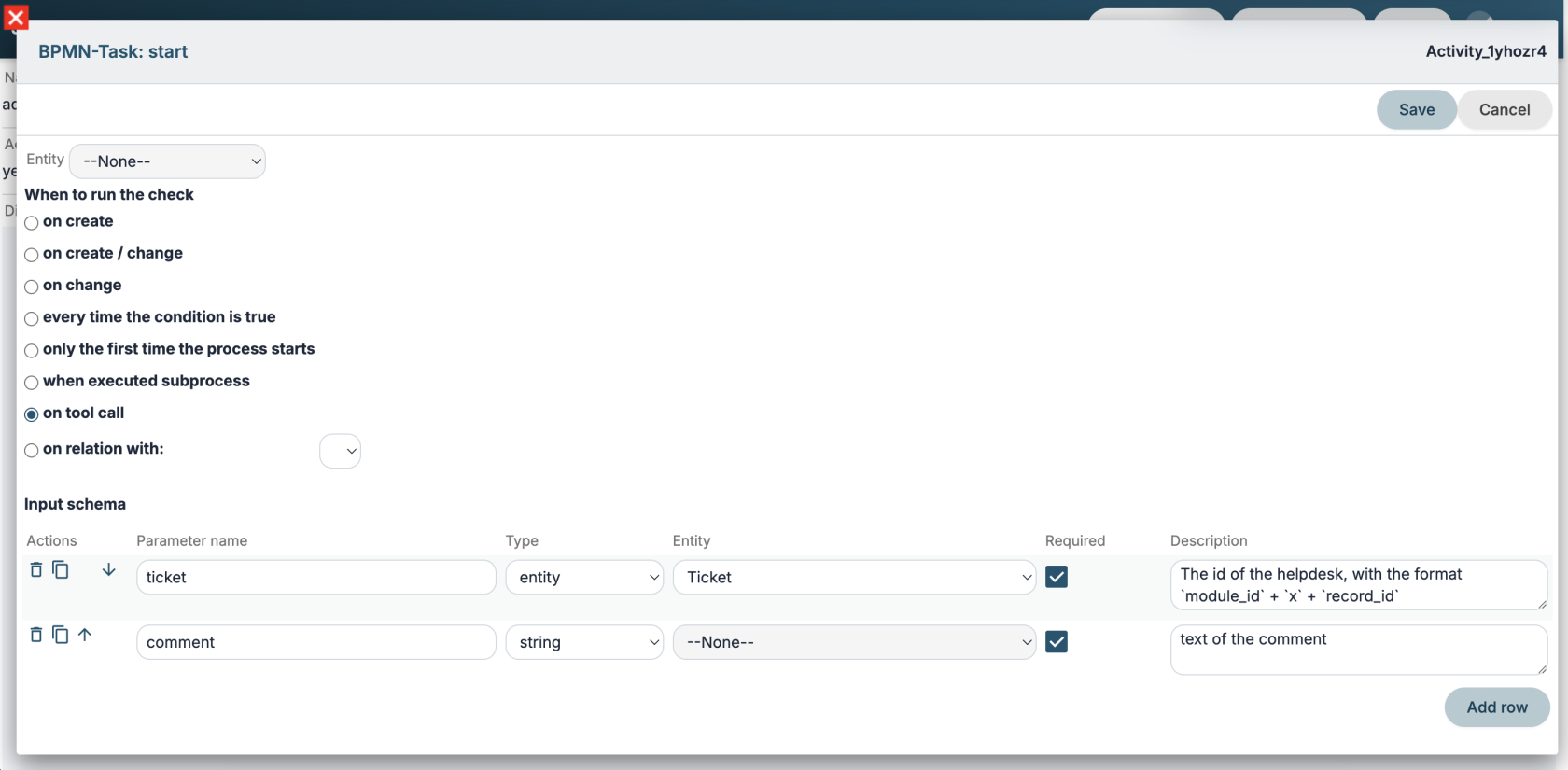
##### Tool-type Processes
You can create new **tool**-type processes that can be called multiple times within the same process or by multiple processes as if they were functions.
They can also be published as tools on an MCP server.
[](https://usermanual.vtenext.com/uploads/images/gallery/2026-06/screenshot-2026-06-29-alle-15-24-04.png)
# AI Tools
##### LLM
You can configure an LLM model according to the [OpenAI format.](https://developers.openai.com/api/reference/resources/chat/subresources/completions/methods/create)
[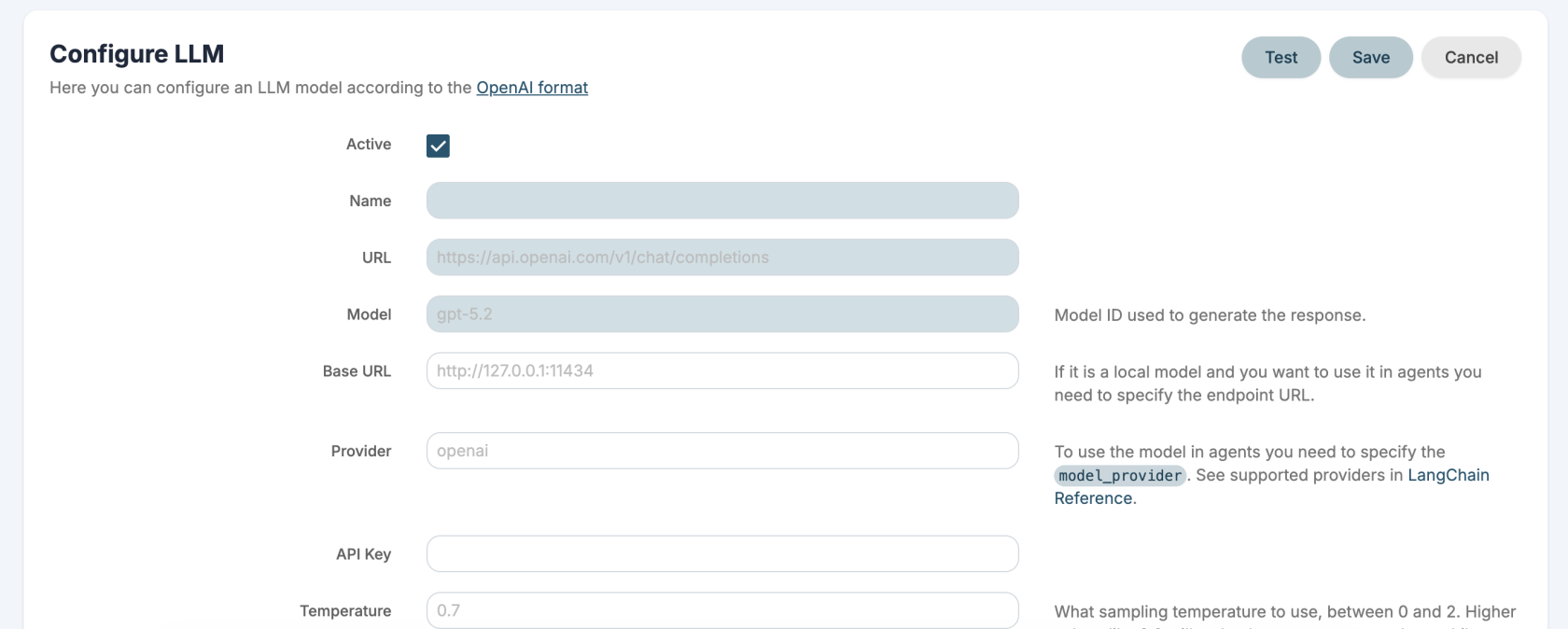](https://usermanual.vtenext.com/uploads/images/gallery/2026-06/screenshot-2026-06-29-alle-14-12-39.png)
##### MCP Server
You can configure the MCP servers that VTENEXT exposes. For each server, you can select which tools to publish using REST APIs, custom tools, and Processes.
Technical documentation is available [here](https://usermanual.vtenext.com/books/developers/page/mcp-server).
[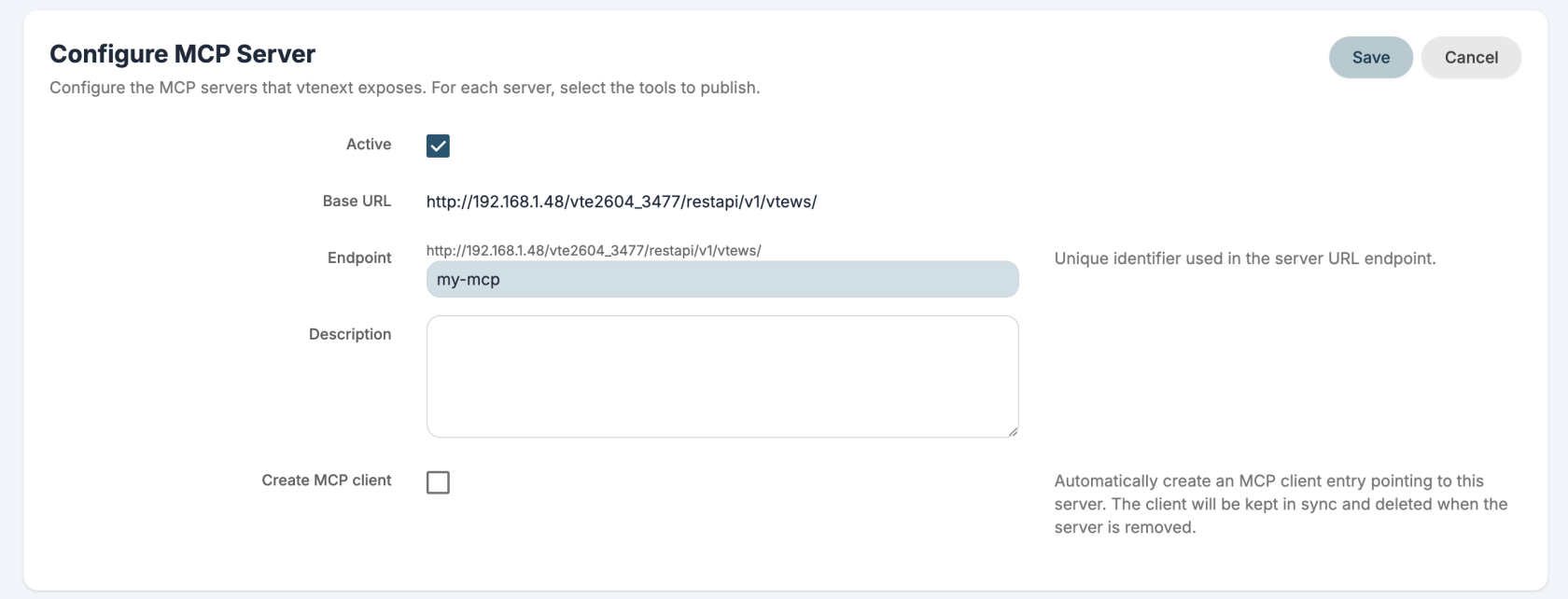](https://usermanual.vtenext.com/uploads/images/gallery/2026-06/screenshot-2026-06-29-alle-14-13-31.png)[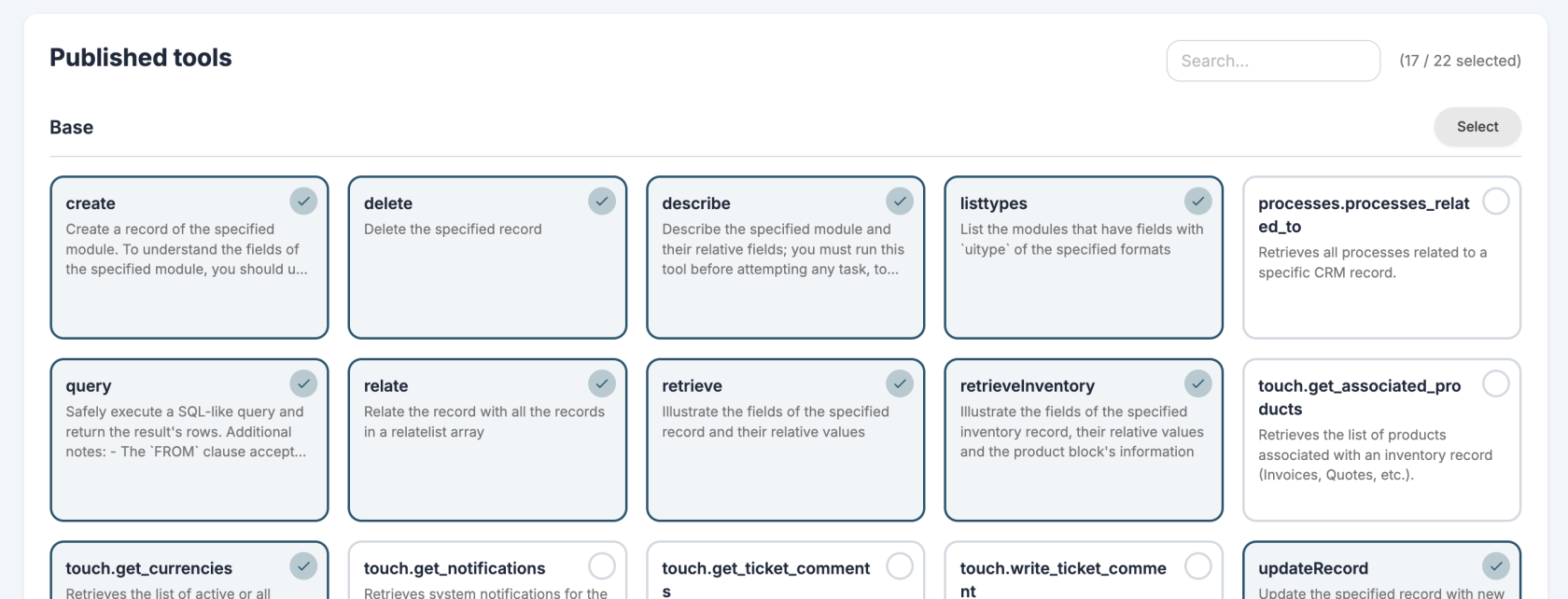](https://usermanual.vtenext.com/uploads/images/gallery/2026-06/screenshot-2026-06-29-alle-14-14-47.png)
##### MCP Client
You can configure the MCP servers whose tools you want to use. Only servers exposed via HTTP are supported.
By default you get a VTENEXT MCP and [Exa](https://exa.ai/) MCP installed for web searches.
[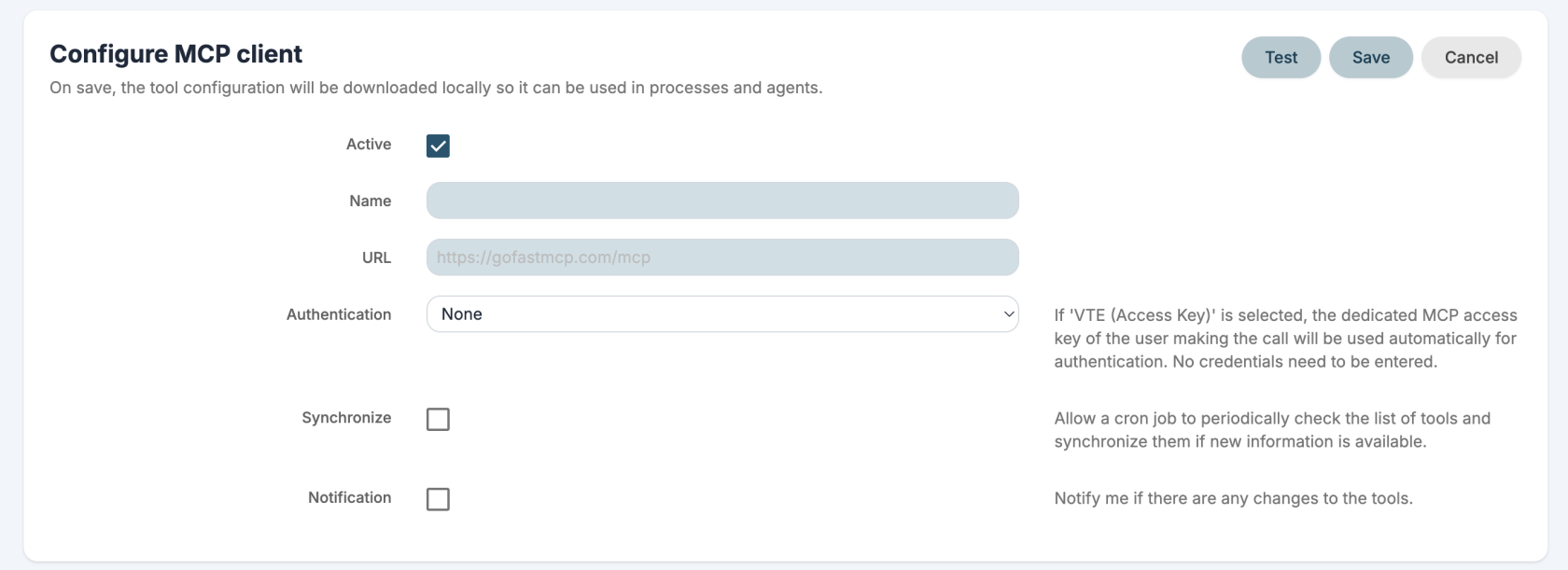](https://usermanual.vtenext.com/uploads/images/gallery/2026-06/screenshot-2026-06-29-alle-14-20-22.png)[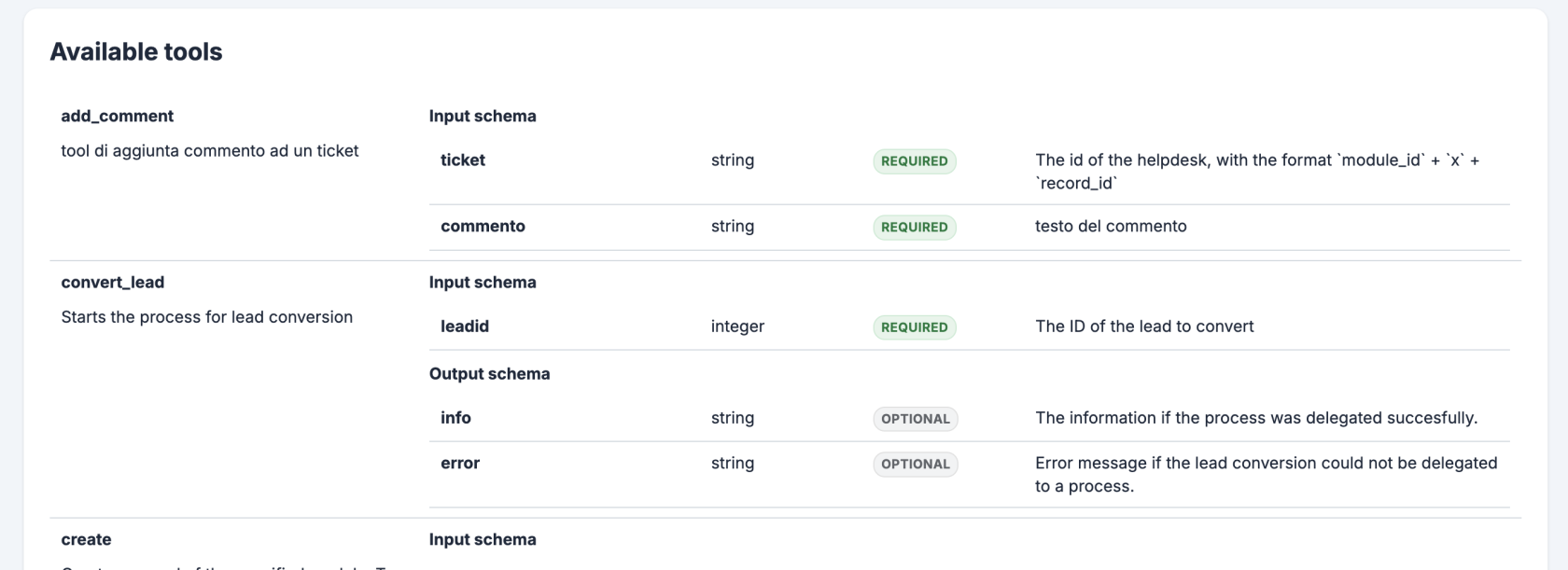](https://usermanual.vtenext.com/uploads/images/gallery/2026-06/screenshot-2026-06-29-alle-14-21-13.png)
##### Agents
You can configure AI agents to use in your assistant and processes. An agent can use LLMs, MCP tools and RAG to complete tasks automatically.
[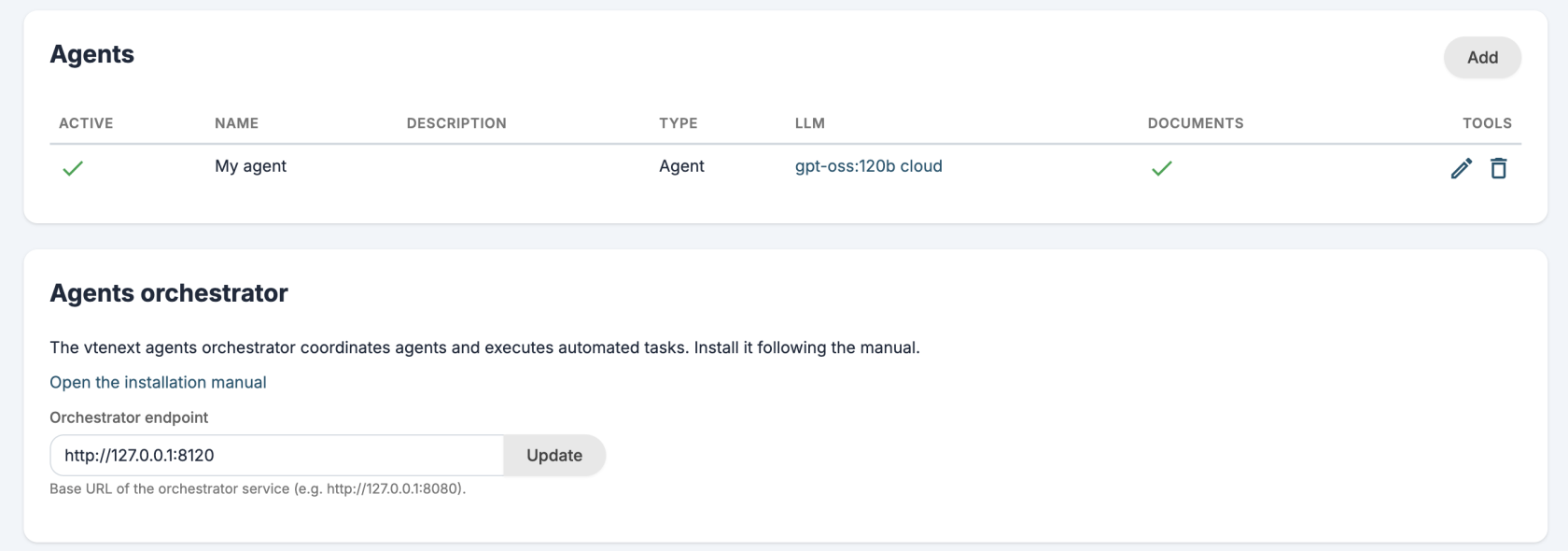](https://usermanual.vtenext.com/uploads/images/gallery/2026-06/screenshot-2026-06-29-alle-14-48-52.png)
##### Assistant
The new assistant is called **Kitt** but you can change his name and photo from the user preferences.
The assistant can query an LLM, an Agent or a custom REST Webservice.
[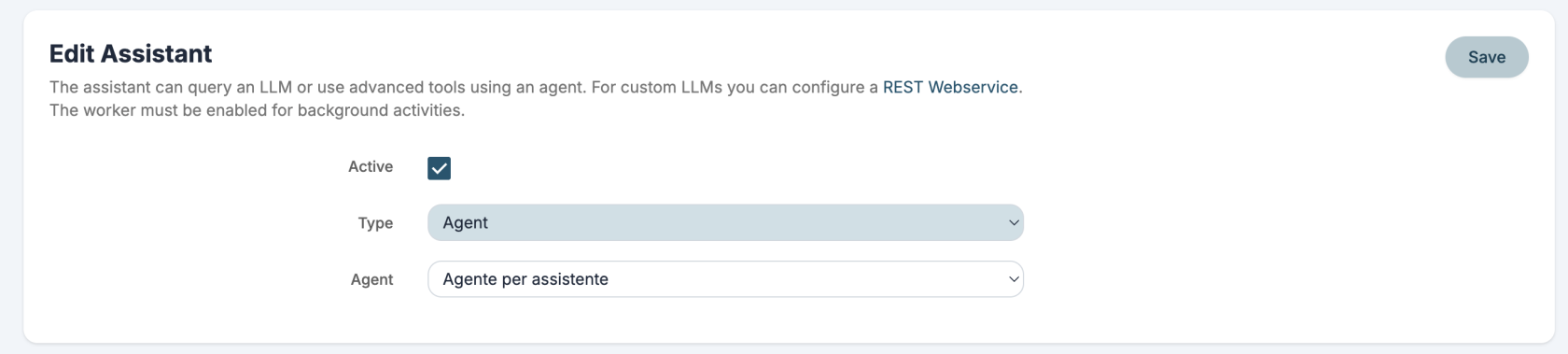](https://usermanual.vtenext.com/uploads/images/gallery/2026-06/screenshot-2026-06-29-alle-14-54-15.png)
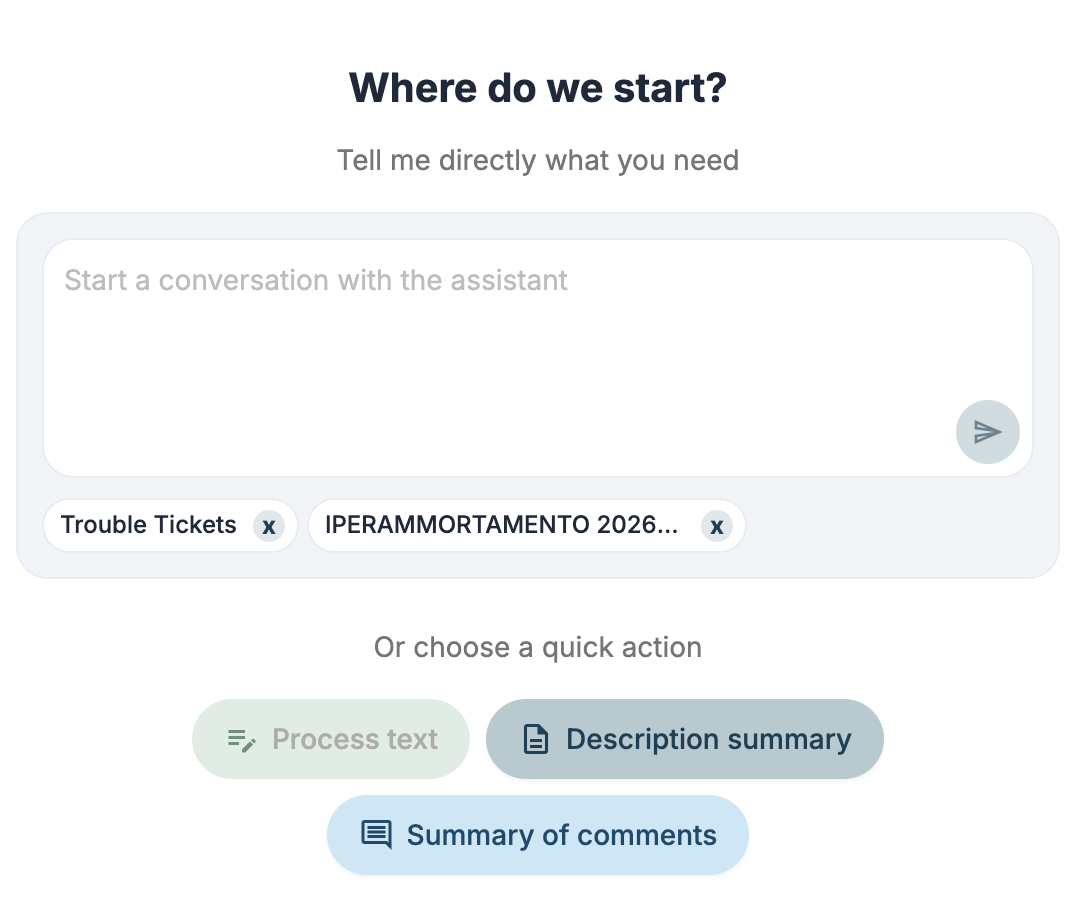
You can ask the assistant questions through conversations or with the new side panel.
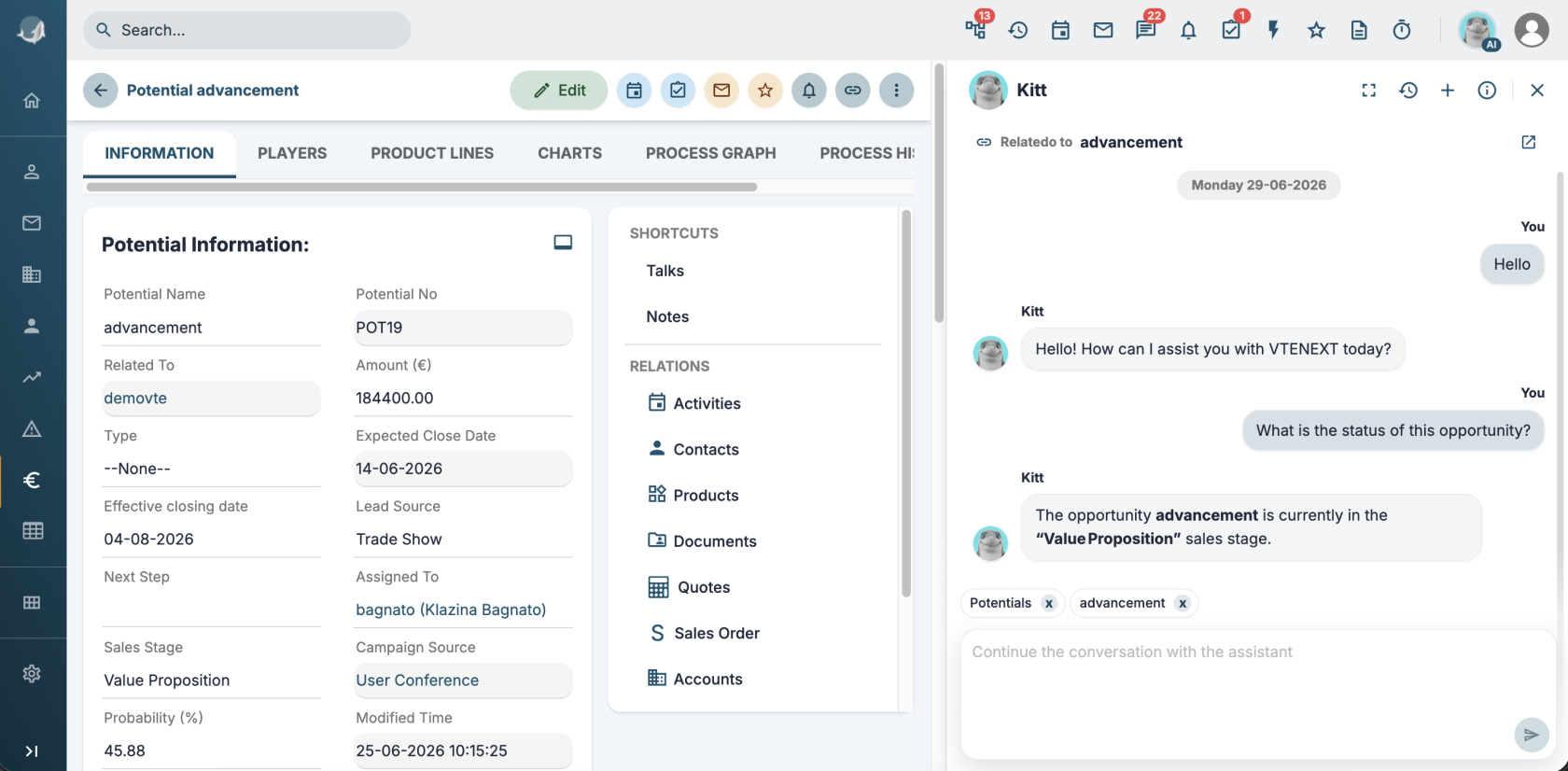
You can also use pre-configured **quick actions** to:
\- summarize
\- process text
\- translate
These quick actions can also be published as MCP tools.
[](https://usermanual.vtenext.com/uploads/images/gallery/2026-06/screenshot-2026-06-29-alle-15-44-52.png)
##### Agent Logs
An entry has been added in Settings > System logs to control agent logs.
---
### AI actions in ProcessMaker
You can configure process actions and run:
##### Call LLM
Make a request to an LLM and use the response in the process.
##### Call MCP tool
Run an MCP tool.
##### Call agent
Make a request to an Agent to complete tasks automatically and use the response in the process.
##### Call process tool
Run a [tool-type Process](#bkmrk-tool-type-processes).
# Other improvements
##### Worker
The worker is the new service for immediately executing operations in background (without blocking the user interface) and without having to delegate the operation to a cron job and therefore wait the minimum time of 1 minute.
The worker receives a request to execute via PHP and then sends the response directly to the browser via SSE events.
It has currently been implemented to perform the following operations:
\- notifications (ModNotifications)
\- process actions with background execution mode
\- all requests to the new AI tools
Technical documentation is available [here](https://usermanual.vtenext.com/books/developers/page/worker).
---
##### Expiration in Access Keys
In **User Preferences > Webservices, REST Api Configuration** you can specify an expiration date for new access keys.
When expired, the Accessk Key will be deleted.
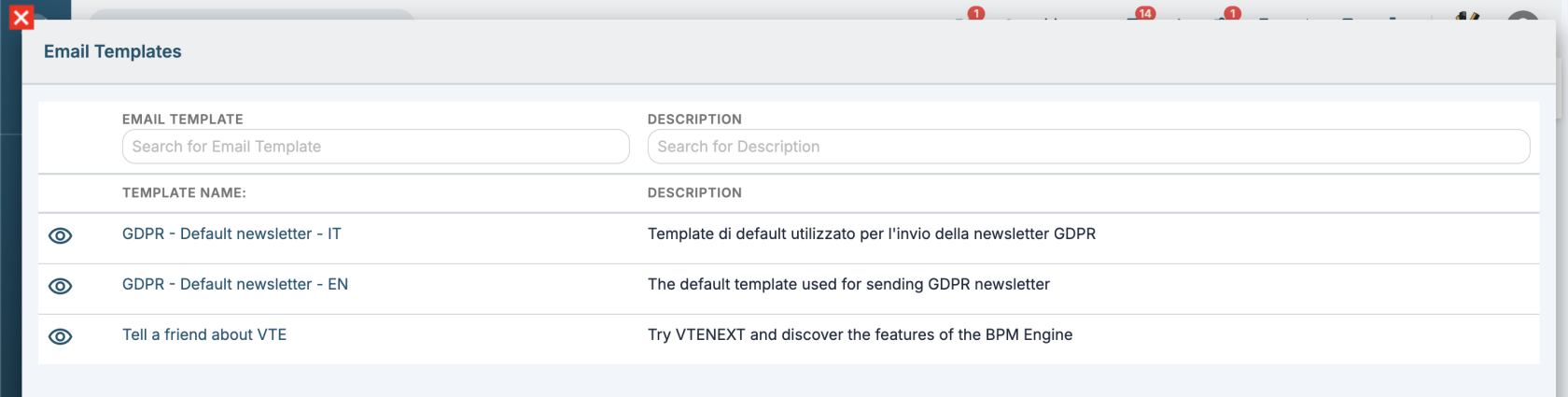
##### Email template list in newsletter is now searchable
Added grid search in email templates in newsletter.
[](https://usermanual.vtenext.com/uploads/images/gallery/2026-06/screenshot-2026-06-25-alle-15-32-44.png)
##### Improved scheduled reports
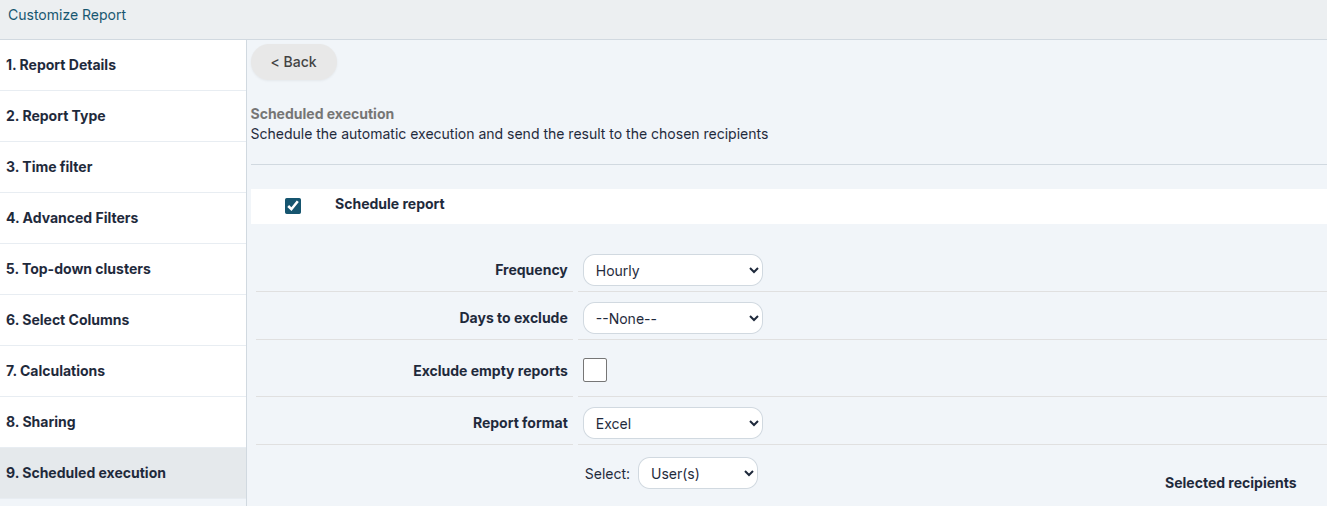
In the scheduled report configuration, two options have been added:
1\. Exclude holidays/weekends (holidays are related to the "Holiday Countries" field in the admin user's user profile)
2\. Exclude empty reports
[](https://usermanual.vtenext.com/uploads/images/gallery/2026-06/6etimage.png)
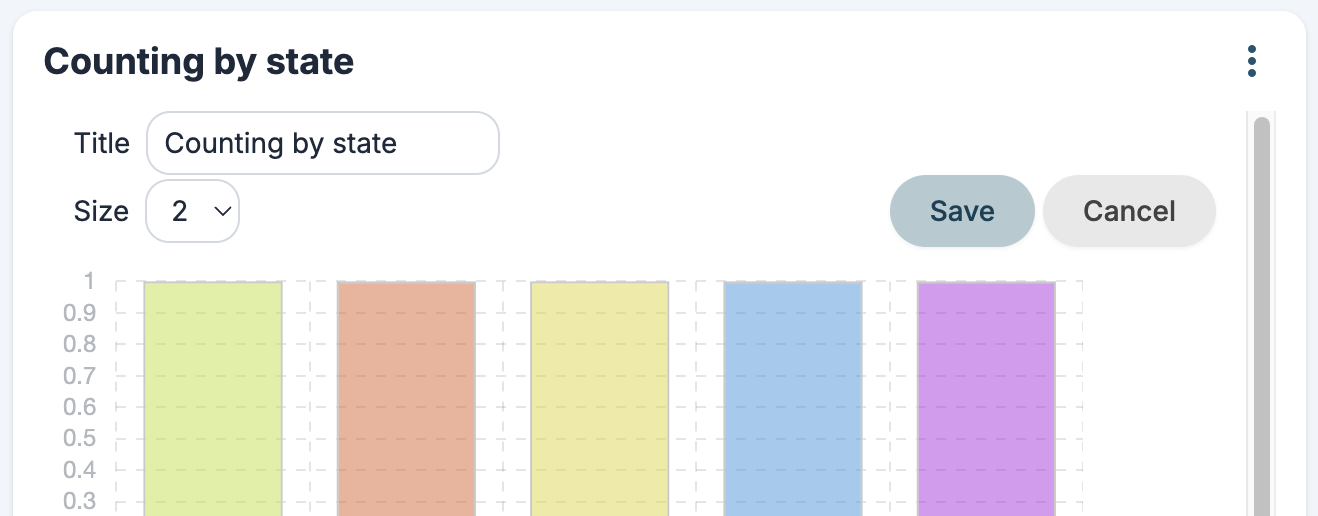
##### Widgets' title
Possibility to edit home page widgets' title
[](https://usermanual.vtenext.com/uploads/images/gallery/2026-06/screenshot-2026-06-25-alle-15-37-45.png)