Release Note vtenext 26.*
To install vtenext version 26.* you must use PHP >= 8.3. See the required prerequisites in the dedicated section.
The migration to PHP 8 required a revision of a large part of the code, therefore developers are invited to review the new sections introduced in the page dedicated to them.
Update guide
How to update to vtenext 26.* from older versions (<= 25.02.2).
Update from web interface
Prerequisites
Make sure the following conditions are met before attempting to update:
- vtenext must be updated to version 25.02.2. Only from this version it's possible to proceed to the next update step
- A valid license must be active
- An admin user with local password (no 2-factor authentication or external single sign-on) must be present and active
Update procedure
In version 25.02.2, if the automatic check for updates is enabled, the administrator user will receive a notification about the new version, which will alert about the necessity to update the php version:
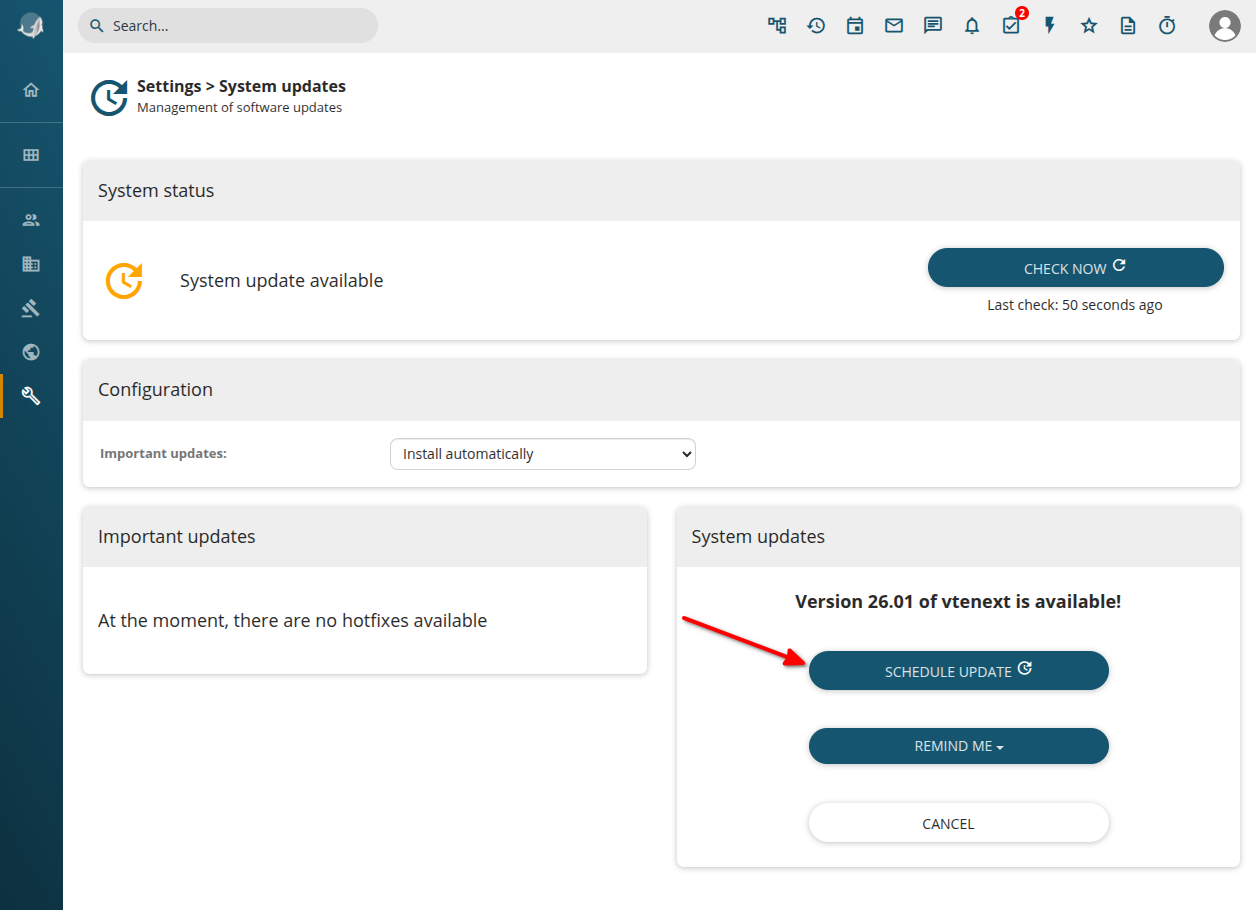
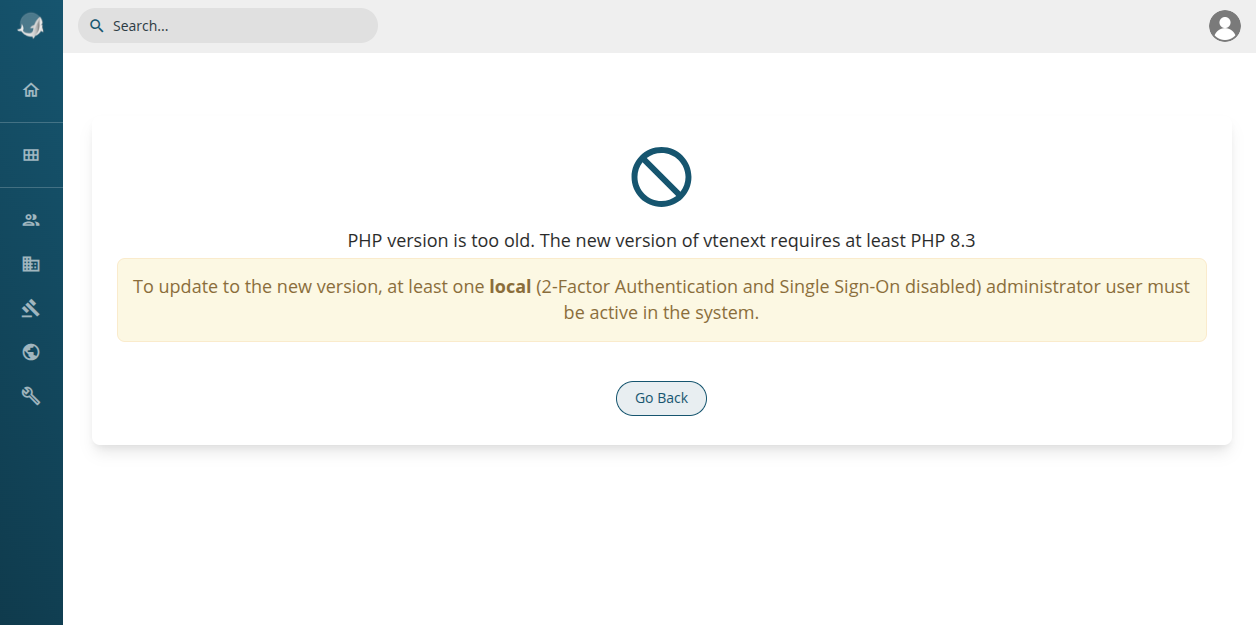
At this point there are 2 options:
- move the entire installation on a new host with php 8.3 (recommended Ubuntu Server 24.04), with all the necessary packages (see the Installation Requirements page). In this case, make sure the connection parameters in config.inc.php are correct in the new host and that the cron jobs are correctly activated.
- update the current host Operating System to a new version with php 8.3 (in this case it's strongly recommended to do a snapshot before starting)
After this move or update has been done, vtenext will enter an update only mode, which only allows the update to continue:
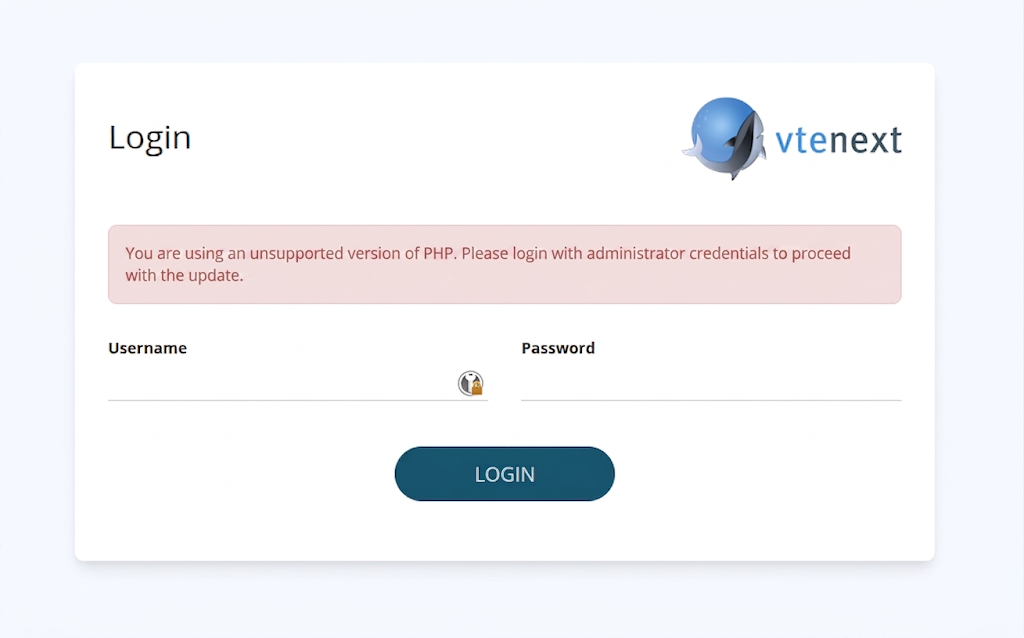
After logging in, a simplified update page is shown, where it's possible to start the update:
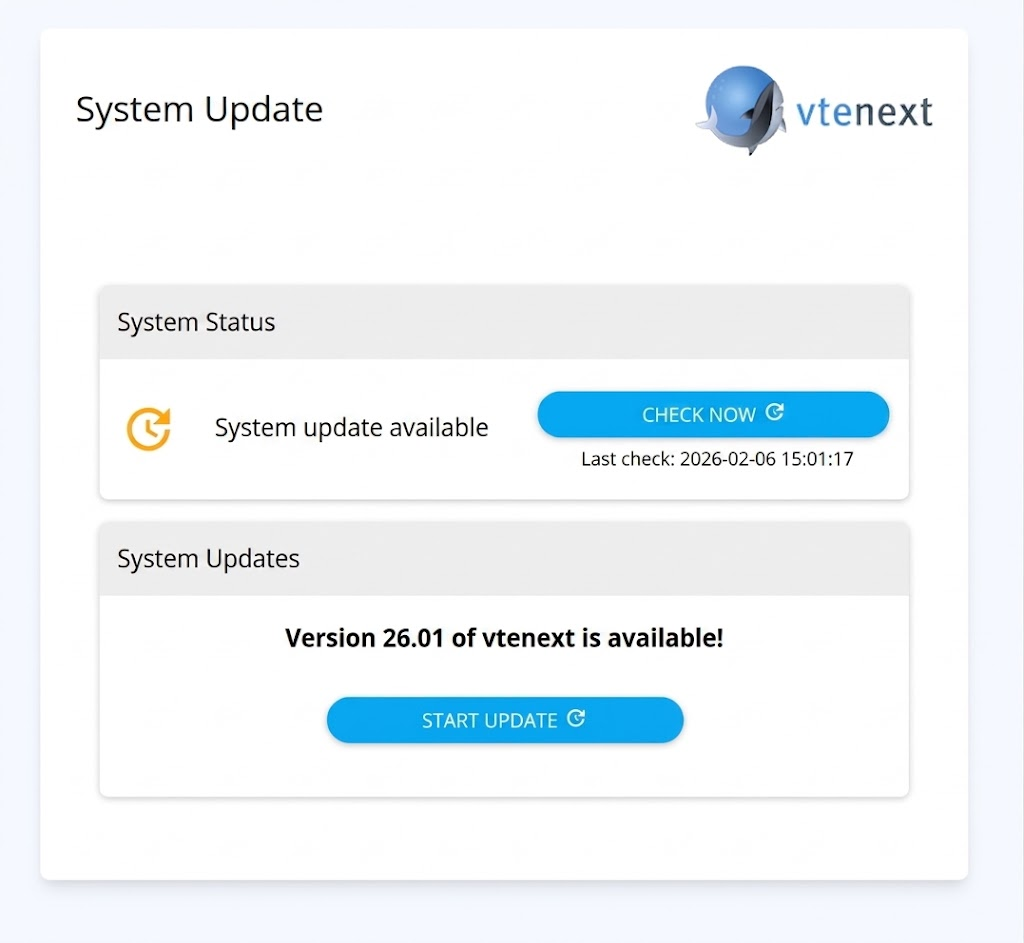
If vte cron jobs are not active or not executed recently, it may be possible that this page won't show the availability of the update. In this case click on "Check now" and wait a few minutes or manually execute the cron from the vte directory:./cron/RunCron.sh
It may be necessary to execute it 2 times, until the output says something like
"[INFO] Found new version available (....), checking for compatibility..."
After clicking on "Start Update" it's possible to give one last confirmation:
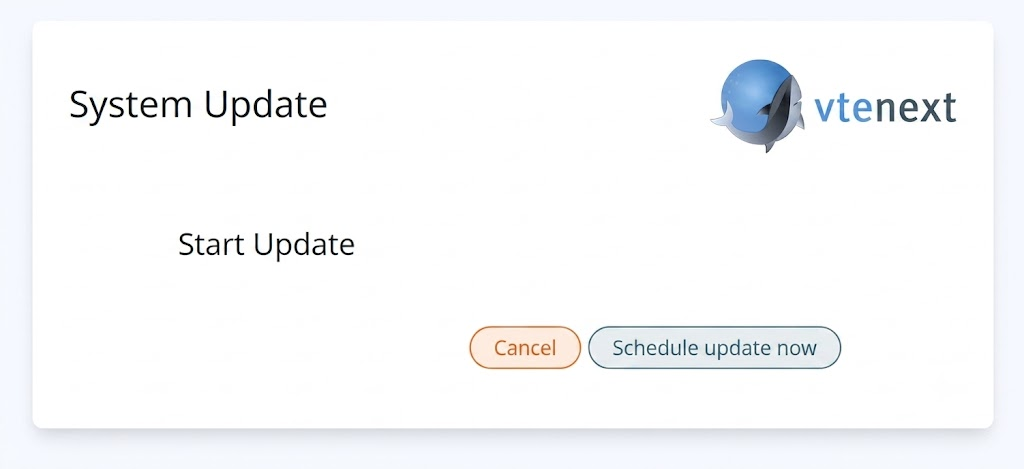
When confirmed, the update will proceed in background (if crons are enabled, otherwise the ./cron/RunCron.sh must be executed manually).
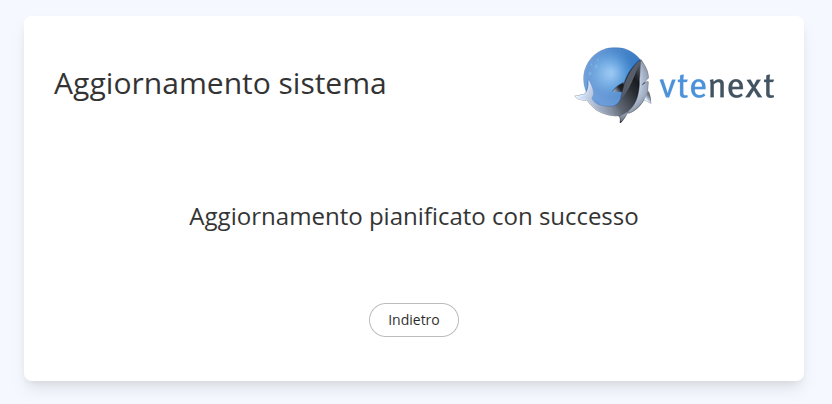
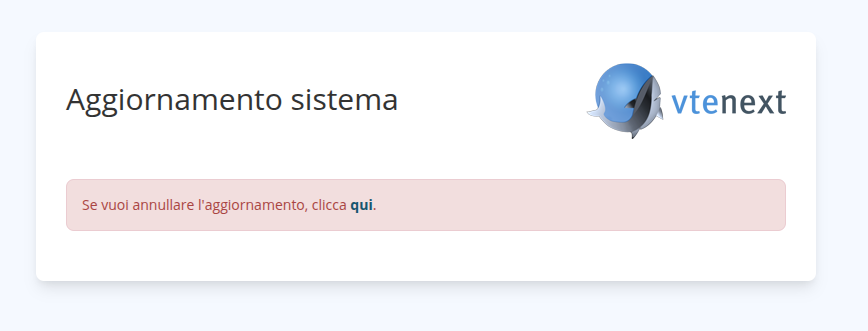
When update starts:
Do a refresh of the page every 5-10 minutes to check for problems. At the end of the update you will be redirected to the login page and you will be able to use the new version.
Update from terminal
Prerequisites
Make sure the following condition are met before attempting to update:
- vtenext must be updated to version 25.02.2. Only from this version it's possible to proceed to the next update step
- A valid license must be active
The following procedure is only available to vtenext partners
Update with vteUpdater
Since this version of vtenext supports only php >= 8.3, there are 2 options:
- move the entire installation on a new host with php 8.3 (recommended Ubuntu Server 24.04), with all the necessary packages (see the Installation Requirements page). In this case, make sure the connection parameters in config.inc.php are correct in the new host.
- update the current host Operating System to a new version with php 8.3 (in this case it's strongly recommended to do a snapshot before starting)
After this, the update procedure can begin:
- Login via SSH to the server hosting vtenext and navigate to its directory.
- If errors are detected, you will be shown a log, allowing you to evaluate the effectiveness of the reports and then choose whether to roll back using previously created backups or continue and complete the update.
Continuing the update if errors are reported skips the "post-update" phase, which must be performed manually with the command:
./vteUpdater.sh --only-delete
This phase is performed automatically if no errors are detected.
This phase deletes obsolete files and applies scripts once the update has completed successfully. - Execute
./vteUpdater.sh(make it executable if it's not already) and follow the instructions.
The output should be similar to this:
root@testhost:/var/www/html/vte3001upd# ./vteUpdater.sh VTE Automatic Updater -- version 1.72 [INFO] Checking for upgrades of this script... [INFO] Found VTE at revision 3001 [INFO] Checking for latest available version... You can update to revision ????, . Do you want to proceed? (Y/N) : y Please type your username : ********** Password: ***************** [INFO] Validating credentials... [INFO] Downloading package... [INFO] Packages downloaded succesfully [INFO] Updating VTE to revision ???? mysql: [Warning] Using a password on the command line interface can be insecure. mysql: [Warning] Using a password on the command line interface can be insecure. [INFO] Database size is 140 MB, (biggest table is sdk_language, 15 MB) The user and group for the web server have been detected as www-data:www-data. Is this correct? (Y/N) : y [INFO] Starting file comparison... File comparison: [########################################] 100% [INFO] No differences found [INFO] Waiting 2 minutes for cron processes to finish... [INFO] Creating backup of VTE files... Do you want to backup the database? (Y/N) : y [INFO] Creating backup of database... [INFO] Starting update... [INFO] Files copied. Executing schema update... [INFO] Removing obsolete files... [WARNING] The file ./config.template.php might have some custom code, left untouched [INFO] Removed 6289 files and 1126 directories [INFO] Executing post-delete scripts... [INFO] Update notes: [INFO] The obsolete module Dashboard has been eliminated, as well as the method SDK::setDashboard [INFO] If you were still using Dashboards, please migrate them to Charts or custom Iframe [INFO] [INFO] Classes Vtiger_Net_Client and Vtiger_Feed_Parser have been eliminated. [INFO] Please review the custom code if they were still used [INFO] [... redacted ...] [INFO] [INFO] Update successful!If any errors occur, you can review the log to determine the severity of the reports and then choose whether to roll back, using previously created backups, or continue and complete the update.
If errors were encountered and you choose to continue, the "post-update" phase will be skipped and must be performed manually with the command./vteUpdater.sh --only-delete
This phase is performed automatically if no errors are found.
This phase deletes obsolete files and applies scripts once the update has completed successfully. - In case of custom modifications to the code, they need to be ported manually to the new version, and checked to be sure they work with php 8.3. Refer to the developers manual to see what has changed.
A review skill is available to be used with AI agents in your IDE, helping adapt code to the new version.
More details available in the documentation.
Release Note vtenext 26.04
Theme
Updated the font to Inter and upgraded the Bootstrap library to version 3.4.1.
Updated the styles of some core components.
French Language Pack
The French language pack available during installation has been updated and moved from the beta modules to the optional modules.
Translation of External Pages Based on Browser Language
External pages used for appointment scheduling (Book Me) and for dynamic external forms (accessible via email) will be translated according to the language detected in the user’s browser.
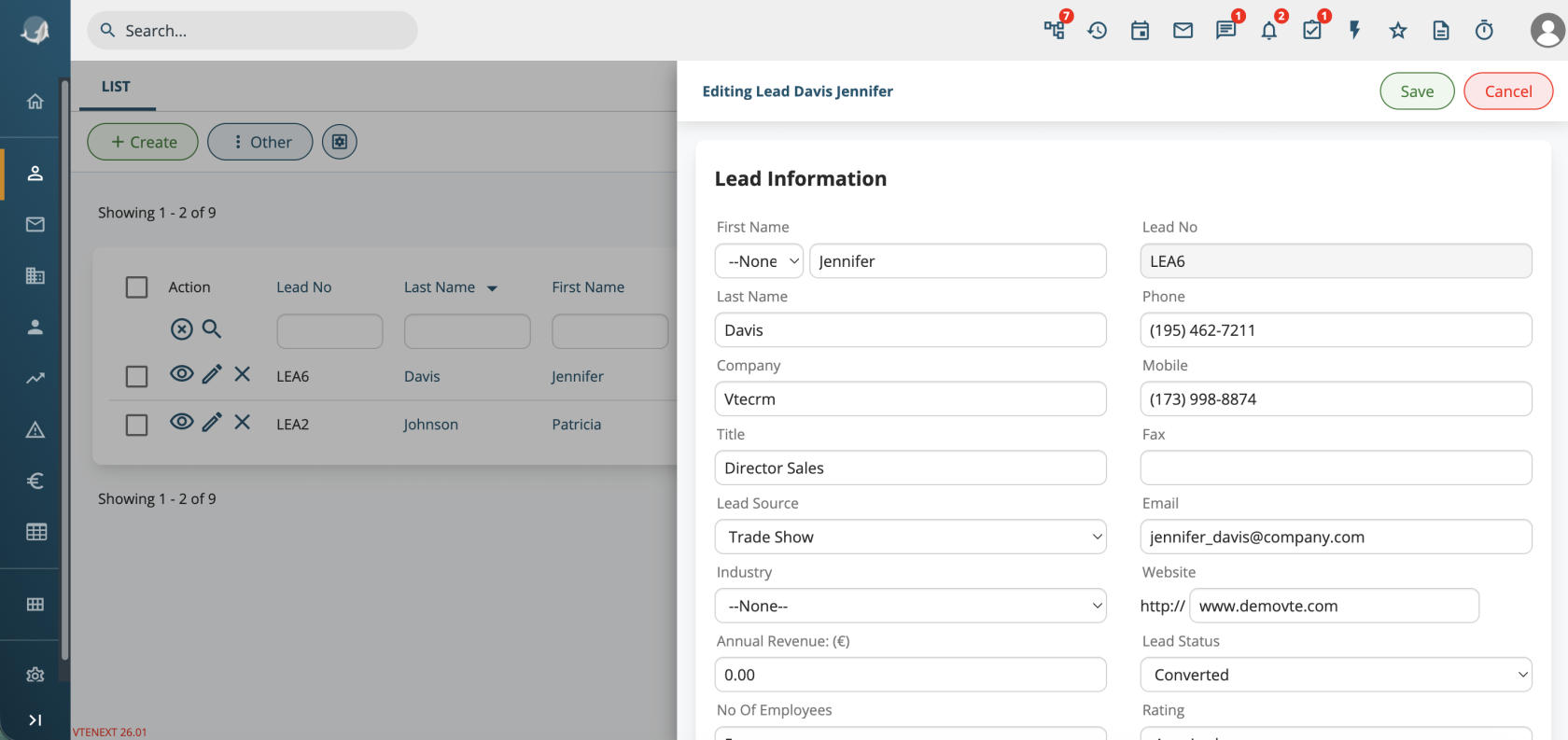
Quick Actions in List View
In module list views, a preview button has been added and the edit button has been updated to open a half-page panel.
You can switch back to the previous behavior using the properties:
layout.listview.previewlayout.listview.fast_edit
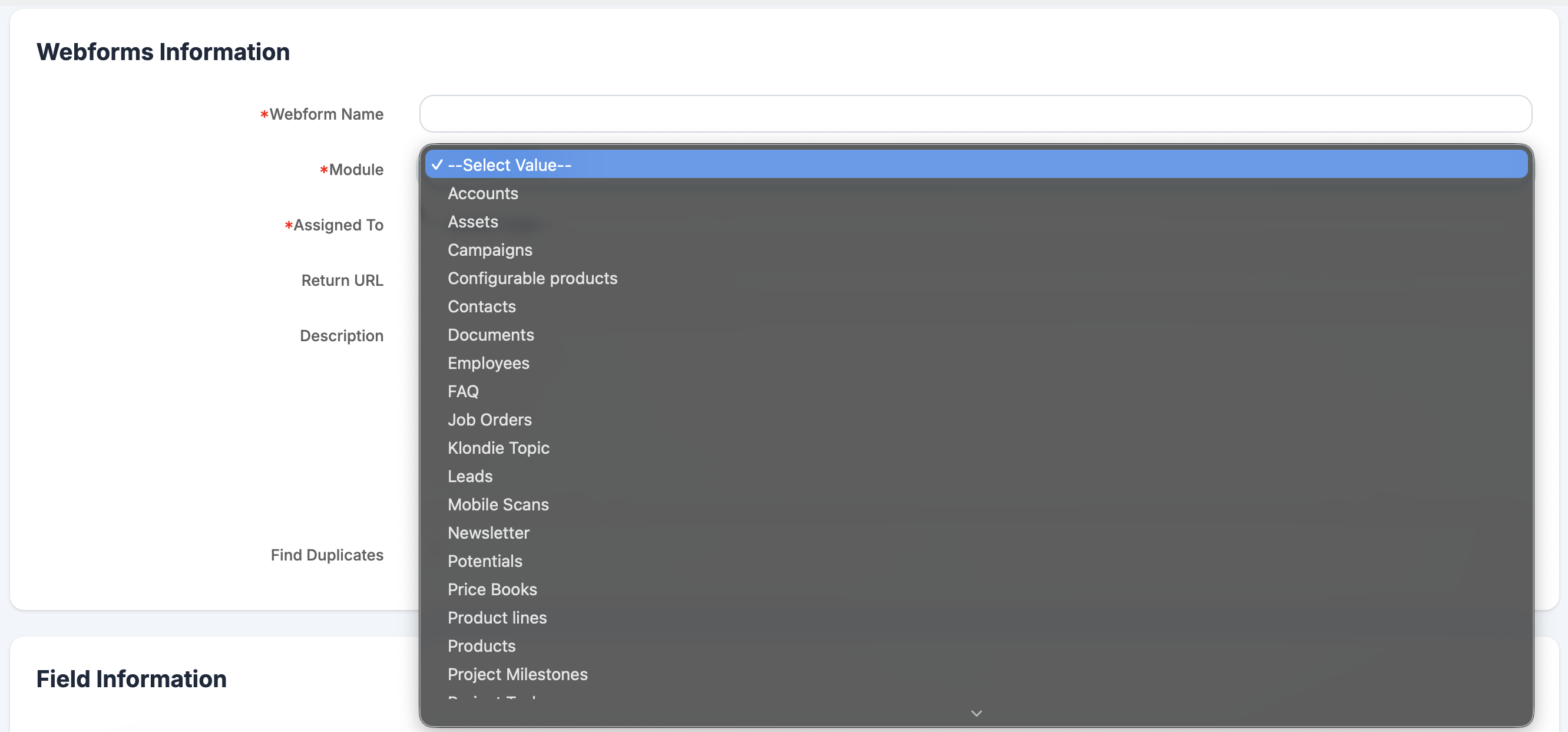
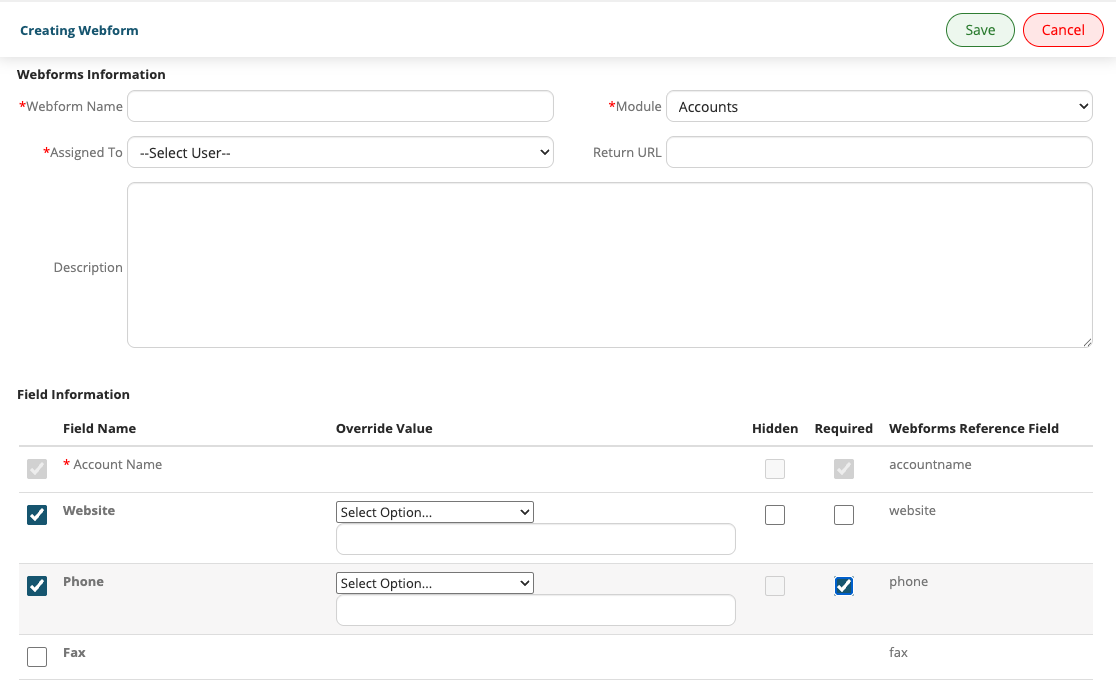
Webform
It is now possible to create records in any module from a webform.
It is also possible to enable duplicate checking to prevent the creation of records that already exist.
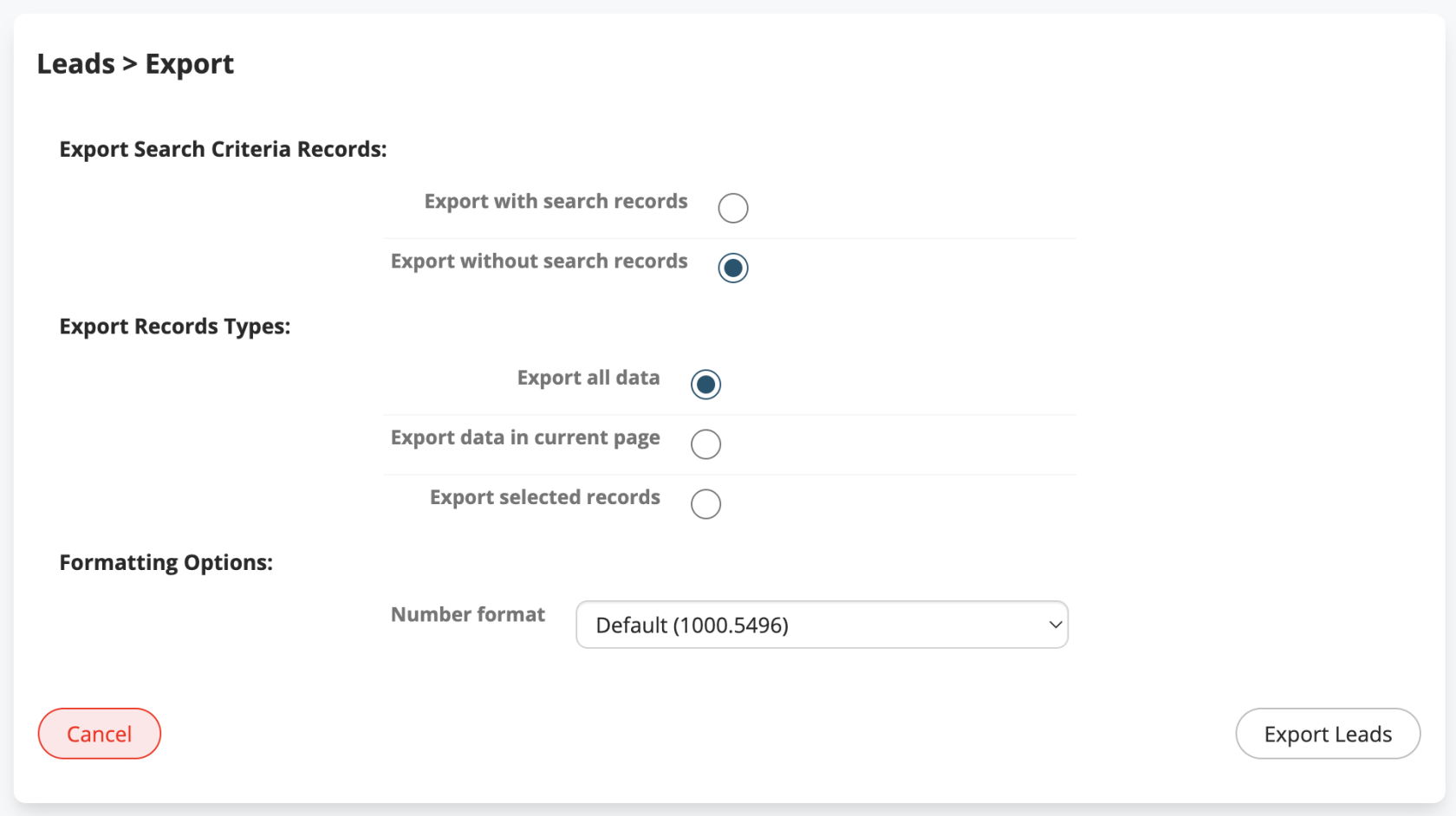
CSV Export
Additional formatting options have been added to address compatibility issues with external applications.
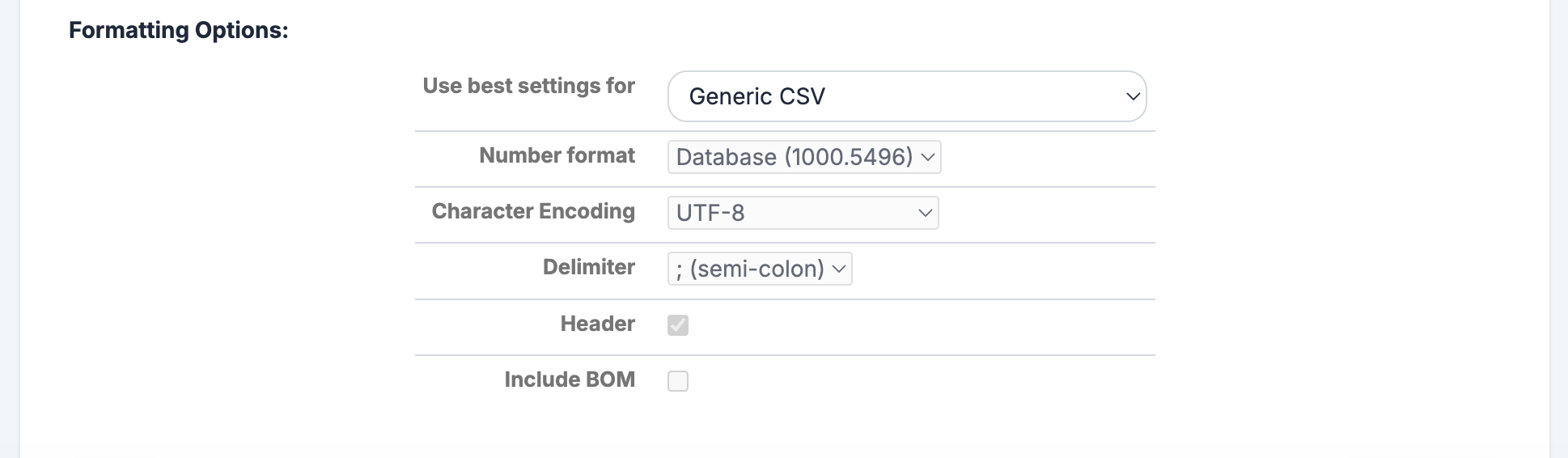
In CSV export for any module, it is now possible to choose the format for numeric fields:
- Default (1000.5496): previous format (dot as decimal separator)
- Italian (1000,550): comma as decimal separator
- English (1,000.550): comma as thousand separator, dot as decimal separator
- User (1000.55): based on user settings
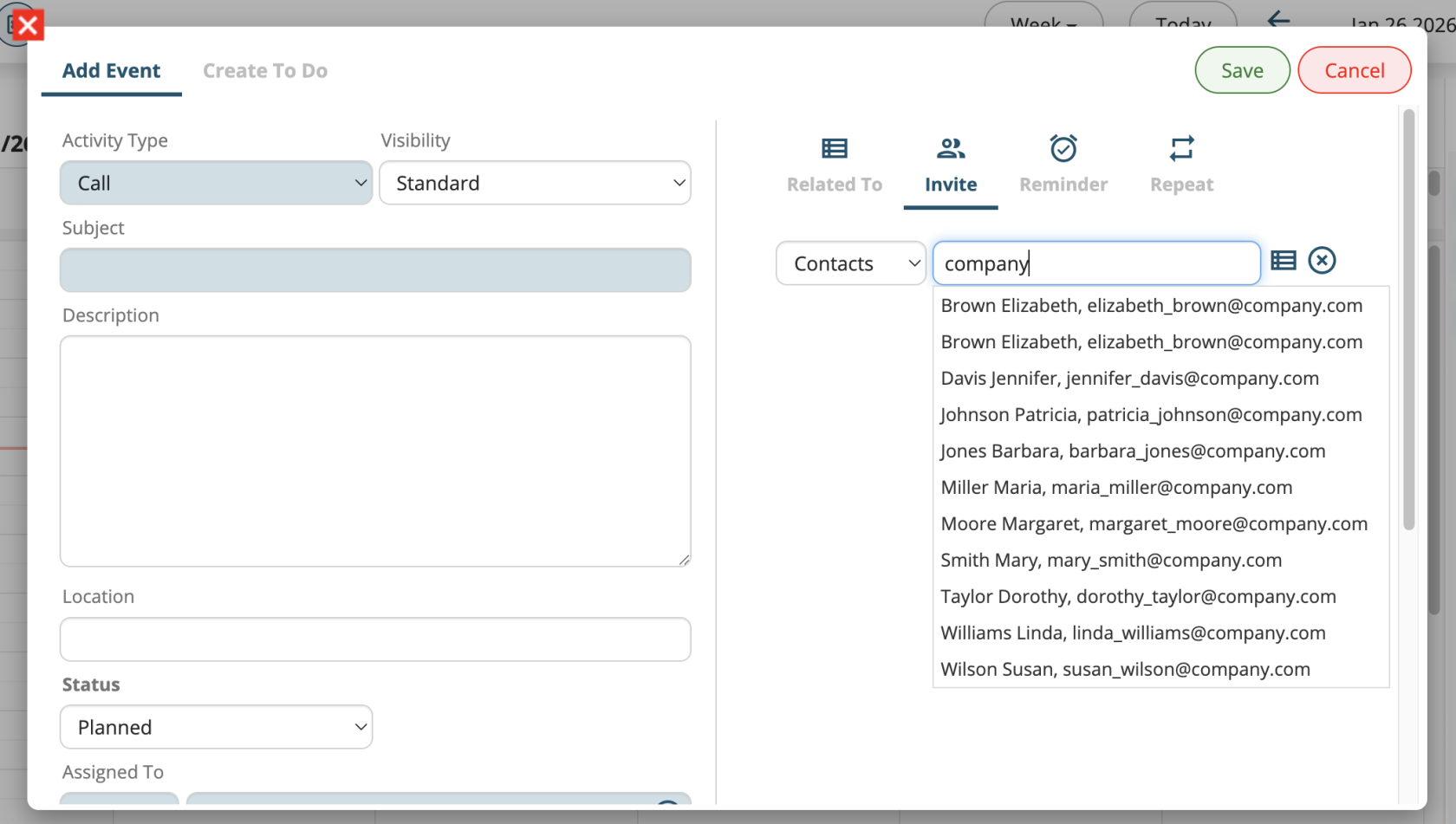
Guest Search by Email
In calendar events, it is now possible to add attendees by searching them via email address
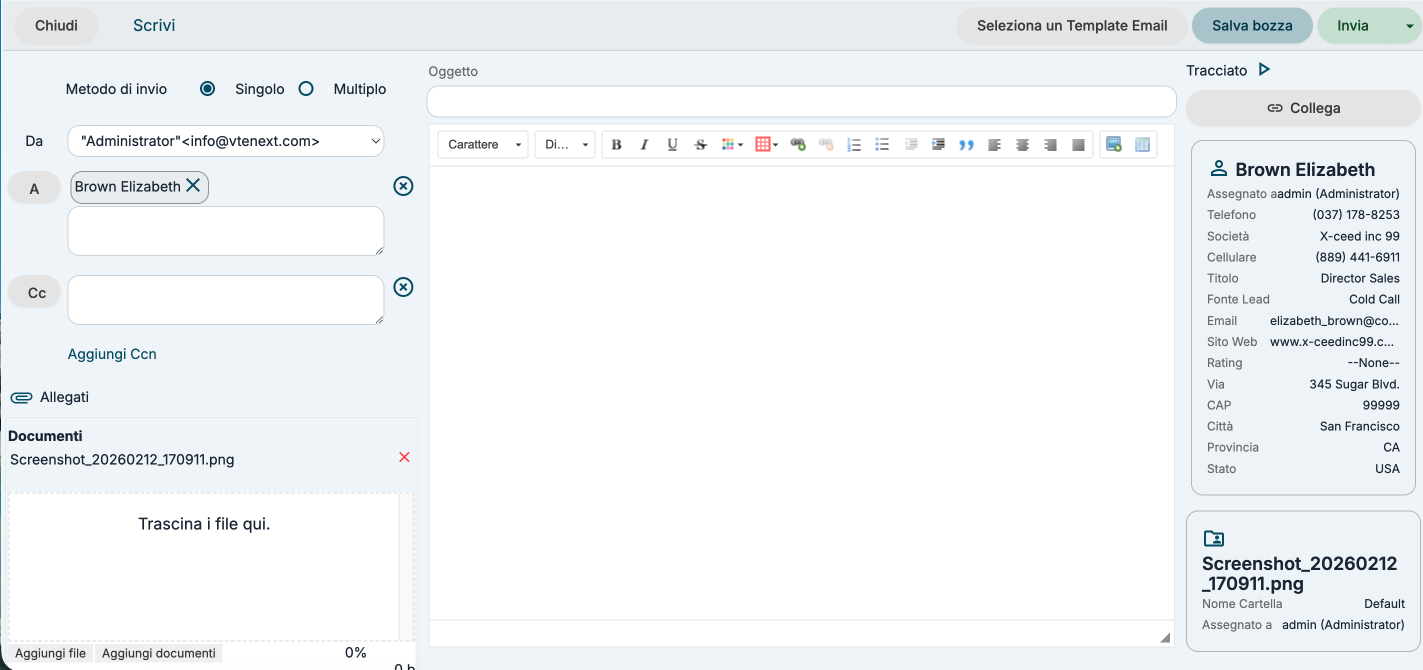
Email Attachments
It is now possible to attach files to an email directly from the Documents module.
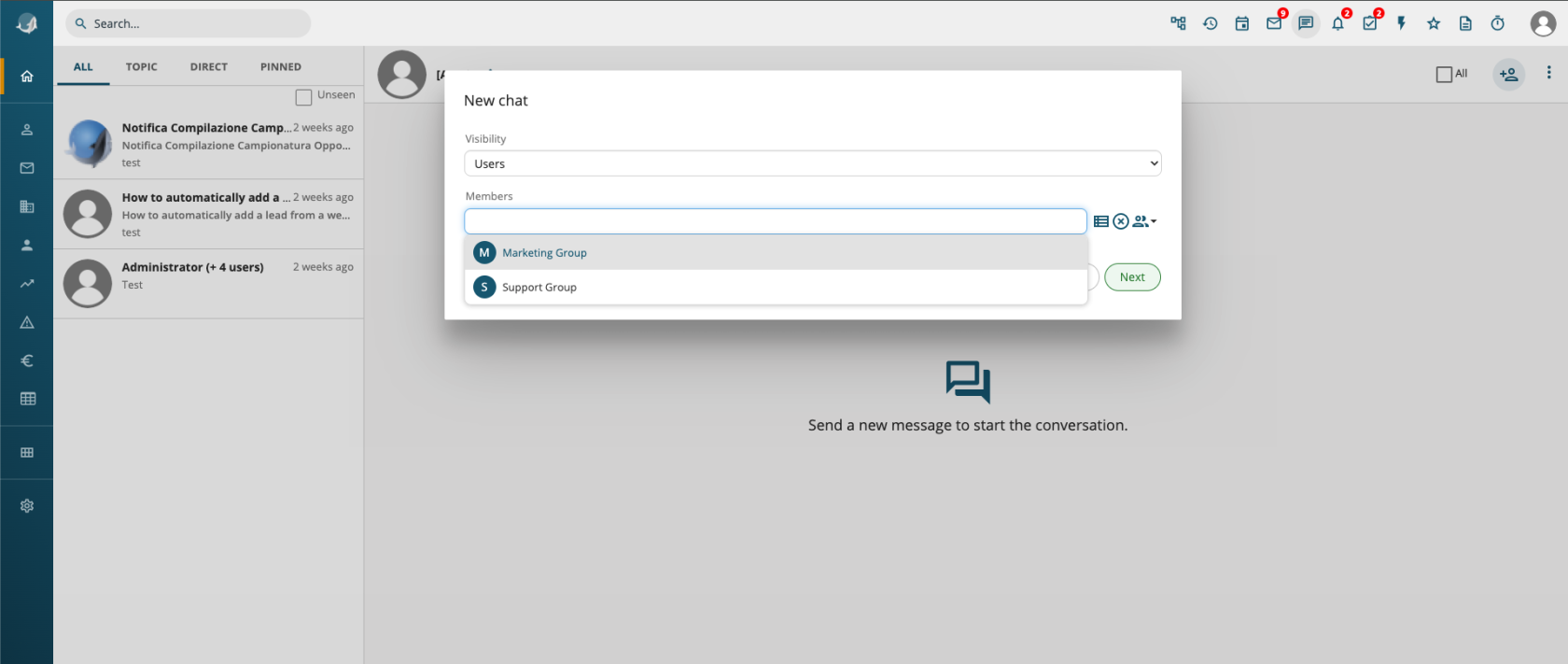
Groups in Conversations
It is now possible to select a group to send a conversation to all its members.
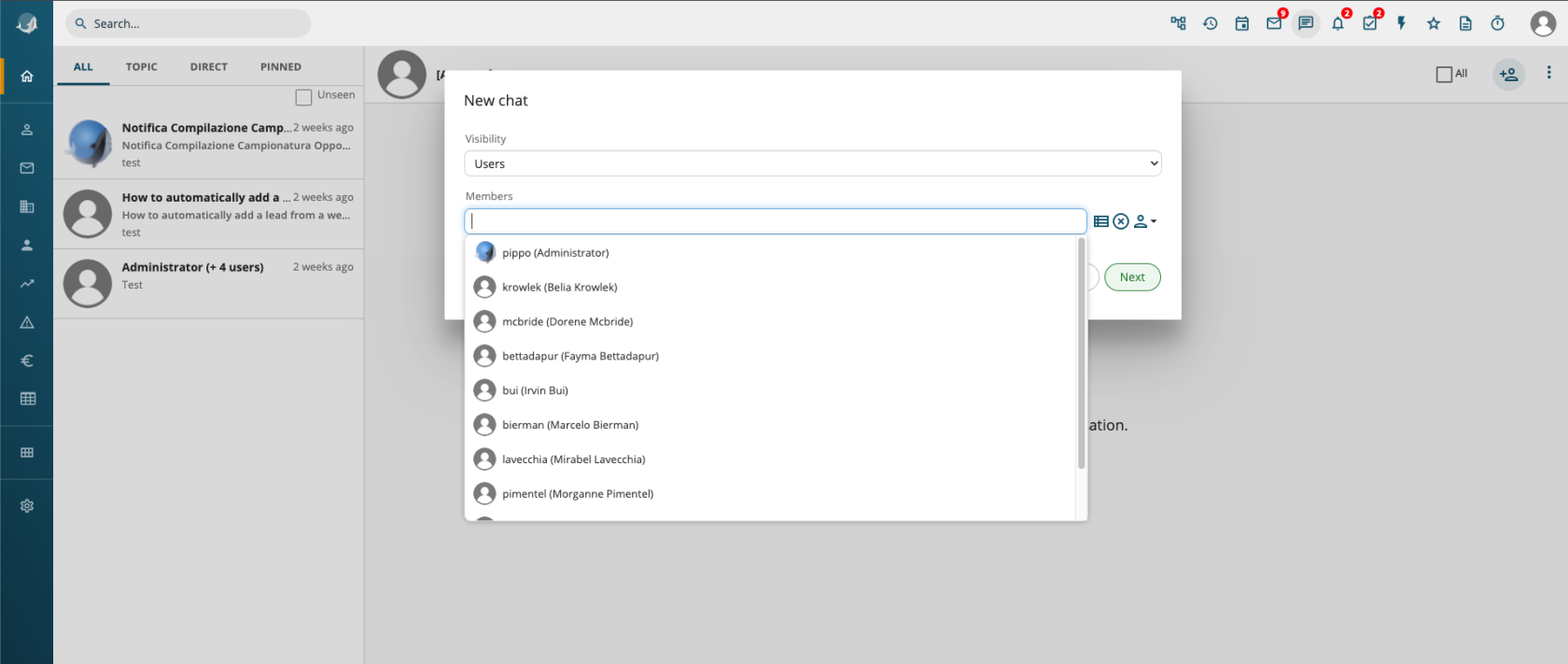
User Selection Avatars
User avatar images have been added to user auto-complete fields.
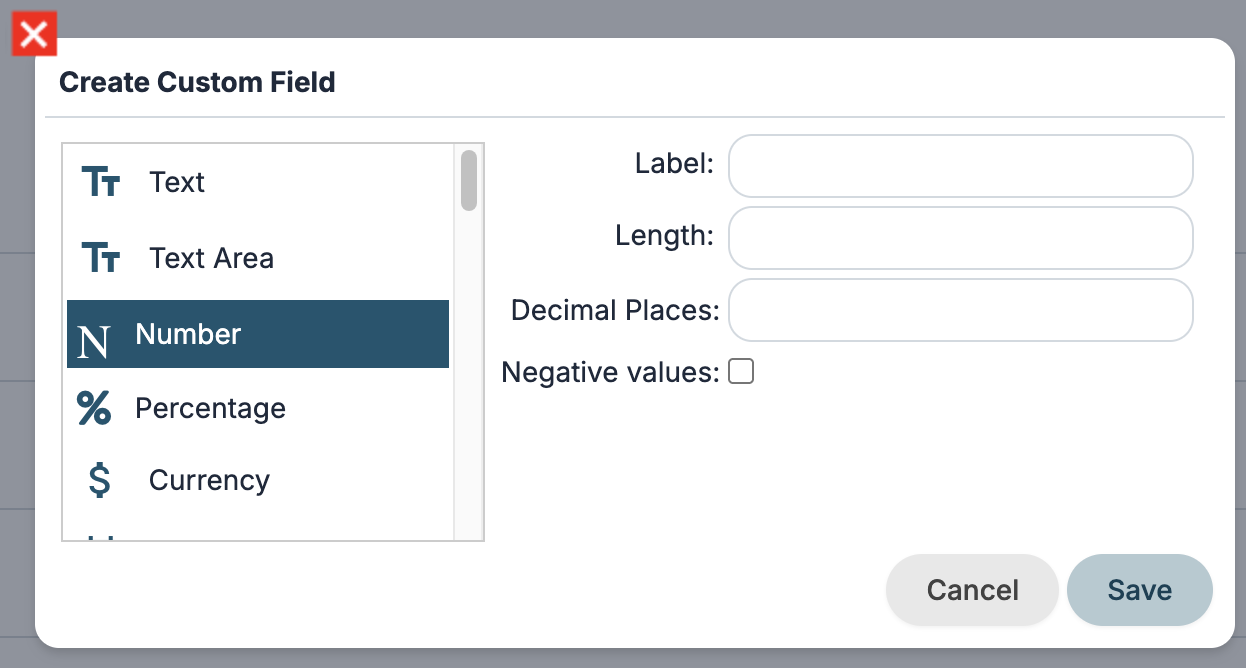
Negative Numbers
Support for negative values has been added to numeric and currency fields in Layout Editor, Module Creation, and Process Maker.
Out of Office in Conversations
The out-of-office status configuration has been moved to user preferences under the “More” menu in the top-right corner.
If a user sends a conversation to someone who is out of office, they will receive an automatic message.

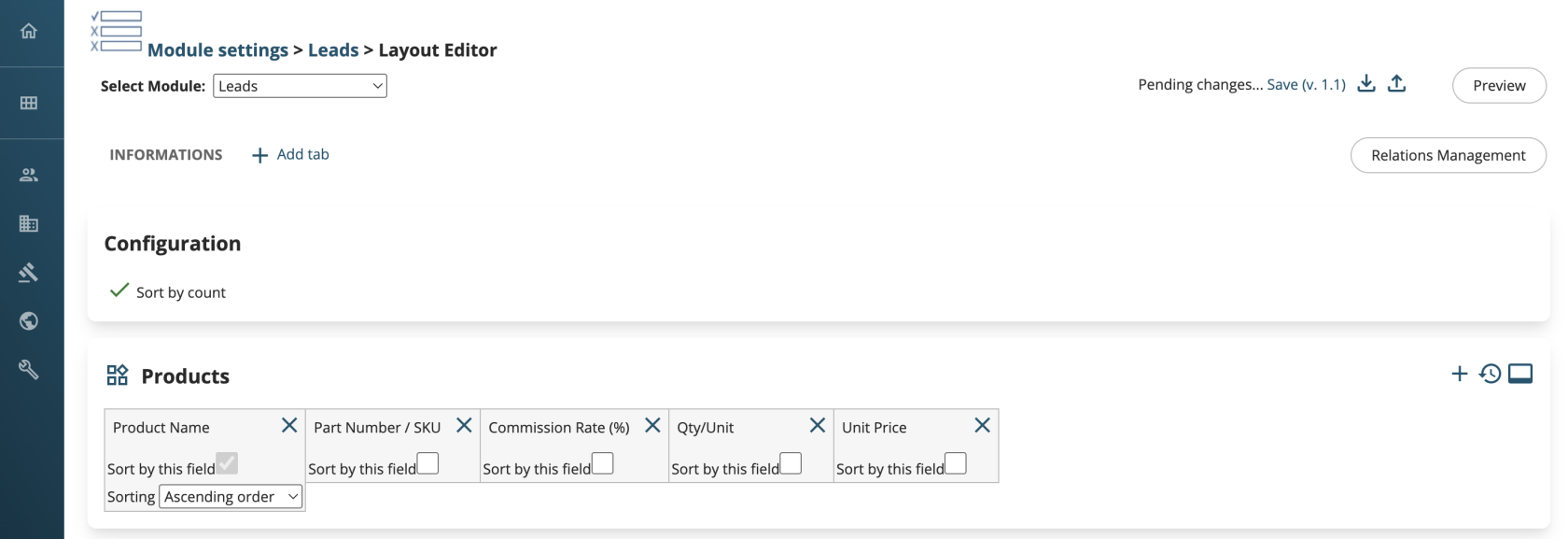
Layout Editor: Sorting Fields for Relationships
In the relationship management page, it is now possible to define, for each related module, the field used to sort the list of items and the sorting direction (ascending/descending).
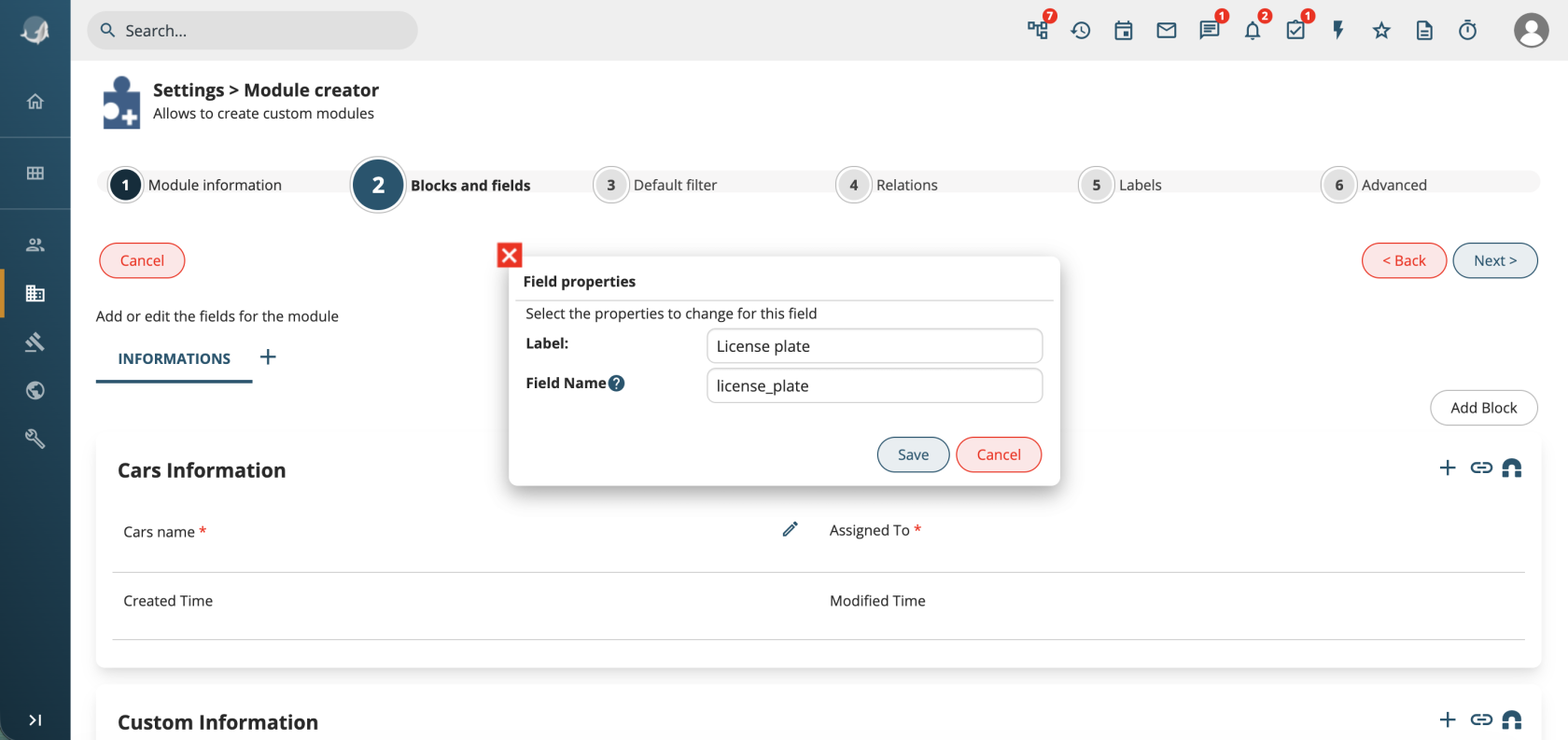
Field Name in Module Creation
When creating modules, it is now possible to configure the field name, allowing a custom and more meaningful name instead of default values like vcf_*.
Synchronizations: Multiple Configurations for the Same External System
It is now possible to configure multiple connectors for different instances of the same system (e.g. WooCommerce, HubSpot, etc.).
Mail Converter: Automatic Message Filtering
By enabling the property settings.mailscanner.filter_auto_msg, it is possible to detect whether an incoming email was sent by an automated system and prevent ticket creation from triggering a new outgoing email from vtenext
Conditional Fields
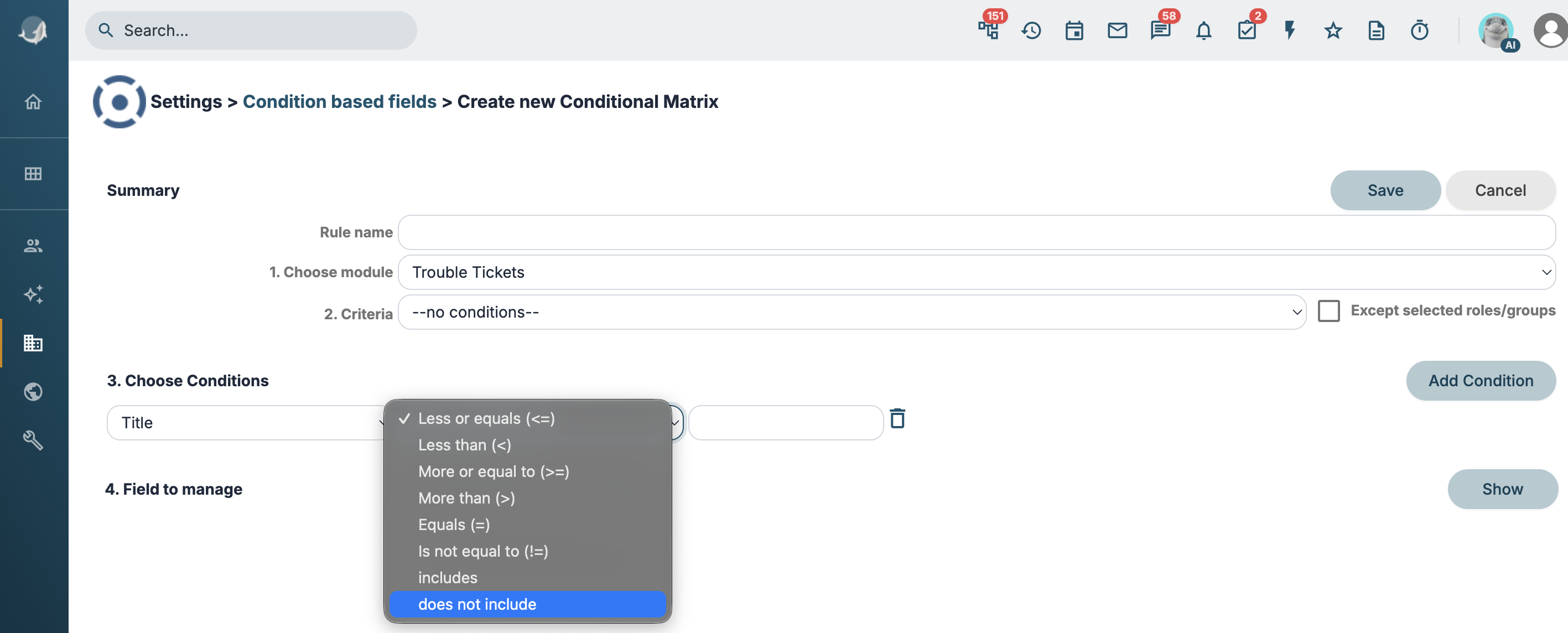
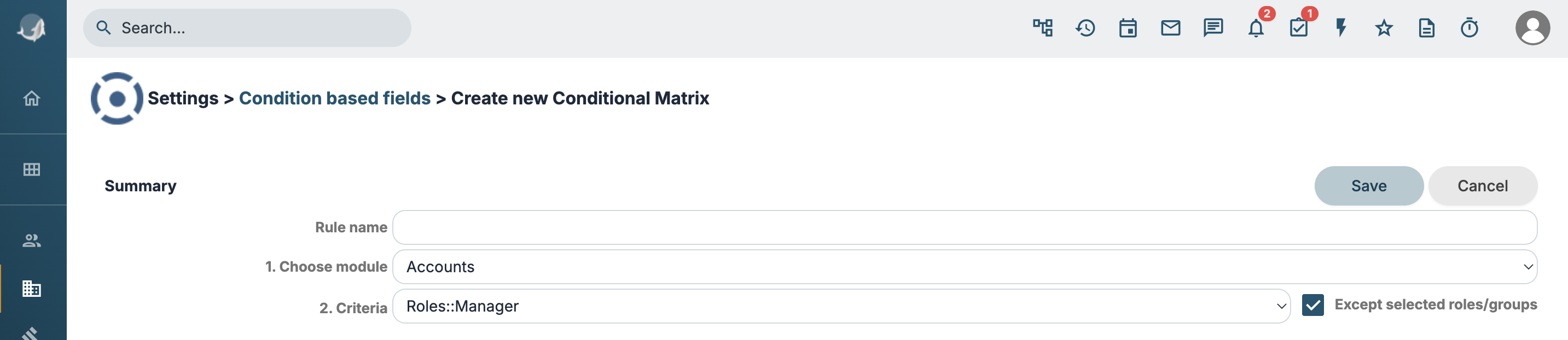
It is now possible to define a rule that applies to all groups/roles except the selected one.
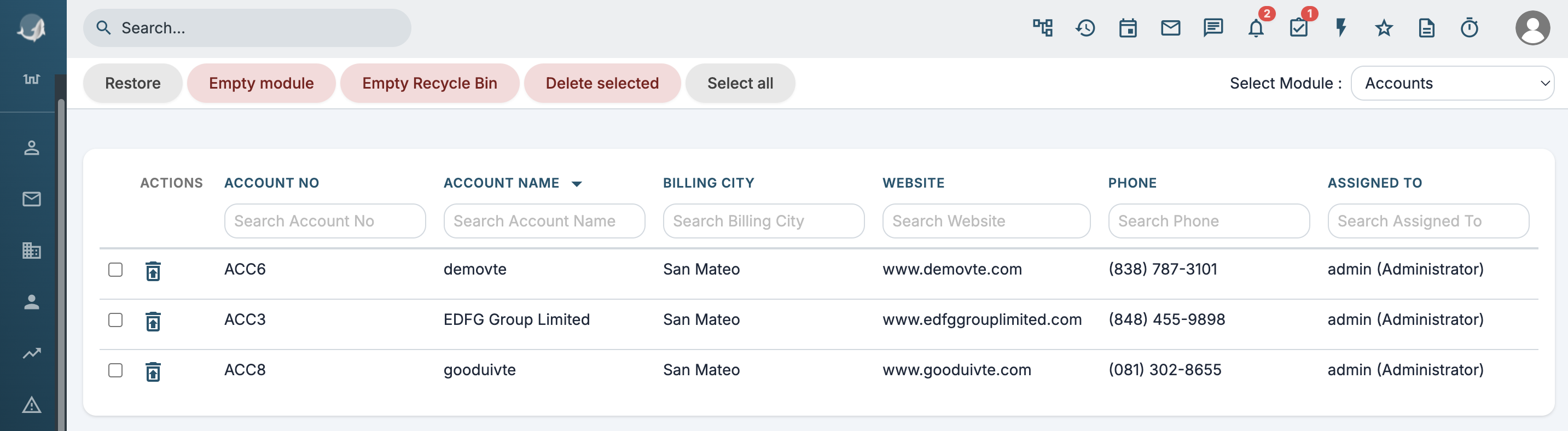
Trash
New buttons have been added to delete specific records or all records of a module.
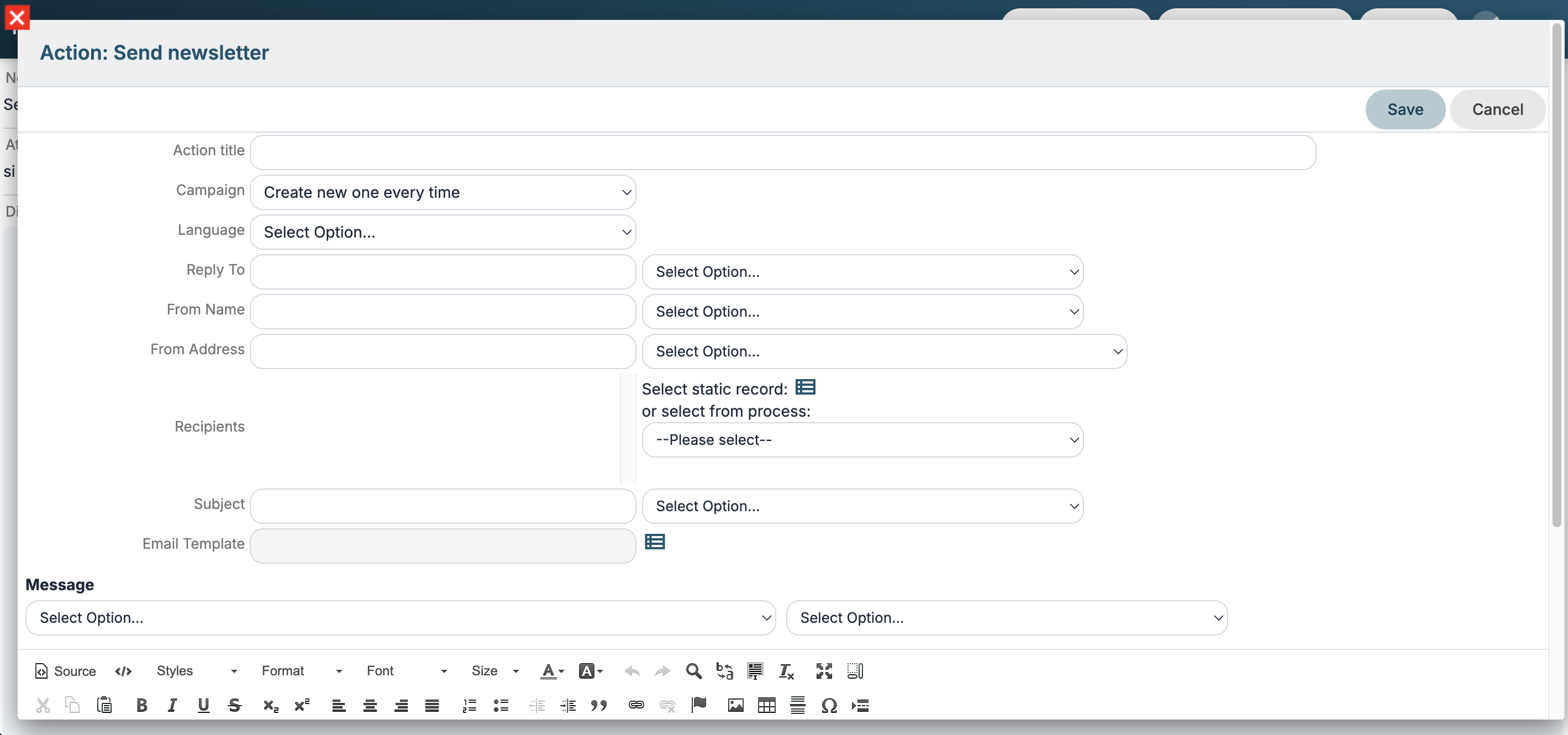
Processes: Send Newsletter Action
Reply-To and Language configuration options have been added.
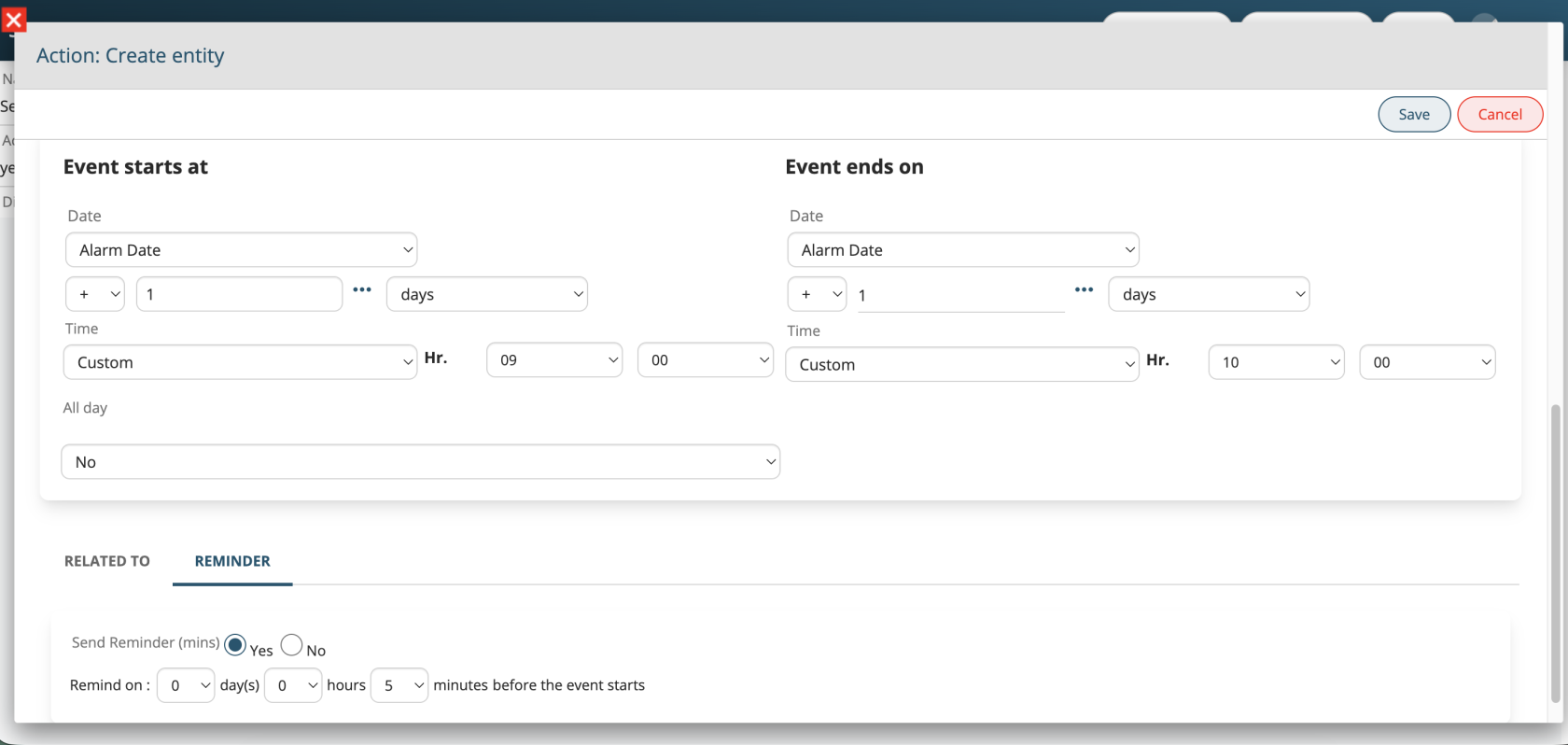
Processes: Events with Reminders
Support for the “Notify” function has been added when creating or updating events from Process Maker.
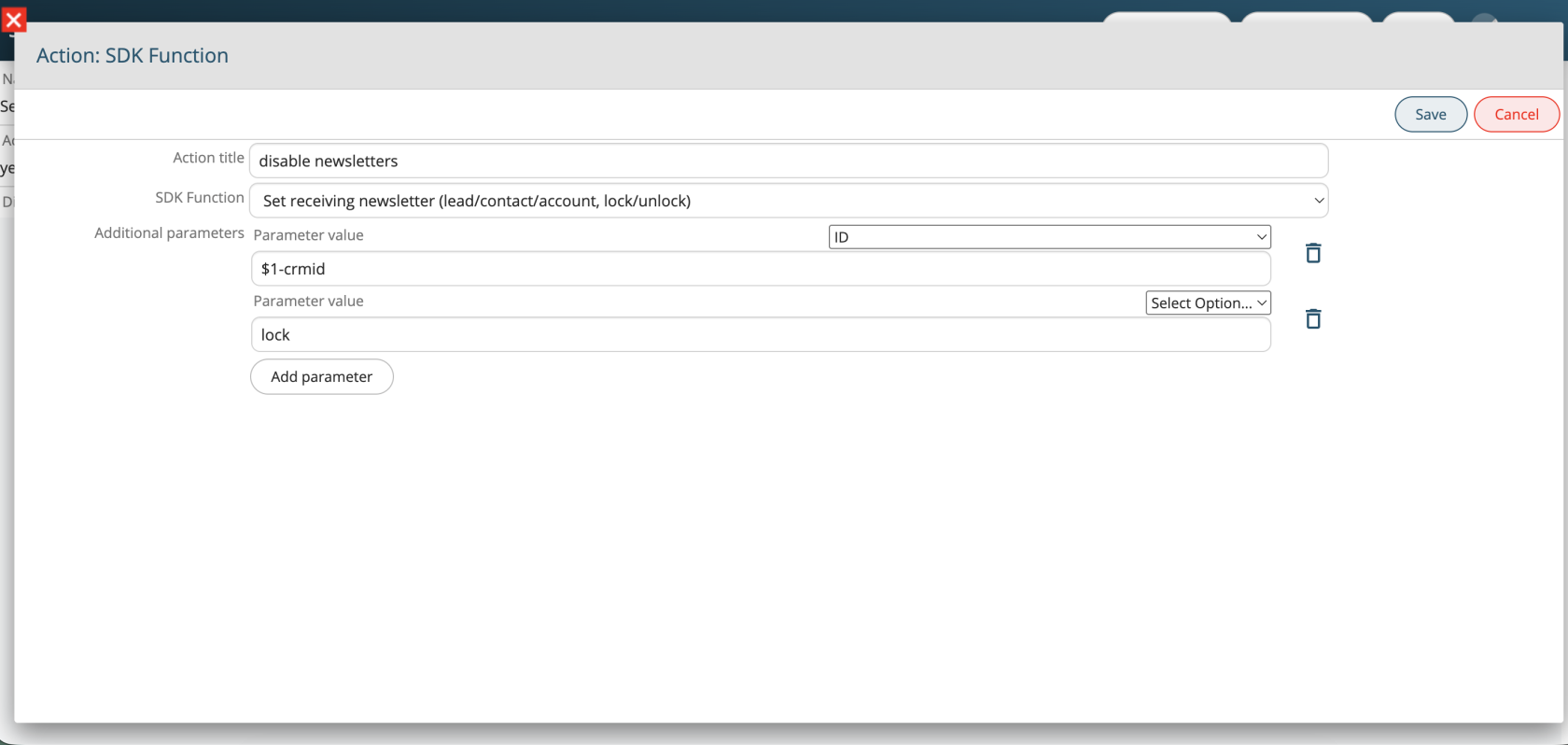
Processes: Enable/Disable Newsletter Subscription
A new SDK function has been added to process actions to enable or disable the “Receives Newsletter” field for Leads, Contacts, and Accounts.
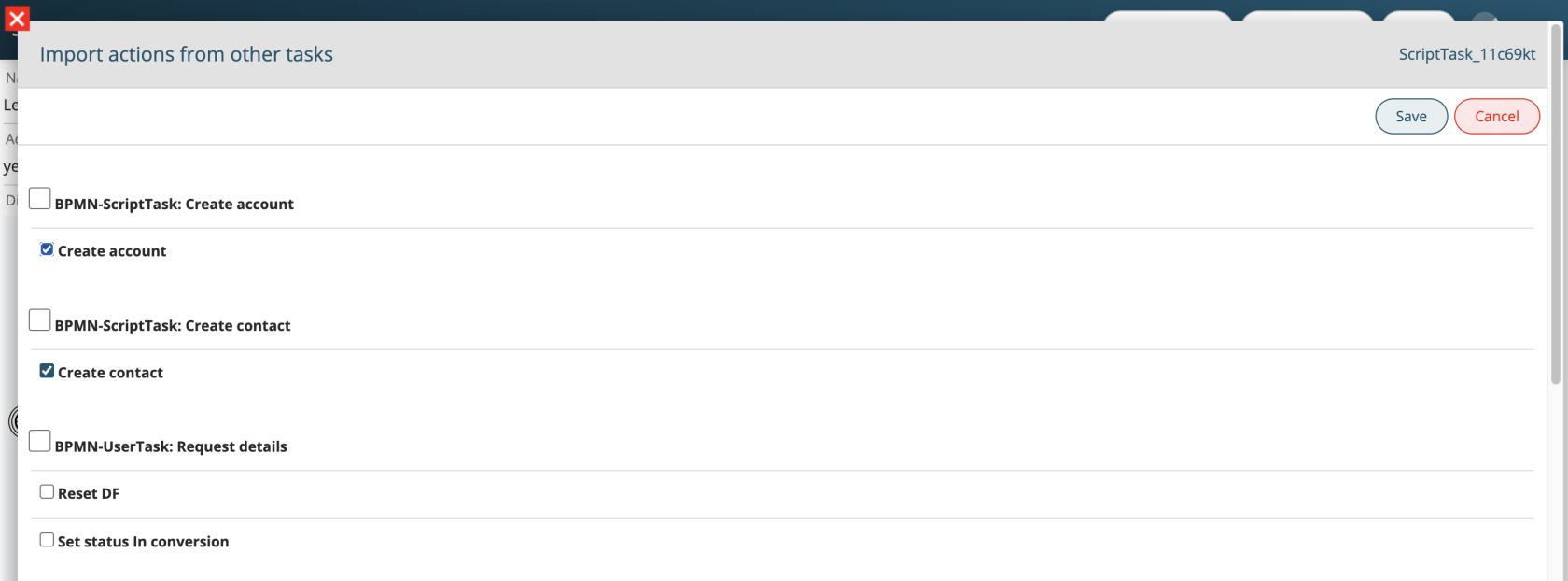
Processes: Import Actions
A new “Import actions from…” button has been added to process action tasks, allowing users to duplicate one or more already configured actions into the current task.
Processes: Formula Function
Process SDK functions for sum, subtraction, multiplication, and division have been unified into a single vte_formula function, using formula field syntax.
Examples:
ciao "$sdk:vte_formula( $1-amount - (20 + 40) - $1-delta )"
// ciao "300.02"
$sdk:vte_formula( if "$1-name" == "ciao" then $1-amount + $1-delta else 0 end )
Processes: Process Helper
To simplify configuration of Process Maker action tasks, the Process Helper will now be disabled by default. When enabled, the “Linked to” field will be automatically populated with the main entity.
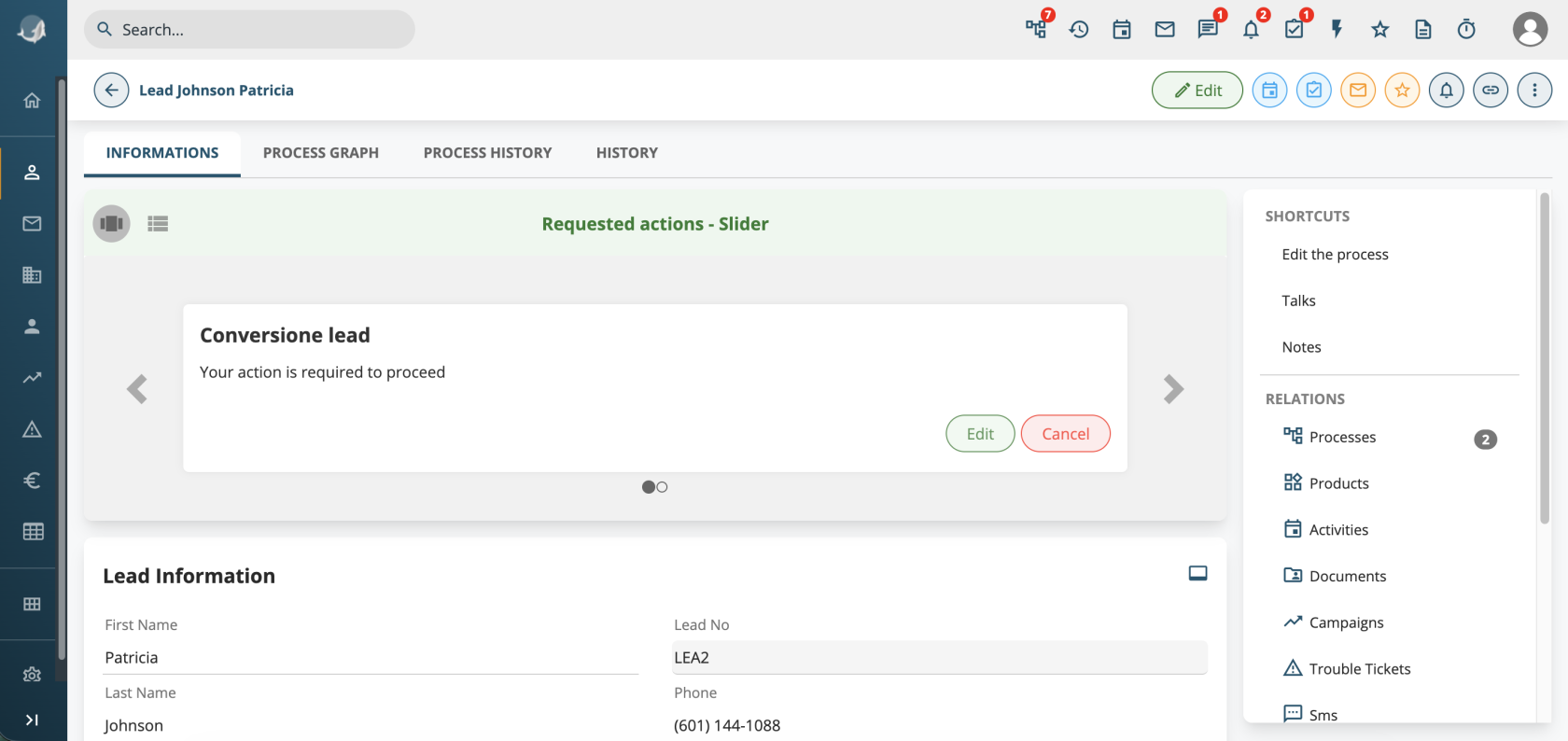
Processes: New UI
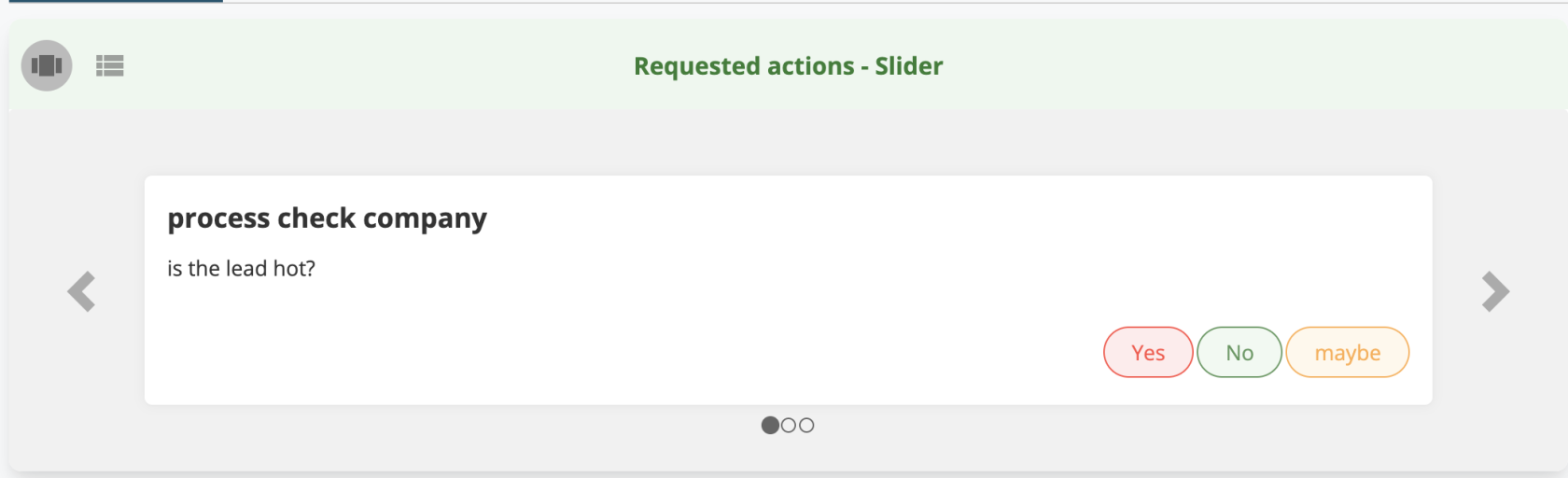
If multiple processes requiring a dynamic form are linked to a record, it is now possible to scroll through them and choose which one to complete first.
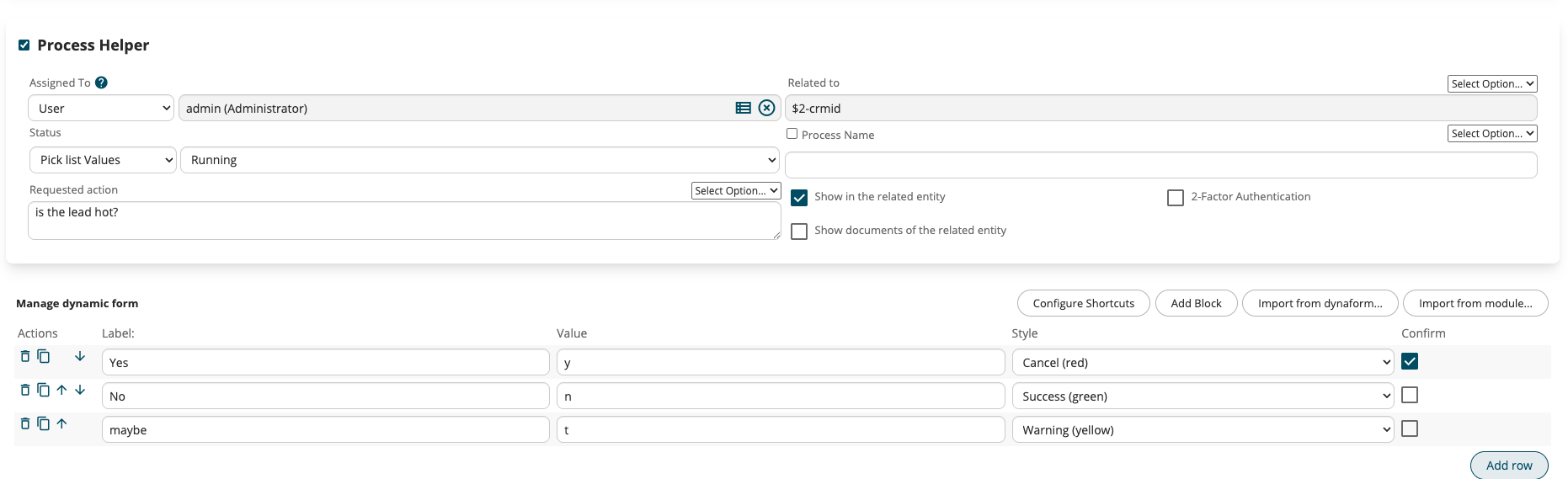
Simple dynamic forms are often created with a single “choice” field, which is used to obtain user confirmation in order to proceed with the workflow or to direct it to a specific branch.
For simple dynamic forms with a single “choice” field (used to confirm or route a workflow), a new “Quick choice configuration” button has been added. It allows configuring quick action buttons directly within the requested action instead of using the “Fill in” button.
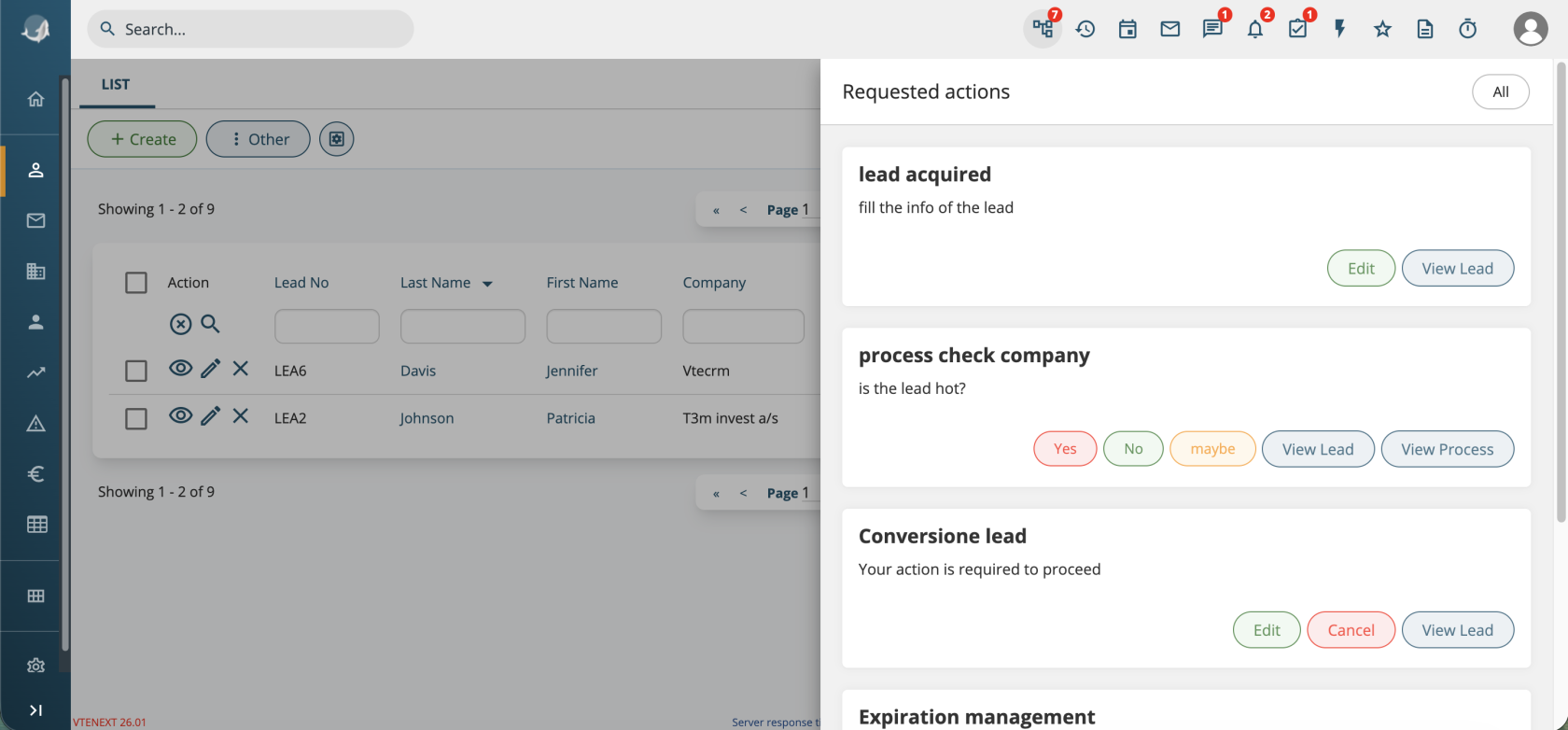
The process list, accessible from the top menu, has been simplified and now replicates the same block-based UI used in record detail views.
Developers
SDK Class Extensions
Several PHP classes have been made extensible and improved to support SDK development without modifying core files:
-
WebformCapture (webform saving)
-
Import_Data_Controller (CSV import management)
-
ListViewController (list management)
-
ExportUtils (CSV export)
-
Mail Converter classes: MailScannerMailBox, MailScanner, MailRecord, MailRecordZend, MailScannerMailBoxZend, MailScannerInfo, MailScannerAction, MailScannerRule, MailScannerSpam
-
All VteSync connector classes
More details available in the documentation.
Module Conversion
It is now possible to create a record starting from another module (e.g. Quote → Generate Sales Order) via the new ConvertModesUtils class.
More details available in the documentation.
Themes
The “softed” and “next” themes have been removed, and “next22” is now the new default theme in Smarty/templates.
Any custom templates replacing standard ones must be placed in Smarty/templates_sdk.
Settings
A new SettingsPage class has been introduced for managing settings pages.
Code Review Skill
A review skill is available under tools/skill/review-sdk-26 to be used with AI agents in your IDE, helping adapt code to the new version.
More details available in the documentation.
Release Note vtenext 26.07
Processes
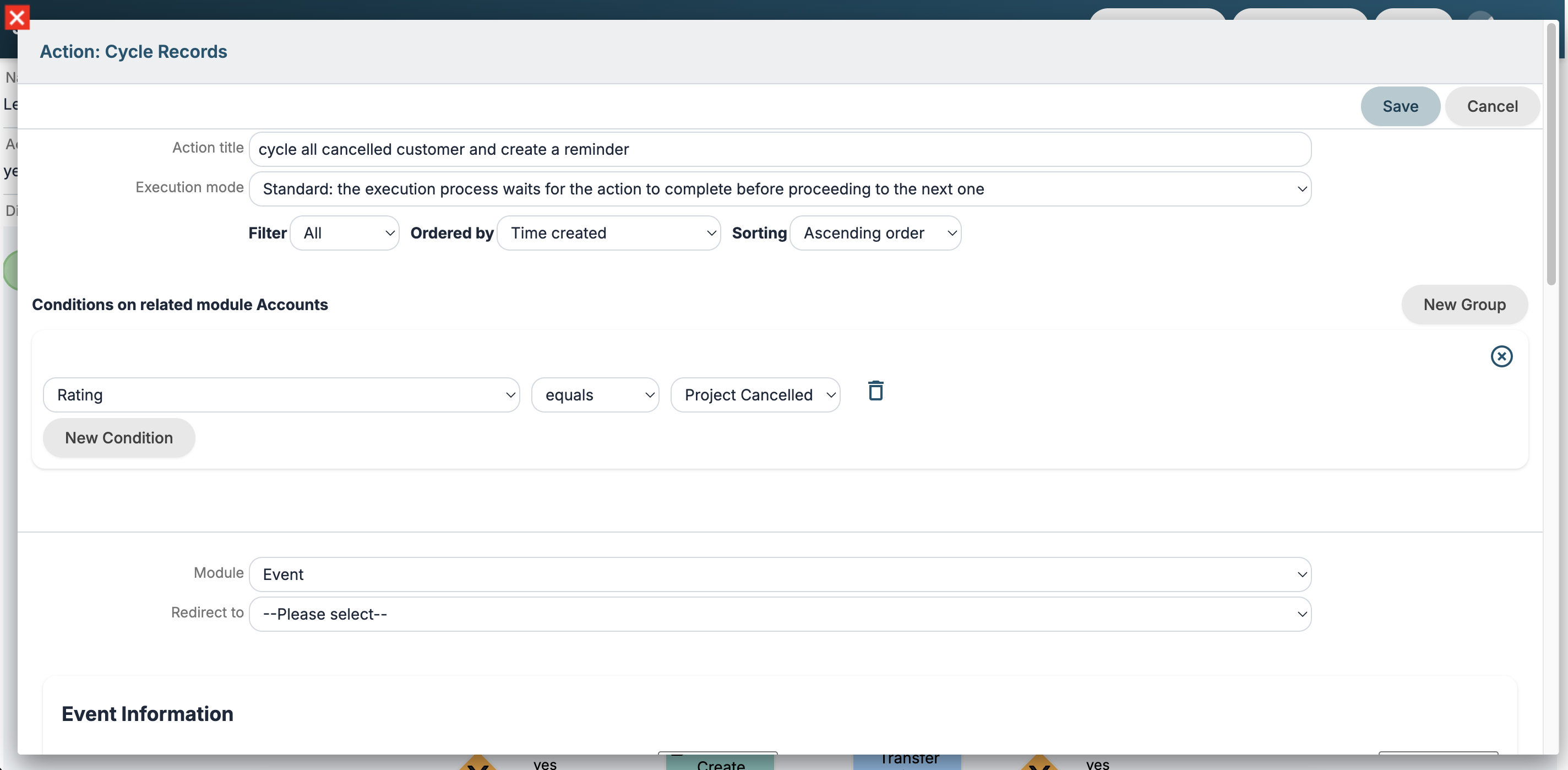
Action Cycle Records
New action to cycle through all records of a module. Filter and sort options are available.
Execution mode
For all process actions, you can specify the Execution Mode:
- Standard: the execution process waits for the action to complete before proceeding to the next one
- Background: the process stops and the action is executed in background by worker or cron
New options in conditions
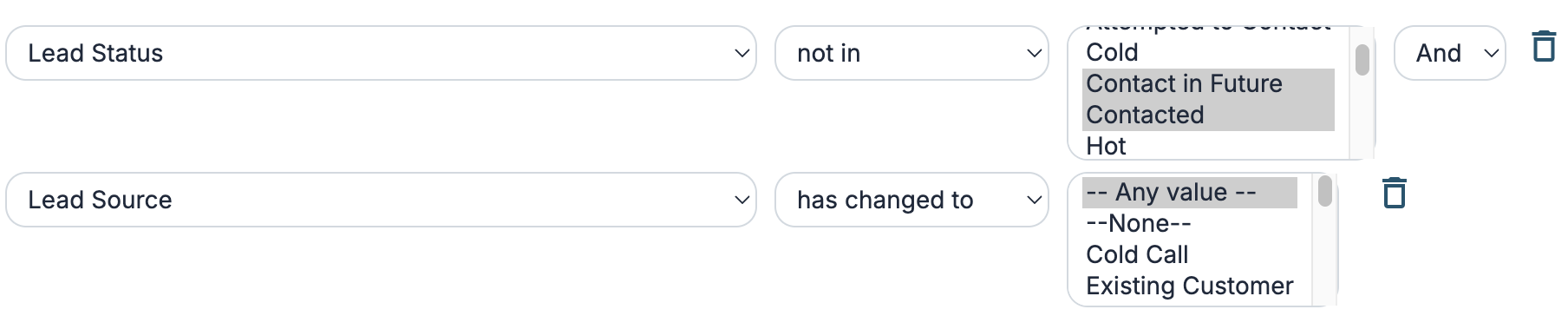
"in" and "not in" options have been added to conditions on picklist fields to check multiple entries.
In the "has changed" option, the "any value" entry has been added to check if a picklist field has changed to any value.
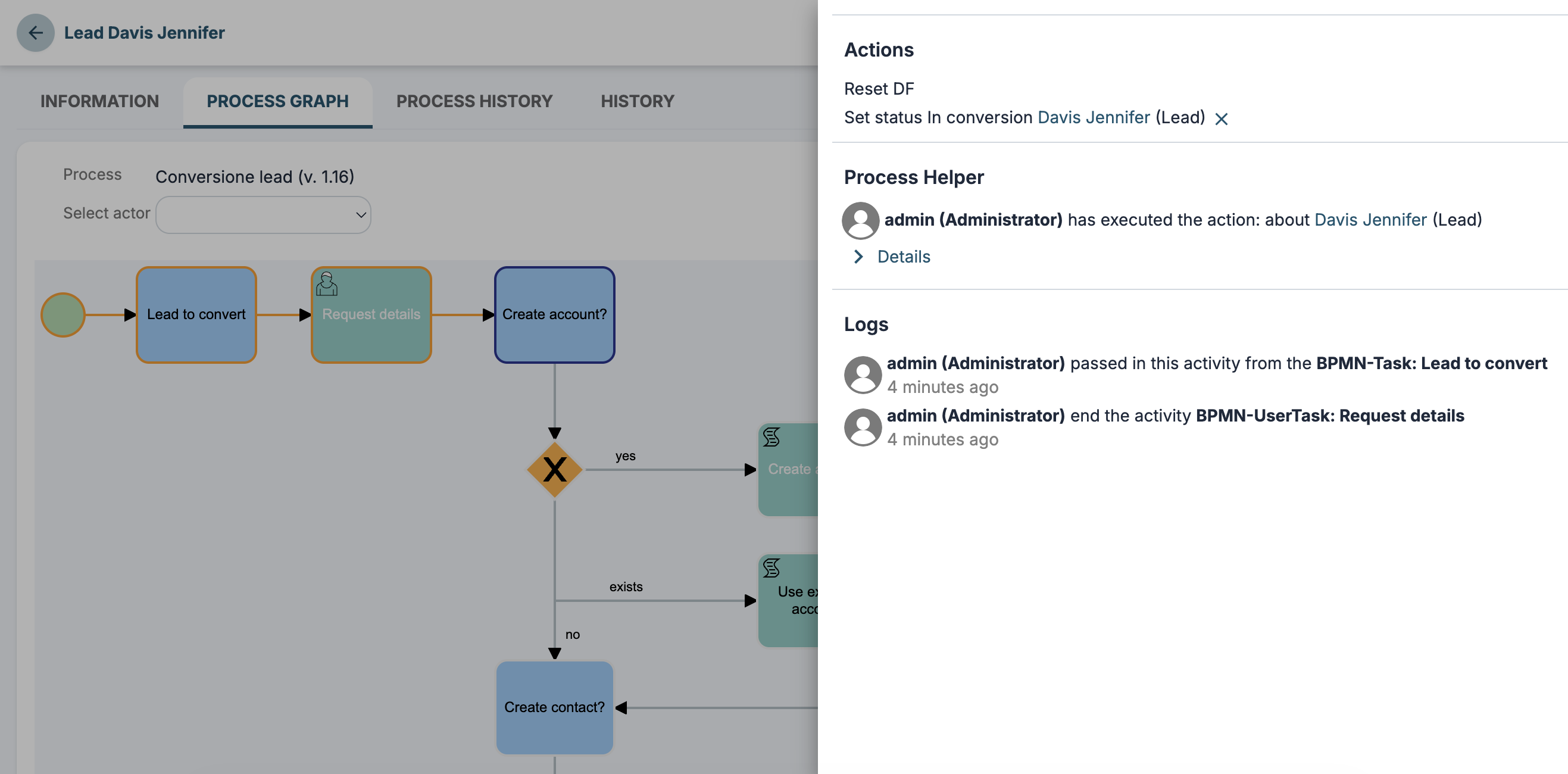
New panel for process graph logs
Improved the process graph UI in the record detail view.
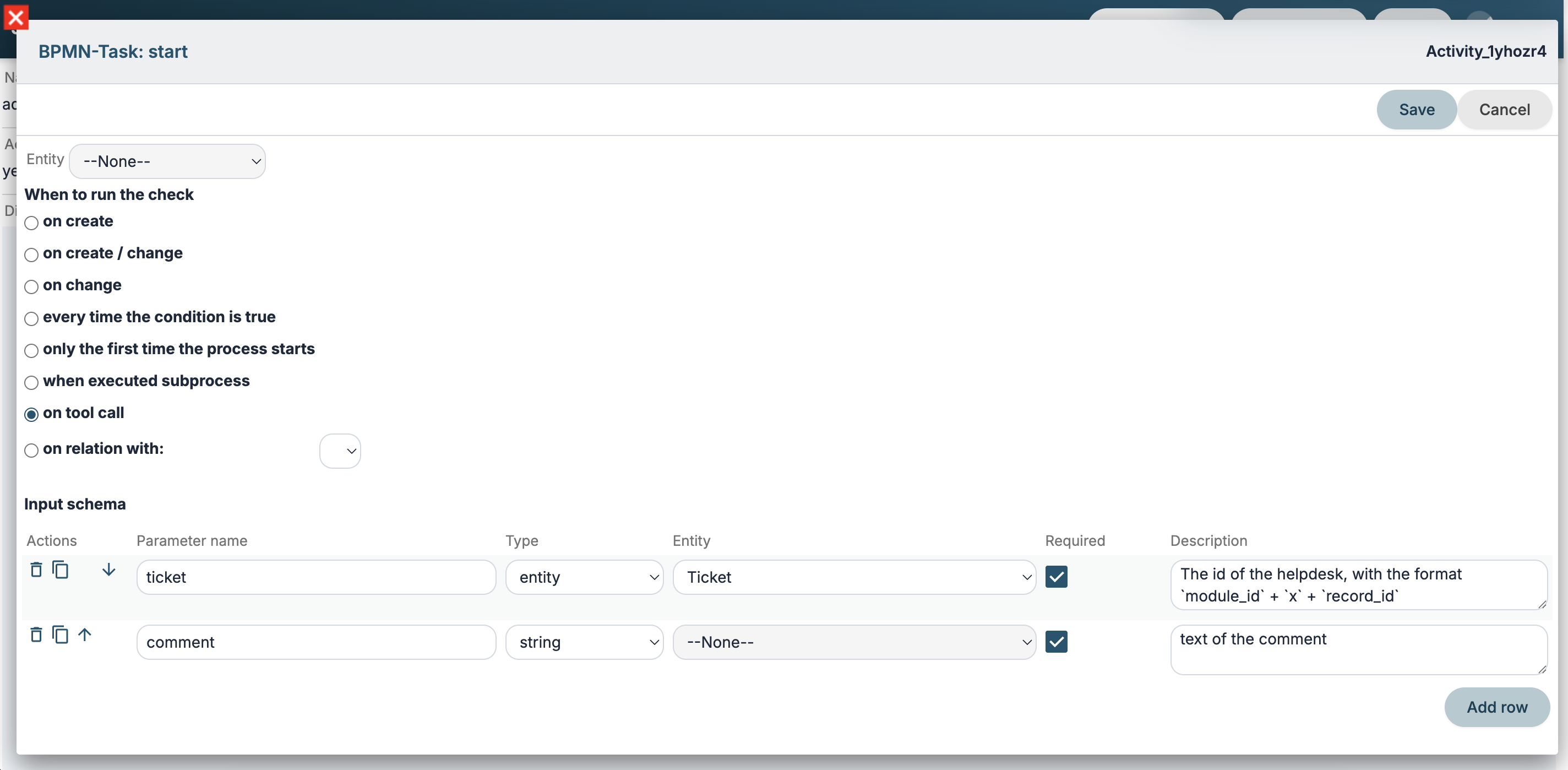
Tool-type Processes
You can create new tool-type processes that can be called multiple times within the same process or by multiple processes as if they were functions.
They can also be published as tools on an MCP server.
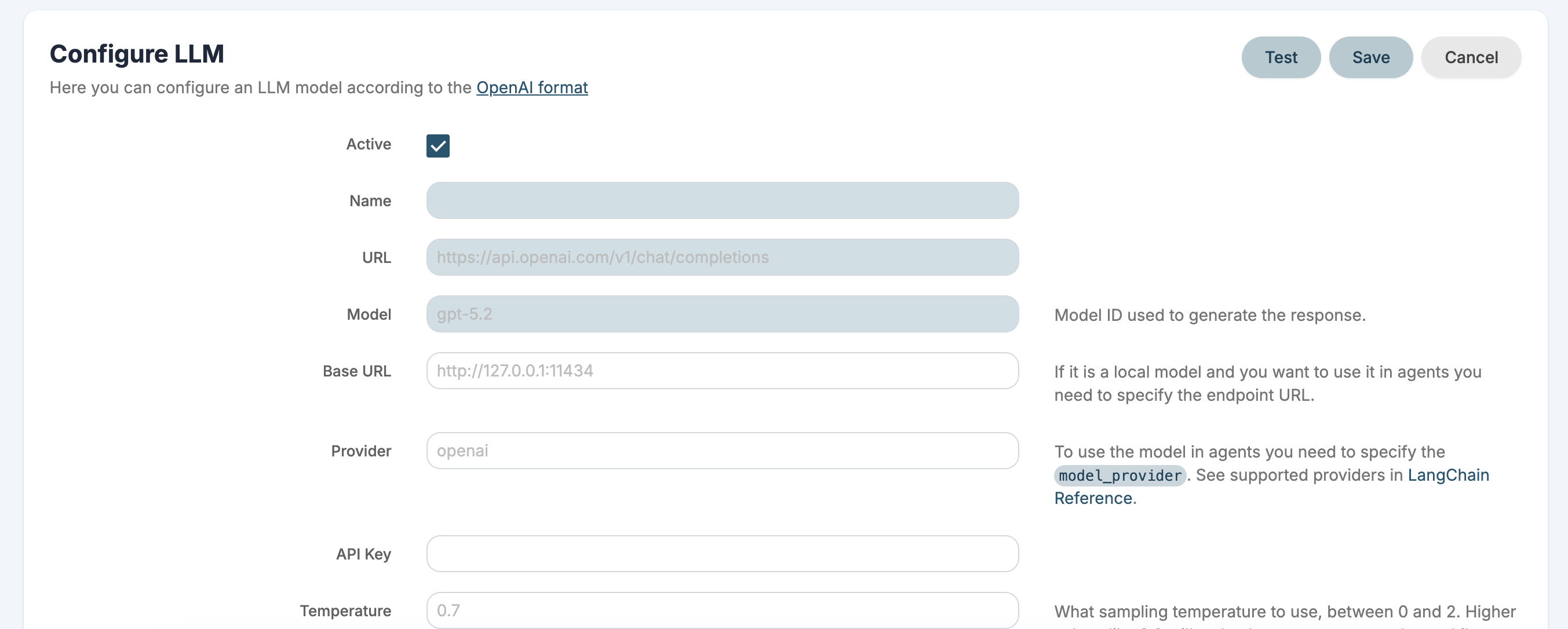
AI Tools
LLM
You can configure an LLM model according to the OpenAI format.
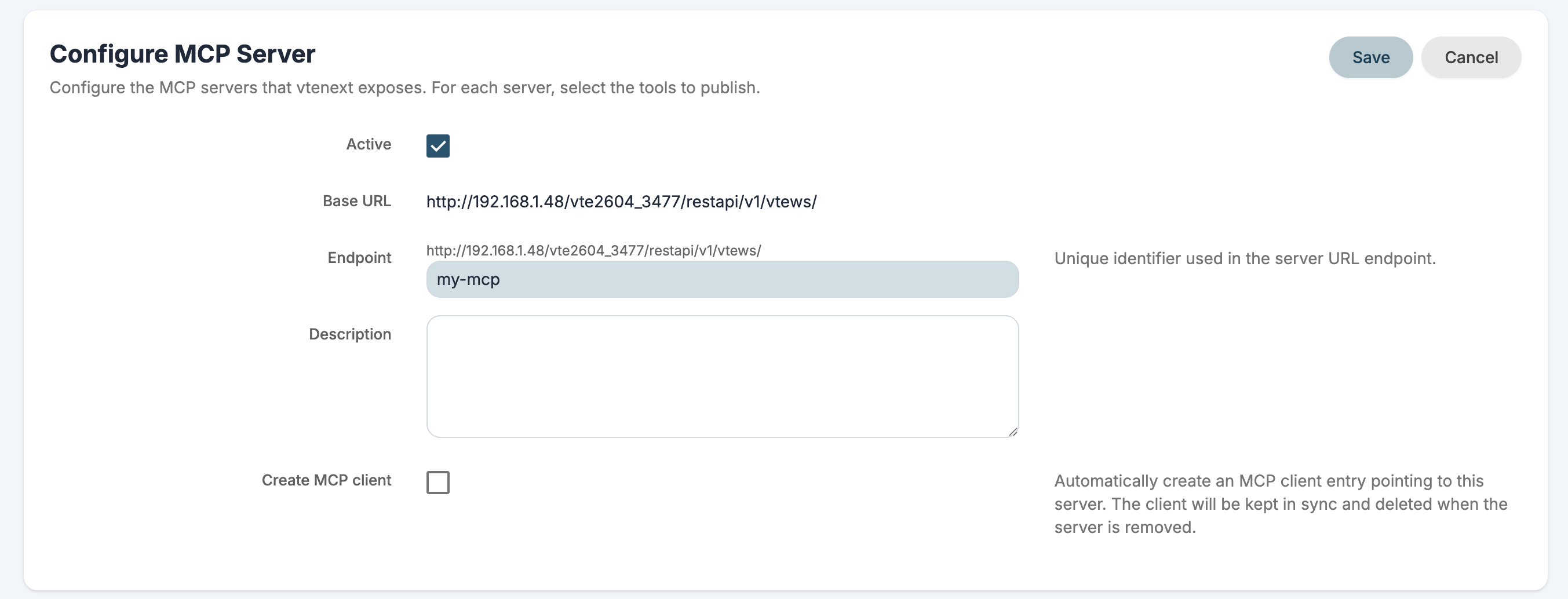
MCP Server
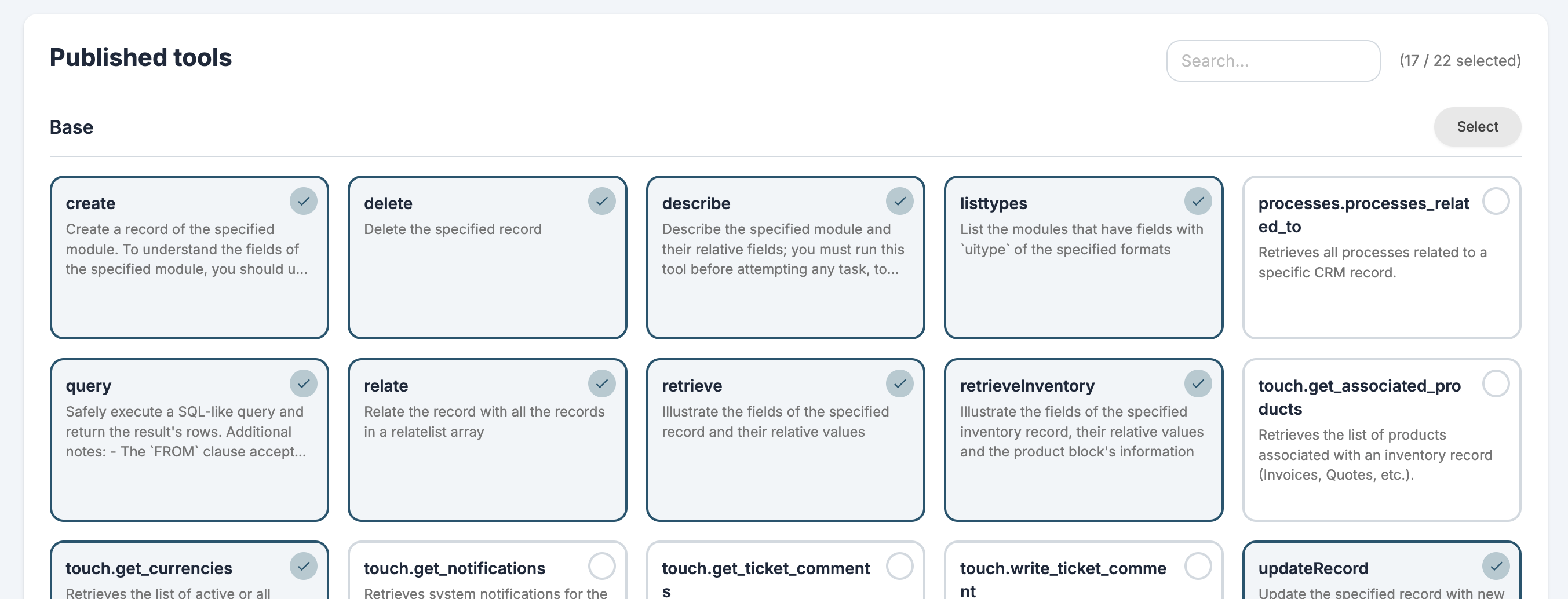
You can configure the MCP servers that VTENEXT exposes. For each server, you can select which tools to publish using REST APIs, custom tools, and Processes.
Technical documentation is available here.
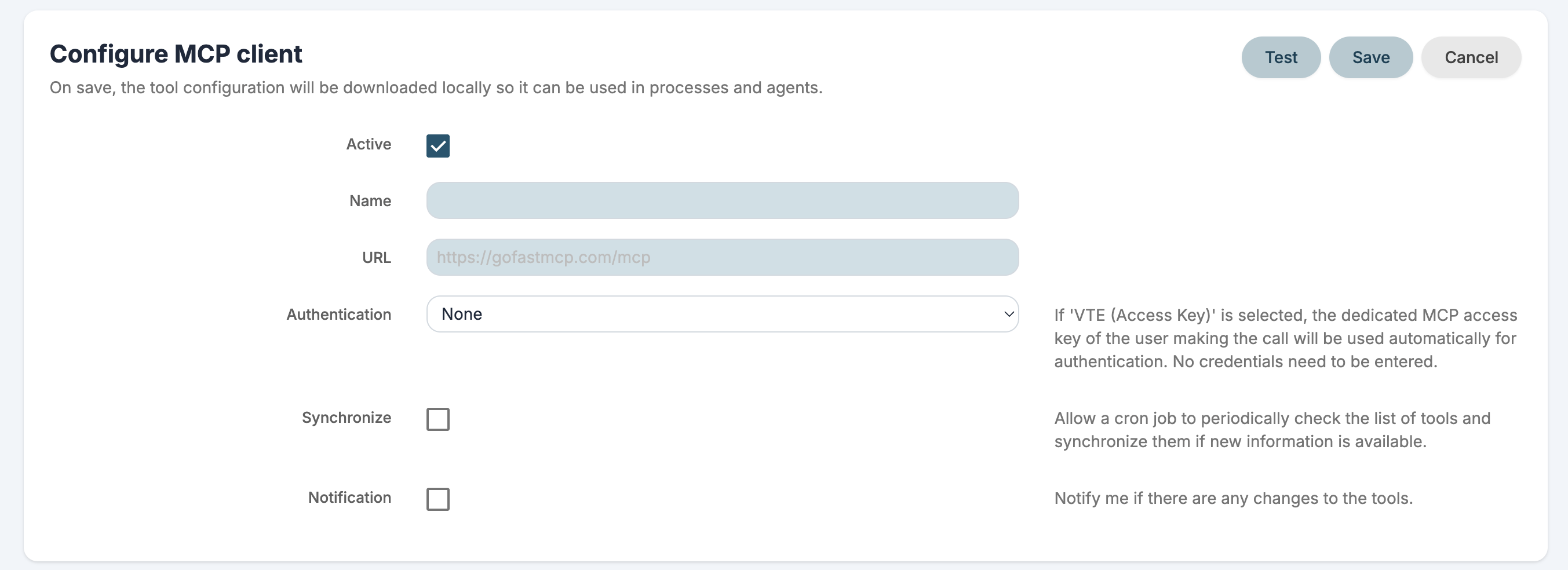
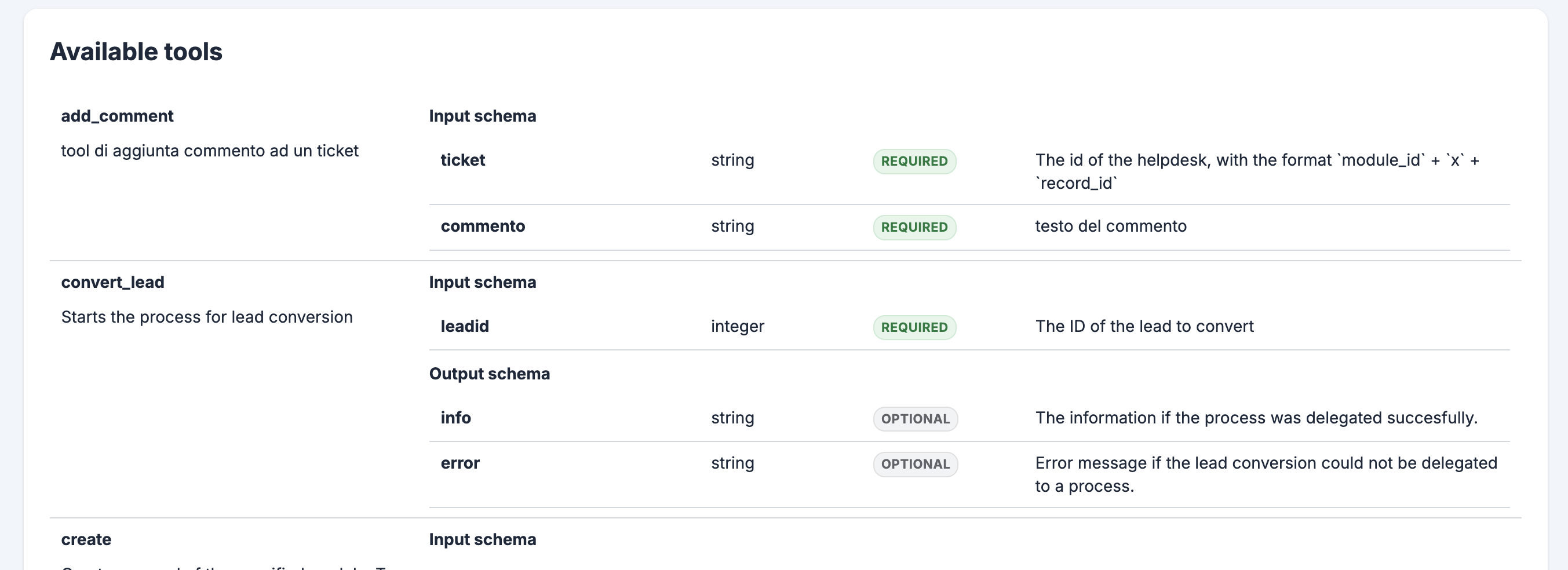
MCP Client
You can configure the MCP servers whose tools you want to use. Only servers exposed via HTTP are supported.
By default you get a VTENEXT MCP and Exa MCP installed for web searches.
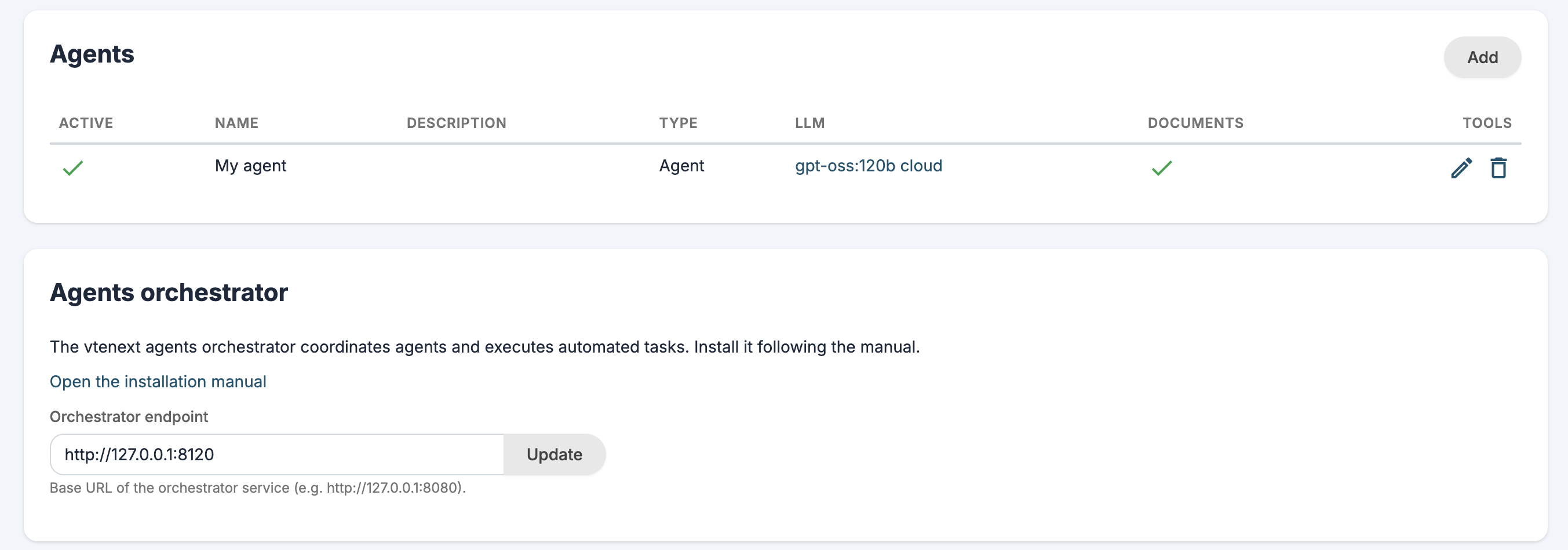
Agents
You can configure AI agents to use in your assistant and processes. An agent can use LLMs, MCP tools and RAG to complete tasks automatically.
Assistant
The new assistant is called Kitt but you can change his name and photo from the user preferences.
The assistant can query an LLM, an Agent or a custom REST Webservice.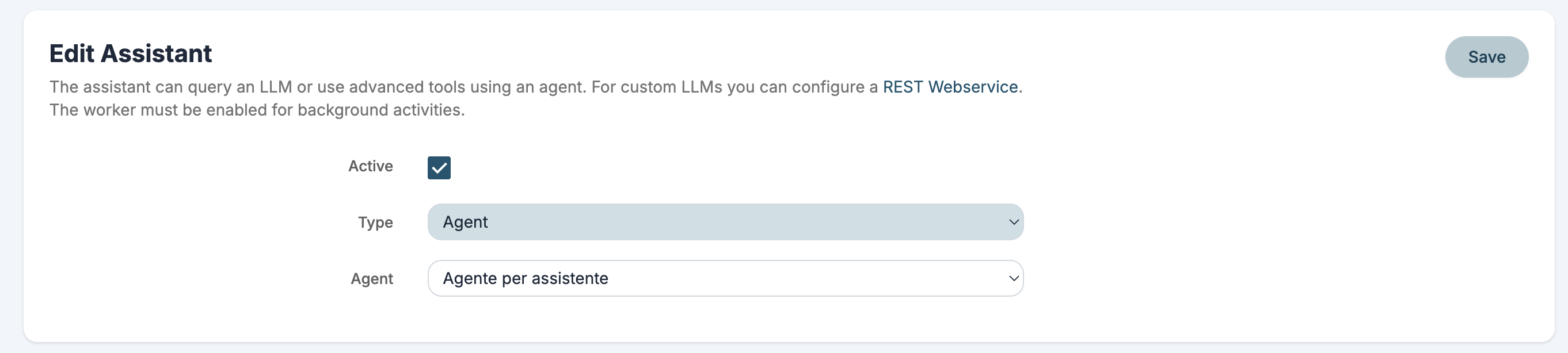
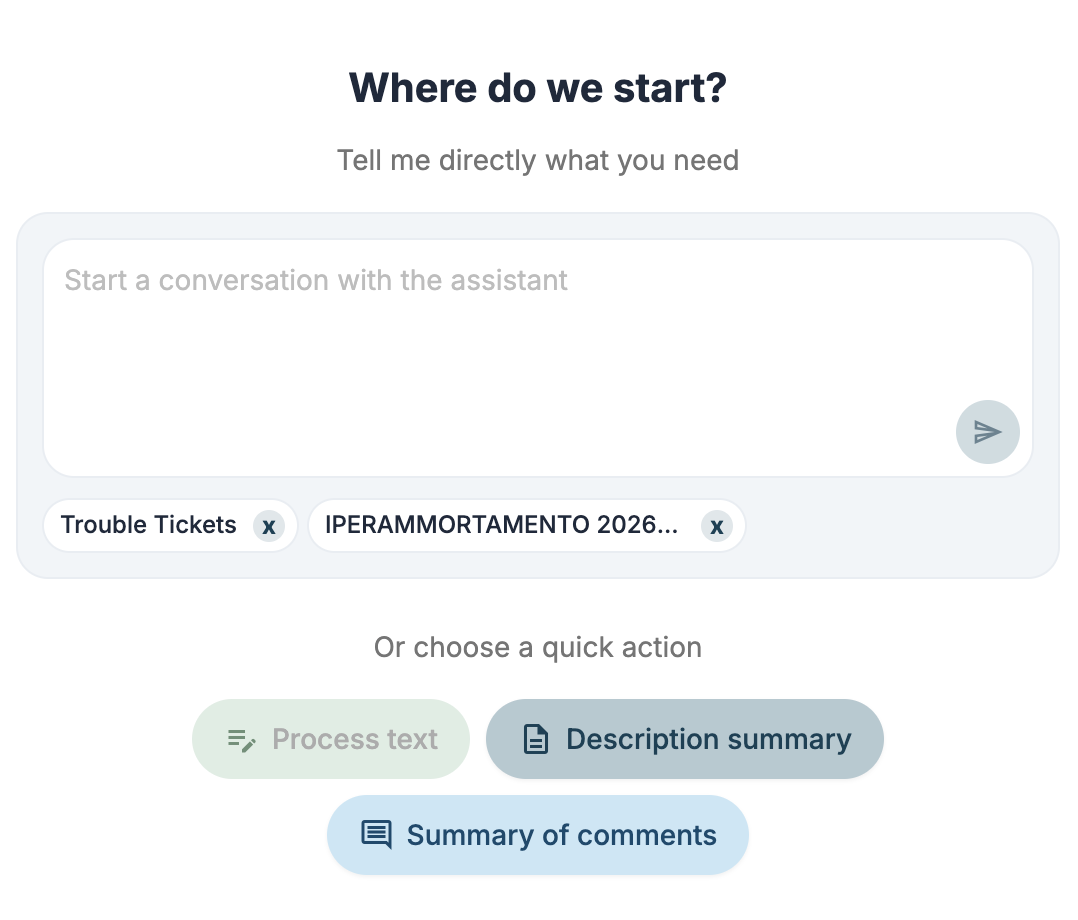
You can ask the assistant questions through conversations or with the new side panel.

You can also use pre-configured quick actions to:
- summarize
- process text
- translate
These quick actions can also be published as MCP tools.
Agent Logs
An entry has been added in Settings > System logs to control agent logs.
AI actions in ProcessMaker
You can configure process actions and run:
Call LLM
Make a request to an LLM and use the response in the process.
Call MCP tool
Run an MCP tool.
Call agent
Make a request to an Agent to complete tasks automatically and use the response in the process.
Call process tool
Run a tool-type Process.
Other improvements
Worker
The worker is the new service for immediately executing operations in background (without blocking the user interface) and without having to delegate the operation to a cron job and therefore wait the minimum time of 1 minute.
The worker receives a request to execute via PHP and then sends the response directly to the browser via SSE events.
It has currently been implemented to perform the following operations:
- notifications (ModNotifications)
- process actions with background execution mode
- all requests to the new AI tools
Technical documentation is available here.
Expiration in Access Keys
In User Preferences > Webservices, REST Api Configuration you can specify an expiration date for new access keys.
When expired, the Accessk Key will be deleted.
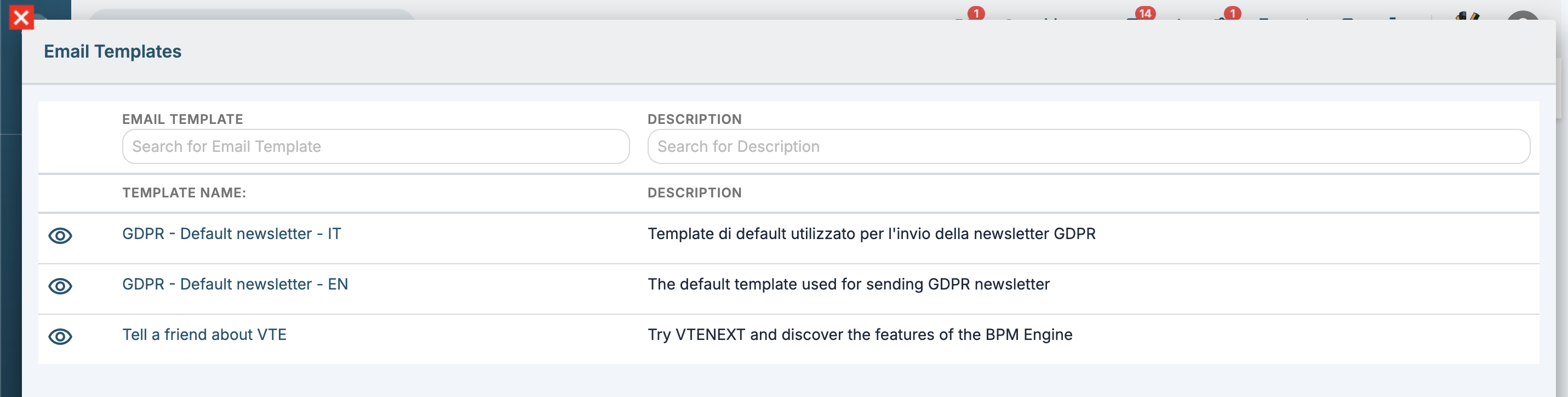
Email template list in newsletter is now searchable
Added grid search in email templates in newsletter.
Improved scheduled reports
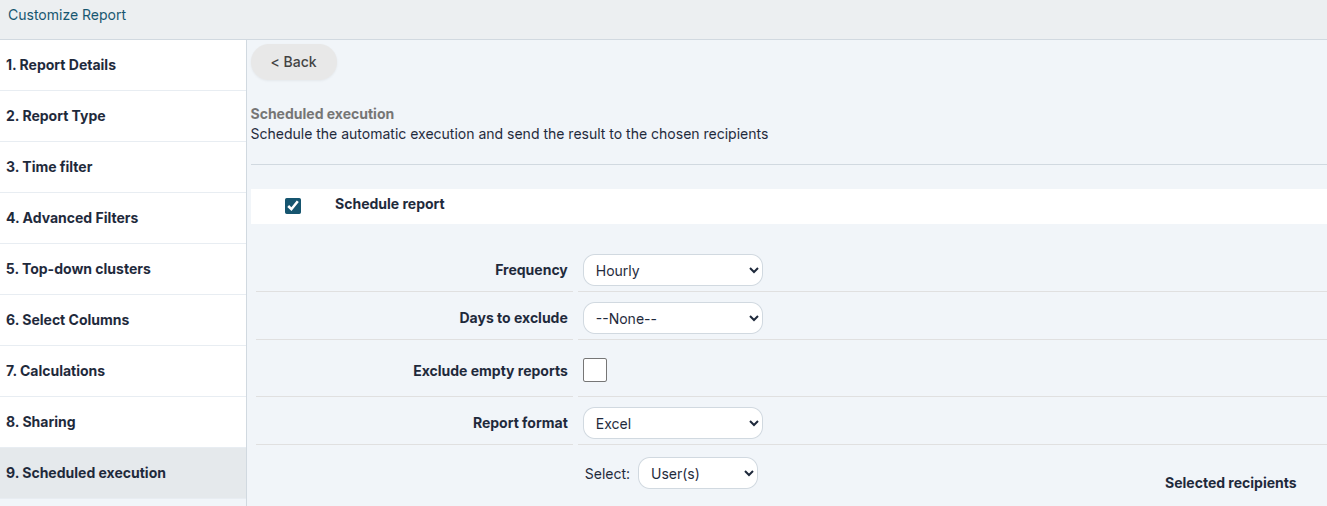
In the scheduled report configuration, two options have been added:
1. Exclude holidays/weekends (holidays are related to the "Holiday Countries" field in the admin user's user profile)
2. Exclude empty reports
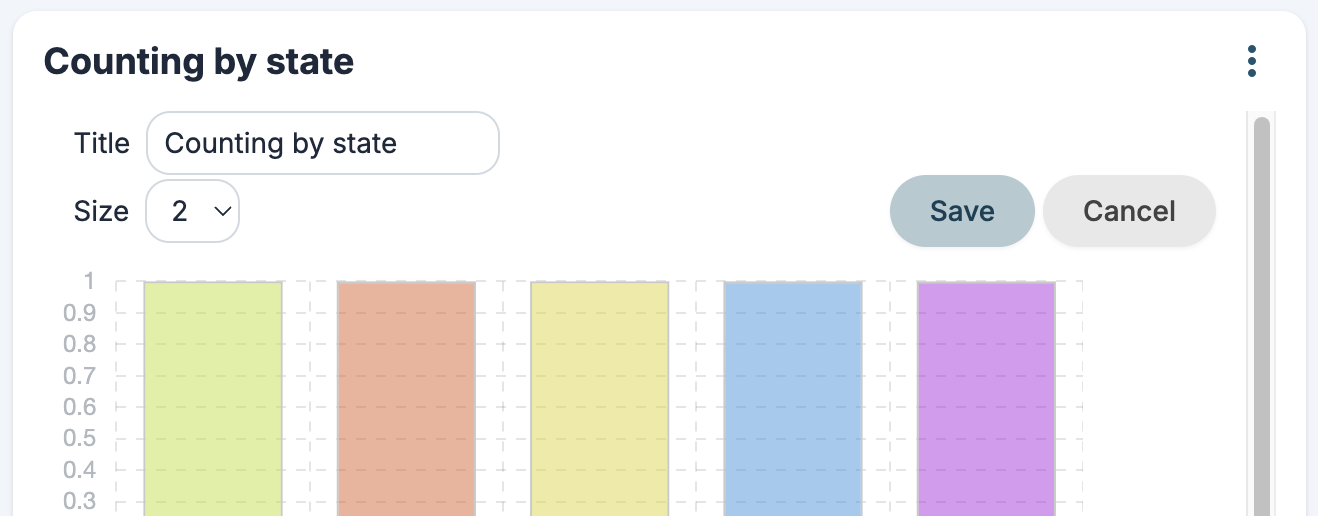
Widgets' title
Possibility to edit home page widgets' title
Release Note vtenext 26.10
Webservice REST > Origins allowed
Under Settings > REST Webservices, you can specify the domains permitted to call the REST APIs from a browser via an external domain.
Drag & drop in form filters
It is now possible to change the column order in form filters using drag-and-drop during configuration.
Tool-type Processes improvements
The requirement to include at least one entity-type parameter when creating a tool process has been removed.
In the list under Settings > Process manager, the SUBPROCESSES / TOOLS column now also displays any tools used within the process.
Process variable UI improvement
The process variable selection menus have been updated to include a search function.
MCP Server log
An entry has been added under Settings > System logs to manage logs of calls to vte MCP Servers.
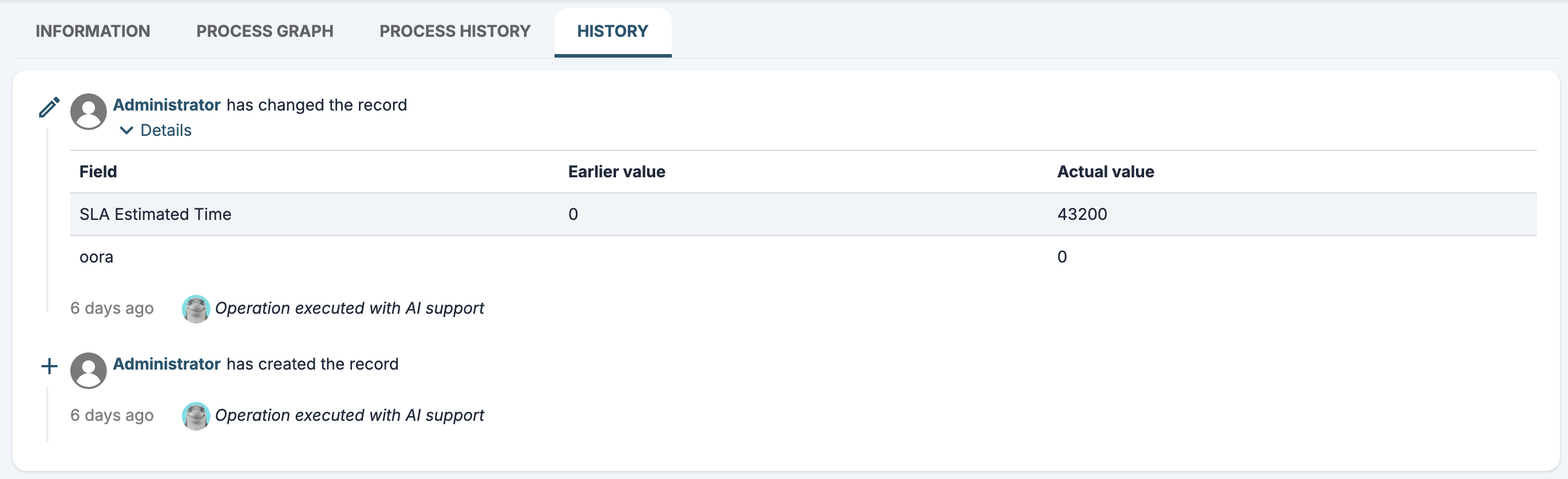
Detailed logs for AI operations
Updates performed via AI, even those explicitly requested by the user, are always identified in the record's History tab as content produced with the support of artificial intelligence.
Under Settings > System Logs > AI Agents, the user's choice to approve or disapprove tool execution is displayed.
2026-07-31 09:08:32 [INFO] HITL threadId:800 userid:1 approve tool call: Array
(
[0] => Array
(
[tool_call_id] => 56d634ea-256b-44ab-89a9-1d86c51290c0
[type] => approve
)
)AI Process Action Review
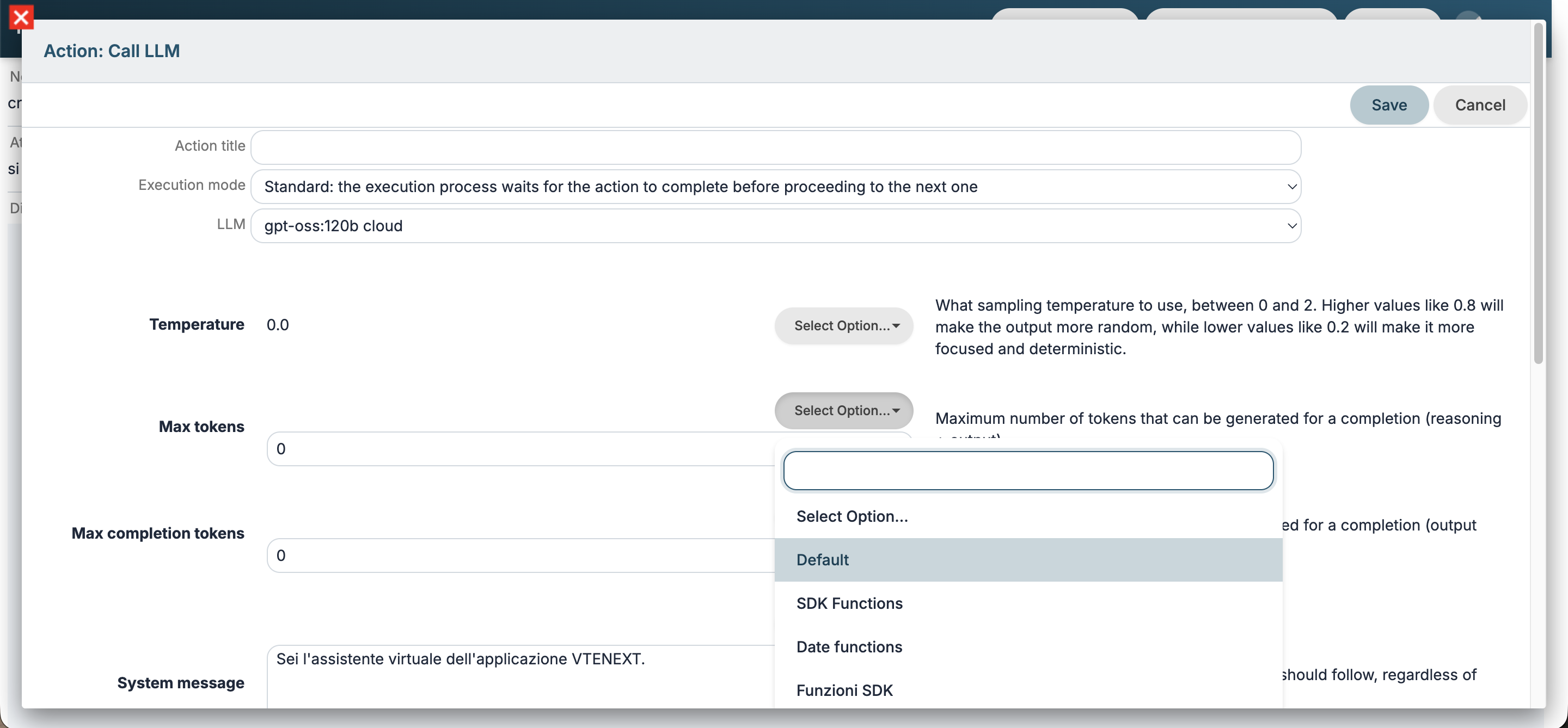
Certain configuration settings have been removed from the Call LLM and Call agent process actions; they are now retained solely within the general configuration under Settings > AI Tools.
Additionally, you can inherit properties from a model's or agent's standard configuration by selecting the Default option.
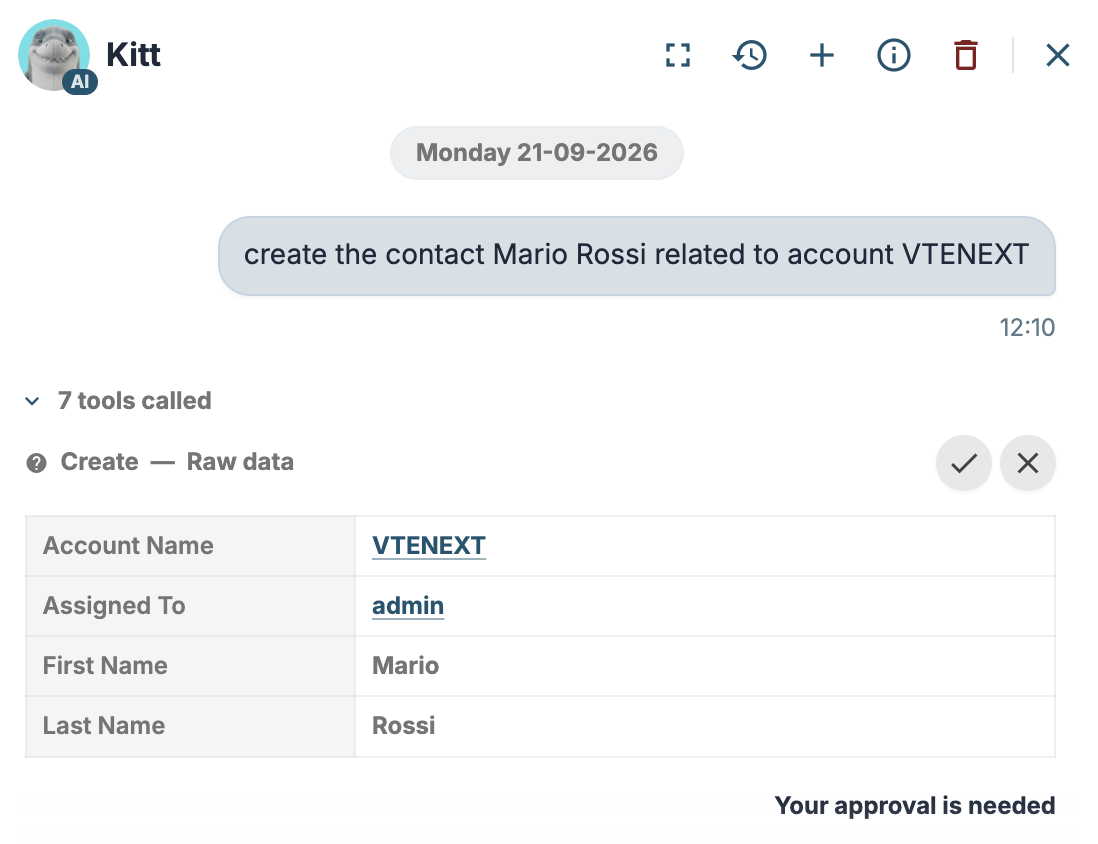
HITL(Human in the loop) preview
When using the Kitt assistant, approval is requested to use certain tools (e.g., process tools and tools that perform write operations).
Starting with this version, you can preview the actions the tool will perform.
Processes: timer logs improved
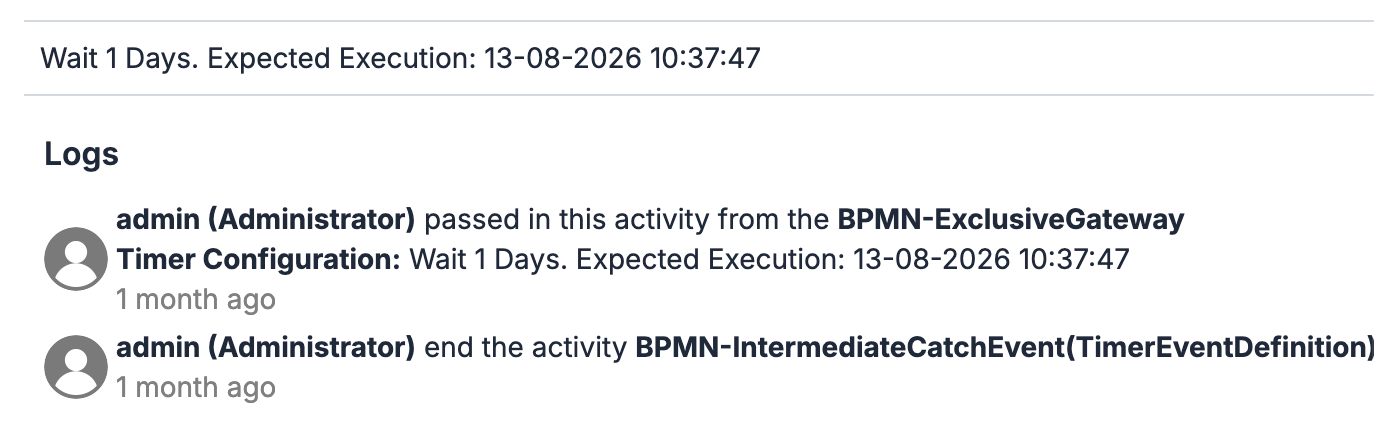
In the process chart, clicking on the timers also displays the scheduled execution date.
Processes: tool process logs improved
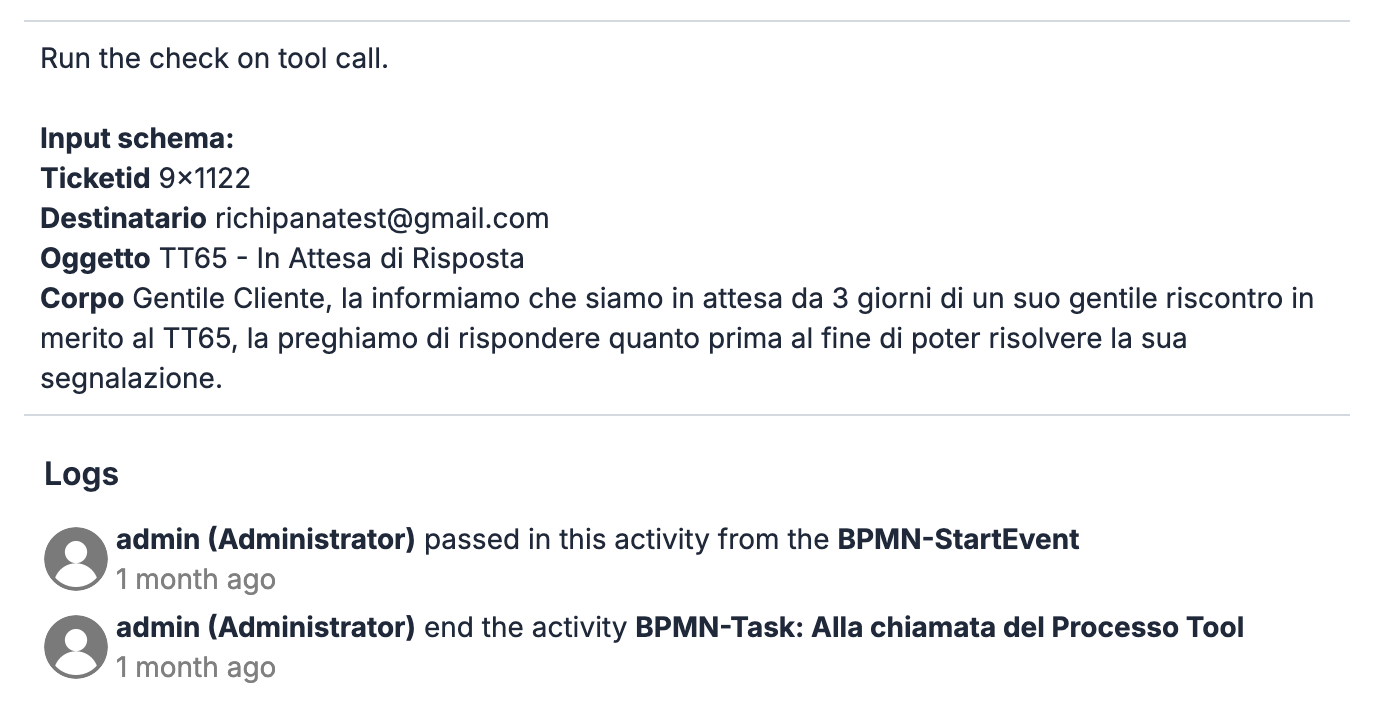
In the process graph, clicking on the initial task of a tool process displays the parameters and actual values passed during that specific execution.
Additional details during background execution
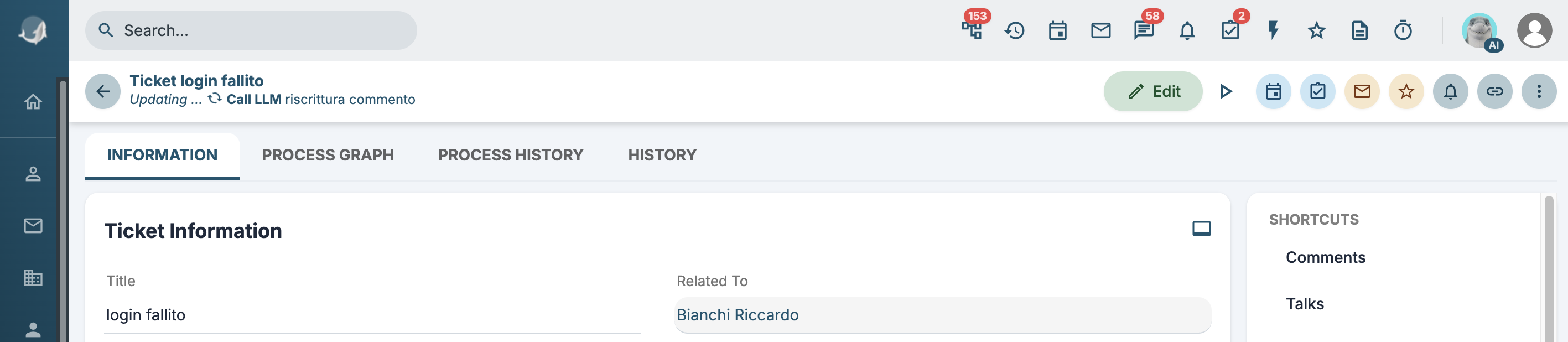
If there are background processing tasks running for a specific record (see Worker), details of the ongoing operation will be displayed.
LLM UI Improvement
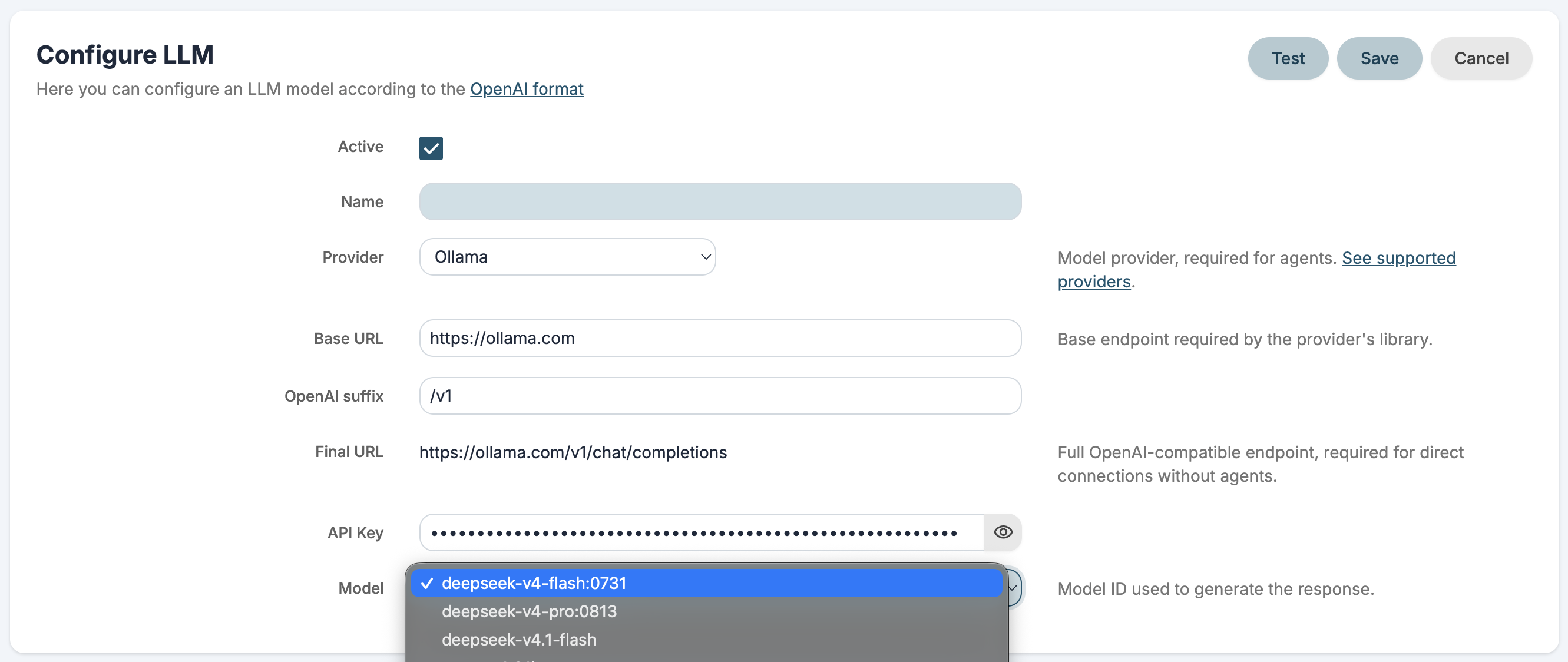
The LLM configuration interface has been improved, allowing users to choose from a list of supported providers and their respective models.
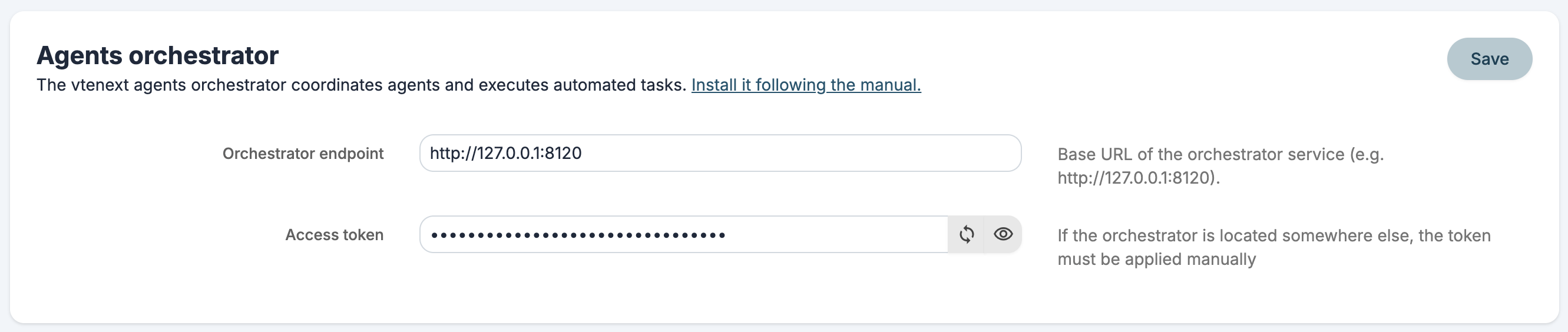
Orchestrator authentication
An access token for the VTE agentic orchestrator has been added. If the orchestrator is not located in the standard plugins/agent path, the token must be manually added to the config.yaml file.
New comparison operator in Condition based fields
Added the does not include operator.