If vte cron jobs are not active or not executed recently, it may be possible that this page won't show the availability of the update. In this case click on "Check now" and wait a few minutes or manually execute the cron from the vte directory: `./cron/RunCron.sh` It may be necessary to execute it 2 times, until the output says something like "\[INFO\] Found new version available (....), checking for compatibility..."
After clicking on "Start Update" it's possible to give one last confirmation: [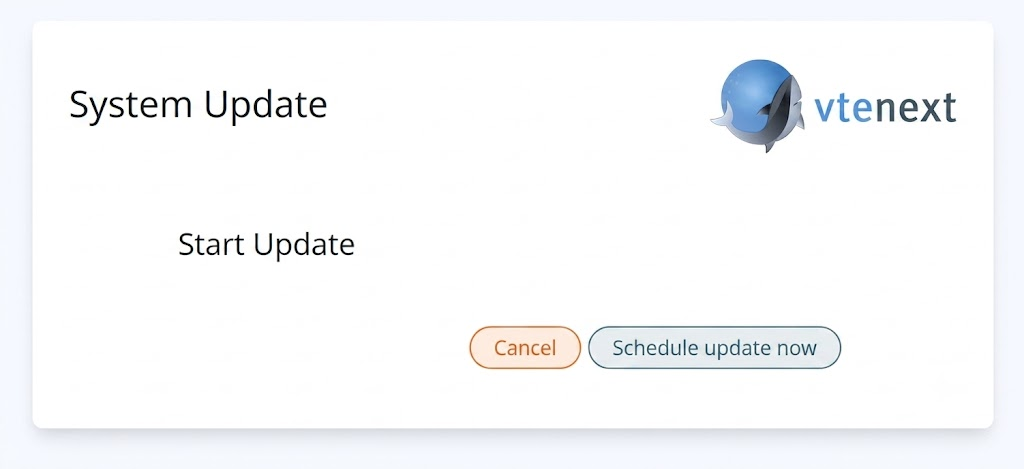](https://usermanual.vtenext.com/uploads/images/gallery/2026-07/EoIimage.png) When confirmed, the update will proceed in background (if crons are enabled, otherwise the `./cron/RunCron.sh` must be executed manually). [](https://usermanual.vtenext.com/uploads/images/gallery/2026-02/screenshot-20260206-150533.png) [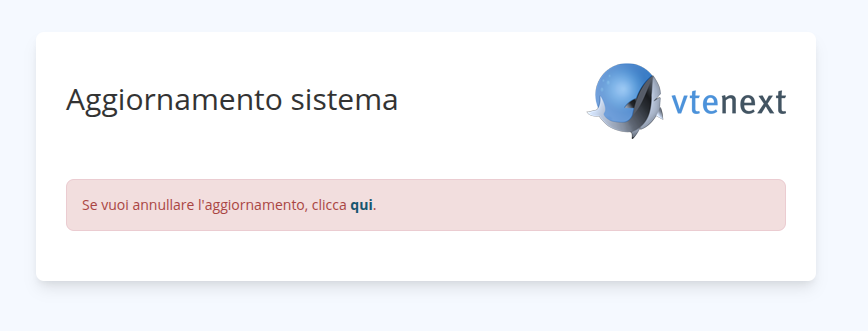](https://usermanual.vtenext.com/uploads/images/gallery/2026-02/P8Ximage.png) When update starts: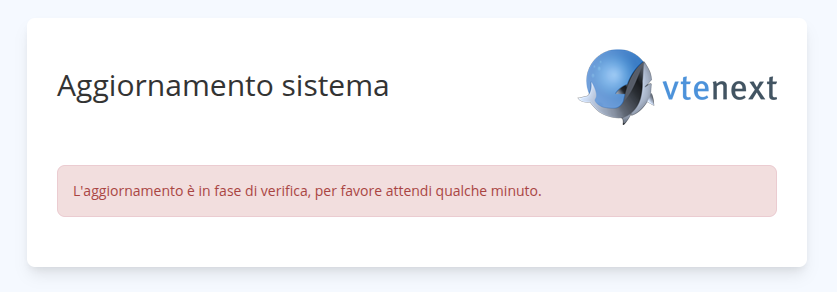 Do a refresh of the page every 5-10 minutes to check for problems. At the end of the update you will be redirected to the login page and you will be able to use the new version. # Update from terminal #### Prerequisites Make sure the following condition are met before attempting to update: 1. vtenext must be updated to version **25.02.2**. Only from this version it's possible to proceed to the next update step 2. A valid **license** must be activeThe following procedure is only available to vtenext partners
#### Update with vteUpdater Since this version of vtenext supports only php >= 8.3, there are 2 options: - **move** the entire installation on a new host with php 8.3 (recommended Ubuntu Server 24.04), with all the necessary packages (see the [Installation Requirements](https://usermanual.vtenext.com/books/installation-requirements/page/installation-requirements-vtenext-2604 "Installation requirements vtenext 26.01 beta") page). In this case, make sure the connection parameters in config.inc.php are correct in the new host. - **update** the current host Operating System to a new version with php 8.3 (in this case it's strongly recommended to do a snapshot before starting) After this, the update procedure can begin: 1. Login via SSH to the server hosting vtenext and navigate to its directory. 2. If errors are detected, you will be shown a log, allowing you to evaluate the effectiveness of the reports and then choose whether to roll back using previously created backups or continue and complete the update. Continuing the update if errors are reported skips the "post-update" phase, which must be performed manually with the command: ./vteUpdater.sh --only-delete This phase is performed automatically if no errors are detected. This phase deletes obsolete files and applies scripts once the update has completed successfully. 3. Execute `./vteUpdater.sh` (make it executable if it's not already) and follow the instructions. The output should be similar to this: ``` root@testhost:/var/www/html/vte3001upd# ./vteUpdater.sh VTE Automatic Updater -- version 1.72 [INFO] Checking for upgrades of this script... [INFO] Found VTE at revision 3001 [INFO] Checking for latest available version... You can update to revision ????, . Do you want to proceed? (Y/N) : y Please type your username : ********** Password: ***************** [INFO] Validating credentials... [INFO] Downloading package... [INFO] Packages downloaded succesfully [INFO] Updating VTE to revision ???? mysql: [Warning] Using a password on the command line interface can be insecure. mysql: [Warning] Using a password on the command line interface can be insecure. [INFO] Database size is 140 MB, (biggest table is sdk_language, 15 MB) The user and group for the web server have been detected as www-data:www-data. Is this correct? (Y/N) : y [INFO] Starting file comparison... File comparison: [########################################] 100% [INFO] No differences found [INFO] Waiting 2 minutes for cron processes to finish... [INFO] Creating backup of VTE files... Do you want to backup the database? (Y/N) : y [INFO] Creating backup of database... [INFO] Starting update... [INFO] Files copied. Executing schema update... [INFO] Removing obsolete files... [WARNING] The file ./config.template.php might have some custom code, left untouched [INFO] Removed 6289 files and 1126 directories [INFO] Executing post-delete scripts... [INFO] Update notes: [INFO] The obsolete module Dashboard has been eliminated, as well as the method SDK::setDashboard [INFO] If you were still using Dashboards, please migrate them to Charts or custom Iframe [INFO] [INFO] Classes Vtiger_Net_Client and Vtiger_Feed_Parser have been eliminated. [INFO] Please review the custom code if they were still used [INFO] [... redacted ...] [INFO] [INFO] Update successful! ``` If any **errors** occur, you can review the log to determine the severity of the reports and then choose whether to roll back, using previously created backups, or continue and complete the update. If errors were encountered and you choose to continue, the "post-update" phase will be skipped and must be performed manually with the command `./vteUpdater.sh --only-delete` This phase is performed automatically if no errors are found. This phase deletes obsolete files and applies scripts once the update has completed successfully. 4. In case of custom modifications to the code, they need to be ported manually to the new version, and checked to be sure they work with php 8.3. Refer to the [developers manual](https://usermanual.vtenext.com/books/developers "Developers") to see what has changed. A review skill is available to be used with AI agents in your IDE, helping adapt code to the new version. More details available in the [documentation](https://usermanual.vtenext.com/books/developers/page/skill-review-sdk-files). # Release Note vtenext 26.07 # Processes ##### Action Cycle Records New action to cycle through all records of a module. Filter and sort options are available. [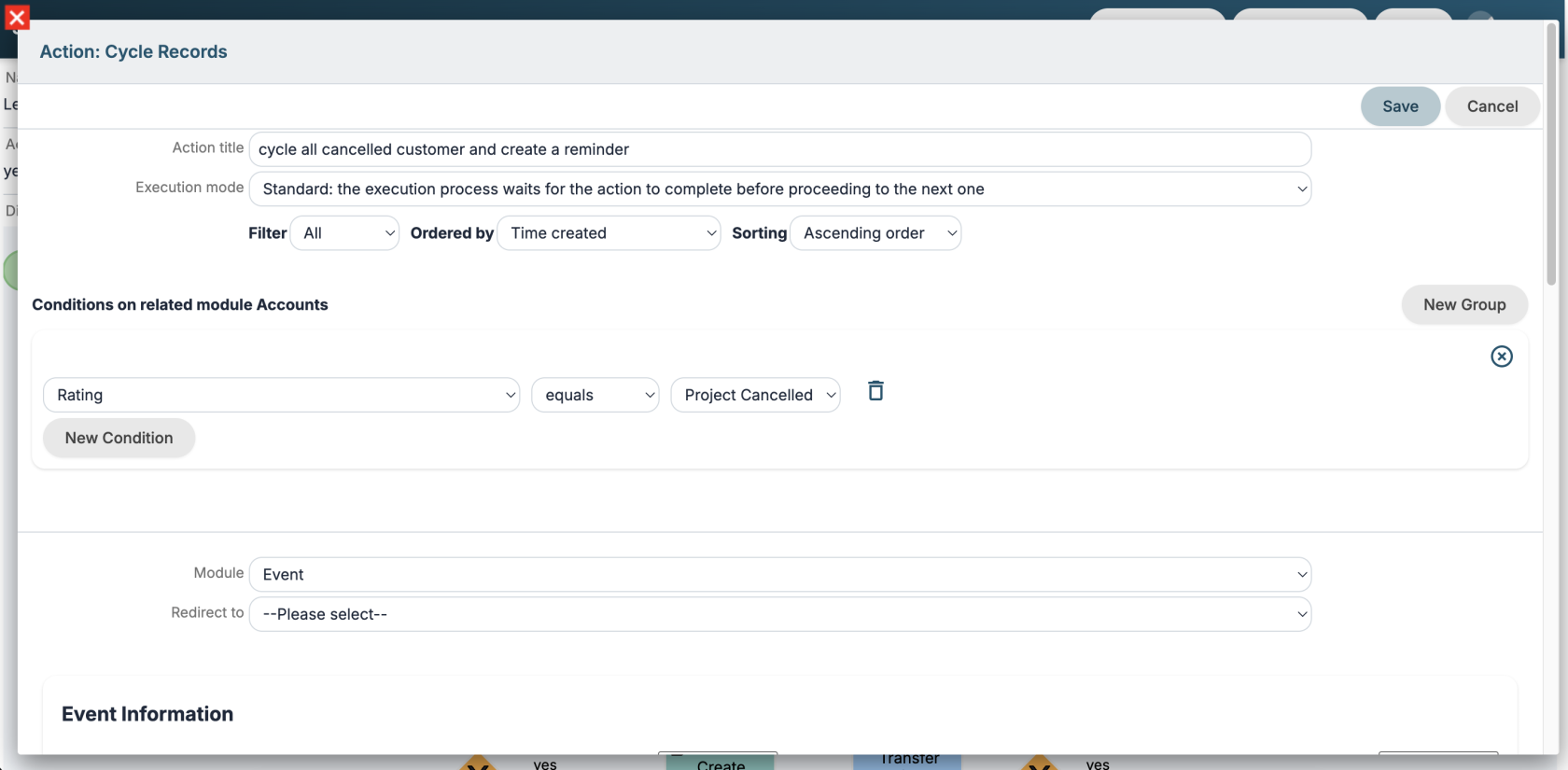](https://usermanual.vtenext.com/uploads/images/gallery/2026-06/screenshot-2026-06-25-alle-15-05-00.png) ##### Execution mode For all process actions, you can specify the Execution Mode: \- Standard: the execution process waits for the action to complete before proceeding to the next one \- Background: the process stops and the action is executed in background by [worker](#bkmrk-worker) or cron ##### New options in conditions "in" and "not in" options have been added to conditions on picklist fields to check multiple entries. In the "has changed" option, the "any value" entry has been added to check if a picklist field has changed to any value. [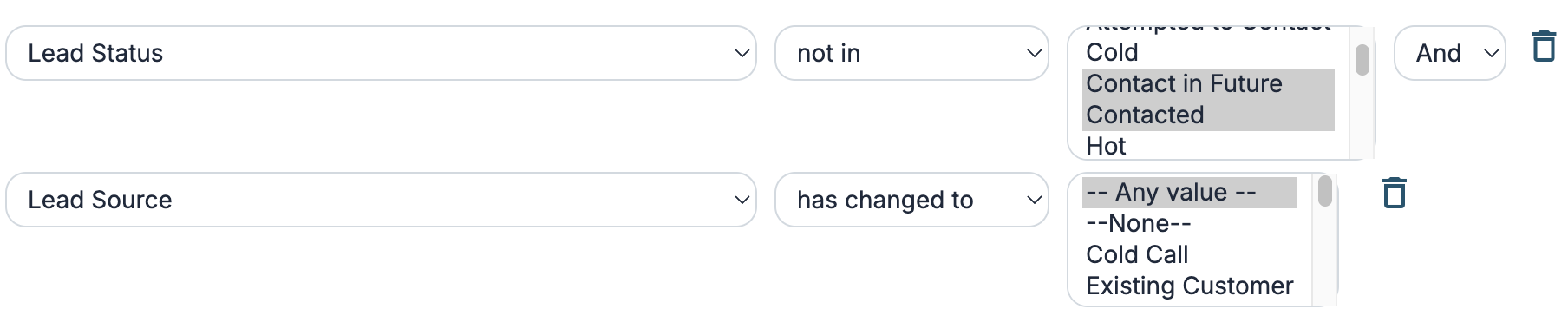](https://usermanual.vtenext.com/uploads/images/gallery/2026-06/screenshot-2026-06-25-alle-15-14-00.png) ##### New panel for process graph logs Improved the process graph UI in the record detail view. [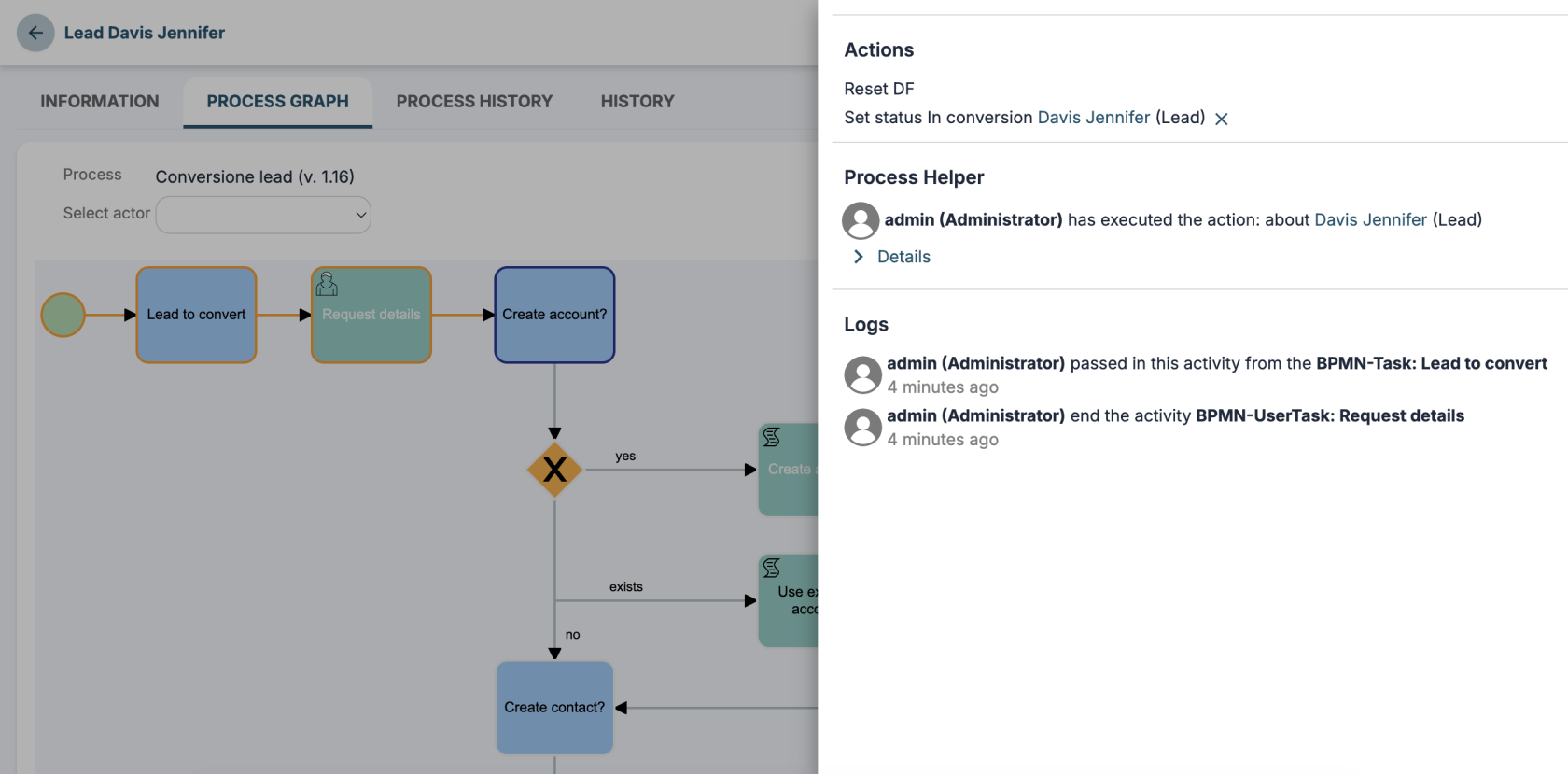](https://usermanual.vtenext.com/uploads/images/gallery/2026-06/screenshot-2026-06-25-alle-15-22-36.png) ##### Tool-type Processes You can create new **tool**-type processes that can be called multiple times within the same process or by multiple processes as if they were functions. They can also be published as tools on an MCP server. [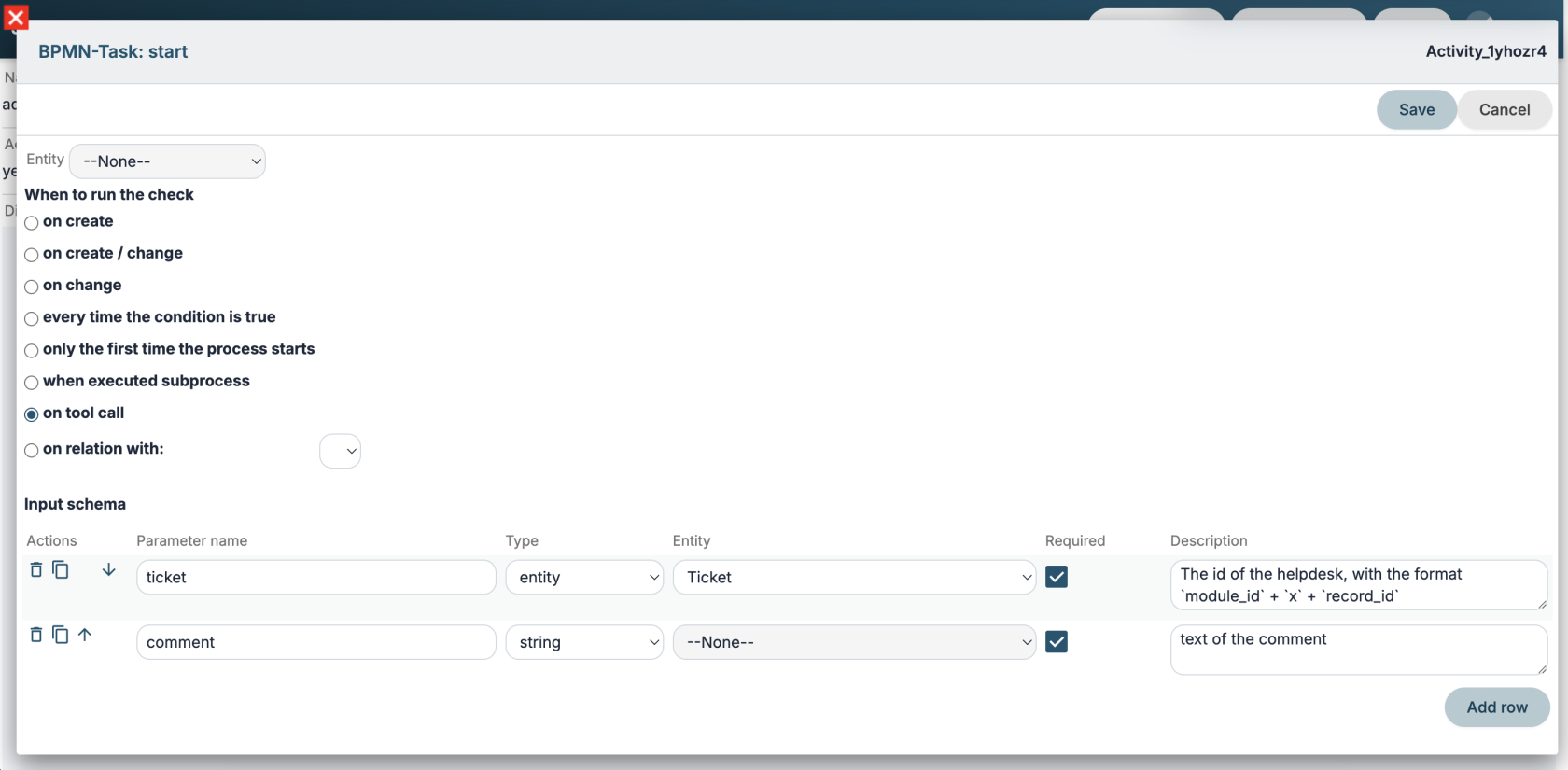](https://usermanual.vtenext.com/uploads/images/gallery/2026-06/screenshot-2026-06-29-alle-15-24-04.png) # AI Tools ##### LLM You can configure an LLM model according to the [OpenAI format.](https://developers.openai.com/api/reference/resources/chat/subresources/completions/methods/create) [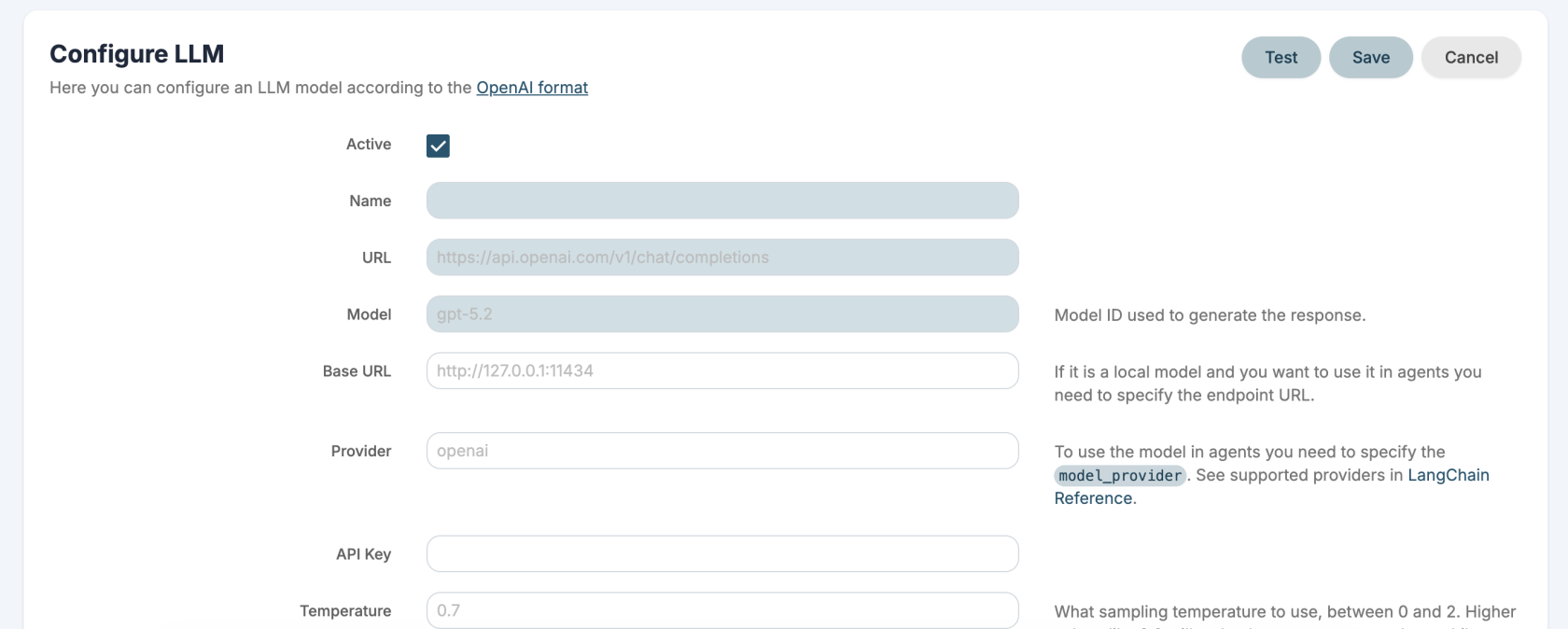](https://usermanual.vtenext.com/uploads/images/gallery/2026-06/screenshot-2026-06-29-alle-14-12-39.png) ##### MCP Server You can configure the MCP servers that VTENEXT exposes. For each server, you can select which tools to publish using REST APIs, custom tools, and Processes. Technical documentation is available [here](https://usermanual.vtenext.com/books/developers/page/mcp-server). [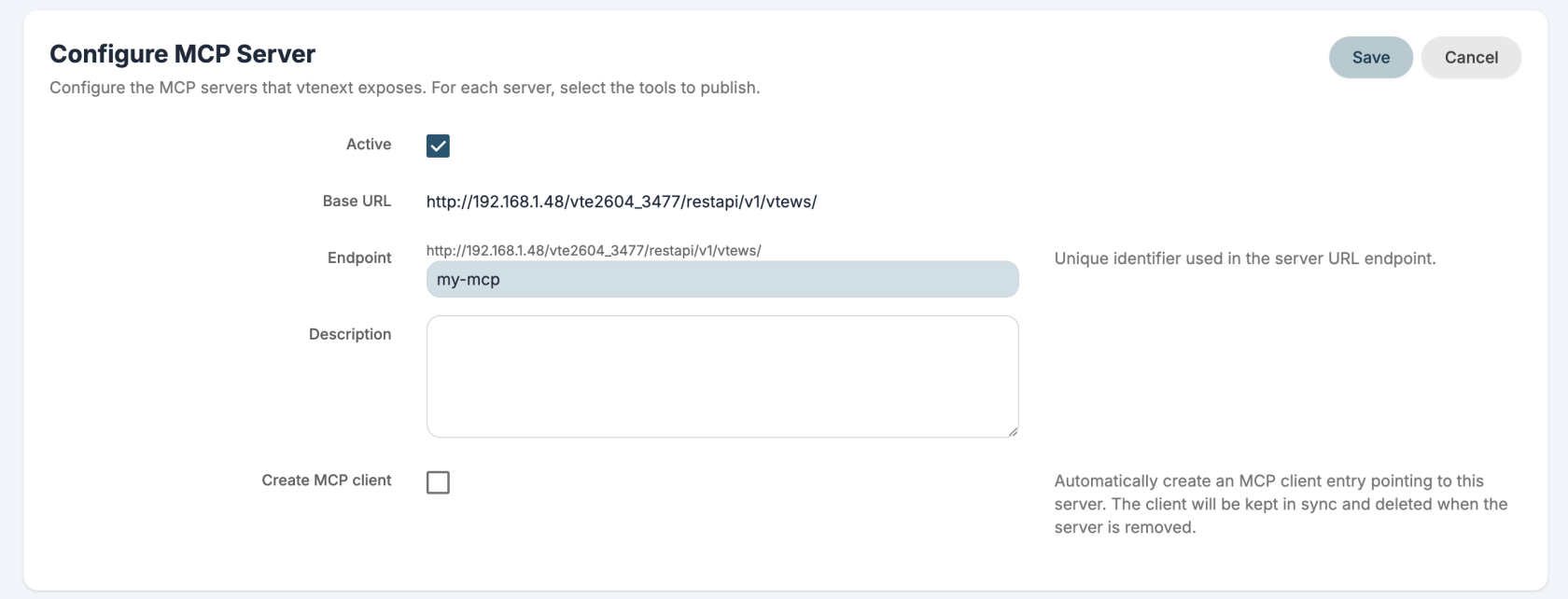](https://usermanual.vtenext.com/uploads/images/gallery/2026-06/screenshot-2026-06-29-alle-14-13-31.png)[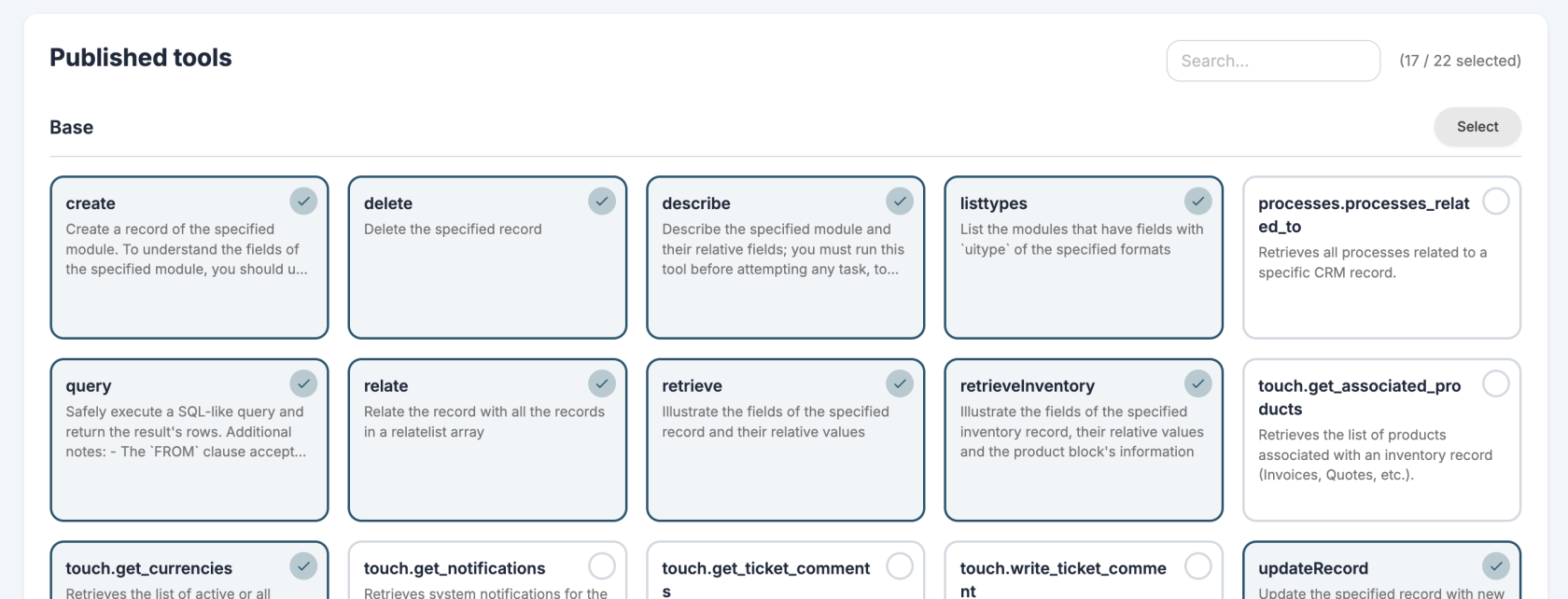](https://usermanual.vtenext.com/uploads/images/gallery/2026-06/screenshot-2026-06-29-alle-14-14-47.png) ##### MCP Client You can configure the MCP servers whose tools you want to use. Only servers exposed via HTTP are supported. By default you get a VTENEXT MCP and [Exa](https://exa.ai/) MCP installed for web searches. [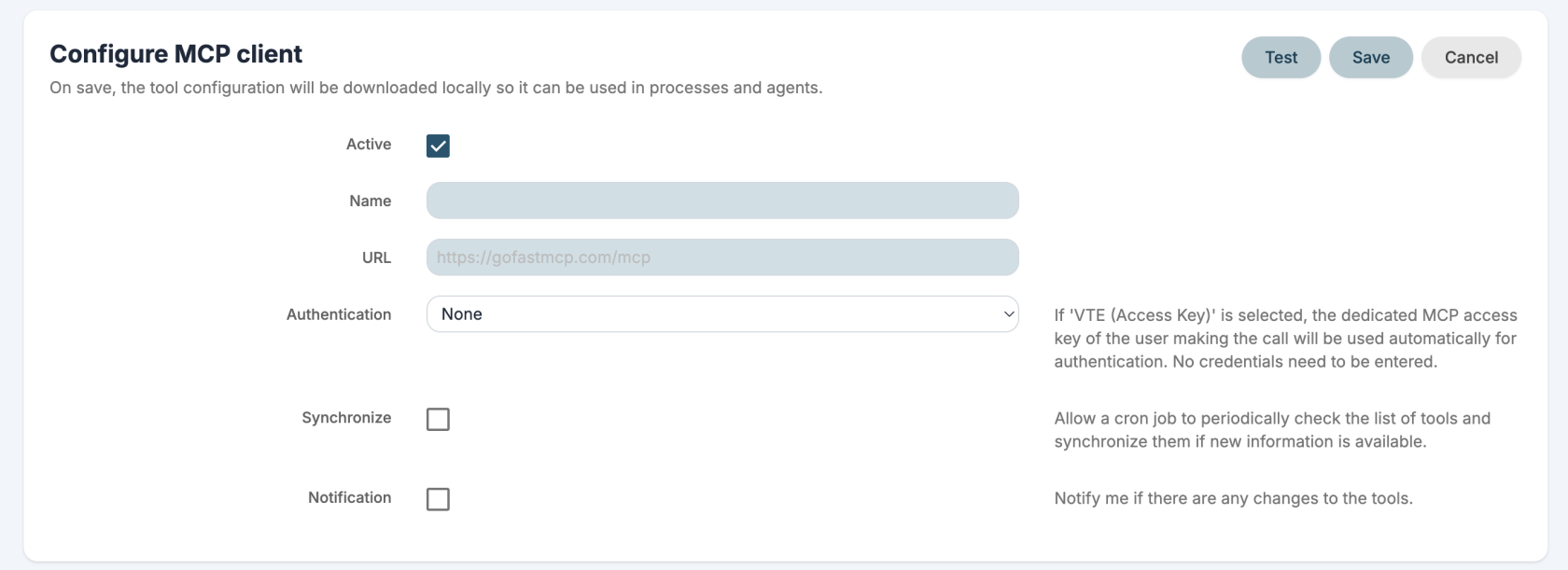](https://usermanual.vtenext.com/uploads/images/gallery/2026-06/screenshot-2026-06-29-alle-14-20-22.png)[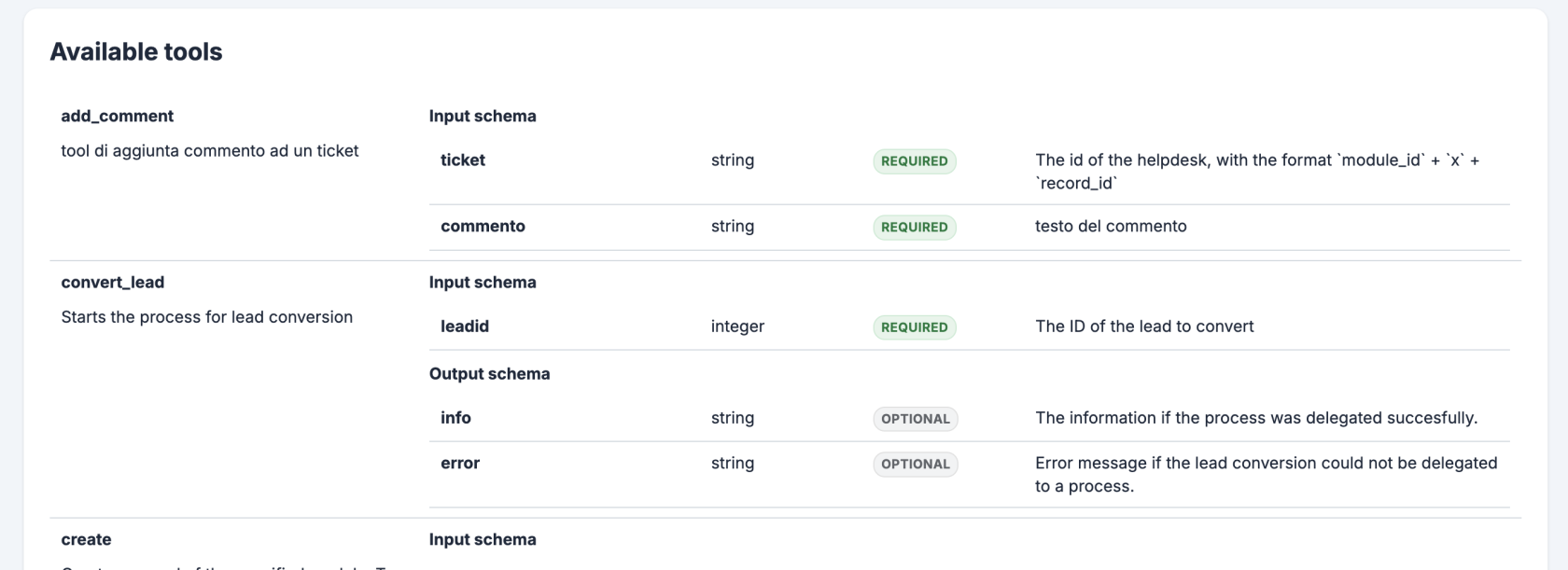](https://usermanual.vtenext.com/uploads/images/gallery/2026-06/screenshot-2026-06-29-alle-14-21-13.png) ##### Agents You can configure AI agents to use in your assistant and processes. An agent can use LLMs, MCP tools and RAG to complete tasks automatically. [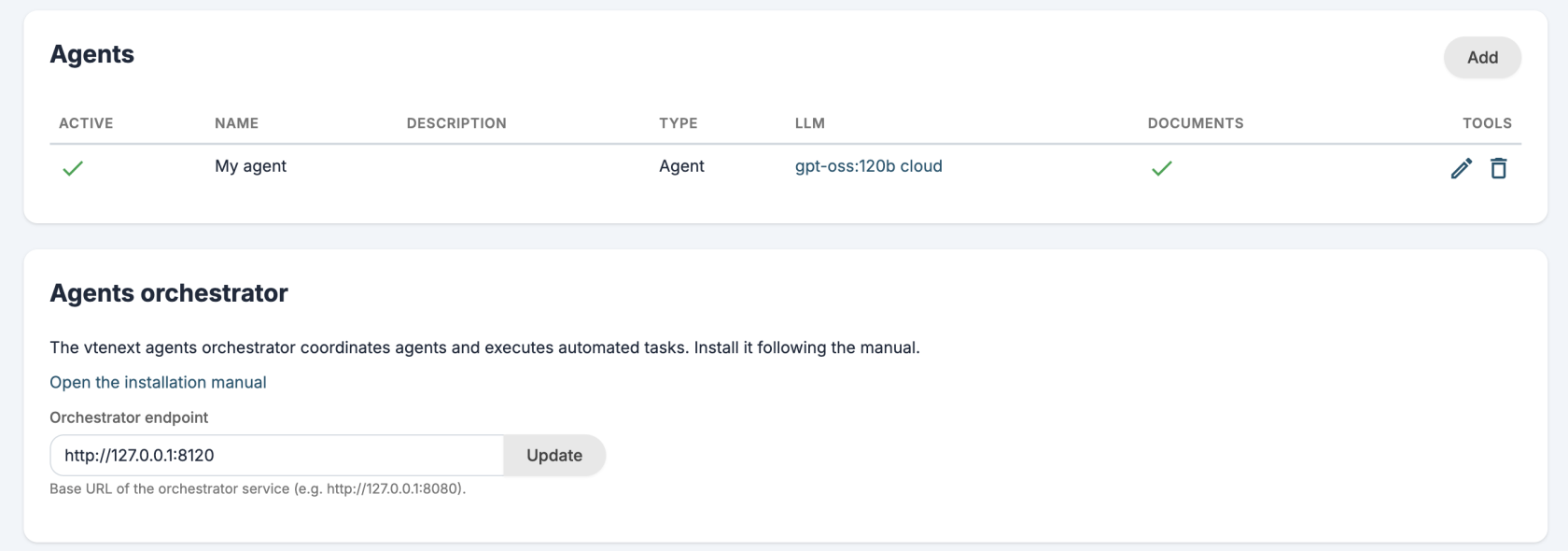](https://usermanual.vtenext.com/uploads/images/gallery/2026-06/screenshot-2026-06-29-alle-14-48-52.png) ##### Assistant The new assistant is called **Kitt** but you can change his name and photo from the user preferences. The assistant can query an LLM, an Agent or a custom REST Webservice. [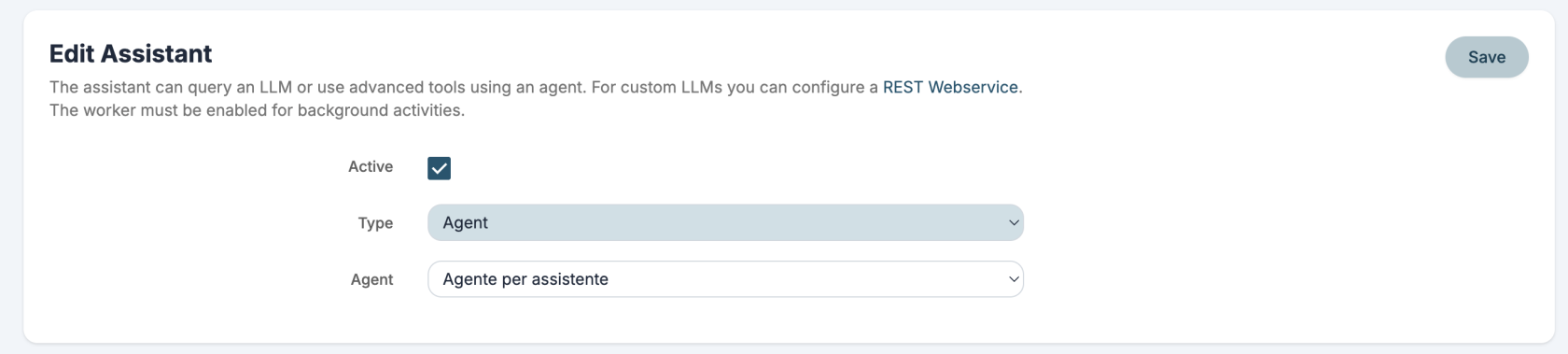](https://usermanual.vtenext.com/uploads/images/gallery/2026-06/screenshot-2026-06-29-alle-14-54-15.png) You can ask the assistant questions through conversations or with the new side panel. 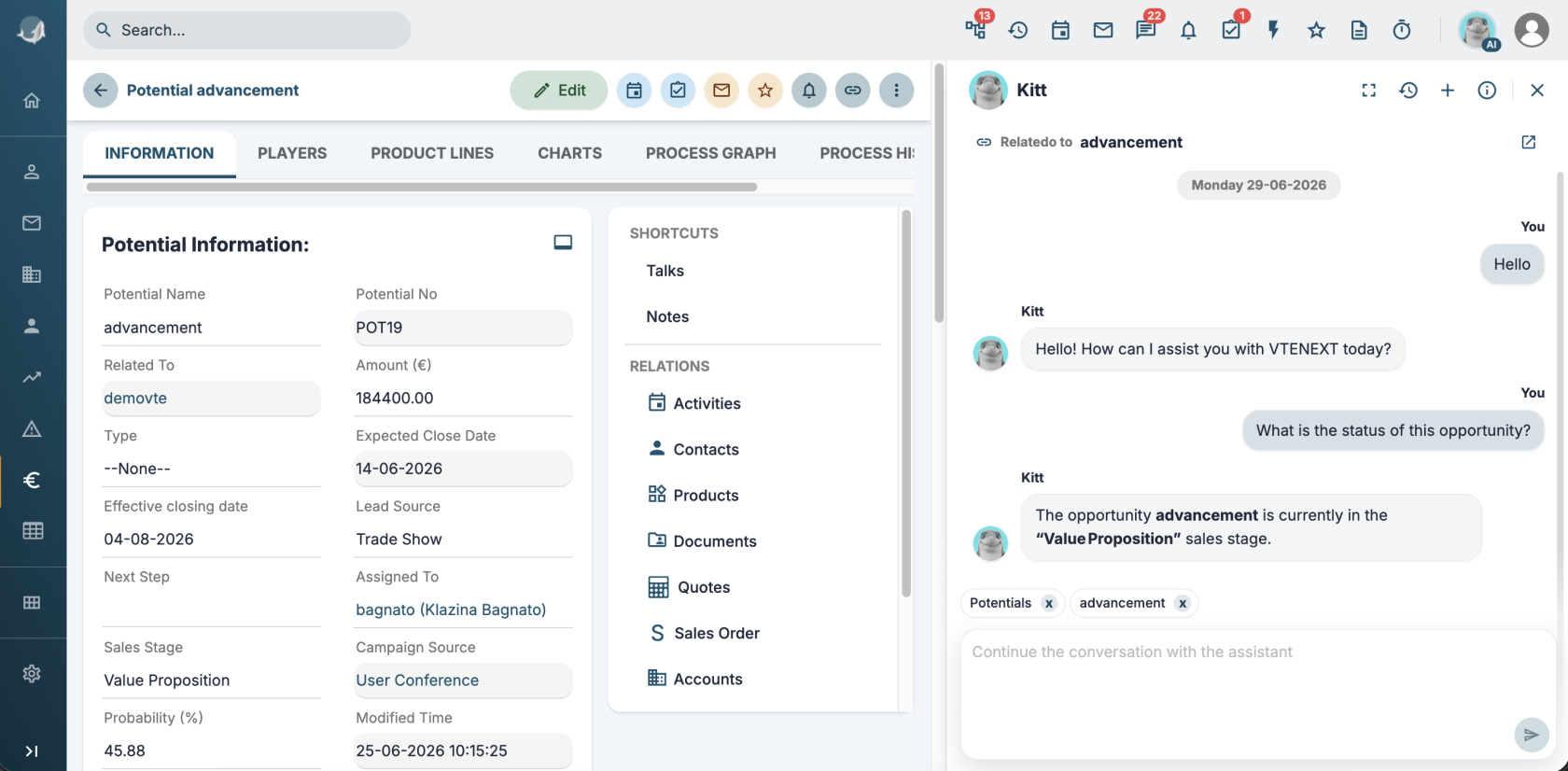 You can also use pre-configured **quick actions** to: \- summarize \- process text \- translate These quick actions can also be published as MCP tools. [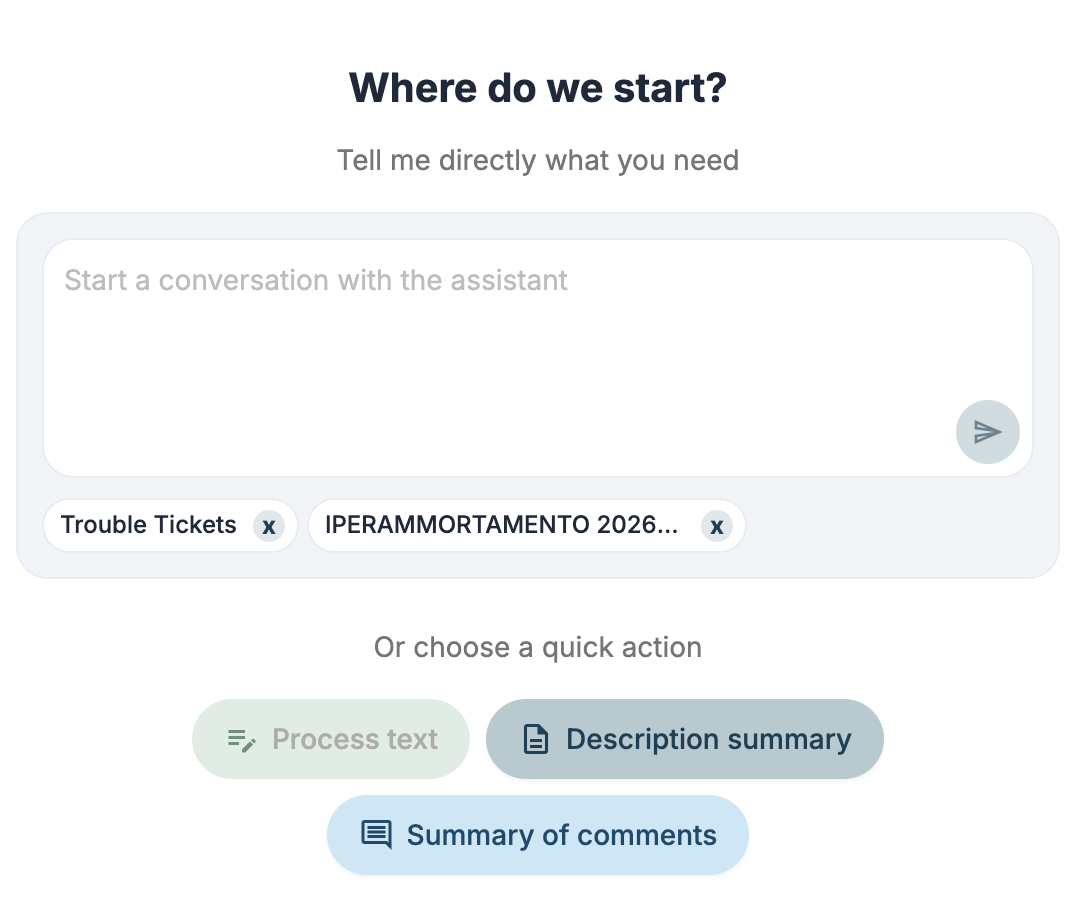](https://usermanual.vtenext.com/uploads/images/gallery/2026-06/screenshot-2026-06-29-alle-15-44-52.png) ##### Agent Logs An entry has been added in Settings > System logs to control agent logs. --- ### AI actions in ProcessMaker You can configure process actions and run: ##### Call LLM Make a request to an LLM and use the response in the process. ##### Call MCP tool Run an MCP tool. ##### Call agent Make a request to an Agent to complete tasks automatically and use the response in the process. ##### Call process tool Run a [tool-type Process](#bkmrk-tool-type-processes). # Other improvements ##### Worker The worker is the new service for immediately executing operations in background (without blocking the user interface) and without having to delegate the operation to a cron job and therefore wait the minimum time of 1 minute. The worker receives a request to execute via PHP and then sends the response directly to the browser via SSE events. It has currently been implemented to perform the following operations: \- notifications (ModNotifications) \- process actions with background execution mode \- all requests to the new AI tools Technical documentation is available [here](https://usermanual.vtenext.com/books/developers/page/worker). --- ##### Expiration in Access Keys In **User Preferences > Webservices, REST Api Configuration** you can specify an expiration date for new access keys. When expired, the Accessk Key will be deleted. ##### Email template list in newsletter is now searchable Added grid search in email templates in newsletter. [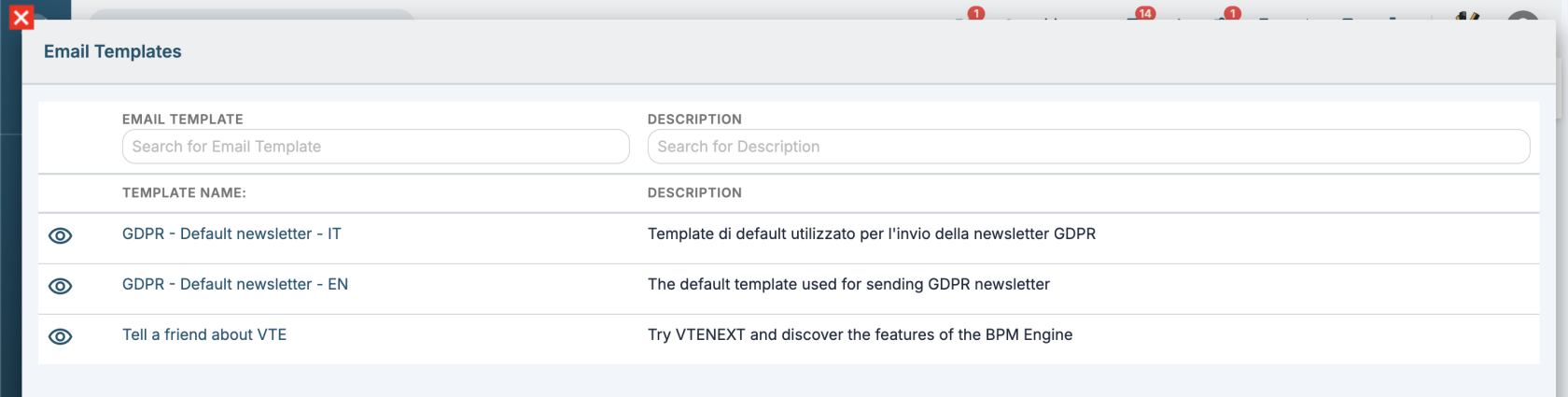](https://usermanual.vtenext.com/uploads/images/gallery/2026-06/screenshot-2026-06-25-alle-15-32-44.png) ##### Improved scheduled reports In the scheduled report configuration, two options have been added: 1\. Exclude holidays/weekends (holidays are related to the "Holiday Countries" field in the admin user's user profile) 2\. Exclude empty reports [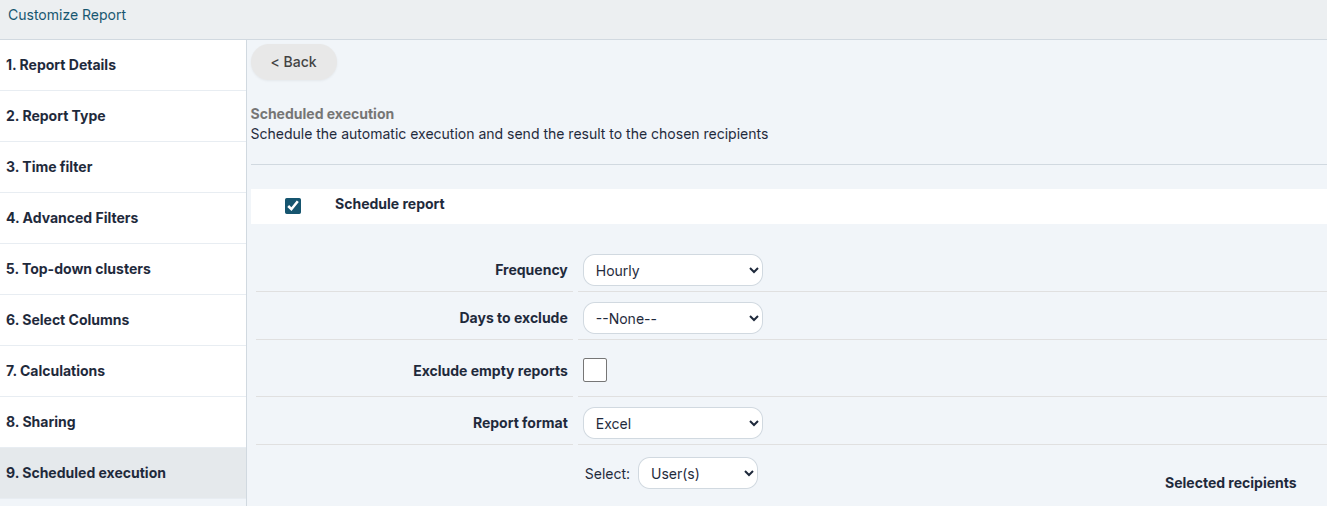](https://usermanual.vtenext.com/uploads/images/gallery/2026-06/6etimage.png) ##### Widgets' title Possibility to edit home page widgets' title [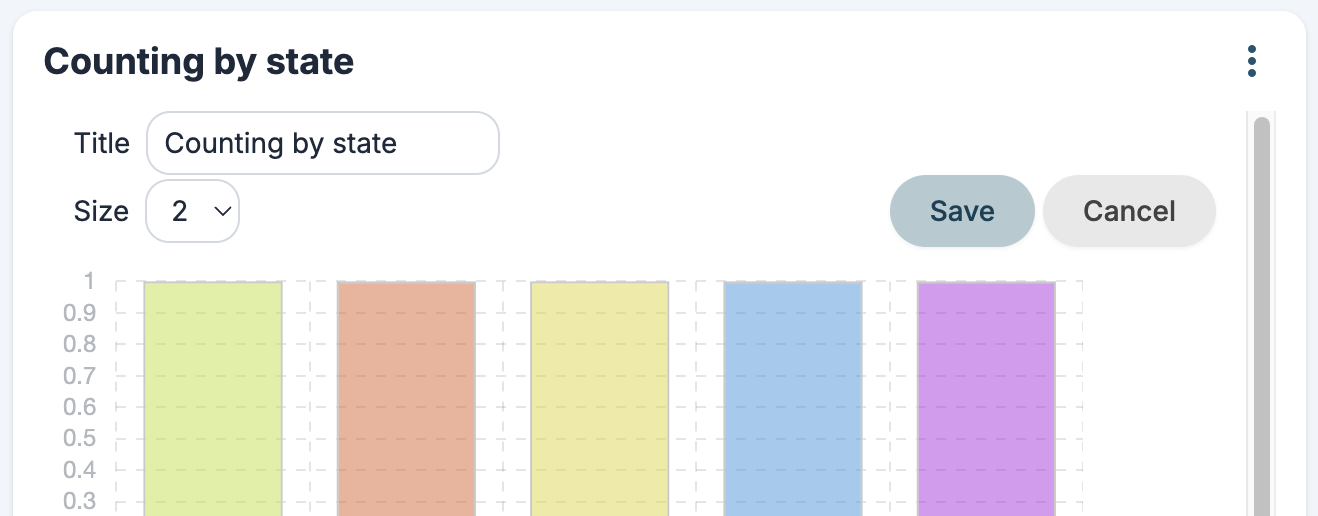](https://usermanual.vtenext.com/uploads/images/gallery/2026-06/screenshot-2026-06-25-alle-15-37-45.png)