Release Notes History
- vtenext Business 18.02 Release Note
- vtenext Business 18.05 Release Note
- vtenext Business 18.12 Release Note
- vtenext Business 19.10 Release Note
- vtenext 20.04 release notes
- vtenext 21.01 release notes
- vtenext 21.10.1 Release Note
- vtenext 22.05 Release Note
- vtenext 22.05.1 Release Note
- vtenext 23.08 Release Note
- vtenext 24.08 Release Note
- vtenext 25.02 Release Note
- vtenext 25.02.1 Release Note
- vtenext 25.02.2 Release Note
vtenext Business 18.02 Release Note
USER PREFERENCES
New Language Packs
Four new language packs have been added to the user preferences: French, Russian, Polish, and Spanish.
New NEXT Design Selectable Among Themes
The NEXT theme has been added alongside SOFTED in user preferences. This theme introduces a completely modernized design, aligned with current trends:
- The module bar is now positioned on the left and can be minimized to icons. The last icon at the bottom combines all modules and areas.
- The function bar (conversations, notifications, quick creation, etc.), positioned on the right, now includes links to the Process module and search management.
Process Module
This provides a list view of all processes in Vtenext.
Search
The global search and module-specific search are unified under one button. The module-specific search adapts based on the module being used.
Example: While in Customer Support, you can search globally across the CRM or only among available tickets.
BPMN
Advanced Functions for BPMN Process Design/Scheduling Campaigns via BPMN
Creating BPMN processes in Vtenext allows for greater interaction between modules with N-to-N relationships (unlike the previous 1-to-N limitation) and eliminates the need for an initial condition (refer to the BPMN Manual for details).
- Conditional fields can be used in process tasks.
- The Newsletter module can be integrated for automated marketing campaigns, allowing mailings to be sent based on user-defined criteria.
- Process layouts now include color coding depending on the selected task type (note: colors are automatically assigned by the system).
Rewind Processes and Replay Execution
Within the entity affected by an active process, users can return to a previous step by selecting from available options (for more details, refer to the BPMN Manual).
REPORTS
New Reporting Options (Newsletter and Clusters)
The Reports module has been updated with the following features:
- Integration with the Newsletter module for report generation, including standard and advanced filters. Users can select statistics and clicked links as report columns.
- Cluster creation for further segmentation of results in the summary tab and charts, with color definitions. Charts will also display a gray bar grouping remaining results.
- Administrators can schedule automated email delivery of report results in PDF or Excel format, with recipients chosen from the user list.
CONFIGURATION
Configurable REST Client Webservice
REST webservices enable integration between Vtenext and external platforms that support this protocol. Configurations can be done without requiring SDKs for external database updates. URLs can also be called with parameter passing.
Version Control and Import/Export Functions for Modules, Processes, Roles, and Profiles
Configurations for modules, processes, roles, and profiles can be saved as versions (e.g., v1.0). Versions can be exported or imported for added security during setup.
PHP 7 Support
Vtenext is now compatible with PHP 7.
Table Fields
In the Module Manager > Layout Editor, a new Table field type can be added. This field consists of grouped fields displayed on a single row for optimal data viewing. By default, it appears with one row and headers. Users can add rows by clicking Add Row, and rows can be duplicated or deleted.
TARGETS
Automatic Target Synchronization
Targets now update automatically, eliminating the need for manual refreshes for newsletter management. Two modes are available:
- Incremental: Adds names to the target based on the original filter, ignoring exclusions from filter changes.
- Complete: Adds or removes names based on the filter.
MESSAGES
Multiple SMTPs Linked to a Single Email Account
SMTP settings for outgoing emails can now vary for each account within the Messages module.
MOBILE APP
Activity Tracking from the Mobile App
The mobile app now includes activity tracking to create calendar events or tickets automatically.
- The START function is accessible via the three-dot menu.
- Users can click PAUSE or END in the same menu.
OUTLOOK ADD-ON PLUGIN
Create and Link New Entities from Outlook Plugin
The updated Outlook plugin offers the following features:
- Bidirectional synchronization of Contacts, Events, and Tasks with Vtenext.
- Linking emails to CRM entities.
- Creating new entities and linking emails directly to the new entities (e.g., creating leads/tickets and associating the email with them).
vtenext Business 18.05 Release Note
The update to version 18.05 includes the addition of a section dedicated to functionalities for proper management of the GDPR directive.
All features and new additions are detailed in chapters 7 and 18.3.3 of this manual.

vtenext Business 18.12 Release Note
NEW INTEGRATION CAPABILITIES
vtenext is increasingly becoming a platform capable of bidirectional communication and seamless integration with other systems within an organization. This feature plays a key role in extending CRM logic and processes to all areas and levels of the organization, enabling widespread access to information.
Key updates include:
New standard REST APIs to simplify interactions with external systems, featuring token-free implementation and significant logging improvements. Combined with additional developments (meta-done solution), these features make vtenext a comprehensive solution capable of integrating with all systems used within an organization.

Other enhancements include:
- Versioning for modules, roles, profiles, and conditional fields.
- A new "notes" widget with a more intuitive design and functionality.
- Drag-and-drop file upload for single or multiple files, with automatic compression.
- Quick Look Relations, offering a preview popup for all related fields (UItype10).
- CDN functionalities for distributing images and other static content via CDN or hosting them on a separate server.
- Customer Portal enhancements, with simplified development, SDK function utilization, and the ability to read conditional fields created via the interface.
- Dynamic forms, enabling the import of blocks and module fields into dynamic forms.
- GDPR support, now extended to business units.
vtenext 18.12 delivers improved overall performance, fully supporting PHP 7.2.
vtenext Business 19.10 Release Note
Automatic Updates via Interface
This feature simplifies keeping the system up-to-date, ensuring that new functionalities are released more frequently, with milestones for technical constraints (e.g., PHP version requirements).
BPMN Engine Enhancements
- Deadline Management: Dynamic time periods can be set for timers, e.g., 3 months before a contract expiration date.
- Notification Sending: The centralized notification system can be triggered by processes, for single notifications or looping over a table field.
- Transfer Relations: Allows transferring (1:N) or copying (N:N) related entities from one record to another.
- Loop Through Related Entity Tables: Enables looping through a table field in a record related to the current process record.
- Date Functions:
- International date formatting
- Current date (formatted)
- Date difference calculations
- PDFMaker: Enables selecting entities and records for PDF generation and supports multilingual templates within processes.
- Attachments via Dynamic Forms: Upload files directly from dynamic forms/popups and link them to the parent record of the process.
- Extended Attribute Reading for Web Service Client: Handles multiple JSON results from web service calls and accesses all first-level attributes of the returned object.
- Improved Process GUI Editor: Enhancements for usability and compatibility.
- Filterable and Sortable Process List: Easier navigation through process listings.
- Interactive Right-Side Indicator: Displays pending user tasks (web/mobile). Clicking the icon opens a complete list of pending processes.

Human-Readable Process Activity History
Provides a narrative list of process execution steps, as an alternative to the classic BPMN view.

Customer Portal SDK Extensions
- Wizard for EditView Creation
- Support for Custom Modules
- Automated Calendar Slot Booking
Desktop Notifications
When new messages or conversations arrive, a system notification appears. Clicking it opens a detail tab for quick viewing.
 |
 |
Dark Mode
 |
 |
Introduces dark mode for both web and mobile versions, aligning with modern OS aesthetics while removing legacy and unoptimized code.
Mobile App Updates
- Dark Mode Support
- Highlight pending processes in the top menu.
- Zoom functionality for messages ("a-A") and improved accessibility view.
- Minor improvements and bug fixes.
VTEsync for Information Platform
Native synchronization with Salesforce® via OAuth2, supporting bidirectional communication for:
- Companies
- Installations
- Campaigns
- Leads
- Opportunities
- Products
- Trouble Tickets
Performance Optimizations
- Native support for MySQL master-slave architecture for reports, list counts, global searches, relationship counts, and data exports.
- Reduced cache footprint from single to global APC/memcache.
System Requirements
- HTTP2 support.
- PHP FastCGI support.
- Minimum PHP version: 7.0.
Artificial Intelligence (AI)
Native integration with Klondike:
- Cloud as a Service with pre-trained models.
- On-Premise for specific contractual/project needs.
Miscellaneous
Over 100 new features and improvements were implemented as part of 10 months of continuous bug fixing. The detailed changelog is available for review.
vtenext 20.04 release notes
BPMN engine improvements
1. Process History in detailview. In addition to the tab “Process graph” the user can find the additional tab “Process History” were can read in detail the execution of the process and it is possible to view which user performed a certain action and when.
2. Function relate email in ProcessMaker. It is possible to decide the entity to which relate the email sent by the process in more ways:
• Default -> The email will be related to the main entity of the process
• Other -> The user choses the entity
4. Log debug conditions. We added the possibility to activate the log debug with the aim to facilitate the dubug of eventual issues noticed when running the process.
5. Email send (Notifications, Processes, Email from Tickets) via new tail. The Email sending process follows now the standard procedure by following the sending tail. By doing so the execution time of the process is reduced because it doesn’t have to wait the sending.
6. ProcessMaker: added related entities in actions Delete, Relate, RelateStatic.
7. Added relations in the Document module
Process’ Product block actions
1. Copy line: it is possible to copy the product block from an inventory module to another, avoiding to use the SDK to report the product block from one entity to another.
2. Cycle product block rows and for each one row: create entities/enter rows/delate rows/send emails/sending notifications. It is furthermore possible to cycle the information of a product block in a table field and vice versa.
3. Add line from static/dynamic data directly in the products block. The function is similar to the one performed in a table field.
Message module
1. Scheduled email sending: it is possible to postpone the sending of an email deciding the new time and date.

2. Creation of contacts in the CRM for unknown email addresses: when responding to an email that contains an unknown address vtenext automatically creates a new contact
3. Messages Out of office reply
4. imap parameters and PEC option in mail converter: from mail converter it is possible to define a PEC email address and in the way the ticket will be created with the original mail, that is to say the one contained in the .eml attached file
5. Unified folds for different email addresses

General / CORE / Performance
1. RabbitMQ support. To manage tails and obtaining immediate response when saving the record
2. Global cache for vte_field and workflow. We added caches for some frequently used tables like vte_field and the workflows on, to avoid repeated readings of the same data
3. OWASP top 10 compliant. We added the anti-CSRF according to the OWASP standard
4. Variants of SKU products. Using the new module configurable Products it is possible to define a new generic product with variables attributes
es. T-shirt with Size attribute (XS/S/M/L/XL) or Colour (Red, Green, Yellow)
Every variant of the product is univocally defined by a SKU code (stock keeping unit)
5. Next theme softening


6. Editor drag and drop newletter/email templates


7. Activation of non-contextual licenses
8. Ubuntu 20.04 LTS support (php 7.4/mysql8)
Sync connector
Standard connectors available for the following systems:
- Hubspot®:
Modules: 'Users', 'Accounts', 'Contacts', 'Potentials','HelpDesk', 'Targets','Targets_Contacts' (to have contacts related to the target).
Direction: all bidirectional, except for her users that is monodirectional from hubspot to vtenext - Jira®:
Modules: 'Users', 'ProjectPlan', 'ProjectTask', 'HelpDesk', 'TicketComments'
Direction: all bidirectional, except for her users that is monodirectional from Jira to vtenext - SuiteCRM®:
Modules: 'Users', 'Leads', 'Accounts', 'Contacts', 'Potentials', 'Campaigns', 'HelpDesk', 'Products'
Direction: all bidirectional, except for her users that is monodirectional from SuiteCRM to vtenext
All synchronization are in Beta version, therefore some fields and values may not be supported.
Klondike connector
Plugin available in settings to connect vtenext with the Machine Learning engine Klondike:
• Process discovery agents: analyses and identifies which are the commonly used processes in vtenext. Once discovered can be imported in the Process Manager to be further developed
• Classification manager: uses AI to guess the value of a field. Example: when creating a ticket the Category is guesses by analysing title and description.

Klondike from Settings
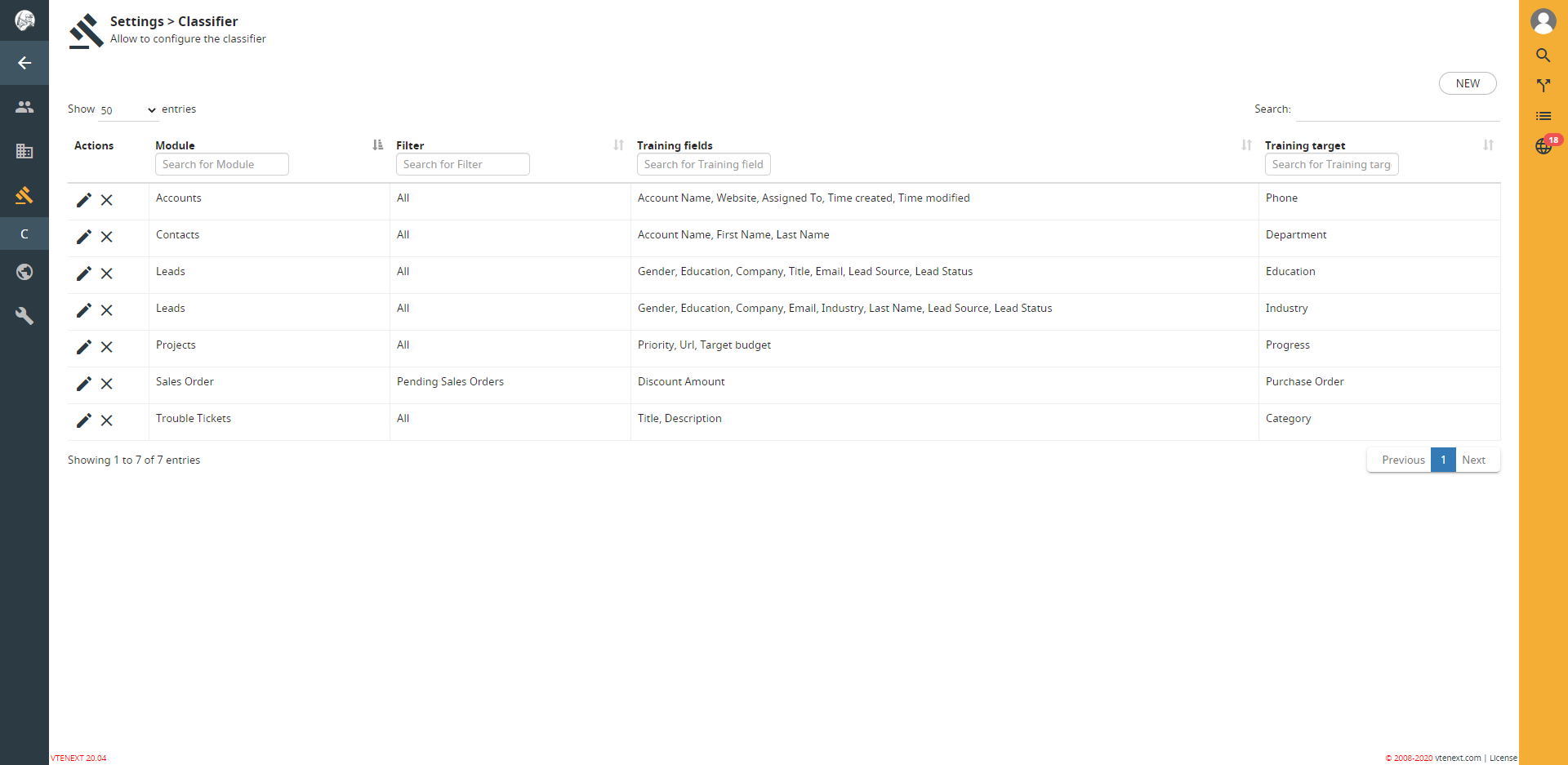
Classifier

Process discovery Agent

Process discovery

Process list
Projects Module
A new module, Job Orders, has been created to contain all Project Tasks.

Job Orders mask

Project mask

Project Gantt

Operations in detail

Calendar for the resources involved
A resource view has been added to the calendar to help manage the team's weekly activities

Final events tracking

In project task is now available the new fields block “Budget Information” to deliver Project, Pack or Consumptive services, the worked hours will be scaled using the activity tracking system.
Order report example

Example of project execution process

vtenext 21.01 release notes
General improvements
1. European national holidays support on Calendars.

2. Improved centralized audit trial and activities export.
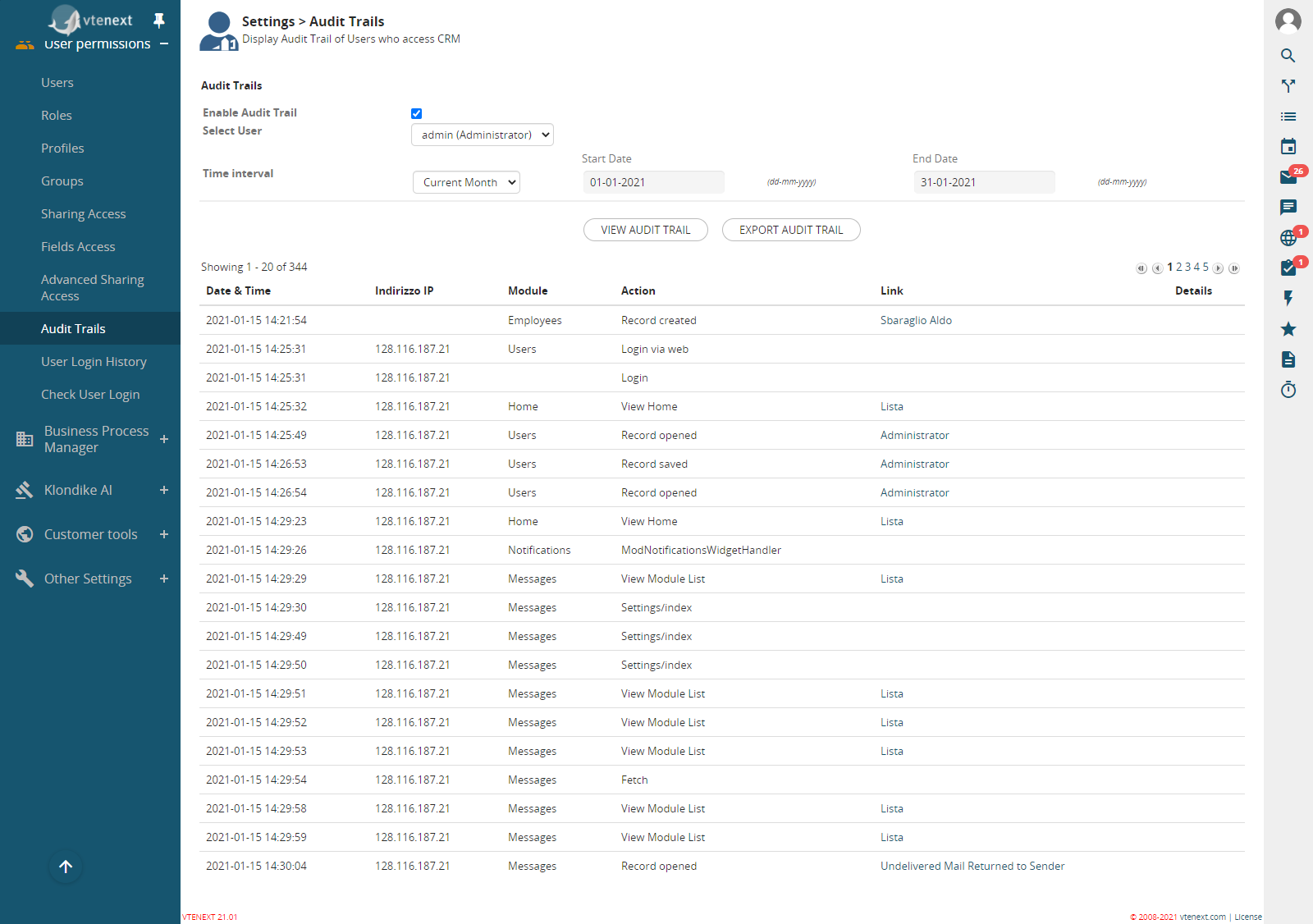
Audit Trails view, located in settings
3. Centralized email Signature with possibility to differentiate it according to the Business Unit.

4. New “Bookme” feature in email signature. The user can define the available time slots in its calendar, adding a book me event type, the external users will so be able to book an appointment. The Book me box in the email module allows the user to enable/disable the feature.

User settings view
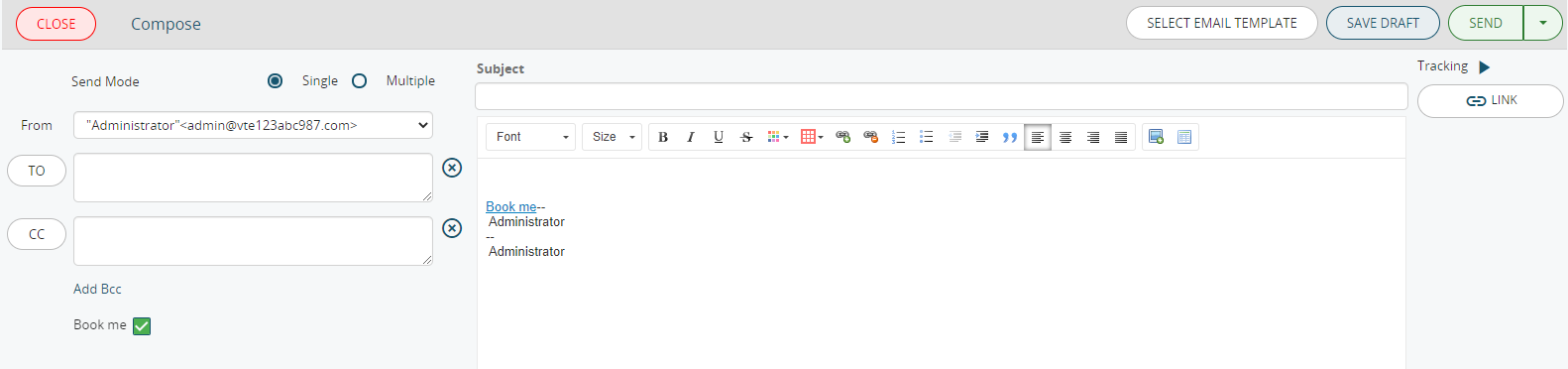
Email composer view
5. Temporary document saving uploaded on the database if the filesystem is not available or in read only mode (good for NAS/web storage style)
6. Office365 OAuth2 for Imap mail
7. AutoDetect of external HTML links for calendar events: largely used by online meeting platform invitations (eg. Zoom, GoToMeeting, etc.). This new feature allows the possibility to report the meeting link directly in the calendar event
8. Activities ran in background: activities that used to take a lot of time, like the telemarketing records’ creation, are now ran in background in order to avoid the time out
9. The data import now supports the product variants, introduced in vtenext previous release. In this way the product import, from ERPs or other platforms, is facilitated.
10. Bug fixing.
Processes
1. The product variants are now available in the Process Maker
2. It is possible to cycle the records related to another record like as if it was a table field
3. It is possible to start a process when a record, N a N related to another record, is related (e.g. a process can start when a Contact is related to an Account)
4. The Emails sent from the process are now automatically related to the record
5. All the documents linked to a record can be sent via Email automatically by the Process
6. Emails are transferred from a record to another, via process, in a simplified manner
7. The Process Helper allows the display of documents linked to the parent record
8. From this release on it is not possible to create Workflows. The module will still be available in read only mode.
Synchronization
1. In the new release are now available new types of integrations with external platforms.
Already existing integrations:
-
- Hubspot
- Salesforce
- SuiteCRM
- Jira
- vtiger
2. Additional integrated modules:
-
-
Accounts
-
Products
-
Currency
-
Sales orders
-
Taxation
-
3. The synchronization also involves the following new ecommerce:
-
-
Magento
-
PrestaShop
-
Shopify
-
WooCommerce
-
Elastic Search
With the 21.01 release the new feature Elastic Search is introduced to all vtenext modules. It allows to display the search results in a faster manner.
vtenext 21.10.1 Release Note
NEW add Mexico timezones
NEW add support to check european tax numbers
NEW solar/working days in processes date operation
NEW added support for PDFMaker custom functions to email template fields
NEW possibility to upload images for uitype 209
NEW button to sort picklist values
NEW attach the file when sending email from documents
NEW infrastructure to support fast csv report export
NEW vteprop flag to disable all outbound communications
NEW script to quickly change color of vte
NEW clickable location in calendar
vtenext 22.05 Release Note
Here are the news of the new release:
- Support for the new app Wilson for vtenext
- vte prop for default tax type in inventory modules
- Global support for oauth2 clients
- OAuth2 IMAP support for Office365 in all subsystems
- Alerts about Google OAuth2
- timezone support for bookme
- new logic for the "Automatic" selection of bookme events
- connector for ZenDesk
- modlights (table fields) enabled in reports
vtenext 22.05.1 Release Note
- Support for Office365 oauth2 in mailscanner
- Additional modules for SalesForce vtesync
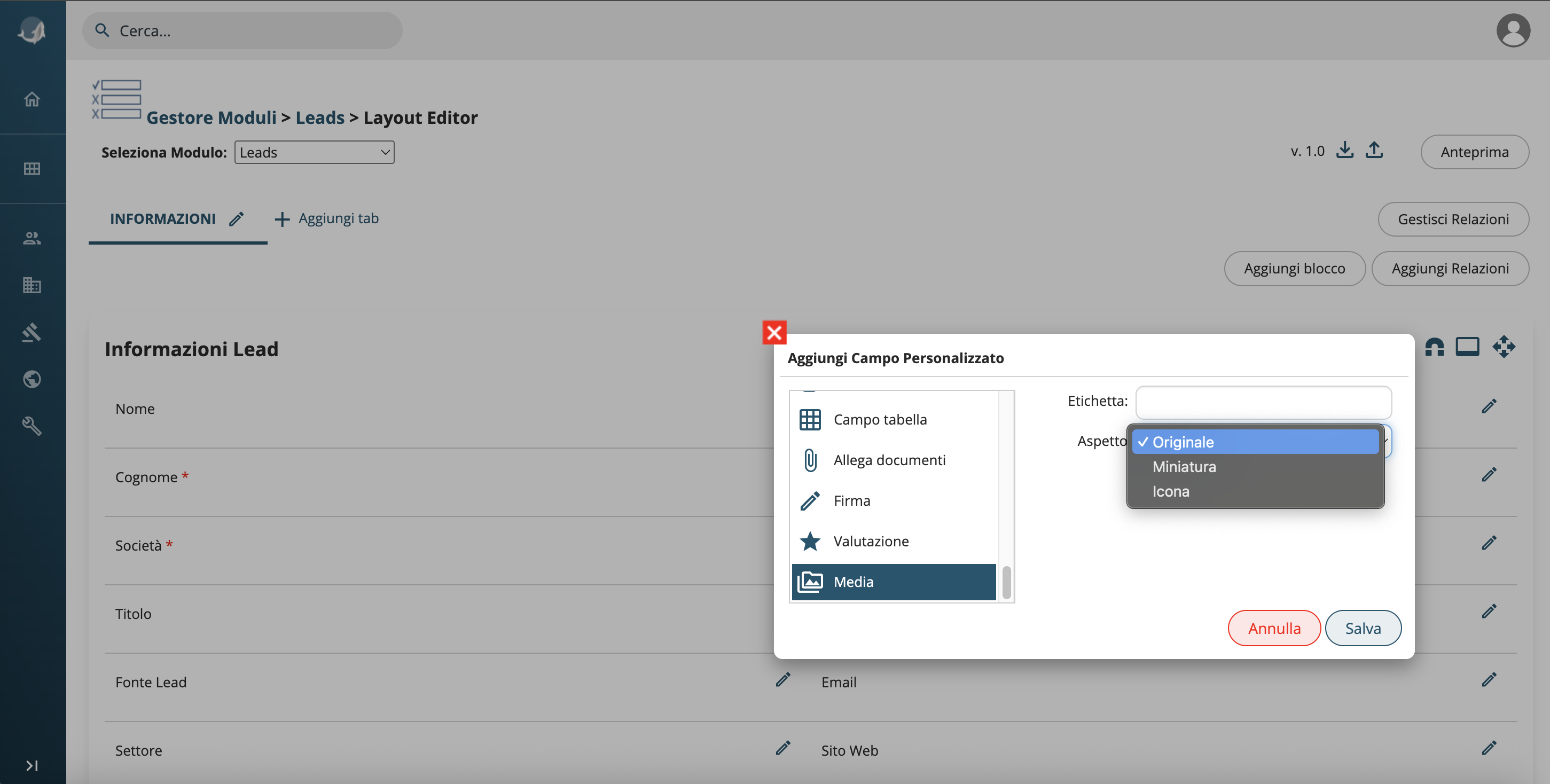
- Media field (uitype 209 modified)
- Log smtp errors
- Account choice in action email of ProcessMaker
- Support to uitype 226 rating
- Jitsi Meet plugin
- Accesskey validity
- Button to download all documents
vtenext 23.08 Release Note
-
New Customer Portal
It's possible to configure the customer portal with customized profiles for each client, creating personalized homepages with buttons and functions tailored to each portal user. Additionally, you can publish any module present in vtenext, including custom ones. The new Customer Portal is responsive.
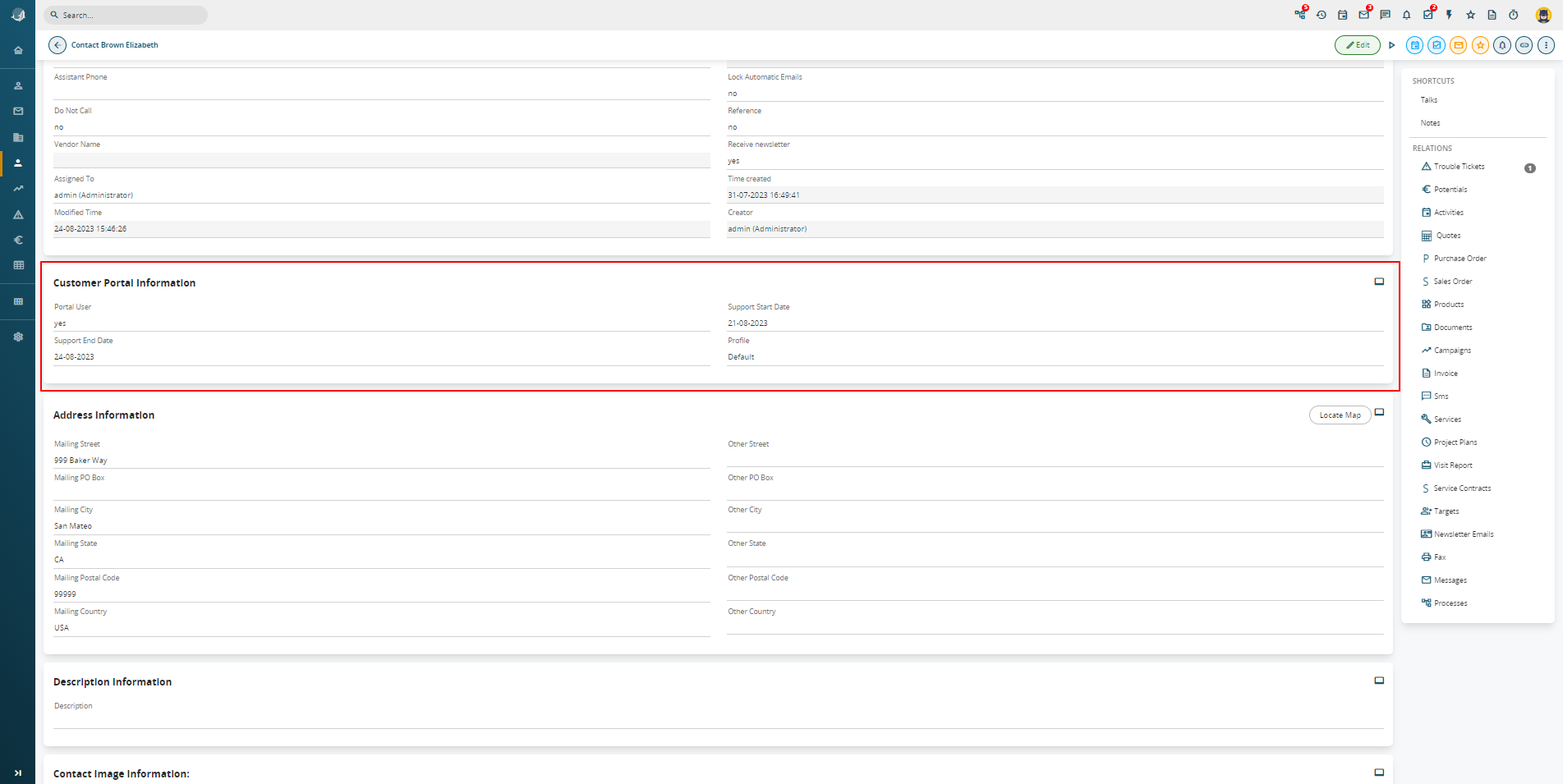
User Portal Profile Details
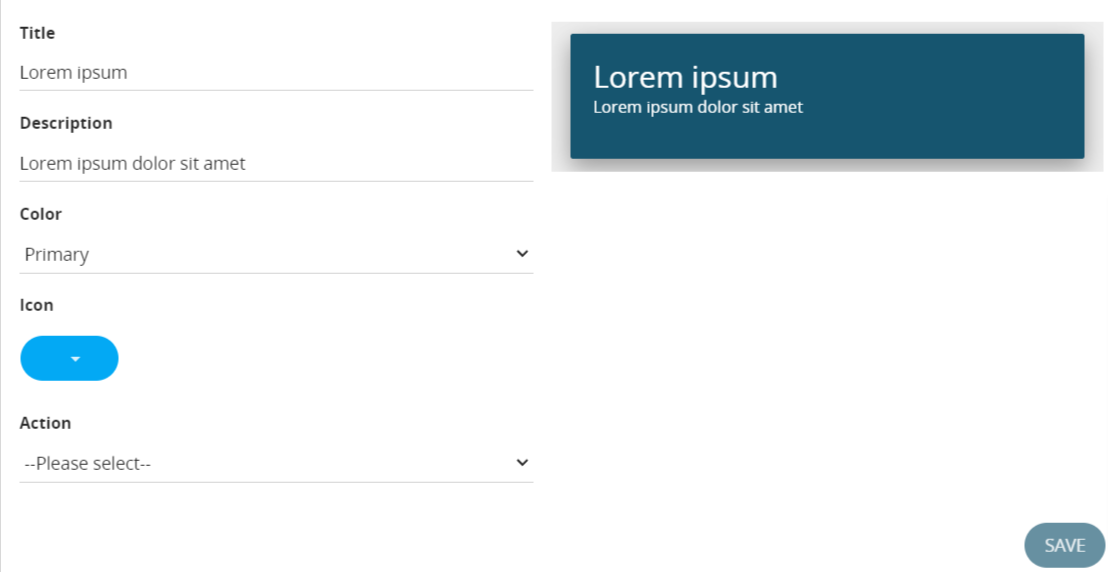
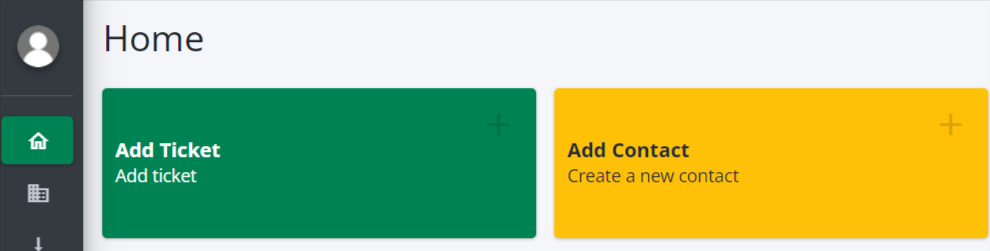
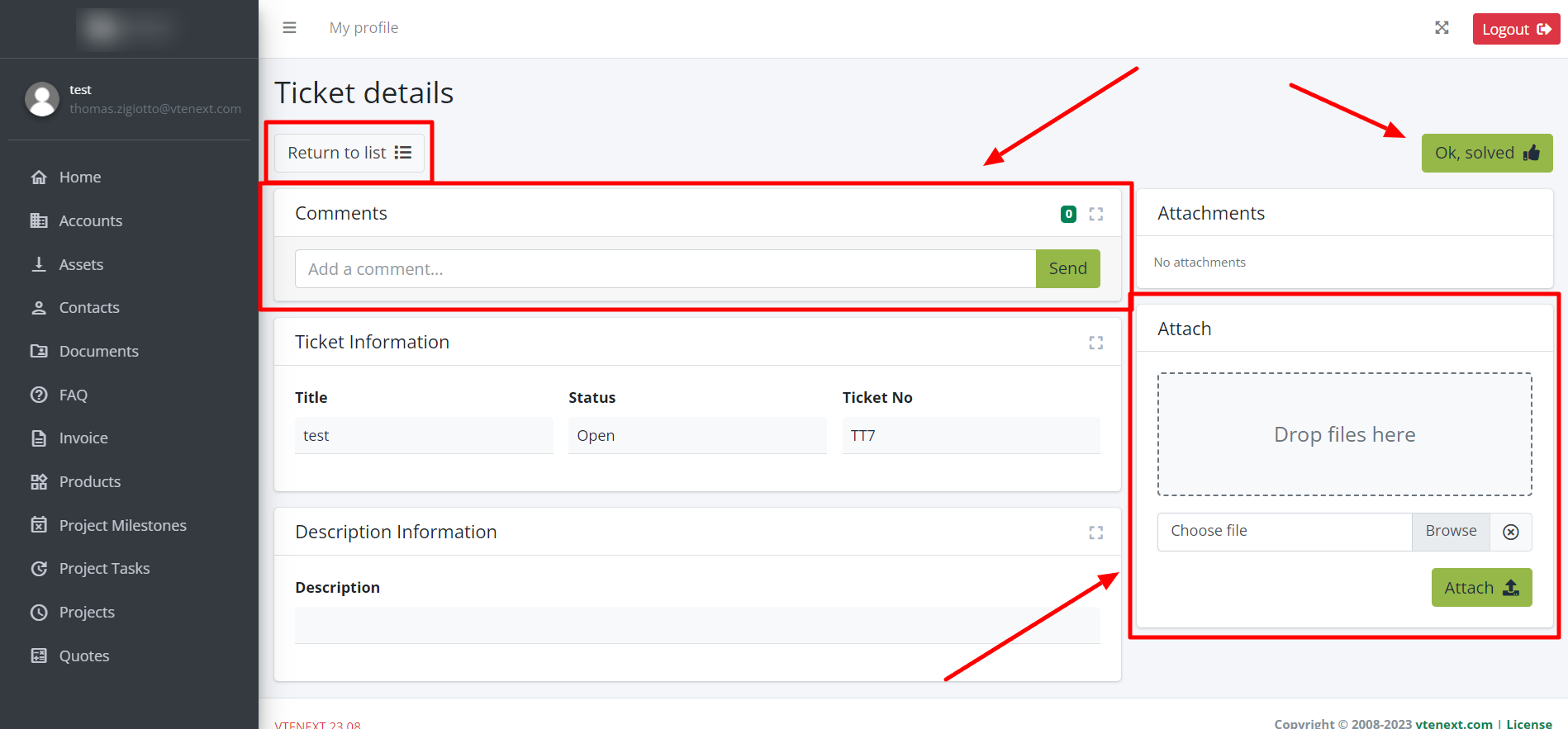
Interface details for new customer portal
- Two-Factor Authentication for Users:
From user preferences, it is possible to decide how to access vtenext by enabling two-factor authentication either through the Wilson app or via email.
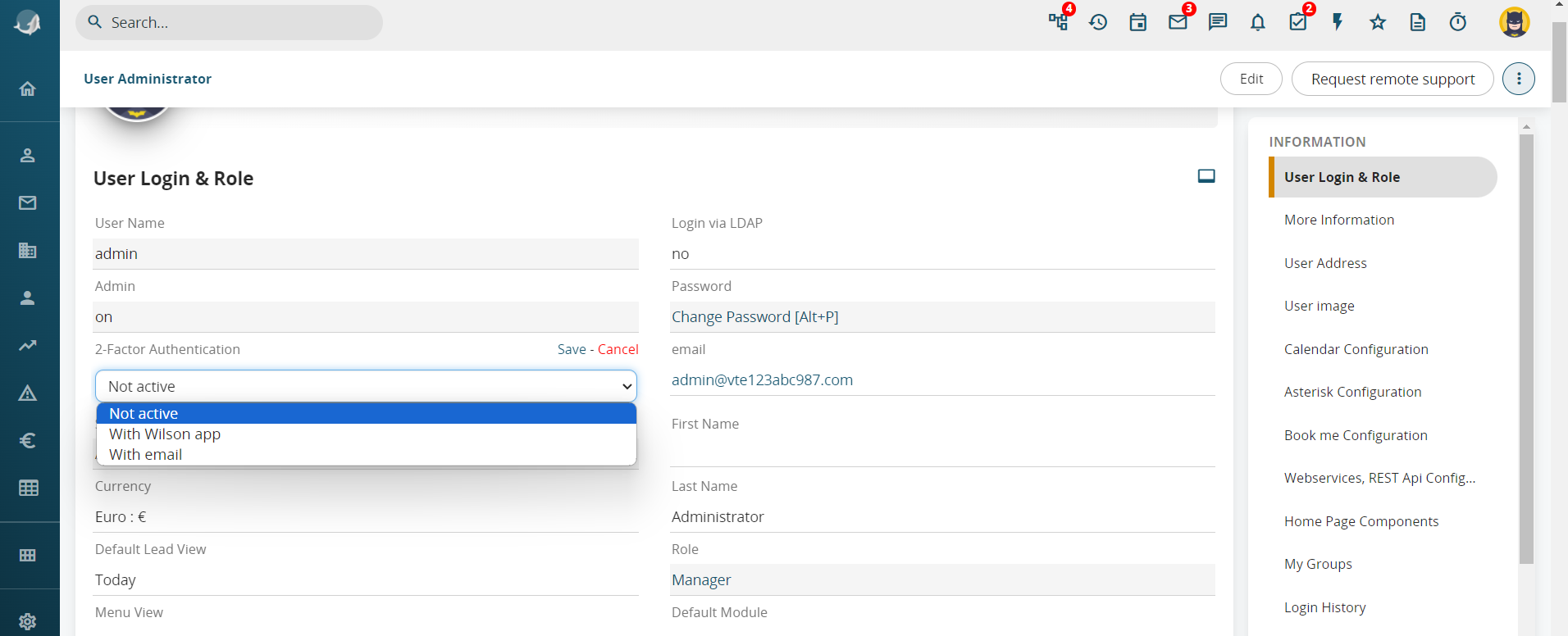
User Preferences for Two-Factor Authentication Activation
![User - Administrator [1] - VTENEXT 23.08 (1).png](https://usermanual.vtenext.com/uploads/images/gallery/2023-08/3dFuser-administrator-1-vtenext-23-08-1.png)
Details for Two-Factor Authentication PIN Entry
- Integration with Zapier:
From the vtenext settings, it is possible to add a synchronization with Zapier to the Synchronizations section. All the configuration will be done on Zapier first, and then transition to vtenext to create a process that allows Zapier to interact with the CRM.
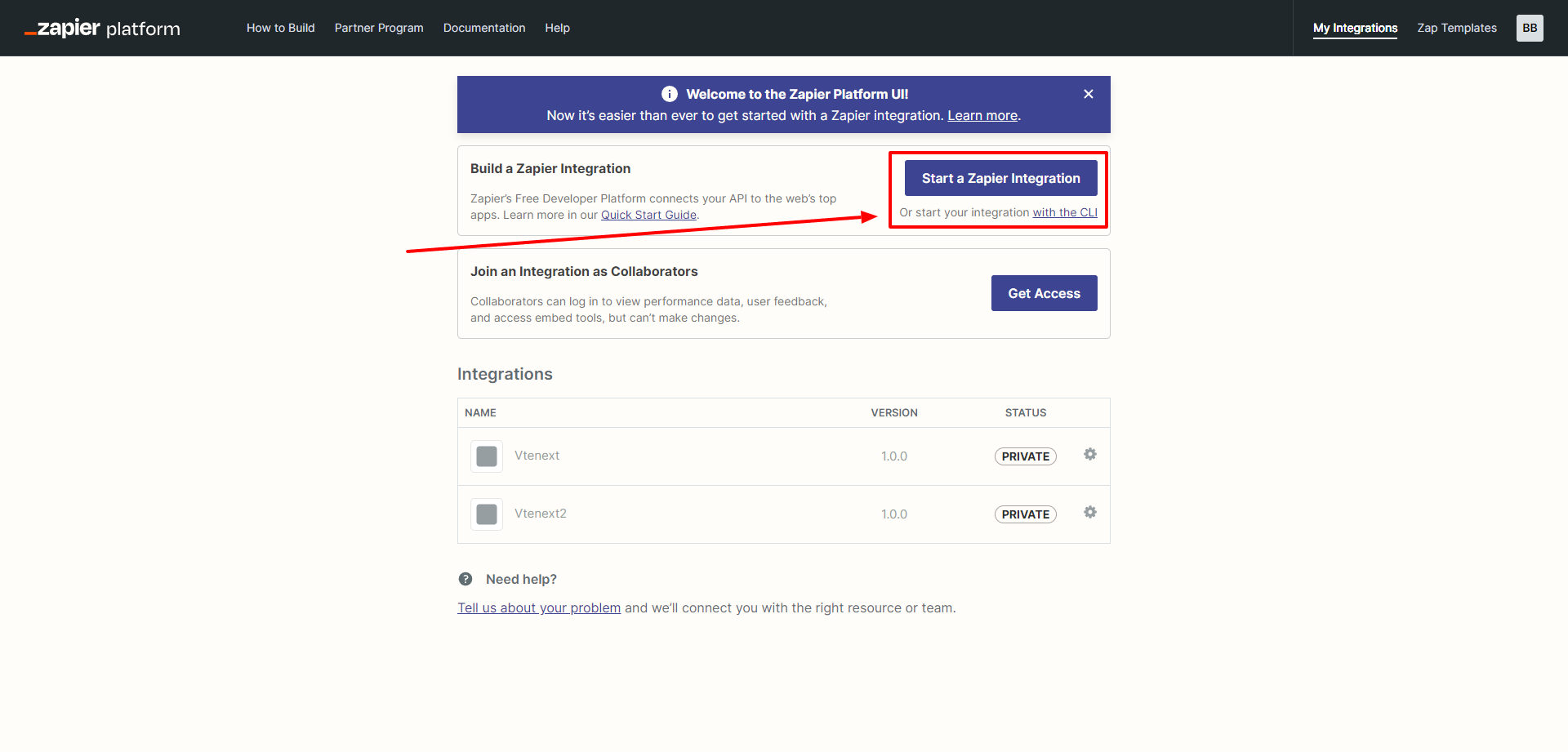
Configuration Screen Details for Zapier
- New Lead Conversion:
An updated and more functional version of lead conversion has been introduced. Now, everything is based on an editable process, and it will be possible to independently manage the fields to be completed during the conversion.
![Lead - Davis Jennifer [LEA6] - VTENEXT 23.08.png](https://usermanual.vtenext.com/uploads/images/gallery/2023-08/lead-davis-jennifer-lea6-vtenext-23-08.png)
![Lead - Davis Jennifer [LEA6] - VTENEXT 23.08 (3).png](https://usermanual.vtenext.com/uploads/images/gallery/2023-08/lead-davis-jennifer-lea6-vtenext-23-08-3.png)
Furthermore, during the conversion, it will be possible to choose whether to link the data to an existing record.
- Customizing CRM Logos and Backgrounds:
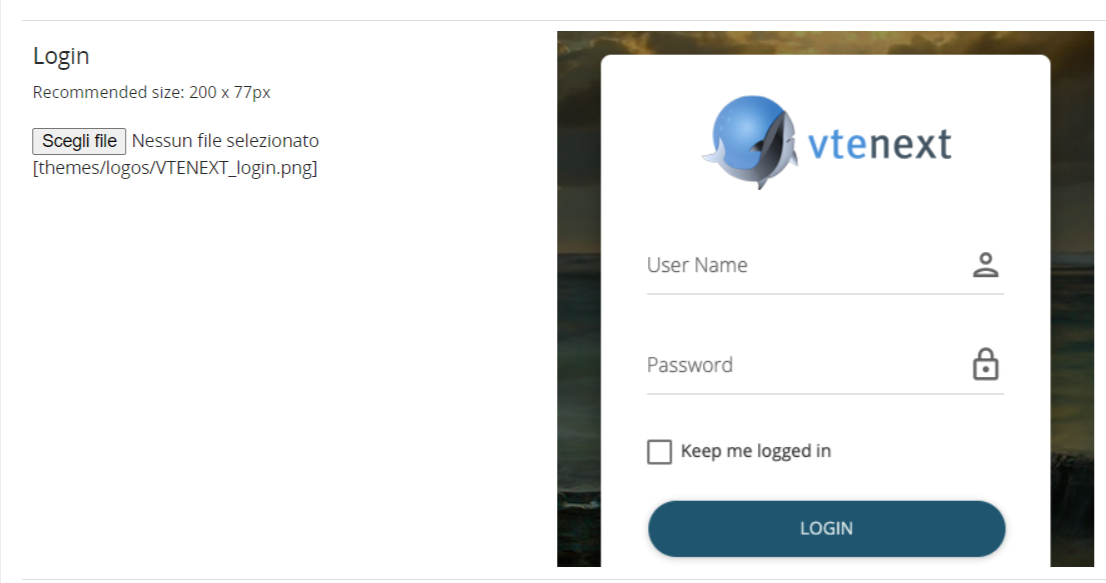
Setting a logo for the Login page
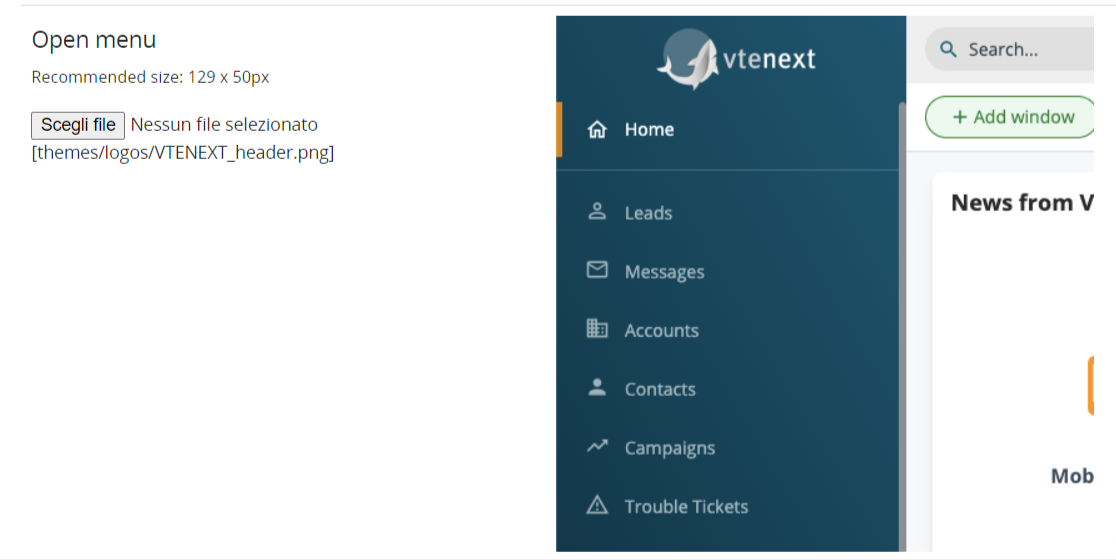
Setting the logo for the internal left sidebar in vtenext
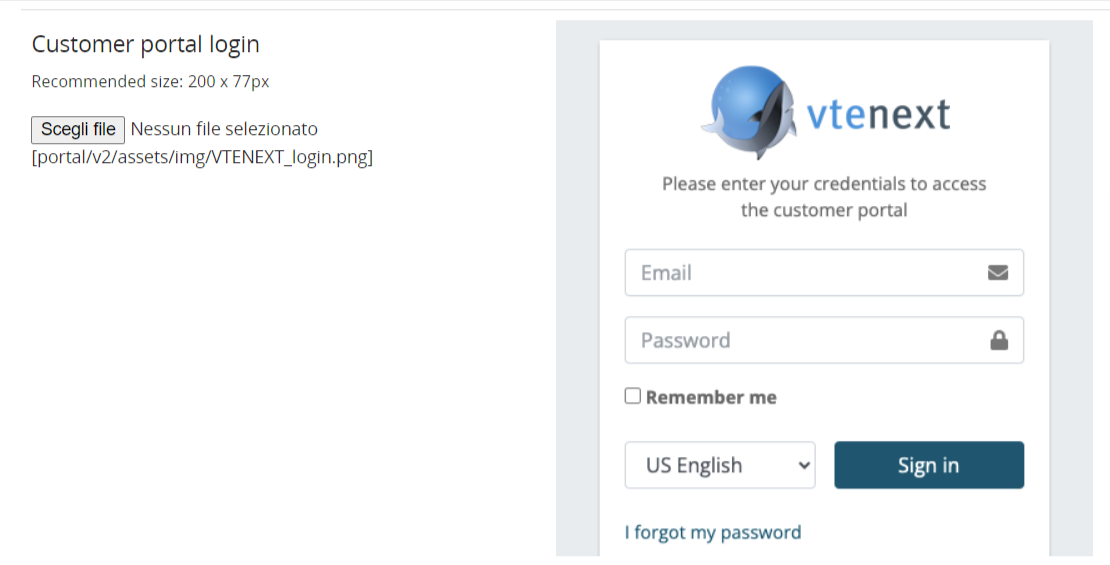
Setting a logo for the login page of the new customer portal
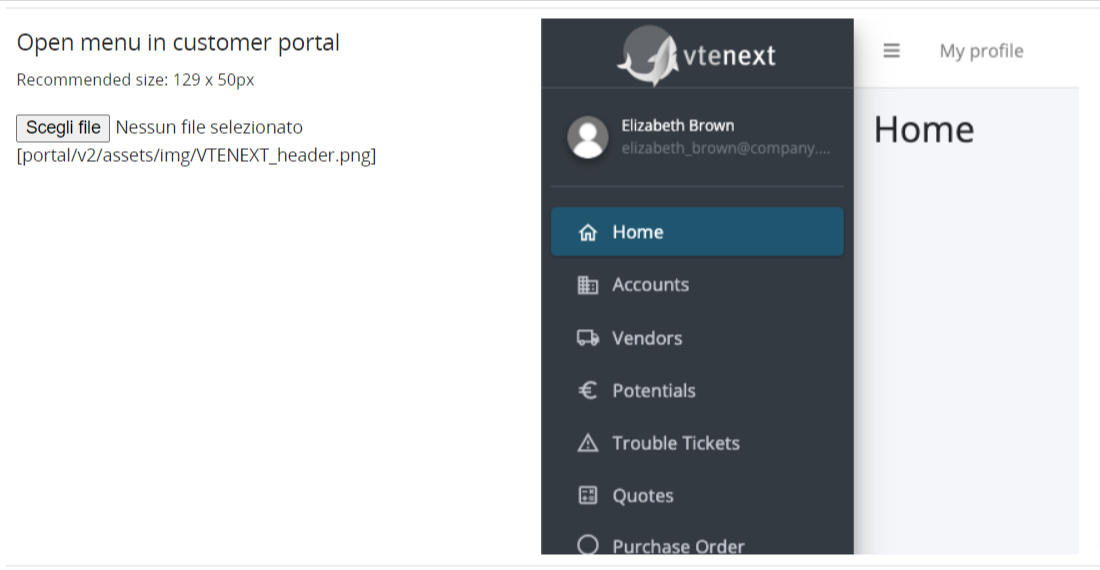
Setting a logo for the internal left sidebar of the new customer portal
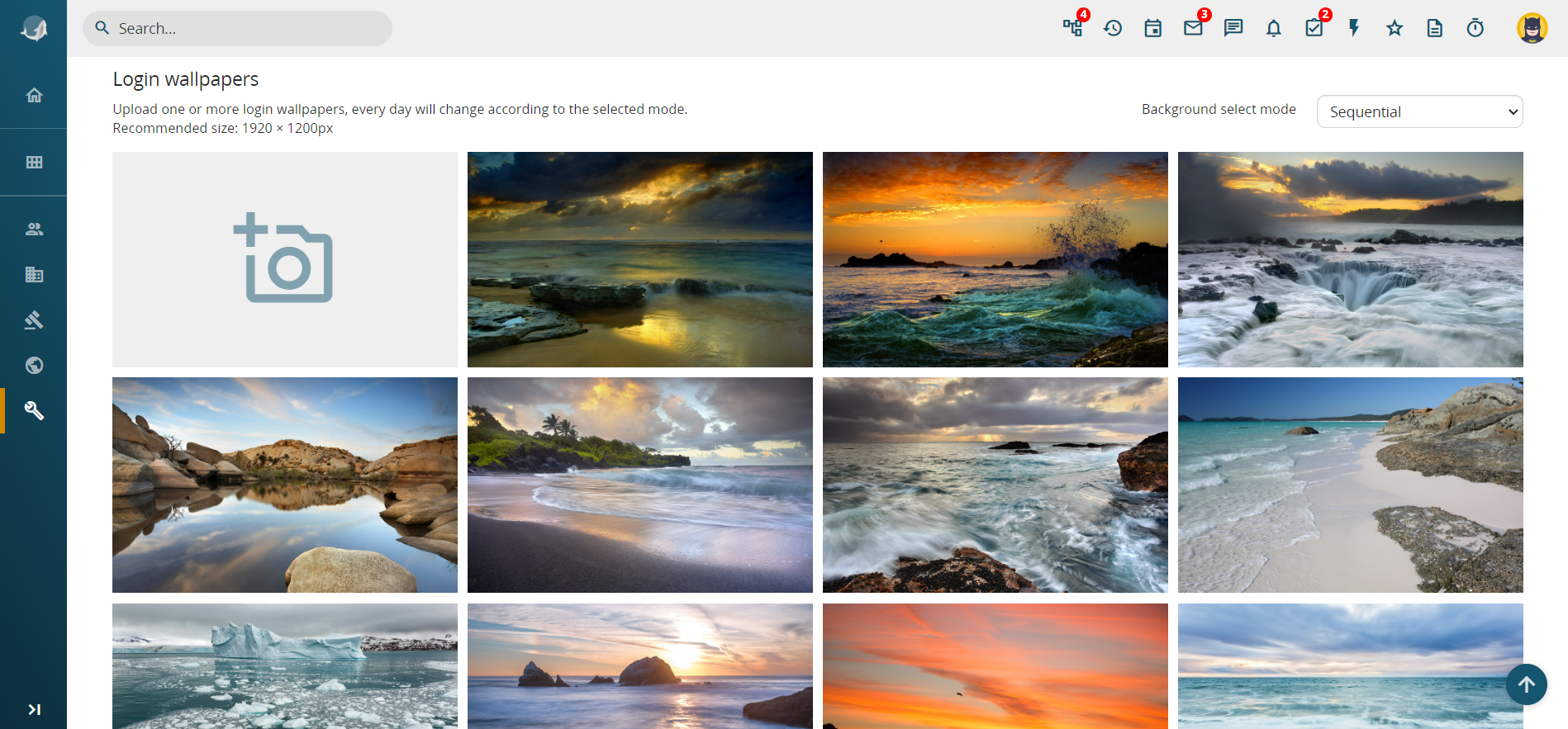
Setting the background image for the login page of vtenext
- Assistance Request: This new feature, available in every user preferences, allows the creation of temporary credentials to be provided to vtenext Customer Support when necessary (e.g., during the investigation of a reported issue via a ticket, someone from support requests access credentials for vtenext).
- Leave a Conversation: The ability to click on the "ABANDON" button to exit a conversation one no longer wishes to follow.
- New Calendar Features: The ability to choose whether to duplicate or simply move an Event by dragging it. Practical shortcuts have also been added through button combination presses.
- Mark as Spam: In the Messages module, the option to add emails to spam more quickly has been added.
- External Dynamic Forms (BPMN): With this feature, it is possible to send external requests to vtenext and collect data, consents, or other information through dynamic forms created with the process engine.
WILSON APP
- Push Notifications:
For the Wilson App, push notifications have been introduced. It will be possible to activate them from the web and receive alerts whenever an email, a conversation, or any type of notification arrives. All of this can be configured through the settings available on the App.

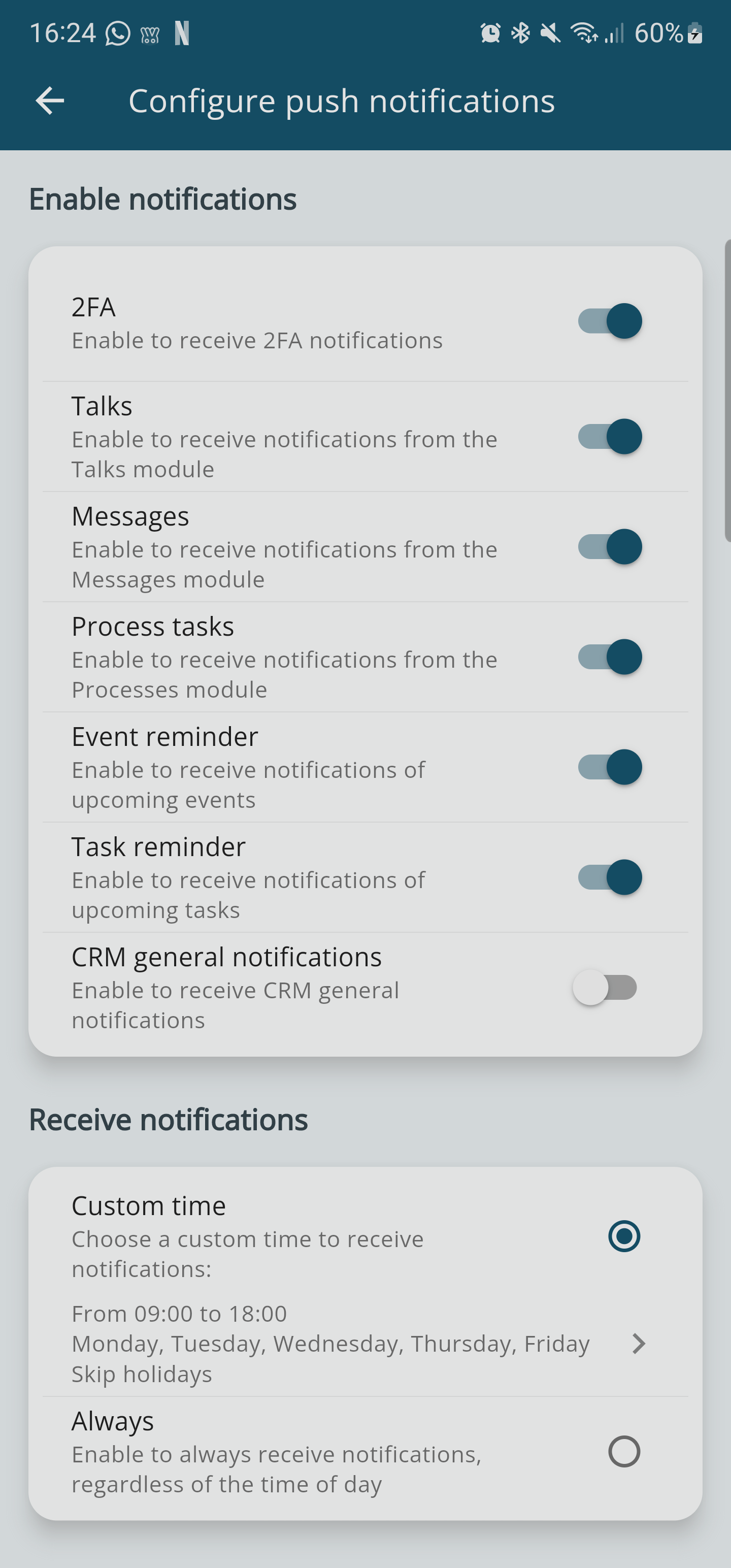
- Biometric Fingerprint Access:
It is possible to add biometric authentication for accessing the App through fingerprint recognition.

vtenext 24.08 Release Note
New Web Features
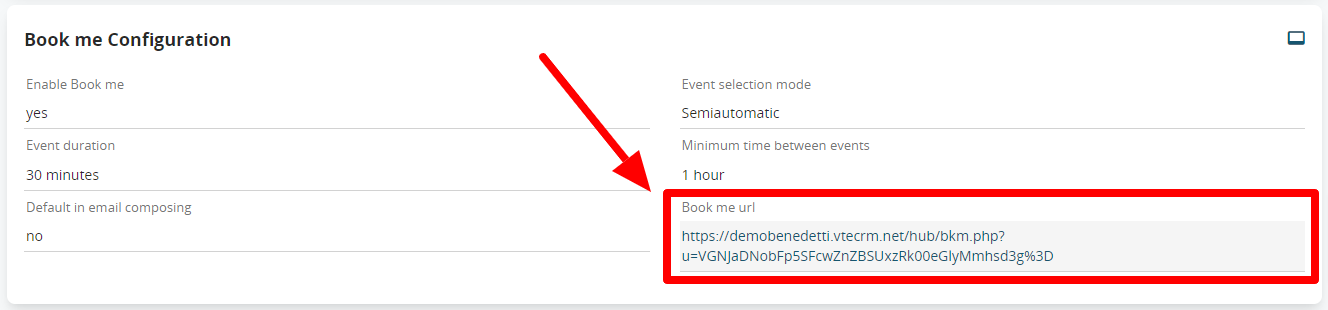
- Bookme: In the user preferences, a new option has been added to easily copy the link to your personal calendar. In the previous version, the link was generated directly within the email composition. This update provides greater convenience for sharing.

- Check Business Portal login: It is now possible to unlock Portal users who have been blocked by the system after too many failed login attempts.

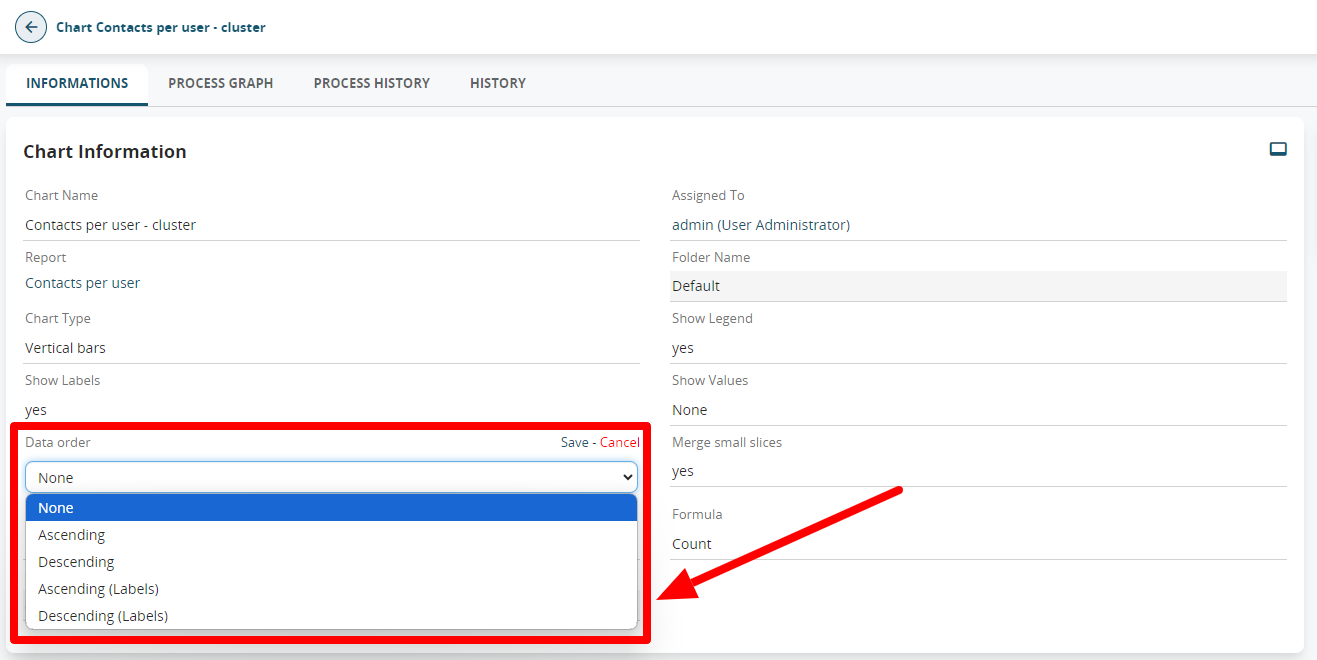
- Report Graph Label Sorting: It is now possible to manage the sorting of labels in report graphs. This feature can be found directly in the graph configuration, under the Data Sorting option.

-
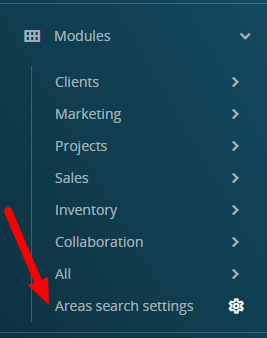
Area Search Settings: A new menu item has been added to the left menu for quick access to manage the CRM’s search areas.

-
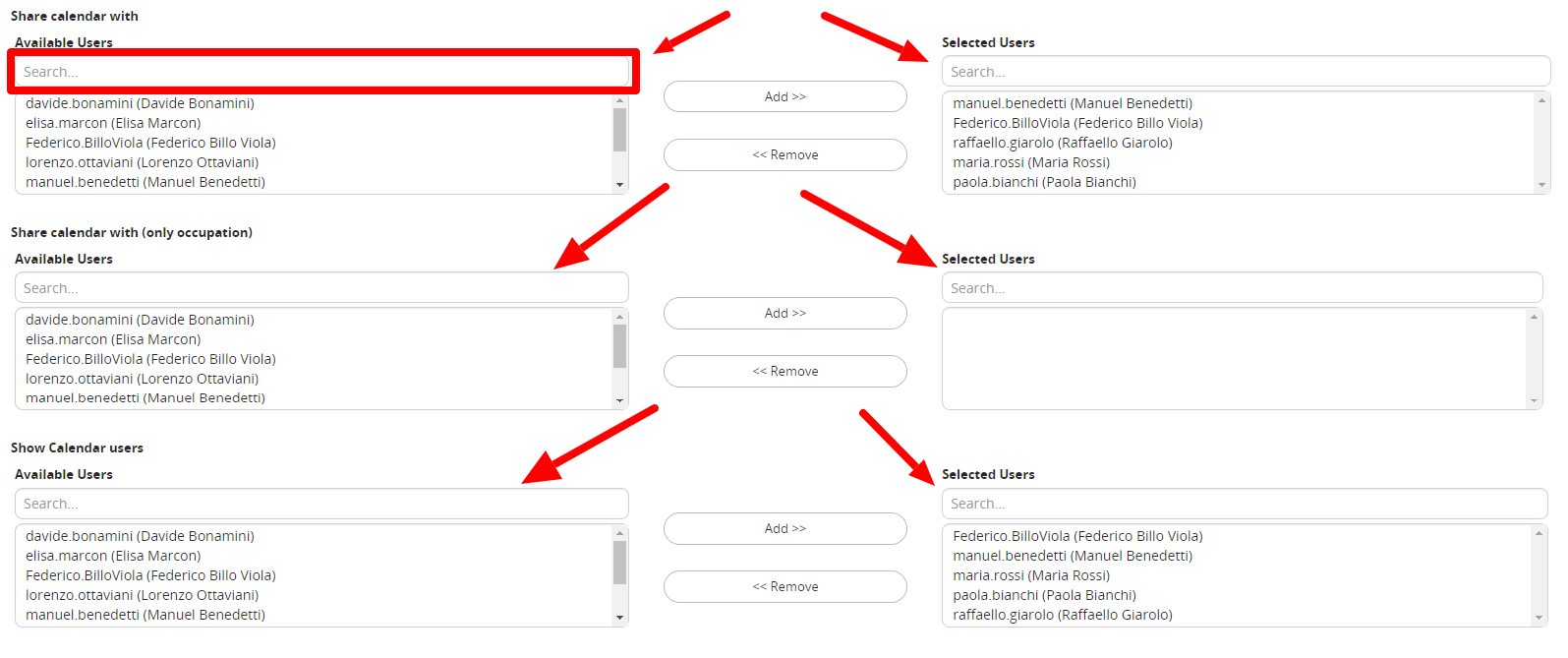
User Search in Calendar Preferences: User search fields have been added in the user preferences, making it easier to configure and share the calendar when dealing with a large number of users.

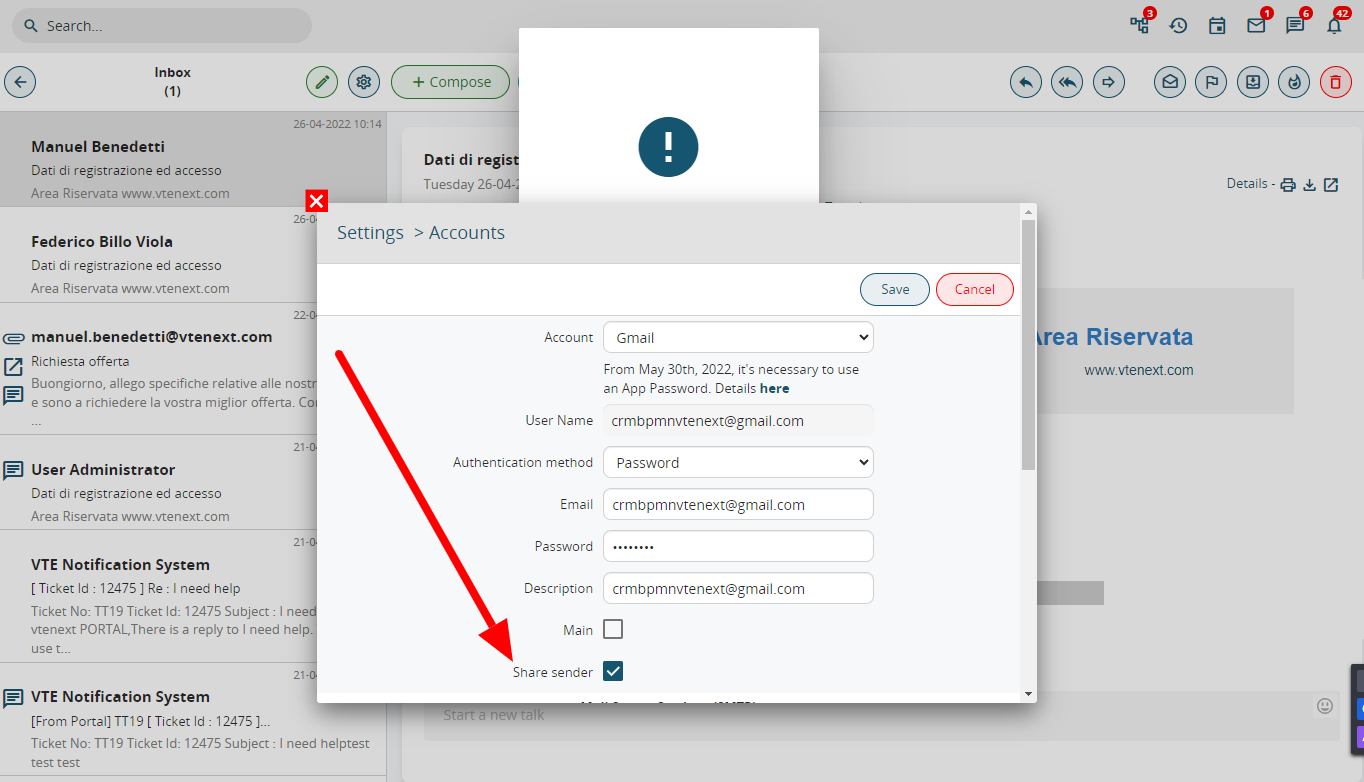
- Share Sender: In the Messages module, only the admin user has the ability to configure an email account and flag a field named "Share Sender." This function allows for a shared outgoing mailbox for all users, without needing to configure it for each individual user. While the inbox for this mailbox will not be visible to users, they will still be able to use the shared email account as the sender when sending emails from the Messages module.

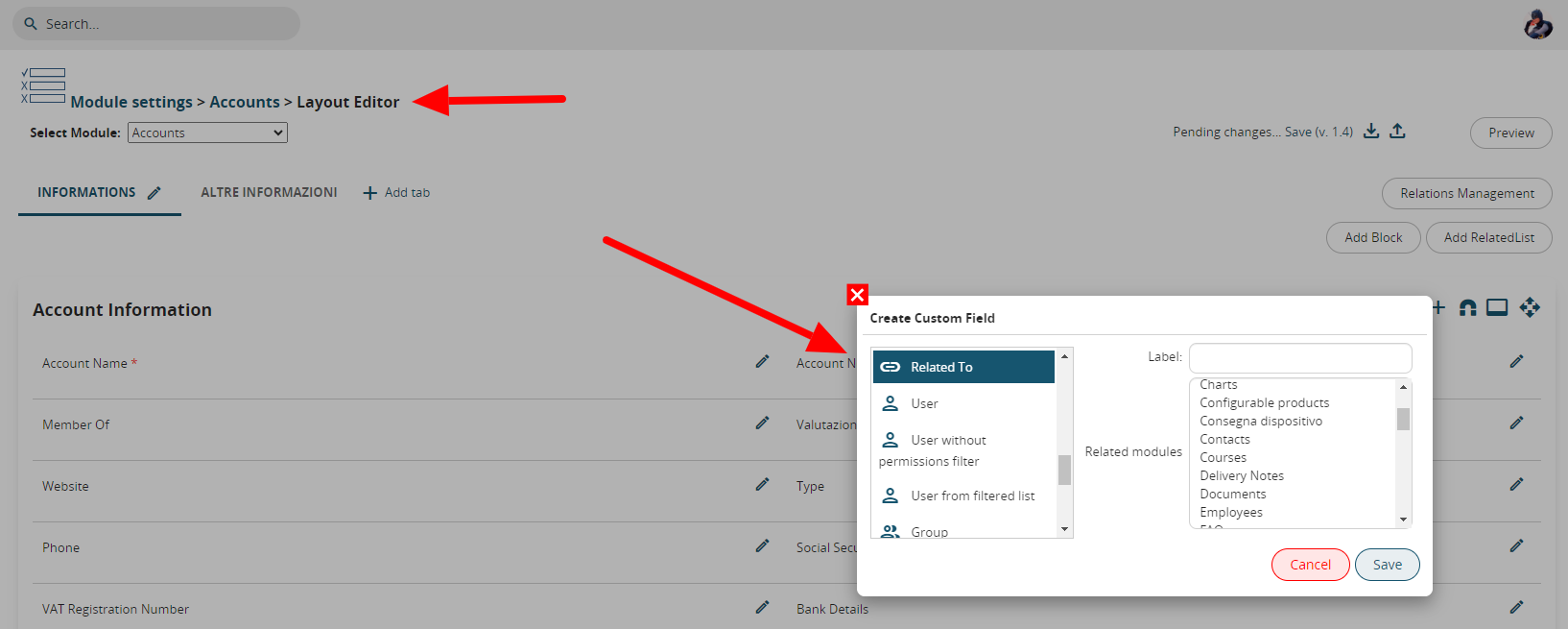
- UITYPE10 Fields (relation fields) from Layout Editor: The ability to add relation fields directly from the layout editor has been introduced. This allows you to add all necessary relationships to each module as needed. However, this feature has a limitation: it is not possible to add two relation fields to the same module.

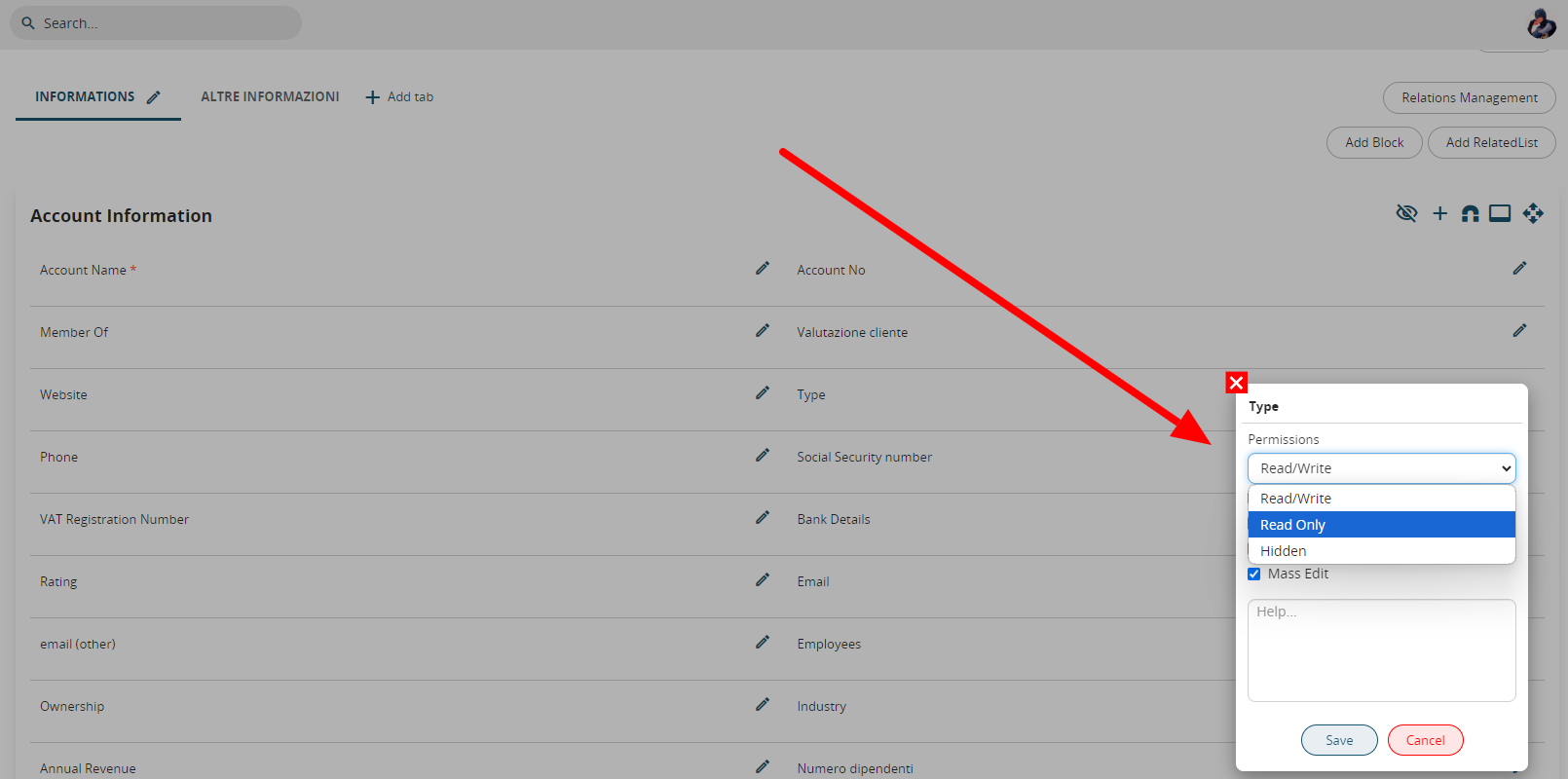
- Read-only Fields from Layout Editor: From the settings > layout editor of a module, it is now possible to set a field to read/write, read-only, or hidden by clicking on the pencil icon

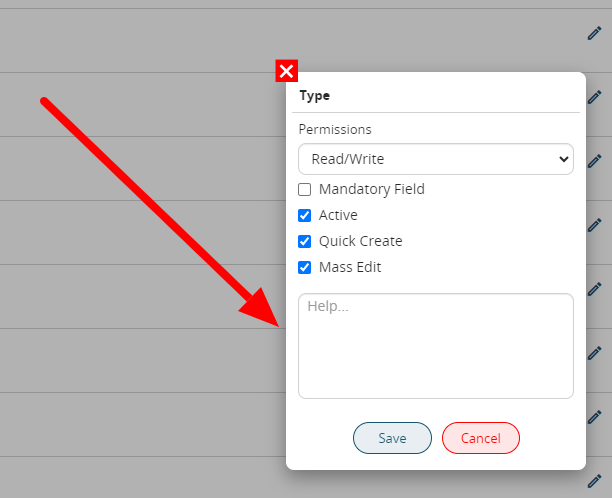
- Tooltips on Fields: Also from the layout editor of a module, it is possible to add a tooltip for each field, which is a small help text to guide the user on how to fill in or use that specific field.

-
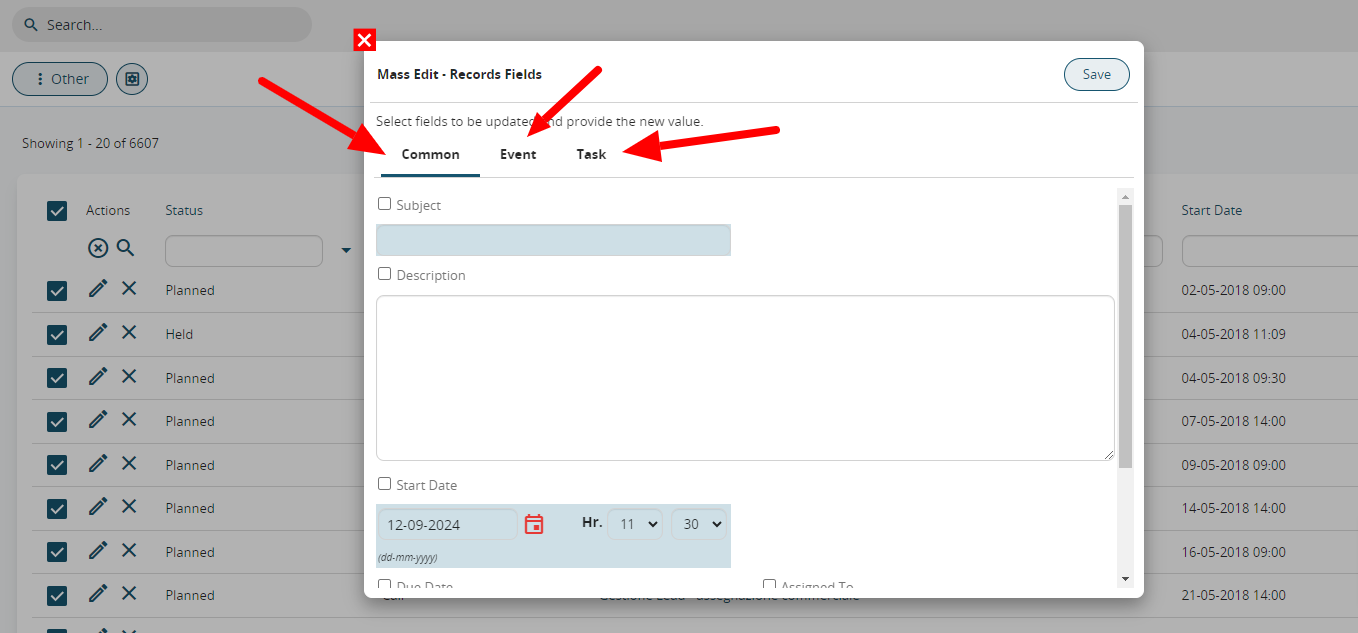
Improved Calendar Mass-Edit: It is now possible to perform mass edits on Common Fields in the Calendar, or specifically on Events or Tasks, thereby increasing productivity.

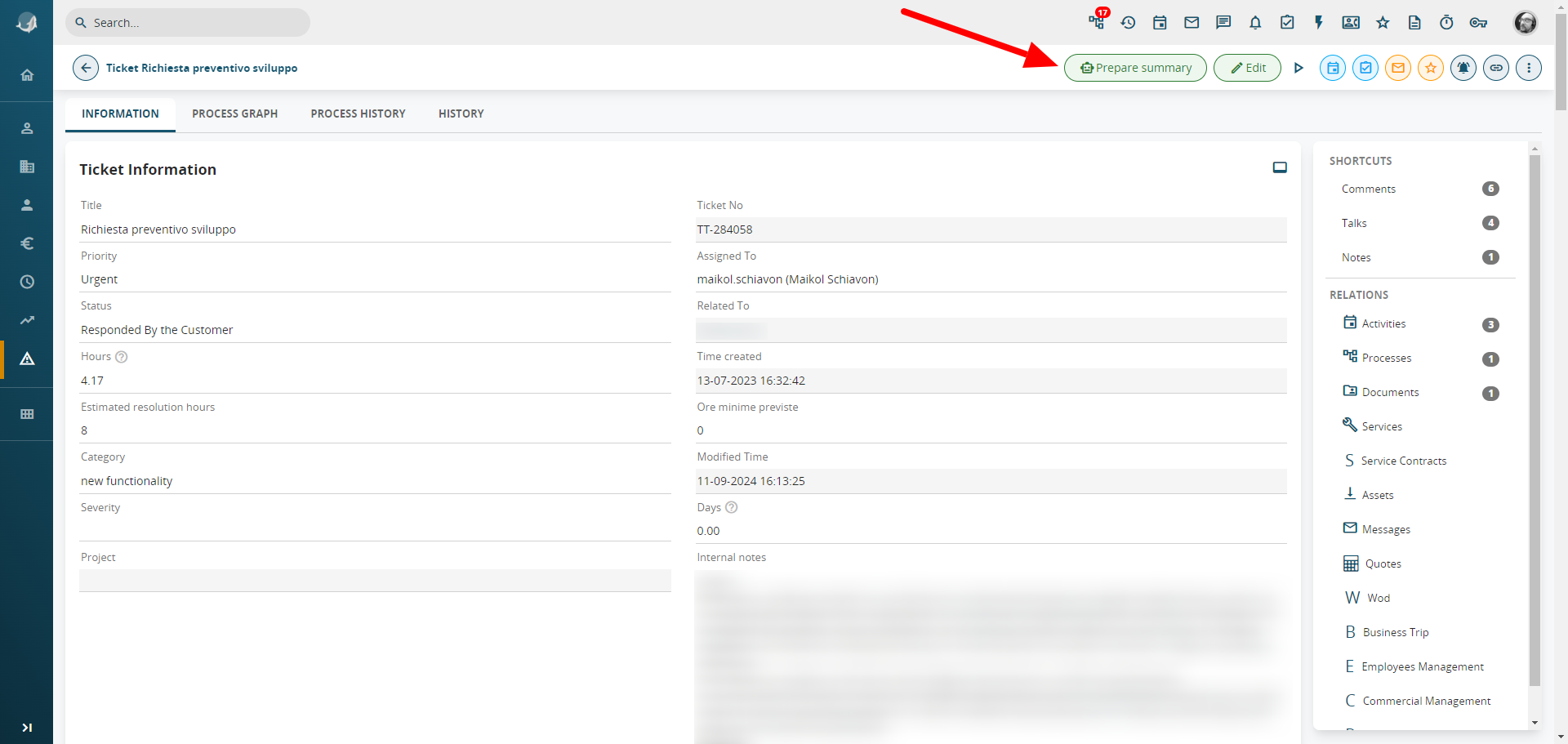
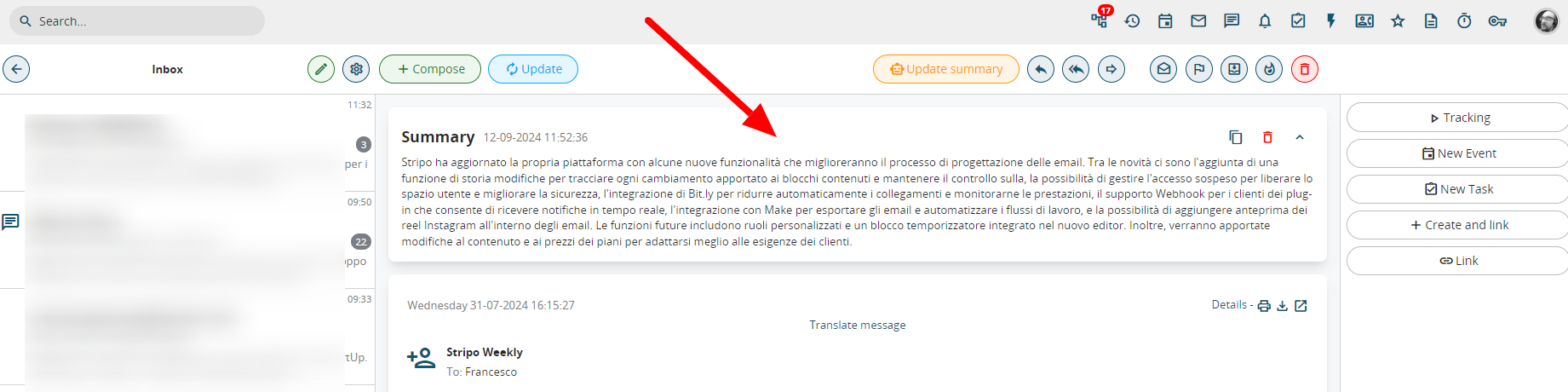
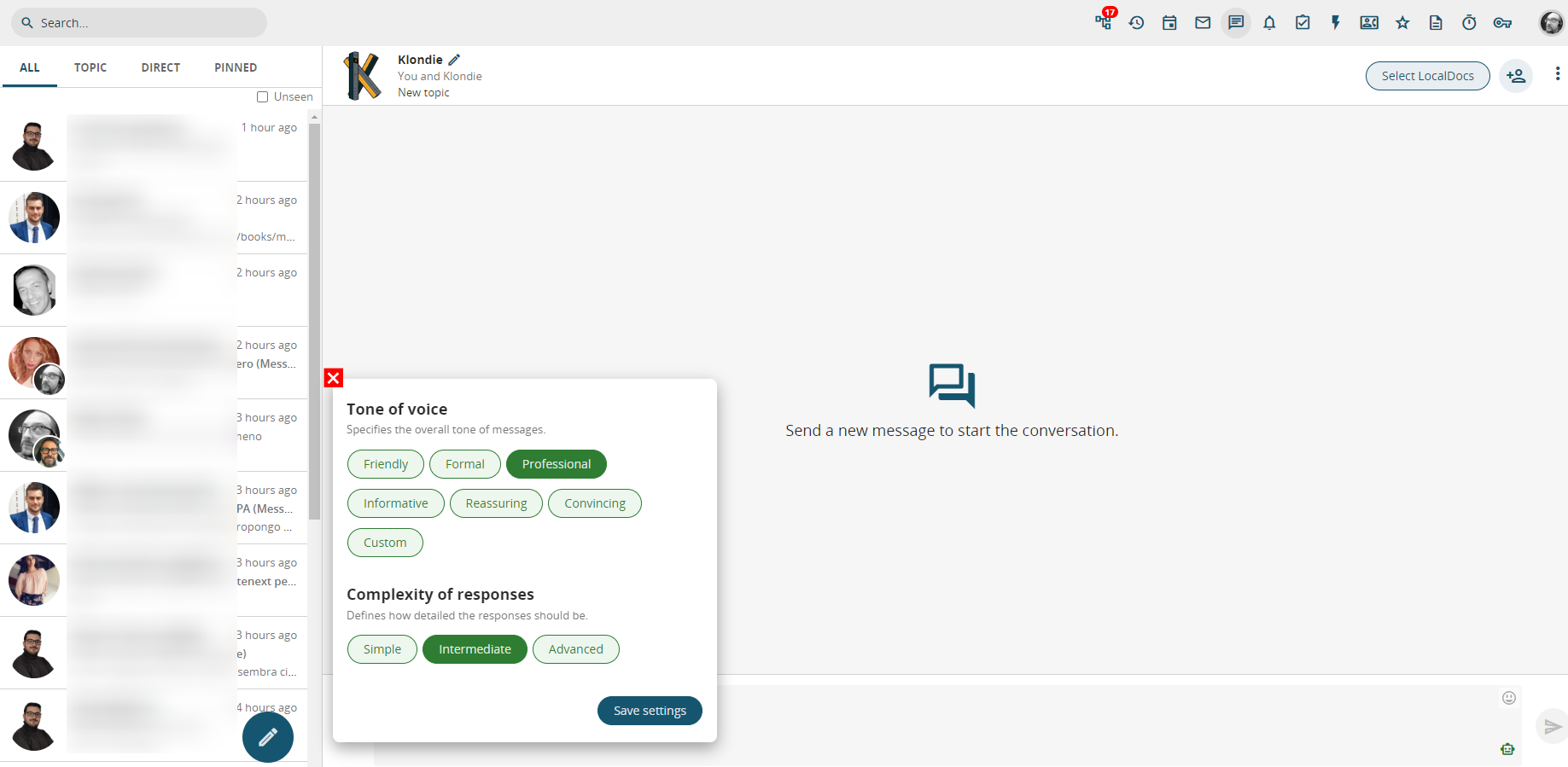
- GPT Services: The services we offer are: SUMMARIES, TEXT PROCESSING, DIALOGUE WITH KLONDIE. For example, we can request summaries through a ticket when we are faced with a large amount of information (in the description, comments, etc.) and need a summary to understand the issue (with the possibility of updating the requested summary when there are new details or comments in the ticket itself).


The summary is also available in the message module and summarizes the entire thread.
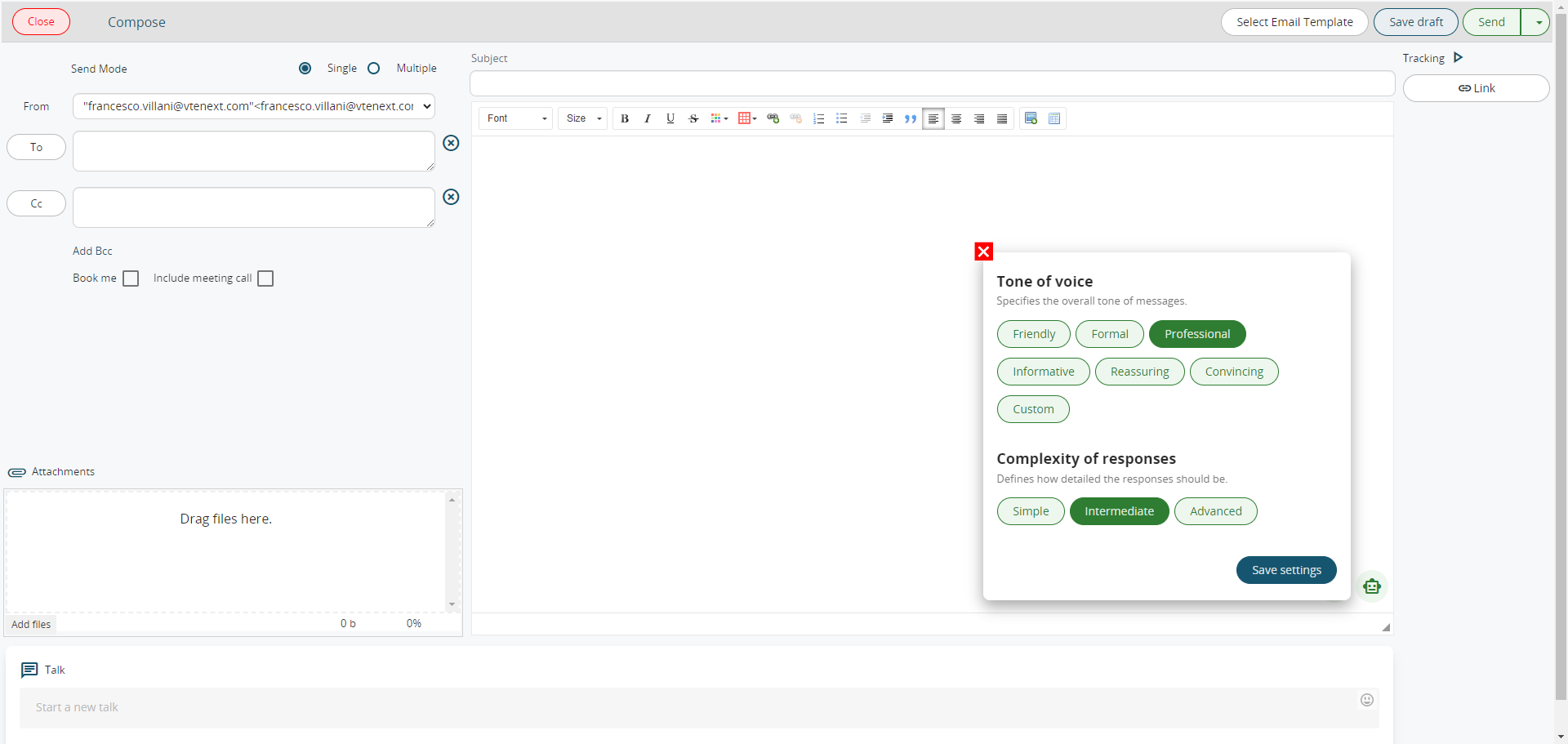
Also in the Messages module, it’s possible to have a text processed by the artificial intelligence that meets specific characteristics. Just provide basic instructions on what you want to communicate, choose the type of text the AI should write, and you’re all set.
This function is also available in the Conversations module.
From the Conversations module, it is also possible to use Klondie as a Co-Pilot in various modes: general inquiries (like CHAT GPT), internal inquiries, for example, which client has generated the most revenue (for which a specific model will need to be created), and inquiries based on manuals (for instance, asking Klondie how to convert a lead or create a quote, and it will provide an answer based on this online manual or other client-specific sites and manuals).


-
Icons on Modules (standard and new): By running a script from code, you can easily add the desired icons to existing modules or to custom ones created through the interface.
OAuth2 Server: Ability to configure vtenext as an authentication server.
Conditional Fields on the Business Portal: Conditional fields are also available directly on the Client Portal and work exactly as they do in vte (with the same configuration done directly on the CRM admin side).
FIX:
- Improved compatibility with the Users Resources module (now, if invited to a calendar, they also receive the ICS invitation via email).
- When the Mail Converter receives an email and links it to an existing ticket, it now allows for the initiation of a process.
- When the Mail Converter links a customer's reply to a ticket, the Comments area now displays a few lines followed by a "view all" button that allows you to see the rest of the email text. This improves visibility and reduces scrolling in comments.
- Added a relationship between the Visit Reports module and Documents.
- Added the ability to insert Documents on the portal as External Links in addition to attachments.
- The product price in Purchase Orders is now based on the Unit Cost field rather than the Unit Price field (this is the default in new installations, while in updated versions the old management remains and activation must be requested through the customer portal).
- It is now possible to modify the parameters present in the headers of an external webservice (modify, add, delete).
- OAuth2 fix for Office365/Outlook (prevents timeout of unnecessary folder synchronization).





New Features in Processes:
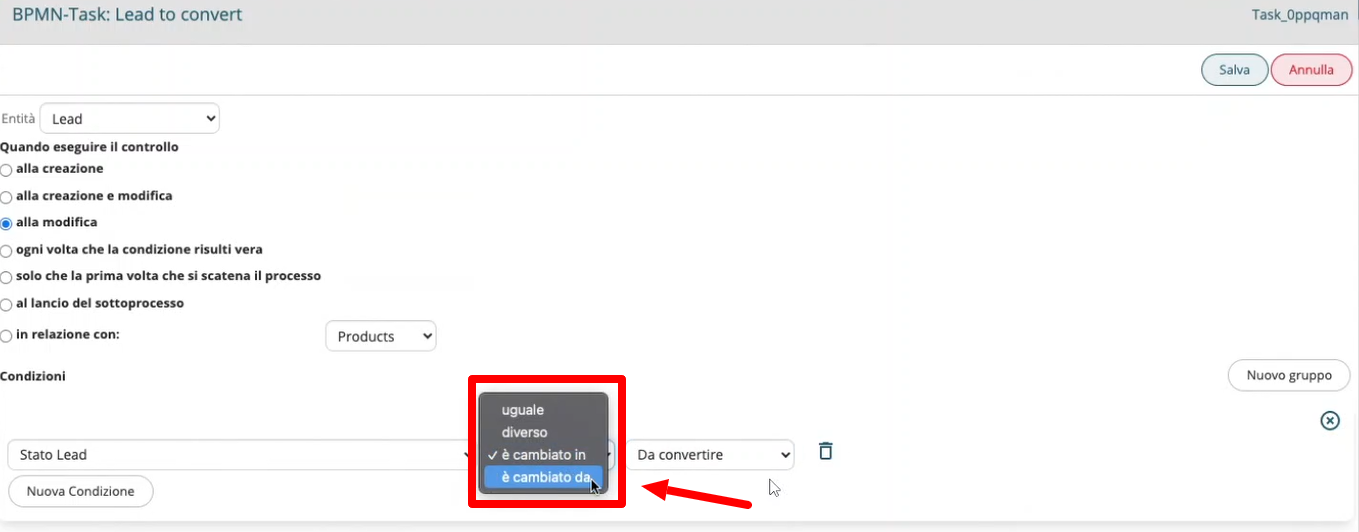
- New Condition: In processes, a new condition "has changed from" has been added in addition to the previously available "has changed to," as shown in the following image.

Naturally, when choosing this option, it will be possible to specify the value of the change, i.e., it has changed from value X to value Y.
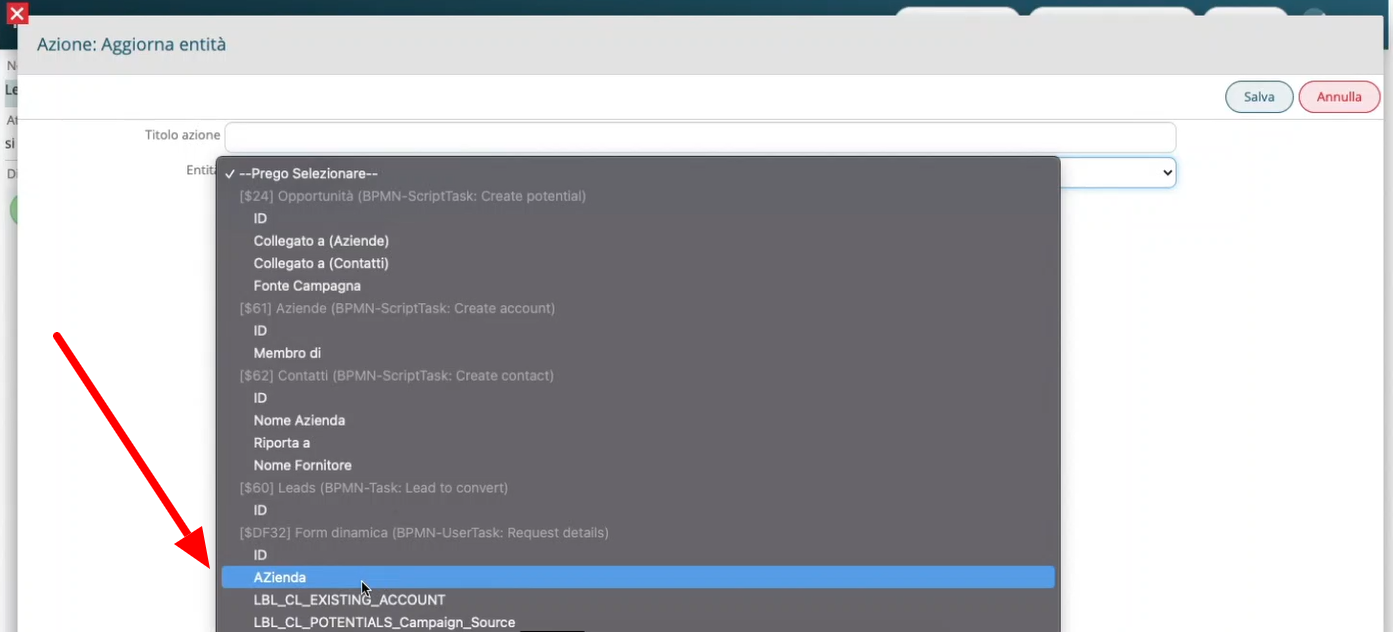
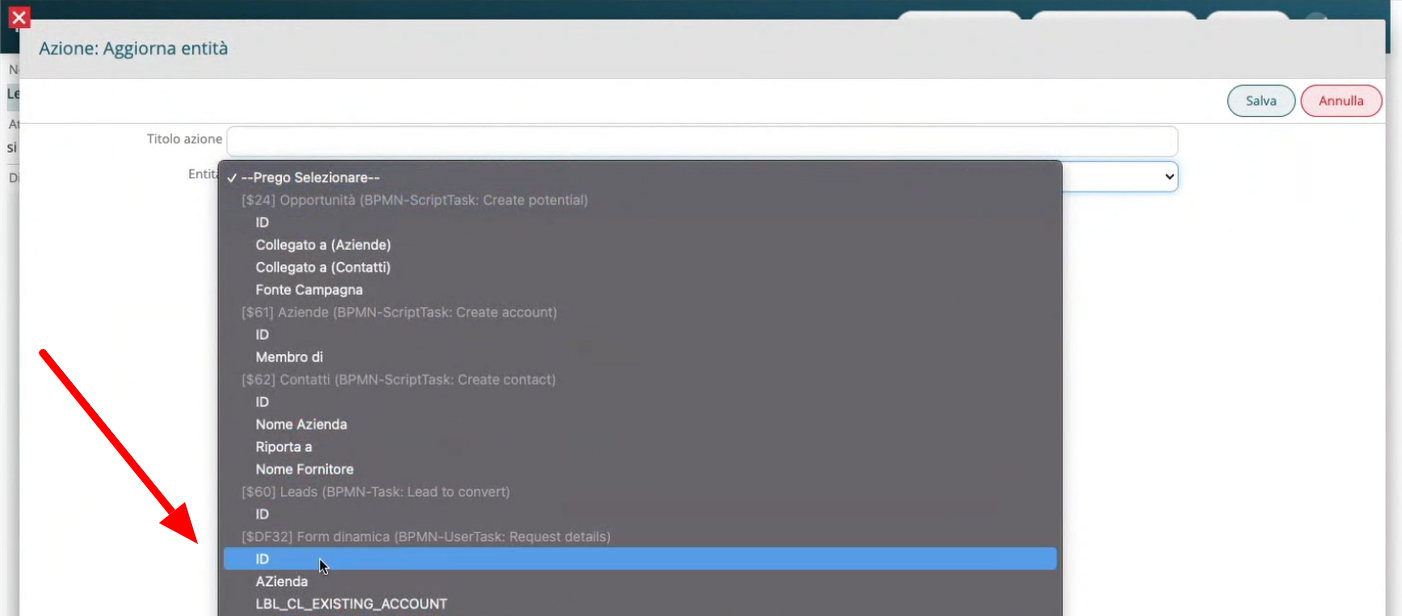
- Update Dynamic Forms: In dynamic forms within processes, you can now update fields in related modules, including custom modules. The same procedure applies to the standard "Link Entities" function, allowing you to link entities through dynamic forms.

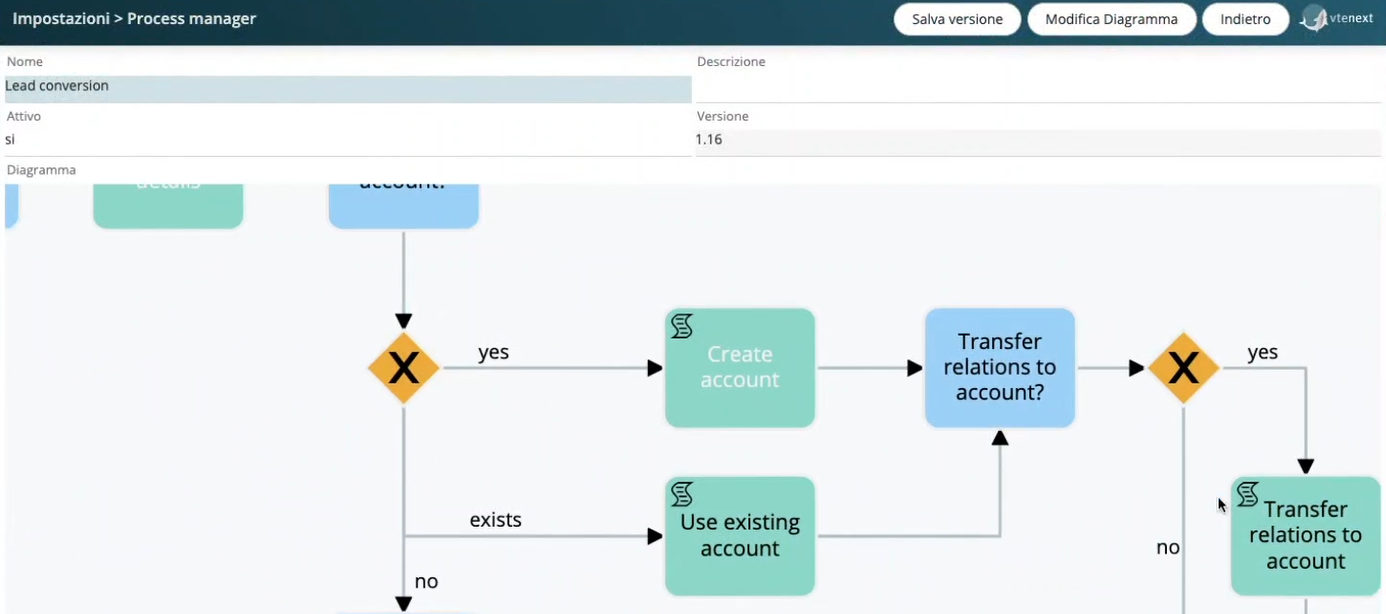
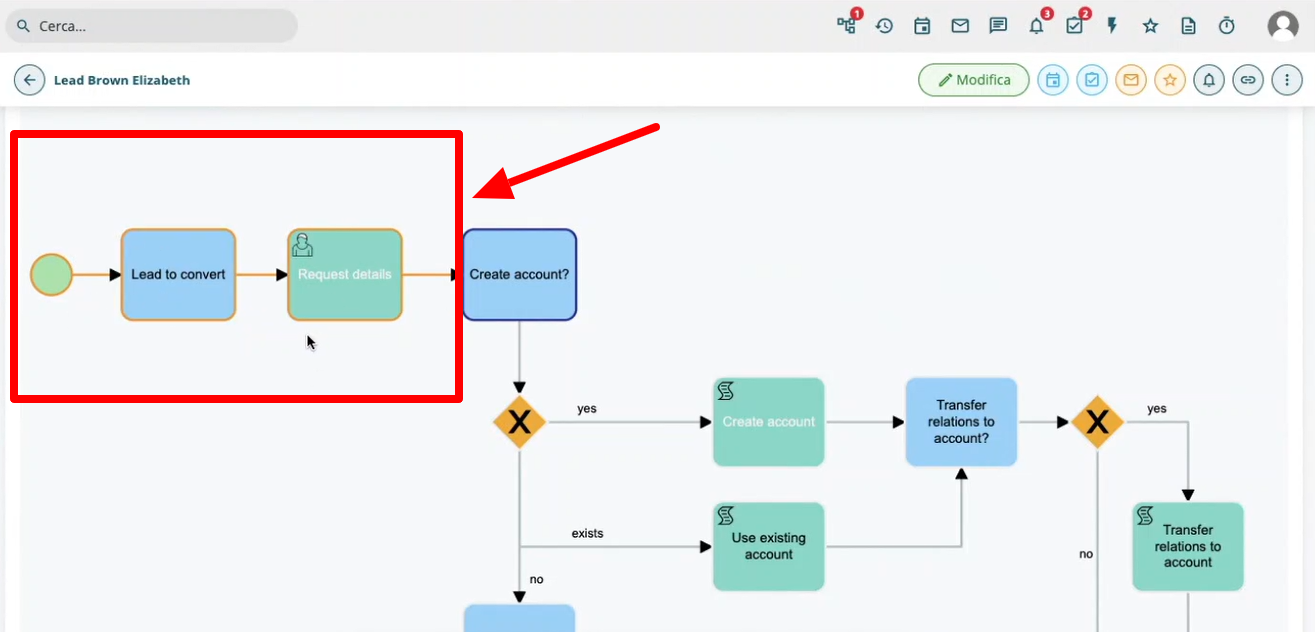
- Zoom: You can now zoom in and out on the process diagram by using the mouse scroll wheel (forward and backward). This feature is available not only in the settings but also in the "Process Chart" tab present in each module.

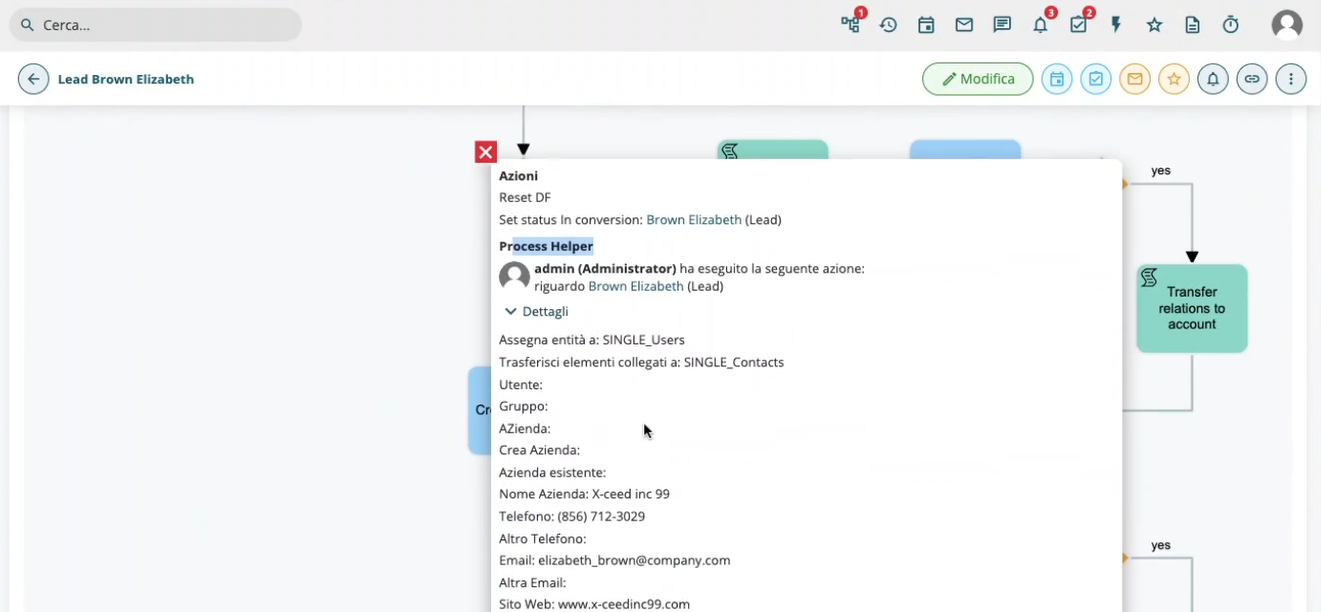
- Highlighted Path: Within the "Process Chart" tab in the modules, you can now visualize the path the process has followed, thanks to a yellow highlight (yellow outline) around the various tasks involved.

Additionally, by clicking on a process task and selecting "Process Helper," you'll find all the details of the fields involved in that process, along with their current values.

- Action on Dynamic Forms: It is now possible to create a new action on a dynamic form and call it from anywhere in a process. This function is useful, for example, to update the values of a specific support field and then use it in other fields. Instead of creating placeholder fields, you can use a hidden dynamic form that can be called from anywhere.

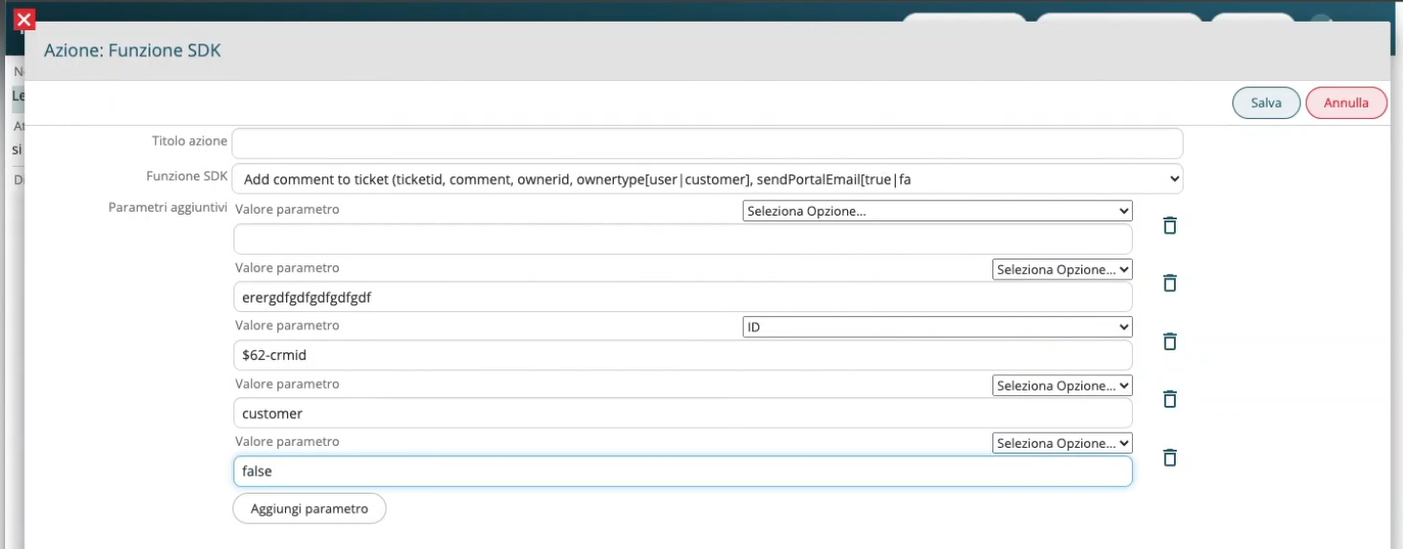
- Add Comment to Ticket: A new SDK function allows you to configure certain parameters to add comments to a ticket via a process. You can include various parameters and automations (such as comment, CRM user, portal user, response email sending, etc.).

-
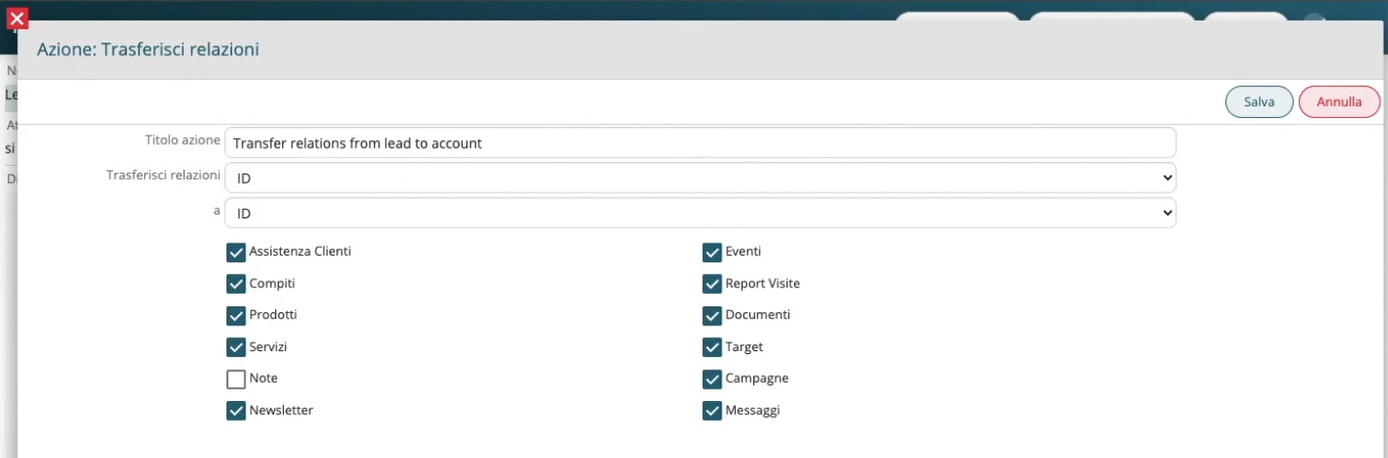
Transfer Relationships in Table Fields: When selecting this type of action in a process, you will also find table fields among the available modules to choose from.

-
New Mathematical Operations: In processes, you can now handle not just addition but also subtraction, multiplication, and division.
-
FIX:
- Improved Subprocess Management: In a subprocess task, you can now select only processes that have "initial condition" set to the function "on subprocess launch." Additionally, the main process will not continue during the execution of the subprocess until the subprocess reaches the end cycle task.
- Overwrite Headers in External Webservices: You can now overwrite headers in external webservices by calling them from a process.

New Features in Mobile APP
-
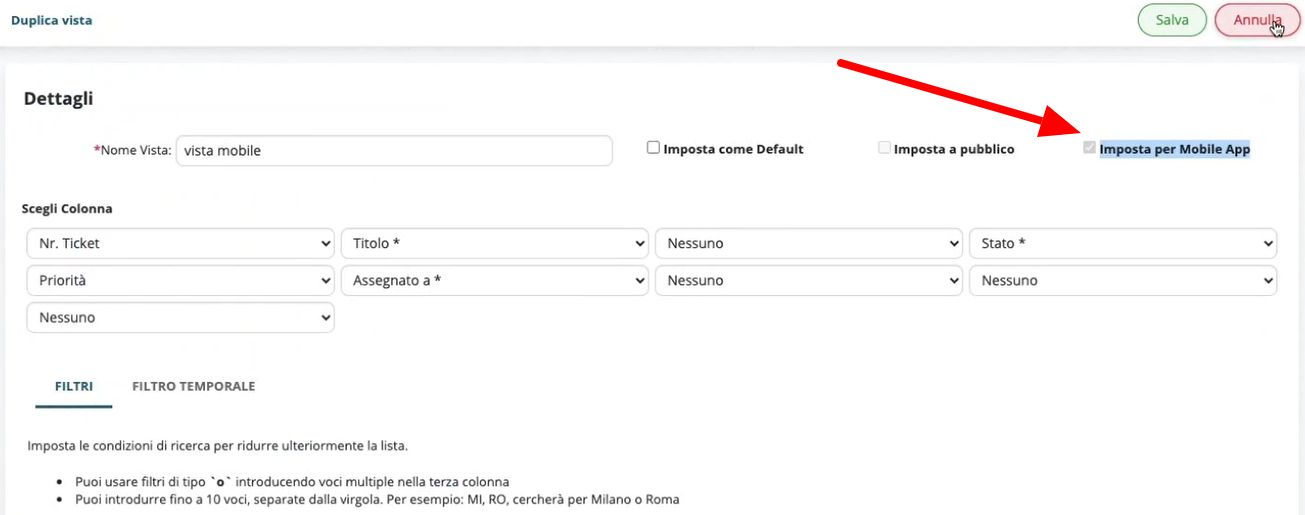
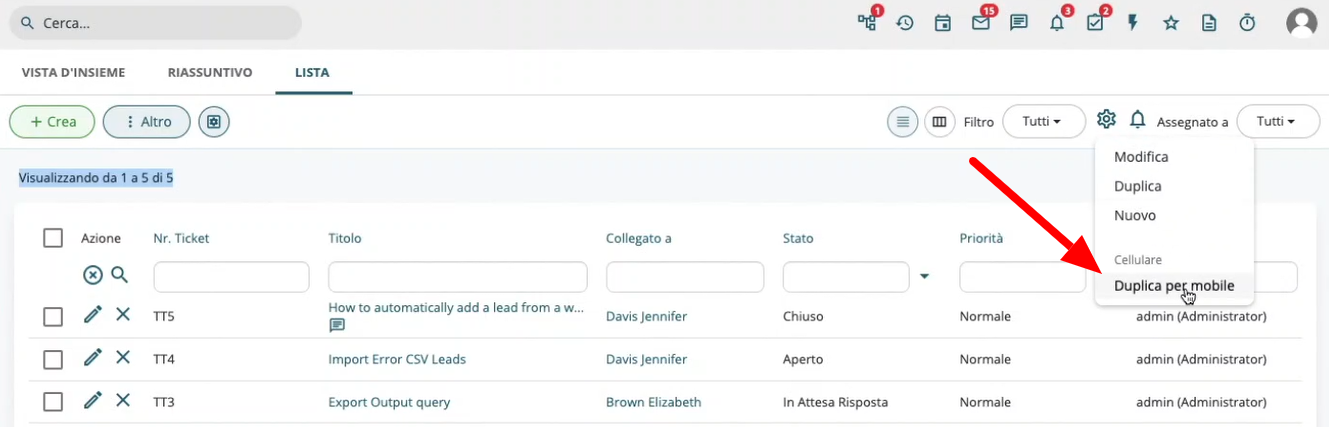
- Filters for Mobile: Both on the web and in the app, you can now set filters for mobile by either editing the filter itself or using the "duplicate for mobile" function.


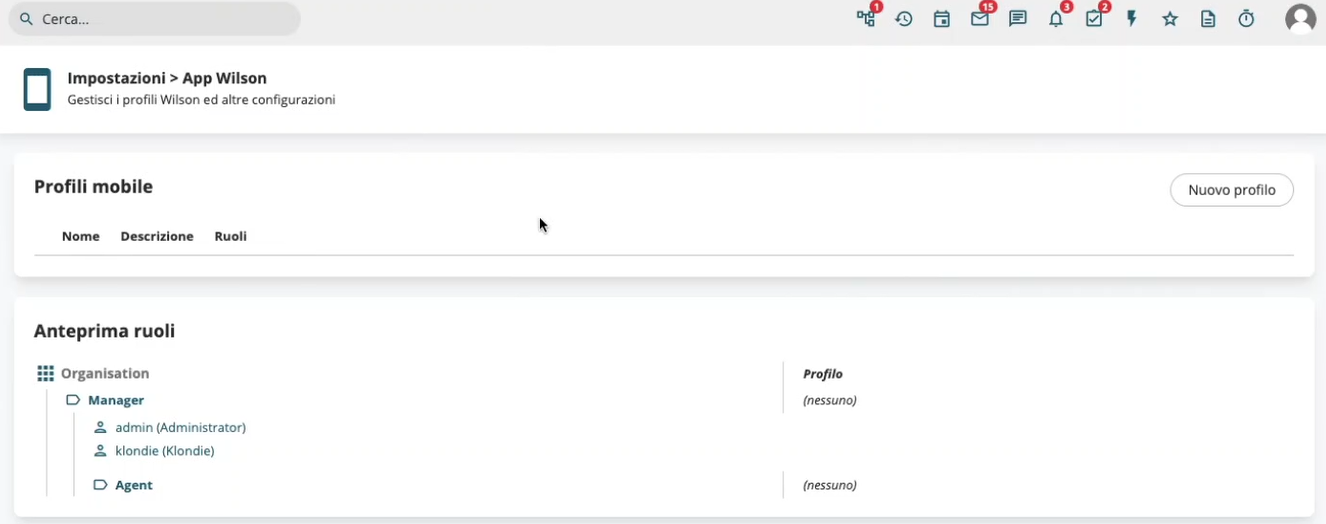
- Mobile Profiles: From the Wilson app settings, available in the vtenext settings, you can now create new mobile profiles to differentiate views, similar to how it is done for the web.

- Mobile Scans: Thanks to NFC (Near Field Communication) technology, users can scan tags and import information about the content and geolocation of the object.

- Filters for Mobile: Both on the web and in the app, you can now set filters for mobile by either editing the filter itself or using the "duplicate for mobile" function.

vtenext 25.02 Release Note
Cases Module
The Cases module is designed to manage reports, issues, and internal requests within the company, enabling a structured and traceable workflow. Here are the main features and functionalities of the Cases module, which specifically handles internal cases and subcases:
- Case Creation and Management
- Subcase Management
- Workflow and Automation
- Communication and Collaboration
- Reporting and Analysis
- Integration with Other CRM Modules
A well-structured Cases module improves operational efficiency, reduces request handling time, and increases transparency within the company.
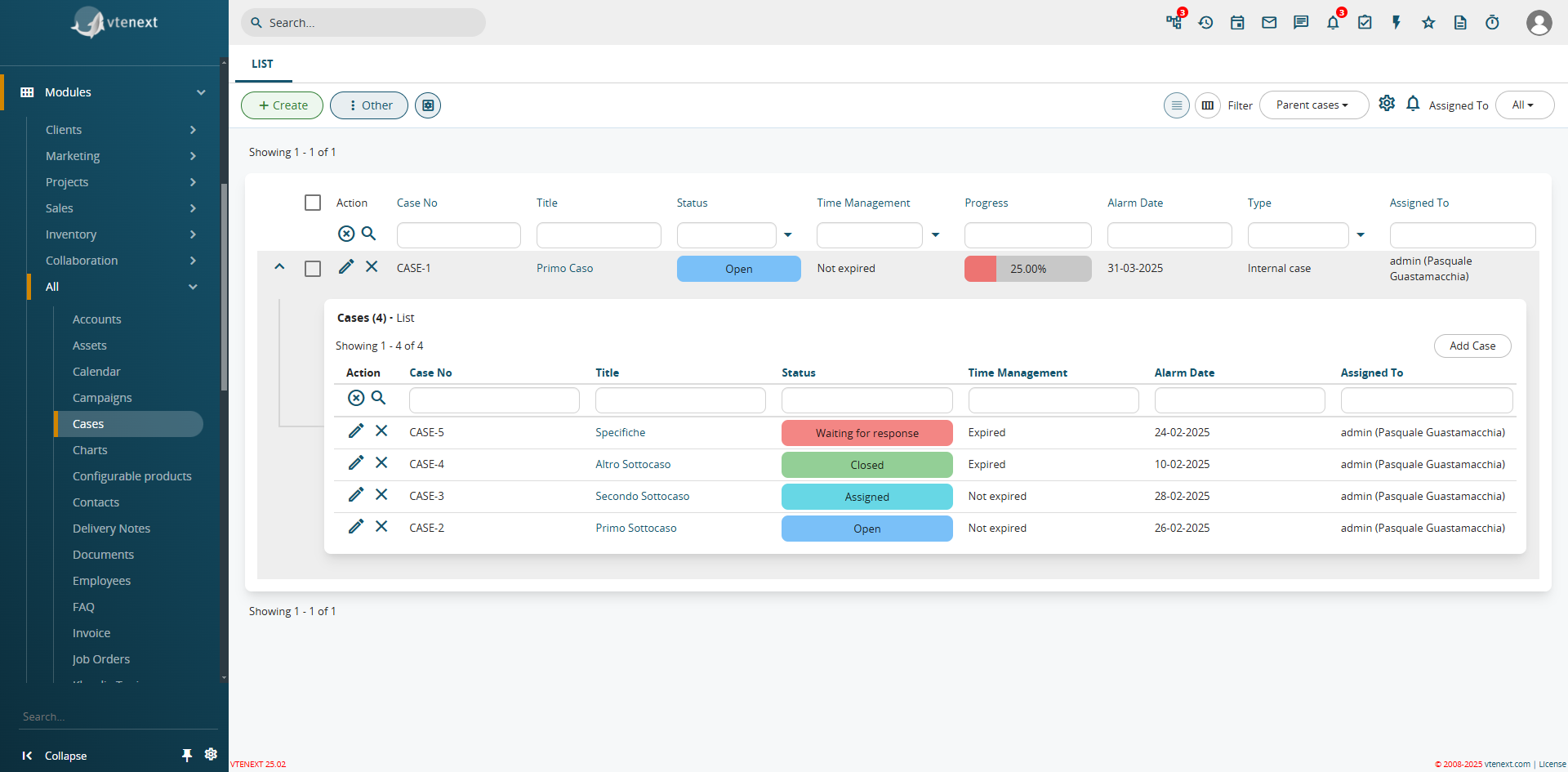
How the Cases Module Appears and the Display of Subcases Already Available in the List View
As already seen in the Cases module, an additional function has been introduced in the filters: the expansion of list views. This feature allows related module views to be propagated within a filter. For example, in a Company record, you can directly see all linked Contacts from the filter. This function is available for all CRM filters.
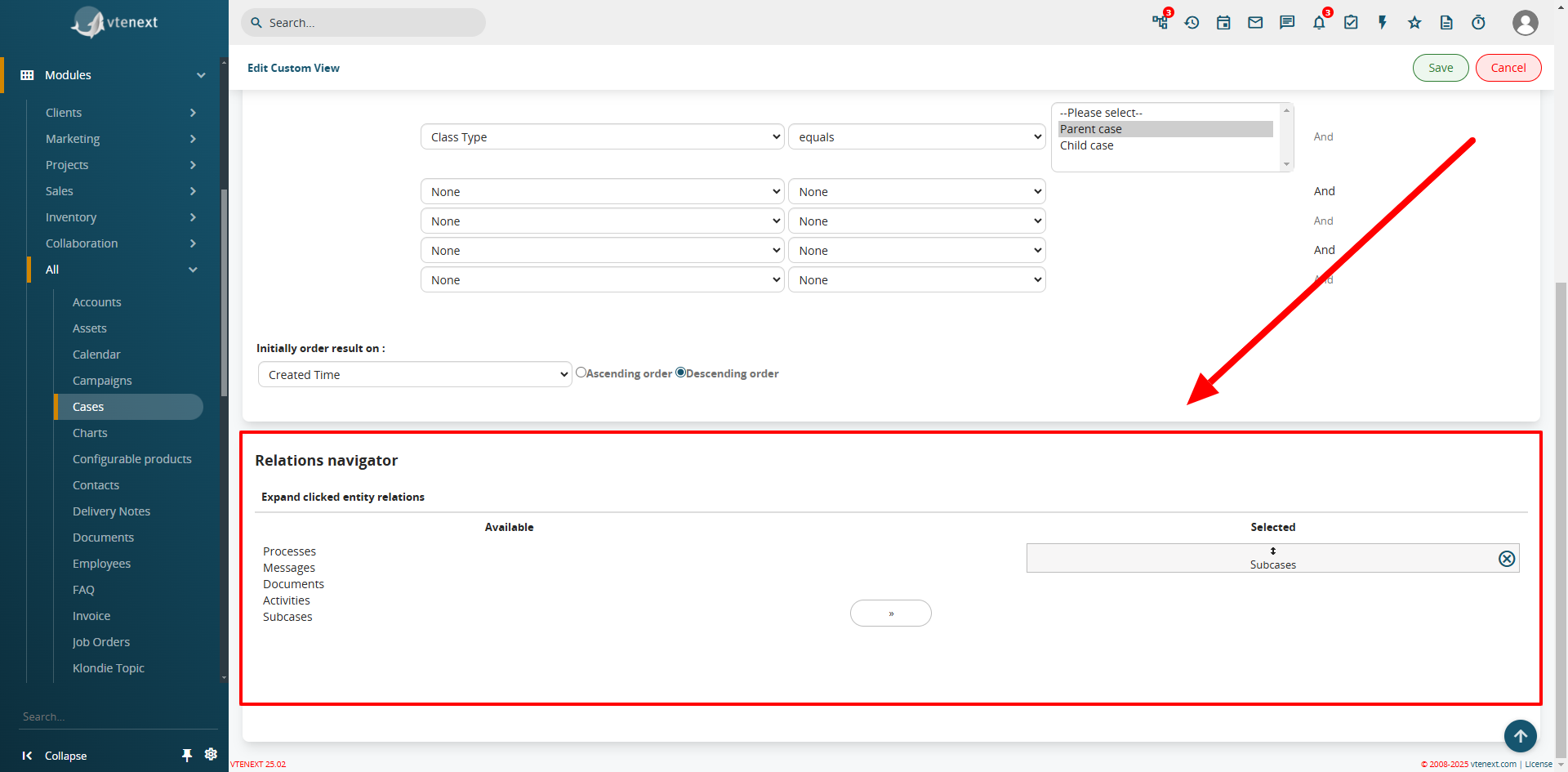
In the filter settings, the Relations Navigator configuration is available
Field Coloring in List View
From SETTINGS > LIST VIEW COLORING, the Field Coloring option is available. This feature allows you to apply colors to specific fields in the list view, such as the status of a Ticket or a Case, improving visibility and usability.
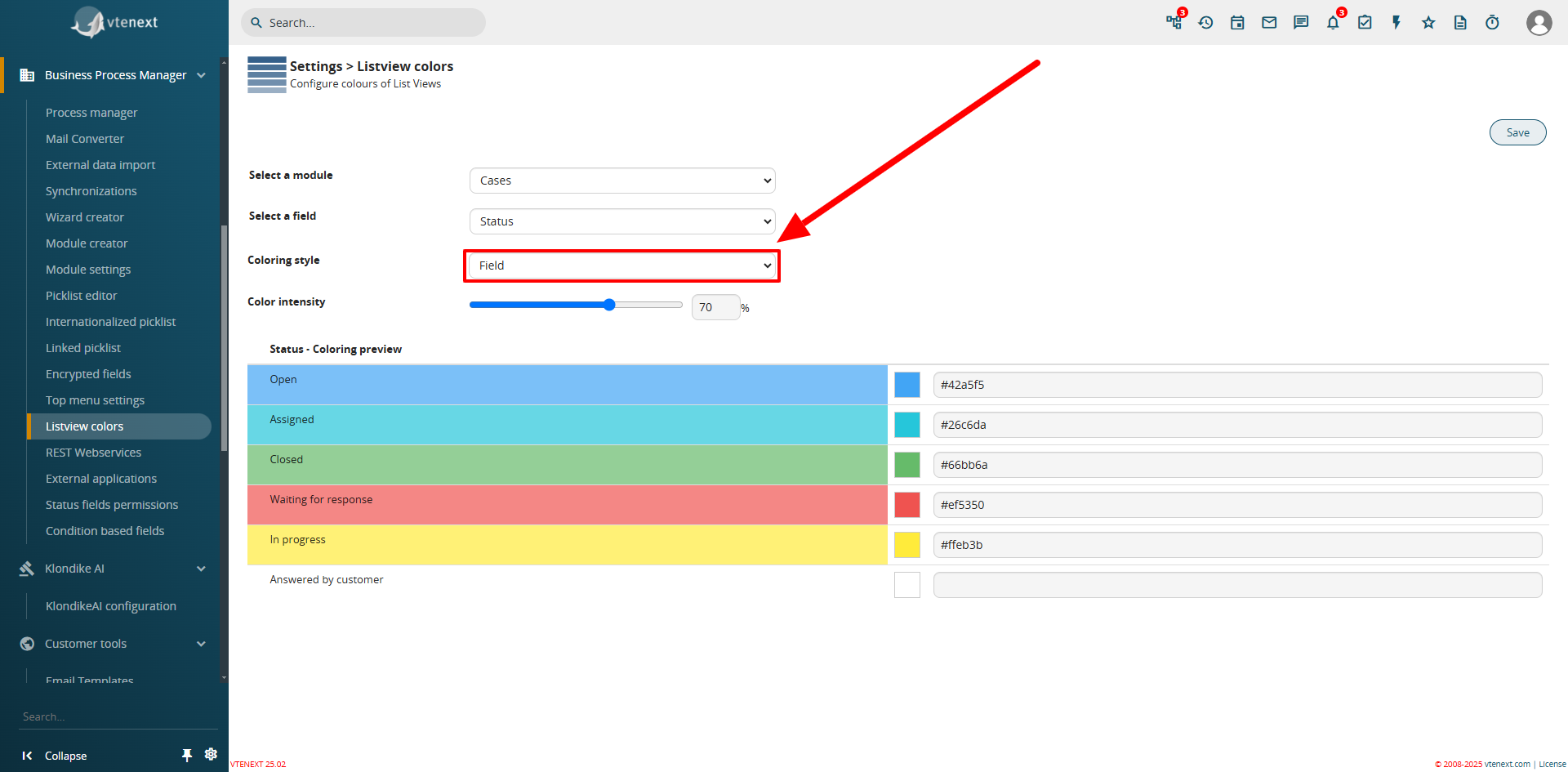
Configuration View from Settings
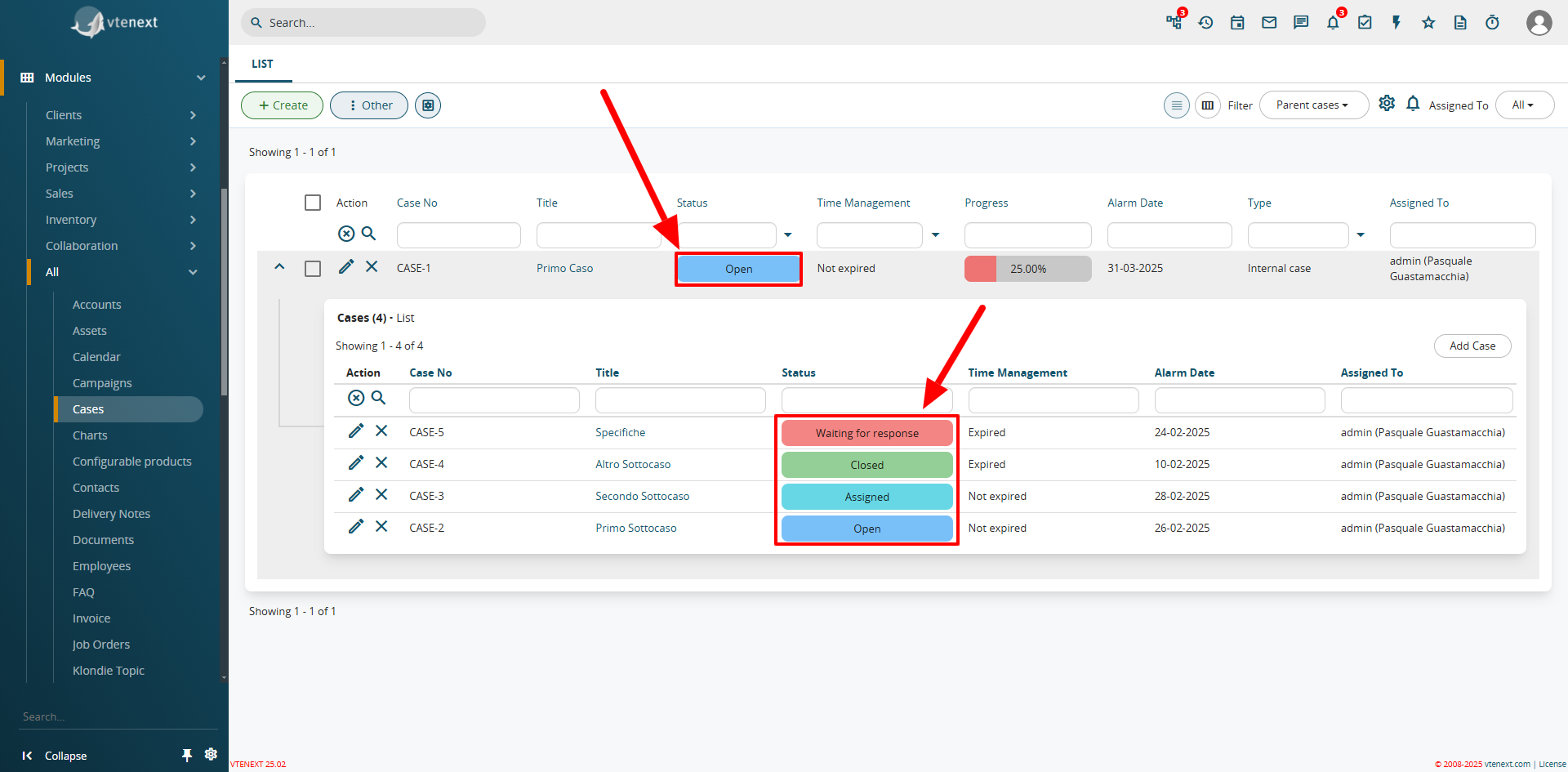
Colored Field View in List
Progress Bar
A new field type, uitype 1024, has been introduced as a progress bar. This feature can only be enabled and configured via code. A pre-installed progress bar is available in the Cases module, which automatically calculates and updates the percentage of Closed Subcases.

Detailed View of the Progress Bar Field
Preinstalled Processes for Case Management
The update includes two new processes to automate the management of the Case module.
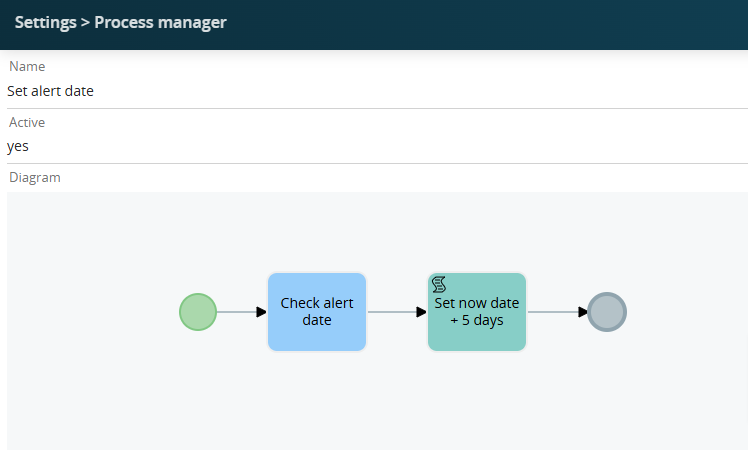
"Set Alert Date" is the process that automatically sets the alert expiration date to 5 days from today's date (considering that the case is being created today) if left empty during the creation of a Case.
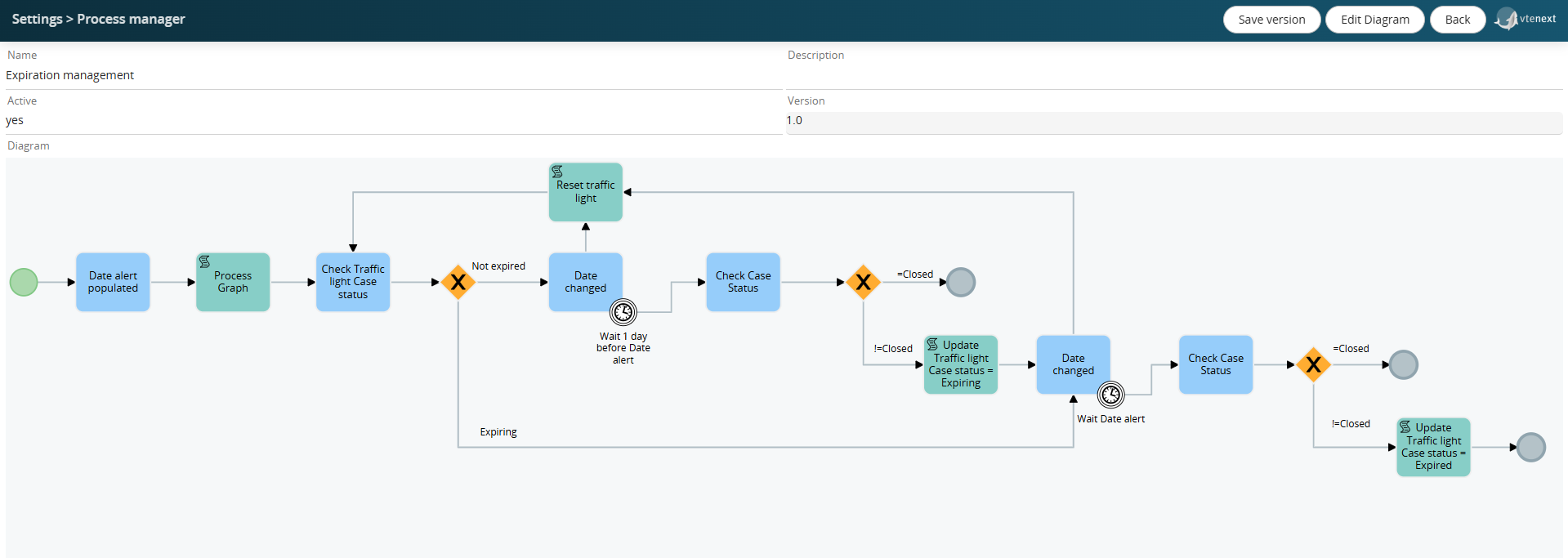
"Expiration Management" is the process that checks the dates, and one day before the expiration date, sets the case status to "expiring" or "expired."
Field Mapping of the Products Block
In the configuration of the products block in the layout editor, it is possible to define the mapping of custom fields to inherit values from another module.
For example, in the products block of quotes, if a "Partner Discount" field has been created and you want this field to be populated into a custom field named "First-Level Discount" in the products block of the sales order upon its generation, you will be able to manage this function through processes.
The mapping is not applied upon saving (as with formulas) but is simply pre-filled during creation. It is automatically applied in the "Copy products block" action of the processes.
Invite Leads and Emails to the Calendar
This feature allows you to invite Leads and Emails directly to Calendar Events. The Leads and Emails will receive an email notification, which they can accept or decline, and their response will be visible directly in the calendar event.
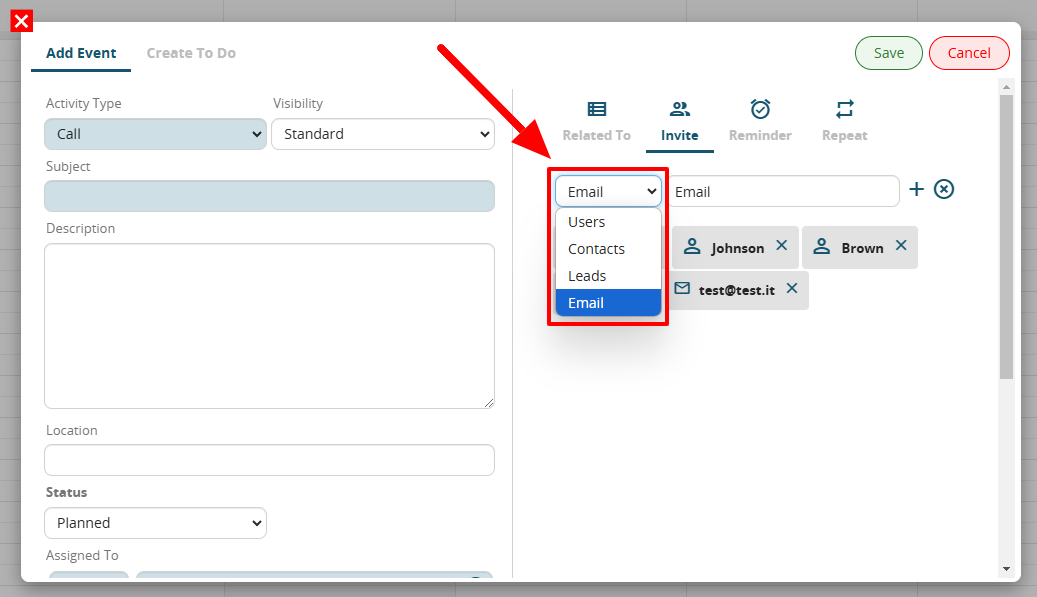
Note the dropdown menu for invitations, now with the new selectable entities
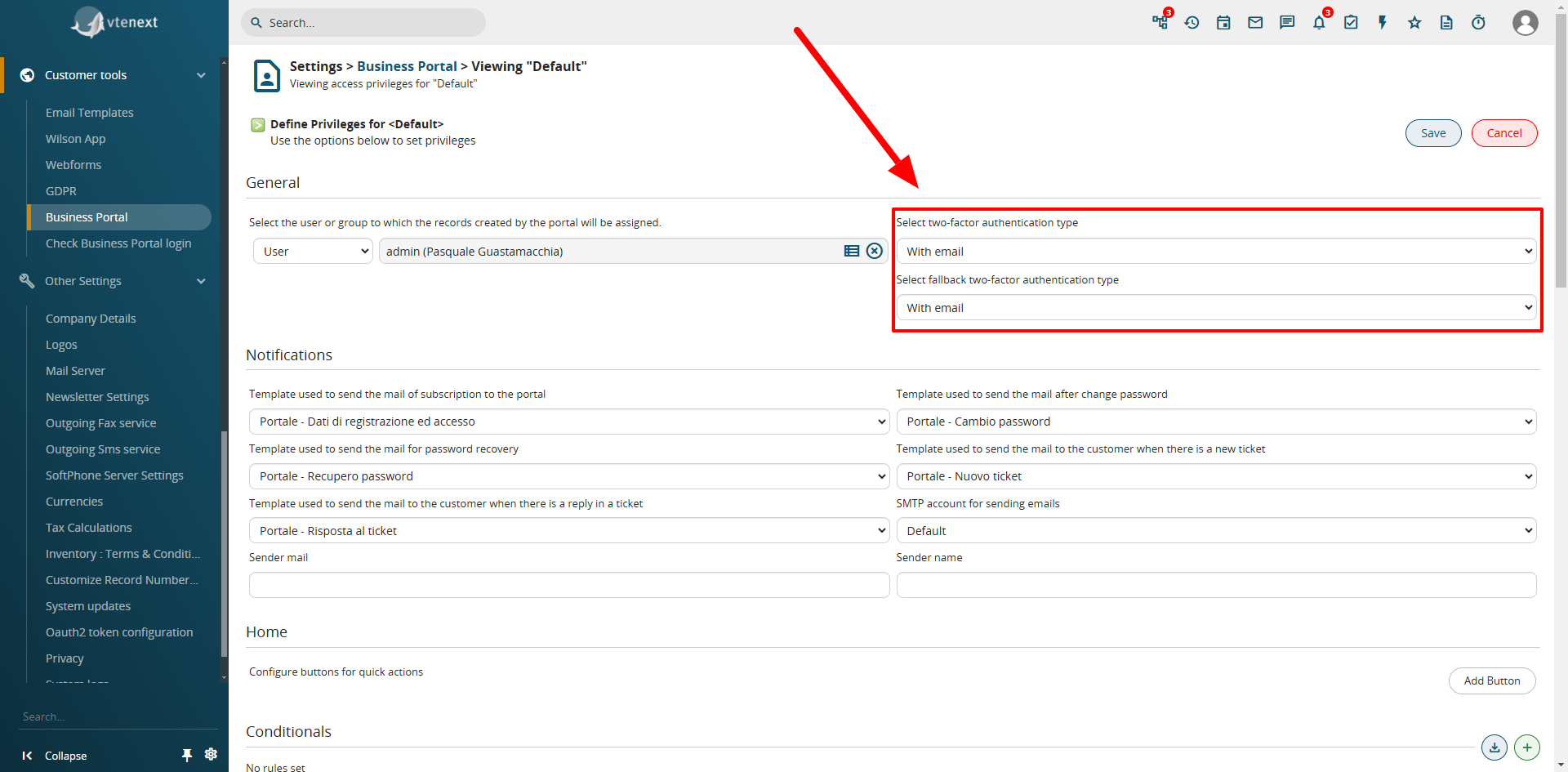
Two-Factor Authentication (2FA) in the Business Portal
Two-factor authentication has been implemented on the customer portal, achievable via email. Through the SDK, other types of authentication (e.g., SMS) can be implemented. The Portal Contact who has activated this feature will need to enter the code received via email to access the portal.
vtenext 25.02.1 Release Note
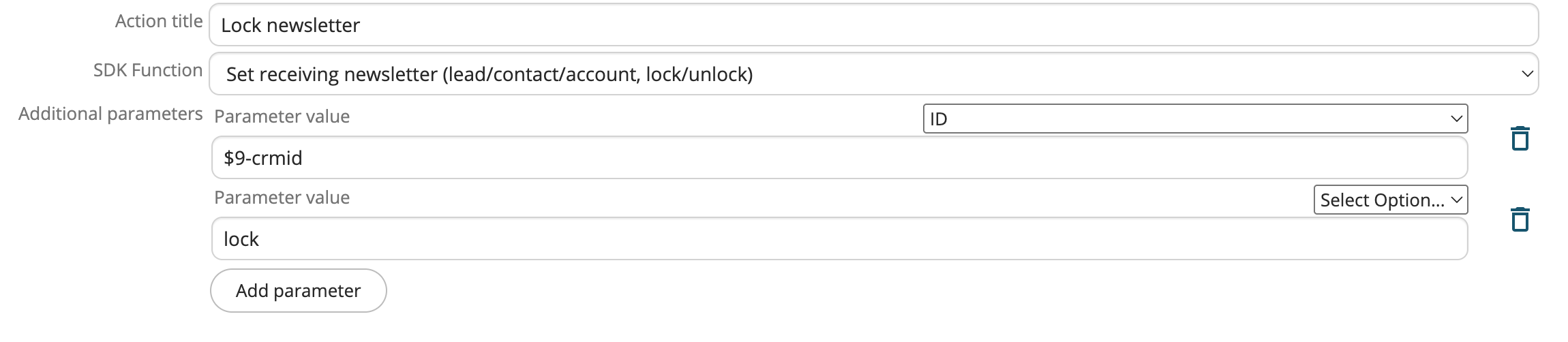
New BPMN Action to Set the "Receive Newsletter" Field
Among the SDK functions for BPMN actions, a new function called Set receiving newsletter has been added. This allows enabling or disabling newsletter reception for a specific record.
Option to Enable Logging of All Sent Emails
By activating the modules.emails.send_mail_log property, all sent emails will be tracked in the vte_send_mail_log table.
This can be useful for analyzing outgoing email traffic.
Newsletters are excluded from this log.
The information stored in the table includes: sender, recipients, subject, send date, status, and error.
There is no built-in retention logic, so it's up to those who enable this configuration to clear the table after completing their analysis.
Text Preview Limit in List View
If a text field in a module list filter exceeds 40 characters, the text is truncated and an icon appears that shows the full text on hover.
To improve list performance, we’ve decided to also truncate the text inside the “tooltip” based on the value of the performance.listview_moreinfodiv_lengthlimit property, which by default is set to 100,000 characters.
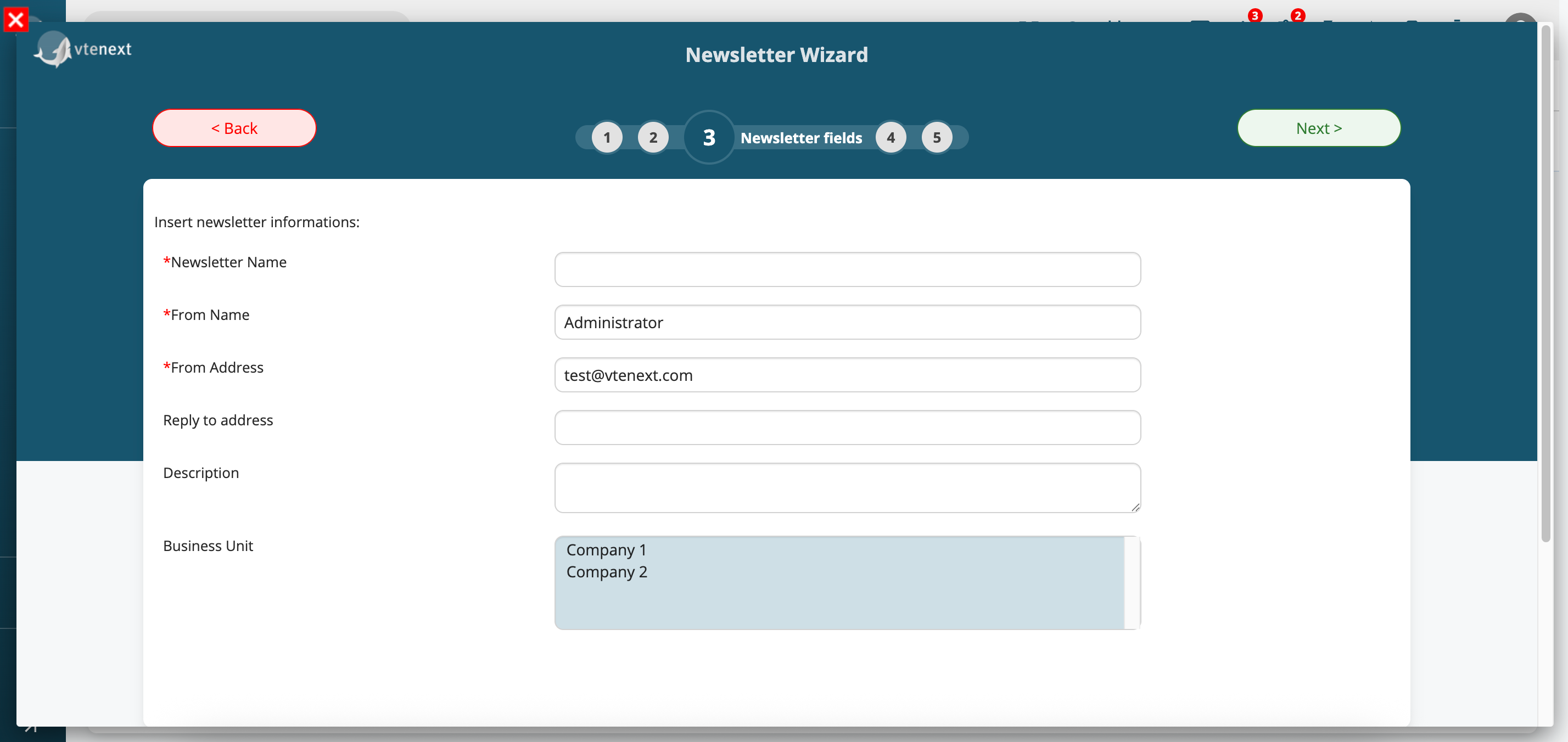
Business Unit in Newsletter Creation Wizard
For those who have activated the Business Unit module and have the bu_mc field in the Campaigns module, it is now possible to set this field directly within the Newsletter creation wizard.
System Preparation for Future Migration to PHP 8
Several preparatory changes have been made in anticipation of a future release that will allow VTENEXT installation in a PHP 8 environment.
vtenext 25.02.2 Release Note
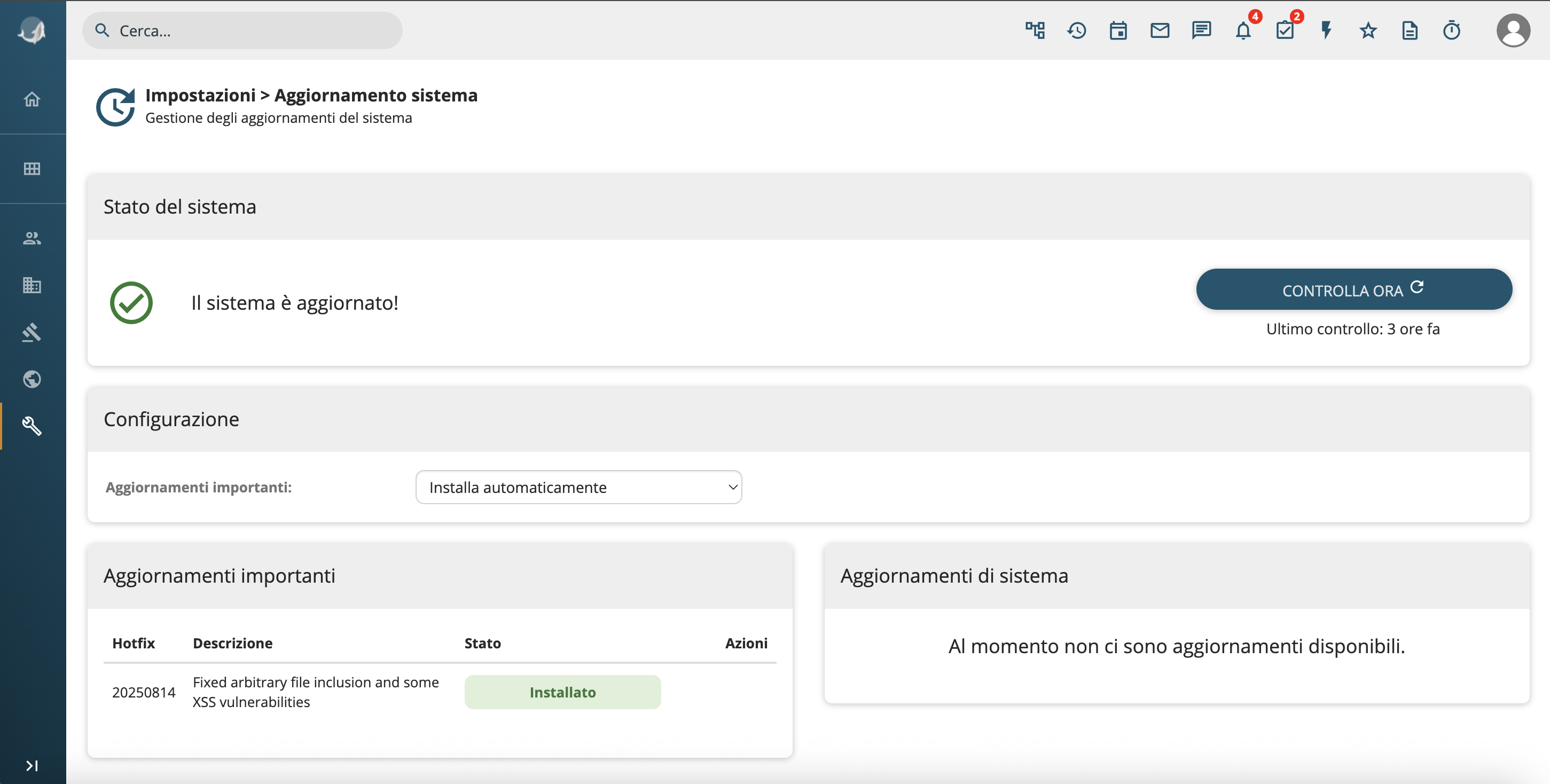
Hotfix installation from UI
We have introduced a new interface dedicated to managing hotfixes directly from the settings.
It is now possible to:
- Install hotfixes directly from the UI
- View the list of available hotfixes
- Check already applied hotfixes
- Identify failed hotfixes
- Automatically install hotfixes
Additionally, administrators will be notified when new hotfixes become available.
What is a hotfix?
Often version upgrades cannot be applied immediately due to code customizations or the need for staff training.
We have introduced a new tool that allows the installation of stability and security improvements for systems that cannot be updated.
Hotfixes include performance improvements, fixed for impactful bugs, security patches, etc., and it is recommended to apply them immediately.
Media fields configuration
We have extended support for media-type fields:
- It is now possible to configure image sizes directly from the UI: Original, Thumbnail, Icon
- Supported units: px, %, auto
- Configuration is available in the Layout Editor, in table fields and within processes.