# 1 Introduction

# Introduction

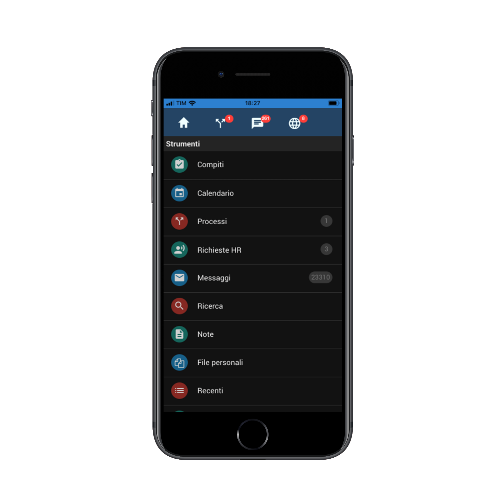
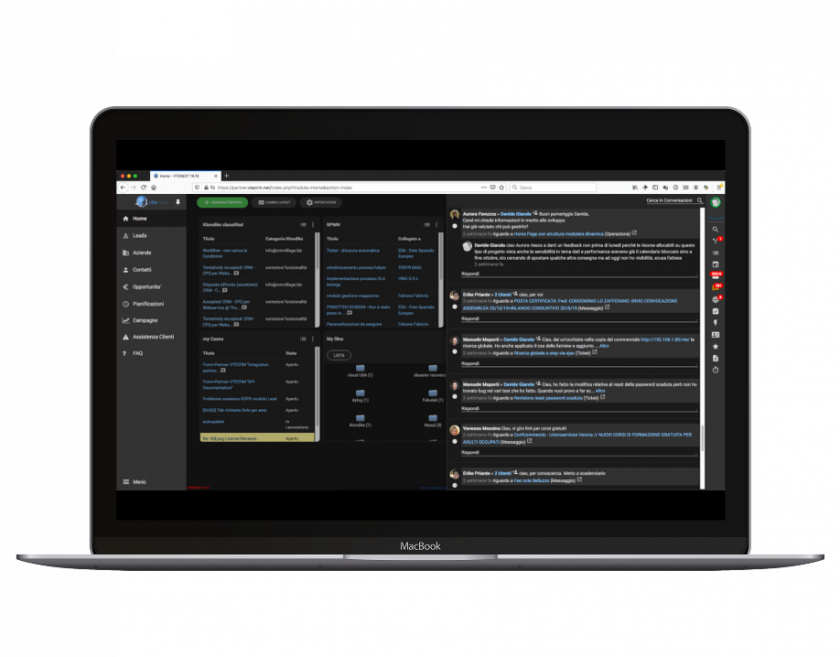
**vtenext** supports management of all customer-related flows, from acquisition to assistance, allowing also intelligent internal/external communication. Customer activities and communications are stored and available for consultation: vtenext centralises all information around the customer, in particular, information that is unstructured by nature (events, emails, documents, messages), thus increasing the value of the company's database. Furthermore, integration towards external systems (mobile, email server, ERP and e-commerce software and so forth) makes vtenext an ideal single working environment.

**vtenext is released in two versions:**

- **vtenext Business:** version with assistance fee guaranteeing constant support, updates and bug fixing;
- **vtenext Community:** free version, with limited functionalities and updates compared to the Business version.

vtenext is the leading open source CRM platform on the Italian market, with more than 19,000 registrations logged to date;

Issued with AGPL-3 license, which provides access to the unencrypted and editable code that can be released to the entire development community;

- Based on internal and community development activities;
- Supported by a certified network of more than eighty partners in Italy and Europe;
- Can operate with MySQL, Oracle and SQL Server and can be installed in Linux or Windows environments;

**Can be integrated with the main systems:**

- ERP platforms, namely Zucchetti, SAP, Teamsystem, Mago, Esa Software, As400;
- Email: GMail, Zimbra (server side) and Outlook, Thunderbird (client side);
- Documentary references (CMS) and company websites through the use of vtenext web services;
- Vtenext quality standards are based on unique development and design logic;
- Tested in extreme situations with millions of records and hundreds of users working simultaneously;
- Updated according to technological standards and to developments released by the open source community and by the top European software houses;
- Based on Enterprise logic;
- Multiplatform: Windows or Linux;
- Multi-database: Oracle, SQL Server, MySQL; Certified on Red hat;
- Verticalised for the main Manufacturing and Service sectors.

# 1.1 Examples of vtenext application areas

**Customer Acquisition &amp; Sales**

- Automated acquisition of potential accounts via contact webform; Lists allocation to sales personnel concerned;
- Management of corporate hierarchies, partners, etc.;
- Shared calendar to plan customer actions; Sales negotiations management with forecast reports;
- Sales and administration steps management: Quotes, Sales Orders, Invoices, Delivery Notes;
- Exportation to PDF of offers, invoices, etc. with customised forms.

**Communication &amp; Marketing**

- Management of multiple personal mailboxes;
- Mail and link conversion towards other CRM objects;
- Target management (segments) of customers database according to key-information;
- Transmission of newsletters and campaign statistics;
- Internal communications through Conversations linked to CRM entities. → Talks

**Customer Service &amp; Projects**

- Customer assets management: installed products and pending contracts;
- Collection of after-sales requests through different channels;
- Management of queued work processes and SLA times;
- Online customer portal for direct communications and documents sharing;
- Activities tracking and resources scheduling;
- Orders management through Projects, Operations, Deadlines and Gantt charts. → Project Tasks – Milestones

**Reports &amp; advanced tools**

- Reports and charts on all data in the CRM;
- Notification management system on both hierarchical and personal basis for users (Groups, Roles and Profiles);
- Privileges and security administration through advanced rules and exceptions; CRM layout customisation;
- Workﬂows (automations);
- Creation of interface side customised modules; Schedulable data importation from database;
- Report and supervision of user activities and accesses.

**BPMN and company processes mapping:**

- Improve company efficiency;
- Execution of company procedures in standard and unequivocal manner;
- Reduction of human error;
- Reduction of execution times;
- Checking of bottlenecks in the organisation;
- Reduction of procedure learning times;

# 1.2 Flows managed by vtenext

**Customer acquisition cycle**

![](https://usermanual.vtenext.com/uploads/images/gallery/2019-07-Jul/scaled-840-0/image-1564495626340.png)

**Acquired customer cycle**

![](https://usermanual.vtenext.com/uploads/images/gallery/2019-07-Jul/scaled-840-0/image-1564495669370.png)

**Assistance cycle**

![](https://usermanual.vtenext.com/uploads/images/gallery/2019-07-Jul/scaled-840-0/image-1564495705192.png)

**Purchasing cycle (vendors)**

![](https://usermanual.vtenext.com/uploads/images/gallery/2019-07-Jul/scaled-840-0/image-1564495732829.png)

# 1.3 Notes on the manual (Disclaimer)

The images and functions of vtenext shown in this manual may be subject to minor changes with the release of updates and described according to the version and the current graphic theme.

Screenshots may vary (colours, icons) depending on the configuration.

# vtenext Business 18.02 Release Note

**USER PREFERENCES**

**New Language Packs**  
Four new language packs have been added to the user preferences: French, Russian, Polish, and Spanish.

**New NEXT Design Selectable Among Themes**  
The NEXT theme has been added alongside SOFTED in user preferences. This theme introduces a completely modernized design, aligned with current trends:

- The module bar is now positioned on the left and can be minimized to icons. The last icon at the bottom combines all modules and areas.
- The function bar (conversations, notifications, quick creation, etc.), positioned on the right, now includes links to the Process module and search management.

**Process Module**  
This provides a list view of all processes in Vtenext.

**Search**  
The global search and module-specific search are unified under one button. The module-specific search adapts based on the module being used.  
Example: While in Customer Support, you can search globally across the CRM or only among available tickets.

---

**BPMN**

**Advanced Functions for BPMN Process Design/Scheduling Campaigns via BPMN**  
Creating BPMN processes in Vtenext allows for greater interaction between modules with N-to-N relationships (unlike the previous 1-to-N limitation) and eliminates the need for an initial condition (refer to the BPMN Manual for details).

- Conditional fields can be used in process tasks.
- The Newsletter module can be integrated for automated marketing campaigns, allowing mailings to be sent based on user-defined criteria.
- Process layouts now include color coding depending on the selected task type (note: colors are automatically assigned by the system).

**Rewind Processes and Replay Execution**  
Within the entity affected by an active process, users can return to a previous step by selecting from available options (for more details, refer to the BPMN Manual).

---

**REPORTS**

**New Reporting Options (Newsletter and Clusters)**  
The Reports module has been updated with the following features:

- Integration with the Newsletter module for report generation, including standard and advanced filters. Users can select statistics and clicked links as report columns.
- Cluster creation for further segmentation of results in the summary tab and charts, with color definitions. Charts will also display a gray bar grouping remaining results.
- Administrators can schedule automated email delivery of report results in PDF or Excel format, with recipients chosen from the user list.

---

**CONFIGURATION**

**Configurable REST Client Webservice**  
REST webservices enable integration between Vtenext and external platforms that support this protocol. Configurations can be done without requiring SDKs for external database updates. URLs can also be called with parameter passing.

**Version Control and Import/Export Functions for Modules, Processes, Roles, and Profiles**  
Configurations for modules, processes, roles, and profiles can be saved as versions (e.g., v1.0). Versions can be exported or imported for added security during setup.

**PHP 7 Support**  
Vtenext is now compatible with PHP 7.

**Table Fields**  
In the Module Manager &gt; Layout Editor, a new **Table** field type can be added. This field consists of grouped fields displayed on a single row for optimal data viewing. By default, it appears with one row and headers. Users can add rows by clicking **Add Row**, and rows can be duplicated or deleted.

---

**TARGETS**

**Automatic Target Synchronization**  
Targets now update automatically, eliminating the need for manual refreshes for newsletter management. Two modes are available:

1. **Incremental**: Adds names to the target based on the original filter, ignoring exclusions from filter changes.
2. **Complete**: Adds or removes names based on the filter.

---

**MESSAGES**

**Multiple SMTPs Linked to a Single Email Account**  
SMTP settings for outgoing emails can now vary for each account within the Messages module.

---

**MOBILE APP**

**Activity Tracking from the Mobile App**  
The mobile app now includes activity tracking to create calendar events or tickets automatically.

- The **START** function is accessible via the three-dot menu.
- Users can click **PAUSE** or **END** in the same menu.

---

**OUTLOOK ADD-ON PLUGIN**

**Create and Link New Entities from Outlook Plugin**  
The updated Outlook plugin offers the following features:

- Bidirectional synchronization of Contacts, Events, and Tasks with Vtenext.
- Linking emails to CRM entities.
- Creating new entities and linking emails directly to the new entities (e.g., creating leads/tickets and associating the email with them).

# vtenext Business 18.05 Release Note

The update to version 18.05 includes the addition of a section dedicated to functionalities for proper management of the GDPR directive.

All features and new additions are detailed in chapters 7 and 18.3.3 of this manual.

![](https://usermanual.vtenext.com/uploads/images/gallery/2019-04-Apr/scaled-840-0/image-1555342456395.png)

# vtenext Business 19.10 Release Note

**Automatic Updates via Interface**  
This feature simplifies keeping the system up-to-date, ensuring that new functionalities are released more frequently, with milestones for technical constraints (e.g., PHP version requirements).

---

**BPMN Engine Enhancements**

1. **Deadline Management**: Dynamic time periods can be set for timers, e.g., 3 months before a contract expiration date.
2. **Notification Sending**: The centralized notification system can be triggered by processes, for single notifications or looping over a table field.
3. **Transfer Relations**: Allows transferring (1:N) or copying (N:N) related entities from one record to another.
4. **Loop Through Related Entity Tables**: Enables looping through a table field in a record related to the current process record.
5. **Date Functions**: 
    - International date formatting
    - Current date (formatted)
    - Date difference calculations
6. **PDFMaker**: Enables selecting entities and records for PDF generation and supports multilingual templates within processes.
7. **Attachments via Dynamic Forms**: Upload files directly from dynamic forms/popups and link them to the parent record of the process.
8. **Extended Attribute Reading for Web Service Client**: Handles multiple JSON results from web service calls and accesses all first-level attributes of the returned object.
9. **Improved Process GUI Editor**: Enhancements for usability and compatibility.
10. **Filterable and Sortable Process List**: Easier navigation through process listings.
11. **Interactive Right-Side Indicator**: Displays pending user tasks (web/mobile). Clicking the icon opens a complete list of pending processes.

![Figura 1](https://usermanual.vtenext.com/uploads/images/gallery/2019-10-Oct/scaled-840-0/image-1572426335893.png)

**Human-Readable Process Activity History**  
Provides a narrative list of process execution steps, as an alternative to the classic BPMN view.

![](https://usermanual.vtenext.com/uploads/images/gallery/2019-10-Oct/scaled-840-0/image-1572426397024.png)

---

**Customer Portal SDK Extensions**

1. **Wizard for EditView Creation**
2. **Support for Custom Modules**
3. **Automated Calendar Slot Booking**

---

**Desktop Notifications**

When new messages or conversations arrive, a system notification appears. Clicking it opens a detail tab for quick viewing.

<table border="0" class="align-center" id="bkmrk--7" style="width: 100%; border-collapse: collapse;"><tbody><tr><td style="width: 50%;">[![notifica_messaggio_vtenext.png](https://usermanual.vtenext.com/uploads/images/gallery/2019-10-Oct/scaled-840-0/notifica_messaggio_vtenext.png)](https://usermanual.vtenext.com/uploads/images/gallery/2019-10-Oct/notifica_messaggio_vtenext.png)</td><td style="width: 50%;">[![notifica_conversazione_vtenext.png](https://usermanual.vtenext.com/uploads/images/gallery/2019-10-Oct/scaled-840-0/notifica_conversazione_vtenext.png)](https://usermanual.vtenext.com/uploads/images/gallery/2019-10-Oct/notifica_conversazione_vtenext.png)</td></tr></tbody></table>

---

**Dark Mode**

<table border="0" class="align-center" id="bkmrk--0" style="width: 100%; border-collapse: collapse;"><tbody><tr style="height: 31px;"><td style="width: 50.0618%; height: 31px;">![](https://usermanual.vtenext.com/uploads/images/gallery/2019-10-Oct/scaled-840-0/image-1572426794403.png)</td><td style="width: 50.0618%; height: 31px;">![](https://usermanual.vtenext.com/uploads/images/gallery/2019-10-Oct/scaled-840-0/image-1572426805595.png)</td></tr></tbody></table>

Introduces dark mode for both web and mobile versions, aligning with modern OS aesthetics while removing legacy and unoptimized code.

---

**Mobile App Updates**

1. **Dark Mode Support**
2. Highlight pending processes in the top menu.
3. Zoom functionality for messages ("a-A") and improved accessibility view.
4. Minor improvements and bug fixes.

---

**VTEsync for Information Platform**

Native synchronization with Salesforce® via OAuth2, supporting bidirectional communication for:

- Companies
- Installations
- Campaigns
- Leads
- Opportunities
- Products
- Trouble Tickets

---

**Performance Optimizations**

1. Native support for MySQL master-slave architecture for reports, list counts, global searches, relationship counts, and data exports.
2. Reduced cache footprint from single to global APC/memcache.

---

**System Requirements**

1. HTTP2 support.
2. PHP FastCGI support.
3. Minimum PHP version: 7.0.

---

**Artificial Intelligence (AI)**

Native integration with Klondike:

- Cloud as a Service with pre-trained models.
- On-Premise for specific contractual/project needs.

---

**Miscellaneous**

Over 100 new features and improvements were implemented as part of 10 months of continuous bug fixing. The detailed changelog is available for review.

# vtenext 20.04 release notes

**BPMN engine improvements**

**1.** Process History in detailview. In addition to the tab “Process graph” the user can find the additional tab “Process History” were can read in detail the execution of the process and it is possible to view which user performed a certain action and when.

**2.** Function relate email in ProcessMaker. It is possible to decide the entity to which relate the email sent by the process in more ways:  
• Default -&gt; The email will be related to the main entity of the process  
• Other -&gt; The user choses the entity

  
**3.** Added related fields in dynamic forms (uitype10). It is now possible to use all the data of the fields related in dynamic form. Therefore, if we add a related field in a dynamic form it is now possible to go back to all the information related to that specific entity, delating all the escalation limitation at N levels.

**4.** Log debug conditions. We added the possibility to activate the log debug with the aim to facilitate the dubug of eventual issues noticed when running the process.

**5.** Email send (Notifications, Processes, Email from Tickets) via new tail. The Email sending process follows now the standard procedure by following the sending tail. By doing so the execution time of the process is reduced because it doesn’t have to wait the sending.

**<span style="font-family: -apple-system, BlinkMacSystemFont, 'Segoe UI', Oxygen, Ubuntu, Roboto, Cantarell, 'Fira Sans', 'Droid Sans', 'Helvetica Neue', sans-serif; font-size: 15px; font-style: normal; font-variant-ligatures: normal; font-variant-caps: normal;">6</span>.** ProcessMaker: added related entities in actions Delete, Relate, RelateStatic.

**7.** Added relations in the Document module

---

**Process’ Product block actions**

**1.** Copy line: it is possible to copy the product block from an inventory module to another, avoiding to use the SDK to report the product block from one entity to another.

**2.** Cycle product block rows and for each one row: create entities/enter rows/delate rows/send emails/sending notifications. It is furthermore possible to cycle the information of a product block in a table field and vice versa.

**3.** Add line from static/dynamic data directly in the products block. The function is similar to the one performed in a table field.

**Message module**

**1.** Scheduled email sending: it is possible to postpone the sending of an email deciding the new time and date.

![ehHCompose.png](https://usermanual.vtenext.com/uploads/images/gallery/2020-05-May/scaled-840-0/ehHCompose.png)

 **2.** Creation of contacts in the CRM for unknown email addresses: when responding to an email that contains an unknown address vtenext automatically creates a new contact

**3.** Messages Out of office reply

**4.** imap parameters and PEC option in mail converter: from mail converter it is possible to define a PEC email address and in the way the ticket will be created with the original mail, that is to say the one contained in the .eml attached file

**5.** Unified folds for different email addresses

![Folders_Messages_VTENEXT_20_04.png](https://usermanual.vtenext.com/uploads/images/gallery/2020-05-May/scaled-840-0/Folders_Messages_VTENEXT_20_04.png)

---

**General / CORE / Performance**

**1.** RabbitMQ support. To manage tails and obtaining immediate response when saving the record

**2.** Global cache for vte\_field and workflow. We added caches for some frequently used tables like vte\_field and the workflows on, to avoid repeated readings of the same data

**3.** OWASP top 10 compliant. We added the anti-CSRF according to the OWASP standard

**4.** Variants of SKU products. Using the new module configurable Products it is possible to define a new generic product with variables attributes   
es. T-shirt with Size attribute (XS/S/M/L/XL) or Colour (Red, Green, Yellow)  
Every variant of the product is univocally defined by a SKU code (stock keeping unit)

**5.** Next theme softening

![](https://usermanual.vtenext.com/uploads/images/gallery/2020-05-May/scaled-840-0/image-1589461155771.png)

![](https://usermanual.vtenext.com/uploads/images/gallery/2020-05-May/scaled-840-0/image-1589461172514.png)

![](https://usermanual.vtenext.com/uploads/images/gallery/2020-05-May/scaled-840-0/image-1589461179570.png)

**6.** Editor drag and drop newletter/email templates

![](https://usermanual.vtenext.com/uploads/images/gallery/2020-05-May/scaled-840-0/image-1589461225019.png)

![](https://usermanual.vtenext.com/uploads/images/gallery/2020-05-May/scaled-840-0/image-1589461235014.png)

 **7.** Activation of non-contextual licenses

**8.** Ubuntu 20.04 LTS support (php 7.4/mysql8)

---

**Sync connector**

Standard connectors available for the following systems:

- Hubspot®:  
    Modules: 'Users', 'Accounts', 'Contacts', 'Potentials','HelpDesk', 'Targets','Targets\_Contacts' (to have contacts related to the target).  
    Direction: all bidirectional, except for her users that is monodirectional from hubspot to vtenext
- Jira®:  
    Modules: 'Users', 'ProjectPlan', 'ProjectTask', 'HelpDesk', 'TicketComments'  
    Direction: all bidirectional, except for her users that is monodirectional from Jira to vtenext
- SuiteCRM®:  
    Modules: 'Users', 'Leads', 'Accounts', 'Contacts', 'Potentials', 'Campaigns', 'HelpDesk', 'Products'  
    Direction: all bidirectional, except for her users that is monodirectional from SuiteCRM to vtenext

All synchronization are in Beta version, therefore some fields and values may not be supported.

---

**Klondike connector**

Plugin available in settings to connect vtenext with the Machine Learning engine Klondike:

• Process discovery agents: analyses and identifies which are the commonly used processes in vtenext. Once discovered can be imported in the Process Manager to be further developed  
• Classification manager: uses AI to guess the value of a field. Example: when creating a ticket the Category is guesses by analysing title and description.

[![TeAKlondike_VTENEXT_20_04.png](https://usermanual.vtenext.com/uploads/images/gallery/2020-06-Jun/scaled-840-0/TeAKlondike_VTENEXT_20_04.png)](https://usermanual.vtenext.com/uploads/images/gallery/2020-06-Jun/TeAKlondike_VTENEXT_20_04.png)  
*Klondike from Settings*

*[![Klondike---Settings.png](https://usermanual.vtenext.com/uploads/images/gallery/2020-06-Jun/scaled-840-0/Klondike---Settings.png)](https://usermanual.vtenext.com/uploads/images/gallery/2020-06-Jun/Klondike---Settings.png)  
Classifier*

[![Klondike---Settings-2.png](https://usermanual.vtenext.com/uploads/images/gallery/2020-06-Jun/scaled-840-0/Klondike---Settings-2.png)](https://usermanual.vtenext.com/uploads/images/gallery/2020-06-Jun/Klondike---Settings-2.png)  
*Process discovery Agent*

[![Klondike---Settings-3.png](https://usermanual.vtenext.com/uploads/images/gallery/2020-06-Jun/scaled-840-0/Klondike---Settings-3.png)](https://usermanual.vtenext.com/uploads/images/gallery/2020-06-Jun/Klondike---Settings-3.png)  
*Process discovery*

[![](https://usermanual.vtenext.com/uploads/images/gallery/2020-05-May/scaled-840-0/image-1589461614949.png)](https://usermanual.vtenext.com/uploads/images/gallery/2020-05-May/scaled-840-0/image-1589461614949.png)  
*Process list*

---

**Projects Module**

A new module, Job Orders, has been created to contain all Project Tasks.

![Project_20_04.png](https://usermanual.vtenext.com/uploads/images/gallery/2020-05-May/scaled-840-0/Project_20_04.png)

**Job Orders mask**

![](https://usermanual.vtenext.com/uploads/images/gallery/2020-05-May/scaled-840-0/image-1589461744137.png)

**Project mask**

![](https://usermanual.vtenext.com/uploads/images/gallery/2020-05-May/scaled-840-0/image-1589461807954.png)

**Project Gantt**

![](https://usermanual.vtenext.com/uploads/images/gallery/2020-05-May/scaled-840-0/image-1589461835358.png)

**Operations in detail**

![](https://usermanual.vtenext.com/uploads/images/gallery/2020-05-May/scaled-840-0/image-1589461860536.png)

**Calendar for the resources involved**

A resource view has been added to the calendar to help manage the team's weekly activities

[![Z3Ycalendario_risorse.jpg](https://usermanual.vtenext.com/uploads/images/gallery/2020-05-May/scaled-840-0/Z3Ycalendario_risorse.jpg)](https://usermanual.vtenext.com/uploads/images/gallery/2020-05-May/Z3Ycalendario_risorse.jpg)

**Final events tracking**

![](https://usermanual.vtenext.com/uploads/images/gallery/2020-05-May/scaled-840-0/image-1589462177855.png)

In project task is now available the new fields block “Budget Information” to deliver Project, Pack or Consumptive services, the worked hours will be scaled using the activity tracking system.

**Order report example**

![](https://usermanual.vtenext.com/uploads/images/gallery/2020-05-May/scaled-840-0/image-1589462217759.png)

**Example of project execution process**

![](https://usermanual.vtenext.com/uploads/images/gallery/2020-05-May/scaled-840-0/image-1589462246336.png)

# vtenext 21.01 release notes

**General improvements**

<span lang="en-GB">**1.** European national holidays support on Calendars.</span>

<span lang="en-GB">[![User-calendar-VTENEXT-21-01.png](https://usermanual.vtenext.com/uploads/images/gallery/2021-01-Jan/scaled-840-0/User-calendar-VTENEXT-21-01.png)](https://usermanual.vtenext.com/uploads/images/gallery/2021-01-Jan/User-calendar-VTENEXT-21-01.png)</span>

<span lang="en-GB">**2.** Improved centralized audit trial and activities export.</span>

<span lang="en-GB">[![Settings-VTENEXT-21-01.png](https://usermanual.vtenext.com/uploads/images/gallery/2021-01-Jan/scaled-840-0/Settings-VTENEXT-21-01.png)](https://usermanual.vtenext.com/uploads/images/gallery/2021-01-Jan/Settings-VTENEXT-21-01.png)  
*Audit Trails view, located in settings*</span>

<span lang="en-GB">**3.** Centralized email Signature with possibility to differentiate it according to the Business Unit.</span>

<span lang="en-GB">[![usersignmail.jpg](https://usermanual.vtenext.com/uploads/images/gallery/2021-01-Jan/scaled-840-0/usersignmail.jpg)](https://usermanual.vtenext.com/uploads/images/gallery/2021-01-Jan/usersignmail.jpg)</span>

<span lang="en-GB">**4.** New “Bookme” feature in email signature. The user can define the available time slots in its calendar, adding a book me event type, the external users will so be able to book an appointment. The Book me box in the email module allows the user to enable/disable the feature.</span>

*<span lang="en-GB">[![booke_user.png](https://usermanual.vtenext.com/uploads/images/gallery/2021-01-Jan/scaled-840-0/booke_user.png)](https://usermanual.vtenext.com/uploads/images/gallery/2021-01-Jan/booke_user.png)  
</span>*

*<span lang="en-GB">User settings view</span>*

*<span lang="en-GB">[![book_email.png](https://usermanual.vtenext.com/uploads/images/gallery/2021-01-Jan/scaled-840-0/book_email.png)](https://usermanual.vtenext.com/uploads/images/gallery/2021-01-Jan/book_email.png)  
</span>*

*<span lang="en-GB">Email composer view</span>*

<span lang="en-GB">**5.** Temporary document saving uploaded on the database if the filesystem is not available or in read only mode (good for NAS/web storage style)</span>

<span lang="en-GB">**6.** Office365 OAuth2 for Imap mail</span>

<span lang="en-GB">**7.** AutoDetect of external HTML links for calendar events: largely used by online meeting platform invitations (eg. Zoom, GoToMeeting, etc.). This new feature allows the possibility to report the meeting link directly in the calendar event </span>

<span lang="en-GB">**8.** Activities ran in background: activities that used to take a lot of time, like the telemarketing records’ creation, are now ran in background in order to avoid the time out</span>

<span lang="en-GB">**9.** The data import now supports the product variants, introduced in vtenext previous release. In this way the product import, from ERPs or other platforms, is facilitated.</span>

<span lang="en-GB">**10.** Bug fixing.</span>

---

**<span lang="en-GB">Processes</span>**

<span lang="en-GB">**1.** The product variants are now available in the Process Maker</span>

<span lang="en-GB">**2.** It is possible to cycle the records related to another record like as if it was a table field</span>

<span lang="en-GB">**3.** It is possible to start a process when a record, N a N related to another record, is related (e.g. a process can start when a Contact is related to an Account)</span>

<span lang="en-GB">**4.** The Emails sent from the process are now automatically related to the record </span>

<span lang="en-GB">**5.** All the documents linked to a record can be sent via Email automatically by the Process</span>

<span lang="en-GB">**6.** Emails are transferred from a record to another, via process, in a simplified manner</span>

<span lang="en-GB">**7.** The Process Helper allows the display of documents linked to the parent record</span>

<span lang="en-GB">**8.** From this release on it is not possible to create Workflows. The module will still be available in read only mode.</span>

---

**<span lang="en-GB">Synchronization</span>**

<span lang="en-GB">**1.** In the new release are now available new types of integrations with external platforms.  
</span><span lang="en-GB">Already existing integrations: </span>

- - <span lang="en-GB">Hubspot</span>
    - <span lang="en-GB">Salesforce</span>
    - <span lang="en-GB">SuiteCRM</span>
    - <span lang="en-GB">Jira</span>
    - <span lang="en-GB">vtiger</span>

<span lang="en-GB">**2.** Additional integrated modules: </span>

- - <span lang="en-GB">Accounts</span>
    - <span lang="en-GB">Products</span>
    - <span lang="en-GB">Currency</span>
    - <span lang="en-GB">Sales orders</span>
    - <span lang="en-GB">Taxation</span>

<span lang="en-GB">**3.** The synchronization also involves the following new ecommerce: </span>

- - <span lang="en-GB">Magento</span>
    - <span lang="en-GB">PrestaShop</span>
    - <span lang="en-GB">Shopify</span>
    - <span lang="en-GB">WooCommerce</span>

---

<span lang="en-GB">**Elastic Search**  
  
With the 21.01 release the new feature Elastic Search is introduced to all vtenext modules. It allows to display the search results in a faster manner. </span>

# vtenext 21.10.1 Release Note

NEW add Mexico timezones  
NEW add support to check european tax numbers  
NEW solar/working days in processes date operation  
NEW added support for PDFMaker custom functions to email template fields  
NEW possibility to upload images for uitype 209  
NEW button to sort picklist values  
NEW attach the file when sending email from documents  
NEW infrastructure to support fast csv report export  
NEW vteprop flag to disable all outbound communications  
NEW script to quickly change color of vte  
NEW clickable location in calendar

# vtenext 22.05 Release Note

Here are the news of the new release:

- Support for the new app Wilson for vtenext
- vte prop for default tax type in inventory modules
- Global support for oauth2 clients
- OAuth2 IMAP support for Office365 in all subsystems
- Alerts about Google OAuth2
- timezone support for bookme
- new logic for the "Automatic" selection of bookme events
- connector for ZenDesk
- modlights (table fields) enabled in reports

# vtenext 23.08 Release Note

- **New Customer Portal**
    
    It's possible to configure the customer portal with customized profiles for each client, creating personalized homepages with buttons and functions tailored to each portal user. Additionally, you can publish any module present in vtenext, including custom ones. The new Customer Portal is responsive.

[![image-1692884836469.png](https://usermanual.vtenext.com/uploads/images/gallery/2023-08/scaled-1680-/image-1692884836469.png)](https://usermanual.vtenext.com/uploads/images/gallery/2023-08/image-1692884836469.png)

*User Portal Profile Details*

[![Settings - VTENEXT 23.08 (1).png](https://usermanual.vtenext.com/uploads/images/gallery/2023-09/scaled-1680-/settings-vtenext-23-08-1.png)](https://usermanual.vtenext.com/uploads/images/gallery/2023-09/settings-vtenext-23-08-1.png)

*Button configuration details for portal homepage*

[![Home - Customer Portal (1).png](https://usermanual.vtenext.com/uploads/images/gallery/2023-09/scaled-1680-/home-customer-portal-1.png)](https://usermanual.vtenext.com/uploads/images/gallery/2023-09/home-customer-portal-1.png)

[![Ticket details - Customer Portal.png](https://usermanual.vtenext.com/uploads/images/gallery/2023-09/scaled-1680-/ticket-details-customer-portal.png)](https://usermanual.vtenext.com/uploads/images/gallery/2023-09/ticket-details-customer-portal.png)

*Interface details for new customer portal*

- **Two-Factor Authentication for Users**:   
    From user preferences, it is possible to decide how to access vtenext by enabling two-factor authentication either through the Wilson app or via email.

[![Screenshot 2023-08-24 125005.png](https://usermanual.vtenext.com/uploads/images/gallery/2023-08/scaled-1680-/screenshot-2023-08-24-125005.png)](https://usermanual.vtenext.com/uploads/images/gallery/2023-08/screenshot-2023-08-24-125005.png)

*User Preferences for Two-Factor Authentication Activation*

[![User - Administrator [1] - VTENEXT 23.08 (1).png](https://usermanual.vtenext.com/uploads/images/gallery/2023-08/scaled-1680-/3dFuser-administrator-1-vtenext-23-08-1.png)](https://usermanual.vtenext.com/uploads/images/gallery/2023-08/3dFuser-administrator-1-vtenext-23-08-1.png)

*Details for Two-Factor Authentication PIN Entry*

- **Integration with Zapier**:   
    From the vtenext settings, it is possible to add a synchronization with Zapier to the Synchronizations section. All the configuration will be done on Zapier first, and then transition to vtenext to create a process that allows Zapier to interact with the CRM.

[![image-1692352130455.png](https://usermanual.vtenext.com/uploads/images/gallery/2023-08/scaled-1680-/image-1692352130455.png)](https://usermanual.vtenext.com/uploads/images/gallery/2023-08/image-1692352130455.png)

*Configuration Screen Details for Zapier*

- **New Lead Conversion**:   
    An updated and more functional version of lead conversion has been introduced. Now, everything is based on an editable process, and it will be possible to independently manage the fields to be completed during the conversion.

[![Lead - Davis Jennifer [LEA6] - VTENEXT 23.08.png](https://usermanual.vtenext.com/uploads/images/gallery/2023-08/scaled-1680-/lead-davis-jennifer-lea6-vtenext-23-08.png)](https://usermanual.vtenext.com/uploads/images/gallery/2023-08/lead-davis-jennifer-lea6-vtenext-23-08.png)

*New button for lead conversion.*

[![Lead - Davis Jennifer [LEA6] - VTENEXT 23.08 (3).png](https://usermanual.vtenext.com/uploads/images/gallery/2023-08/scaled-1680-/lead-davis-jennifer-lea6-vtenext-23-08-3.png)](https://usermanual.vtenext.com/uploads/images/gallery/2023-08/lead-davis-jennifer-lea6-vtenext-23-08-3.png)

*Furthermore, during the conversion, it will be possible to choose whether to link the data to an existing record.*


- **Customizing CRM Logos and Backgrounds:**

**[![1 (2).png](https://usermanual.vtenext.com/uploads/images/gallery/2023-09/scaled-1680-/1-2.png)](https://usermanual.vtenext.com/uploads/images/gallery/2023-09/1-2.png)**

*Setting a logo for the Login page*

*[![2 (2).png](https://usermanual.vtenext.com/uploads/images/gallery/2023-09/scaled-1680-/2-2.png)](https://usermanual.vtenext.com/uploads/images/gallery/2023-09/2-2.png)*

*Setting the logo for the internal left sidebar in vtenext*

*[![3 (2).png](https://usermanual.vtenext.com/uploads/images/gallery/2023-09/scaled-1680-/3-2.png)](https://usermanual.vtenext.com/uploads/images/gallery/2023-09/3-2.png)*

*Setting a logo for the login page of the new customer portal*

*[![4 (2).png](https://usermanual.vtenext.com/uploads/images/gallery/2023-09/scaled-1680-/4-2.png)](https://usermanual.vtenext.com/uploads/images/gallery/2023-09/4-2.png)*

*Setting a logo for the internal left sidebar of the new customer portal*

*[![5 (2).png](https://usermanual.vtenext.com/uploads/images/gallery/2023-09/scaled-1680-/5-2.png)](https://usermanual.vtenext.com/uploads/images/gallery/2023-09/5-2.png)*

*Setting the background image for the login page of vtenext*

- **Assistance Request:** This new feature, available in every user preferences, allows the creation of temporary credentials to be provided to vtenext Customer Support when necessary (e.g., during the investigation of a reported issue via a ticket, someone from support requests access credentials for vtenext).
- **Leave a Conversation:** The ability to click on the "ABANDON" button to exit a conversation one no longer wishes to follow.
- **New Calendar Features:** The ability to choose whether to duplicate or simply move an Event by dragging it. Practical shortcuts have also been added through button combination presses.
- **Mark as Spam:** In the Messages module, the option to add emails to spam more quickly has been added.
- **External Dynamic Forms (BPMN):** With this feature, it is possible to send external requests to vtenext and collect data, consents, or other information through dynamic forms created with the process engine.

**WILSON APP**

- **Push Notifications**:   
    For the Wilson App, push notifications have been introduced. It will be possible to activate them from the web and receive alerts whenever an email, a conversation, or any type of notification arrives. All of this can be configured through the settings available on the App.

[![12.png](https://usermanual.vtenext.com/uploads/images/gallery/2023-08/scaled-1680-/12.png)](https://usermanual.vtenext.com/uploads/images/gallery/2023-08/12.png)

[![13.png](https://usermanual.vtenext.com/uploads/images/gallery/2023-08/scaled-1680-/13.png)](https://usermanual.vtenext.com/uploads/images/gallery/2023-08/13.png)

- **Biometric Fingerprint Access**:   
    It is possible to add biometric authentication for accessing the App through fingerprint recognition.

[![17.png](https://usermanual.vtenext.com/uploads/images/gallery/2023-08/scaled-1680-/17.png)](https://usermanual.vtenext.com/uploads/images/gallery/2023-08/17.png)

# vtenext 24.08 Release Note

#### **New Web Features**

- **Bookme:** In the user preferences, a new option has been added to easily copy the link to your personal calendar. In the previous version, the link was generated directly within the email composition. This update provides greater convenience for sharing.  
      
    [![image.png](https://usermanual.vtenext.com/uploads/images/gallery/2024-09/scaled-1680-/Imhimage.png)](https://usermanual.vtenext.com/uploads/images/gallery/2024-09/Imhimage.png)
- **Check Business Portal login:** It is now possible to unlock Portal users who have been blocked by the system after too many failed login attempts.  
      
    [![image.png](https://usermanual.vtenext.com/uploads/images/gallery/2024-09/scaled-1680-/9bJimage.png)](https://usermanual.vtenext.com/uploads/images/gallery/2024-09/9bJimage.png)
- **Report Graph Label Sorting:** It is now possible to manage the sorting of labels in report graphs. This feature can be found directly in the graph configuration, under the Data Sorting option.  
      
    [![image.png](https://usermanual.vtenext.com/uploads/images/gallery/2024-09/scaled-1680-/EwQimage.png)](https://usermanual.vtenext.com/uploads/images/gallery/2024-09/EwQimage.png)
- **Area Search Settings:** A new menu item has been added to the left menu for quick access to manage the CRM’s search areas.
    
      
    [![image.png](https://usermanual.vtenext.com/uploads/images/gallery/2024-09/scaled-1680-/M6simage.png)](https://usermanual.vtenext.com/uploads/images/gallery/2024-09/M6simage.png)
- **User Search in Calendar Preferences:** User search fields have been added in the user preferences, making it easier to configure and share the calendar when dealing with a large number of users.
    
    [![image.png](https://usermanual.vtenext.com/uploads/images/gallery/2024-09/scaled-1680-/XR5image.png)](https://usermanual.vtenext.com/uploads/images/gallery/2024-09/XR5image.png)
- **Share Sender:** In the Messages module, only the admin user has the ability to configure an email account and flag a field named "Share Sender." This function allows for a shared outgoing mailbox for all users, without needing to configure it for each individual user. While the inbox for this mailbox will not be visible to users, they will still be able to use the shared email account as the sender when sending emails from the Messages module.  
      
    [![image.png](https://usermanual.vtenext.com/uploads/images/gallery/2024-09/scaled-1680-/9FVimage.png)](https://usermanual.vtenext.com/uploads/images/gallery/2024-09/9FVimage.png)
- **UITYPE10 Fields (relation fields) from Layout Editor:** The ability to add relation fields directly from the layout editor has been introduced. This allows you to add all necessary relationships to each module as needed. However, this feature has a limitation: it is not possible to add two relation fields to the same module.  
      
    [![image.png](https://usermanual.vtenext.com/uploads/images/gallery/2024-09/scaled-1680-/sO2image.png)](https://usermanual.vtenext.com/uploads/images/gallery/2024-09/sO2image.png)
- **Read-only Fields from Layout Editor:** From the settings &gt; layout editor of a module, it is now possible to set a field to read/write, read-only, or hidden by clicking on the pencil icon  
      
    [![image.png](https://usermanual.vtenext.com/uploads/images/gallery/2024-09/scaled-1680-/blgimage.png)](https://usermanual.vtenext.com/uploads/images/gallery/2024-09/blgimage.png)
- **Tooltips on Fields:** Also from the layout editor of a module, it is possible to add a tooltip for each field, which is a small help text to guide the user on how to fill in or use that specific field.  
      
    [![image.png](https://usermanual.vtenext.com/uploads/images/gallery/2024-09/scaled-1680-/0muimage.png)](https://usermanual.vtenext.com/uploads/images/gallery/2024-09/0muimage.png)
    
    <div class="flex-shrink-0 flex flex-col relative items-end"><div><div class="pt-0">  
    </div></div></div>
- **Improved Calendar Mass-Edit:** It is now possible to perform mass edits on Common Fields in the Calendar, or specifically on Events or Tasks, thereby increasing productivity.
    
    [![image.png](https://usermanual.vtenext.com/uploads/images/gallery/2024-09/scaled-1680-/qNcimage.png)](https://usermanual.vtenext.com/uploads/images/gallery/2024-09/qNcimage.png)
- **GPT Services:** The services we offer are: SUMMARIES, TEXT PROCESSING, DIALOGUE WITH KLONDIE. For example, we can request summaries through a ticket when we are faced with a large amount of information (in the description, comments, etc.) and need a summary to understand the issue (with the possibility of updating the requested summary when there are new details or comments in the ticket itself).  
      
    [![image.png](https://usermanual.vtenext.com/uploads/images/gallery/2024-09/scaled-1680-/jnqimage.png)](https://usermanual.vtenext.com/uploads/images/gallery/2024-09/jnqimage.png)
    
    [![image.png](https://usermanual.vtenext.com/uploads/images/gallery/2024-09/scaled-1680-/ZR9image.png)](https://usermanual.vtenext.com/uploads/images/gallery/2024-09/ZR9image.png)
    
      
    The summary is also available in the message module and summarizes the entire thread.
    
    <div class="mt-1 flex gap-3 empty:hidden -ml-2">  
    </div>[![image.png](https://usermanual.vtenext.com/uploads/images/gallery/2024-09/scaled-1680-/HgJimage.png)](https://usermanual.vtenext.com/uploads/images/gallery/2024-09/HgJimage.png)


    Also in the Messages module, it’s possible to have a text processed by the artificial intelligence that meets specific characteristics. Just provide basic instructions on what you want to communicate, choose the type of text the AI should write, and you’re all set.
    
    [![image.png](https://usermanual.vtenext.com/uploads/images/gallery/2024-09/scaled-1680-/S3Eimage.png)](https://usermanual.vtenext.com/uploads/images/gallery/2024-09/S3Eimage.png)
    
      
    This function is also available in the Conversations module.
    
    [![image.png](https://usermanual.vtenext.com/uploads/images/gallery/2024-09/scaled-1680-/gg4image.png)](https://usermanual.vtenext.com/uploads/images/gallery/2024-09/gg4image.png)
    
      
    From the Conversations module, it is also possible to use Klondie as a Co-Pilot in various modes: general inquiries (like CHAT GPT), internal inquiries, for example, which client has generated the most revenue (for which a specific model will need to be created), and inquiries based on manuals (for instance, asking Klondie how to convert a lead or create a quote, and it will provide an answer based on this online manual or other client-specific sites and manuals).
    
    [![image.png](https://usermanual.vtenext.com/uploads/images/gallery/2024-09/scaled-1680-/zg2image.png)](https://usermanual.vtenext.com/uploads/images/gallery/2024-09/zg2image.png)
    
    [![image.png](https://usermanual.vtenext.com/uploads/images/gallery/2024-09/scaled-1680-/Bo4image.png)](https://usermanual.vtenext.com/uploads/images/gallery/2024-09/Bo4image.png)
    
      
    [![image.png](https://usermanual.vtenext.com/uploads/images/gallery/2024-09/scaled-1680-/9Uhimage.png)](https://usermanual.vtenext.com/uploads/images/gallery/2024-09/9Uhimage.png)
- **Icons on Modules (standard and new):** By running a script from code, you can easily add the desired icons to existing modules or to custom ones created through the interface.
    
    **OAuth2 Server:** Ability to configure vtenext as an authentication server.
    
    **Conditional Fields on the Business Portal:** Conditional fields are also available directly on the Client Portal and work exactly as they do in vte (with the same configuration done directly on the CRM admin side).
    
    **FIX:**
    
    
    - Improved compatibility with the Users Resources module (now, if invited to a calendar, they also receive the ICS invitation via email).
    - When the Mail Converter receives an email and links it to an existing ticket, it now allows for the initiation of a process.
    - When the Mail Converter links a customer's reply to a ticket, the Comments area now displays a few lines followed by a "view all" button that allows you to see the rest of the email text. This improves visibility and reduces scrolling in comments.
    - Added a relationship between the Visit Reports module and Documents.
    - Added the ability to insert Documents on the portal as External Links in addition to attachments.
    - The product price in Purchase Orders is now based on the Unit Cost field rather than the Unit Price field (this is the default in new installations, while in updated versions the old management remains and activation must be requested through the customer portal).
    - It is now possible to modify the parameters present in the headers of an external webservice (modify, add, delete).
    - OAuth2 fix for Office365/Outlook (prevents timeout of unnecessary folder synchronization).

#### **New Features in Processes:**

- **New Condition:** In processes, a new condition "has changed from" has been added in addition to the previously available "has changed to," as shown in the following image.  
      
    [![image.png](https://usermanual.vtenext.com/uploads/images/gallery/2024-09/scaled-1680-/6Tiimage.png)](https://usermanual.vtenext.com/uploads/images/gallery/2024-09/6Tiimage.png)  
    Naturally, when choosing this option, it will be possible to specify the value of the change, i.e., it has changed from value X to value Y.
    
    [![image.png](https://usermanual.vtenext.com/uploads/images/gallery/2024-09/scaled-1680-/cwtimage.png)](https://usermanual.vtenext.com/uploads/images/gallery/2024-09/cwtimage.png)
- **Update Dynamic Forms:** In dynamic forms within processes, you can now update fields in related modules, including custom modules. The same procedure applies to the standard "Link Entities" function, allowing you to link entities through dynamic forms.  
      
    [![image.png](https://usermanual.vtenext.com/uploads/images/gallery/2024-09/scaled-1680-/2ljimage.png)](https://usermanual.vtenext.com/uploads/images/gallery/2024-09/2ljimage.png)
- **Zoom:** You can now zoom in and out on the process diagram by using the mouse scroll wheel (forward and backward). This feature is available not only in the settings but also in the "Process Chart" tab present in each module.  
      
    [![image.png](https://usermanual.vtenext.com/uploads/images/gallery/2024-09/scaled-1680-/frhimage.png)](https://usermanual.vtenext.com/uploads/images/gallery/2024-09/frhimage.png)
- **Highlighted Path:** Within the "Process Chart" tab in the modules, you can now visualize the path the process has followed, thanks to a yellow highlight (yellow outline) around the various tasks involved.  
      
    [![image.png](https://usermanual.vtenext.com/uploads/images/gallery/2024-09/scaled-1680-/04vimage.png)](https://usermanual.vtenext.com/uploads/images/gallery/2024-09/04vimage.png)
    
      
    Additionally, by clicking on a process task and selecting "Process Helper," you'll find all the details of the fields involved in that process, along with their current values.  
    [![image.png](https://usermanual.vtenext.com/uploads/images/gallery/2024-09/scaled-1680-/Uewimage.png)](https://usermanual.vtenext.com/uploads/images/gallery/2024-09/Uewimage.png)
- **Action on Dynamic Forms:** It is now possible to create a new action on a dynamic form and call it from anywhere in a process. This function is useful, for example, to update the values of a specific support field and then use it in other fields. Instead of creating placeholder fields, you can use a hidden dynamic form that can be called from anywhere.  
      
    [![image.png](https://usermanual.vtenext.com/uploads/images/gallery/2024-09/scaled-1680-/9vtimage.png)](https://usermanual.vtenext.com/uploads/images/gallery/2024-09/9vtimage.png)
- **Add Comment to Ticket:** A new SDK function allows you to configure certain parameters to add comments to a ticket via a process. You can include various parameters and automations (such as comment, CRM user, portal user, response email sending, etc.).  
      
    [![image.png](https://usermanual.vtenext.com/uploads/images/gallery/2024-09/scaled-1680-/GC9image.png)](https://usermanual.vtenext.com/uploads/images/gallery/2024-09/GC9image.png)
    
    <div class="flex-shrink-0 flex flex-col relative items-end"><div><div class="pt-0">  
    </div></div></div>
- **Transfer Relationships in Table Fields:** When selecting this type of action in a process, you will also find table fields among the available modules to choose from.
    
      
    [![image.png](https://usermanual.vtenext.com/uploads/images/gallery/2024-09/scaled-1680-/tffimage.png)](https://usermanual.vtenext.com/uploads/images/gallery/2024-09/tffimage.png)
- **New Mathematical Operations:** In processes, you can now handle not just addition but also subtraction, multiplication, and division.
- **FIX:**
    
    
    - **Improved Subprocess Management:** In a subprocess task, you can now select only processes that have "initial condition" set to the function "on subprocess launch." Additionally, the main process will not continue during the execution of the subprocess until the subprocess reaches the end cycle task.
    - **Overwrite Headers in External Webservices:** You can now overwrite headers in external webservices by calling them from a process.


#### **New Features in Mobile APP**

- - **Filters for Mobile:** Both on the web and in the app, you can now set filters for mobile by either editing the filter itself or using the "duplicate for mobile" function.  
          
        [![image.png](https://usermanual.vtenext.com/uploads/images/gallery/2024-09/scaled-1680-/6zcimage.png)](https://usermanual.vtenext.com/uploads/images/gallery/2024-09/6zcimage.png)
        
        [![image.png](https://usermanual.vtenext.com/uploads/images/gallery/2024-09/scaled-1680-/ufeimage.png)](https://usermanual.vtenext.com/uploads/images/gallery/2024-09/ufeimage.png)
    - **Mobile Profiles:** From the Wilson app settings, available in the vtenext settings, you can now create new mobile profiles to differentiate views, similar to how it is done for the web.  
          
        [![image.png](https://usermanual.vtenext.com/uploads/images/gallery/2024-09/scaled-1680-/4izimage.png)](https://usermanual.vtenext.com/uploads/images/gallery/2024-09/4izimage.png)
    - **Mobile Scans:** Thanks to NFC **(Near Field Communication)** technology, users can scan tags and import information about the content and geolocation of the object.  
        [![image.png](https://usermanual.vtenext.com/uploads/images/gallery/2024-10/scaled-1680-/0ooimage.png)](https://usermanual.vtenext.com/uploads/images/gallery/2024-10/0ooimage.png)

# vtenext 25.02 Release Note

**Cases Module**

The **Cases** module is designed to manage reports, issues, and internal requests within the company, enabling a structured and traceable workflow. Here are the main features and functionalities of the **Cases** module, which specifically handles internal cases and subcases:

- **Case Creation and Management**
- **Subcase Management**
- **Workflow and Automation**
- **Communication and Collaboration**
- **Reporting and Analysis**
- **Integration with Other CRM Modules**

A well-structured **Cases** module improves operational efficiency, reduces request handling time, and increases transparency within the company.

[![image.png](https://usermanual.vtenext.com/uploads/images/gallery/2025-02/scaled-1680-/PEaimage.png)](https://usermanual.vtenext.com/uploads/images/gallery/2025-02/PEaimage.png)

*How the Cases Module Appears and the Display of Subcases Already Available in the List View*

**Relations Navigator** *(Expandable List View)*

As already seen in the Cases module, an additional function has been introduced in the filters: the expansion of list views. This feature allows related module views to be propagated within a filter. For example, in a Company record, you can directly see all linked Contacts from the filter. This function is available for all CRM filters.

[![image.png](https://usermanual.vtenext.com/uploads/images/gallery/2025-02/scaled-1680-/CNKimage.png)](https://usermanual.vtenext.com/uploads/images/gallery/2025-02/CNKimage.png)

*In the filter settings, the Relations Navigator configuration is available*

**Field Coloring in List View**

From **SETTINGS &gt; LIST VIEW COLORING**, the **Field Coloring** option is available. This feature allows you to apply colors to specific fields in the list view, such as the status of a Ticket or a Case, improving visibility and usability.

[![image.png](https://usermanual.vtenext.com/uploads/images/gallery/2025-02/scaled-1680-/Ottimage.png)](https://usermanual.vtenext.com/uploads/images/gallery/2025-02/Ottimage.png)

*Configuration View from Settings*

[![image.png](https://usermanual.vtenext.com/uploads/images/gallery/2025-02/scaled-1680-/Jz7image.png)](https://usermanual.vtenext.com/uploads/images/gallery/2025-02/Jz7image.png)

*Colored Field View in List*

**Progress Bar**

A new field type, **uitype 1024**, has been introduced as a progress bar. This feature can only be enabled and configured via code. A pre-installed progress bar is available in the **Cases module**, which automatically calculates and updates the percentage of **Closed Subcases**.

[![image.png](https://usermanual.vtenext.com/uploads/images/gallery/2025-02/scaled-1680-/Xxpimage.png)](https://usermanual.vtenext.com/uploads/images/gallery/2025-02/Xxpimage.png)

*Detailed View of the Progress Bar Field*

**Preinstalled Processes for Case Management**

The update includes two new processes to automate the management of the Case module.

[![image.png](https://usermanual.vtenext.com/uploads/images/gallery/2025-02/scaled-1680-/mxpimage.png)](https://usermanual.vtenext.com/uploads/images/gallery/2025-02/mxpimage.png)

*"Set Alert Date" is the process that automatically sets the alert expiration date to 5 days from today's date (considering that the case is being created today) if left empty during the creation of a Case.*

[![image.png](https://usermanual.vtenext.com/uploads/images/gallery/2025-02/scaled-1680-/Ewfimage.png)](https://usermanual.vtenext.com/uploads/images/gallery/2025-02/Ewfimage.png)

*"Expiration Management" is the process that checks the dates, and one day before the expiration date, sets the case status to "expiring" or "expired."*

**Field Mapping of the Products Block**

In the configuration of the products block in the layout editor, it is possible to define the mapping of custom fields to inherit values from another module.  
For example, in the products block of quotes, if a "Partner Discount" field has been created and you want this field to be populated into a custom field named "First-Level Discount" in the products block of the sales order upon its generation, you will be able to manage this function through processes.  
The mapping is not applied upon saving (as with formulas) but is simply pre-filled during creation. It is automatically applied in the "Copy products block" action of the processes.

**Invite Leads and Emails to the Calendar**

This feature allows you to invite Leads and Emails directly to Calendar Events. The Leads and Emails will receive an email notification, which they can accept or decline, and their response will be visible directly in the calendar event.

[![image.png](https://usermanual.vtenext.com/uploads/images/gallery/2025-02/scaled-1680-/crRimage.png)](https://usermanual.vtenext.com/uploads/images/gallery/2025-02/crRimage.png)

*Note the dropdown menu for invitations, now with the new selectable entities*

**Two-Factor Authentication (2FA) in the Business Portal**

Two-factor authentication has been implemented on the customer portal, achievable via email. Through the SDK, other types of authentication (e.g., SMS) can be implemented. The Portal Contact who has activated this feature will need to enter the code received via email to access the portal.

[![image.png](https://usermanual.vtenext.com/uploads/images/gallery/2025-02/scaled-1680-/hcqimage.png)](https://usermanual.vtenext.com/uploads/images/gallery/2025-02/hcqimage.png)