WhatsApp Business Platform for vtenext (WASB)
- Introduction and Requirements
- Installing the Plugin on WASB
- Installing the Plugin on VTENEXT
- Configuring the Plugin on VTENEXT
- Ticket Module Functionality
- WASB Conversations Module
- Available SDK Functions
- vtenext Processes
Introduction and Requirements
Introduction
The WASB plugin for VTENEXT integrates the WhatsApp Business Platform (WASB) with VTENEXT, enabling direct interaction with customers, contacts, and leads through the WhatsApp channel while complying with Meta's regulations.
This integration allows for:
- Initiating and receiving conversations directly in VTENEXT.
- Synchronizing responses in real-time.
- Automatically opening a ticket for each received conversation.
- Bi-directional synchronization of contact records between WASB and VTENEXT
Regarding costs, the plugin follows the commercial rules applicable to VTENEXT standard plugins
Requirements
For the plugin to function correctly, the contact's mobile number must be entered in the designated field in the VTENEXT records and must be unique to avoid association errors.
Installing the Plugin on WASB
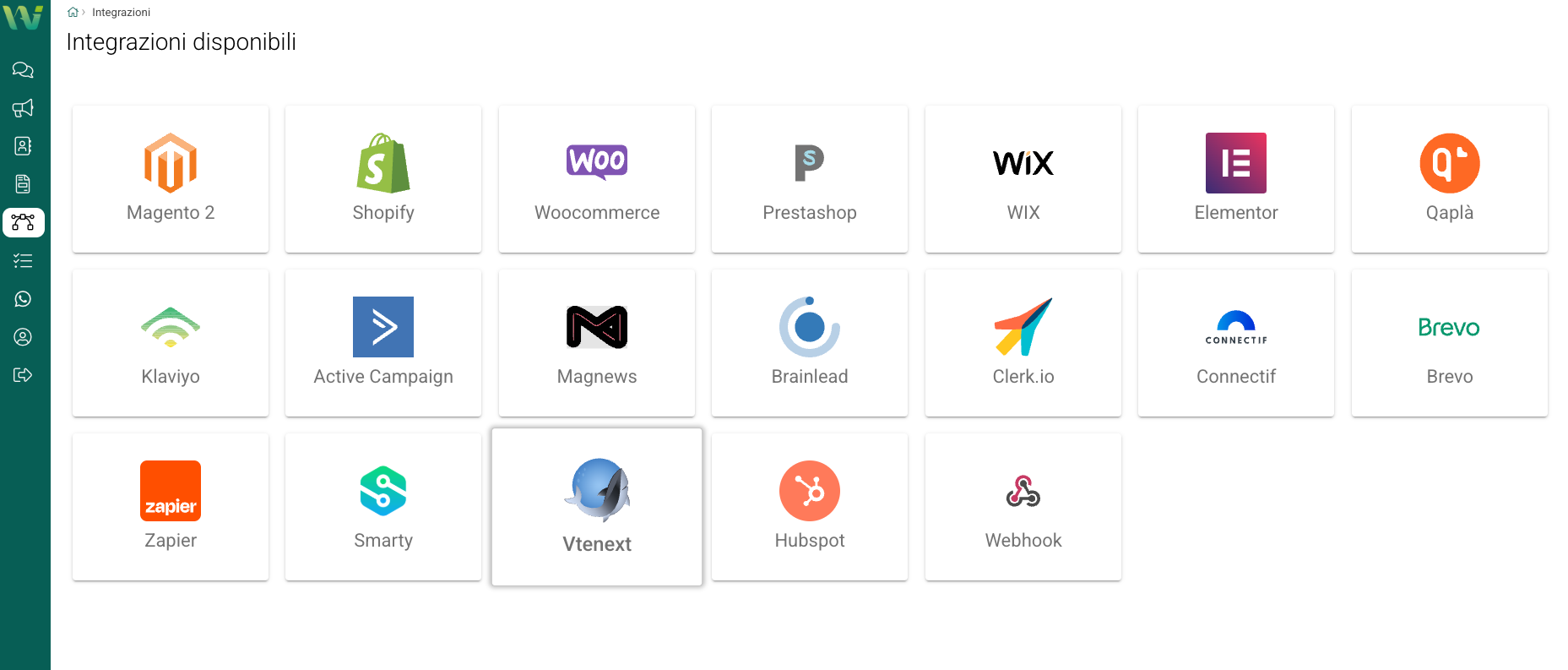
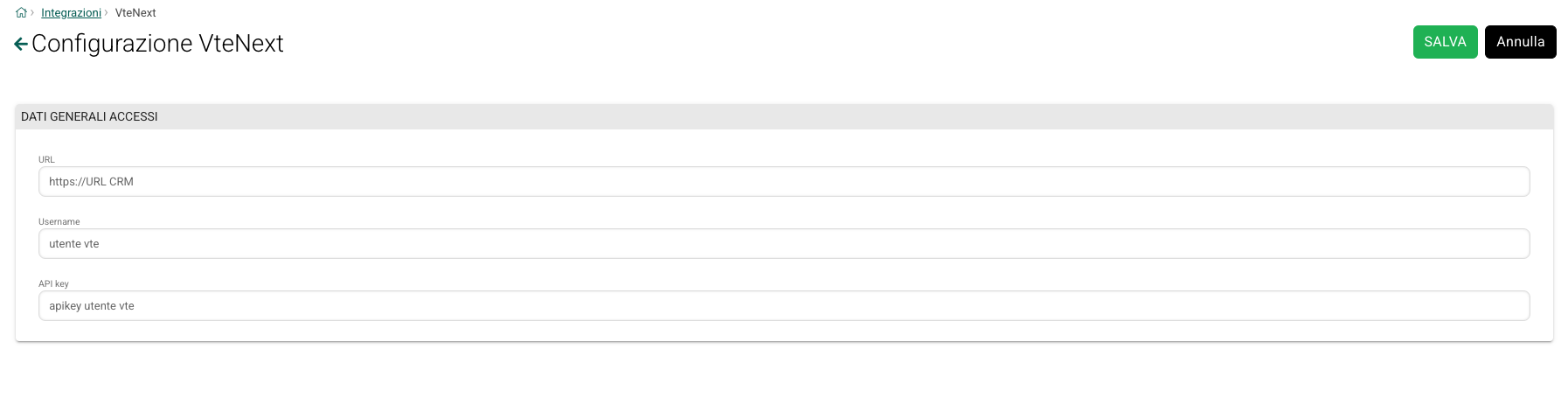
The VTENEXT plugin is already available within the system configurations of WASB and requires:
- CRM URL
- Default CRM user for synchronization
- User API Key
Installing the Plugin on VTENEXT
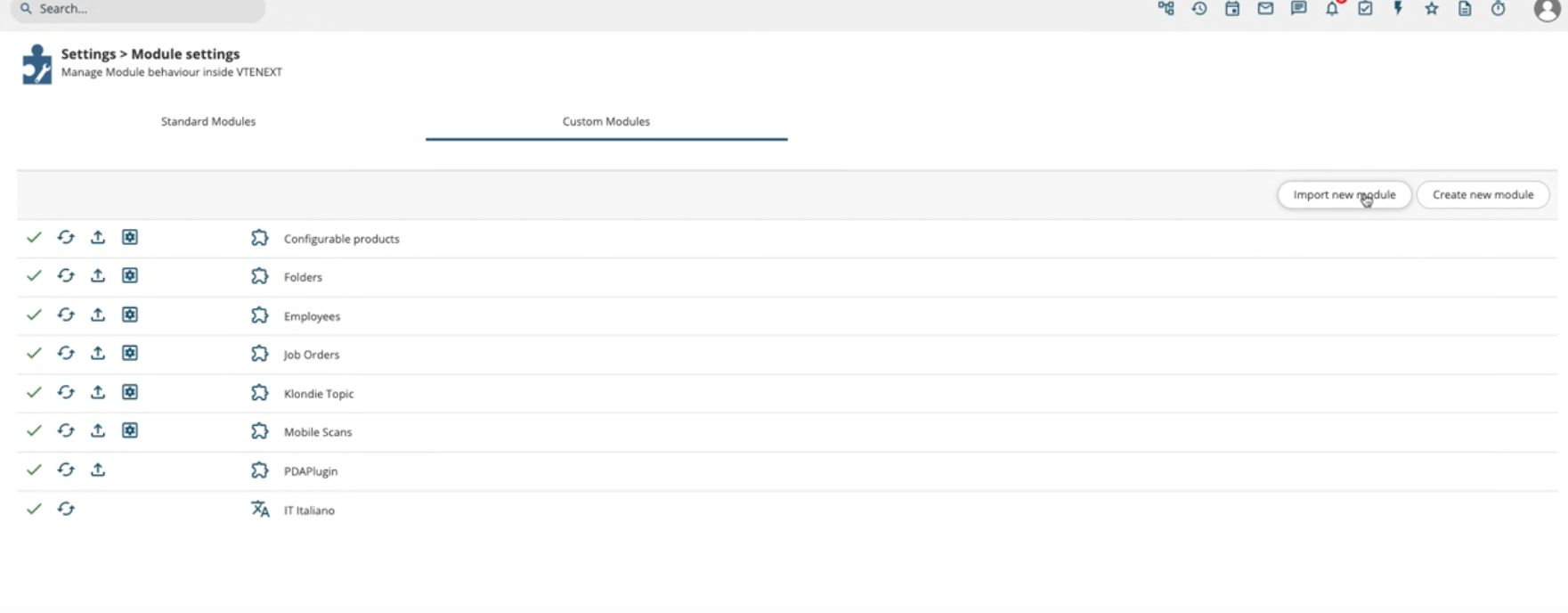
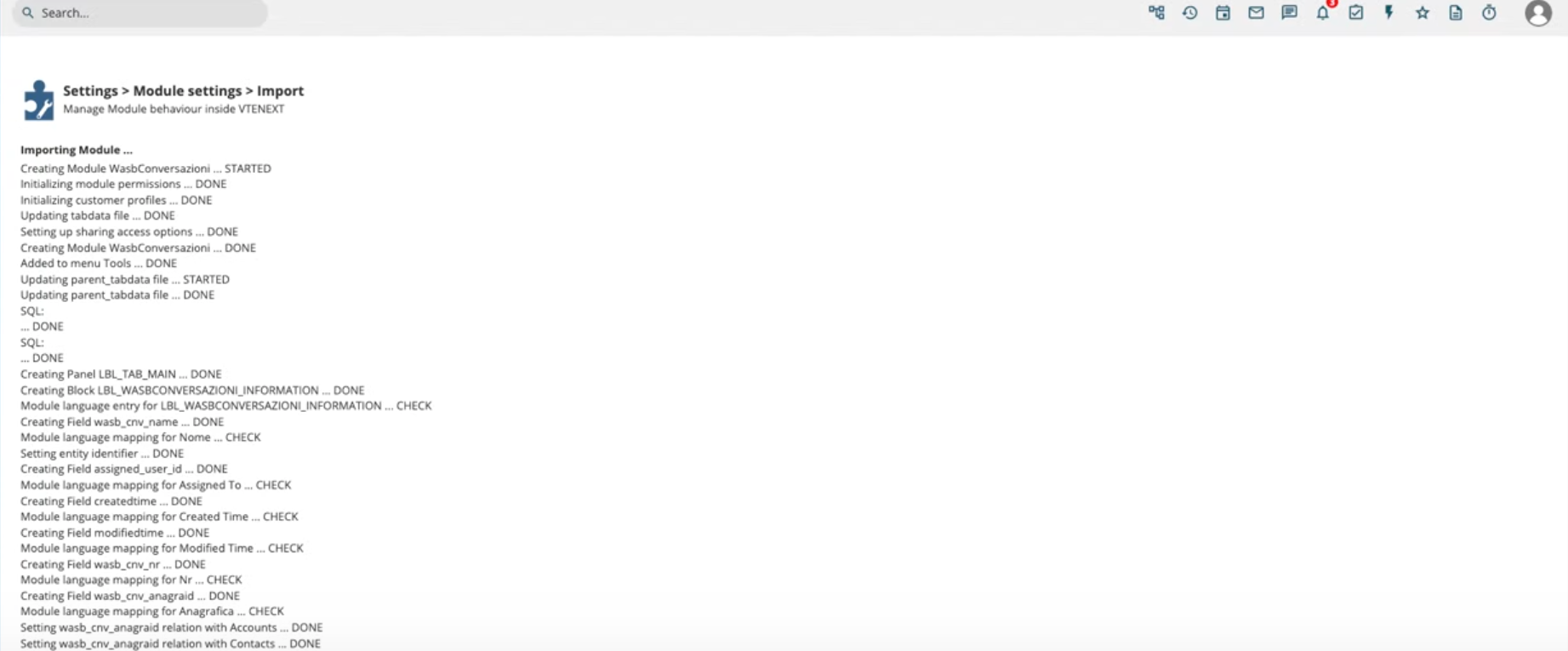
- Upload the received ZIP file in Settings > Module Management.
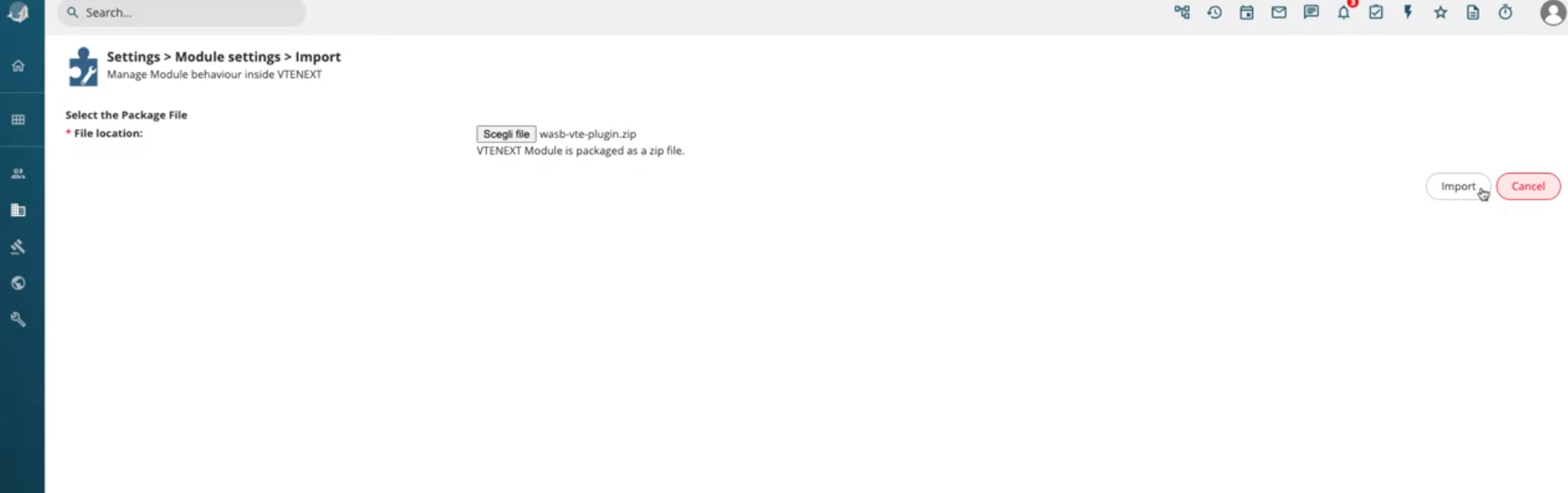
- Select the file from your device.
- Confirm the import process.
- Once completed, click Finish.
- Two new modules will be installed: WASB Template and WASB Conversations.

Configuring the Plugin on VTENEXT
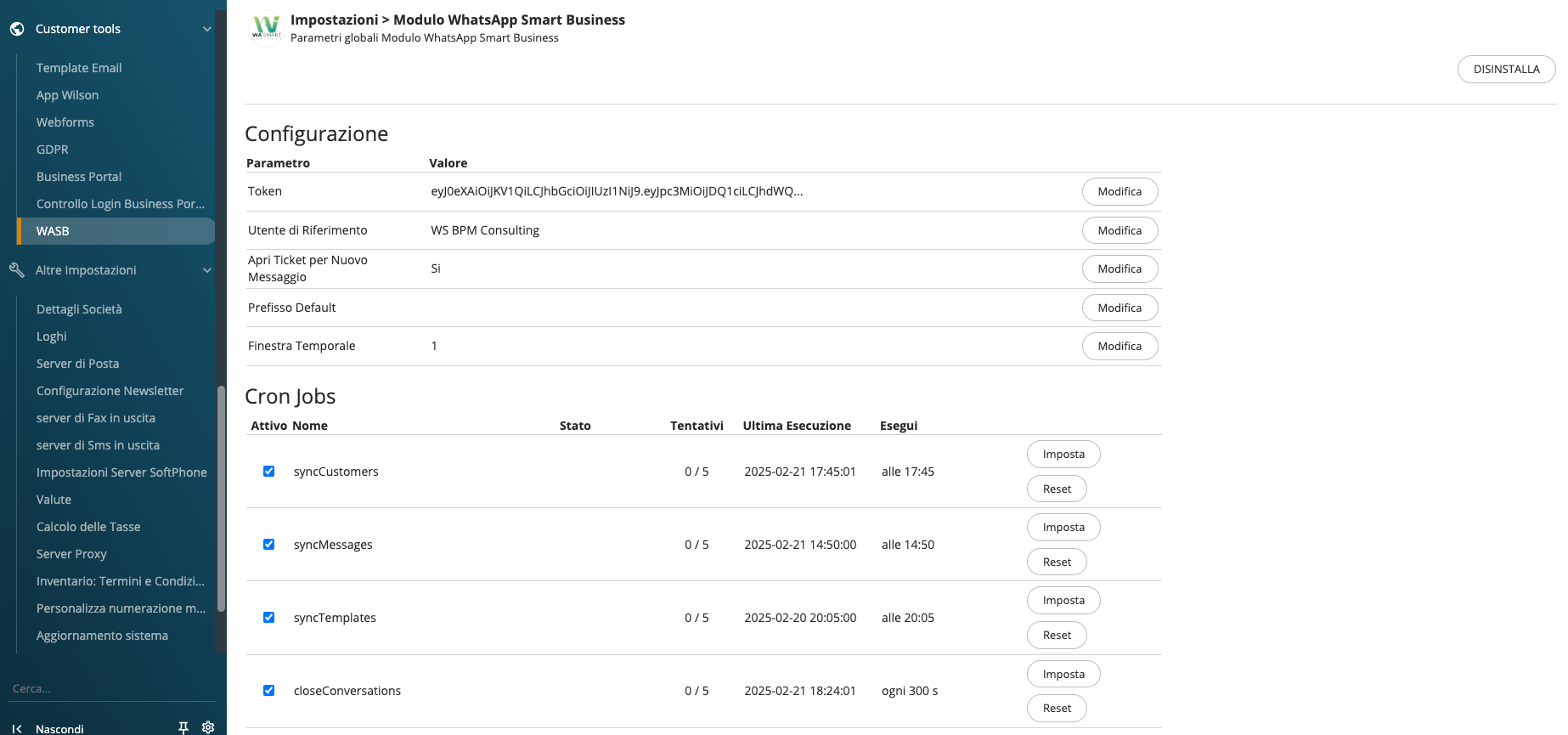
In the Admin Settings Panel, a dedicated section will be available with the following parameters:
- WASB Token: Provided by BPMConsulting, necessary for synchronization.
- VTENEXT reference user: The same user used in the WASB plugin.
- Automatic Ticket Creation: If enabled, a ticket is opened for each received conversation. If a ticket is already open for the same user, the conversation is linked to it.
- Default Prefix: Allows setting "+" or "00" as the international prefix for received phone numbers.
- Time Window: Defines the time frame (in days) for synchronizing contacts and messages based on the last modification date.
- Cron Jobs: Allows setting synchronization frequency for:
- Automatic retrieval of contacts, messages, and templates from WASB.
- Automatic closure of conversations after 24 hours of creation (as per Meta’s billing model).
- Automatic retrieval of contacts, messages, and templates from WASB.
Ticket Module Functionality
If the automatic ticket creation function is enabled, when a customer sends a message through WASB:
- If the number is not already in the records, a new lead is created.
- The conversation is associated with the contact record.
- A ticket related to the conversation is opened.
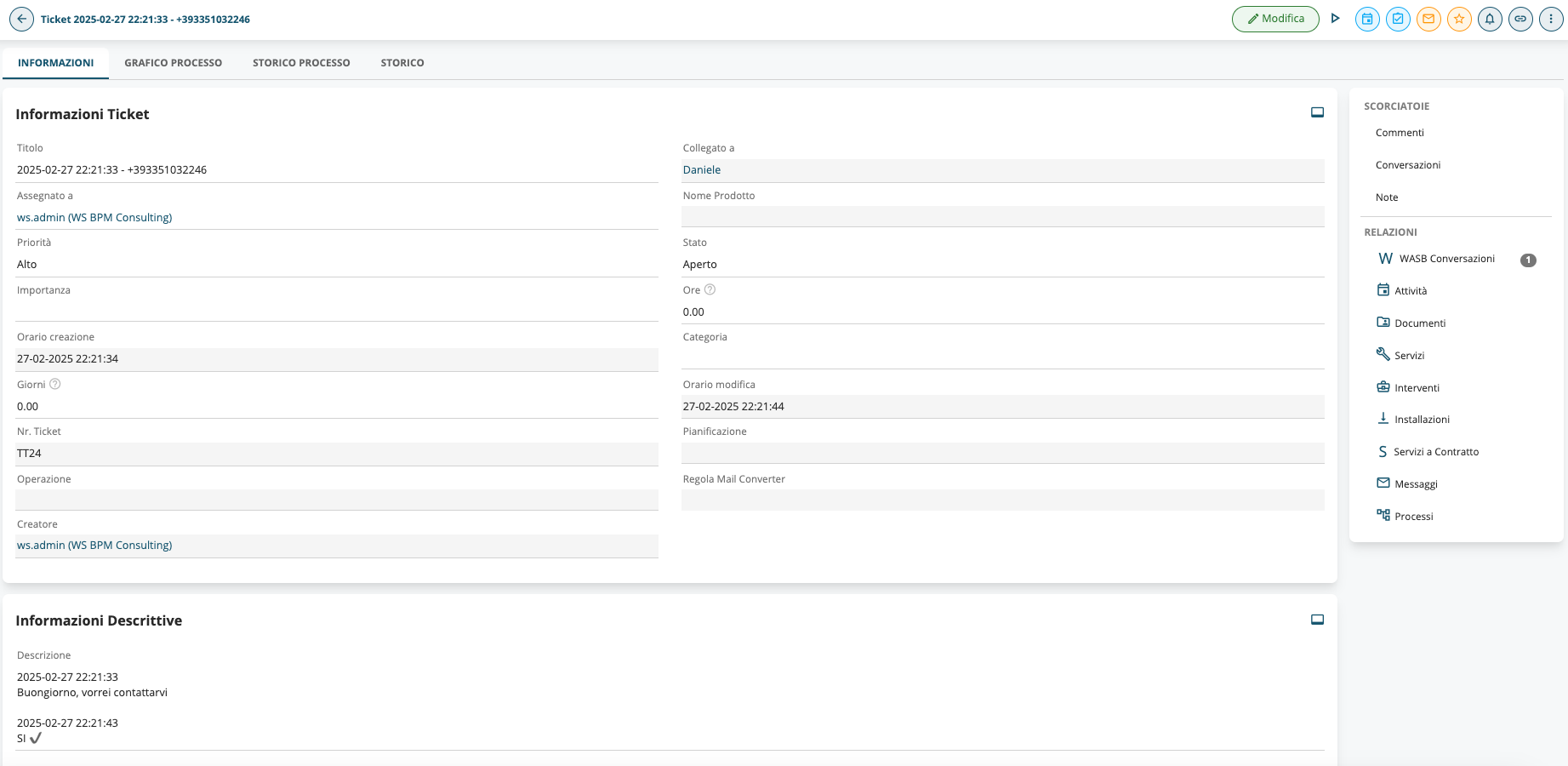
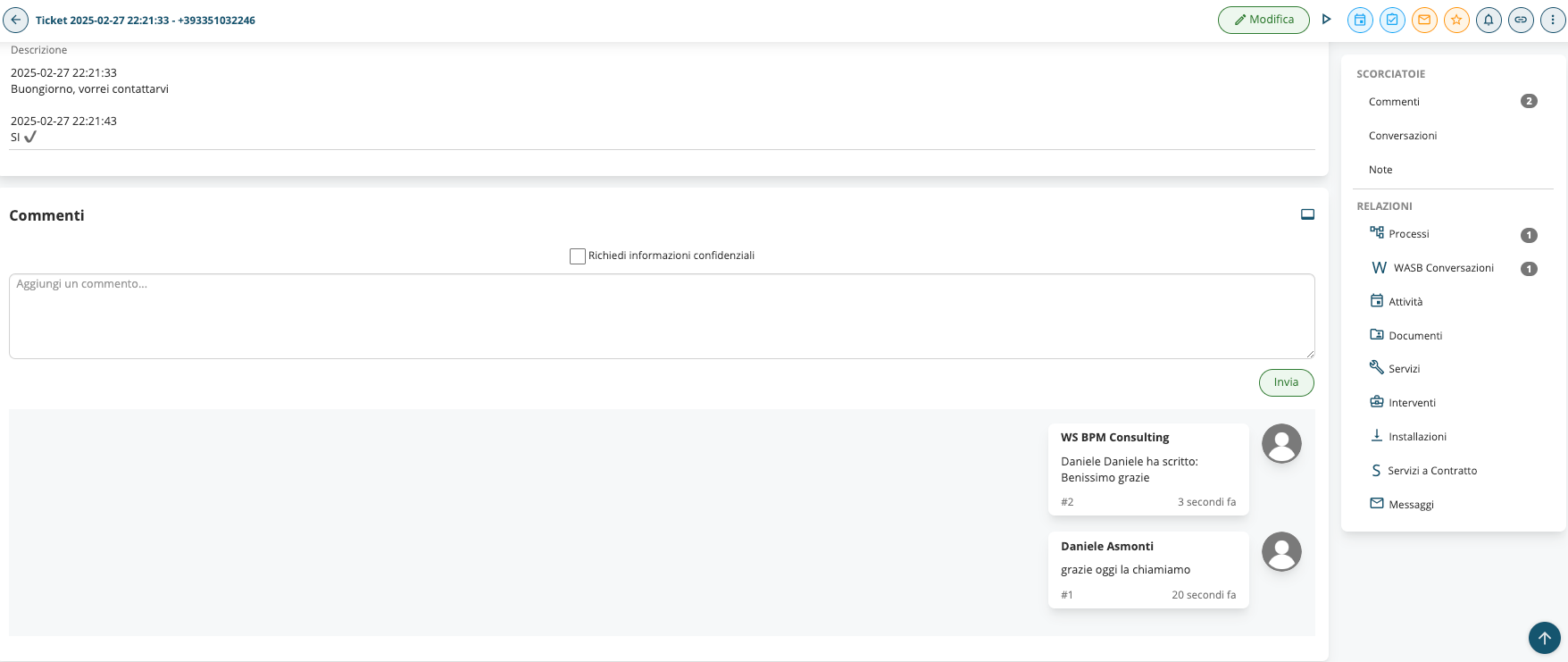
Conversations follow the same logic as tickets from the Customer Portal:
- The first message is saved in the Description field.
- Subsequent messages are recorded in the Comments.
- Statuses follow the Waiting for response / Customer responded logic.
If a conversation exceeds 24 hours, the response must be sent using a Meta-approved template.
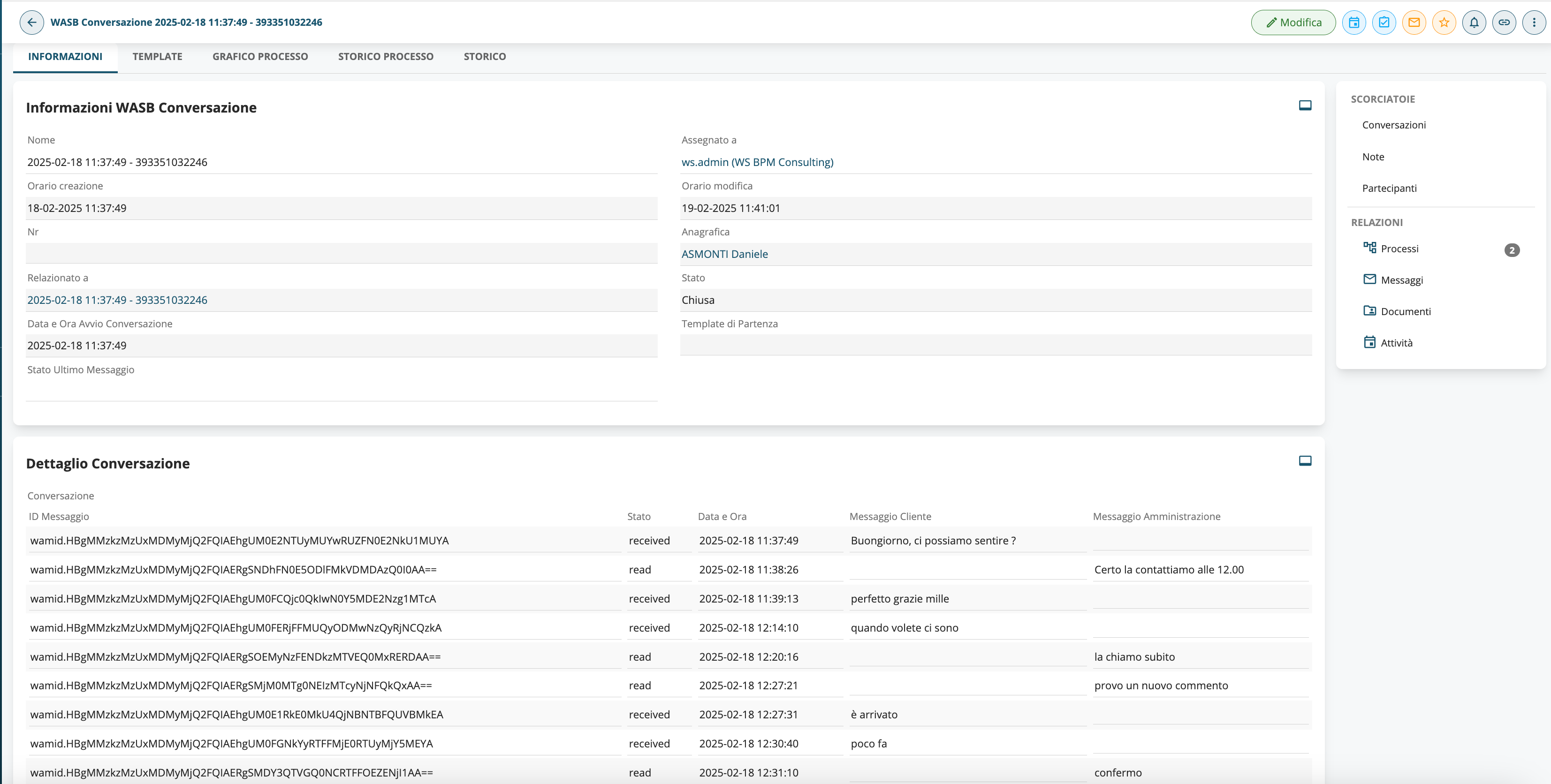
WASB Conversations Module
The WASB Conversations module is:
- Integratable into VTENEXT workflows.
- Relatable to any native or custom module in VTENEXT.
- Synchronizable with the WASB address book via processes and SDK functions.
Available SDK Functions
The package automatically installs four Field Actions (identified by the WASB prefix):
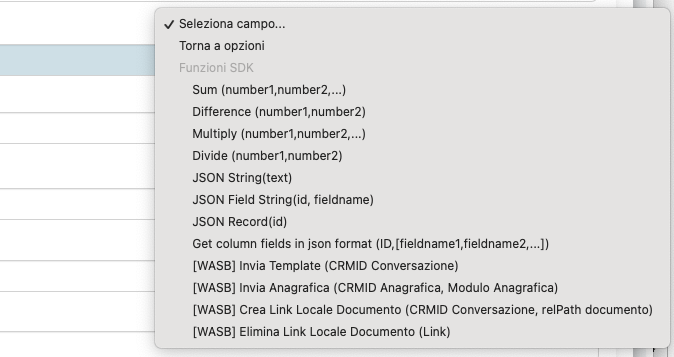
- Send Template: Allows sending a message via the WASB Conversations module using a WASB Template (approved by Meta).
- Send Contact Record: Enables the creation of a contact record from VTENEXT to WASB (specifying the VTENEXT source as Lead, Contact, or Company).
- Create Local Document Link: Used when sending messages with an attachment. This function temporarily copies a VTENEXT document to a public folder via URL, making it accessible for WhatsApp, then deletes it afterward (WhatsApp imports the document into its local storage, so keeping the document public is unnecessary).
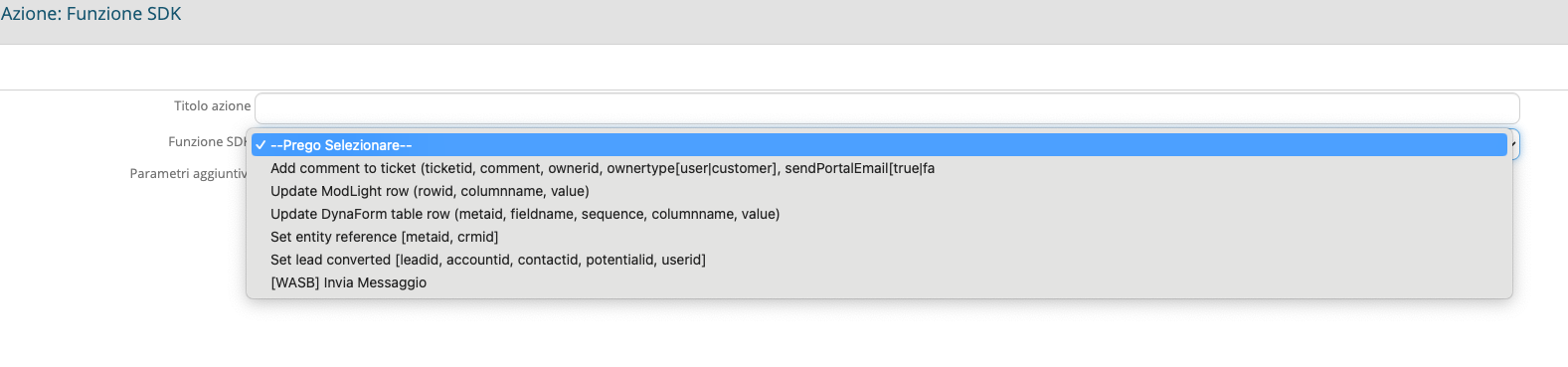
SDK Action for Sending Messages to WASB: Automatically checks for new unsynchronized rows in the table field within the WASB Conversations module and sends them immediately.
vtenext Processes
Three complete VTENEXT processes are available on www.bpmconsulting.it, associated with the following modules:
- Ticket Management Process – TICKET MODULE
Automatically sends a comment through the WASB channel.
Checks if an active conversation is linked to the ticket; otherwise, it uses the associated Utility Template to send a message to the customer. - Message Sending from WASB Conversation – WASB CONVERSATIONS MODULE
Sends a message within an existing conversation. - Contact Record Creation Process – CONTACTS MODULE
Sends contact record data directly to WASB.