
Advanced Telemarketing Module Configuration
The creation and use of the module are easy to manage by following these steps:
1. Creating a New Telemarketing Campaign
To create a new Telemarketing campaign, go to the Campaigns section and then select More > +Telemarketing Campaign.
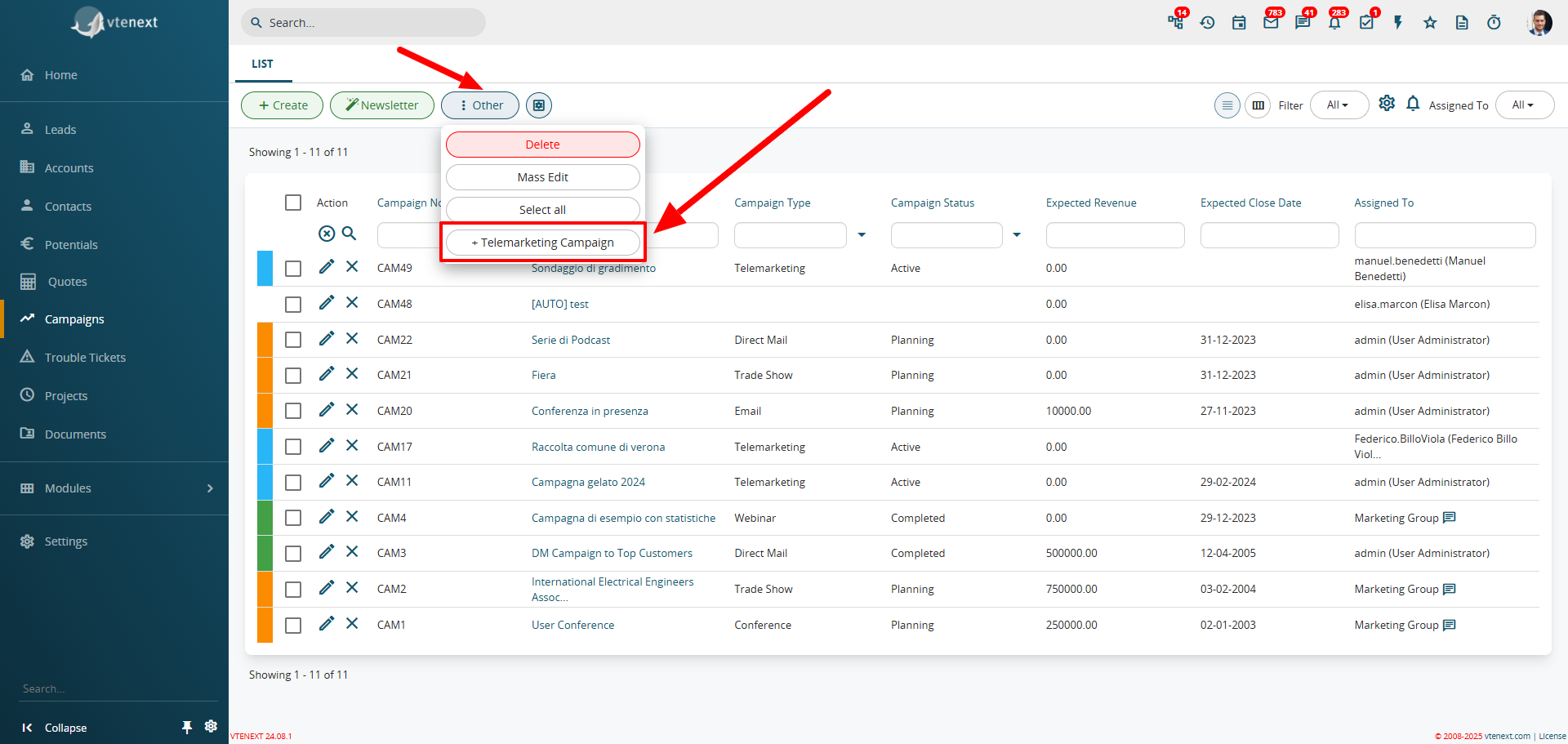
A window will open where you can enter all the relevant details for the new campaign.
1.1 Selecting Recipients
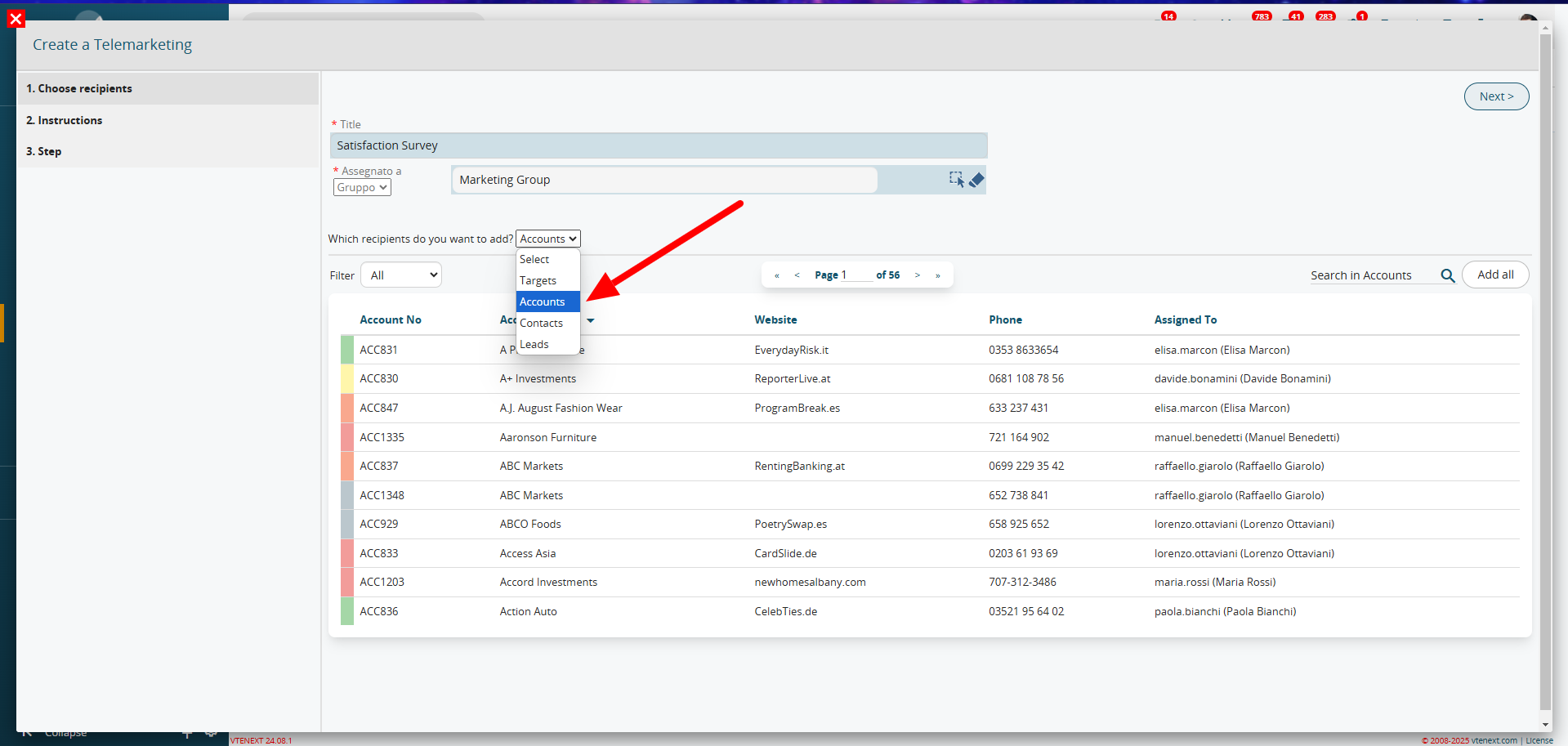
In the first section, set the name and recipients of the campaign (Targets, Companies, Contacts, Leads). Based on the selected entity, choose the desired records using filters or the search box if needed.
1.2 Instructions
In this section, you can enter a text that will be visible in all telemarketing activities created from this campaign. This helps guide the conversation with the customer.
![image.png]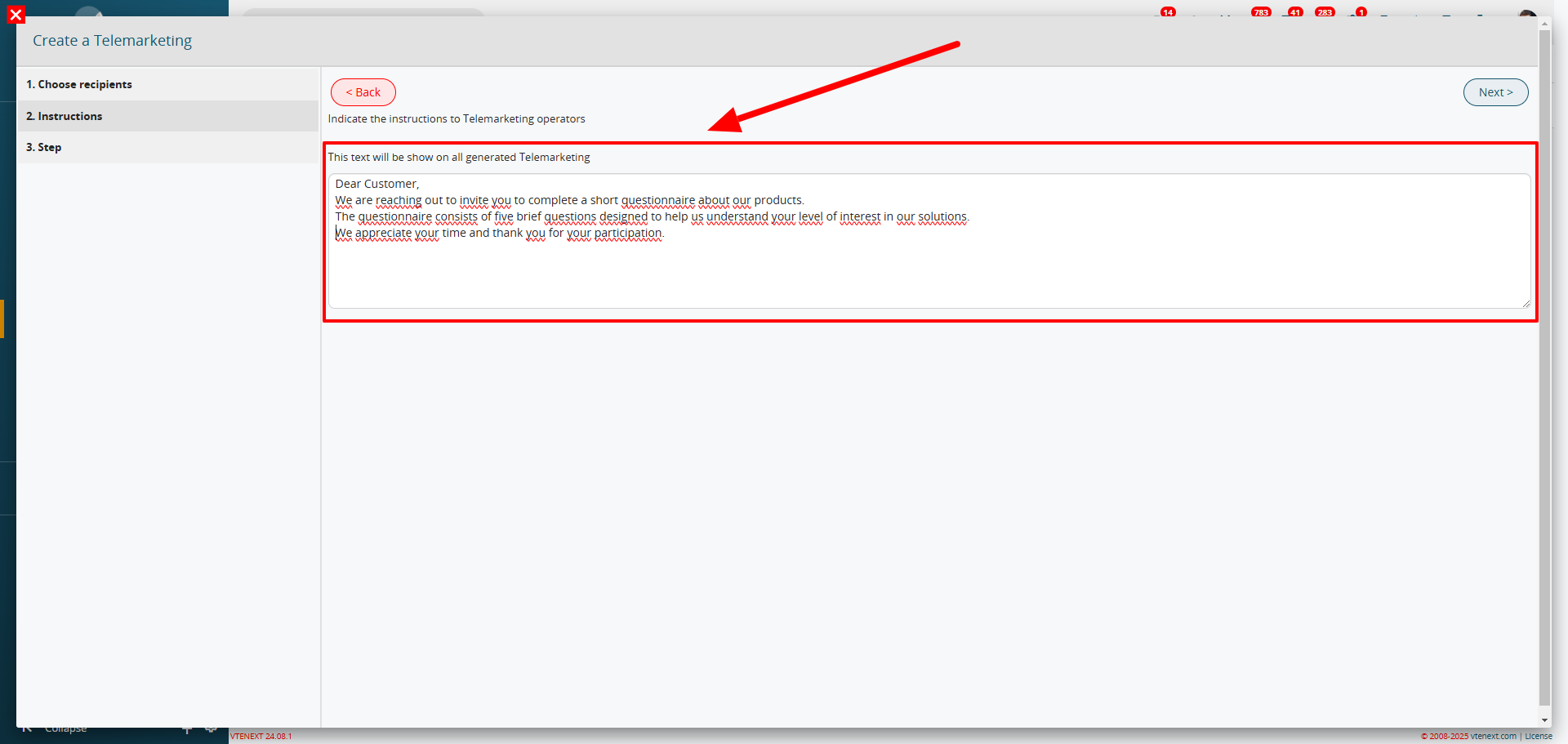
1.3 Steps
![image.png]
The final step allows you to generate the questionnaire to use during the customer call. You can also define the type of questions (multiple choice, boolean, text entry, etc.).