
12.15 SDK Action: Update ModLight row
This SDK function allows you to perform an update of the existing rows of a table field present on a specific module.
The row ID must be passed as the first parameter, i.e. the key parameter that allows you to uniquely identify a specific existing row in the table field.
The second parameter must be passed as the Database name of the column of the table field that you want to update.
The last parameter must be passed as the value that you want to insert into the column defined as the second parameter.
EXAMPLE OF USE
To better understand how it works, below is an example of using the SDK Update ModLight row() function to automatically update the value of the "Processed" column to "yes" for all existing rows of the "Operations" table field present in the Job Order module. (Figure 1)
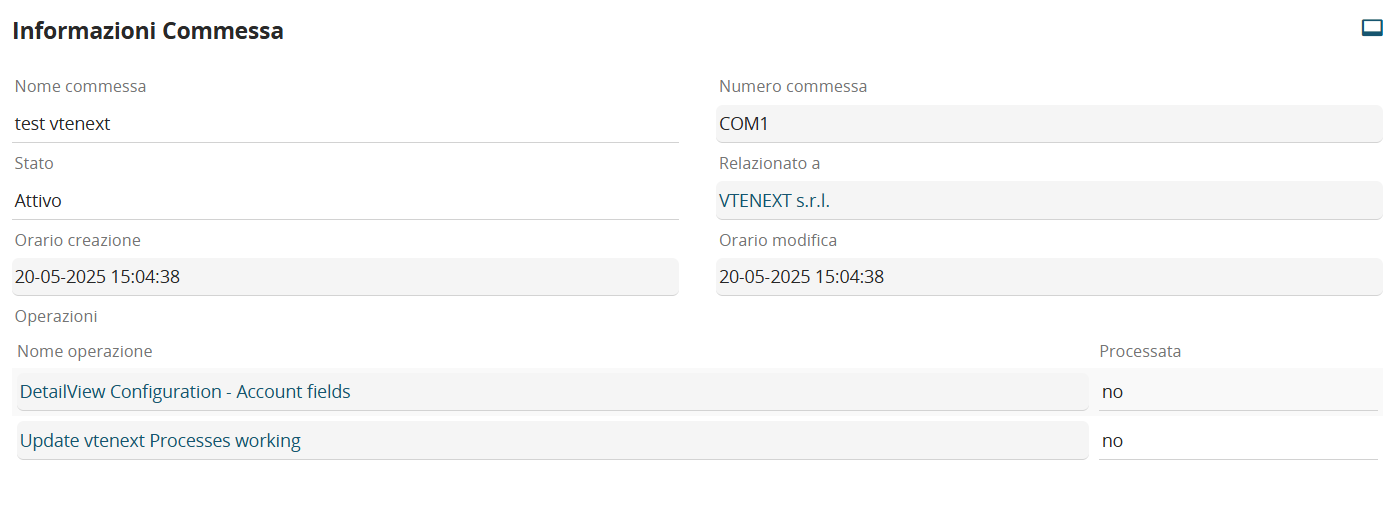
Figure 1
Inside an Action Task we proceed with the configuration of a cycle rows type action on the "Operations" table field and for each "SDK Functions" row in which we call the SDK Update ModLight row(). (Figure 2)

Figure 2
As the first parameter we insert the current value of the "ID" variable of the "Operations" table field (on which we are executing the cycle), so in our case "$28-ml3::crmid:curr". (Figure 3)
NOTE: this is a piece of data that is not present among the columns of the table but is automatically proposed as a variable within the process
As the second parameter we insert the name of the Database of the "Processed" column, so in our case "f8". (Figure 3)
As the last parameter we insert the value "si" which in this case, since the "Processed" column is of the checkbox type, in the Database corresponds to the value "1". (Figure 3)
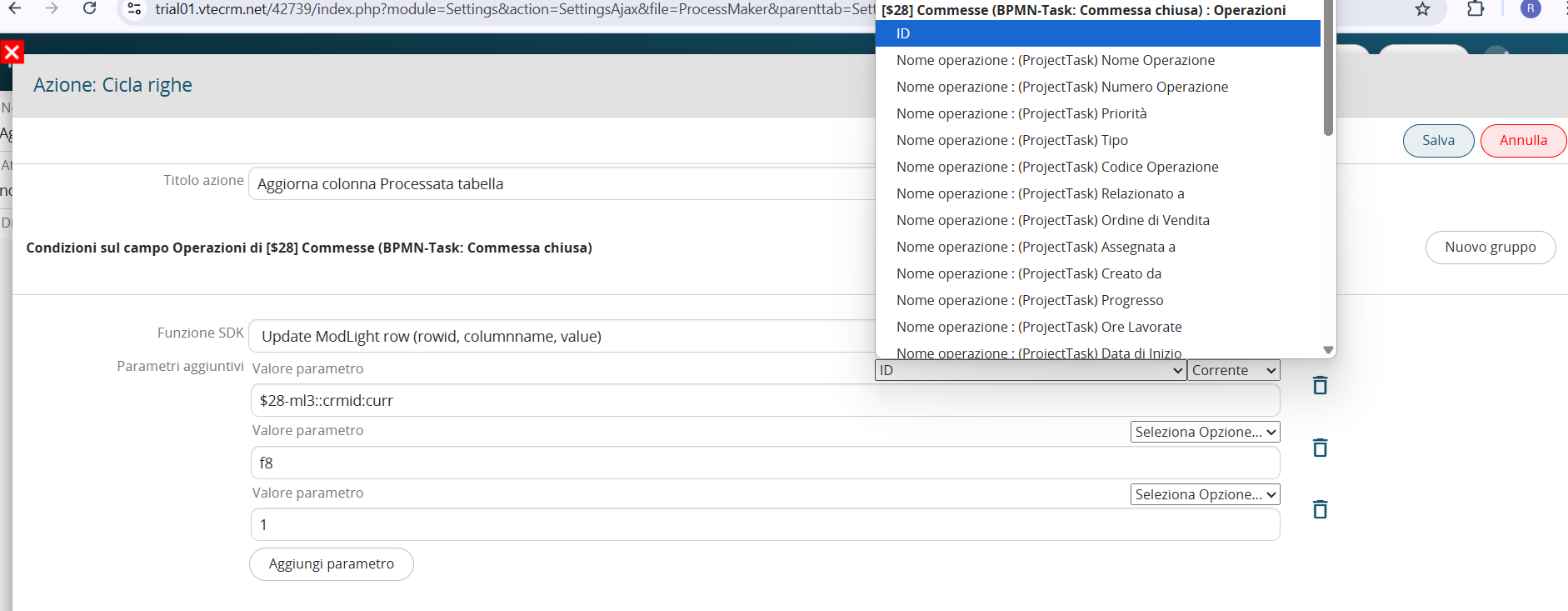
Figure 3