
1.3 Left Menu
-
A quick selection of the main elements available for creating processes
-
A set of useful functions for the easy and organized creation of process flows
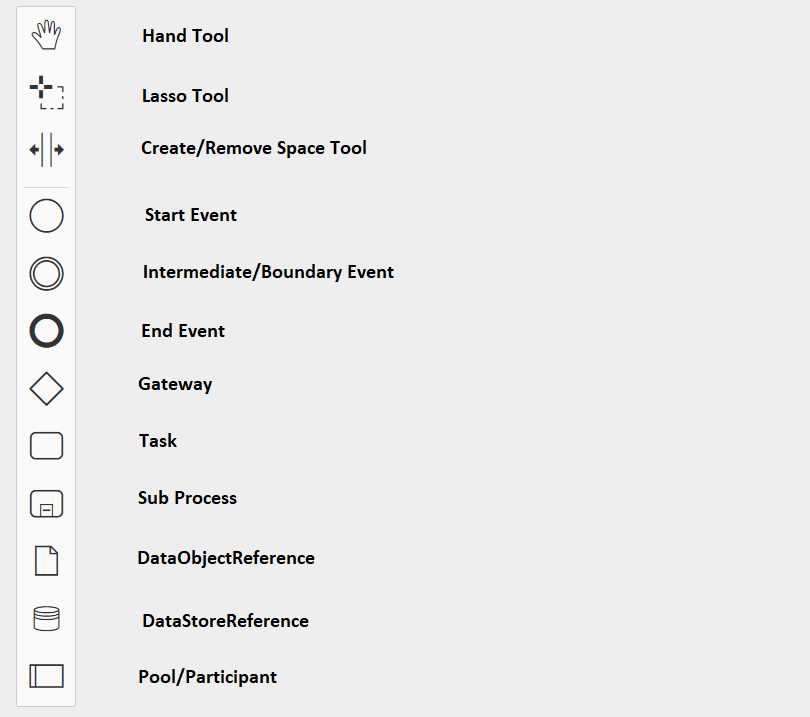
Hand Tool
A useful tool for moving the view easily and efficiently.
Lasso Tool
A useful tool for moving a group of tasks/elements at the same time, making the organization and structuring of the flow easier and faster.
Create/Remove Space Tool
A useful tool for moving all tasks/elements at once, facilitating the easy and fast structuring of the flow.
Start Event
Allows you to select and use the Start Event.
End Event
Allows you to create and use the End Event.
Intermediate/Boundary Event Timer
Allows you to create and use the Intermediate/Boundary Event.
Gateway
Allows you to create and use Gateways.
Task
Allows you to create and use Tasks.
Sub Process
Allows you to create and use Sub Processes.
DataObjectReference
This symbol allows for an action that is currently not yet implemented.
NOTE: As of version 24.08, it has been completely removed.
DataStoreReference
This symbol allows for an action that is currently not yet implemented.
NOTE: As of version 24.08, it has been completely removed.
Pool/Participant
Allows you to create areas in which parts of the process flow can be inserted. New tasks/elements cannot be created or moved outside these areas. It is also possible to textually indicate the actors involved.
NOTE: As of version 24.08, it has been completely removed.