
13.6 SDK Action: Freeze Entity
This SDK function allows you to "freeze"/"unfreeze" a specific record involved in a process.
The term "freeze" refers to the ability to prevent any user from modifying the affected record, including users with administrator privileges.
This function is particularly useful when background operations need to be performed and you want to prevent users from making additional changes to the affected record while those operations are in progress.
In practice, the main "Edit" button (Figure 1) is temporarily hidden, along with all related edit buttons, such as the one available in the List View (Figure 2).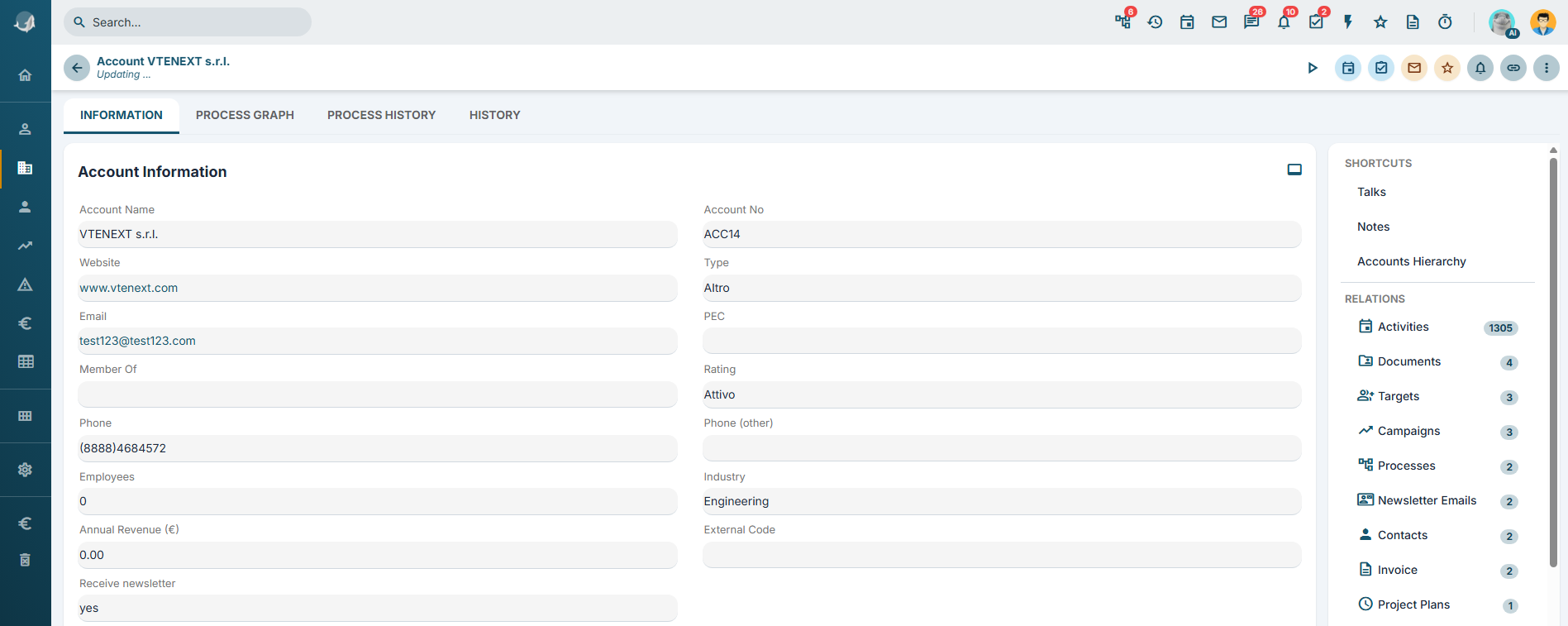
Figure 1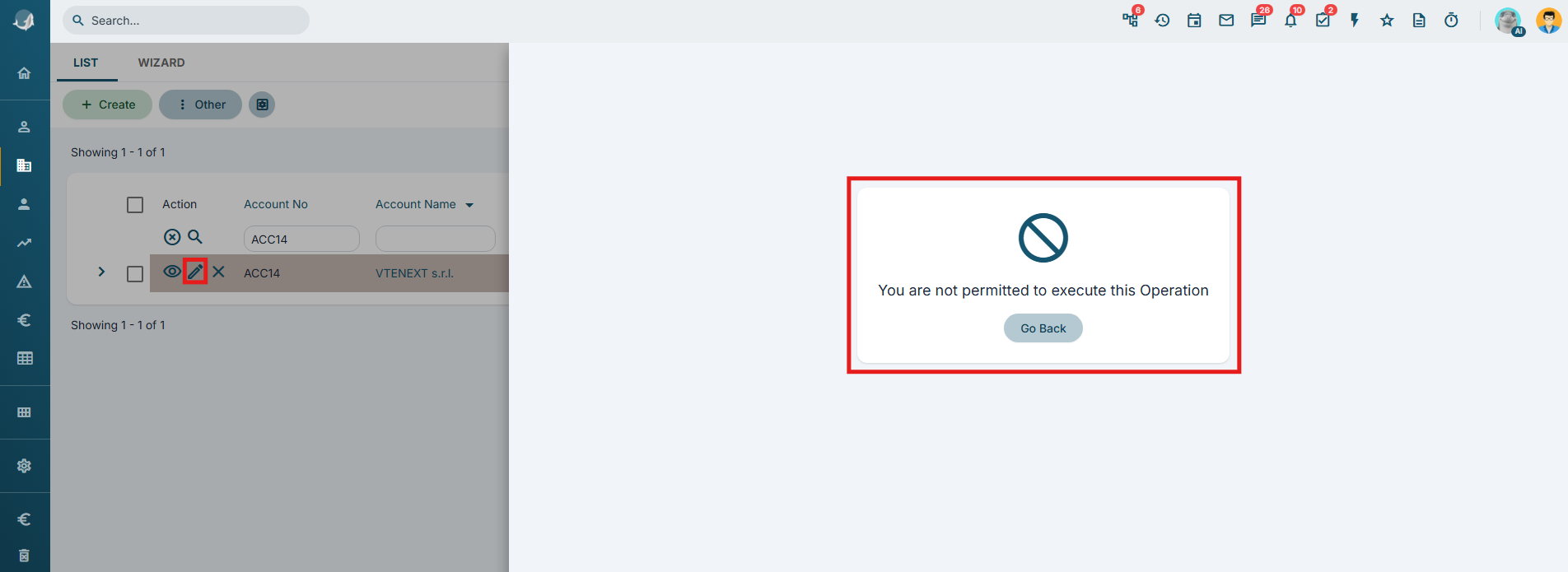
Figure 2
The first parameter must be the crmid of the record to frozen/unfrozen.
The second parameter must be the static value "1" to freeze the record, or "0" to unfreeze it.
USAGE EXAMPLE
To better understand how this SDK function works, the following example demonstrates how to use SDK Freeze Entity() to freeze an account record until the assigned to update of its related contacts has been completed.
Within an Action Task placed before the cycle related records action, configure an action of type SDK Functions and invoke the SDK Freeze Entity() function.
For the first parameter, specify the crmid of the account to be frozen. In this example, the value is $44-crmid (Figure 3).
For the second parameter, specify the static value "1" (Figure 3).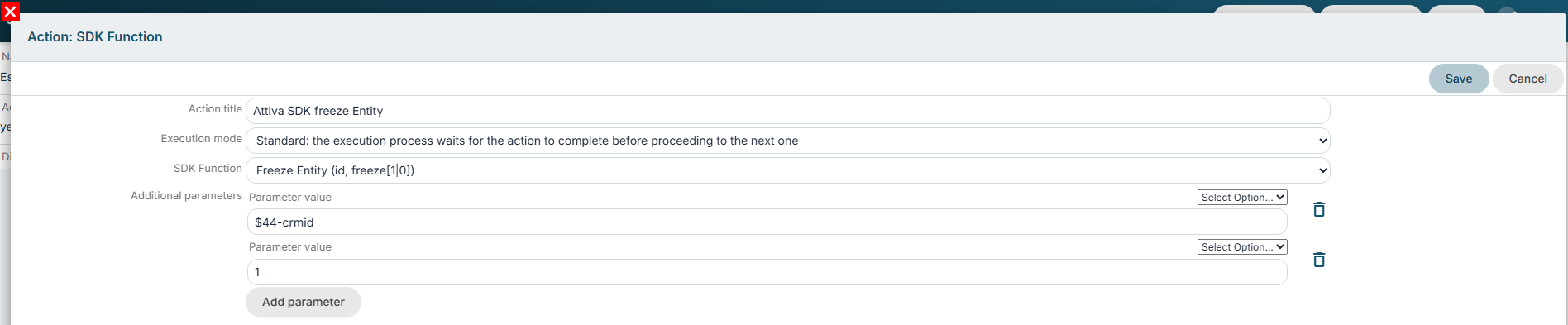
Figure 3
After the Action Task containing the cycle related records action, configure another SDK Functions action and invoke the SDK Freeze Entity() function.
For the first parameter, specify the crmid of the account to be unfrozen. In this example, the value is $44-crmid (Figure 4).
For the second parameter, specify the static value "0" (Figure 4).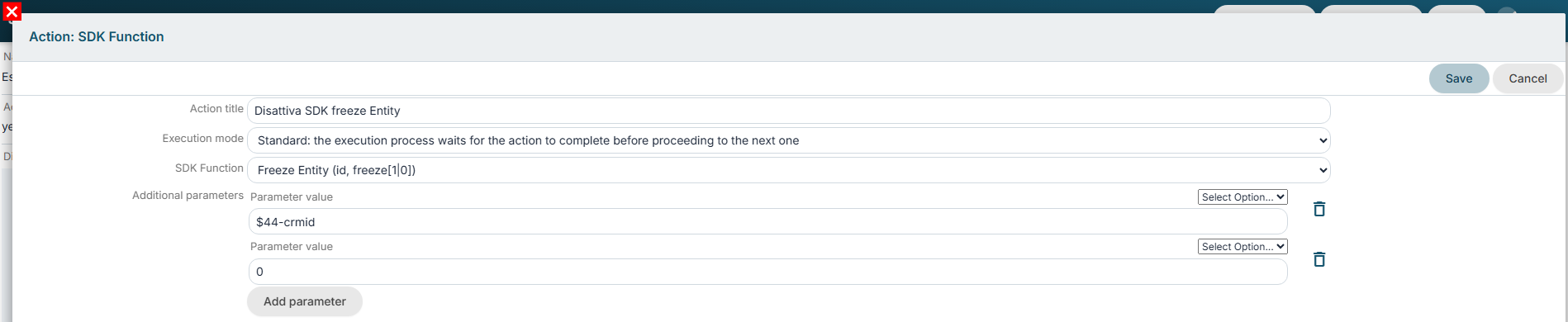
Figure 4