
2.11 Configuration Section “When to run the check” in Conditional Tasks
Within classic Conditional Tasks, i.e., those Tasks used to perform checks within the process, the “When to check” section is presented with the following values:
- “upon change” -> the process will wait for a change in the record (instance of a form) involved before checking the conditions configured within the Conditional Task, even if they should already be checked.
- “whenever condition is true” -> the process will immediately verify the conditions configured within the Conditional Task, then continue with the flow in case they should already be verified.
To better understand how it works, Figure 1 shows a process that, when an opportunity is created, performs a check on the Sales Stage and is divided into two different branches. (Figure 1)
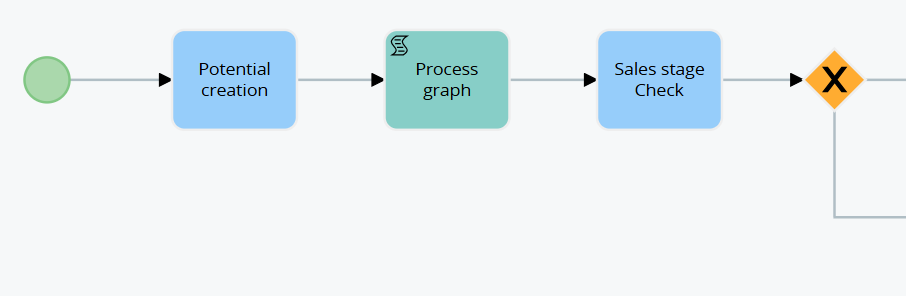
Figure 1
In the event that the Conditional Task “Checking Sales Stage” was set “upon modification,” even though the opportunity being created will have the “Sales Stage” = “Open” or “To be Analyzed,” the process will not consider the conditions verified.
This is because a post-creation save of the opportunity will be waited for before verifying the conditions configured within it. (Figure 2)
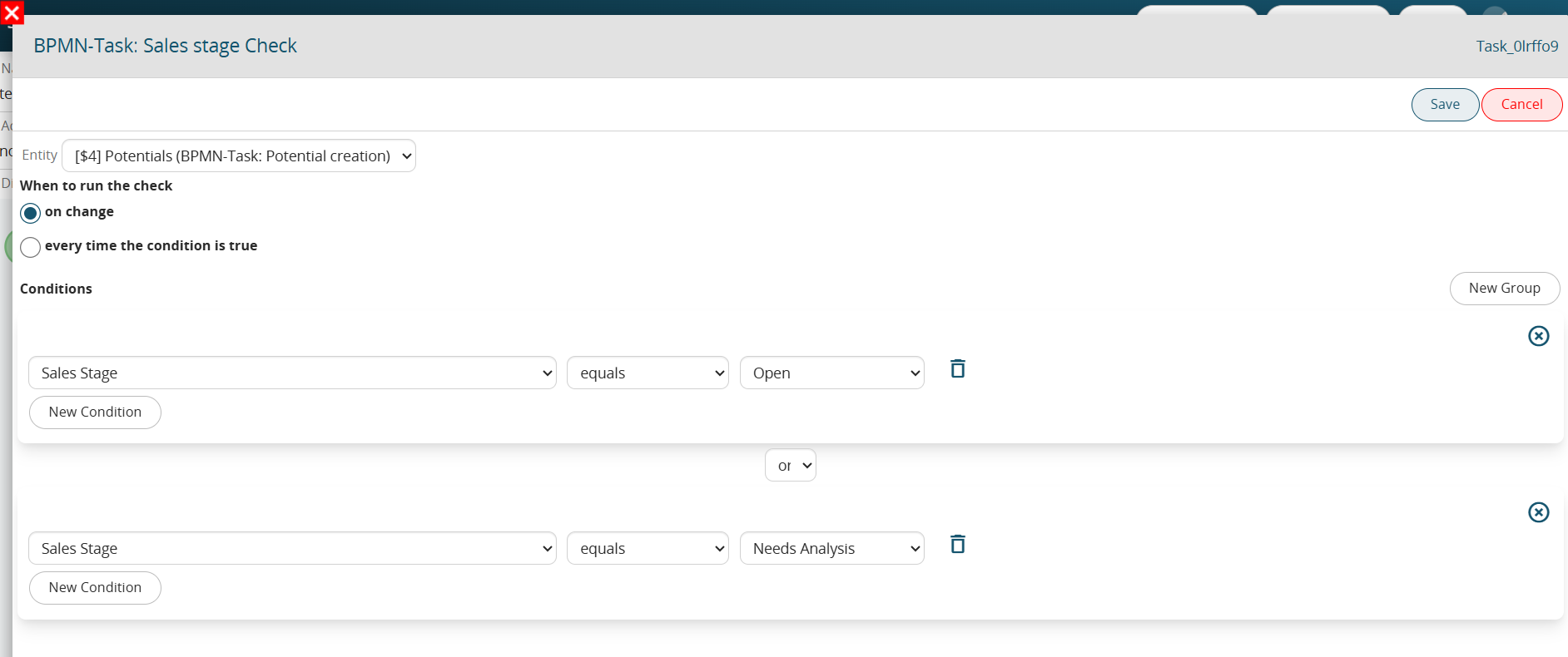
Figure 2
On the other hand, in the case where the Conditional Task “Checking Sales Stage” had been set “whenever condition is true,” if the opportunity being created will have the “Sales Stage” = “Open” or “To be Analyzed,” the system will perform a check in the immediate proceeding then in the first or second branch in case there are verified conditions. (Figure 3)
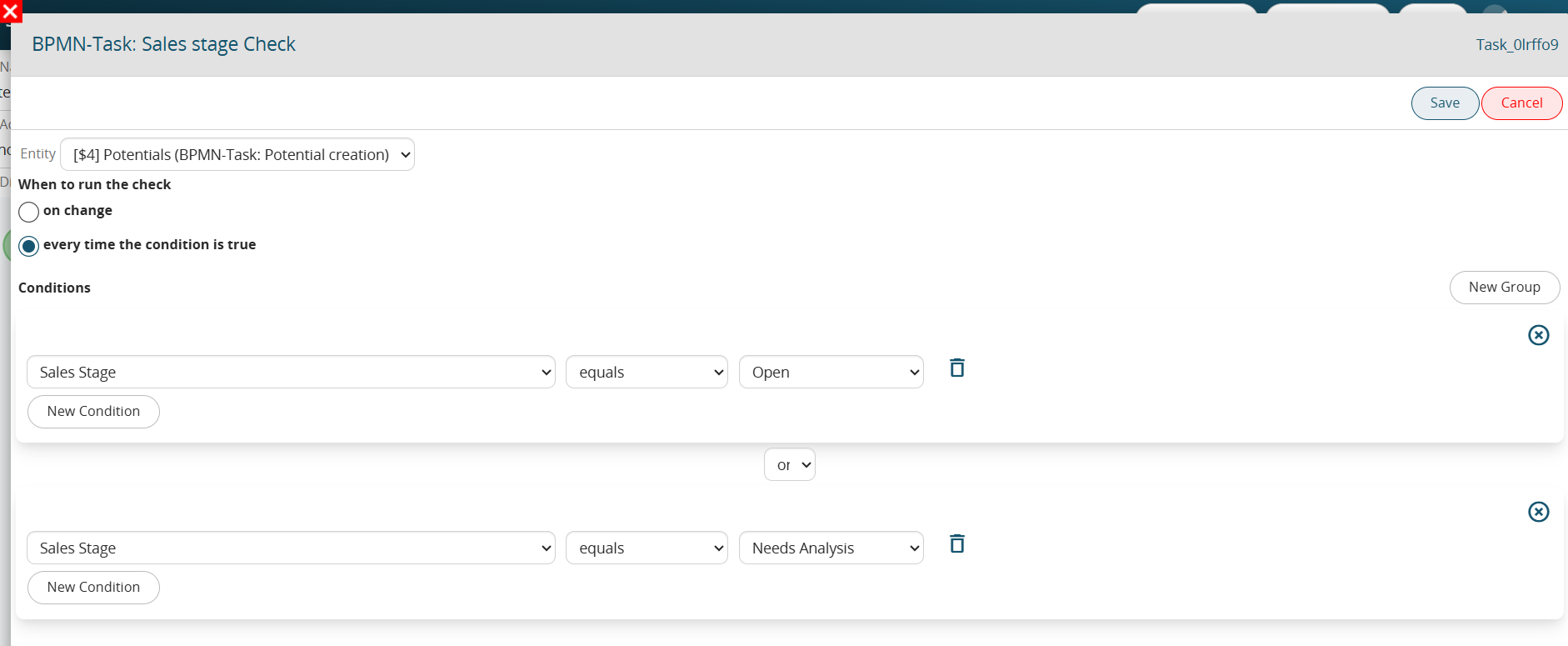
Figure 3