
3.2 Update entity
This action allows updating an entity (instance of a module) directly involved in the process or otherwise an entity related to them.
Static or dynamic values (thus taken from the entities involved in the process itself) can be reported for each individual field.
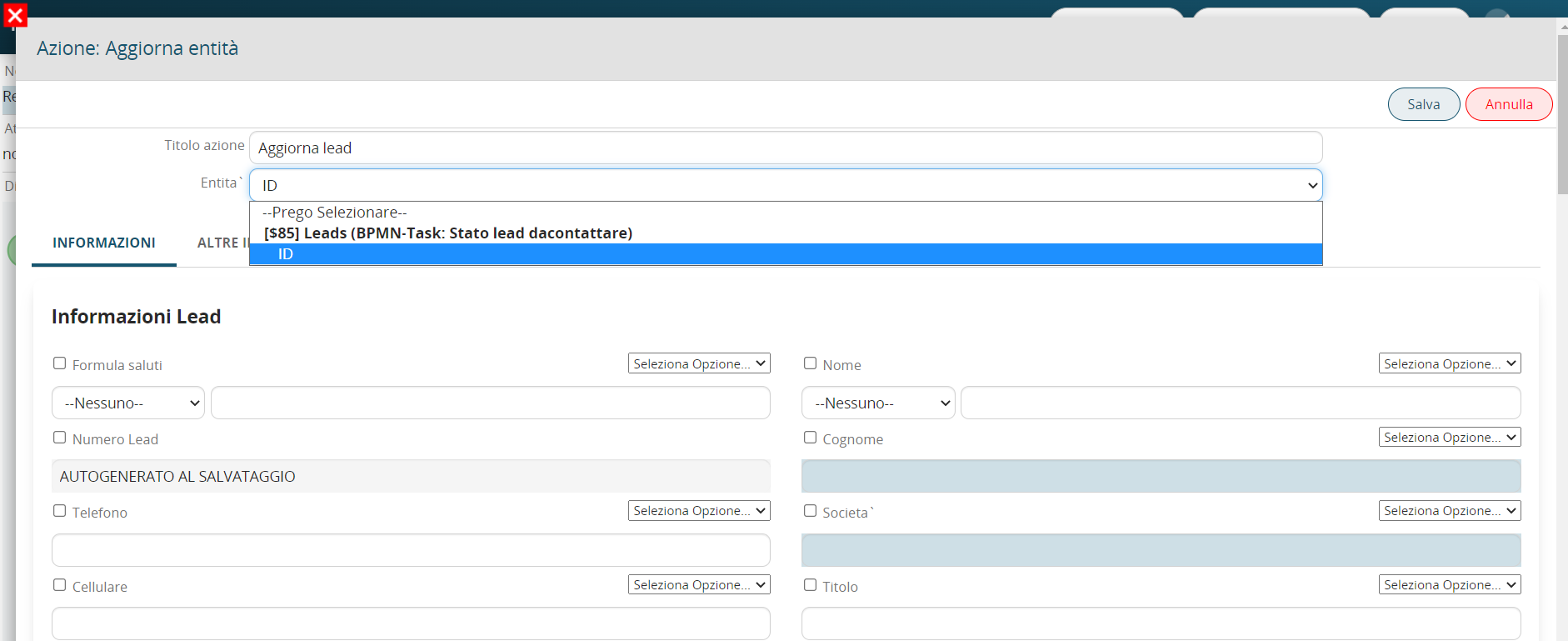
Figure 1
To select a dynamic value, the system provides the “Select Option” picklist from which the entity fields of the modules involved within the process can be accessed (Figure 2)

Figure 2
CAUTION: For the “Picklist” and “User” type fields, in order to use the “Select Option” field you must first select the “Other” picklist item available on the left (Figure 3)

Figure 3
PLEASE NOTE: the system automatically performs a filter based on the source field from which the “Select Options” picklist is being consulted, consequently it will only show fields whose type can be accepted by the source field.
If, for example, within the “Connected to” field of the Customer Care form I wanted to enter the contents of the “Last Name” text type field of the Lead form, the system will not make that field available, this is because it will only allow selection of the columns of the “Related to” type table field. (Figure 4)

Figure 4
As of version 24.08, it is also possible to update fields of type “Related to” created within dynamic process helper forms (Figure 5)
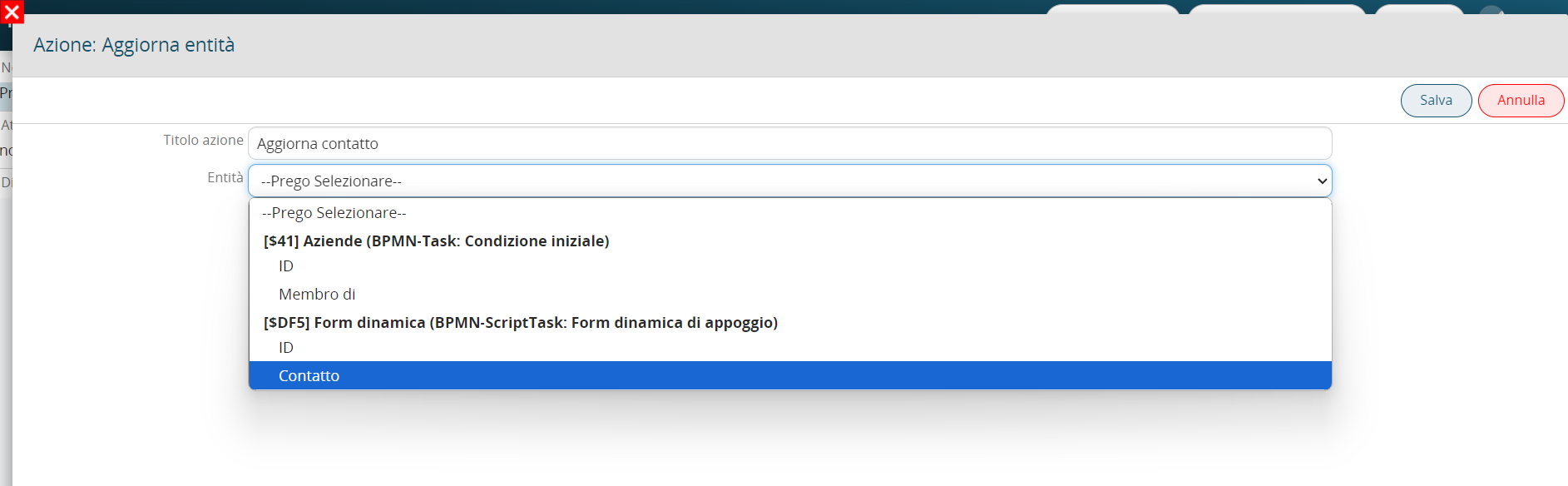
Figure 5