
3.4 Send Notification
This action allows internal notifications to be sent to system users viewable in the “Notifications” section marked by an icon depicting a bell in the top right menu.

Figure 1
MAIN FIELDS
- Description -> represents the body of the notification; specific text can be set with static and/or dynamic data belonging to the entities involved in the process.
- Created by -> represents the user who will turn out to be the creator of the notification (sender)
- Assigned to -> represents the user who will turn out to be the recipient of the notification
- Attached to -> represents the entity (instance of a module) to which the notification will be attached
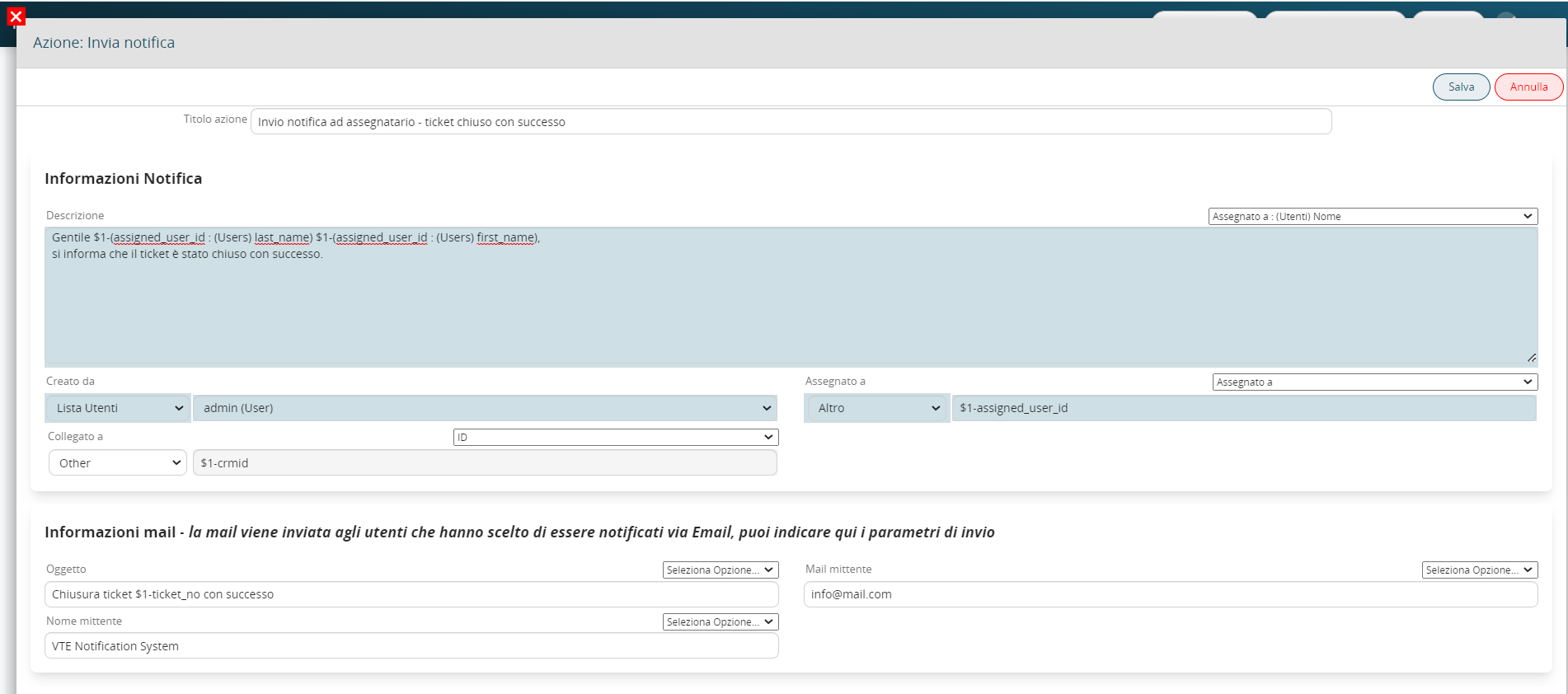
Figure 2 (click on the image for a higher graphic resolution)
Depending on the user’s preferences, notifications can be sent as real internal notifications in the mode described above or as classic emails (Figure 3)
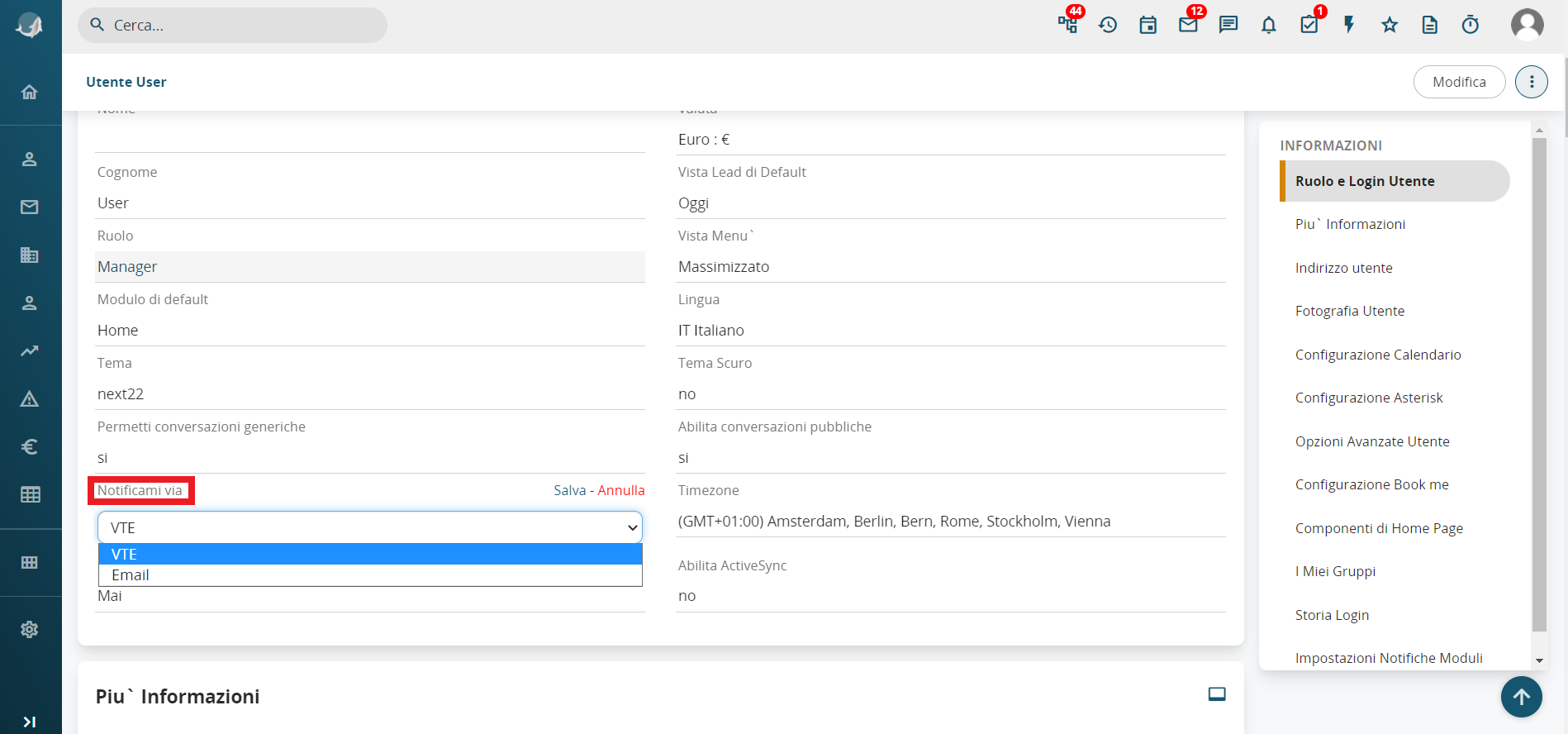
Figure 3
If the "Email" mode has been set, the following additional fields must be filled in (Figure 4)
- Subject -> represents the object that will be sent to the mail
- Sender mail -> represents the sender’s mail
- Sender name -> represents the alias relative to the sender

Figure 4