
3.7 Create PDF
This action allows you to create a PDF document using a template defined in the "PDFmaker" section.
MAIN FIELDS
- Entity PDF document -> allows to select an entity on which to generate the PDF.
N.B: it is not possible to select an entity (instance of a module) if there is no PDF Template related to it
- Title PDF -> indicates the title of the PDF
- Relate PDF to -> represents the id of the entity involved in the process to which you want to link the PDF
- Language PDF template -> represents the language of the PDF Template (Italian or English)
- Assigned to -> represents the assigned user of the PDF
- PDF Template -> allows to select one of the templates available for the selected entity.
- Documents folder -> allows to select the folder where you want to save the PDF
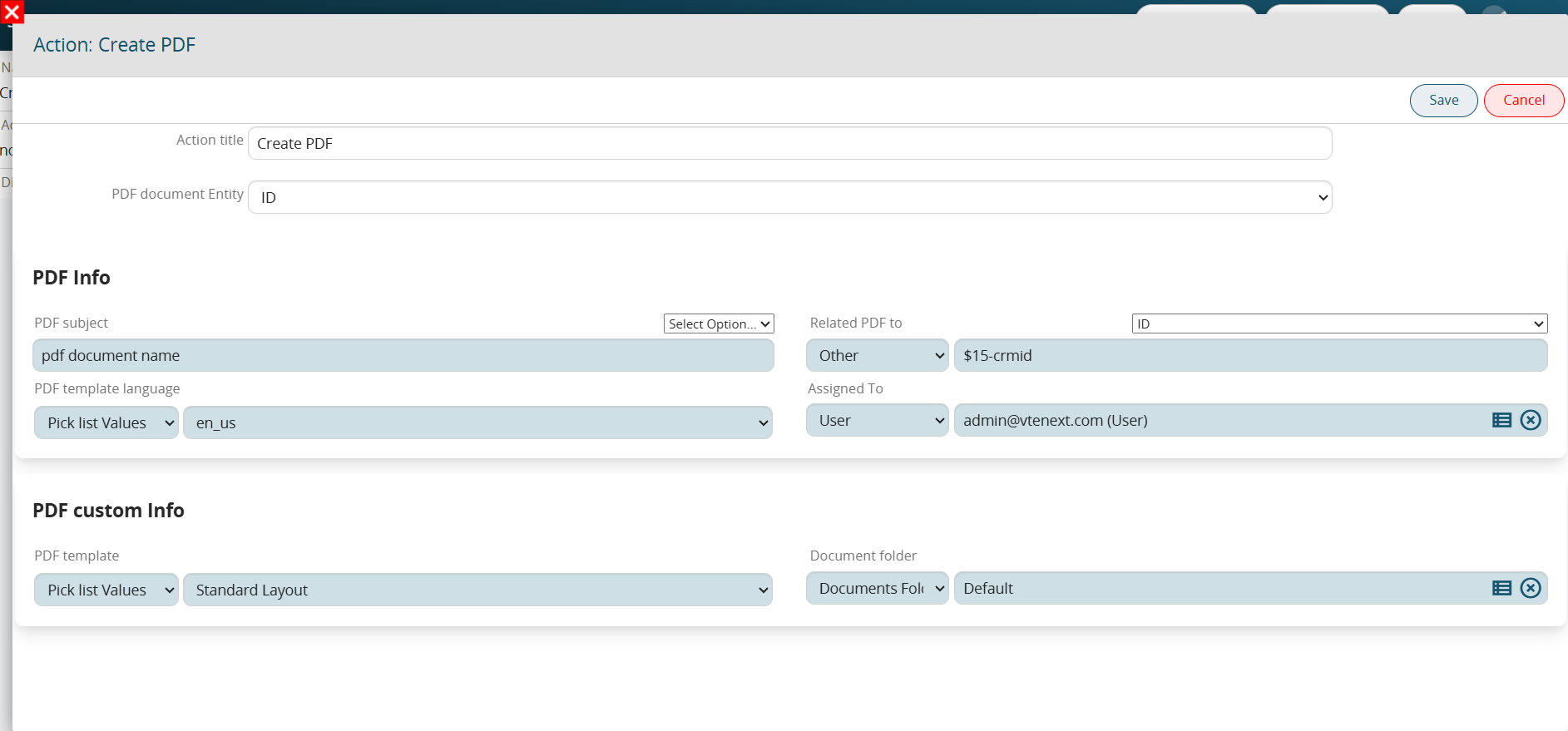
Figure 1