
3.9 Cycle Rows
This action allows you to cycle and then dynamically manage the rows of a table field or a product block.
NOTE: If there is no product block or table field in the main entity involved in the process and its related modules, the action will not be visible in the list of actions selectable via the "New Action" button.
For details on how to use the fields of the product block or the cycled table field within processes (e.g. value "Current") we recommend you refer to chapter 10.1 of the process manual.
For each cycled row, one of the following operations can be carried out:
Send email
Allows you to send an email for each row that meets the conditions set in the "field conditions" section. (Figure 1)
To consider all the rows, just leave that section unfilled.
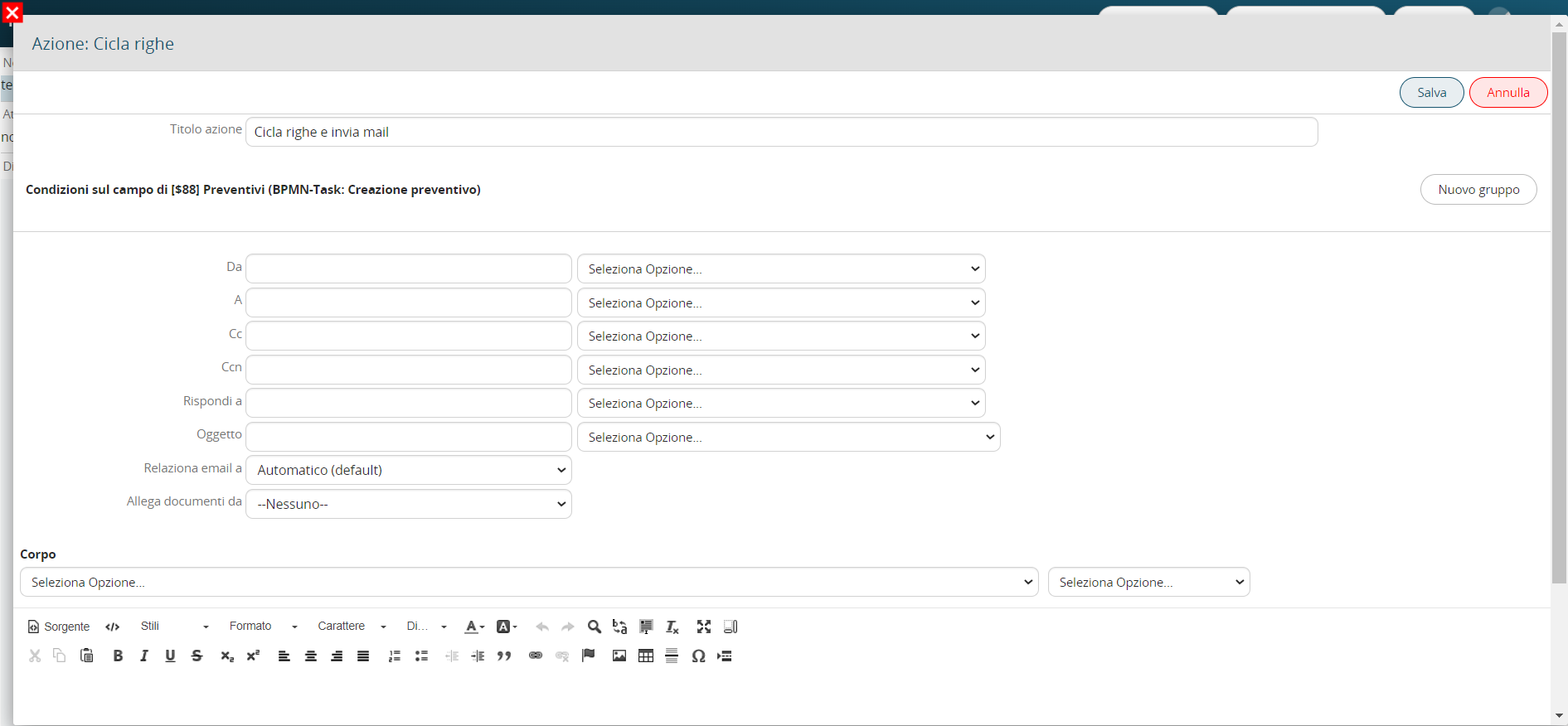
Figure 1
Create entity
Allows you to create an entity of any module (standard or custom) for each row that meets the conditions set in the "Field conditions" section. (Figure 2)
To consider all the rows, just leave that section unfilled.
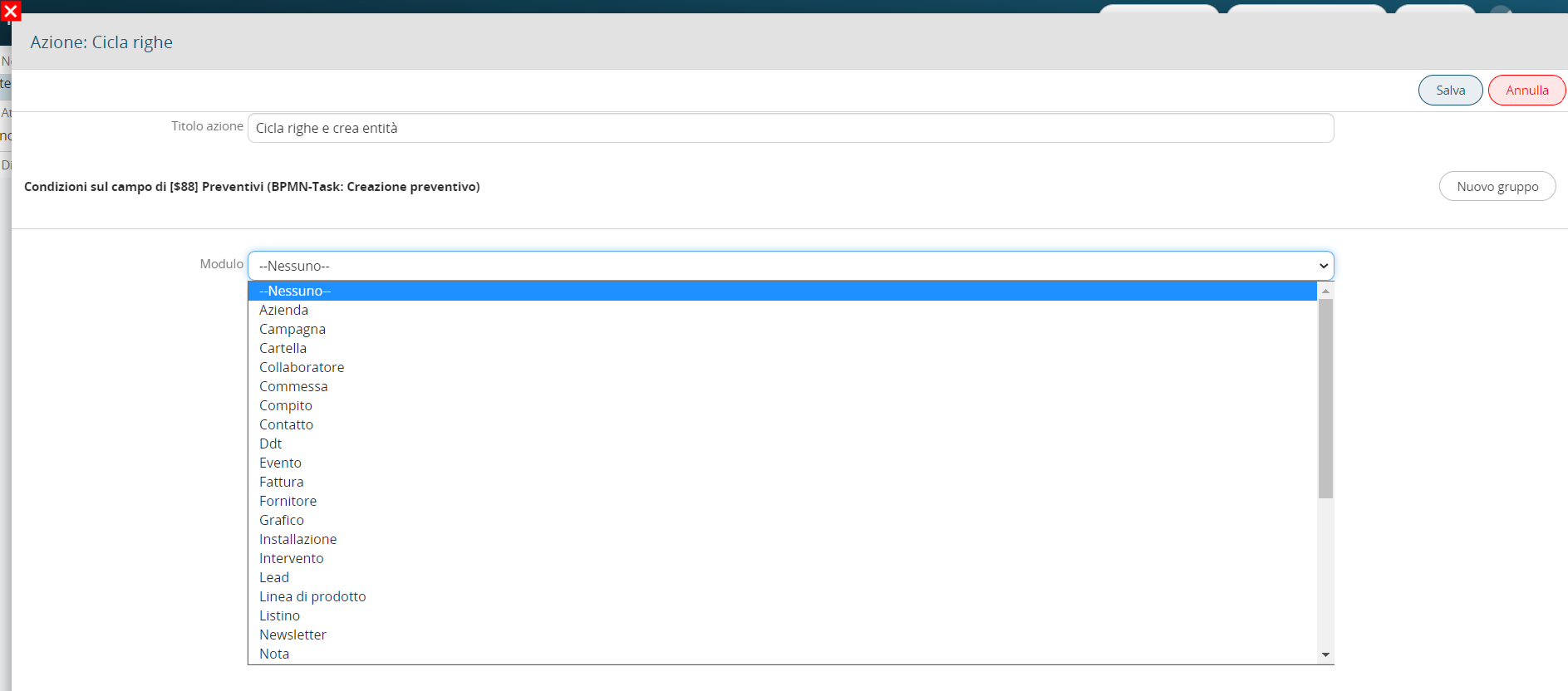
Figure 2
Update entity
Allows you to update an entity involved in the process for each row that meets the conditions set in the "Field conditions" section. (Figure 3)
To consider all the rows, just leave that section unfilled.
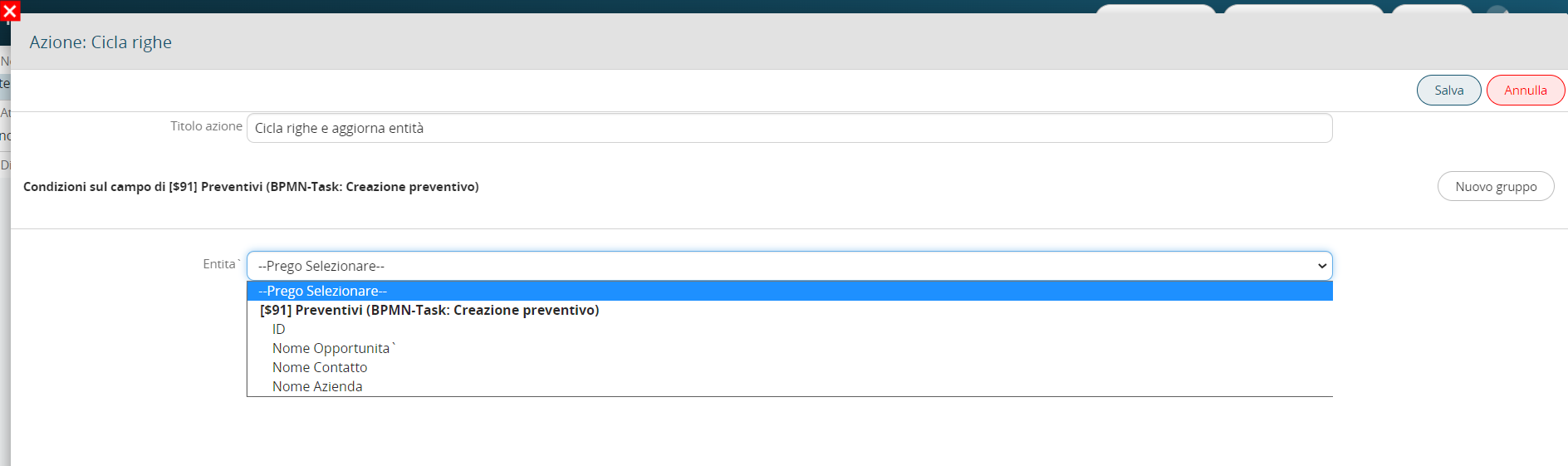
Figure 3
Send notification
Allows you to send a notification for each row that meets the conditions set in the "Field conditions" section. (Figure 4)
To consider all the rows, just leave that section unfilled.
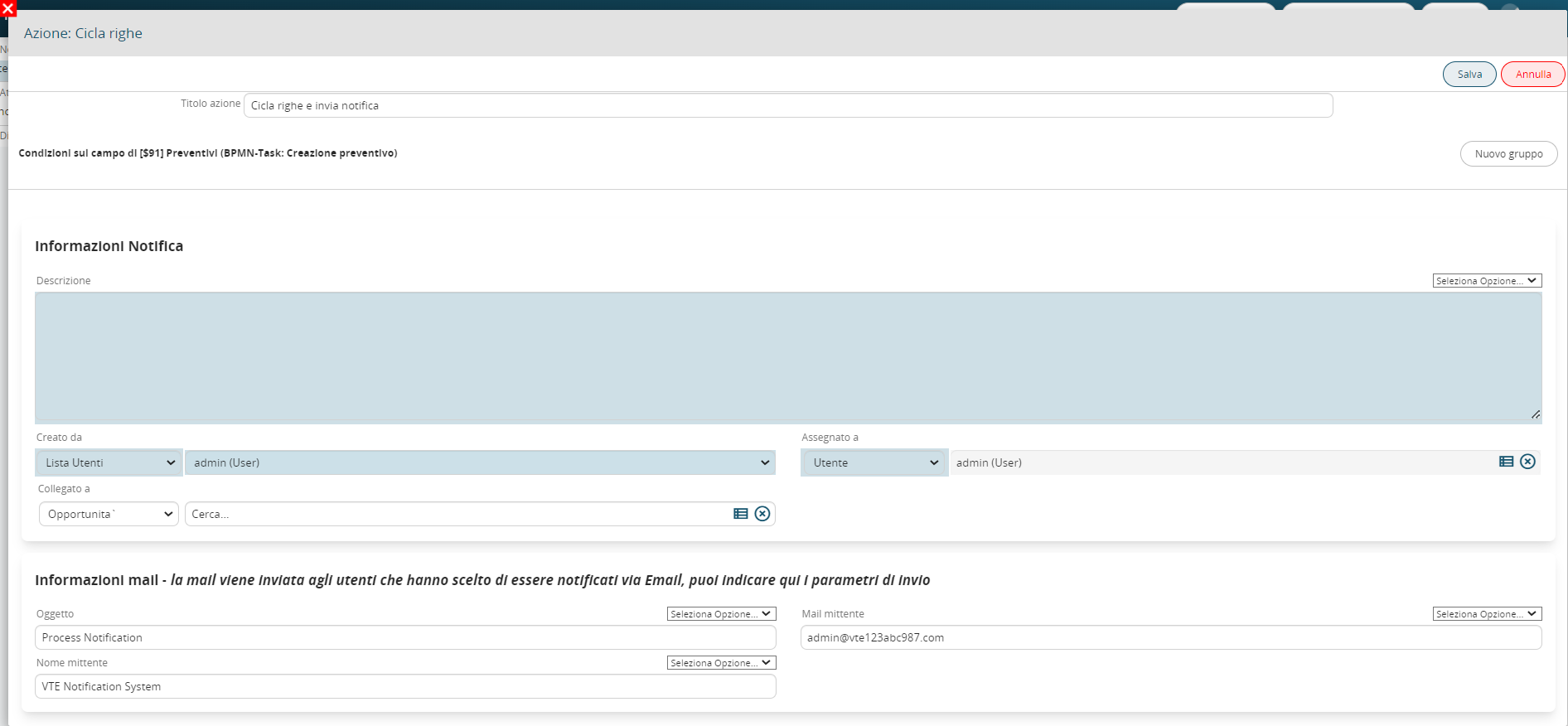
Figure 4
Insert table row
It allows to insert a row in a table field present in the entities involved in processes or in the form of process helpers for each row that meets the conditions set in the "Field conditions" section. (Figures 5, 6 and 7)
To consider all the rows, just leave that section unfilled.

Figure 5
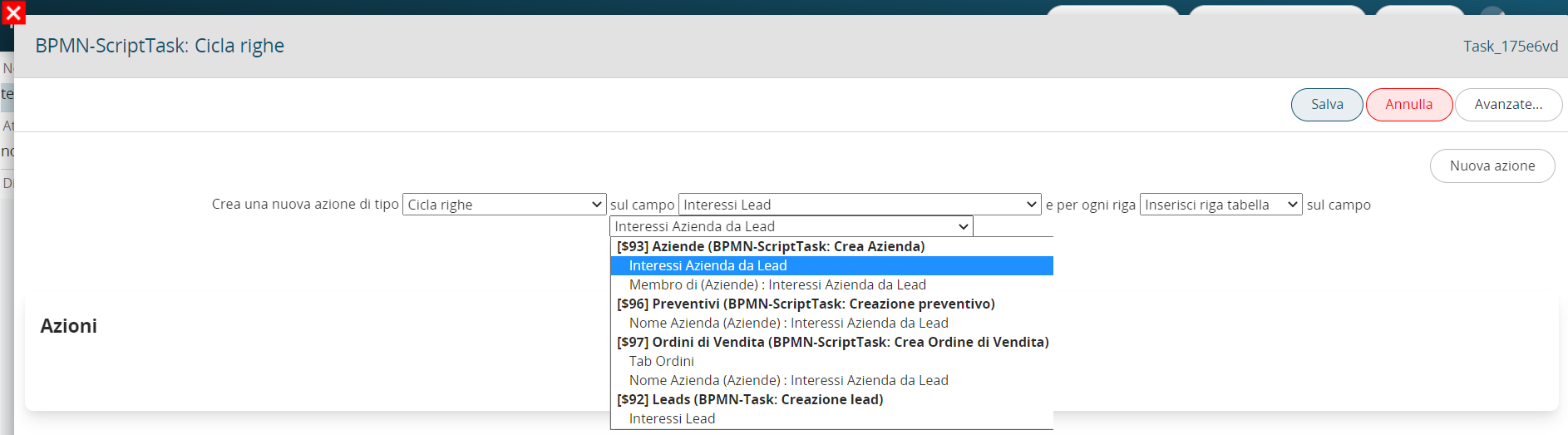
Figure 6

Figure 7
Insert product row
Insert a row in a product block present in the entities involved in the processes for each row that meets the conditions set in the "Field conditions" section. (Figures 8, 9 and 10)
To consider all the rows, just leave that section unfilled.

Figure 8

Figure 9

Figure 10
Delete product row
Allows you to delete a row in a product block present in the entities involved in the processes for each row that meets the conditions set in the "Field conditions" section. (Figure 11)
To consider all the rows, just leave that section unfilled.
NB: This option will only be present if you are cycling the rows of a block products.

Figure 11
Delete table row
It allows to delete a row in a table field present in the entities involved in processes or in the forms of process helpers for each row that meets the conditions set in the "Conditions on the field" section. To consider all the rows, just leave that section unfilled. (Figure 12)
NB: This option will only be present if you are cycling the rows of a table field.

Figure 12
Function SDK
It allows to execute an SDK function of type Action for each row that meets the conditions set in the "Field conditions" section. (Figure 13 and 14)
N.B: this feature is only available from version 25.02 onwards.

Figure 13
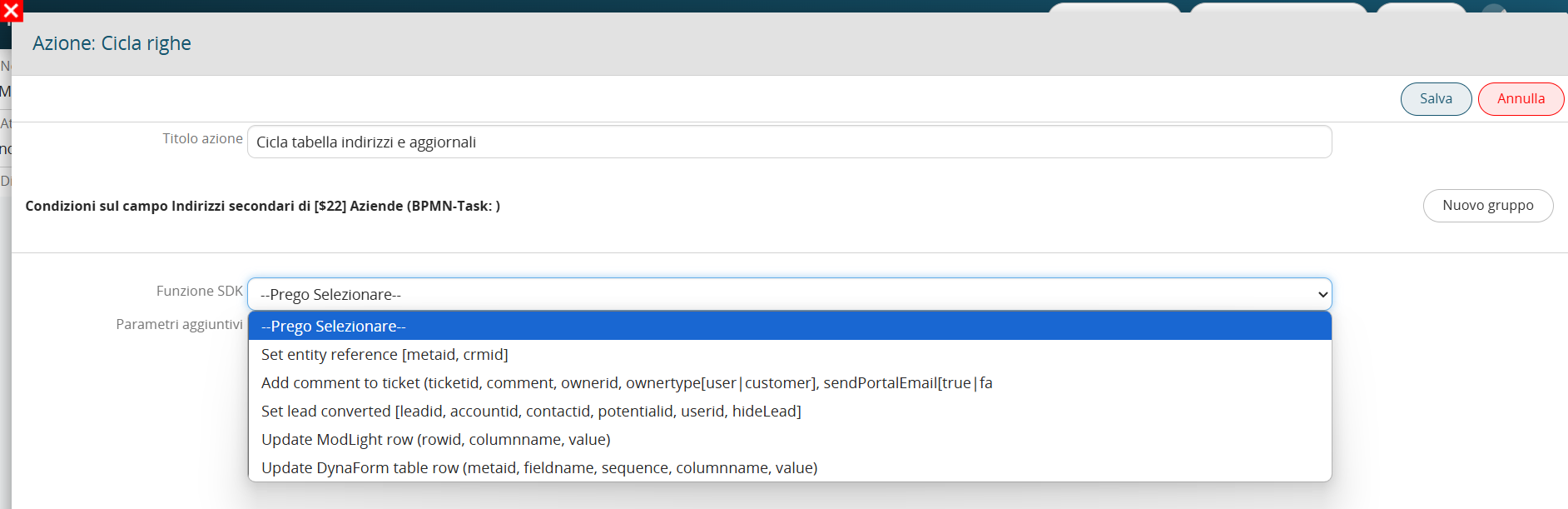
Figure 14