
4.8 SHOW DOCUMENTS OF THE RELATED ENTITY FLAG
Allows you to view all the records in the "Documents" module related to the entity (instance of a module) connected to the Process helper, then inserted in the "Linked to" field. (Figure 1)

Figure 1 (click on the image for a higher graphic resolution)
This feature is more effective in dynamic forms where the "Show in linked entity" flag has been checked, as the documents will be shown in an additional section within the popup. (Figure 2)
NOTE: even if there are spaces inside the additional section to perform filters on the various columns, in practice this is a feature that is not currently supported, so to search for a specific document it is recommended to manually scroll through any N pages present.
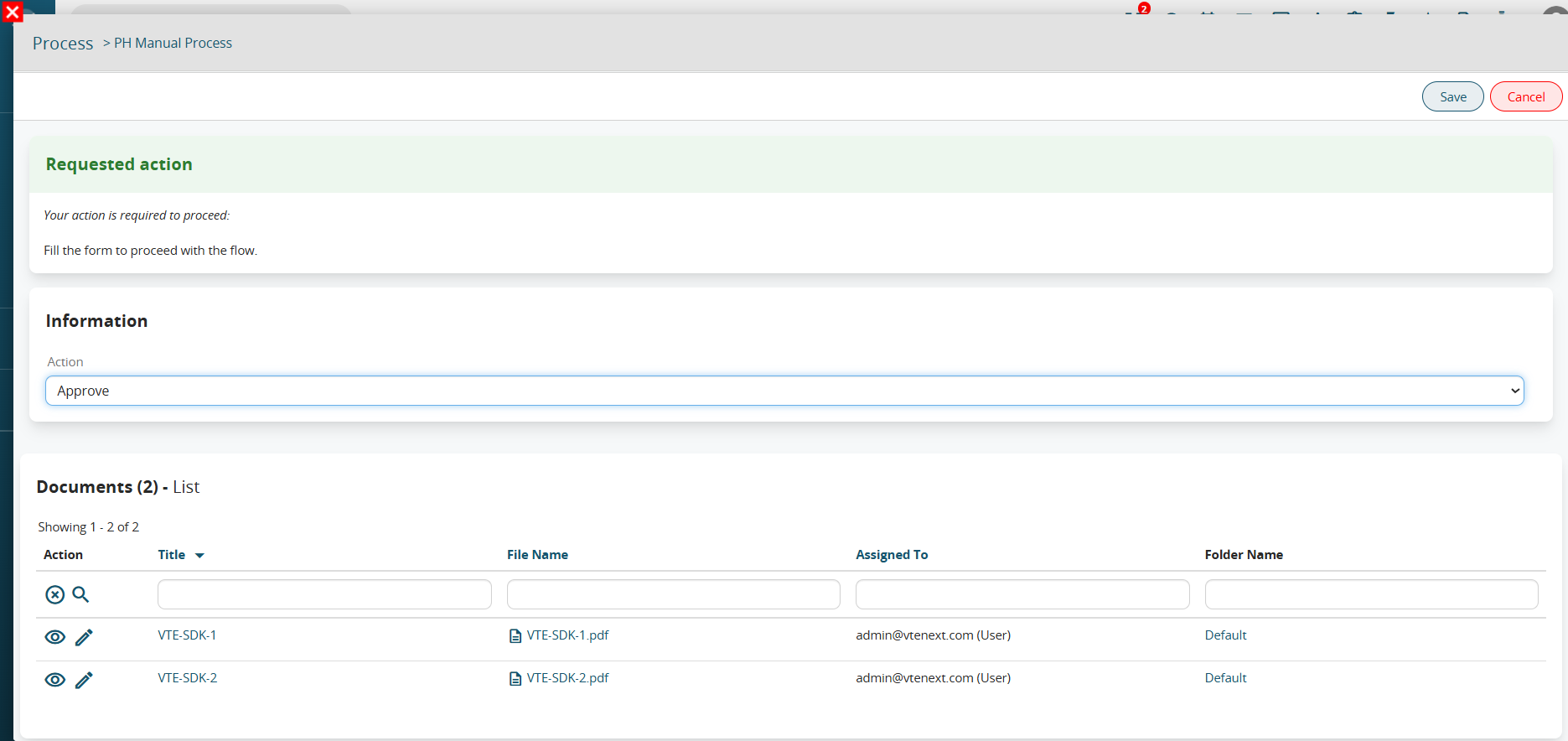
Figure 2 (click on the image for a higher graphic resolution)
Instead, in dynamic forms where the "Show in the linked entity" flag has NOT been checked, to view the documents you will have to access the record detail of the Processes module (Figure 3 and 4).
Alternatively, you can look at the documents directly from the record linked to the process helper.
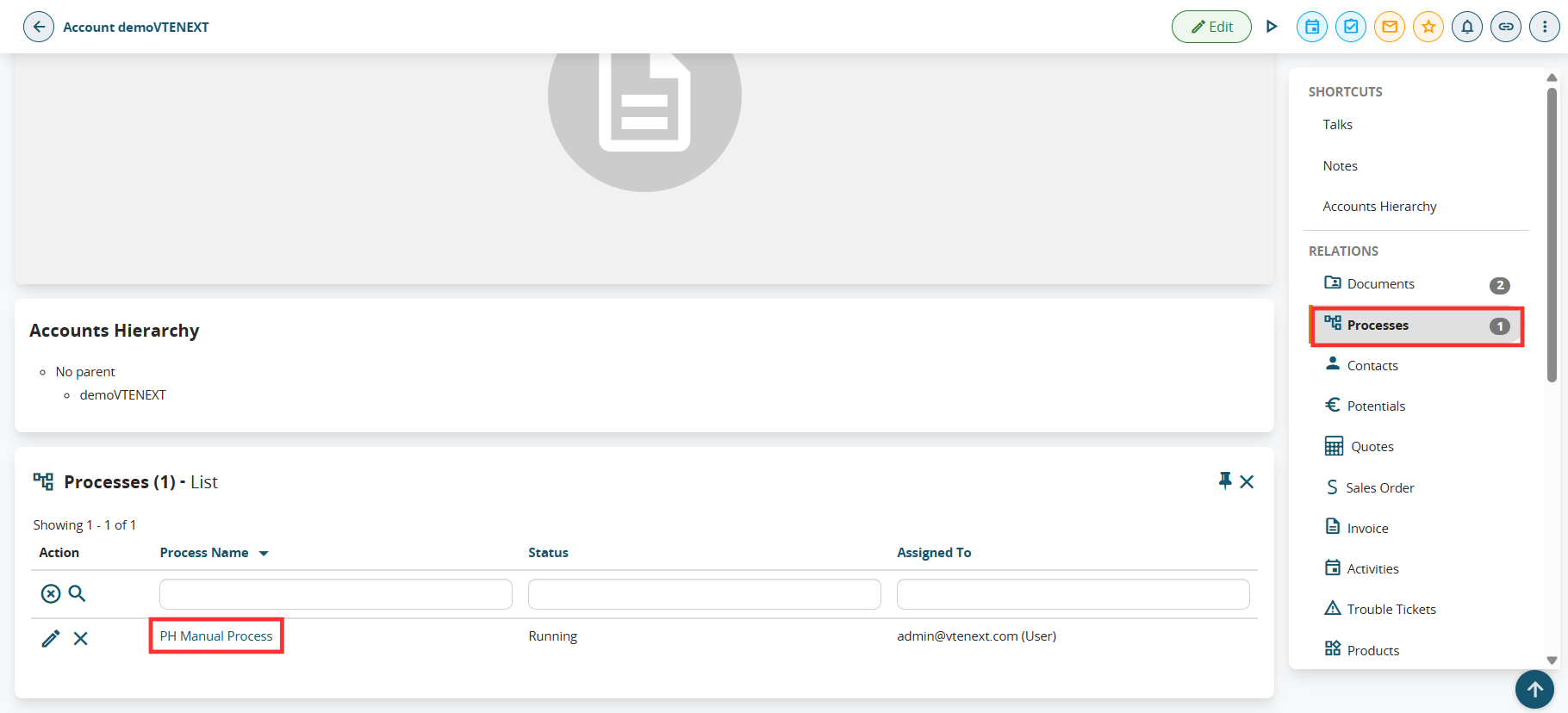
Figure 3 (click on the image for a higher graphic resolution)
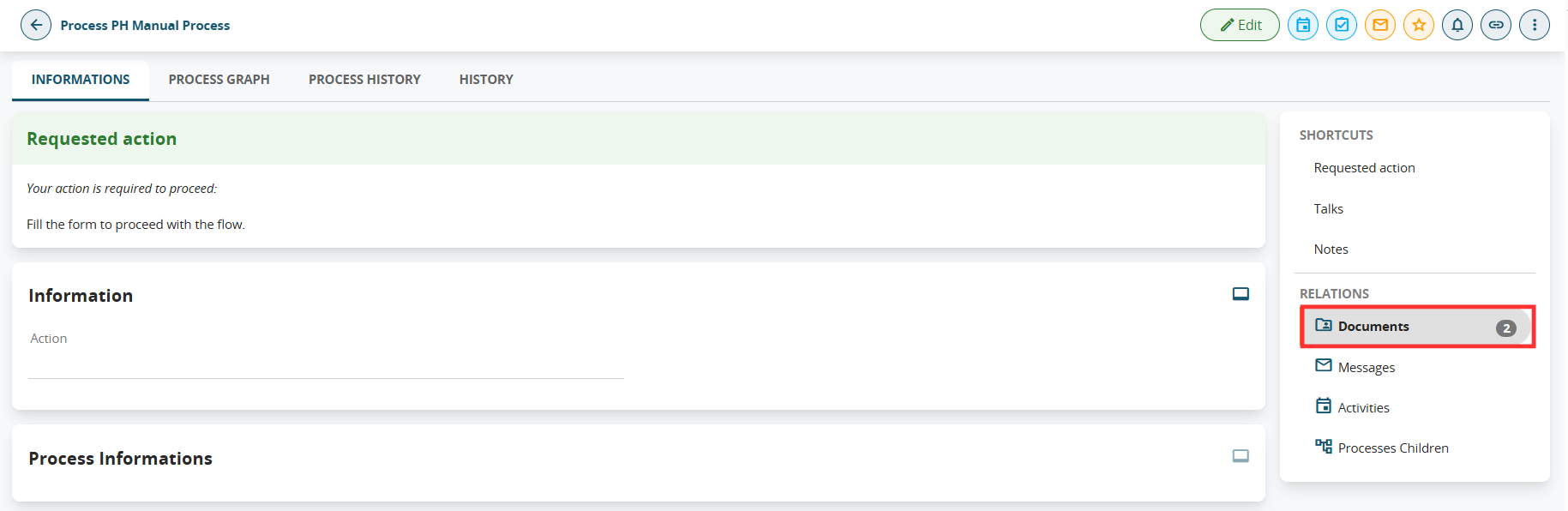
Figure 4 (click on the image for a higher graphic resolution)