
9.1 Partial sum of related records involved in a cycle
To perform the partial sum of the records of a specific module having a 1-N or N-N relationship with the starting module, it is not possible to use the "Sum" item, since the system will always take into account ALL related records.
Therefore, to obtain the desired result, you will have to configure a related record cycle action and for each row "Update entity", in this way we will save the total within a field of the starting module or a dynamic form (from version 24.08 onwards).
Once you have inserted the condition in the "Field conditions" section to involve only the interested records in the cycle, in the update entity action you will have to use the SDK fieldAction Standard function "vte_sum()" (for further information see chapter 12.1) to add (at each cycle) the value of the current record to the content that is already present in the field in which you are saving the result.
ATTENTION! -> in the event that a process is configured that is triggered recurringly, to obtain the correct result you must set an entity update action that empties the content of the field in which you want to save the result.
EXAMPLE OF USE
To better understand how it works, below is an example of a related record cycle action on the Installations module (starting from the Company module) with which we want to calculate the sum of the "Number of annual maintenance" field only of the installations having the value "In Service" in the "Status" column and save the result in the "Total maintenance on active installations" field of the company (Figure 1)
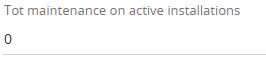
Figure 1
Inside the process we configure an action to cycle related records (Installations) and for each row update entities of the "Companies" module (Figure 2 and 3)

Figure 2
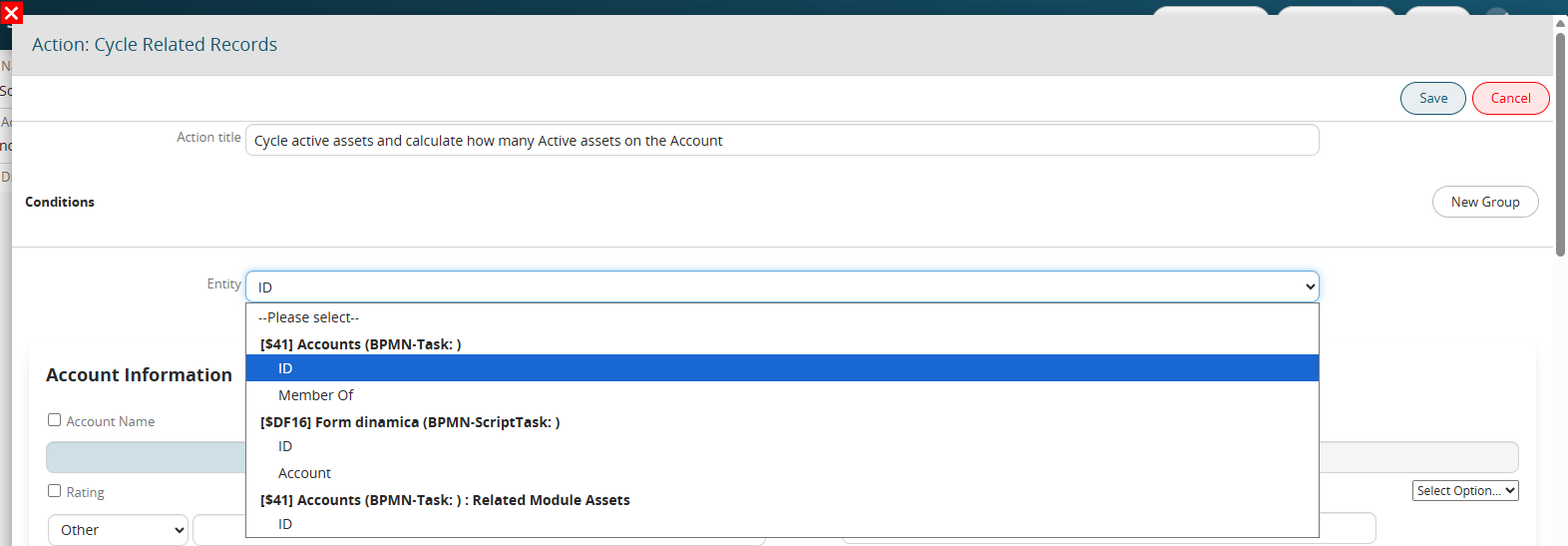
Figure 3
In the "Field Conditions" section, we enter "Status" = "In Service" (Figure 4)

Figure 4
Inside the "Tot maintenance on active installations" field we go to recall the interested SDK function through the "Option Selection" picklist and accessing the "SDK Functions" section (Figure 5)
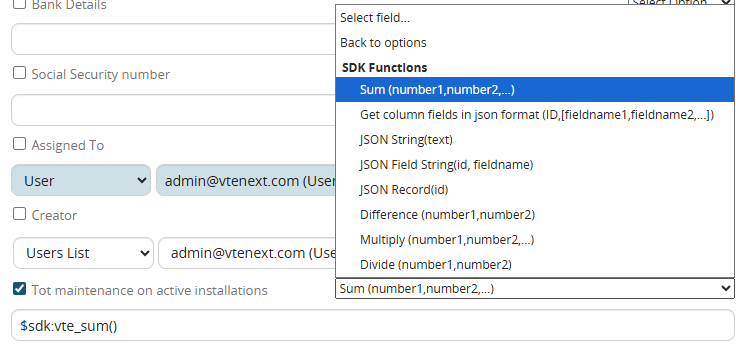
Figure 5
As the first parameter we insert the variable that identifies the content of the field "Tot maintenance on active installations" (Figure 6)

Figure 6
As a second parameter we insert the variable that identifies the current value of the "Number of annual maintenance" field of the installations involved in the cycle (Figure 7)
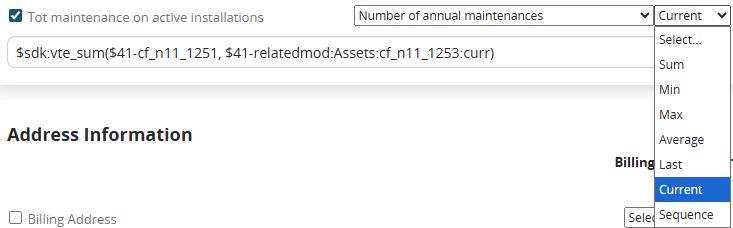
Figure 7