
Settings Panel
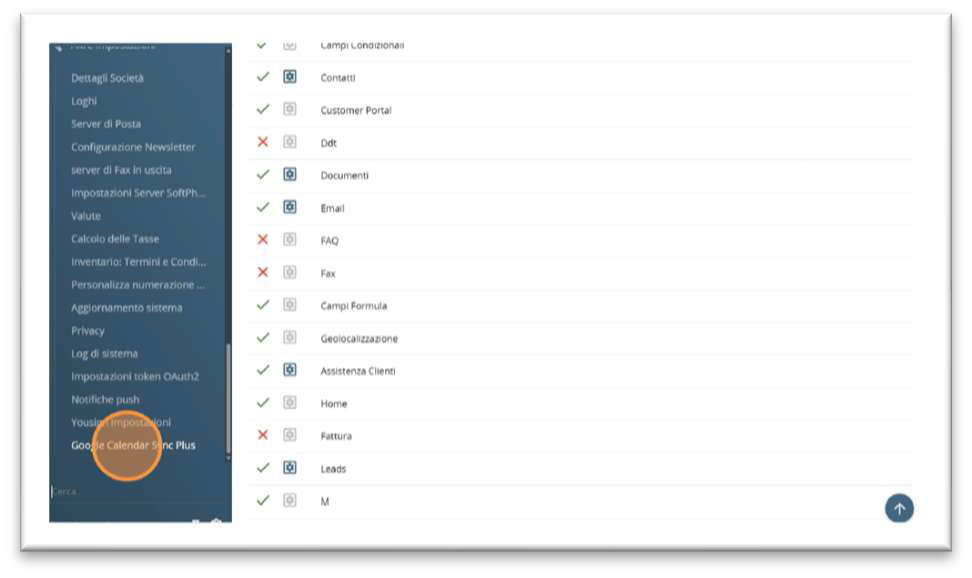
Once the installaon is completed, it will be possible to access the license panel and global settings by entering the vtenext settings with an administrator user and opening the item Google Calendar Sync Plus.
The panel displays the plugin license status and the installed version at the top, and it is organized into four tabs: Users, Settings, Log, Maintenance.
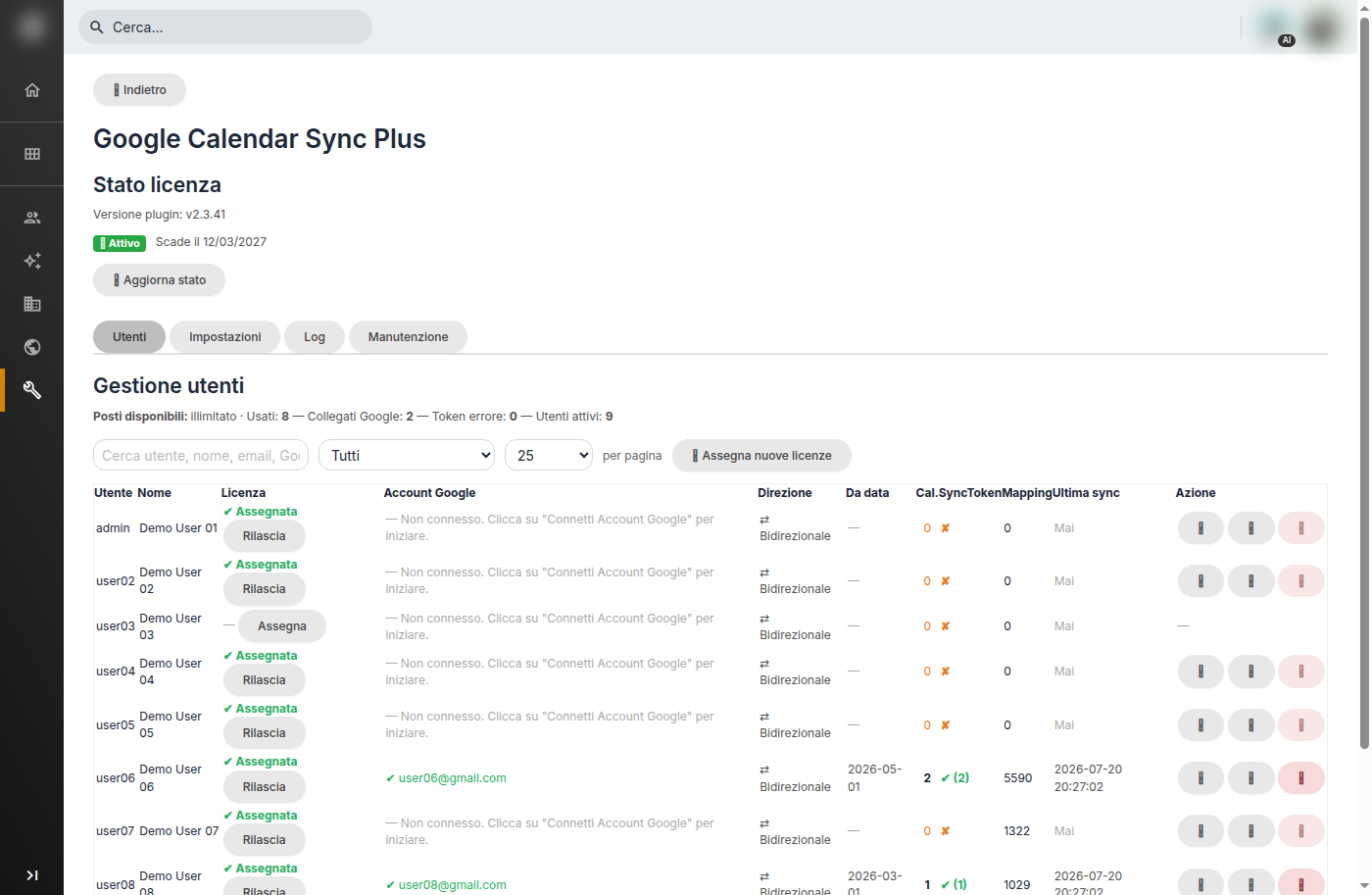
Admin Panel — Users Tab