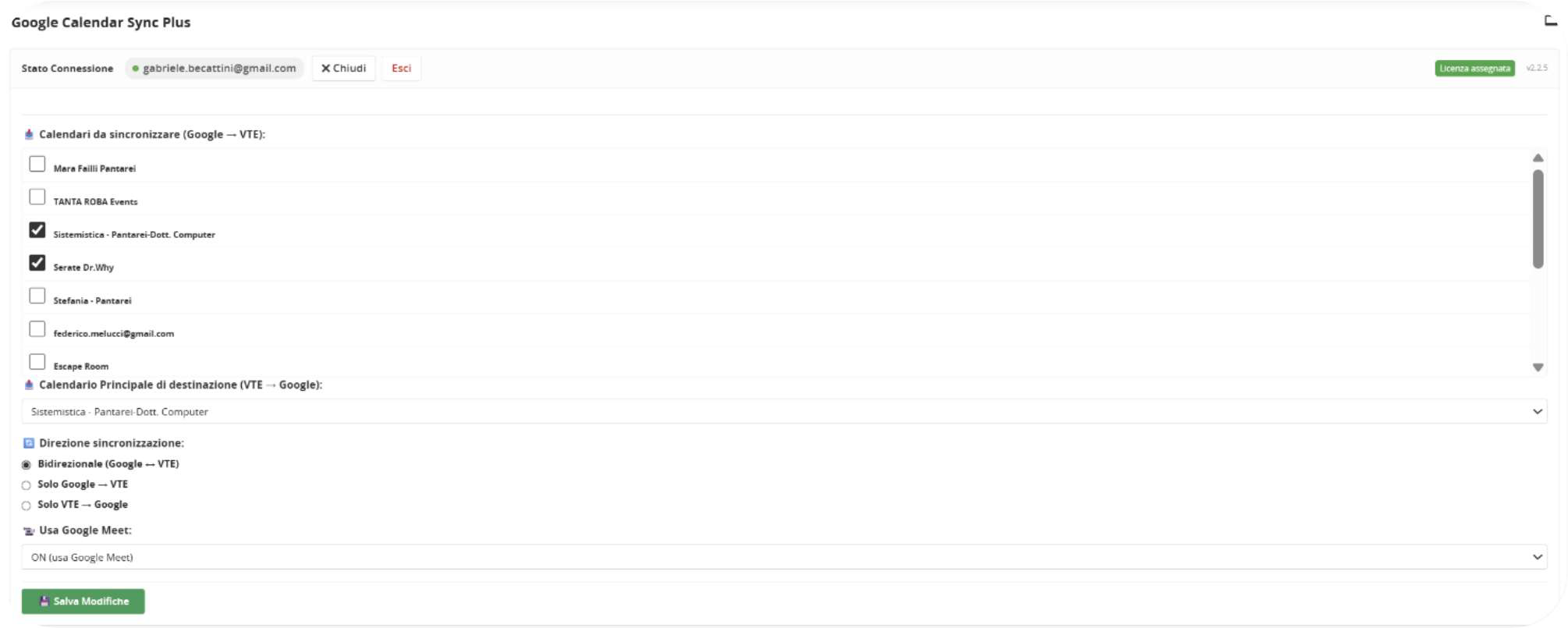
User Preferences Configuration
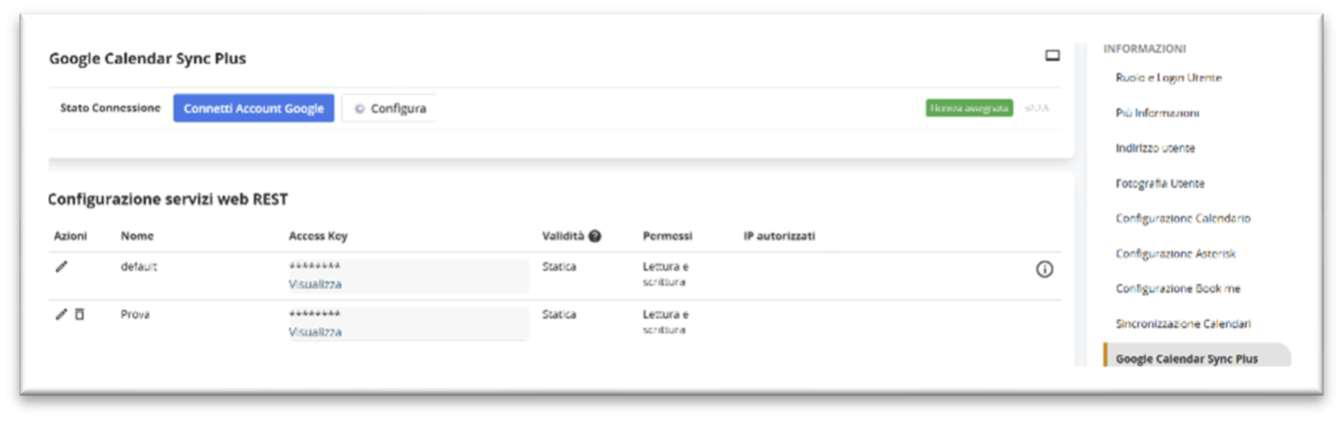
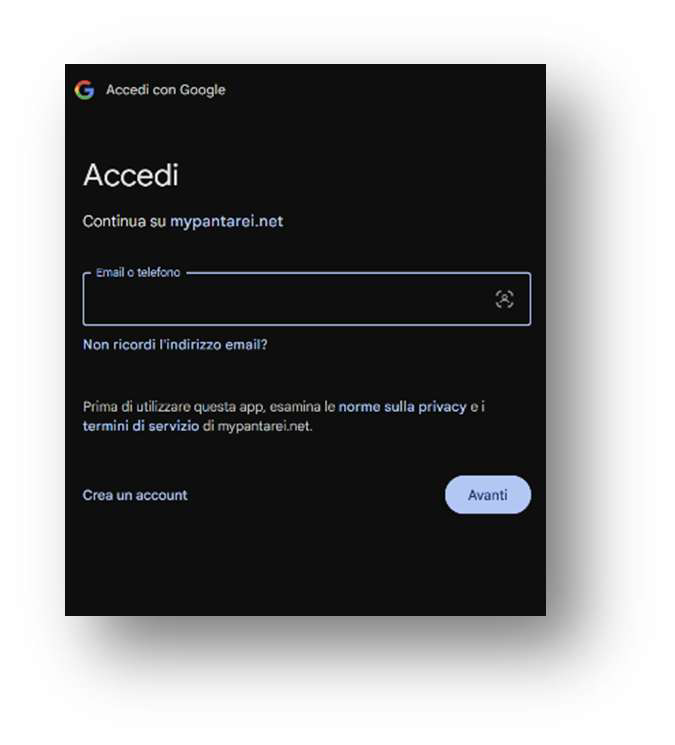
For users who have been assigned a license, it will be possible to access their synchronization preferences and login to their Google account. By entering User Preferences and clicking the Google Calendar Sync Plus menu item, you will be asked to log in to Google by clicking the Connect Google Account button. A window will open that will allow OAuth2 authentication.
Once logged in, it will be possible to click the “Configure” button to set the preferences.