
Release Note vtenext 26.04
Theme
Updated the font to Inter and upgraded the Bootstrap library to version 3.4.1.
Updated the styles of some core components.
French Language Pack
The French language pack available during installation has been updated and moved from the beta modules to the optional modules.
Translation of External Pages Based on Browser Language
External pages used for appointment scheduling (Book Me) and for dynamic external forms (accessible via email) will be translated according to the language detected in the user’s browser.
Quick Actions in List View
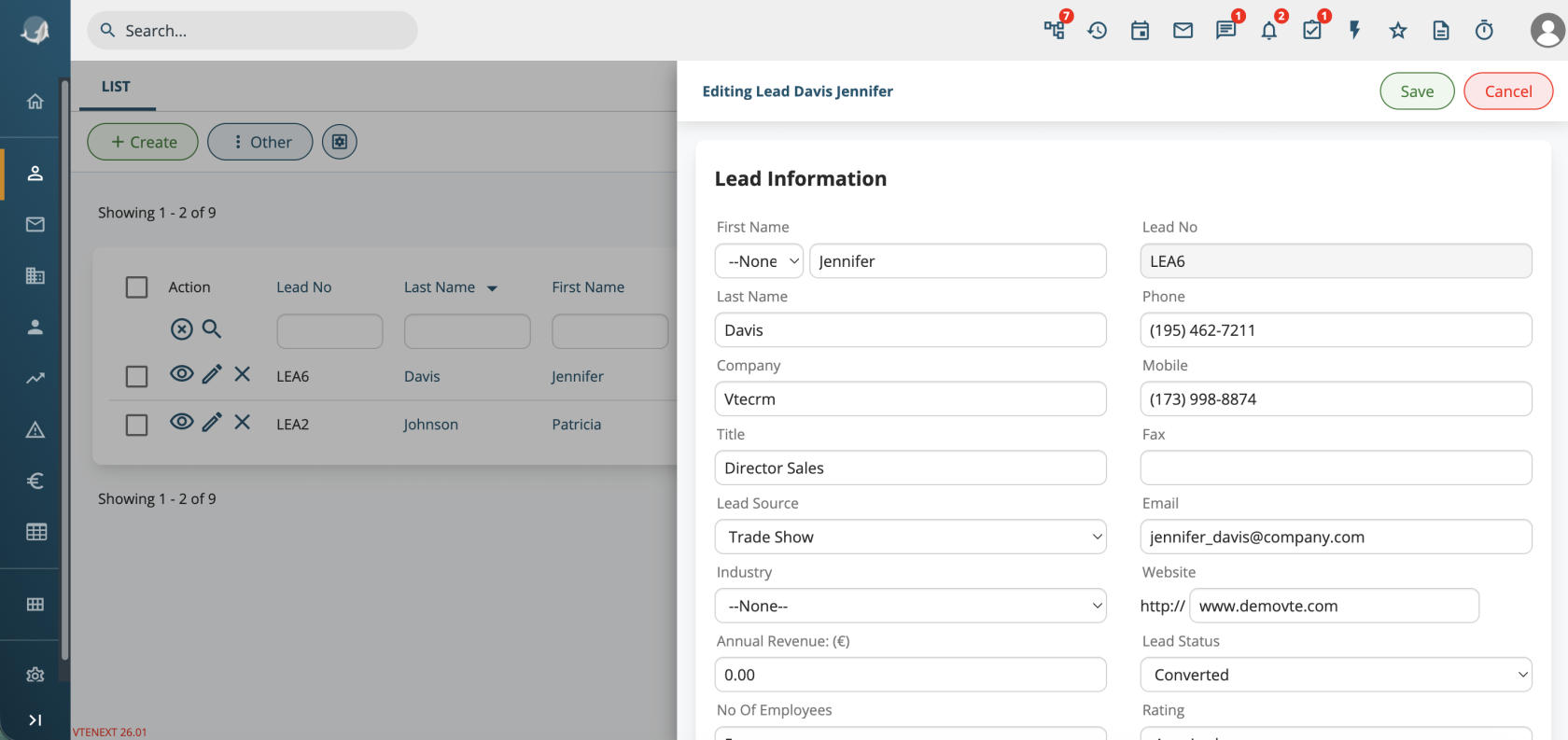
In module list views, a preview button has been added and the edit button has been updated to open a half-page panel.
You can switch back to the previous behavior using the properties:
layout.listview.previewlayout.listview.fast_edit
Webform
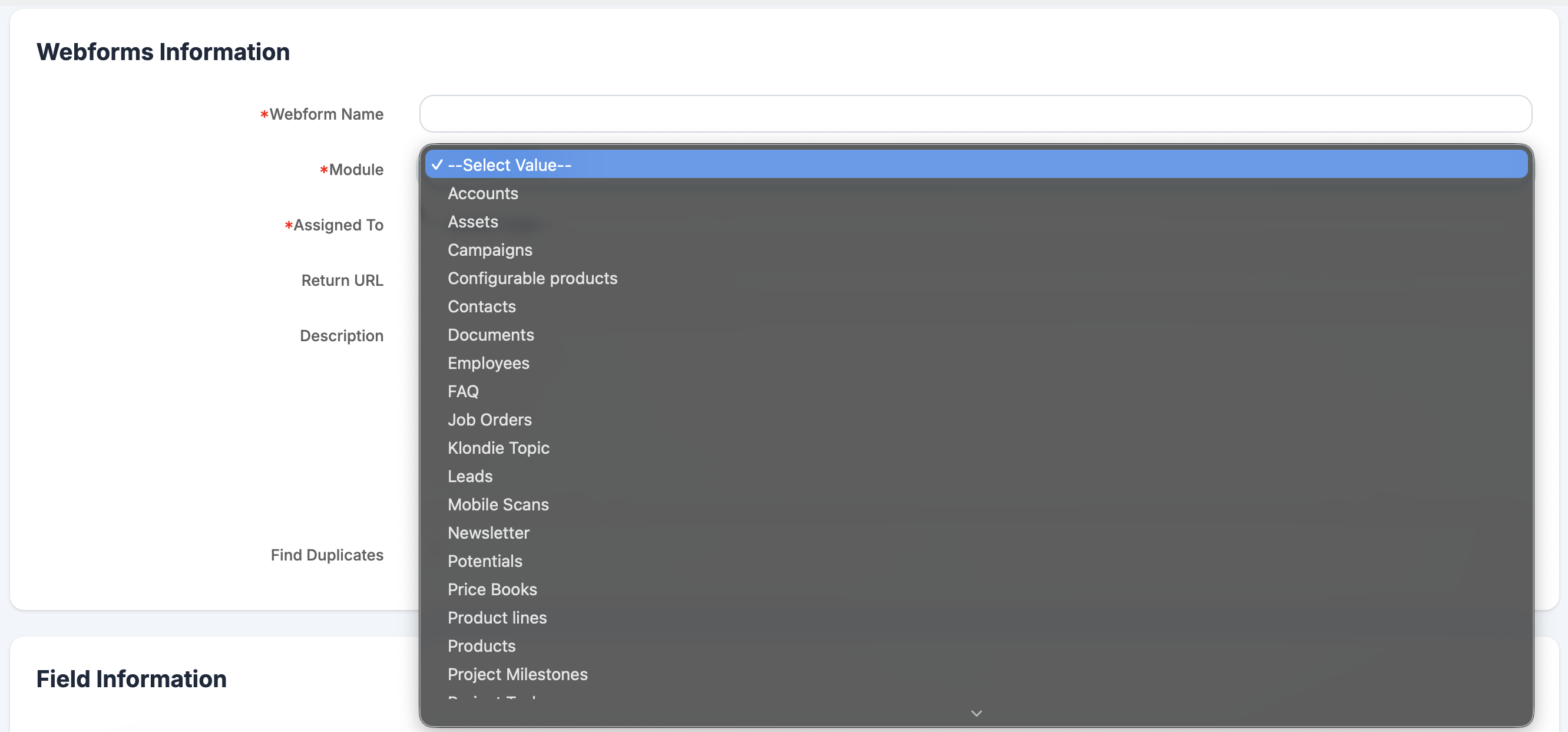
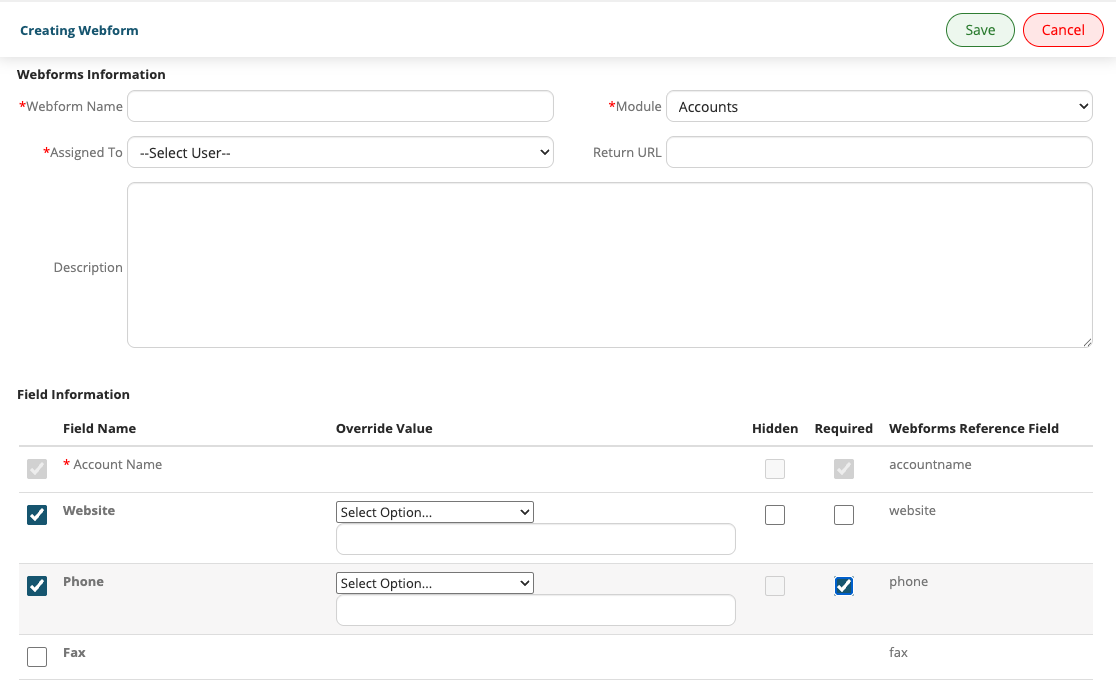
It is now possible to create records in any module from a webform.
It is also possible to enable duplicate checking to prevent the creation of records that already exist.
CSV Export
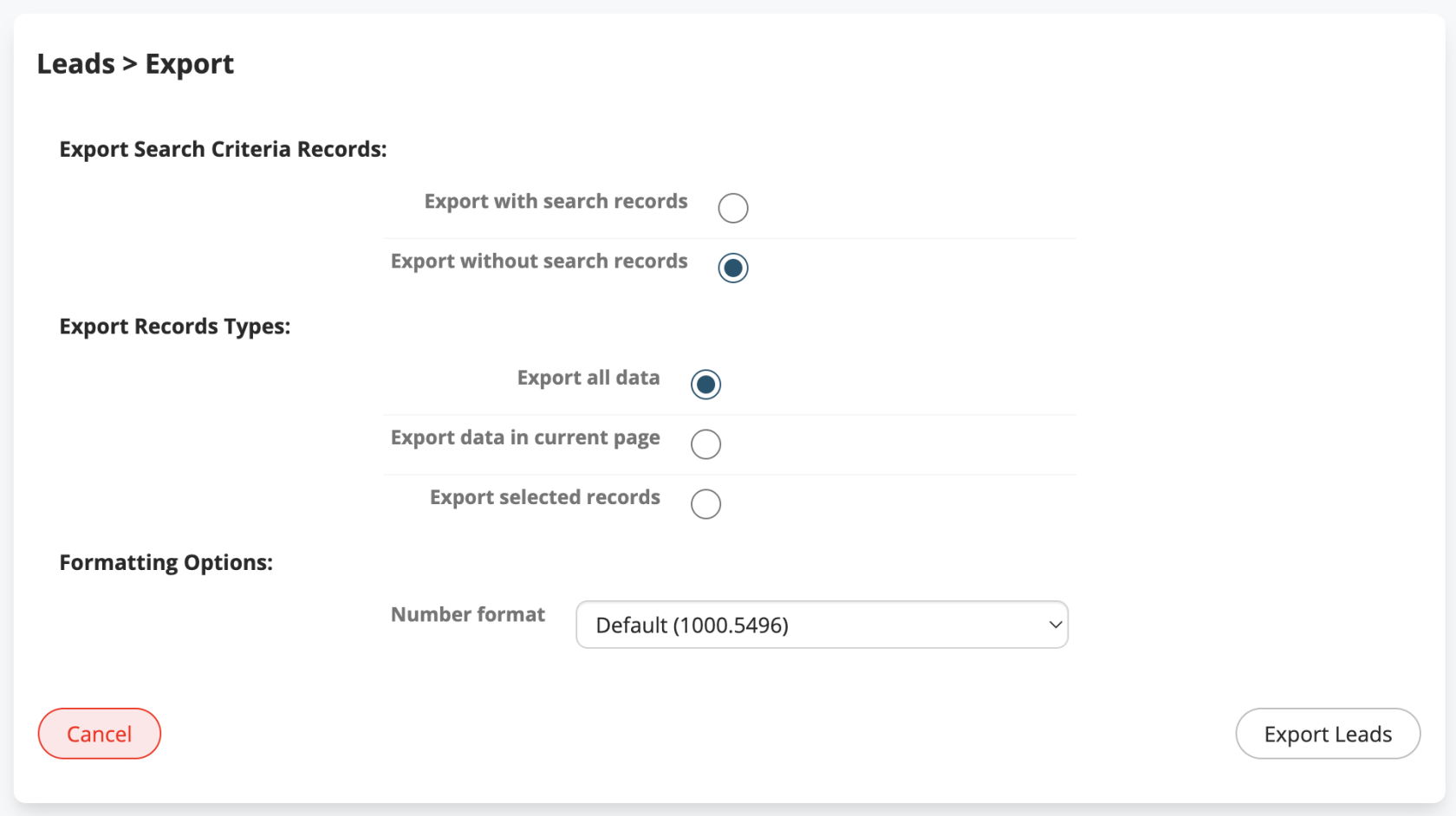
Additional formatting options have been added to address compatibility issues with external applications.
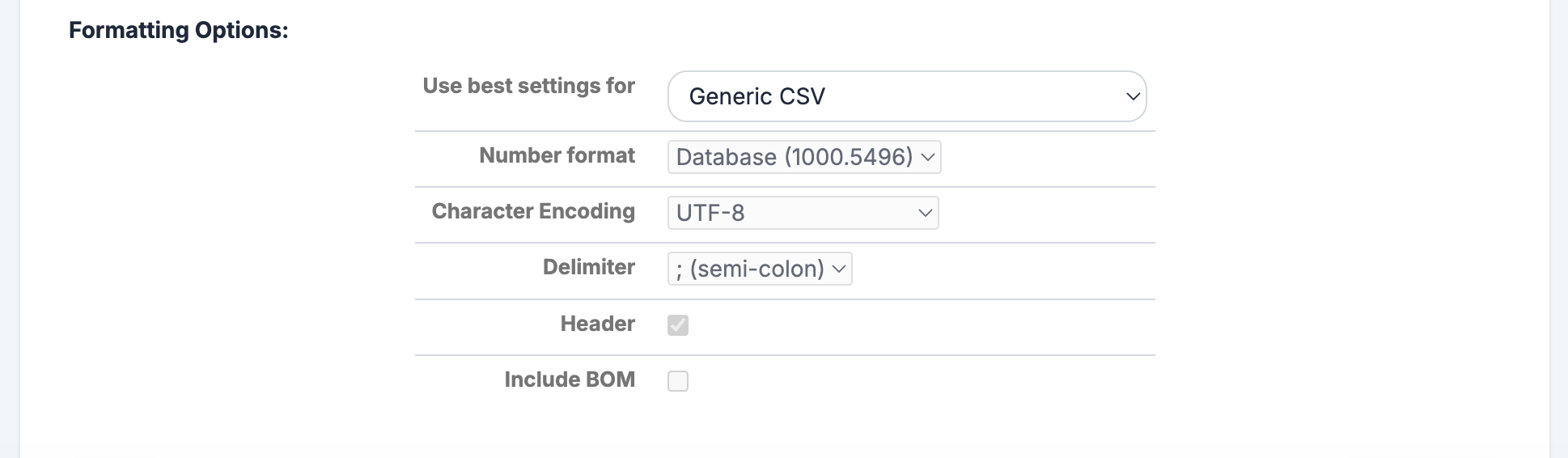
In CSV export for any module, it is now possible to choose the format for numeric fields:
- Default (1000.5496): previous format (dot as decimal separator)
- Italian (1000,550): comma as decimal separator
- English (1,000.550): comma as thousand separator, dot as decimal separator
- User (1000.55): based on user settings
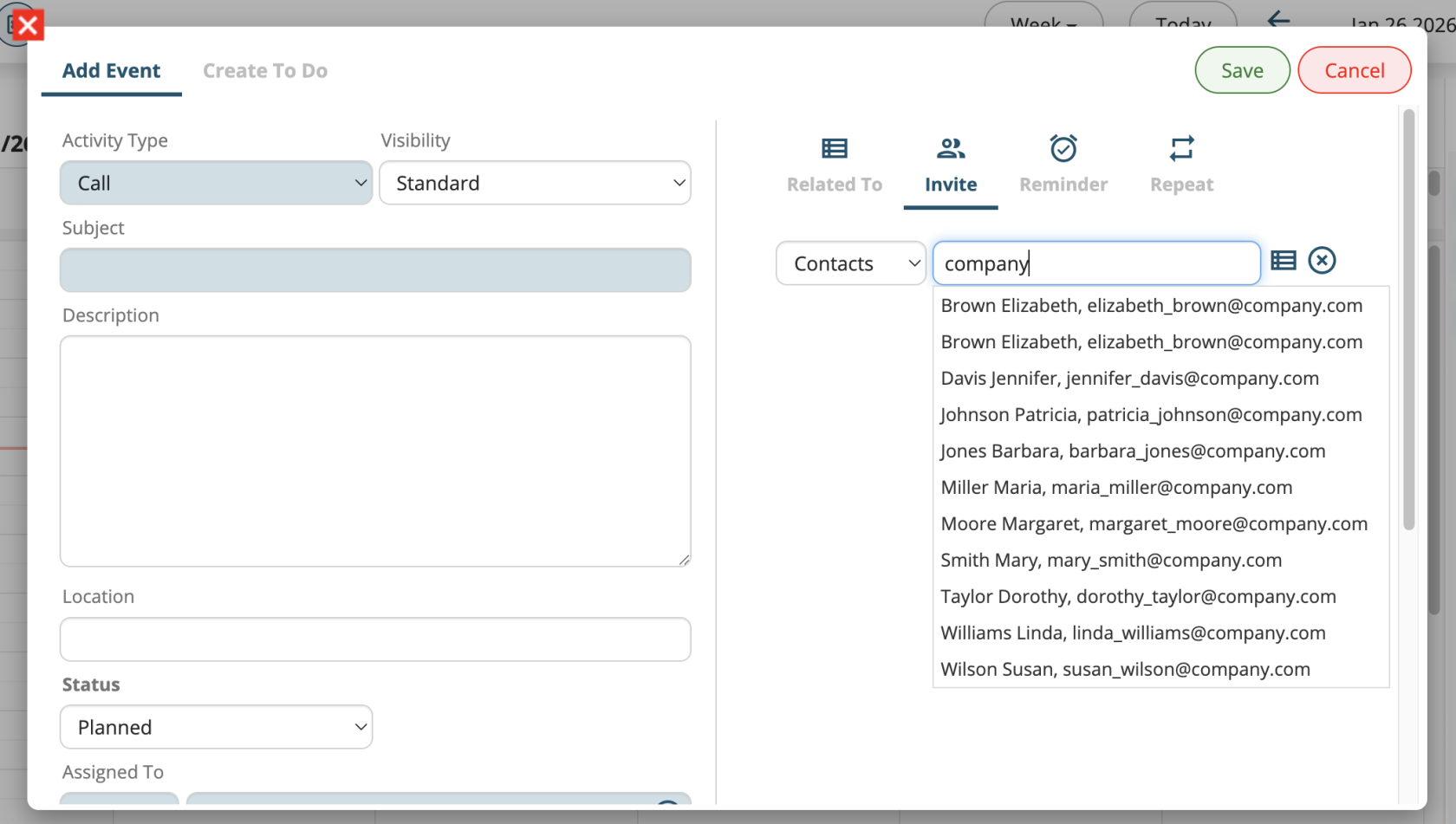
Guest Search by Email
In calendar events, it is now possible to add attendees by searching them via email address
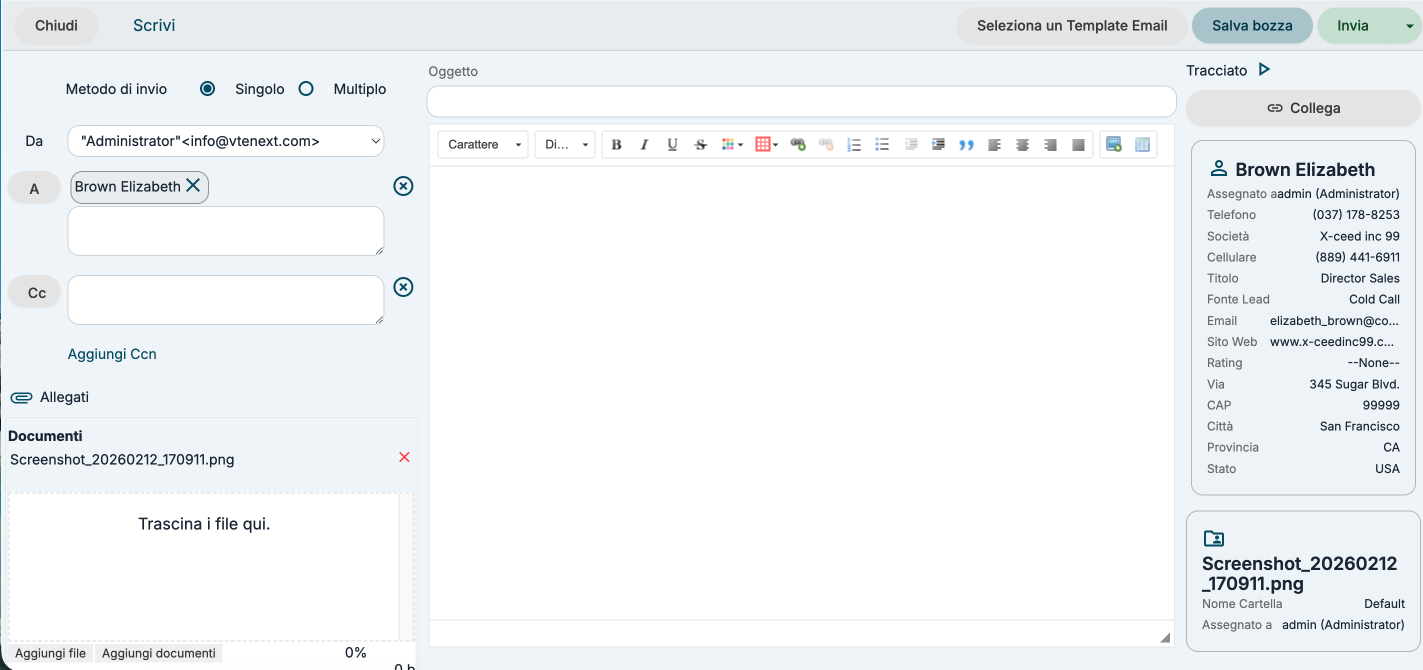
Email Attachments
It is now possible to attach files to an email directly from the Documents module.
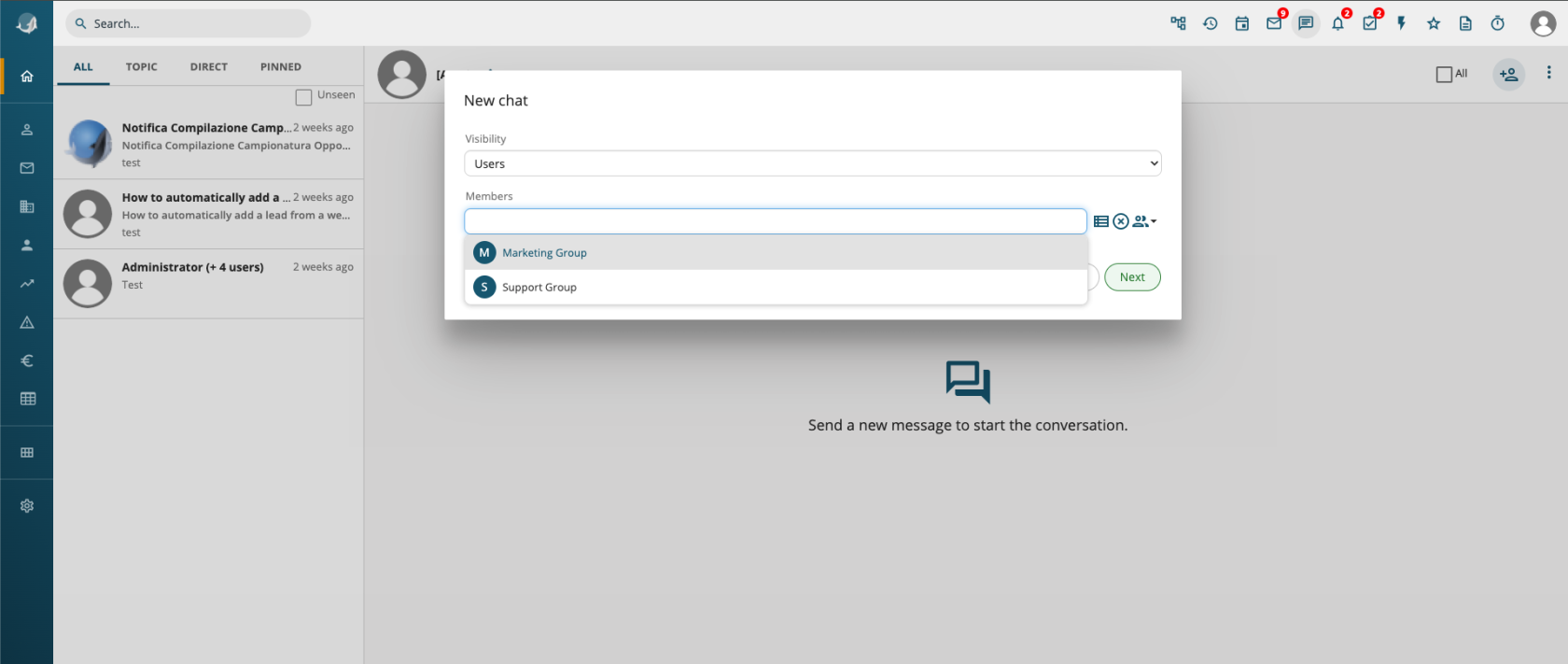
Groups in Conversations
It is now possible to select a group to send a conversation to all its members.
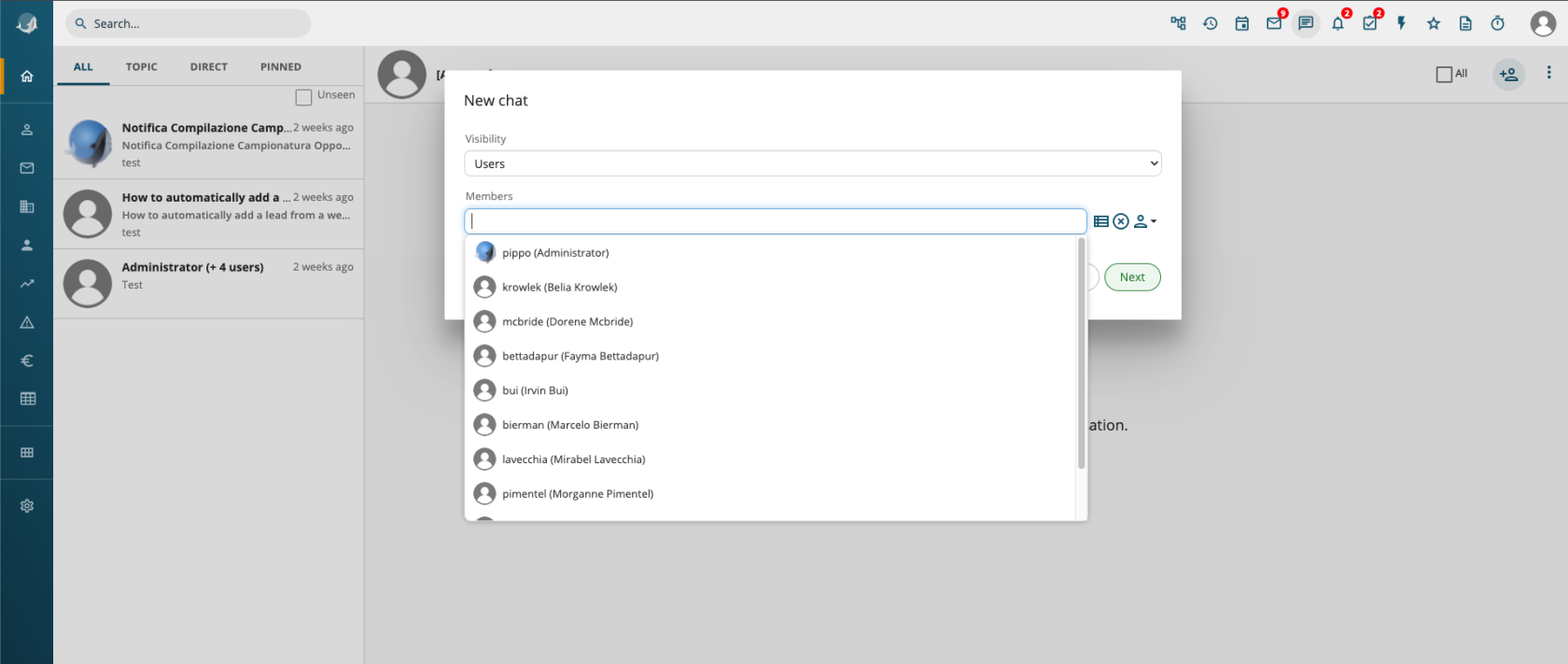
User Selection Avatars
User avatar images have been added to user auto-complete fields.
Negative Numbers
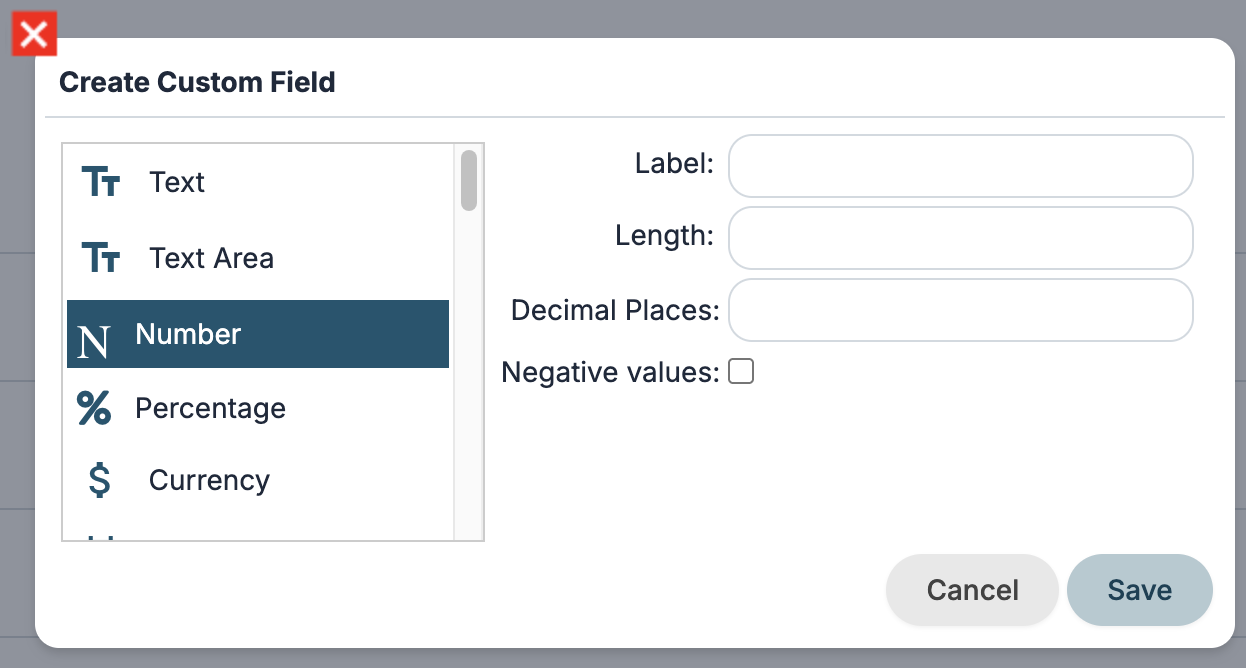
Support for negative values has been added to numeric and currency fields in Layout Editor, Module Creation, and Process Maker.
Out of Office in Conversations
The out-of-office status configuration has been moved to user preferences under the “More” menu in the top-right corner.
If a user sends a conversation to someone who is out of office, they will receive an automatic message.

Layout Editor: Sorting Fields for Relationships
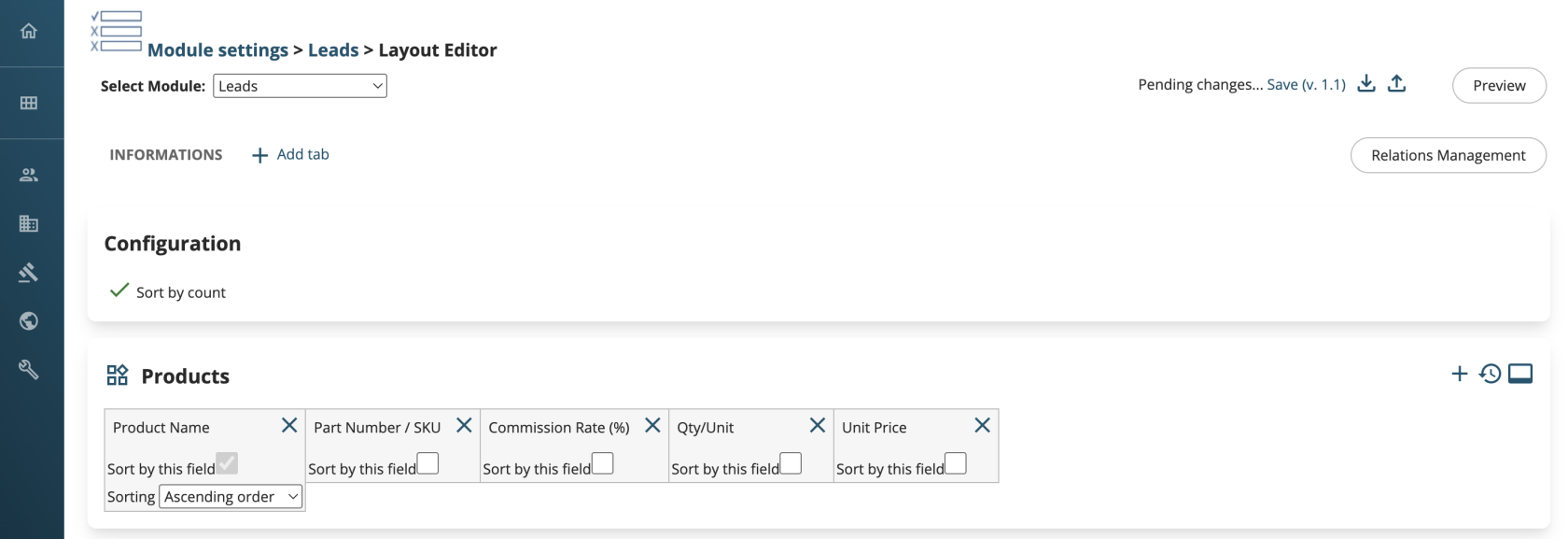
In the relationship management page, it is now possible to define, for each related module, the field used to sort the list of items and the sorting direction (ascending/descending).
Field Name in Module Creation
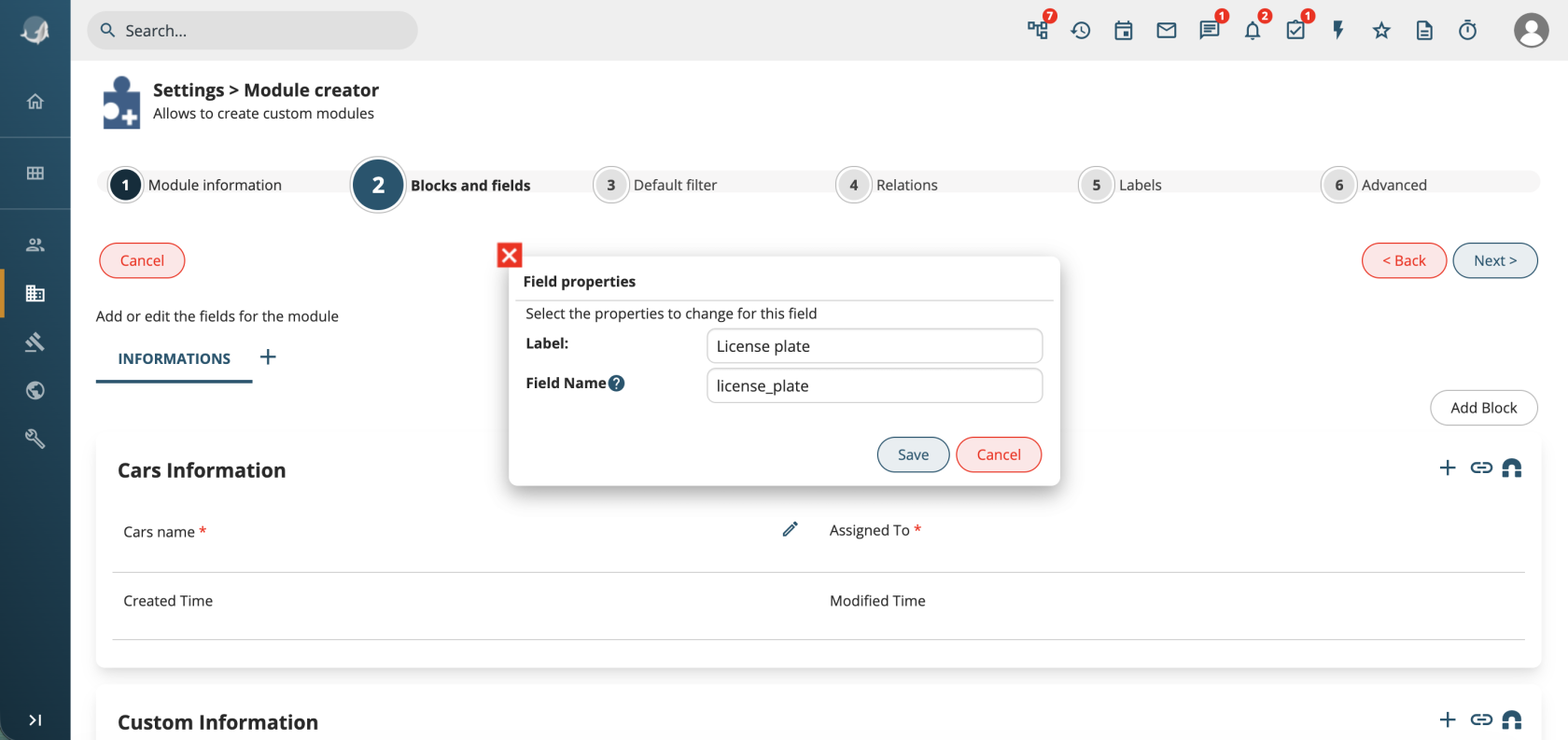
When creating modules, it is now possible to configure the field name, allowing a custom and more meaningful name instead of default values like vcf_*.
Synchronizations: Multiple Configurations for the Same External System
It is now possible to configure multiple connectors for different instances of the same system (e.g. WooCommerce, HubSpot, etc.).
Mail Converter: Automatic Message Filtering
By enabling the property settings.mailscanner.filter_auto_msg, it is possible to detect whether an incoming email was sent by an automated system and prevent ticket creation from triggering a new outgoing email from vtenext.vtenext
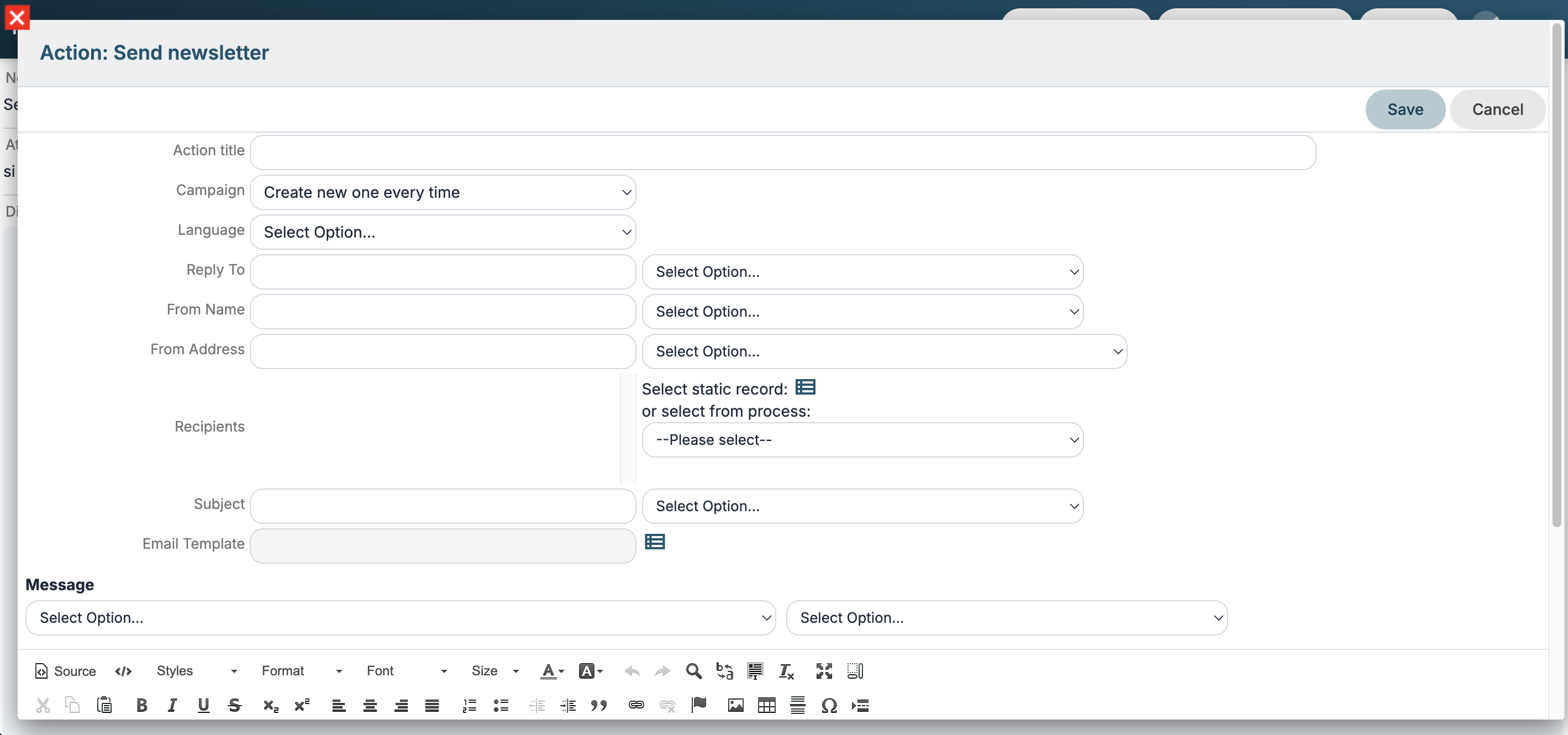
Processes: Send Newsletter Action
Reply-To and Language configuration options have been added.
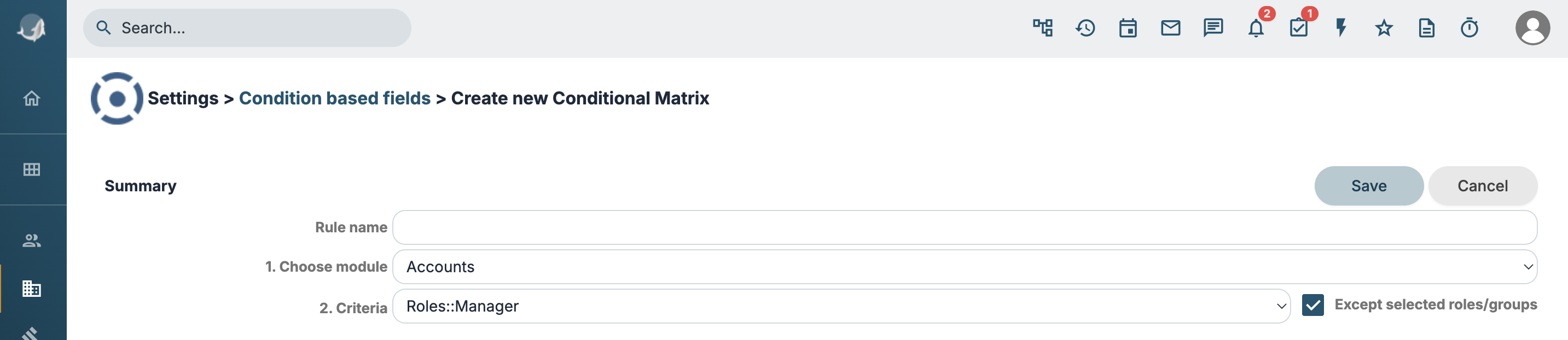
Conditional Fields
It is now possible to define a rule that applies to all groups/roles except the selected one.
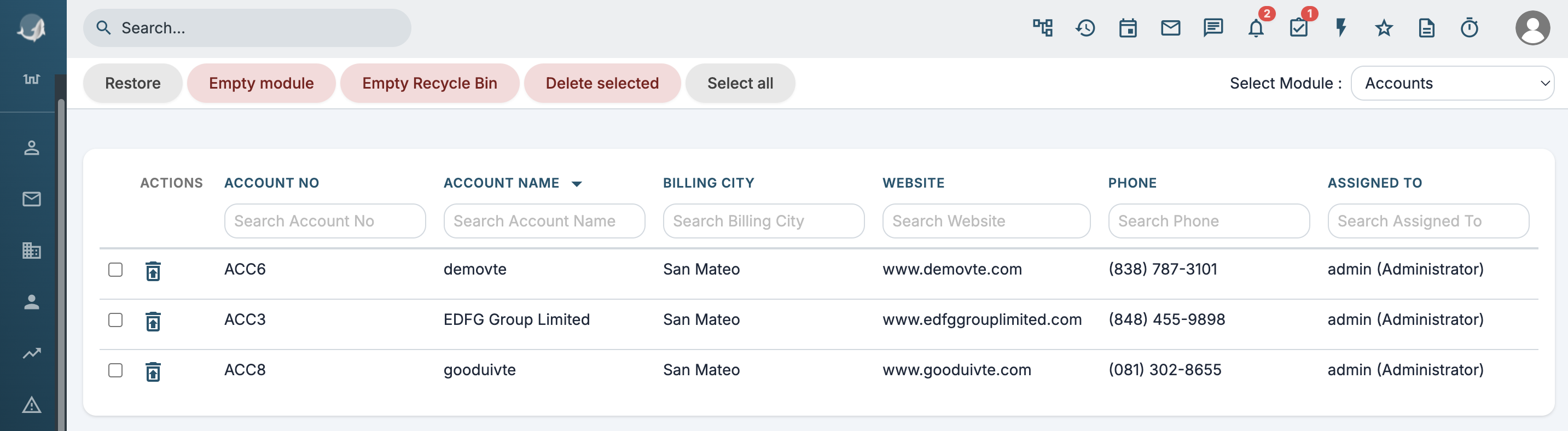
Trash
New buttons have been added to delete specific records or all records of a module.
Processes: Send Newsletter Action
Reply-To and Language configuration options have been added.
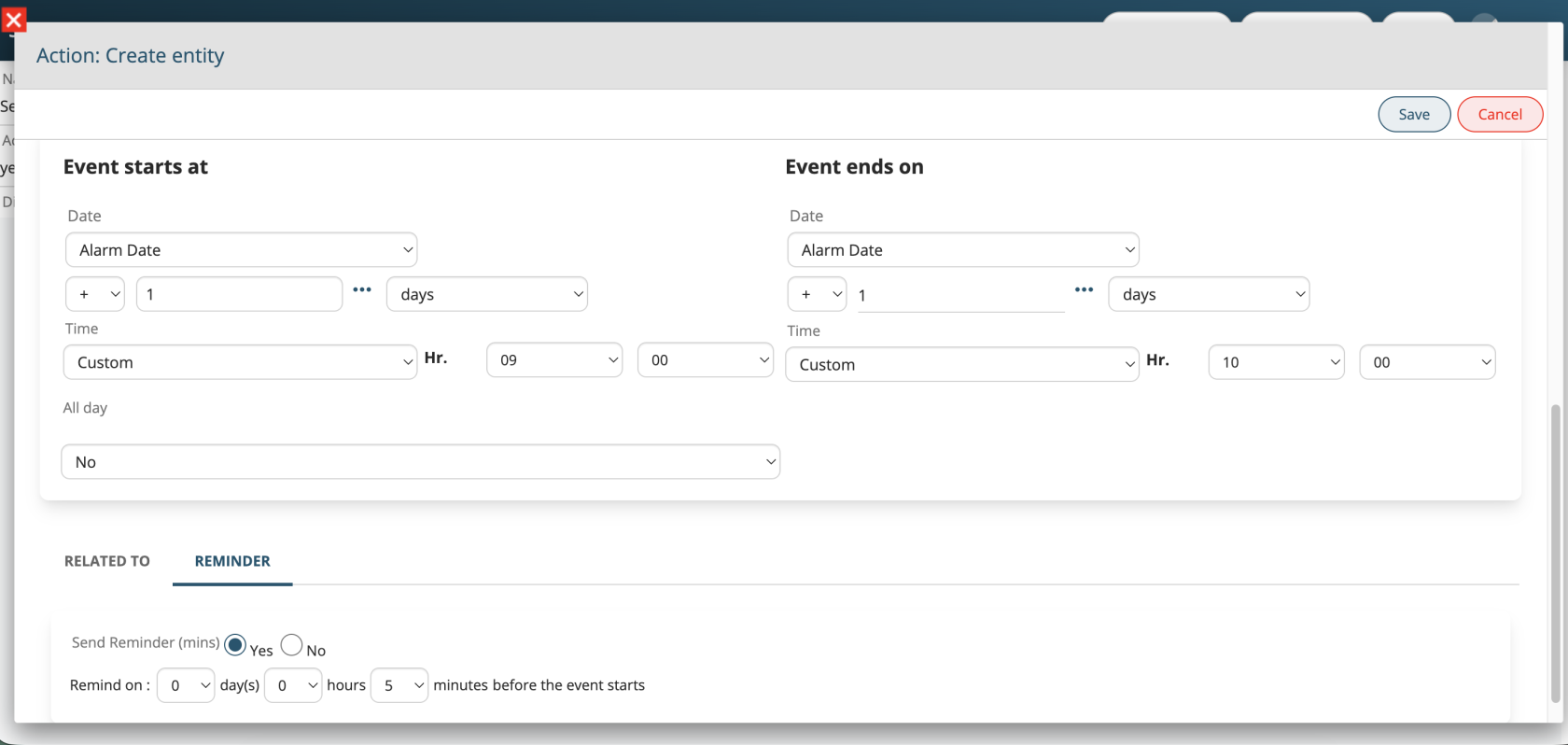
Processes: Events with Reminders
Support for the “Notify” function has been added when creating or updating events from Process Maker.
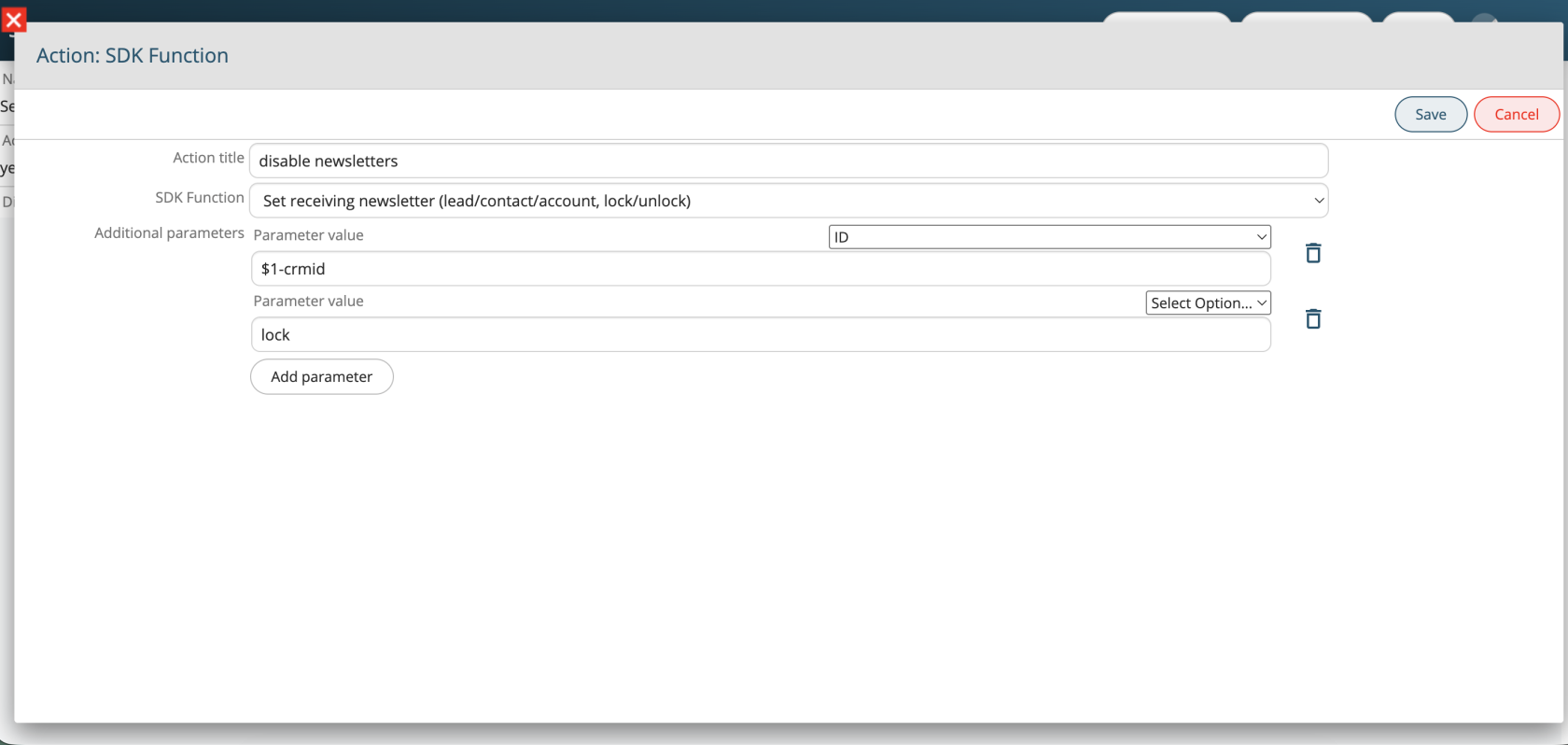
Processes: Enable/Disable Newsletter Subscription
A new SDK function has been added to process actions to enable or disable the “Receives Newsletter” field for Leads, Contacts, and Accounts.
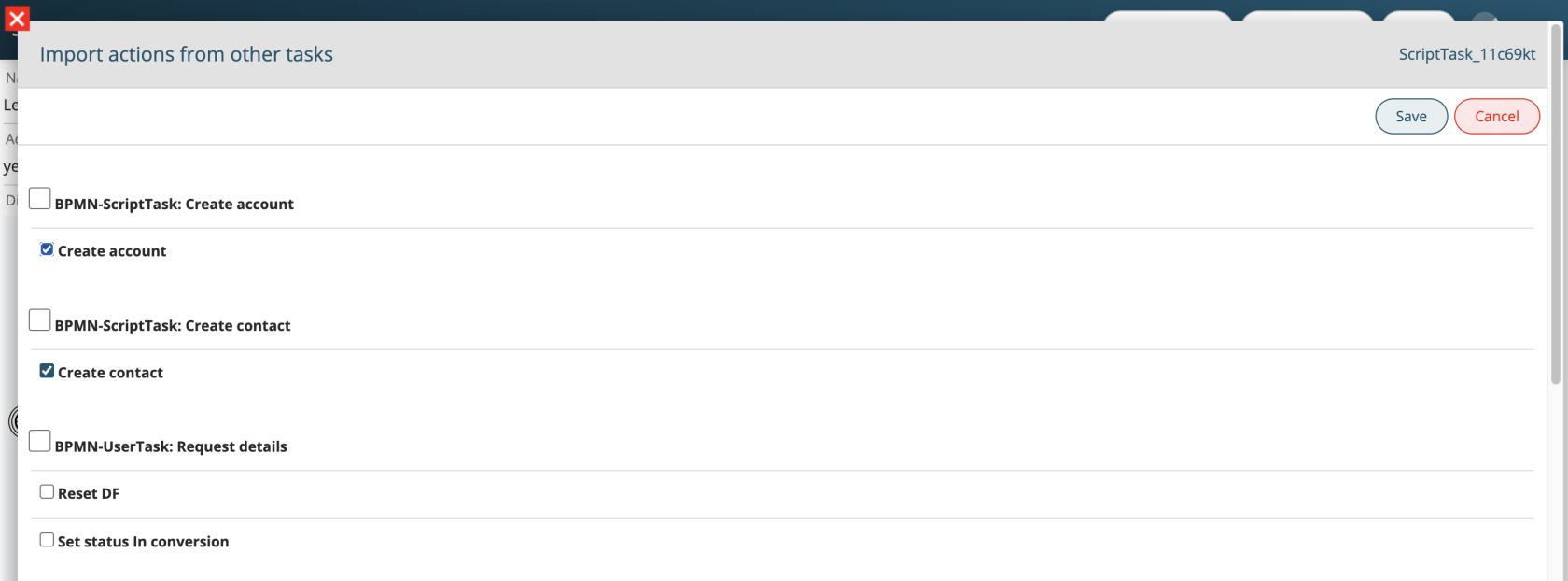
Processes: Import Actions
A new “Import actions from…” button has been added to process action tasks, allowing users to duplicate one or more already configured actions into the current task.
Processes: Formula Function
Process SDK functions for sum, subtraction, multiplication, and division have been unified into a single vte_formula function, using formula field syntax.
Examples:
ciao "$sdk:vte_formula( $1-amount - (20 + 40) - $1-delta )"
// ciao "300.02"
$sdk:vte_formula( if "$1-name" == "ciao" then $1-amount + $1-delta else 0 end )
Processes: Process Helper
To simplify configuration of Process Maker action tasks, the Process Helper will now be disabled by default. When enabled, the “Linked to” field will be automatically populated with the main entity.
Processes: New UI
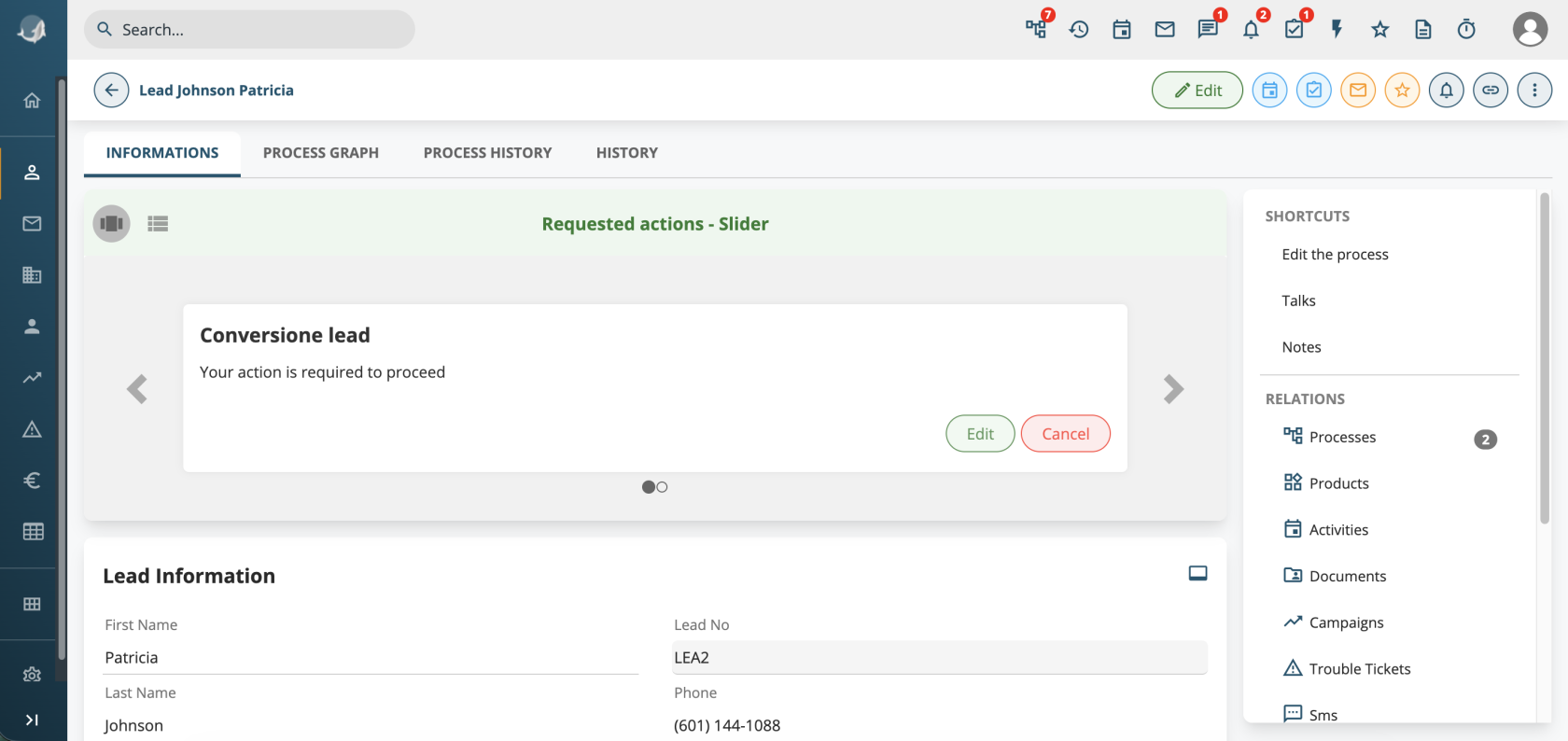
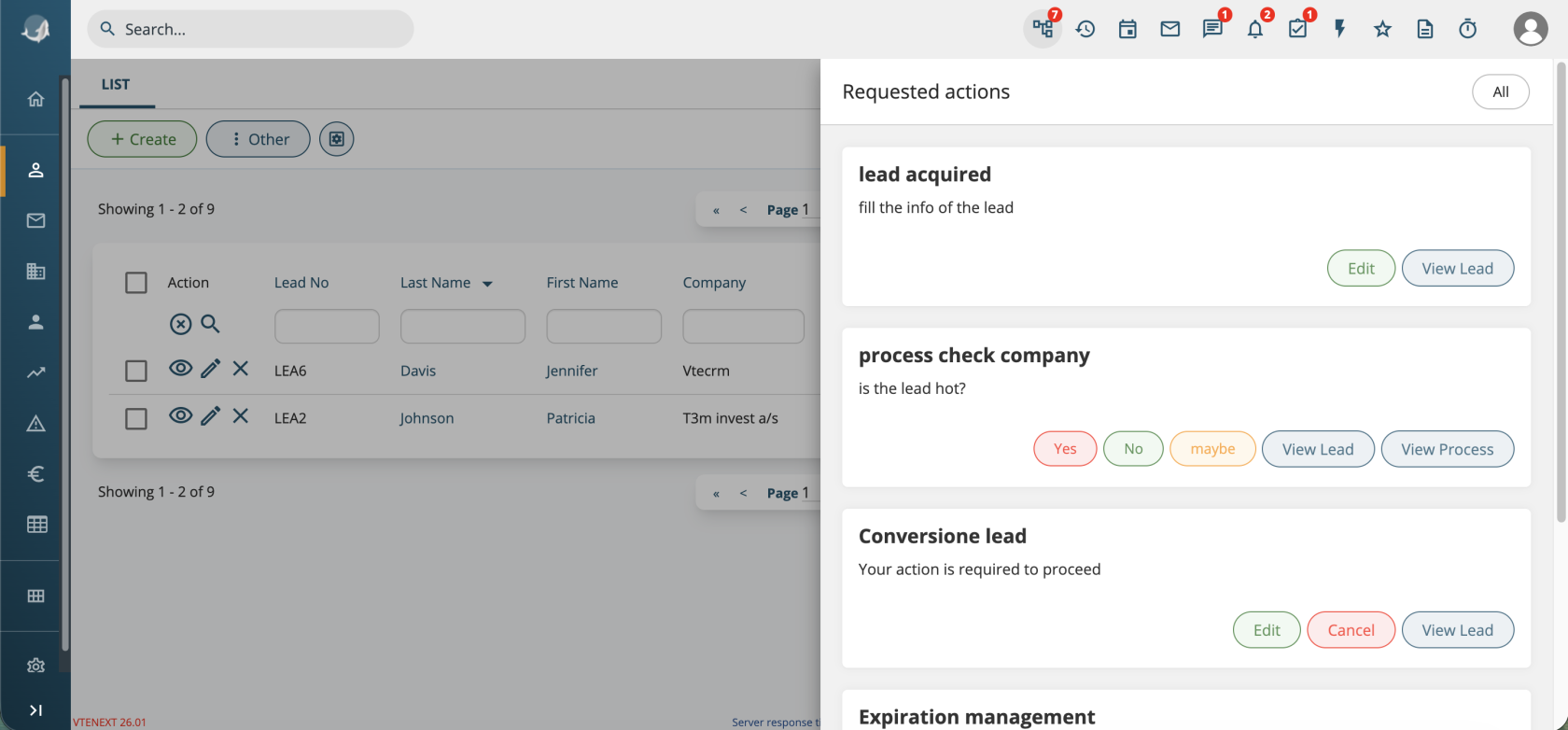
If multiple processes requiring a dynamic form are linked to a record, it is now possible to scroll through them and choose which one to complete first.
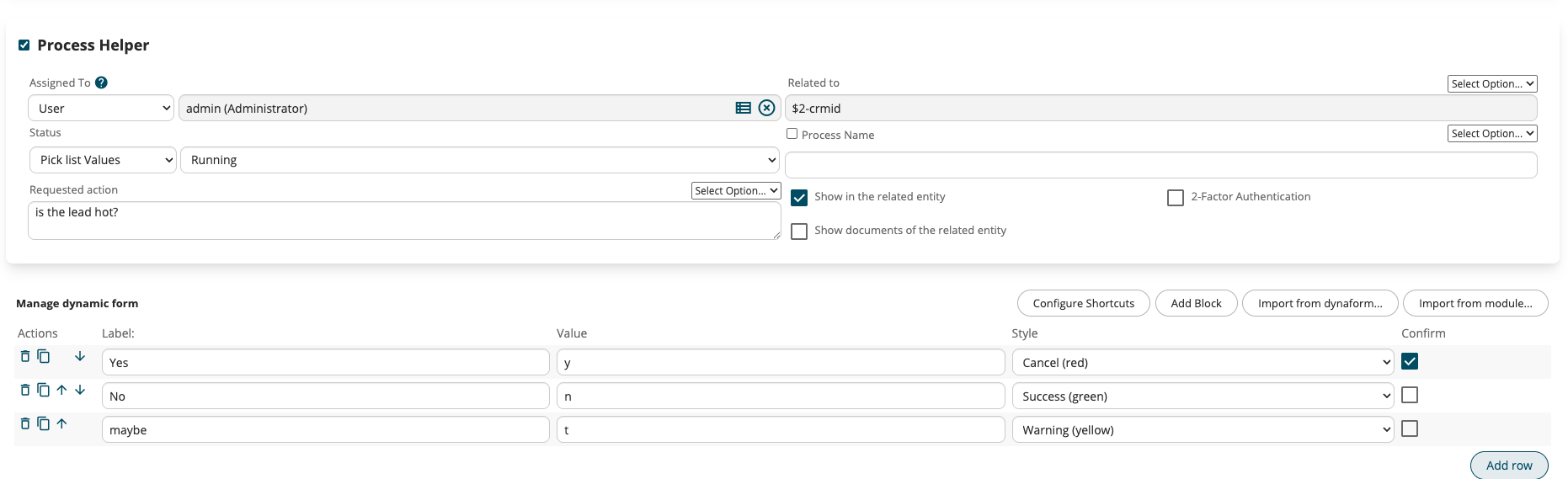
For simple dynamic forms with a single “choice” field (used to confirm or route a workflow), a new “Quick choice configuration” button has been added. It allows configuring quick action buttons directly within the requested action instead of using the “Fill in” button.
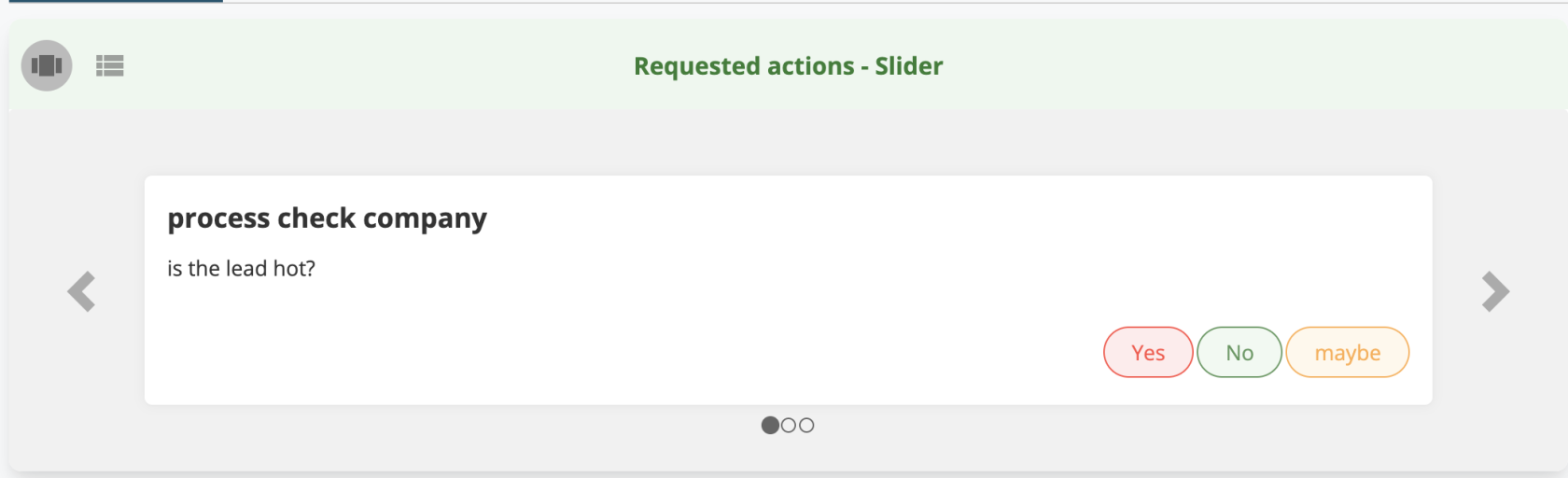
The process list, accessible from the top menu, has been simplified and now replicates the same block-based UI used in record detail views.
Developers
SDK Class Extensions
Several PHP classes have been made extensible and improved to support SDK development without modifying core files:
-
WebformCapture (webform saving)
-
Import_Data_Controller (CSV import management)
-
ListViewController (list management)
-
ExportUtils (CSV export)
-
Mail Converter classes: MailScannerMailBox, MailScanner, MailRecord, MailRecordZend, MailScannerMailBoxZend, MailScannerInfo, MailScannerAction, MailScannerRule, MailScannerSpam
-
All VteSync connector classes
More details available in the documentation.
Module Conversion
It is now possible to create a record starting from another module (e.g. Quote → Generate Sales Order) via the new ConvertModesUtils class.
More details available in the documentation.
Themes
The “softed” and “next” themes have been removed, and “next22” is now the new default theme in Smarty/templates.
Any custom templates replacing standard ones must be placed in Smarty/templates_sdk.
Settings
A new SettingsPage class has been introduced for managing settings pages.
Code Review Skill
A review skill is available under tools/skill/review-sdk-26 to be used with AI agents in your IDE, helping adapt code to the new version.