Release Note vtenext 25.02
Cases Module
The Cases module is designed to manage reports, issues, and internal requests within the company, enabling a structured and traceable workflow. Here are the main features and functionalities of the Cases module, which specifically handles internal cases and subcases:
- Case Creation and Management
- Subcase Management
- Workflow and Automation
- Communication and Collaboration
- Reporting and Analysis
- Integration with Other CRM Modules
A well-structured Cases module improves operational efficiency, reduces request handling time, and increases transparency within the company.
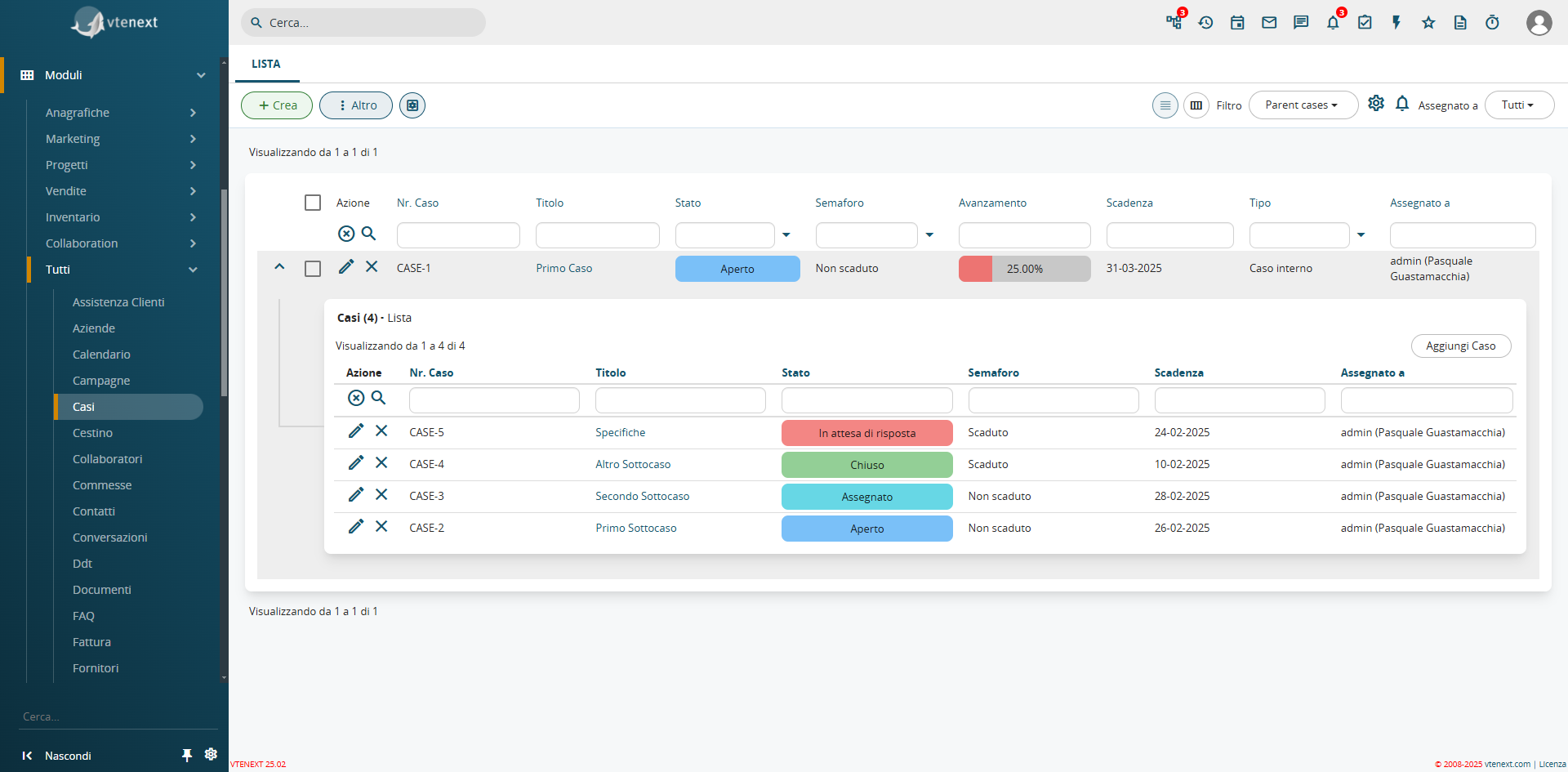
How the Cases Module Appears and the Display of Subcases Already Available in the List View
As already seen in the Cases module, an additional function has been introduced in the filters: the expansion of list views. This feature allows related module views to be propagated within a filter. For example, in a Company record, you can directly see all linked Contacts from the filter. This function is available for all CRM filters.
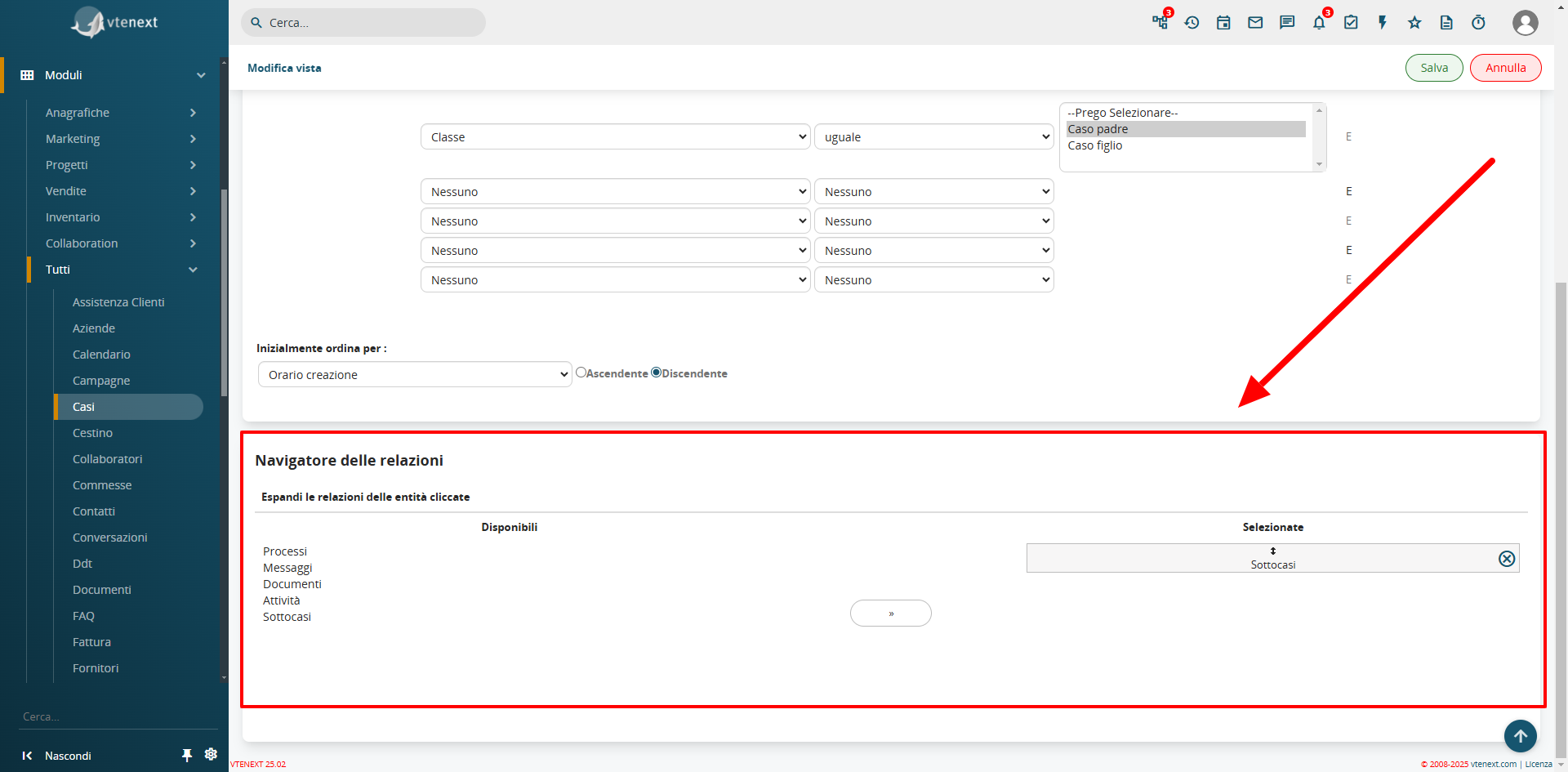
In the filter settings, the Relations Navigator configuration is available
Field Coloring in List View
From SETTINGS > LIST VIEW COLORING, the Field Coloring option is available. This feature allows you to apply colors to specific fields in the list view, such as the status of a Ticket or a Case, improving visibility and usability.
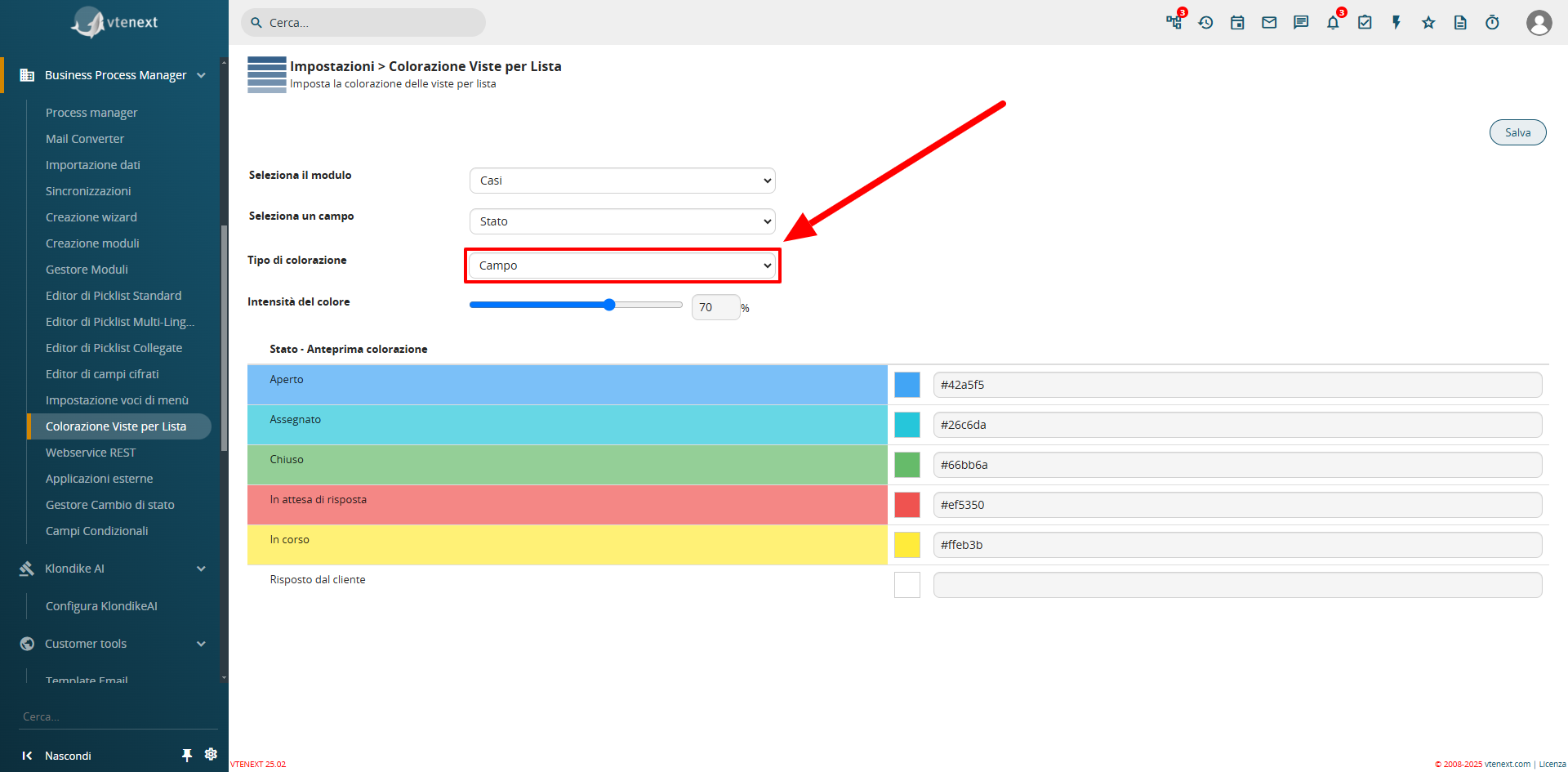
Configuration View from Settings
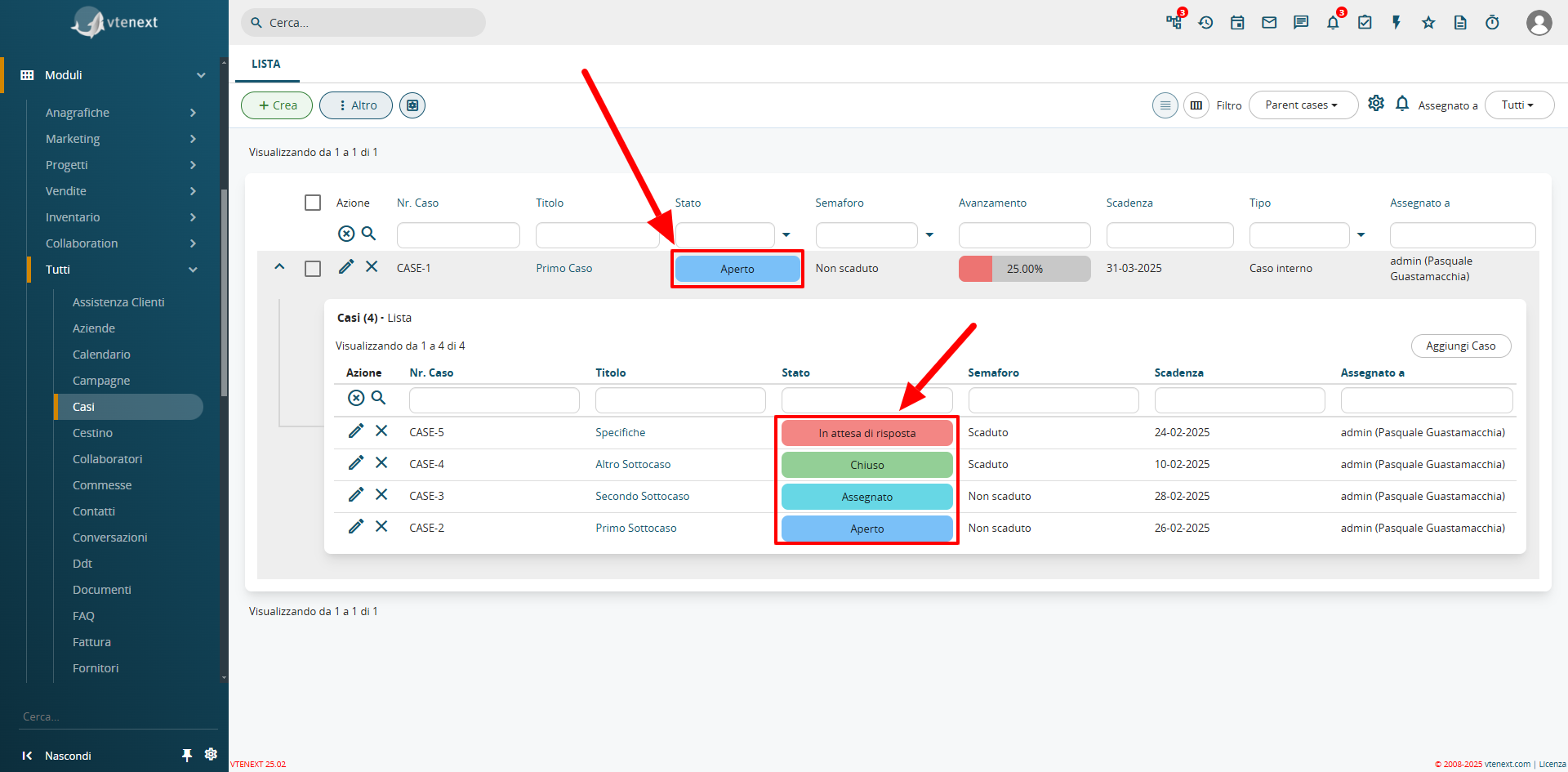
Colored Field View in List
Progress Bar
A new field type, uitype 1024, has been introduced as a progress bar. This feature can only be enabled and configured via code. A pre-installed progress bar is available in the Cases module, which automatically calculates and updates the percentage of Closed Subcases.

Detailed View of the Progress Bar Field
Preinstalled Processes for Case Management
The update includes two new processes to automate the management of the Case module.
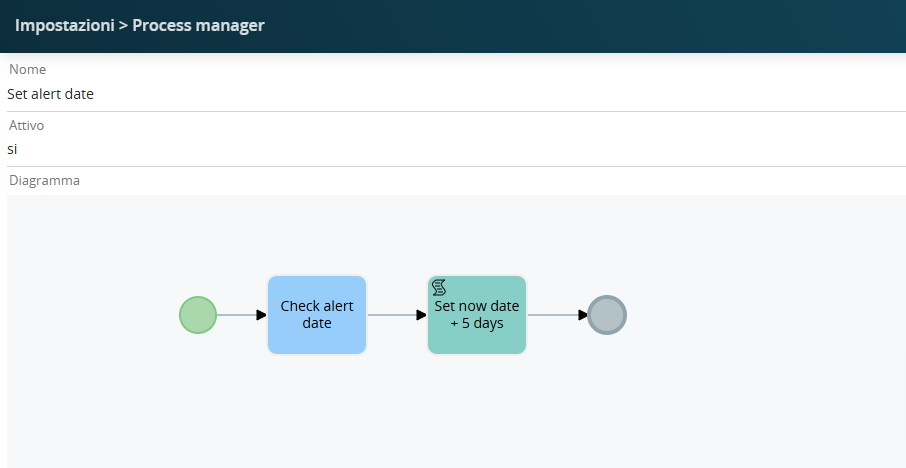
Set Alert Date, è il processo che setta automaticamente la data di alert scadenza, se lasciata vuota alla creazione di un Caso, a 5gg dalla data odierna (considerando che il caso lo sto creando oggi)
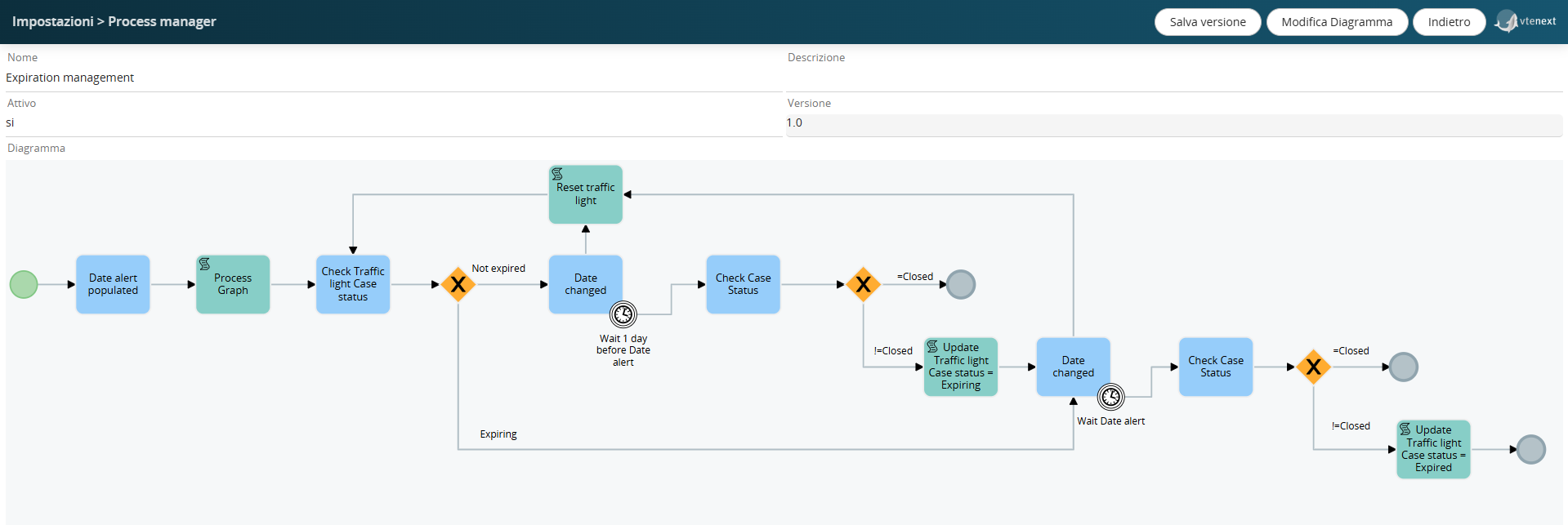
Espiration Management, è il processo che verifica le date ed un giorno prima della data di scadenza, imposta il valore dello stato del caso a "in scadenza" oppure a "scaduto"
Mappatura campi del blocco prodotti
Nella configurazione del blocco prodotti nel layout editor è possibile indicare la mappatura dei campi custom per ereditare dei valori da un altro modulo.
Per esempio nel blocco prodotti dei preventivi, avendo preparato un campo "Sconto Partner" e volendo che alla generazione dell'Ordine di Vendita quel campo venga popolato in un campo custom denominato "Sconto di primo livello" nel blocco prodotti dell'ordine, avrò la possibilità di gestire questa funzione attraverso i processi.
La mappatura non viene applicata al salvataggio (come per le formule) ma semplicemente viene precompilato il valore in creazione. Viene dunque automaticamente applicata nell'azione "Copy products block" dei processi.
Invitare Lead ed Email nel Calendario
Questa funzione permette di invitare Lead ed Email direttamente negli Eventi del Calendario. I Lead e le Email, riceveranno una notifica via email, che potranno accettare o declinare e questa loro azione, potrà essere vista direttamente nell'evento di calendario.
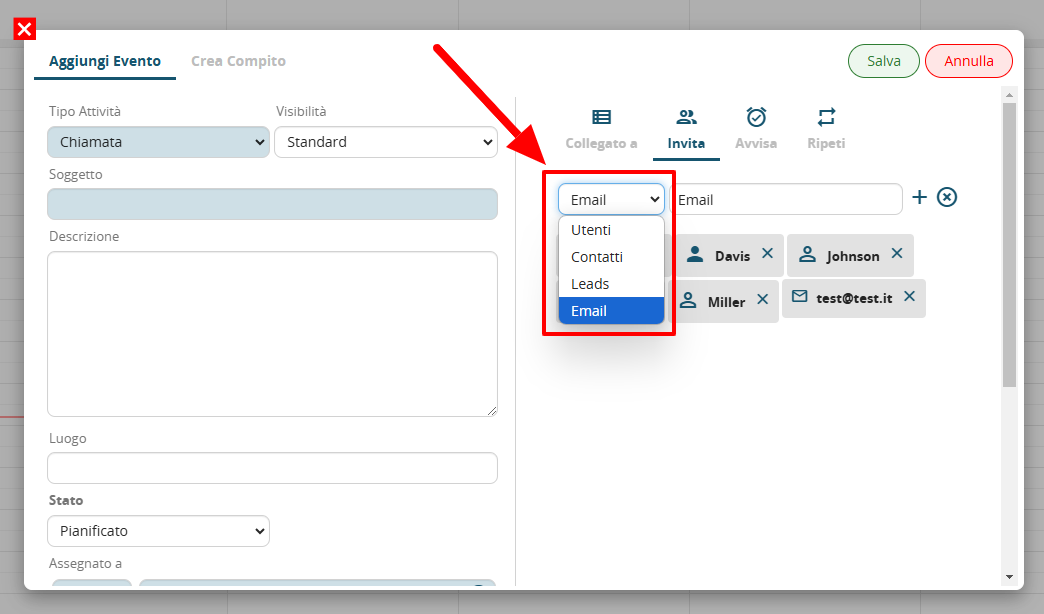
Notare la tendina di selezione per gli inviti, ora con le nuove entità selezionabili
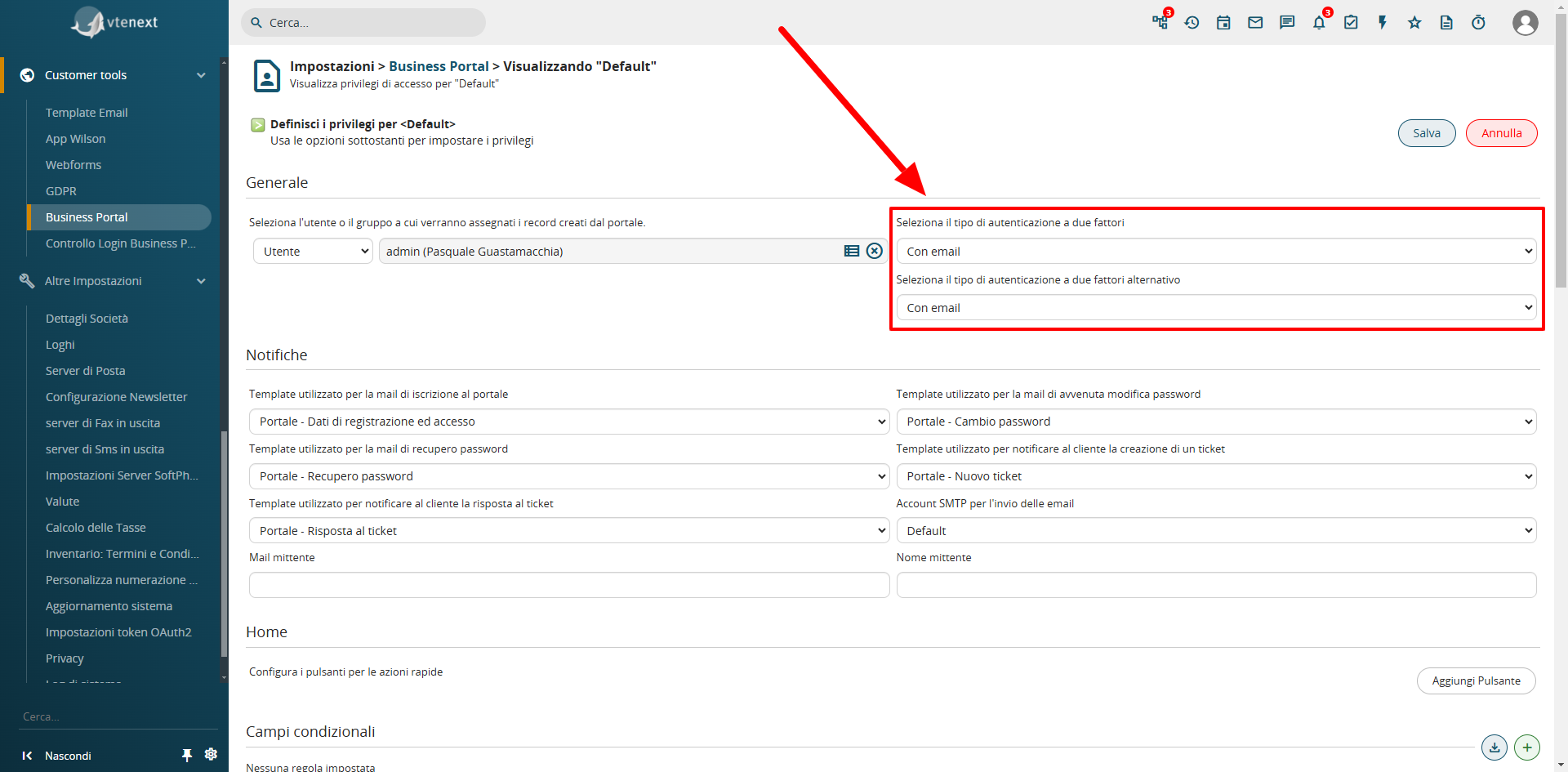
Autenticazione a due fattori (2FA) nel Business Portal
E' stata implementata l’autenticazione a due fattori sul portale clienti, fattibile via email. Tramite SDK è possibile implementare altre tipologie di autenticazione (esempio SMS). Il Contatto Portale che avrà attivato questa funzione, dovrà inserire il codice che riceverà via email per accedere al portale.