Release Note vtenext 25.02
Cases Module
The Cases module is designed to manage reports, issues, and internal requests within the company, enabling a structured and traceable workflow. Here are the main features and functionalities of the Cases module, which specifically handles internal cases and subcases:
- Case Creation and Management
- Subcase Management
- Workflow and Automation
- Communication and Collaboration
- Reporting and Analysis
- Integration with Other CRM Modules
A well-structured Cases module improves operational efficiency, reduces request handling time, and increases transparency within the company.
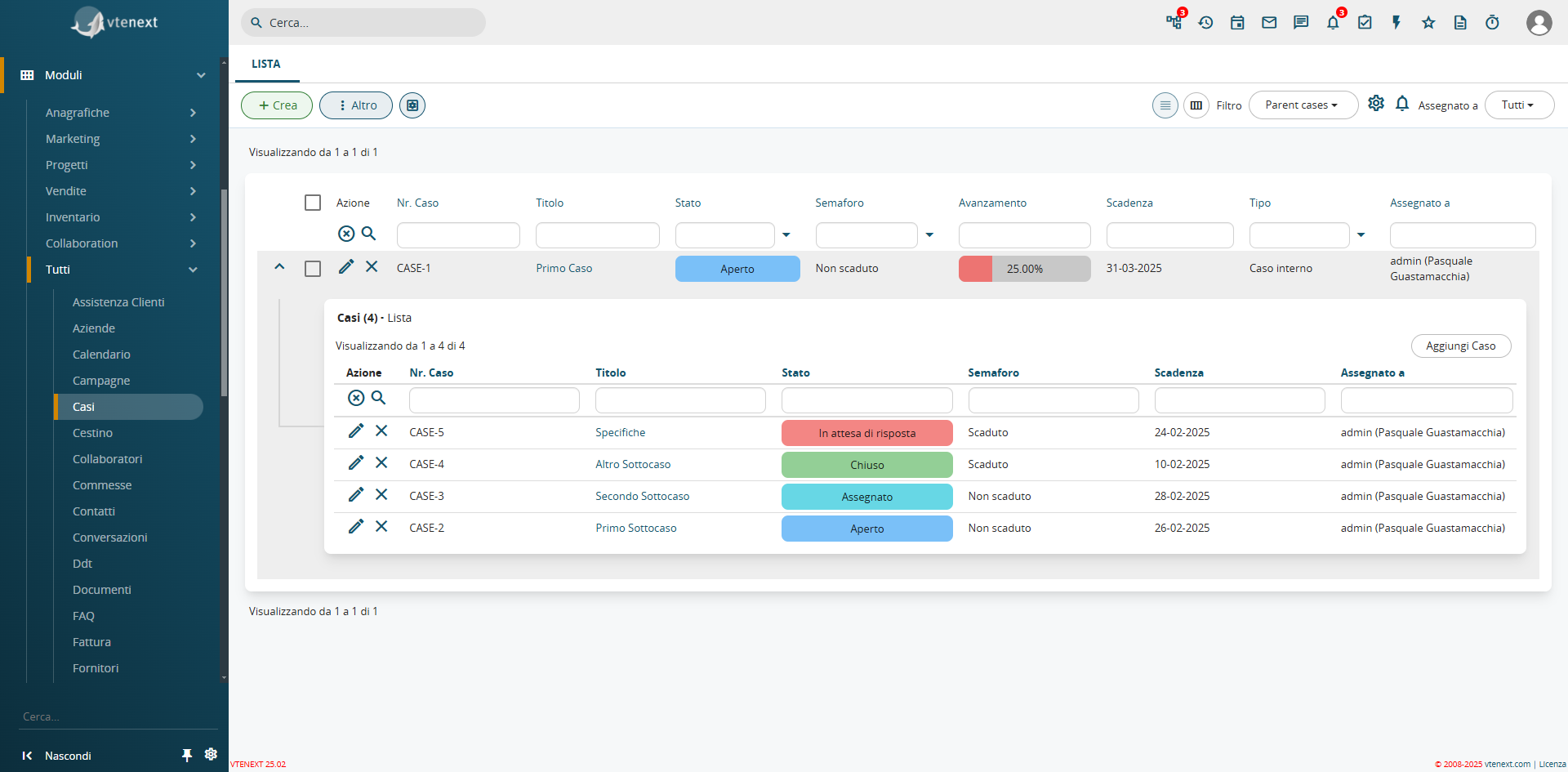
How the Cases Module Appears and the Display of Subcases Already Available in the List View
As already seen in the Cases module, an additional function has been introduced in the filters: the expansion of list views. This feature allows related module views to be propagated within a filter. For example, in a Company record, you can directly see all linked Contacts from the filter. This function is available for all CRM filters.
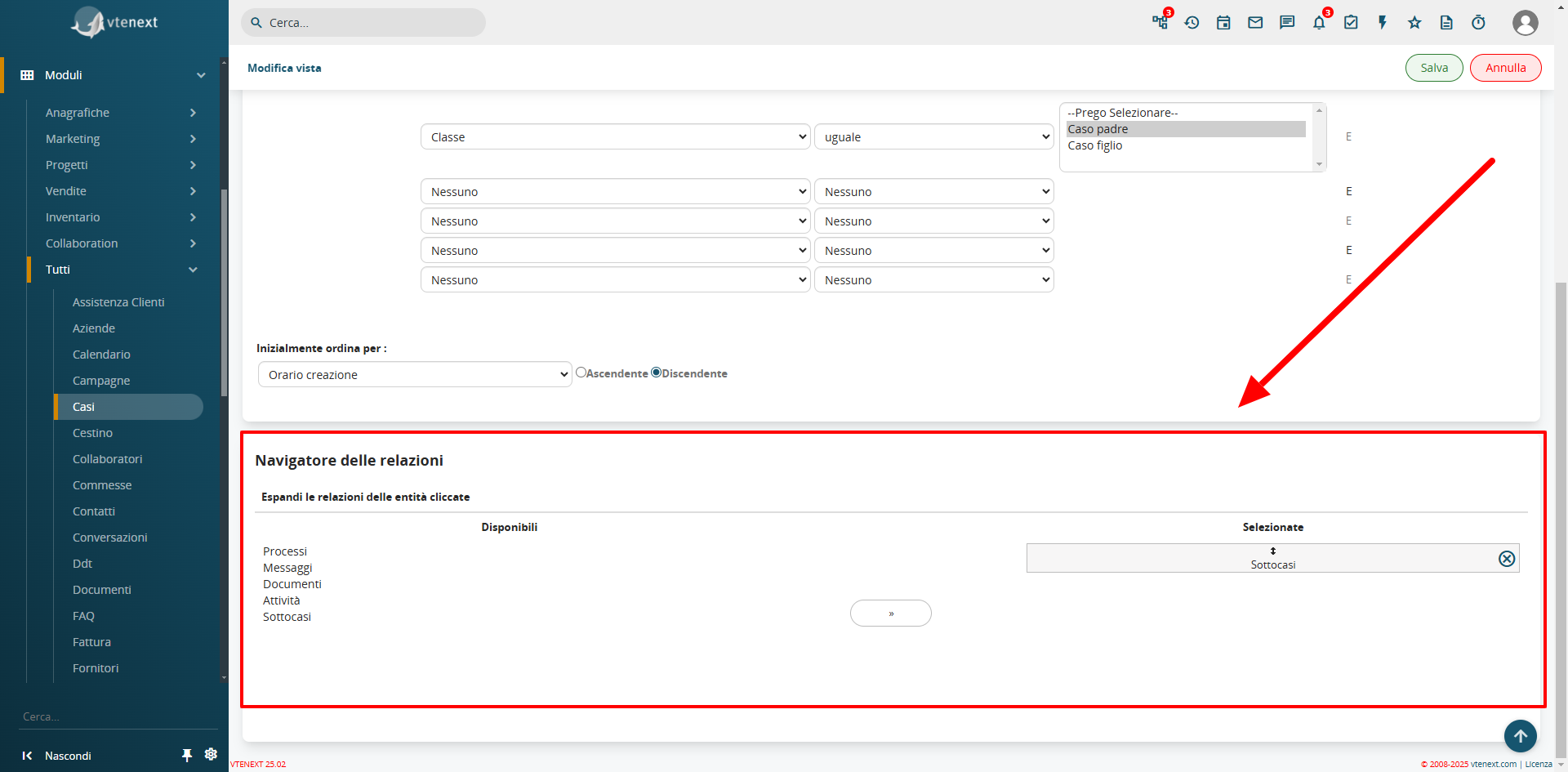
In the filter settings, the Relations Navigator configuration is available
Field Coloring in List View
From SETTINGS > LIST VIEW COLORING, the Field Coloring option is available. This feature allows you to apply colors to specific fields in the list view, such as the status of a Ticket or a Case, improving visibility and usability.
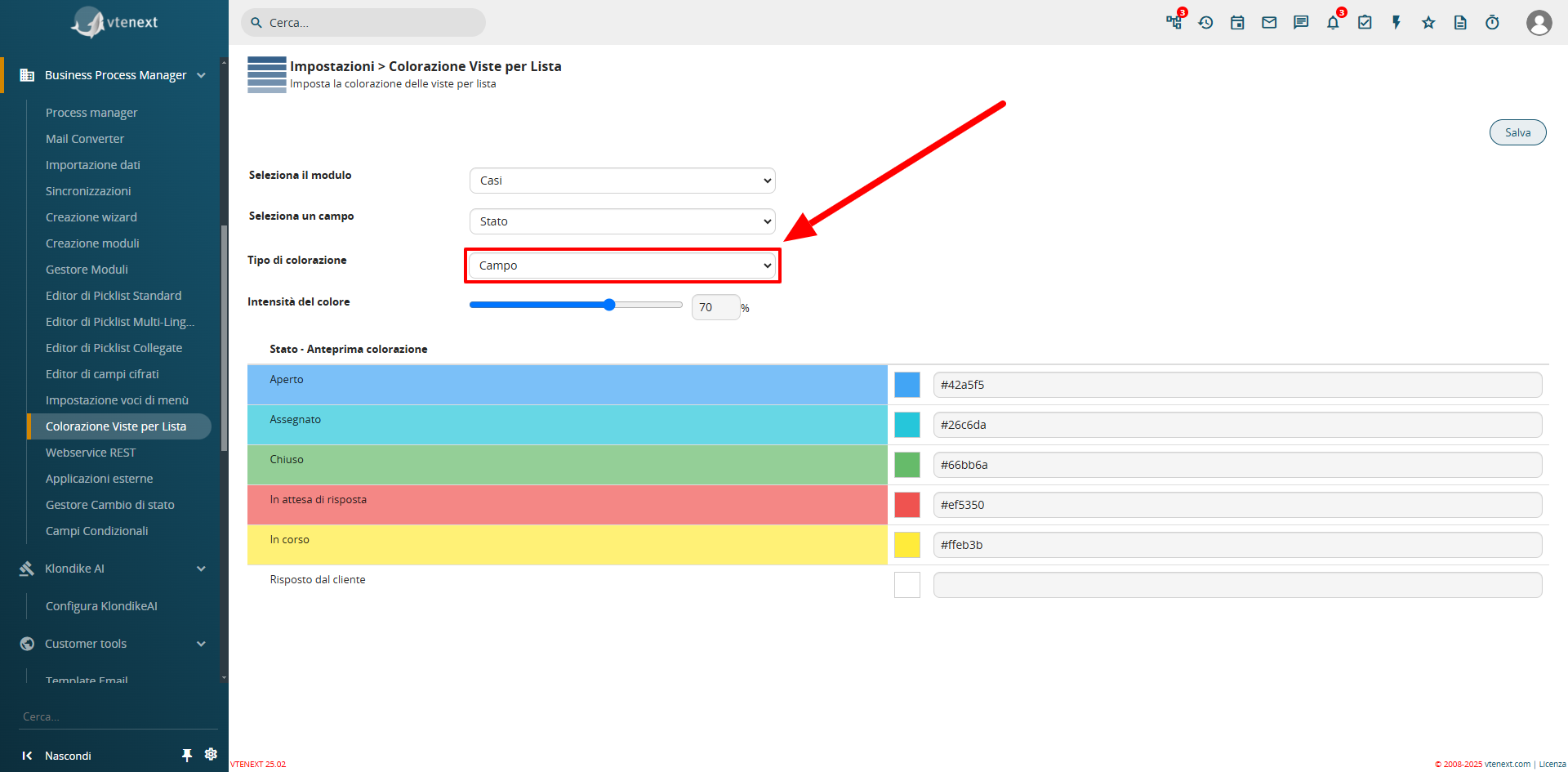
Configuration View from Settings
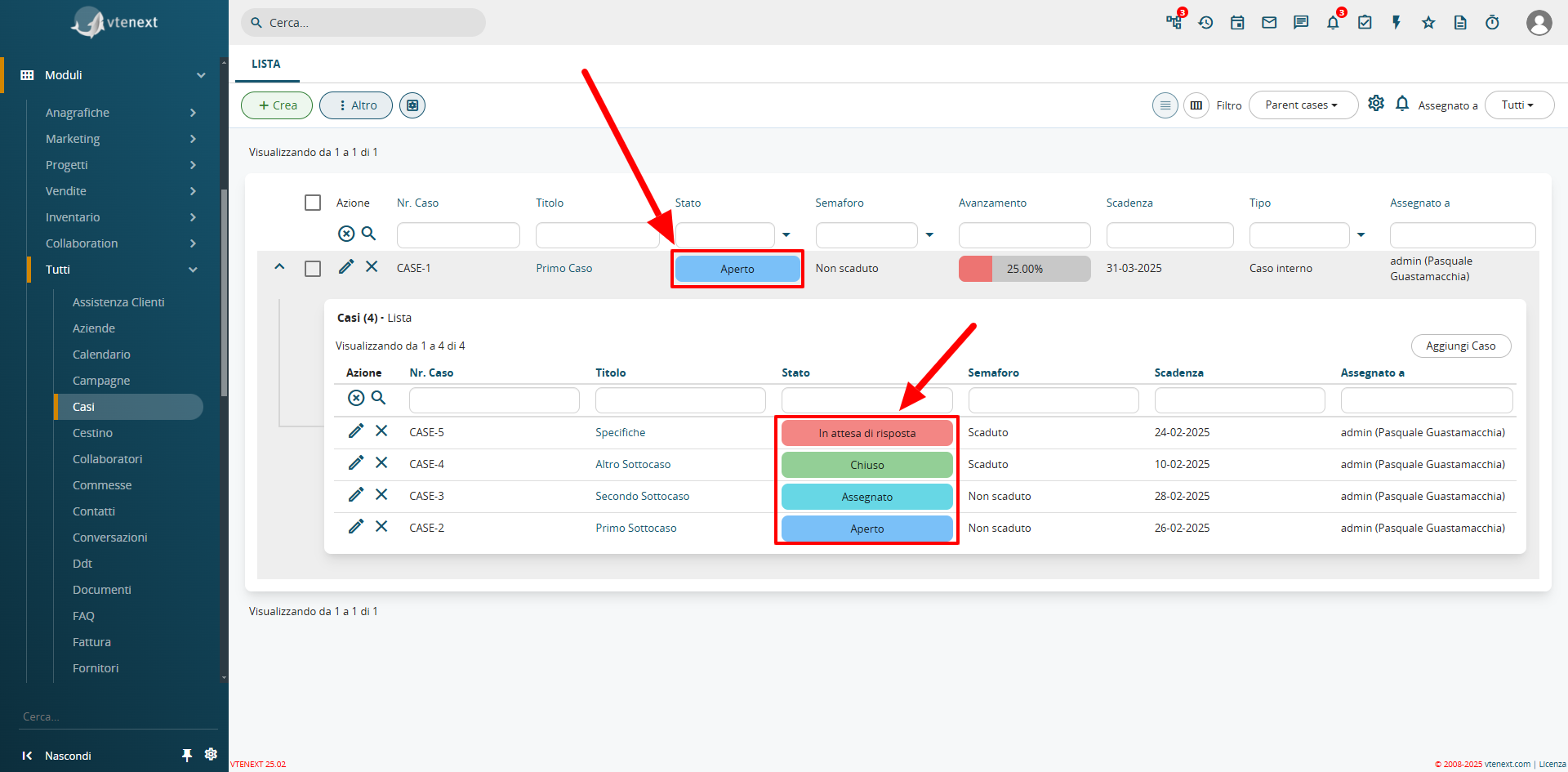
Colored Field View in List
Progress Bar
A new field type, uitype 1024, has been introduced as a progress bar. This feature can only be enabled and configured via code. A pre-installed progress bar is available in the Cases module, which automatically calculates and updates the percentage of Closed Subcases.

Detailed View of the Progress Bar Field
Preinstalled Processes for Case Management
The update includes two new processes to automate the management of the Case module.
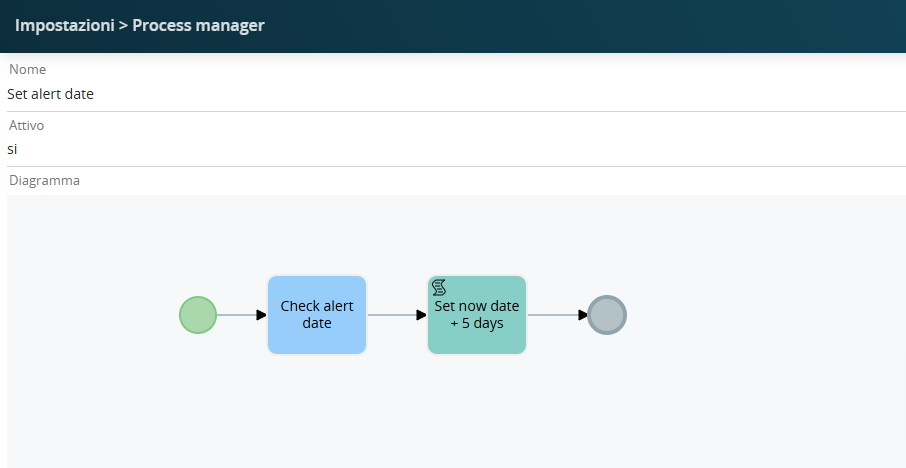
"Set Alert Date,Date" èis ilthe processoprocess chethat settaautomatically automaticamentesets la data dithe alert scadenza,expiration sedate lasciatato vuota5 alladays creazionefrom ditoday's undate Caso,(considering that the case is being created today) if left empty during the creation of a 5gg dalla data odierna (considerando che il caso lo sto creando oggi)Case.
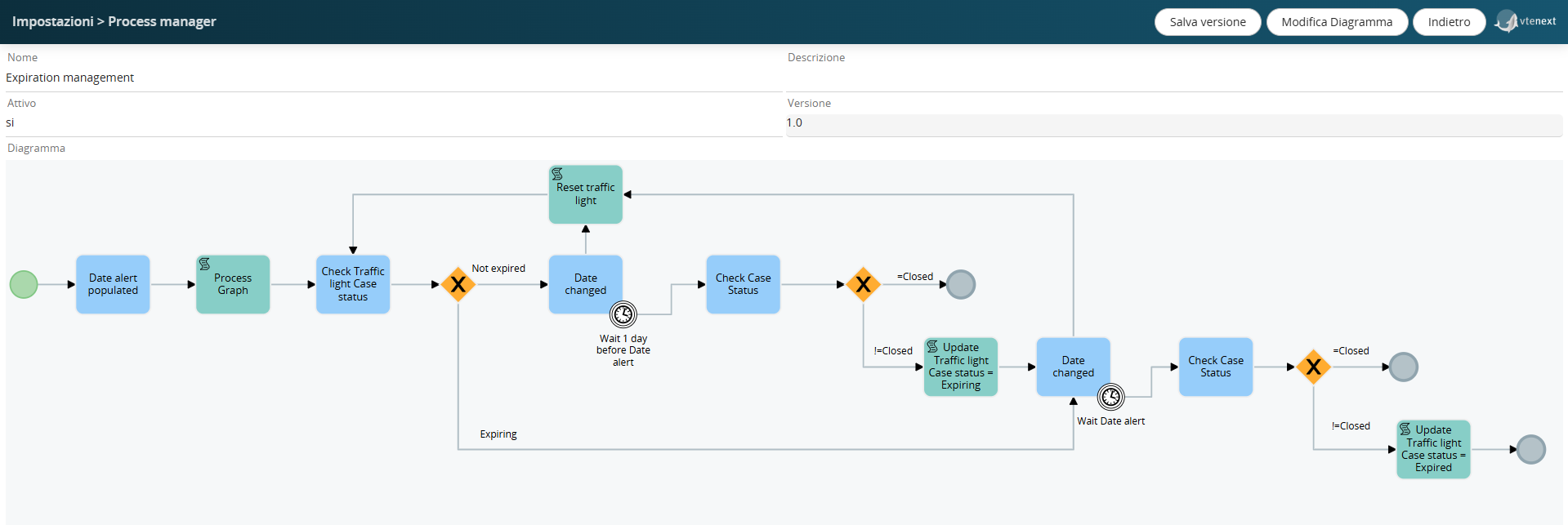
Espiration"Expiration Management,Management" èis ilthe processoprocess chethat verificachecks lethe datedates, edand unone giornoday primabefore dellathe dataexpiration didate, scadenza,sets impostathe ilcase valorestatus dello stato del caso ato "inexpiring" scadenza" oppure aor "scaduto"expired."
MappaturaField campiMapping delof bloccothe prodottiProducts Block
NellaIn configurazionethe delconfiguration bloccoof prodottithe nelproducts block in the layout editoreditor, èit possibileis indicarepossible lato mappaturadefine deithe campimapping of custom perfields ereditareto deiinherit valorivalues dafrom unanother altromodule.
For modulo.Per esempio nel blocco prodotti dei preventivi, avendo preparato un campo "Sconto Partner" e volendo che alla generazione dell'Ordine di Vendita quel campo venga popolatoexample, in unthe campoproducts block of quotes, if a "Partner Discount" field has been created and you want this field to be populated into a custom denominatofield named "ScontoFirst-Level di primo livello" nel blocco prodotti dell'ordine, avrò la possibilità di gestire questa funzione attraverso i processi.La mappatura non viene applicata al salvataggio (come per le formule) ma semplicemente viene precompilato il valoreDiscount" in creazione.the Vieneproducts dunqueblock automaticamenteof applicatathe nell'azionesales order upon its generation, you will be able to manage this function through processes.
The mapping is not applied upon saving (as with formulas) but is simply pre-filled during creation. It is automatically applied in the "Copy products block" deiaction processi.of the processes.
InvitareInvite LeadLeads edand EmailEmails nelto Calendariothe Calendar
QuestaThis funzionefeature permetteallows diyou invitareto Leadinvite edLeads Emailand direttamenteEmails neglidirectly Eventito delCalendar Calendario.Events. IThe LeadLeads eand leEmails Email,will riceverannoreceive unaan notificaemail vianotification, email,which chethey potrannocan accettareaccept oor declinaredecline, eand questatheir lororesponse azione,will potràbe esserevisible vistadirectly direttamentein nell'eventothe dicalendar calendario.event.
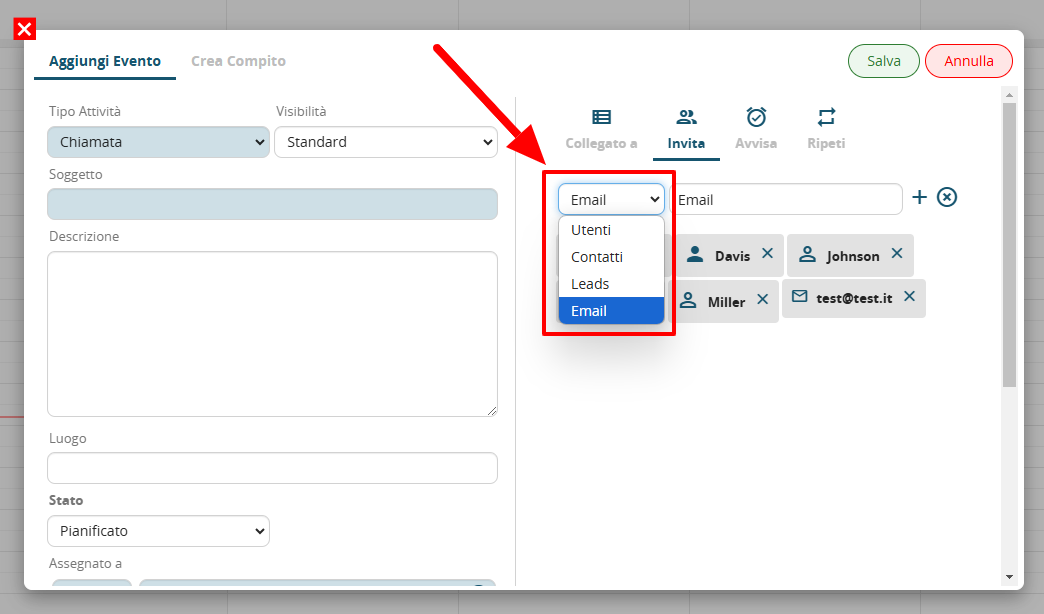
NotareNote lathe tendinadropdown dimenu selezionefor perinvitations, glinow inviti,with orathe connew leselectable nuove entità selezionabilientities
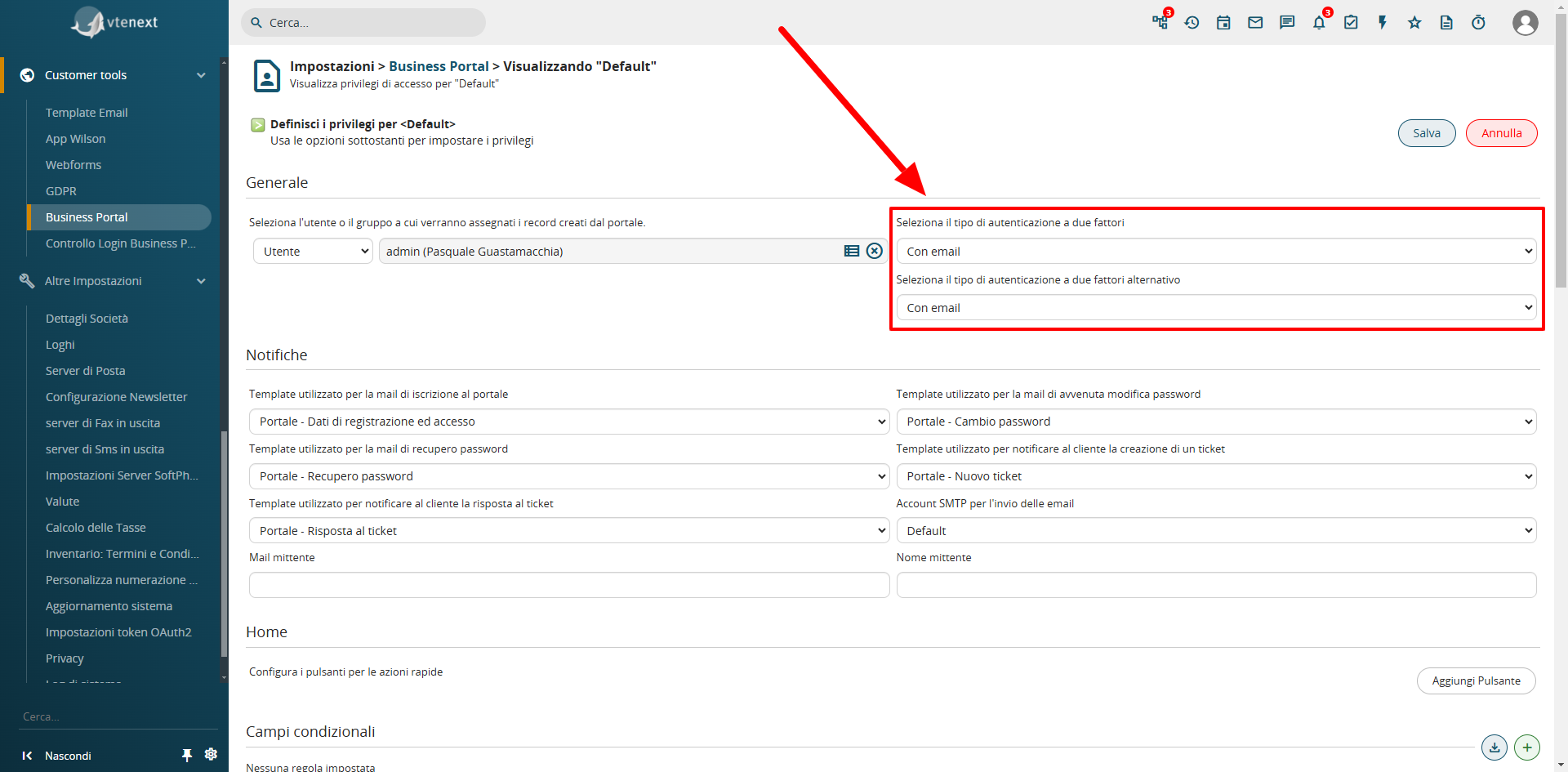
AutenticazioneTwo-Factor a due fattoriAuthentication (2FA) nelin the Business Portal
E'Two-factor stataauthentication implementatahas l’autenticazionebeen aimplemented dueon fattorithe sulcustomer portaleportal, clienti, fattibileachievable via email. TramiteThrough SDKthe èSDK, possibileother implementaretypes altreof tipologie di autenticazioneauthentication (esempioe.g., SMS). Ilcan Contattobe Portaleimplemented. cheThe avràPortal attivatoContact questawho funzione,has dovràactivated inserirethis ilfeature codicewill cheneed riceveràto enter the code received via email perto accedereaccess althe portale.portal.