Release Note vtenext 25.02
Cases Module
The Cases module is designed to manage reports, issues, and internal requests within the company, enabling a structured and traceable workflow. Here are the main features and functionalities of the Cases module, which specifically handles internal cases and subcases:
- Case Creation and Management
- Subcase Management
- Workflow and Automation
- Communication and Collaboration
- Reporting and Analysis
- Integration with Other CRM Modules
A well-structured Cases module improves operational efficiency, reduces request handling time, and increases transparency within the company.
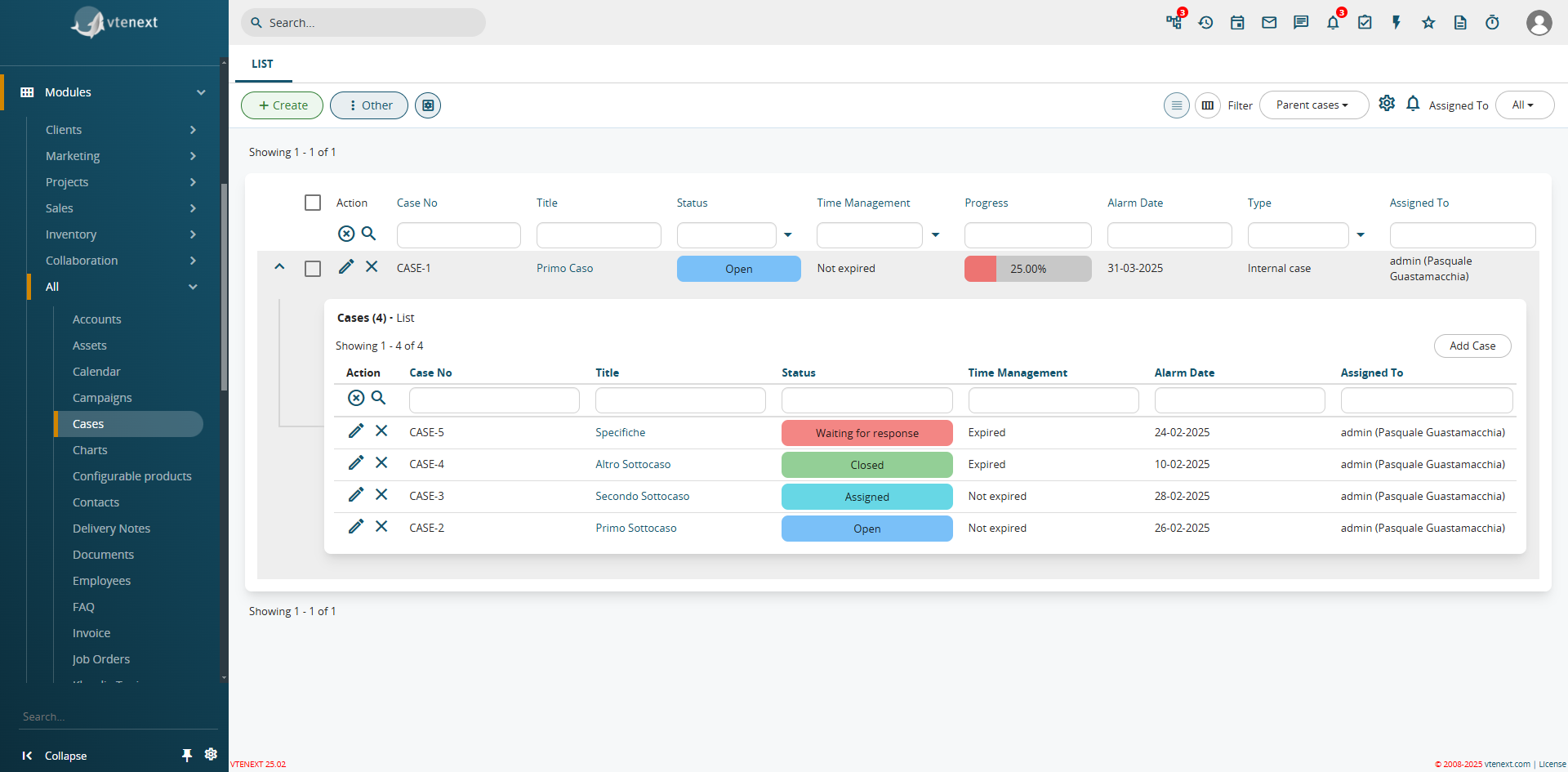
How the Cases Module Appears and the Display of Subcases Already Available in the List View
As already seen in the Cases module, an additional function has been introduced in the filters: the expansion of list views. This feature allows related module views to be propagated within a filter. For example, in a Company record, you can directly see all linked Contacts from the filter. This function is available for all CRM filters.
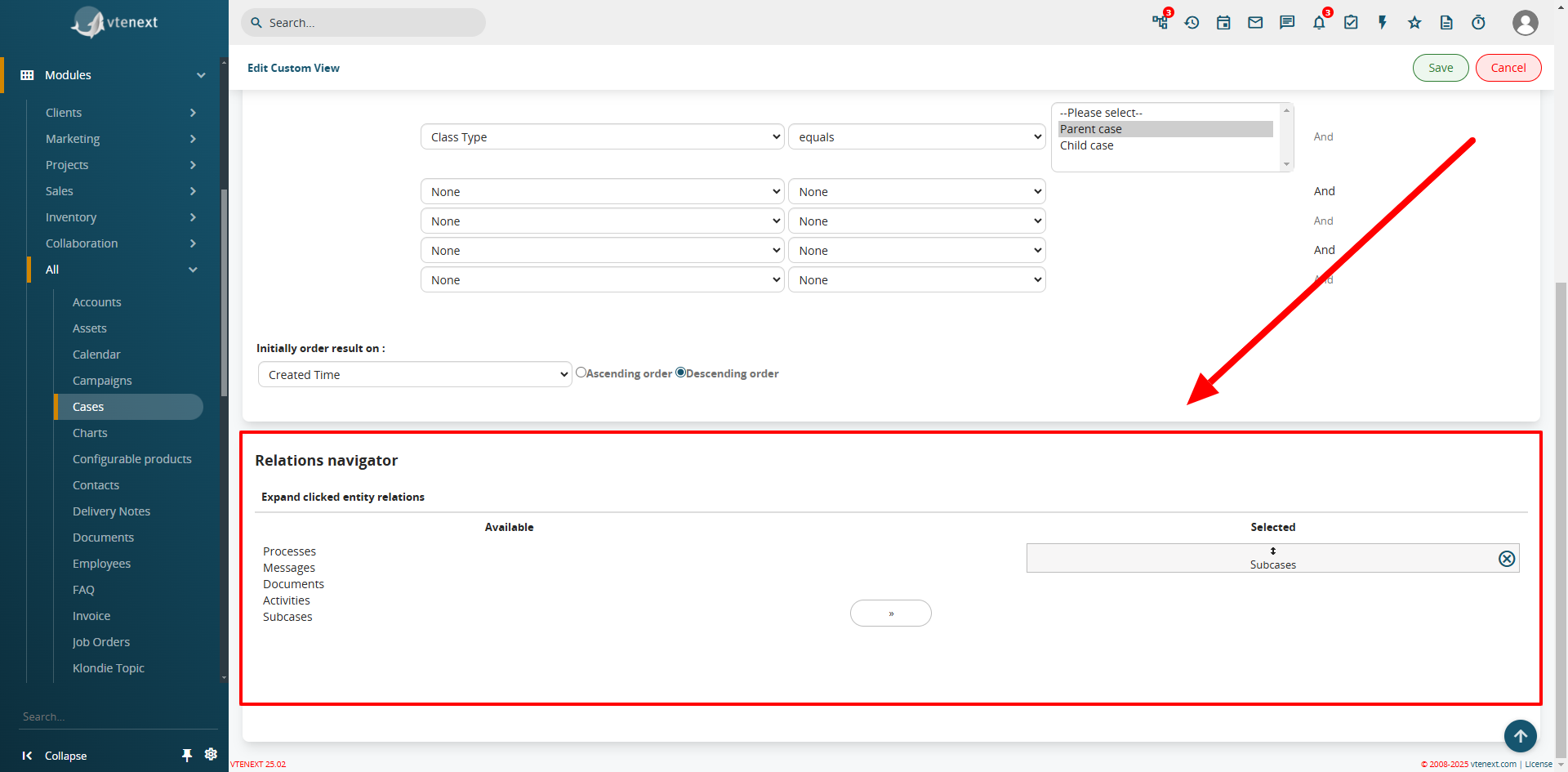
In the filter settings, the Relations Navigator configuration is available
Field Coloring in List View
From SETTINGS > LIST VIEW COLORING, the Field Coloring option is available. This feature allows you to apply colors to specific fields in the list view, such as the status of a Ticket or a Case, improving visibility and usability.
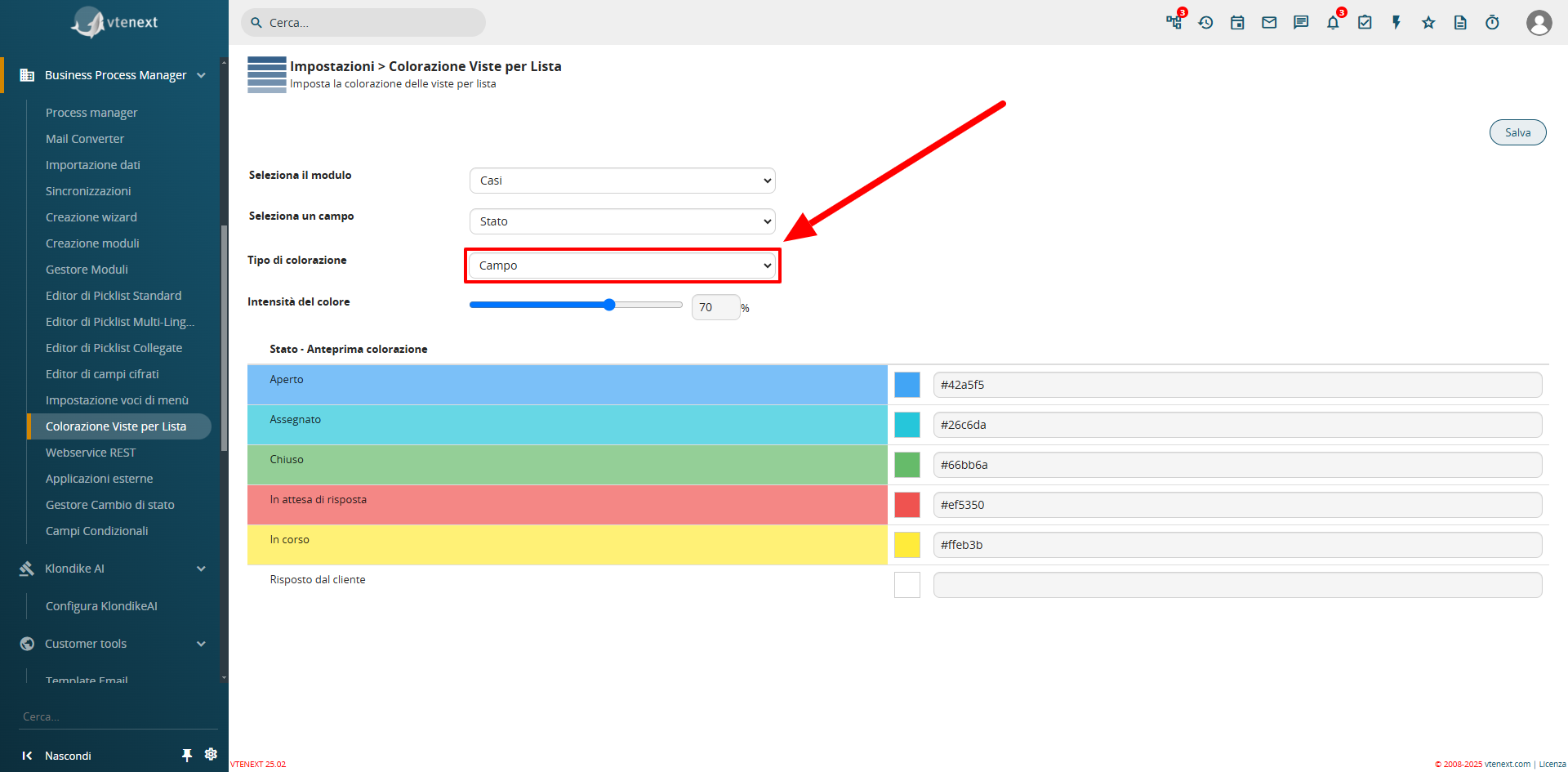
Configuration View from Settings
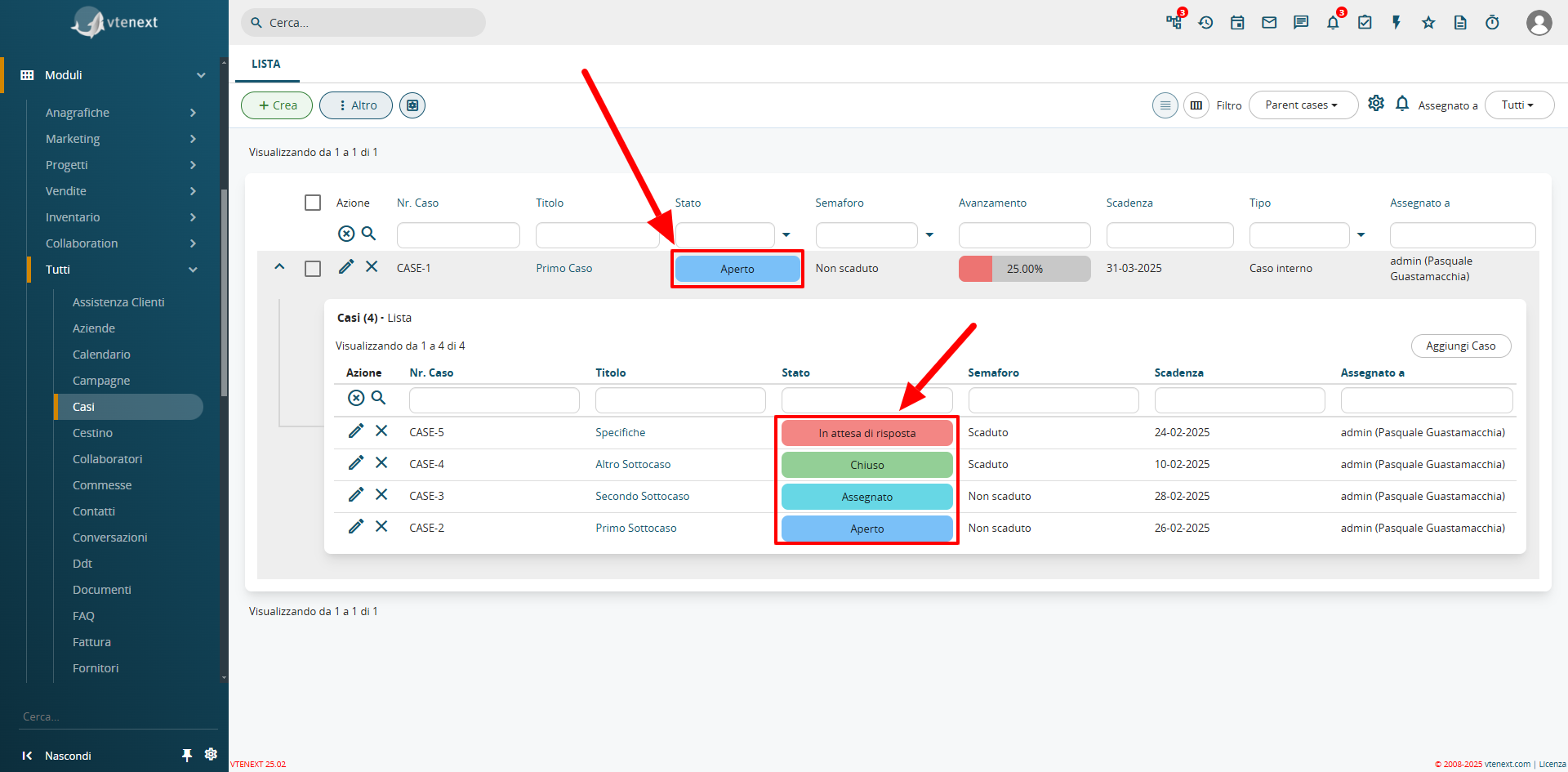
Colored Field View in List
Progress Bar
A new field type, uitype 1024, has been introduced as a progress bar. This feature can only be enabled and configured via code. A pre-installed progress bar is available in the Cases module, which automatically calculates and updates the percentage of Closed Subcases.

Detailed View of the Progress Bar Field
Preinstalled Processes for Case Management
The update includes two new processes to automate the management of the Case module.
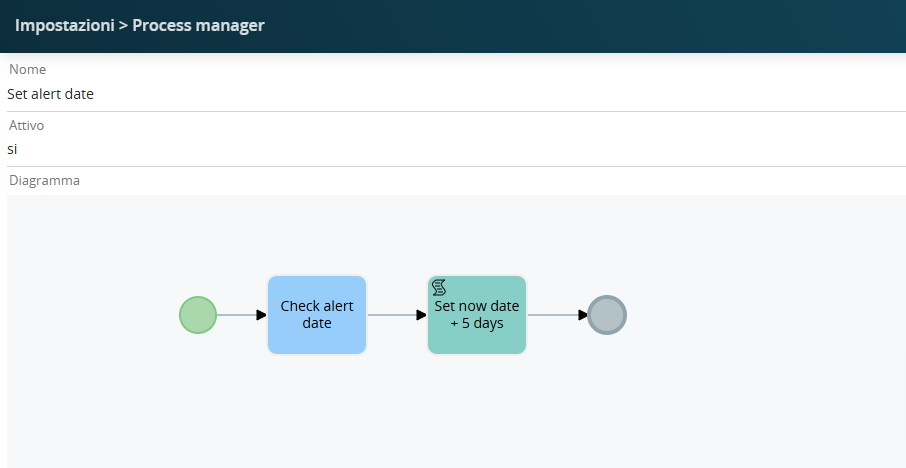
"Set Alert Date" is the process that automatically sets the alert expiration date to 5 days from today's date (considering that the case is being created today) if left empty during the creation of a Case.
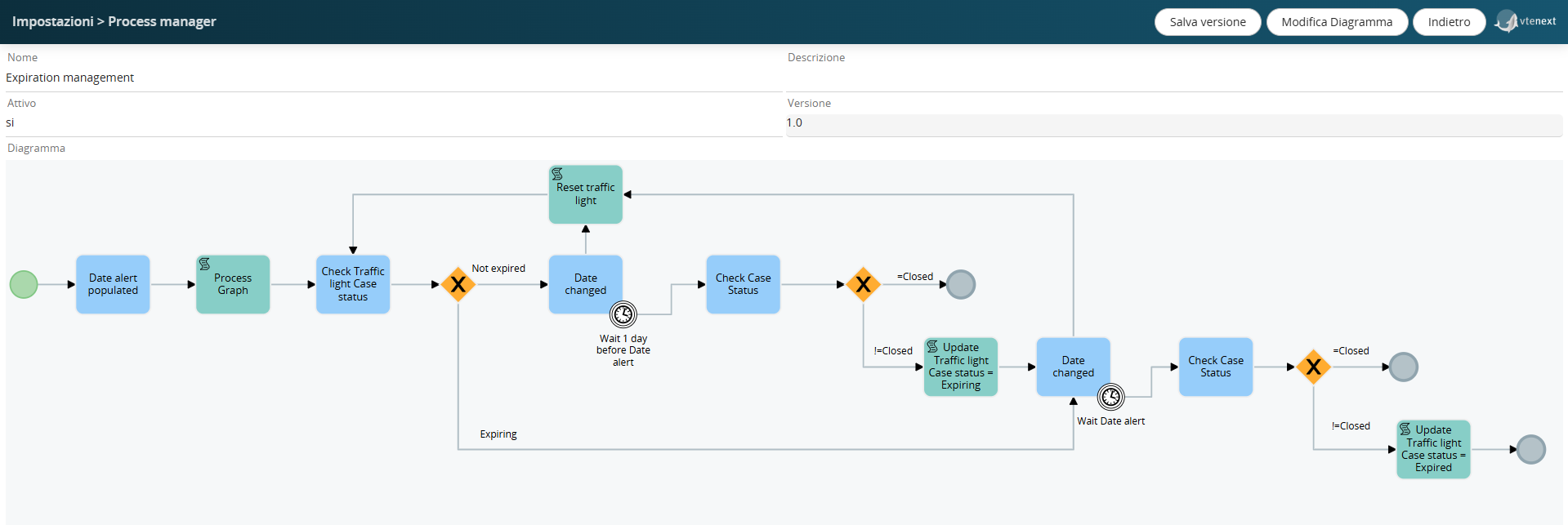
"Expiration Management" is the process that checks the dates, and one day before the expiration date, sets the case status to "expiring" or "expired."
Field Mapping of the Products Block
In the configuration of the products block in the layout editor, it is possible to define the mapping of custom fields to inherit values from another module.
For example, in the products block of quotes, if a "Partner Discount" field has been created and you want this field to be populated into a custom field named "First-Level Discount" in the products block of the sales order upon its generation, you will be able to manage this function through processes.
The mapping is not applied upon saving (as with formulas) but is simply pre-filled during creation. It is automatically applied in the "Copy products block" action of the processes.
Invite Leads and Emails to the Calendar
This feature allows you to invite Leads and Emails directly to Calendar Events. The Leads and Emails will receive an email notification, which they can accept or decline, and their response will be visible directly in the calendar event.
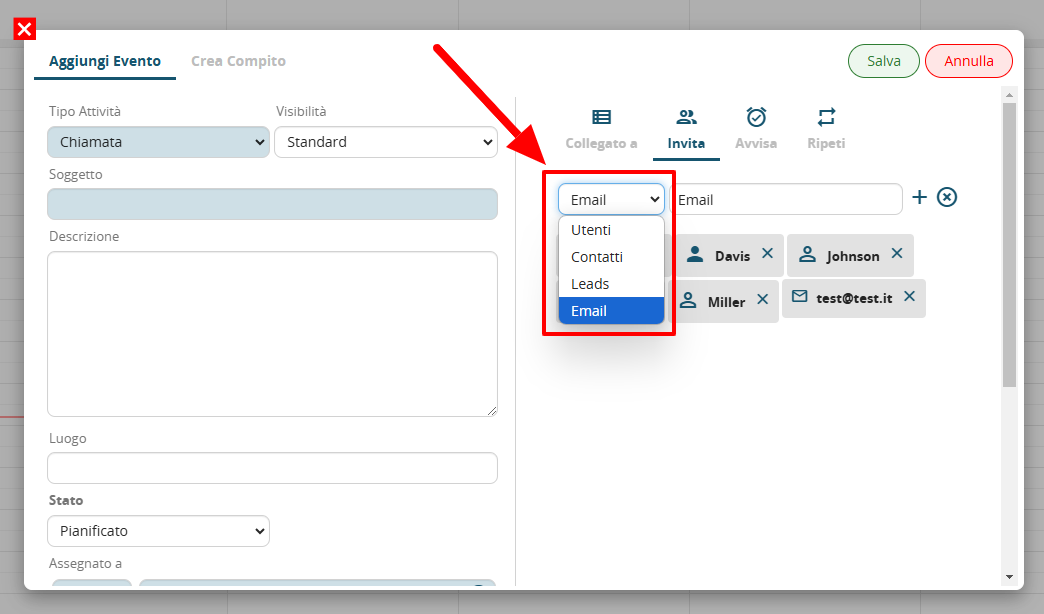
Note the dropdown menu for invitations, now with the new selectable entities
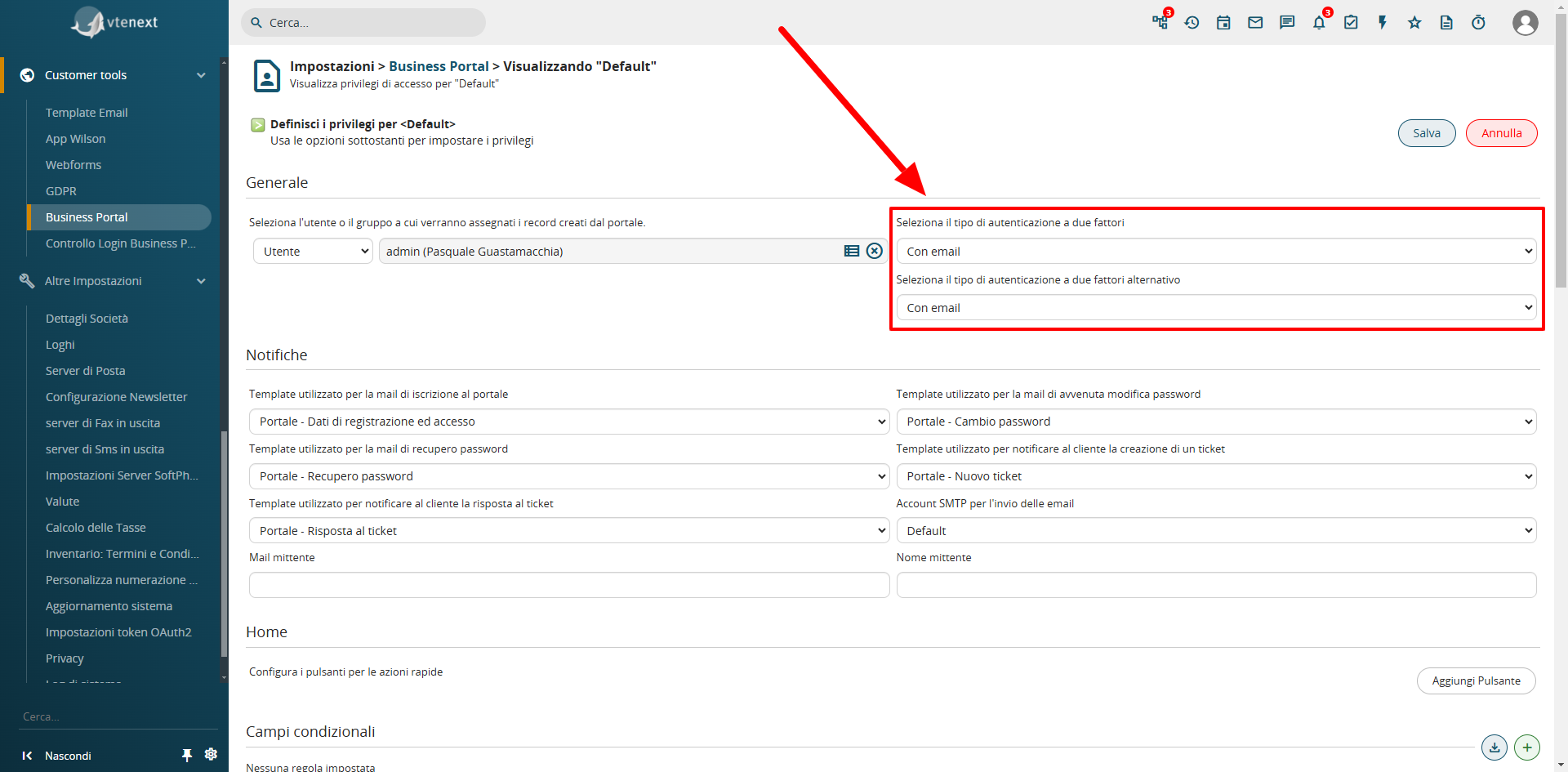
Two-Factor Authentication (2FA) in the Business Portal
Two-factor authentication has been implemented on the customer portal, achievable via email. Through the SDK, other types of authentication (e.g., SMS) can be implemented. The Portal Contact who has activated this feature will need to enter the code received via email to access the portal.