vtenext 25.02.2 Release Note
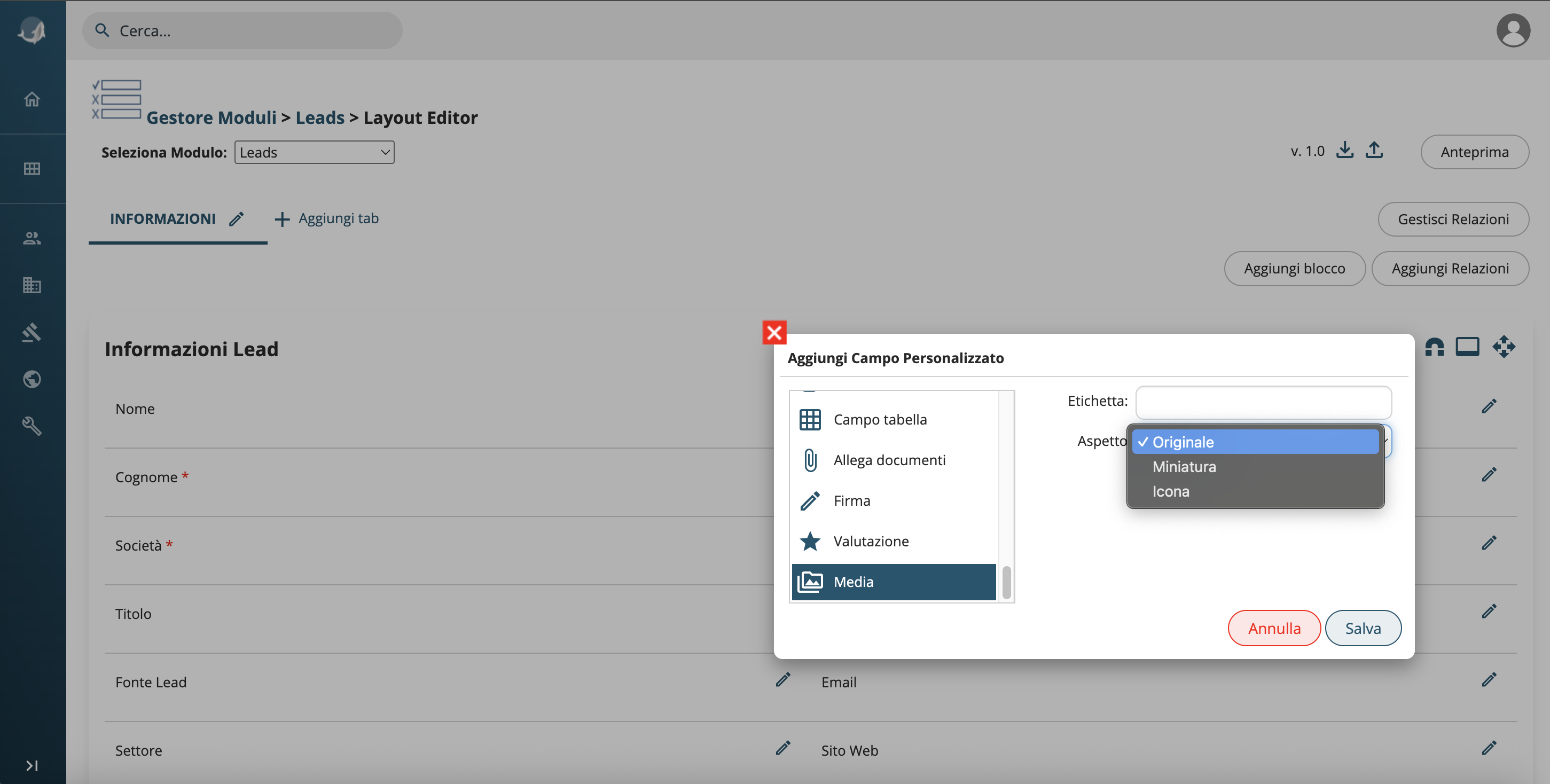
Hotfix installation from UI
We have introduced a new interface dedicated to managing hotfixes directly from the settings.
It is now possible to:
- Install hotfixes directly from the UI
- View the list of available hotfixes
- Check already applied hotfixes
- Identify failed hotfixes
- Automatically install hotfixes
Additionally, administrators will be notified when new hotfixes become available.
What is a hotfix?
Often version upgrades cannot be applied immediately due to code customizations or the need for staff training.
We have introduced a new tool that allows the installation of stability and security improvements for systems that cannot be updated.
Hotfixes include performance improvements, fixed for impactful bugs, security patches, etc., and it is recommended to apply them immediately.
Media fields configuration
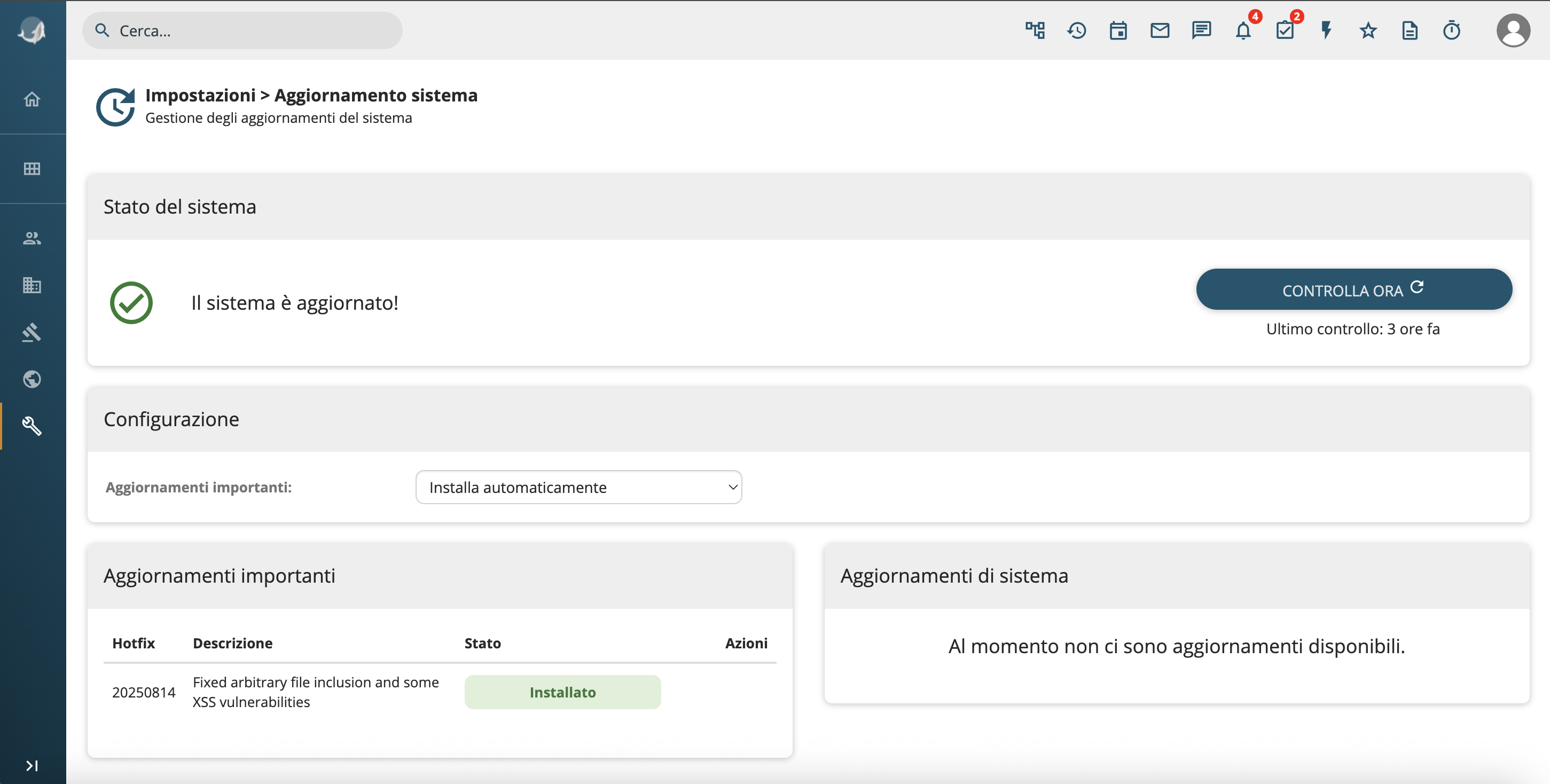
We have extended support for media-type fields:
- It is now possible to configure image sizes directly from the UI: Original, Thumbnail, Icon
- Supported units: px, %, auto
- Configuration is available in the Layout Editor, in table fields and within processes.