
15.11 Cases Module
The Cases module is designed to manage reports, issues, and internal requests within the company, enabling a structured and traceable workflow. Below are the main features and functionalities of the CASES module, which specifically handles internal cases and subcases:
-
Creation and Management of Cases
-
Management of Subcases
-
Progress Tracking
-
Immediate View of Involved Subcases (or Other Modules)
-
Processes and Automations
-
Communication and Collaboration
-
Reporting and Analysis
-
Integration with Other CRM Modules
A well-structured CASES module improves operational efficiency, reduces request handling time, and increases transparency within the company. It allows for the management of CASES and SUBCASES in a way that tracks percentage-based progress and sets reminders through pre-installed processes.
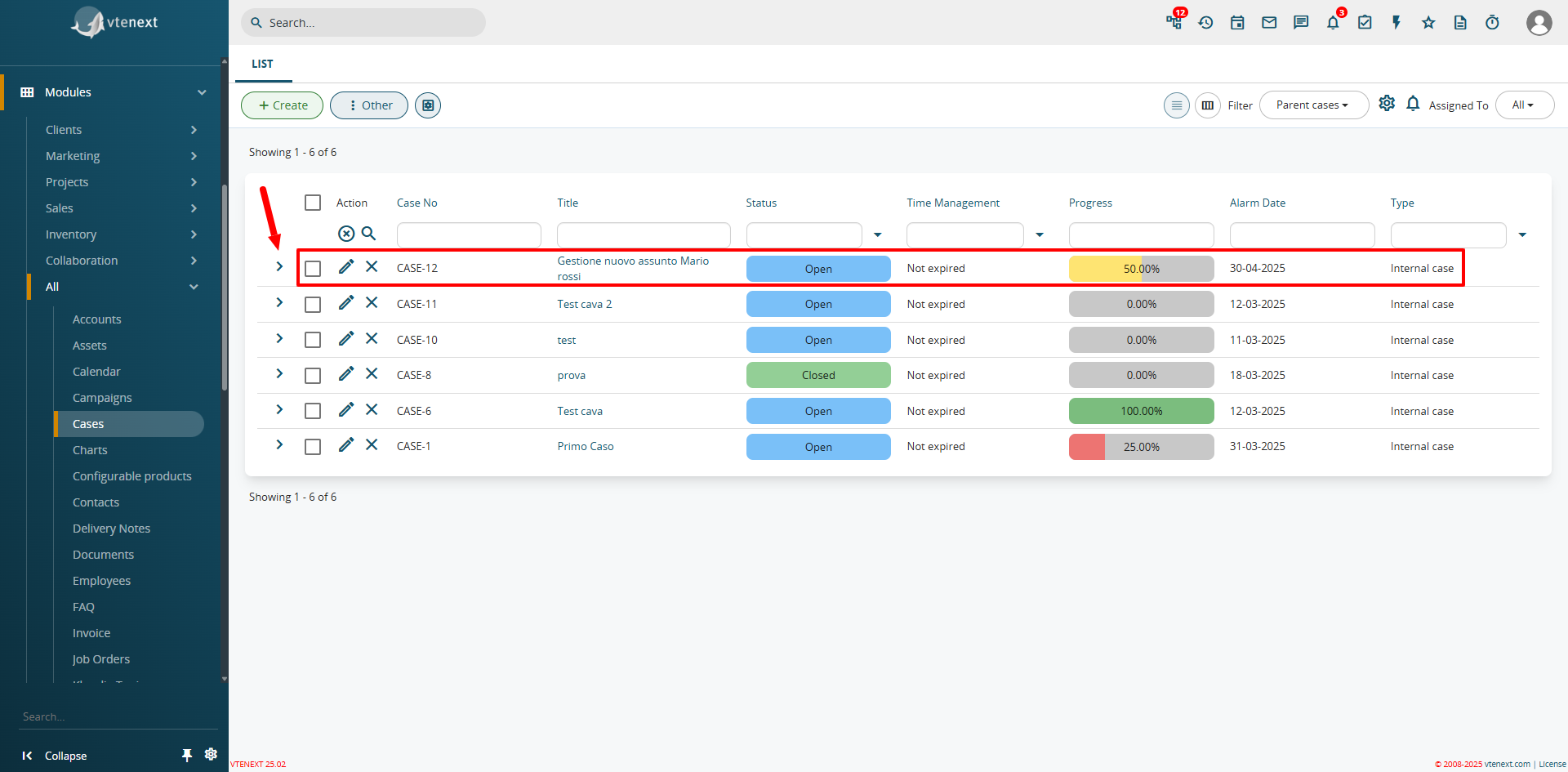
Main Page View of the Cases Module
The interface allows expanding the list view to include related modules, a feature configurable through filters in vtenext.
Let’s examine the first Case in the list above. You can immediately notice an arrow on the left, which allows expanding the view. This function is called the Relationship Navigator and is explained in Chapter 2.6.1 Creating a Filter.
By clicking on this arrow, you can expand the view and access more information regarding, for example, related subcases. Each Case has a status and a due date. The number of closed Subcases determines the progress percentage. This automation is coded and cannot be modified from the interface.
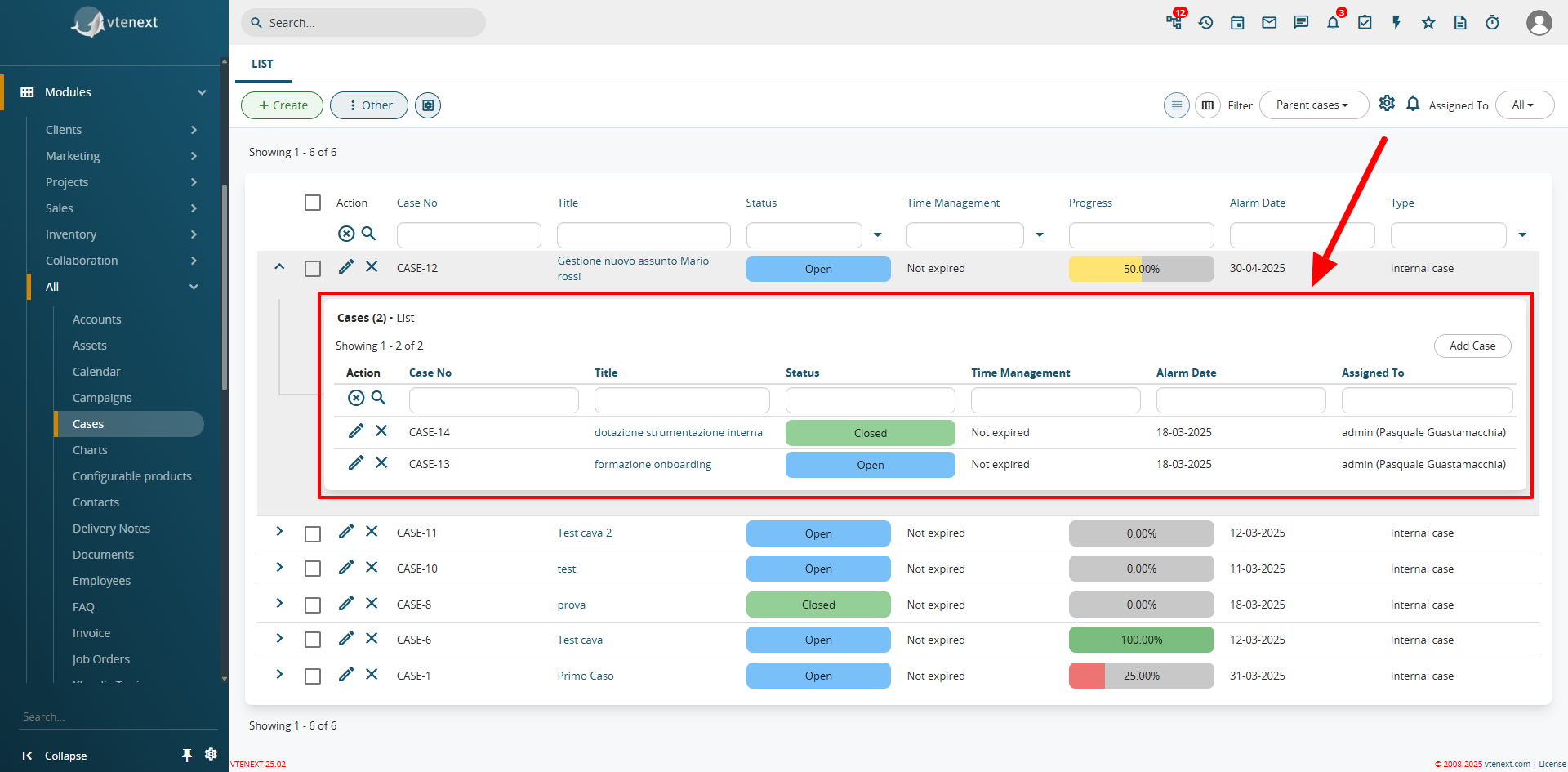
In the example above, there are two Subcases, one of which is Closed, causing the progress bar to automatically update to 50%. The progress bar is a uitype 1024 field, which can only be activated and configured via code.
Case Management Processes
There are pre-installed processes that automatically manage deadline alerts and status changes, transitioning from "Due Soon" to "Expired." Let’s examine them in detail:
Set Alert Date
If the Due Date field of a Case/Subcase is not filled in at the time of creation, this process sets the due date to 5 days from the current date, assuming that the case is being created at that moment.
![image.png]
Expiration Management
This process monitors the values in the Due Date fields of cases/subcases. One day before the due date, the process automatically updates the case’s status to either "Due Soon" or "Expired", depending on the status change. In summary, the case/subcase status follows this pattern:
-
Not Expired: When the due date is still far away.
-
Due Soon: When there is only one day left before the due date.
-
Expired: When the due date has been reached or exceeded.
If the due date is manually changed, the status will be automatically updated based on the described parameters.