
6.1.2 Step 2: Target
At this point the campaign recipients target must be defined, associating Targets and Campaigns. In the campaign tab, select the Target module and then Add Target in the Relations menu. If the target has already been created, use Select Target to select it.
N.B.: you can add more than one.

The target is composed of lists of names, a set of accounts, contacts and/or leads (also of other targets). The names are loaded either individually (with single name search) or by means of filters.

Choose the module concerned in the relations menu, select the filter from the drop-down menu and click Load List.
The filter must be already available (e.g.: Filter Customers in Foreign Companies) and then used as a target.

In the example in the above figure, the target includes 498 accounts, 2 contacts and 0 leads. The campaign, which involves sending a newsletter in our case, will be addressed to this set of recipients.
N.B.: With this new function it is no longer necessary to reload a target in order to manage a newsletter. The target will be updated automatically in two ways (user selectable):
- Incremental: names are added to the target based on the initial filter. Does not take into account filter variations that result in record exclusions;
- Synchronised: varies upward and downward based on the filter.
This update will occur automatically every 6 hours thanks to a cron that allows you to reload the records to the target automatically. In addition, automatic synchronisation is performed when the Newsletter is sent, or when the user decides to click on the Send Email button.
Updating targets while cron is running will not trigger any processes that occur on the Target's relationship to Accounts, Contacts or Leads.
If the Target is set to Target Type = Dynamic and Synchronisation Type = Synchronised, in the Accounts, Contacts and Leads relationships, the Add and Select buttons of the relative entities will not be available.
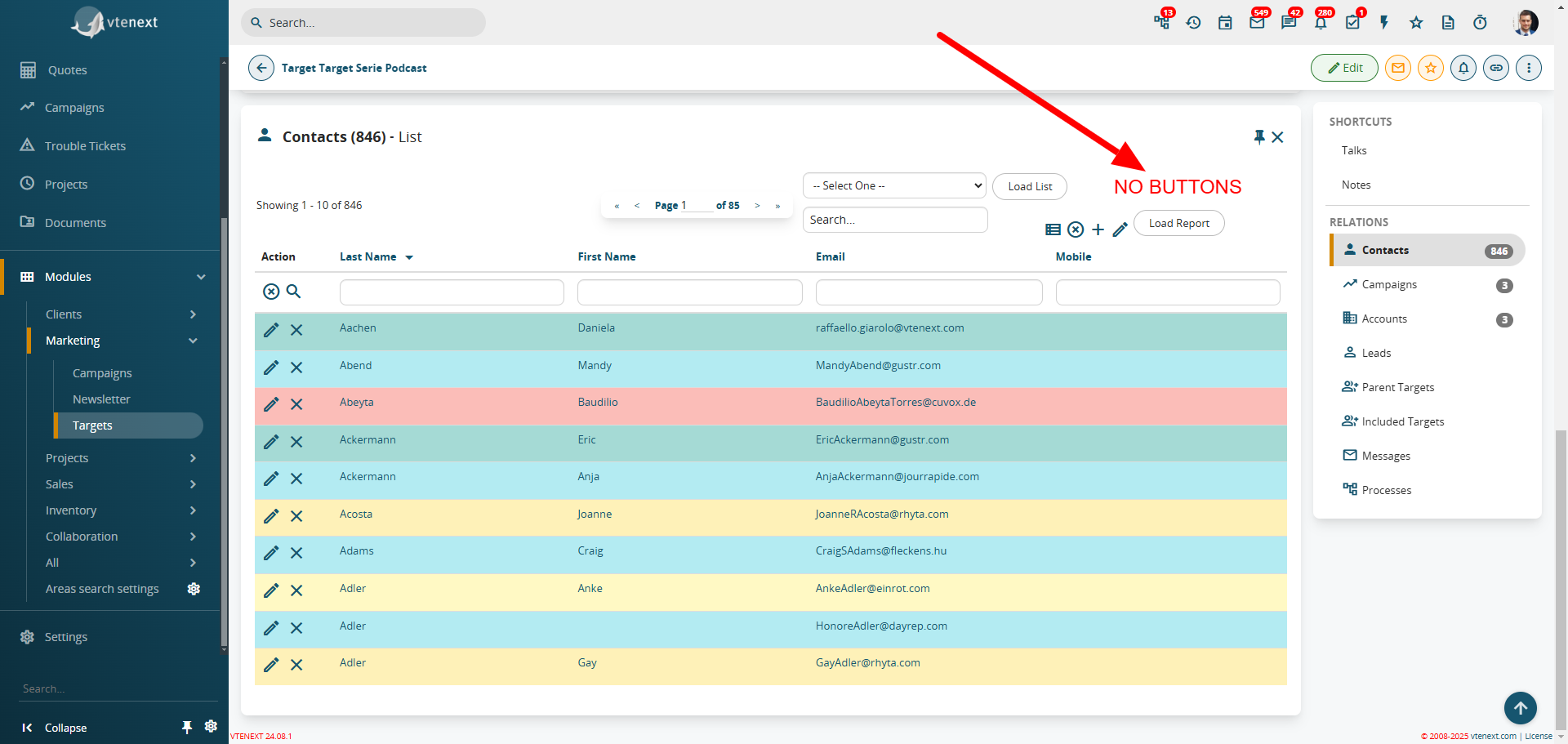
Note the absence of the ADD and SELECT buttons in the related items.
When choosing to create a DYNAMIC Target, in the DYNAMIC FILTERS tab within the Target itself, it will be possible to see which filters are dynamically involved for the various modules. In the example shown below, we can see that there are two filters, one for Contacts and one for Companies.
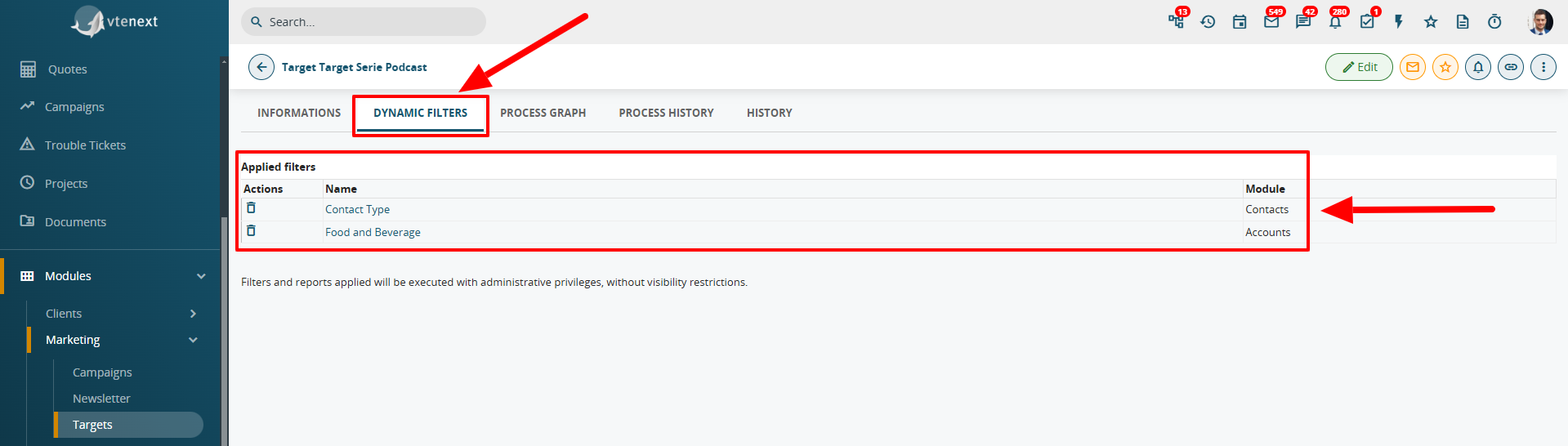
It is important to remember that the target will only load records where the "Receives newsletter" field is set to yes (active flag).
The targets can be nested and included, exclusively in order to group specific customers together. For example, you can create an Italy target (parent target) containing a target for each Italian region (included targets). When you send the newsletter, it is sent to all recipients indiscriminately. The function is display only.
