
6.2 Email Sending Statistics and more
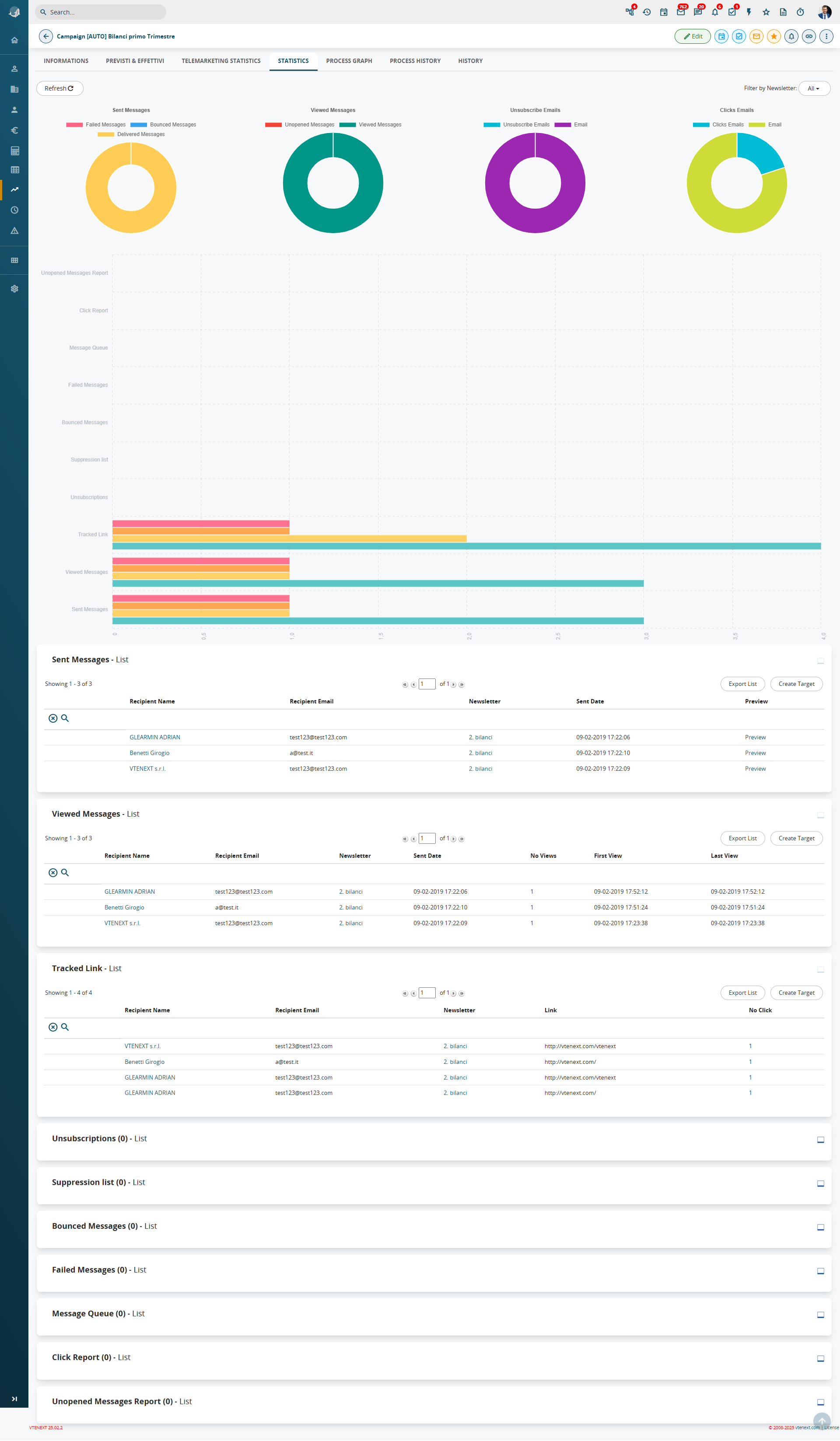
Once the sending is completed, within the Campaigns module you can access the Statistics tab to view a summary chart of the statistics and the detailed data for each metric.
IMPORTANT: vtenext inserts an image into newsletters that is used to notify our system that the email has been successfully opened, allowing the opening to be counted in the statistics. Some servers, where services such as Libraesva Email Security or similar are active, completely block this image. This results in the newsletter opening not being recorded.
We are aware that, for this reason, the tracking system is not 100% reliable, and it is currently not possible to work around this scenario (which is, however, relatively uncommon). We would also like to point out that this limitation is present in other newsletter services as well, which use the same method we do (now considered an industry standard).
Initially, you will see a donut chart, which allows you to immediately view some interesting statistics about the sent newsletter:
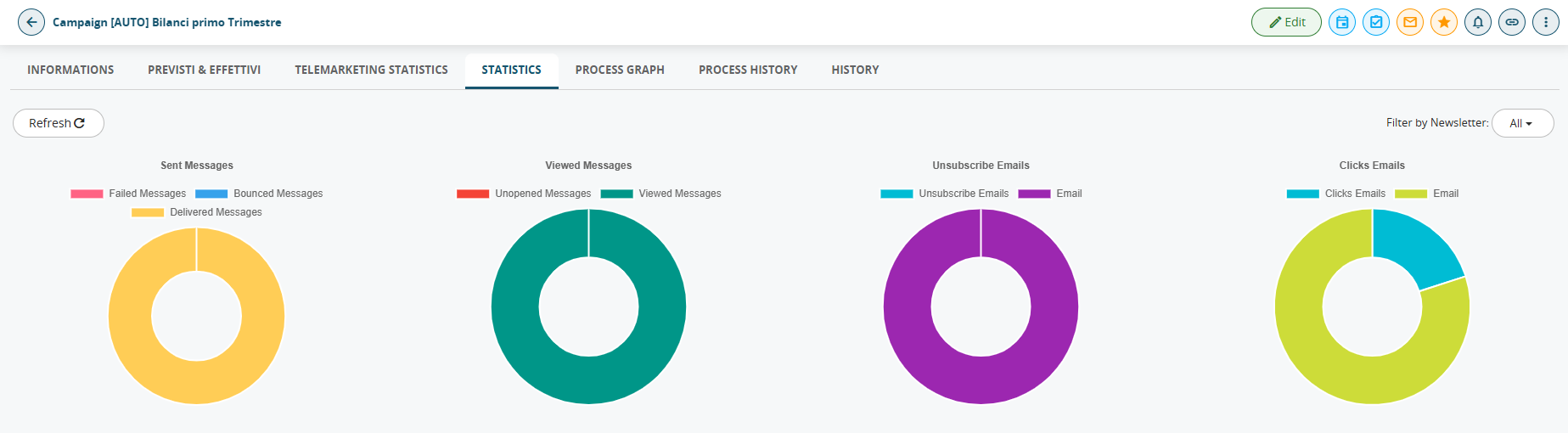
color-coded breakdown between Delivered Emails, Bounced Emails, and Failed Emails, where you can see the number of emails that were actually delivered, along with the number of bounced and failed emails.
Emails Opened
color-coded breakdown between Opened Emails and Unopened Emails.
Unsubscribed Emails
color-coded breakdown between Unsubscribed Emails, meaning all email addresses that unsubscribed by clicking the appropriate link, and Emails, meaning the remaining email addresses that have not unsubscribed.
Email Clicks
color-coded breakdown between Email Clicks, meaning all email addresses that clicked on at least one link, and Emails, meaning the remaining email addresses that have not clicked on any links in the received newsletter.
|
Message Queue |
emails that have not yet been sent (when sending is complete, this column must be blank) |
|
Sent messages |
correctly sent and received emails |
|
Viewed Messages |
for each opened email: number of times the email has been opened, date and time of first and latest opening, link to recipient’s record |
|
Tracked Link |
if there are any links in the body of the email, the system tracks the number of clicks by each recipient for each link |
|
Unsubscribes |
recipients who clicked the unsubscribe link |
|
Bounced Messages |
emails sent but not received by the recipient (due to unresponsive server, full mailbox…) |
|
Email failed |
email that have not been sent (probably due to the address error) |
|
Suppression List |
suppressed email addresses |
N.B.: bounces are processed once a day via a cron job.
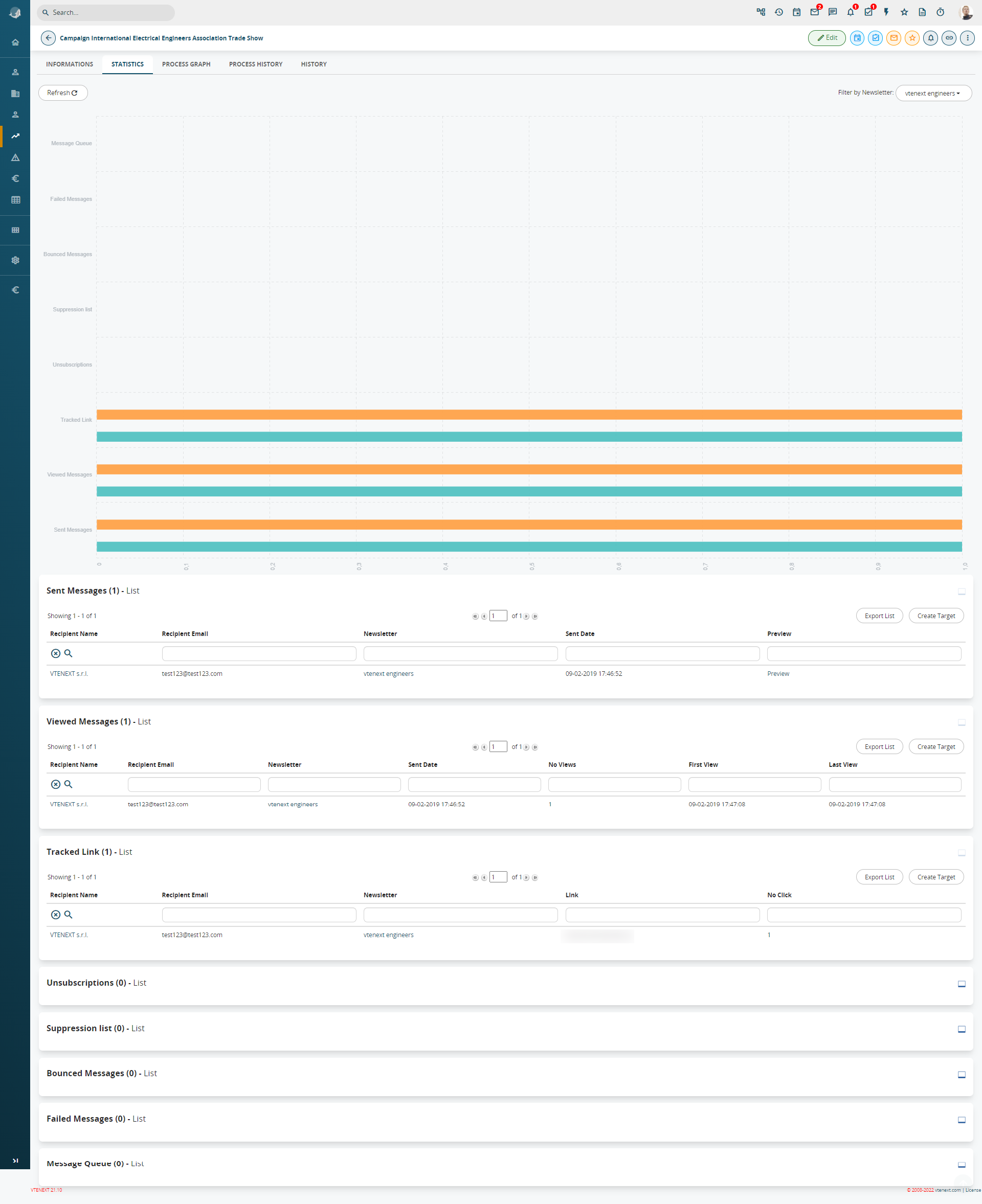
From each of these headings new targets can be created with the ‘Create a target’ button or the records can exported to an Excel file with ‘Export list’. The Statistics section provides access to statistics for the entire campaign (thus considering all the emails related to that campaign), or for a specific newsletter.