9.1 Potentials
A potential is established if there is a real interest in your products/services from both potential and current customers, opening up a negotiation process. If it is not created automatically through conversion (see the section on Leads), you can subsequently add the potential to the Company to which it is addressed, through the relations menu.
The potential is the container of the negotiation and all the information, documents and communication between you and the customer strictly related to the individual negotiation.
In addition, the tool has commercial forecast and report objectives that should not be overlooked (e.g. the Budget tool available for this purpose). The option of customising the registry by modifying the fields through Layout Editor also applies to Potentials, as for all the vtenext modules.
![9.1 [1].png](https://usermanual.vtenext.com/uploads/images/gallery/2022-06/tdL9-1-1.png)
|
Potential Name |
Name of the potential |
|
Amount (€) |
Useful for anyone wishing to make predictions about the value of open potentials, even though the initial value may be indicative. It is self-calculated at the time of linking with a quote if product lines have been organised Warning: by default, the Amount field is updated only if the related quote is in “Created” or “Delivered” status |
|
Account name |
Link to the customer company present in the CRM |
|
Expected Close Date |
Expected date of conclusion of the deal |
|
Type |
Allows for cataloguing between existing and new business |
|
Next Step |
The next step in the negotiation |
|
Lead Source |
Reports the origin of the lead, in the event that the potential arises from a lead conversion |
|
Sales Stage |
Important to know the state of progress of the negotiation |
|
Assigned to |
By default, assigned to the user who creates it. Identifies the salesperson who manages the negotiation |
|
Probability (%) |
Probability of success of the negotiation which, multiplied by the amount, makes it possible to obtain a plausible forecast of the value of the single potential |
|
Campaign Source |
If the source is an ongoing or completed campaign, you can link it |
Potentials can also be exported and imported via .csv (see relevant chapter).
Within the Opportunity, there are also three important TABS that should be taken into consideration, as they provide a broader range of information:
|
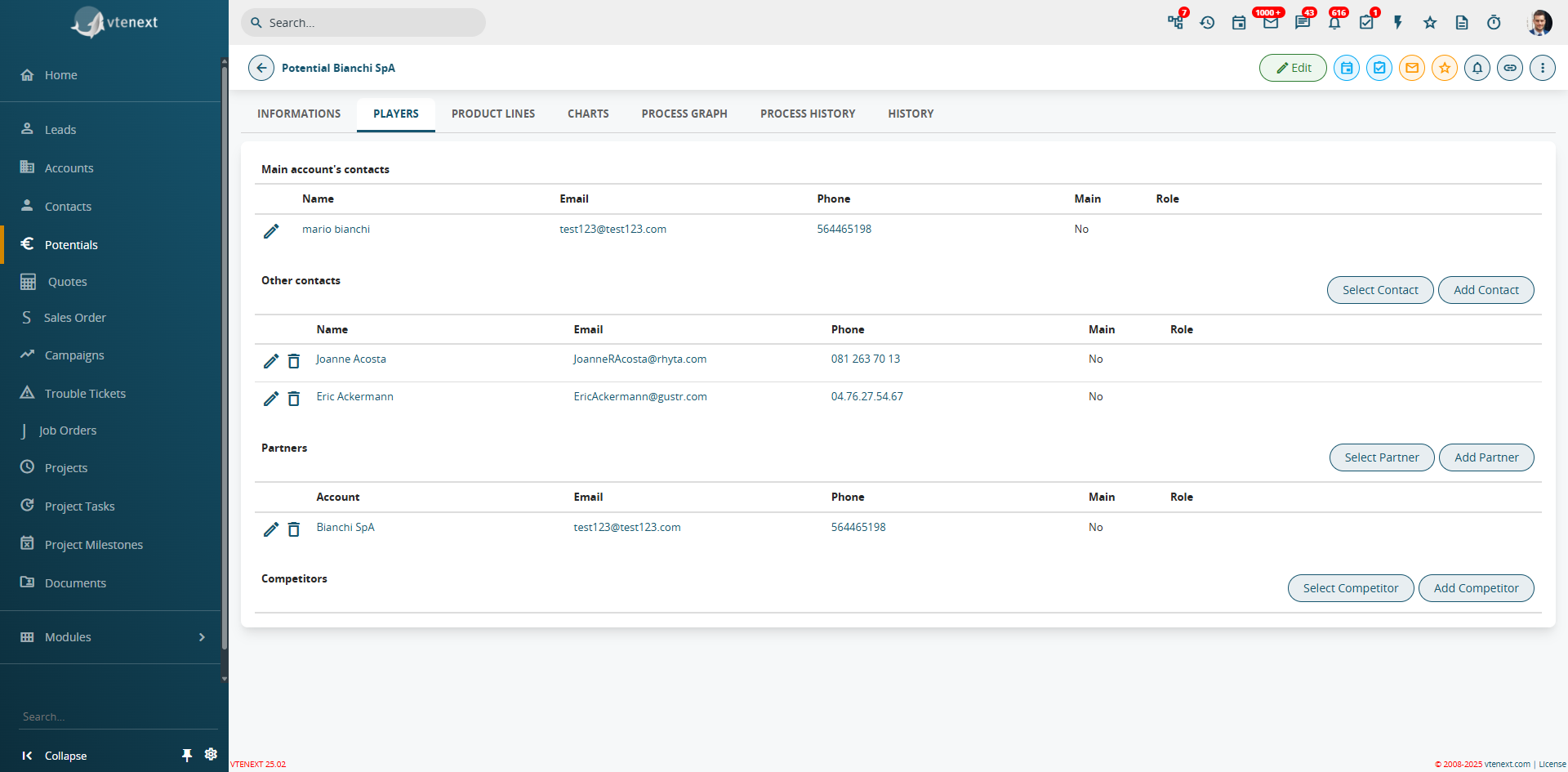
Players |
Players are the Contacts and Companies involved in the specific Opportunity. The Contacts can be: - Contacts from the Main Company: that is, individuals directly linked to the commercial project and thus to the company we are targeting. - Other Contacts: individuals who may not be part of the main company but are still involved in the commercial project (e.g. external technicians).
- Partners: companies collaborating with the main company, where the Type field has been set to "Partner". - Competitors: companies that are competitors of the main company, where the Type field has been set to "Competitor"
|
|
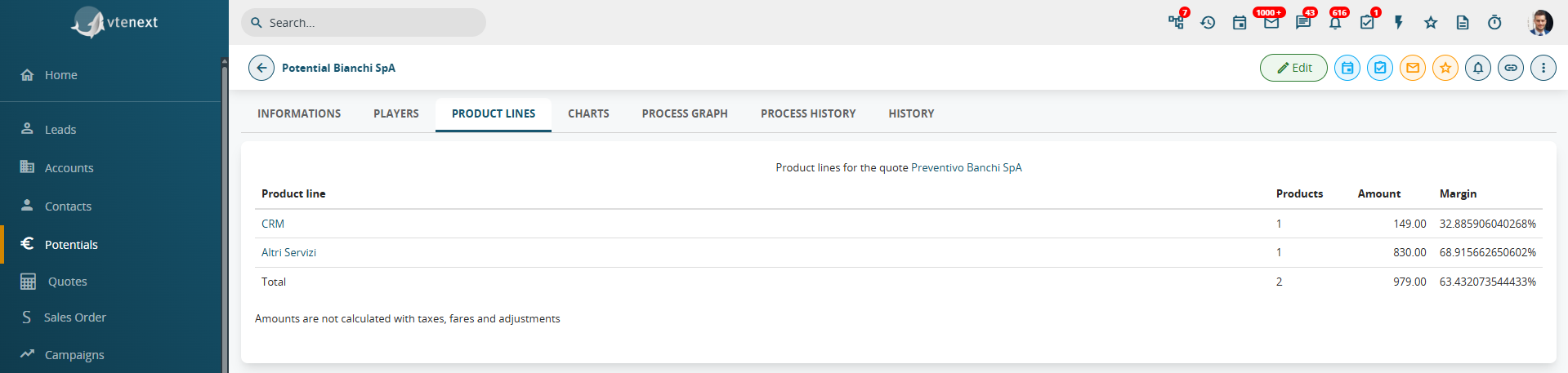
Product Lines |
Product Lines are used to define an annual Budget that each specific line must achieve. Thanks to a custom report in the Opportunities module, it is possible to monitor the Budget Delta that still needs to be reached. See also the dedicated chapter (Chapter 8.2 – Product Lines)
|
|
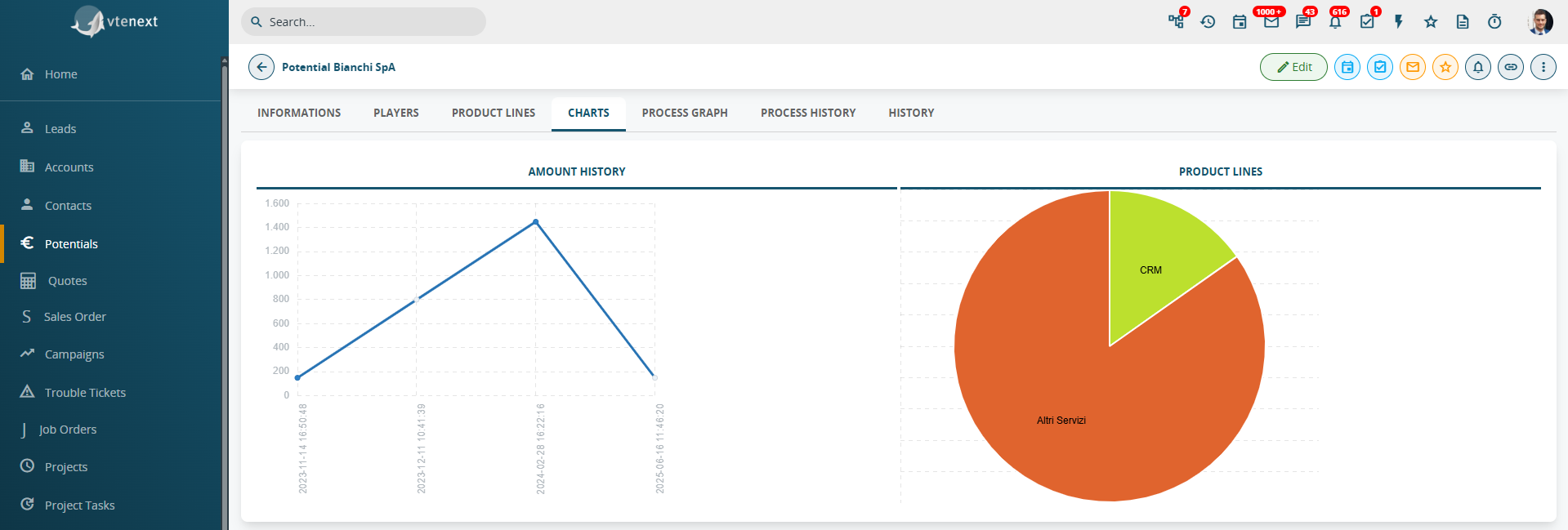
Charts |
Charts allow you to visualize the historical trend of all the amounts related to that specific opportunity. To the right of this chart, there is also a pie chart showing the distribution of product lines, which helps in understanding the percentage contribution of each individual line to the total
|