
15.5 Recycle Bin
The crmCRM hasincludes a module called “Recycle binBin”, which allows users to restore everydeleted removed entityrecords from everyany module.
Using the researchsearch placedbar located in the lowerlower-left leftcorner and typing "“Recycle Bin"Bin”, you will be able to click onthe thecorresponding menu item to visualizeopen it.
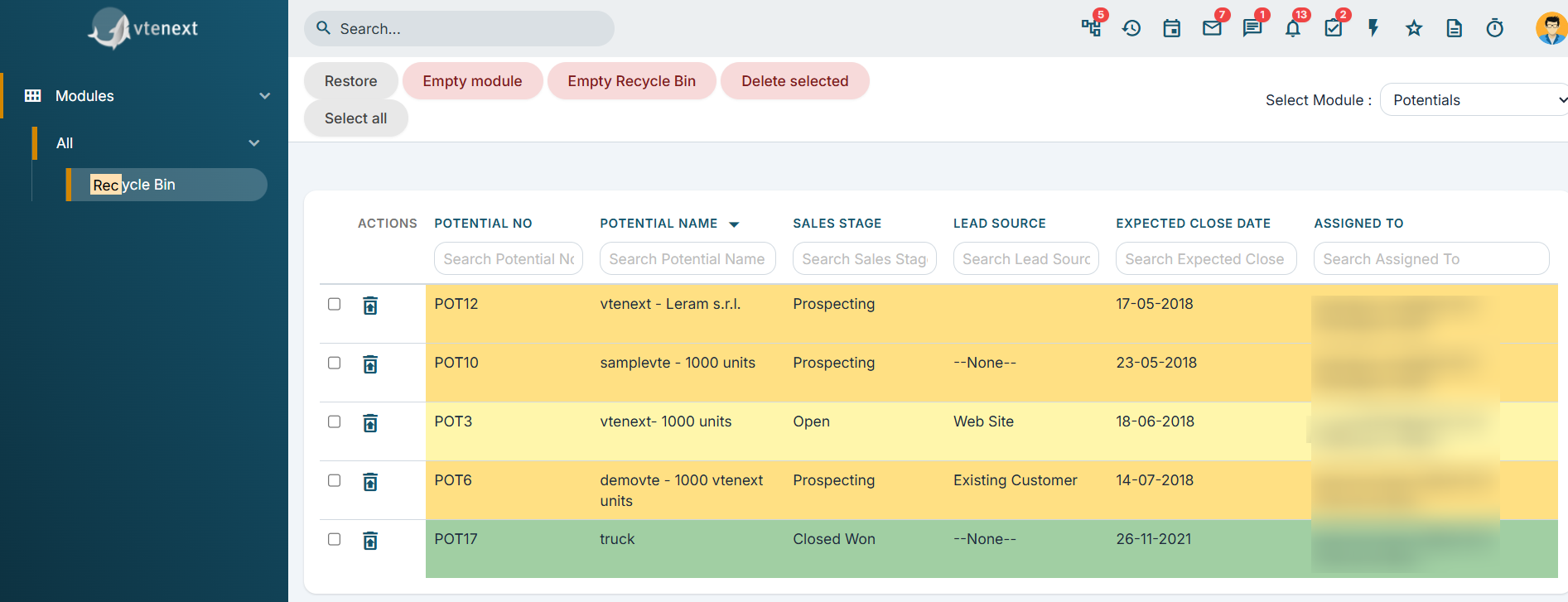
Recycle Bin detail
How to restore a deleted record?
Firstly,First, in the upperupper-right rightmenu, you must select the module formfrom wherewhich the record has beenwas deleted (ex.e.g., Accounts or Help Desk).

Module selection from where restore the entities in detail
Once you have selected the module, a list of removed records will appear. From here, you can filter among the provided fields by searching for deleted item.

Here you can find several possibility:
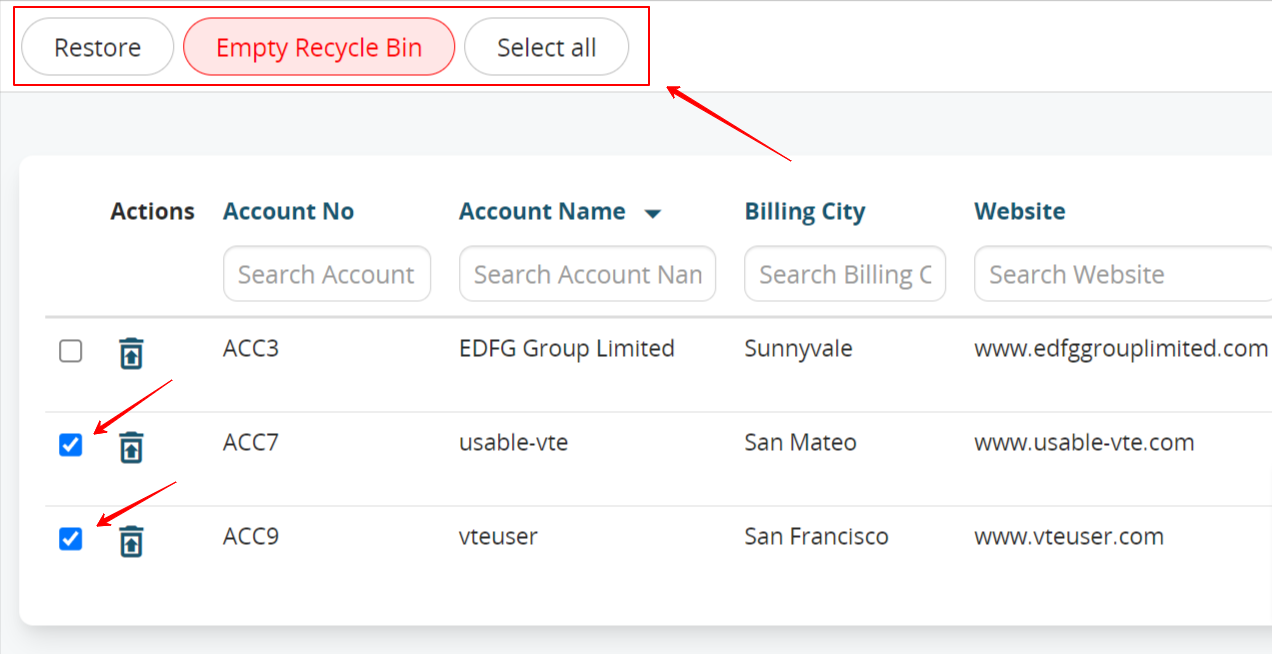
- By selecting manually different entities it is possible to restore them by clicking on the appropriate button placed in the upper left: RESTORE
- It is possible to restore a single entity by clicking the button "Restore" placed on the row of the selected record.
- By clicking SELECT ALL placed in the upper left you will select every removed record from the module you have chosen. Then, you can click on "Restore" to restore all the records. If you do this, you will be able to find those records by opening the module itself.
- Eventually, by clicking EMPTY RECYCLE BIN, EVERY RECORD OF EVERY MODULE WILL BE REMOVED DEFINITELY!