
13.1.1 Report Creation Fundamentals
Understanding the CRM Data Model
Before creating a report, it is essential to have a good understanding of the available data structure. Otherwise, you risk designing a report without knowing whether a specific piece of information is actually stored in the CRM. It is also very important to know the exact field names and the modules in which the information is stored, as these elements are crucial when defining filters, aggregations, and data processing logic.
For example, it is important to know whether a filter is applied to a free-text field or a picklist field, since the methods used to search, group, and aggregate data may differ significantly.
A solid understanding of the data structure enables you to design more accurate reports and helps avoid subsequent revisions caused by missing information or incorrect interpretations of the available data.
Understanding Relationships in the CRM
Understanding the relationships between CRM modules is essential when creating reports, as they determine which information can be retrieved from related modules and how that information can be filtered, grouped, and aggregated.
The relationships between CRM modules typically include:
- 1 (one-to-many)
- N:1 (many-to-one)
- N (many-to-many)
The following examples illustrate these relationship types.
1) – Many-to-One (N:1) Relationship (Multiple Contacts – One Account)
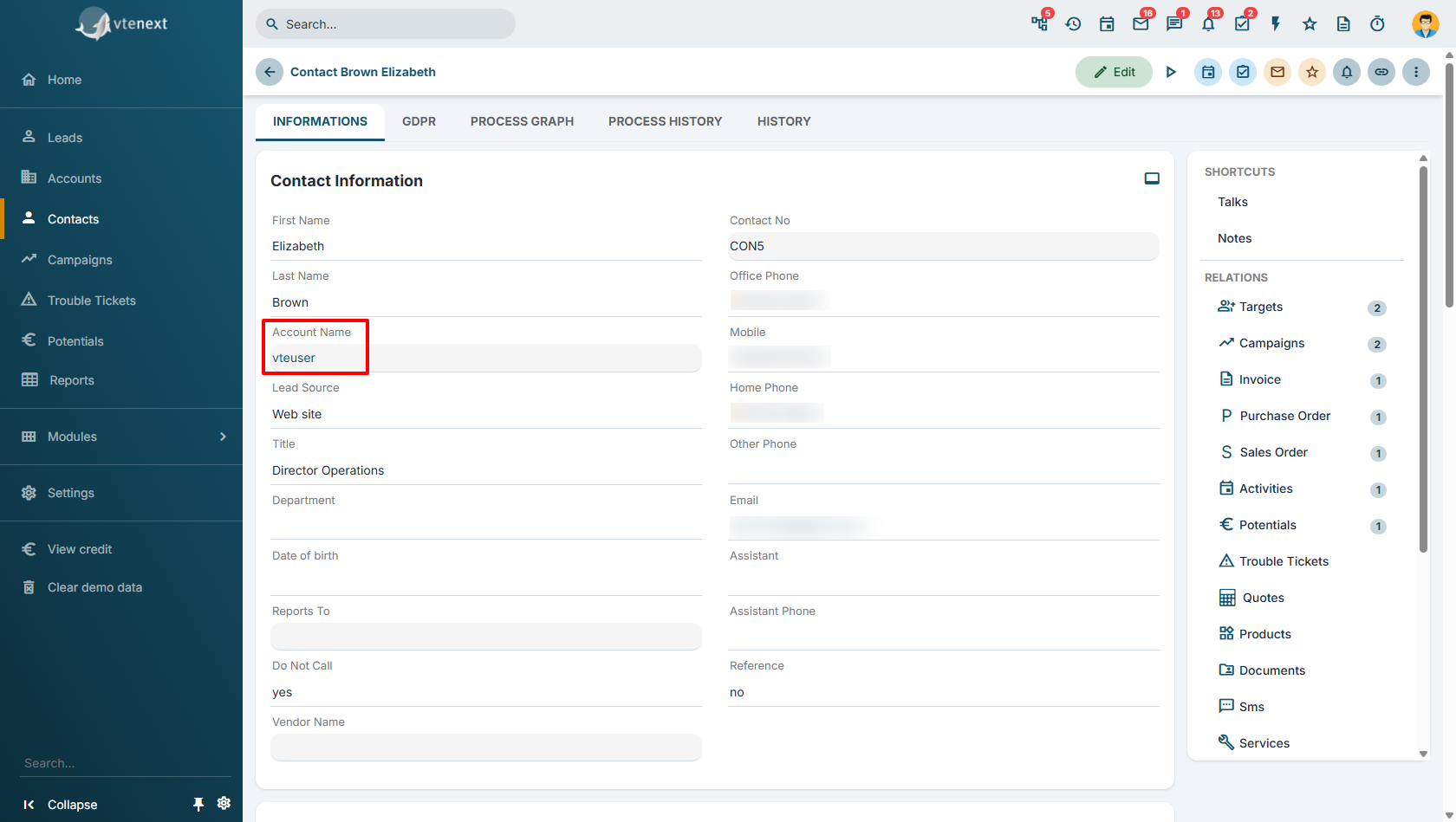
In this example, multiple Contacts are associated with a single Account. Each contact belongs to only one account, while an account can be linked to multiple contacts.
This relationship allows you to retrieve account information when reporting on contacts, or to analyze contacts in relation to their associated account.
In general, the presence of a lookup (relationship) field in a record's information tabs indicates a many-to-one (N:1) relationship.
For example, in the Contacts module, the Account Name field allows multiple contacts to be associated with the same account. In this case, the relationship is N:1, since many contacts can be linked to a single account.
2) – One-to-Many (1) Relationship (One Account – Multiple Quotes)
|
|
|
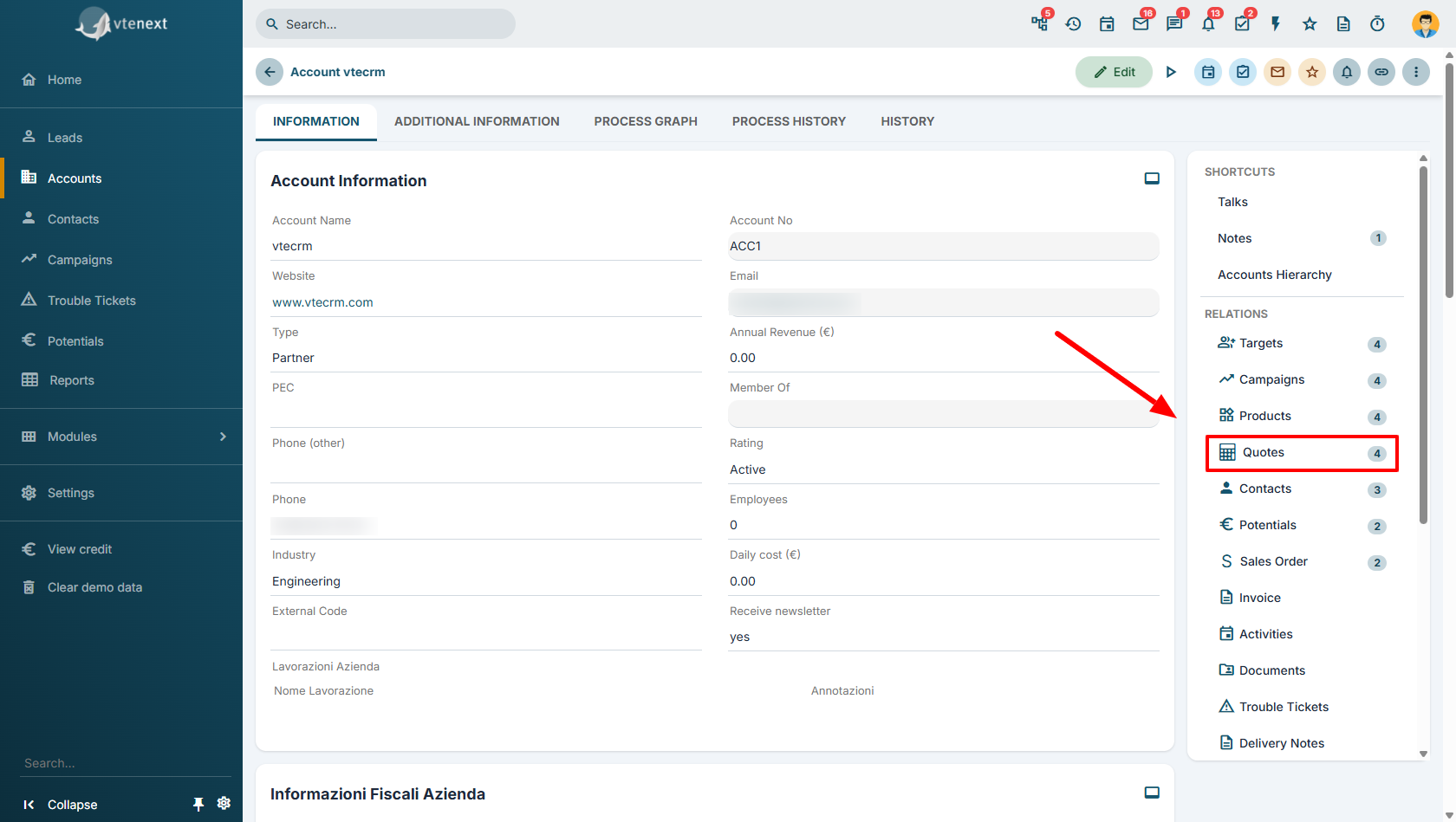
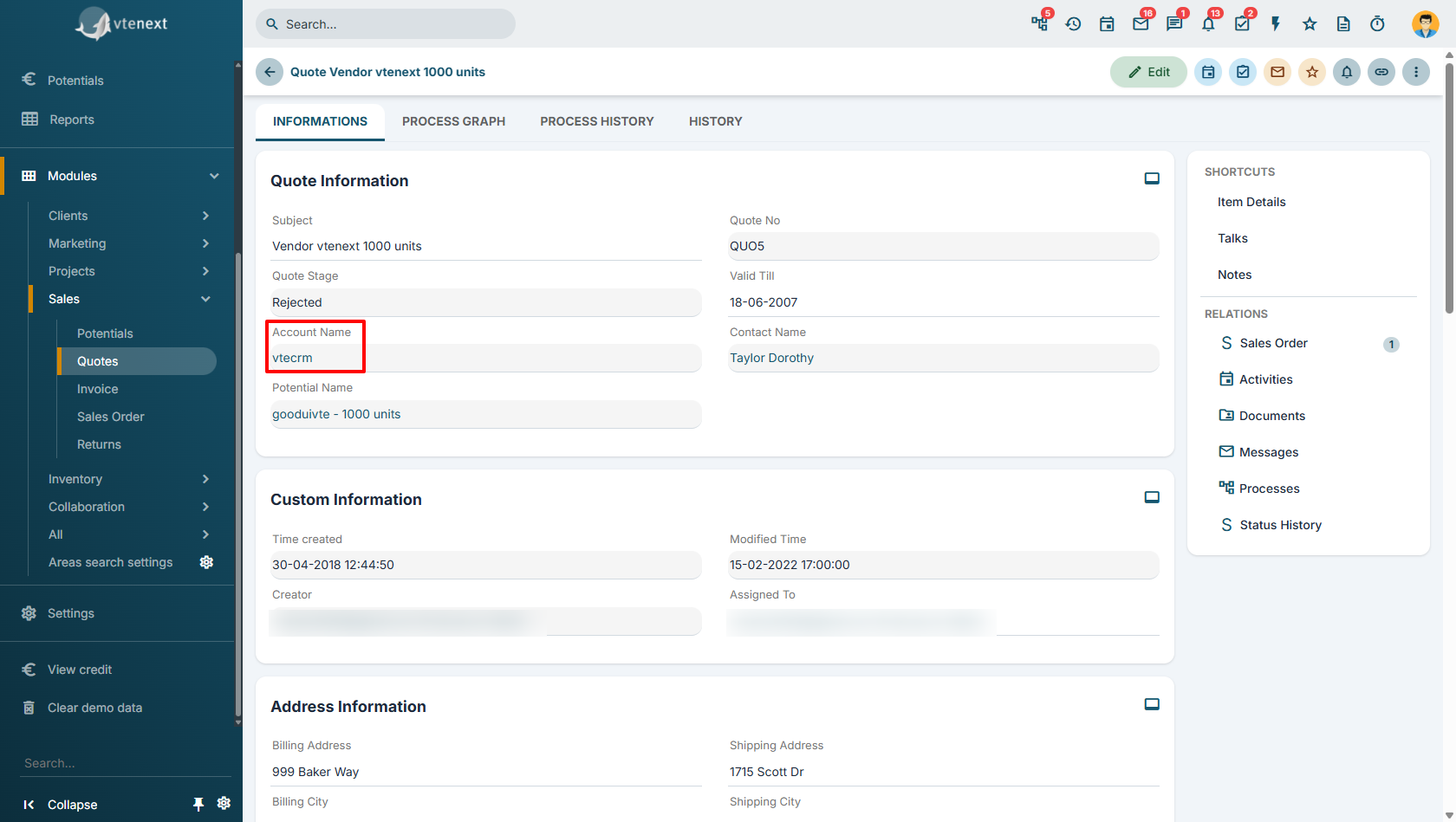
The relationships displayed in the Relationships panel, located on the right side of the record information tabs, indicate that the selected module has a one-to-many or many-to-many relationship with another module.
To determine whether the relationship is 1 or N, you need to examine the related module.
If the related module contains a relationship field that points directly back to the original module, the relationship is 1.
Example 3 – Many-to-Many (N) Relationship (One Account – Multiple Documents)
|
|
|
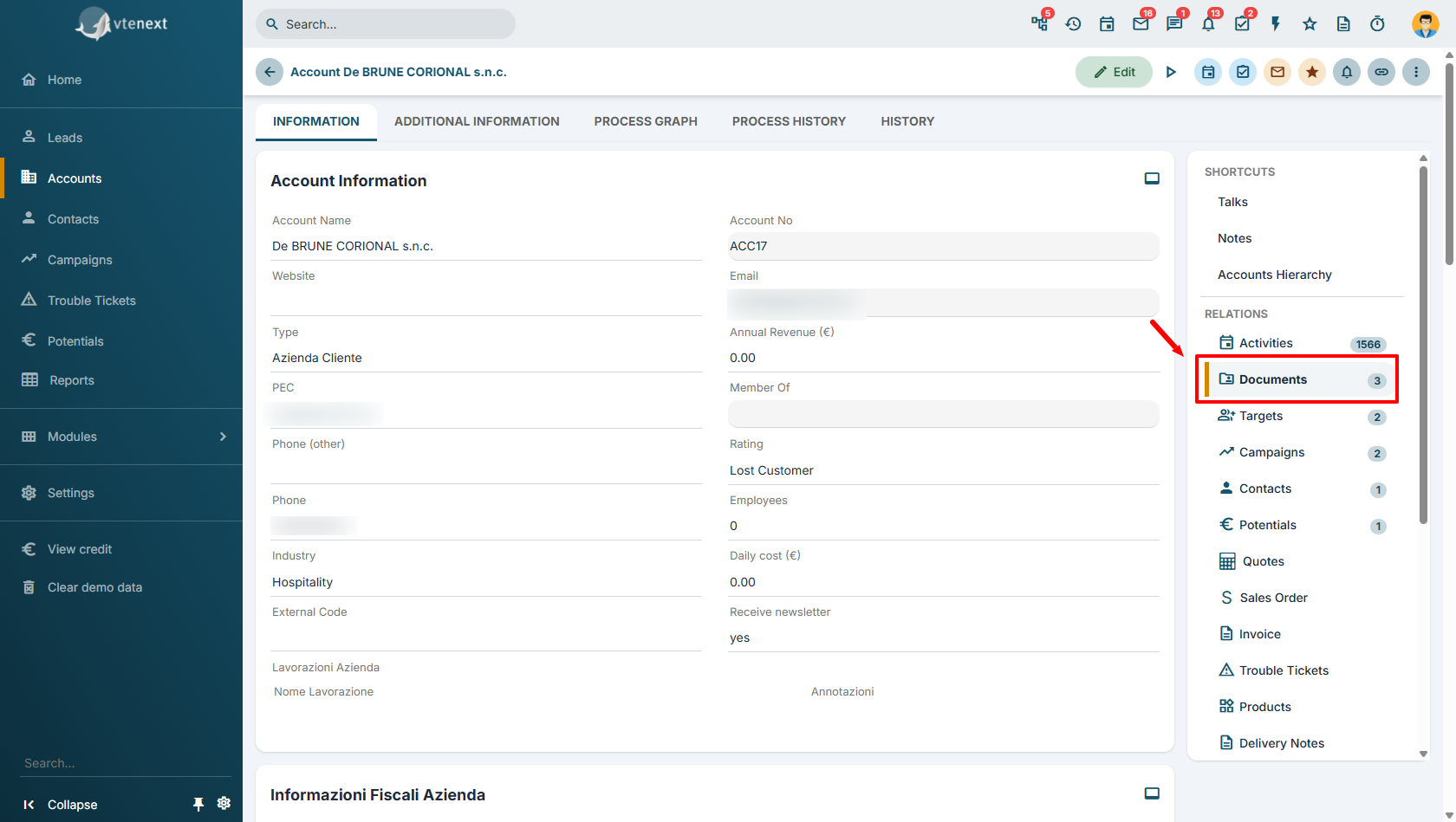
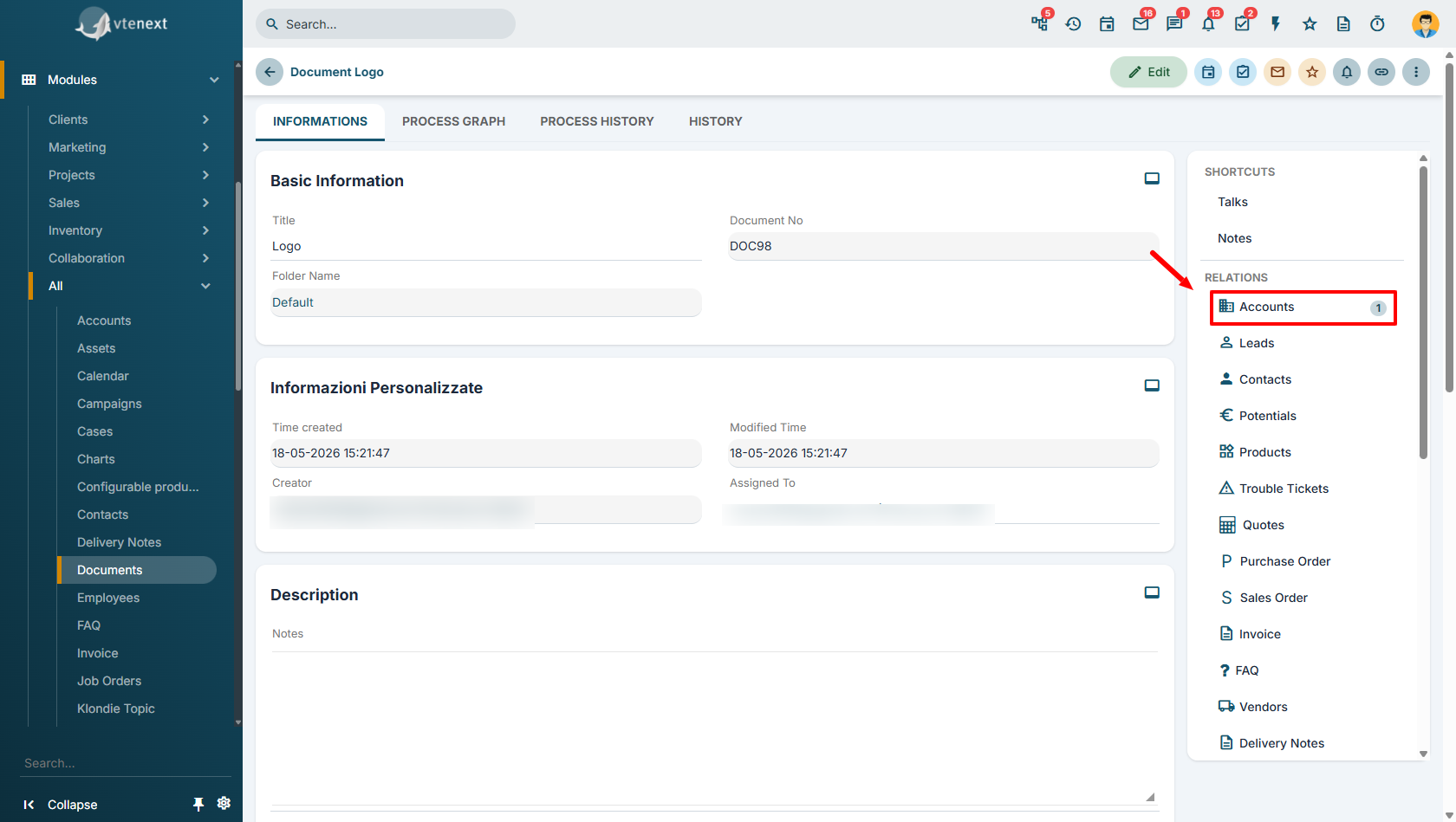
In this case, both modules appear in each other's Relationships panel. This indicates that multiple documents can be associated with the same account and, at the same time, the same document can be linked to multiple accounts.
The relationship between the two modules is therefore N (many-to-many).
Note: If, during the Filter or Select Columns steps of the report wizard, you select a field belonging to a module that has an N:1 (many-to-one) relationship with the report's primary module, the related information will be included in the report without increasing the number of rows in the final result.
This behavior occurs because each record in the primary module is associated with only one record in the related module. As a result, adding fields from that relationship does not create duplicate rows in the report.
The situation is different when you select fields from a module that has a one-to-many (1) or many-to-many (N) relationship with the primary module. In this case, the number of rows in the report may increase because each record in the primary module can be associated with multiple records in the related module.
How to Choose Fields for Aggregation in the Summary Tab
The Summary tab allows you to group report data based on the values of one or more fields, making it possible to calculate counts, sums, and other statistics.
For a field to be meaningful in the Summary tab, the same value should appear in multiple records. Only in this case can the system aggregate the data and produce meaningful insights.
When a Field Is Suitable for Aggregation
A field is suitable for use in the Summary tab when it contains a limited number of values that are repeated across multiple records.
Examples:
Opportunity Status
Open
Won
Lost
Region
Lombardy
Lazio
Veneto
Assigned To
Mario Rossi
Luca Bianchi
Anna Verdi
Company Industry
Manufacturing
Food & Beverage
Information Technology
In all of these cases, the system can group records and answer questions such as:
How many opportunities are open?
How many companies belong to the manufacturing industry?
How many tickets are assigned to each technician?
Aggregation therefore provides concise, easy-to-read summary information.
When a Field Is Not Suitable for Aggregation
Some fields contain values that are almost always unique, meaning they differ from one record to another.
Examples (to be evaluated based on the report being created):
Opportunity Number
Customer Code
VAT Number
Tax Identification Number
Invoice Number
Order Number
In these cases, each record typically belongs to a group containing only one item.
For example, if a report were grouped by Customer Code, the result would be a long list of groups, each containing a single record, providing little or no useful information.
In this situation, aggregation adds no value and simply makes the report more difficult to read.
Rule of Thumb
Before adding a field to the Summary tab, ask yourself:
"Is this value shared by many records, or is it unique to each record?"
If the value is shared by many records, the field is a good candidate for aggregation.
If the value uniquely identifies a single record (for example, a code, sequential number, or unique identifier), it is generally better to display it as a report column rather than use it as a grouping field.
Exceptions
There are situations where a field that is normally considered unique can still be useful for aggregation.
For example, in a report based on invoice line items, the same company name may appear multiple times because the customer has purchased several products.
In this case, grouping by Company allows you to obtain valuable information such as:
Total revenue by customer
Number of products purchased by each customer
Number of orders placed by each customer
For this reason, the choice of fields to aggregate always depends on the structure of the data returned by the report, rather than solely on the type of field itself.