
22.1 LLM
The LLM section of the settings allows you to register the Large Language Models (LLMs) that vtenext can use for AI agents and other AI-powered features. Here, you can define the model's connection details, assign it a name for identification, and configure parameters that influence the model's response behavior.
vtenext does not include a built-in AI model within the CRM. To configure an LLM, you must have either a remote model accessible through OpenAI-compatible APIs or a locally installed model that is reachable by the system. In other words, this configuration is used to connect vtenext to an external or local AI service—the model itself is not built into the CRM.
The List View
The list displays all previously saved configurations. For each entry, you can view:
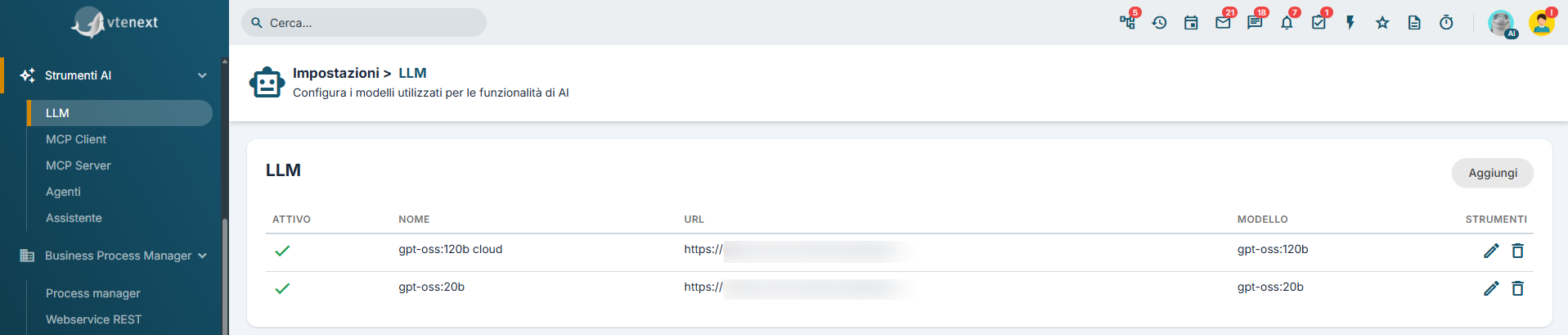
- Active or inactive status
- Configuration name
- Service URL
- Model used
From the list, you can create a new configuration, edit an existing entry, delete it, or quickly enable and disable it.
Creating a new LLM
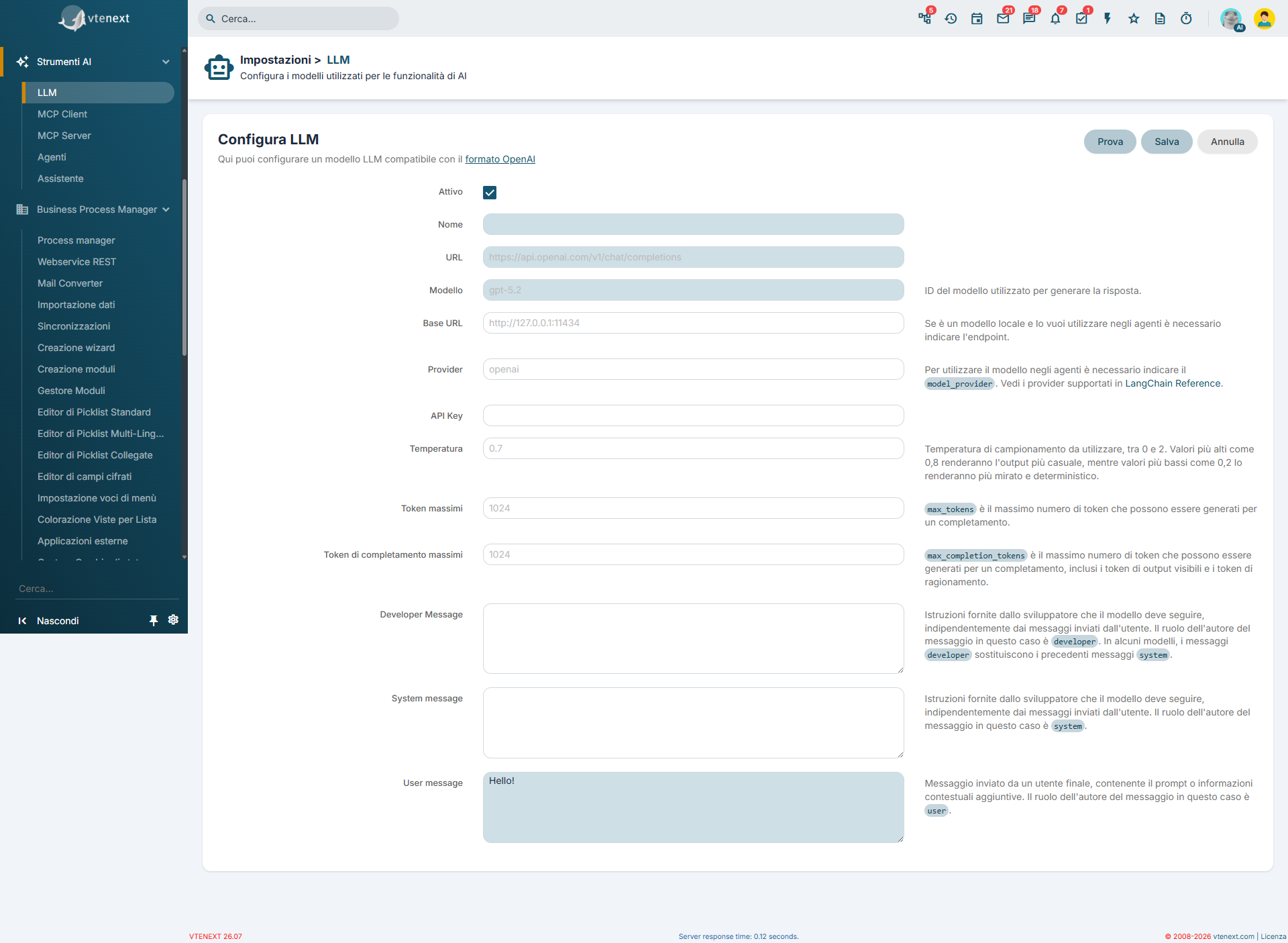
ApriOpenlathesezioneLLMLLM.section.FaiClickclic su Aggiungi.Add.CompilaFilliincampitherichiesti.required fields.SeIfnecessario,necessary,eseguirununatestconfigurationdella configurazione.test.Salva.Save.
AttivoActive::rendemakesilthemodellomodeldisponibileavailableperforl'utilizzo.use.NomeName::nomedescriptivedescrittivonamedelofmodellothevisualizzatomodel displayed in vtenext.CampoRequiredobbligatorio.field.URLURL::API endpointAPItoa cuiwhich vtenextinviasendslerequestsrichiestetoalthemodellomodel (adforesempioexample,https://api.openai.com/v1/chat/completions).CampoRequiredobbligatorio.field.ModelloModel::identificativoidentifierdelofmodellothedamodelutilizzareto be used (adforesempioexample,gpt-5.2)2).CampoRequiredobbligatorio.field.- Base
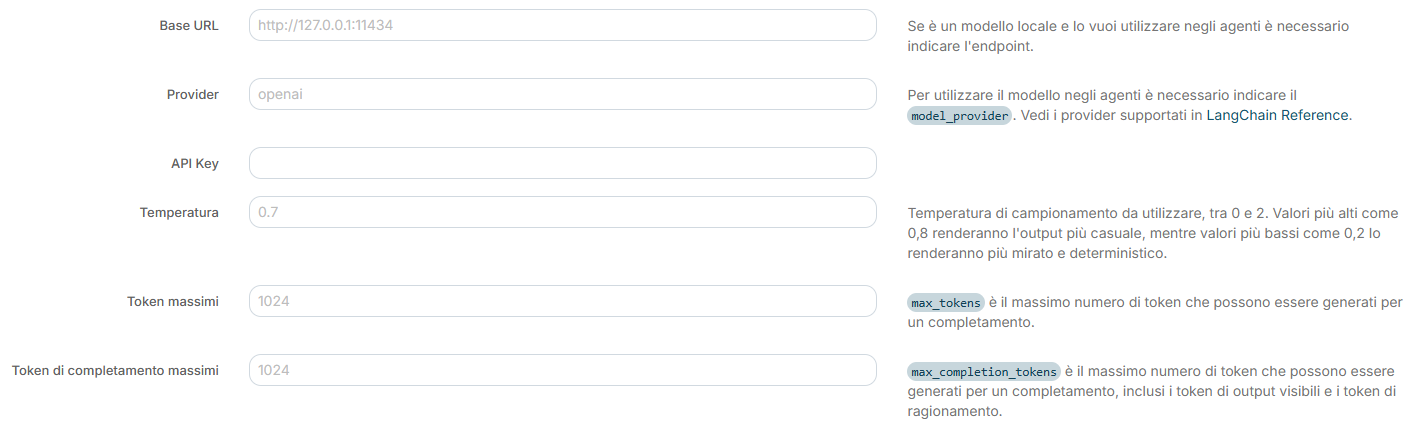
URLURL::è l'indirizzo dithe basedeladdressservizioofchetheospitaserviceilhostingmodello.the model. Inpraticapractice,diceitagli agentitells AIeagentsall'orchestratoreand the Pythondoveorchestratorsiwheretrovatheilmodelservizioservicedelismodello.located.DiventaItparticolarmentebecomesimportanteparticularlyquandoimportantsiwhenutilizzausingunamodellolocallocalemodeloorunanserviziointernalinternoserviceall'infrastruttura,withinpertheesempioinfrastructure,unfor example an endpointcomesuchas http://127.0.0.1:11434. ProviderProvider::indicaindicatesato vtenexteandall'orchestratorethe Pythoncheorchestratortipowhatditypeservizioofc'èservicedietroisalbehindmodello,theadmodel,esempiosuch as OpenAIoppureor Ollama.- API
KeyKey::chiaveauthenticationdikeyautenticazioneprovidedfornitabydalthe provider,necessariarequiredpertoautorizzareauthorizeleAPIrichieste API.requests. TemperaturaTemperature::controllacontrolsilthelivelloleveldiofcasualitàrandomnessdelleinrispostegeneratedgenerate.responses.ValoriLowerbassivalues (adforesempioexample,0,2)0.2)produconoproducerispostemorepiùconsistent,coerenti,predictable,prevedibilianderepeatableripetibili;responses;valorihigherpiù altivalues (adforesempioexample,0,0.8oorsuperiori)above)favorisconoencouragerispostemorepiùvariedvarieandecreativecreative.responses.TokenMaximummassimiTokens::definiscedefinesilthenumeromaximummassimototalcomplessivonumberdioftokentokenschethatilthemodellomodelpuòcanutilizzareusepertoelaborareprocesslatherichiesta,request,includendoincludingsiabothithemessaggimessagesinviatisentsiaandlatherispostageneratedgenerataresponse (seifsupportatosupporteddalby the provider).TokenMaximumdiCompletioncompletamentoTokens:massimi:limitslimitatheilmaximumnumeronumbermassimoofditokenstokenthatchetheilmodelmodellocanpuòuseutilizzareexclusivelyesclusivamenteforperthelageneratedrisposta generata.response.- Developer
MessageMessage::istruzioniinstructionsrivolteaddressedaltomodellotheconmodelruolowith the developer,utilizzaterole,peruseddefiniretoregoledefinedibehavioralcomportamentorulesoorvincoliapplicationapplicativi.constraints. - System
MessageMessage::istruzionigeneralgeneraliinstructionschethatdefinisconodefineilthecomportamentomodel’sdelbehaviormodelloduringdurantethela conversazione.conversation. - User
MessageMessage::messaggiotestdimessageprovasentinviatotoalthemodellomodelpertoverificarneverifyilitsfunzionamento.operation.CampoRequiredobbligatorio.
field.
Come funziona il test
Il pulsante di PROVA invia una richiesta reale al modello con i parametri configurati e mostra:
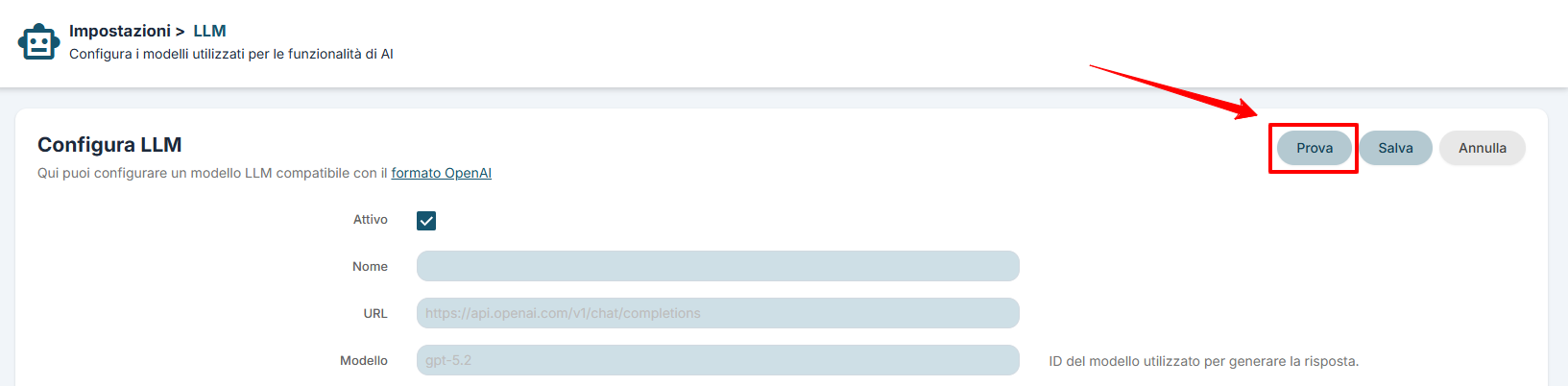
- esito dell'operazione
- codice di risposta
- header restituiti
- corpo completo della risposta
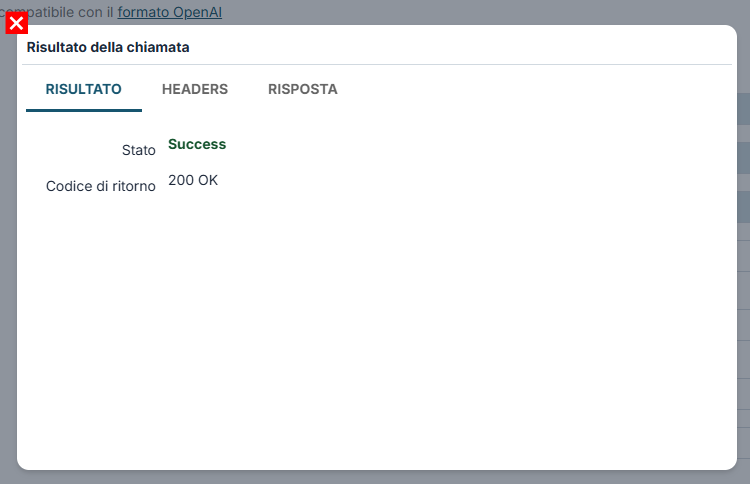
Risultato della chiamata: tab RISULTATO
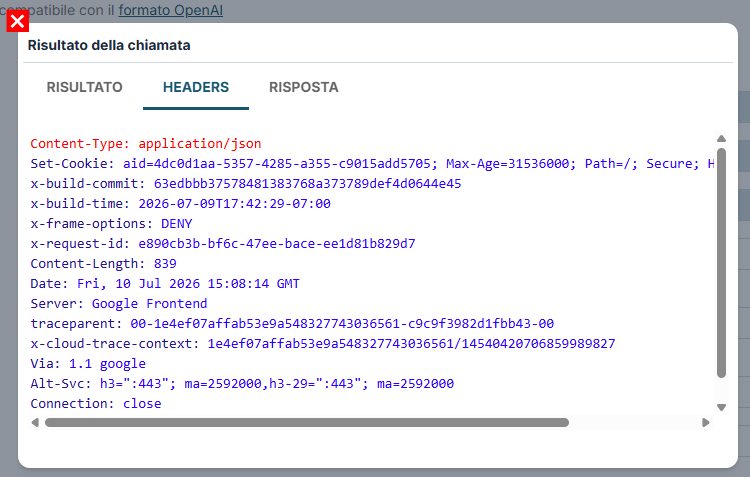
Risultato della chiamata: tab HEADERS
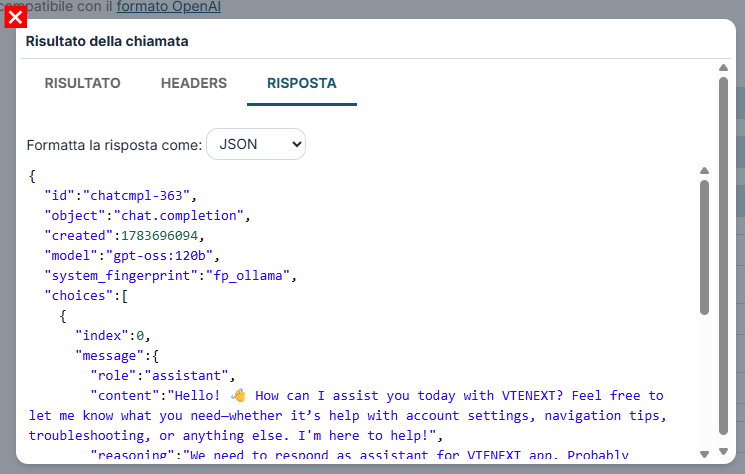
Risultato della chiamata: tab RISPOSTA
Il test serve a verificare la configurazione, ma non sostituisce il salvataggio.
Il test invia una richiesta reale al modello remoto o locale. Se il modello non è raggiungibile via API, il test non può funzionare.
Esempi pratici
Esempio 1: modello compatibile OpenAI
Usa questa configurazione quando il modello è disponibile come servizio remoto tramite API esterna. Imposta nome, URL, modello e API Key, poi invia un semplice messaggio di test.
Esempio 2: modello locale
Se il modello gira in locale o su infrastruttura interna, compila anche Base URL e Provider. Anche in questo caso il modello deve essere già installato, attivo e raggiungibile via rete.