
7.2 Activation of a Basic Process - Approval of Quotation
Now let's proceed with the vision of the process in action.
We then create a new quote by entering the requested information (Figure 1)
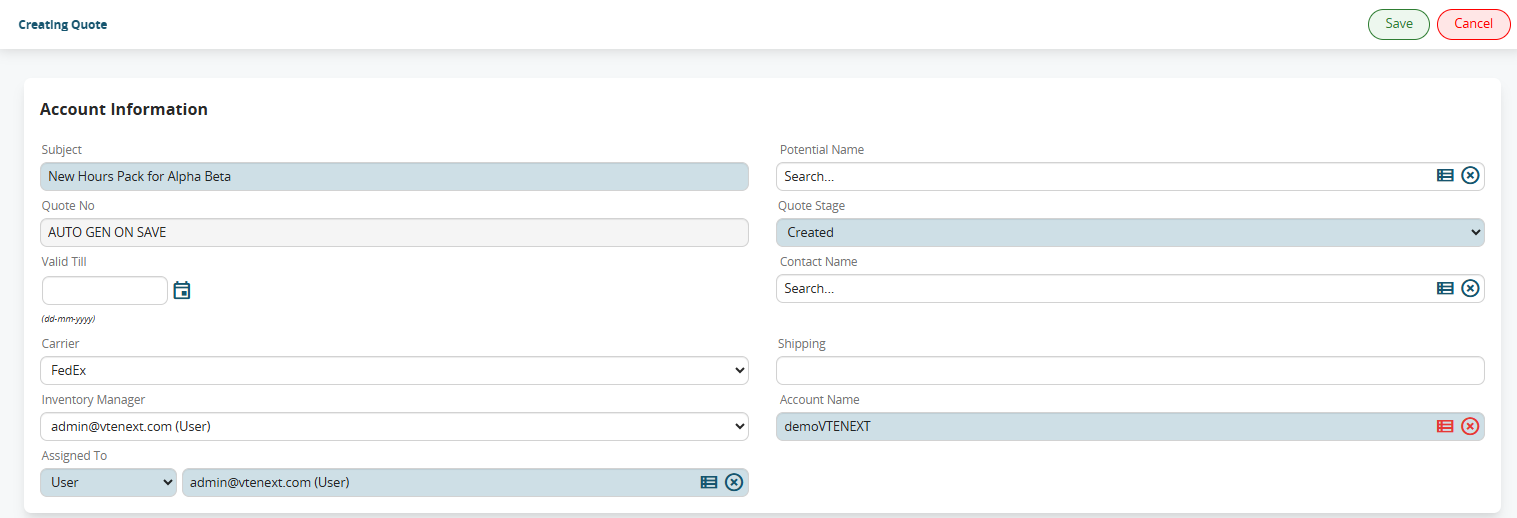
Figure 1
After saving, the process will start by presenting a preview mask to each member of the “Direction” group (Figure 2).
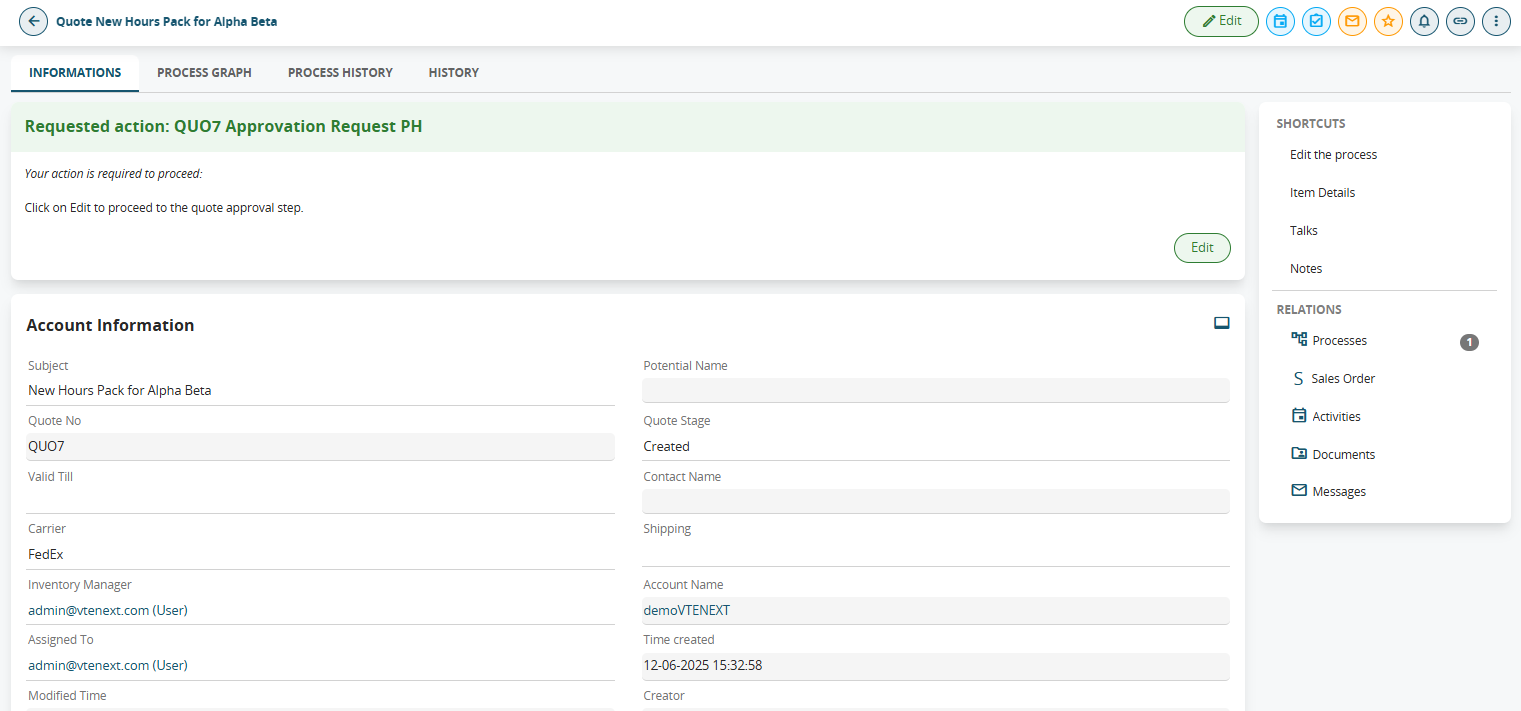
Figure 2
However, the task described above will only be visible by entering the estimate's details, so in this case it is possible to fill in the process helper through the "Processes" section accessible from the top right menu. (see Figure 3)

Figure 3
In fact, it contains all the pending processes assigned directly to the user or to any groups to which he or she belongs, so all you have to do is look for the line with the following information (see Figure 4):
-process name: “PH approval request QUO94”
-linked to: “New hour package for Alpha Beta” (i.e. the Subject of the estimate)
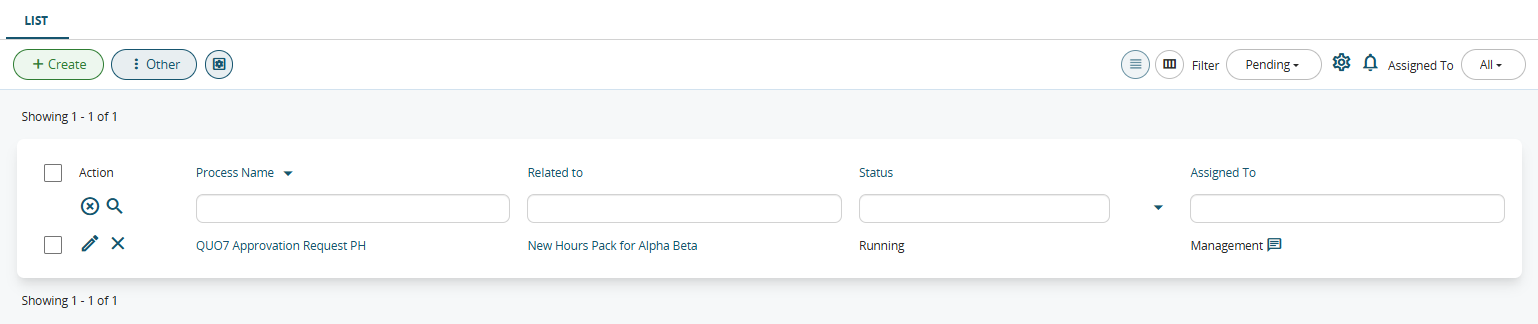
Figure 4
After that, simply click on the pencil to the left of the process name to be able to fill out the process helper (which will be displayed as if we were editing a module).
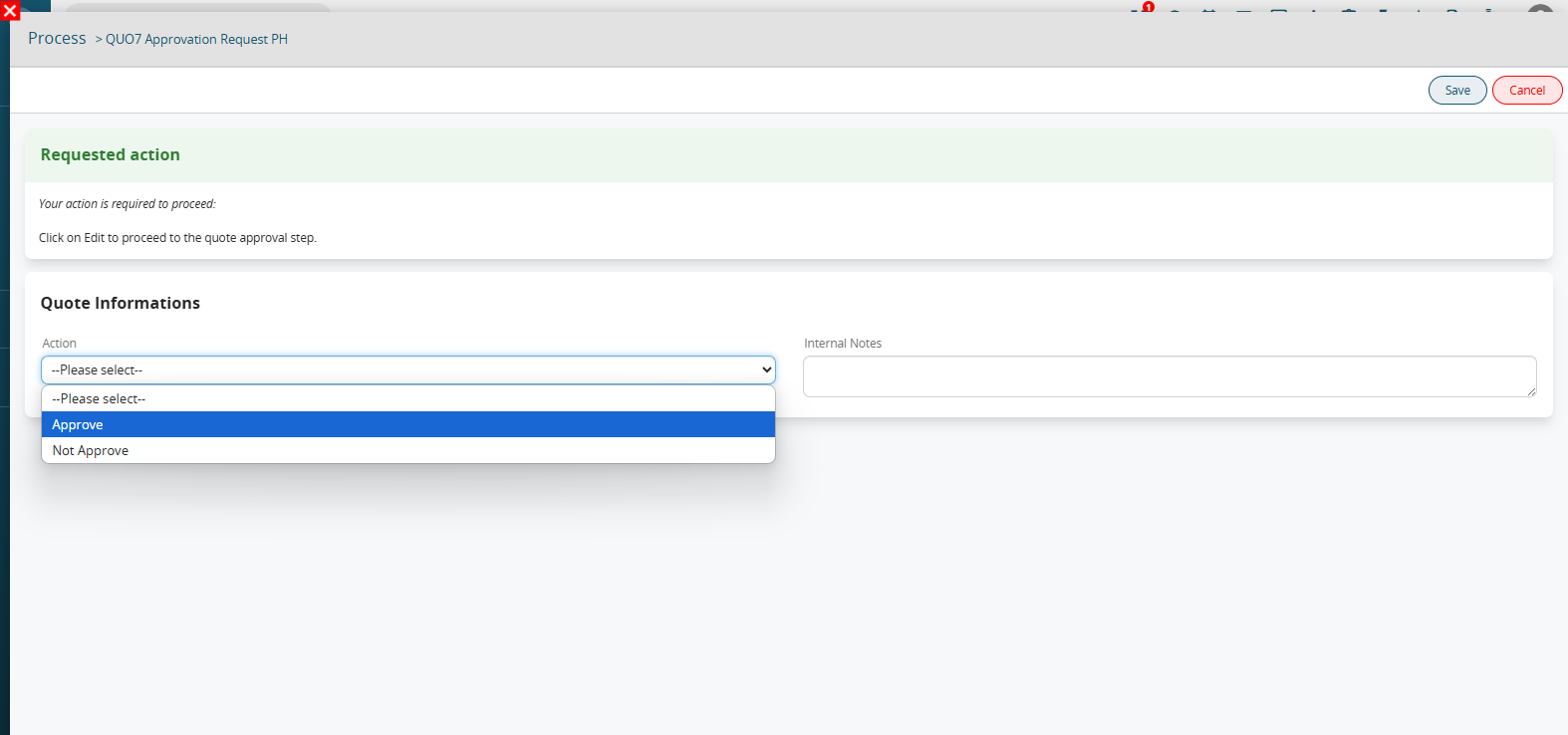
Once on the process helper form, the user will find themselves in front of the screen shown in Figure 5.
FiguraFigure 5Volendo
If l’approvazioneyou diwant unto preventivo,simulate clicchiamothe sulapproval valoreof a quote, click on the value “APPROVARE” eand procediamosave con il salvataggio delthe process helper.Il
The invieràsystem inwill automaticoautomatically unasend notificaan internainternal all’assegnatarionotification delto preventivothe quote assignee (FiguraFigure 6).

FiguraFigure 6Volendo
If simulareyou unawant mancatato approvazionesimulate dela preventivo,lack clicchiamoof sulapproval valoreof the estimate, click on the value “NONNOT APPROVARE”APPROVE” eand procediamosave con il salvataggio delthe process helper.Il
The invieràsystem unawill mailsend all’assegnatarioan delemail preventivoto the assignee of the estimate (FiguraFigure 7).

Figura 7Nel caso in cui si verificasse un errore SMTP nell’invio della mail di mancata approvazione, il sistema avviserà i componenti del gruppo “Reparto IT” tramite l’invio di una notifica interna (Figura 8).

Figure 8