
Google Authenticator Mode
From the settngssettings (Settings tab), it will also be possible to select the OAuth2 authentication mode towards Google:
- Proxy (default):
Theauthentication willoccurtake place through Pantarei Informatica servers, which will act as a bridge with Google Cloud. This mode is recommended for most scenarios. NATIVE:Native:Thetheclientcustomerwillusesregister itstheir ownauthorization token in theirGoogle Cloudpanel,project,which will verifywith thecompanyClient ID andauthorizeClient Secret of thereturn domain.application. This mode is recommended forthosecustomers who already have their own Google Cloudpanel.panel or policies that require it.
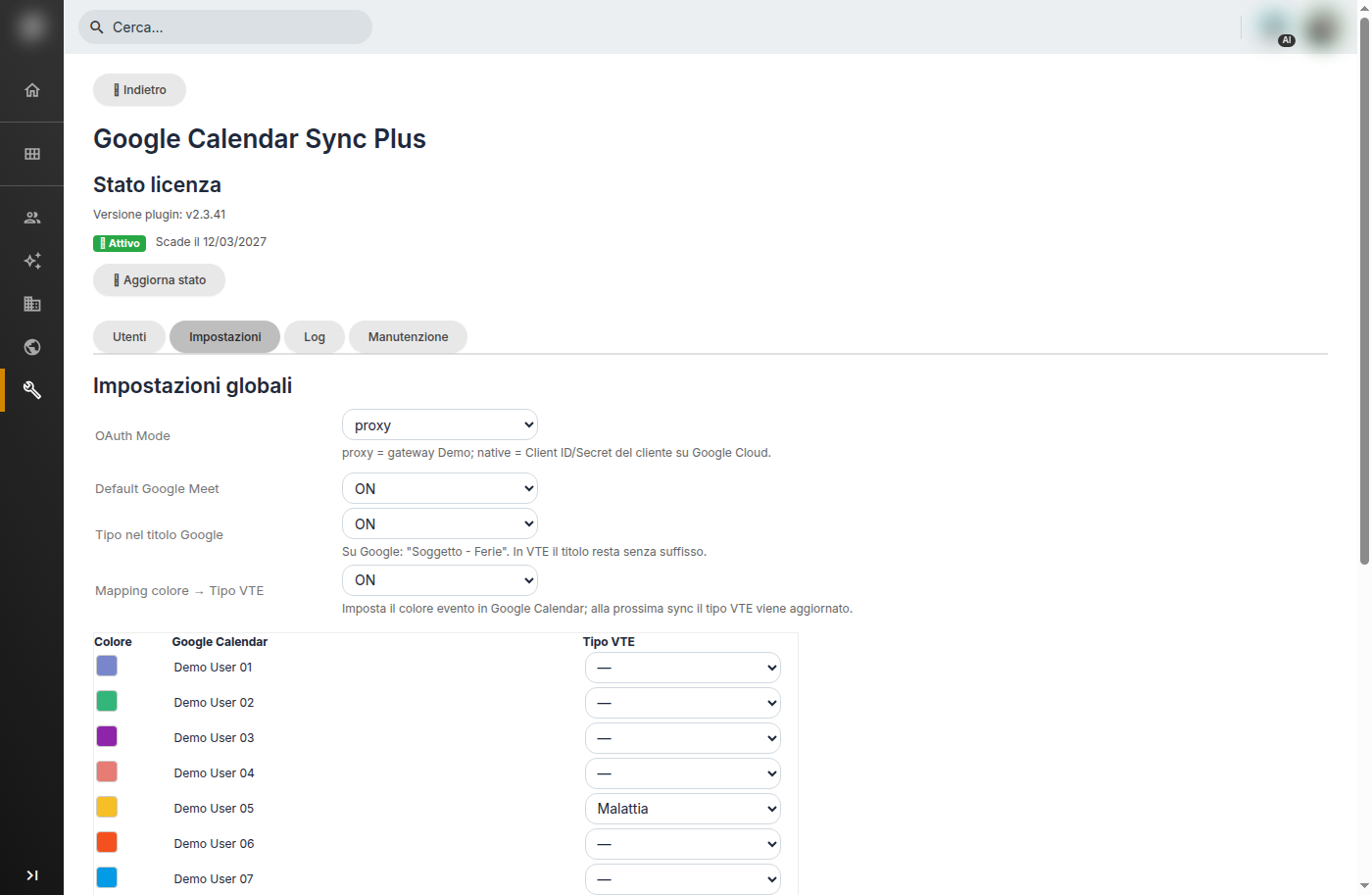
Global Settings
By selecting Native, the Client ID and Client Secret fields will appear (after saving, they remain masked), along with the Redirect URI to copy into the Google Cloud Console under the authorized redirect URIs, and a short operational guide. In the Console, it is necessary to enable the Google Calendar API, configure the OAuth consent screen (Internal for Google Workspace or External published in production; in Testing mode, refresh tokens expire after 7 days), create an OAuth client ID of type Web Application, register the Redirect URI shown in vtenext, and save the credentials in the plugin. The scope used is: https://www.googleapis.com/auth/calendar
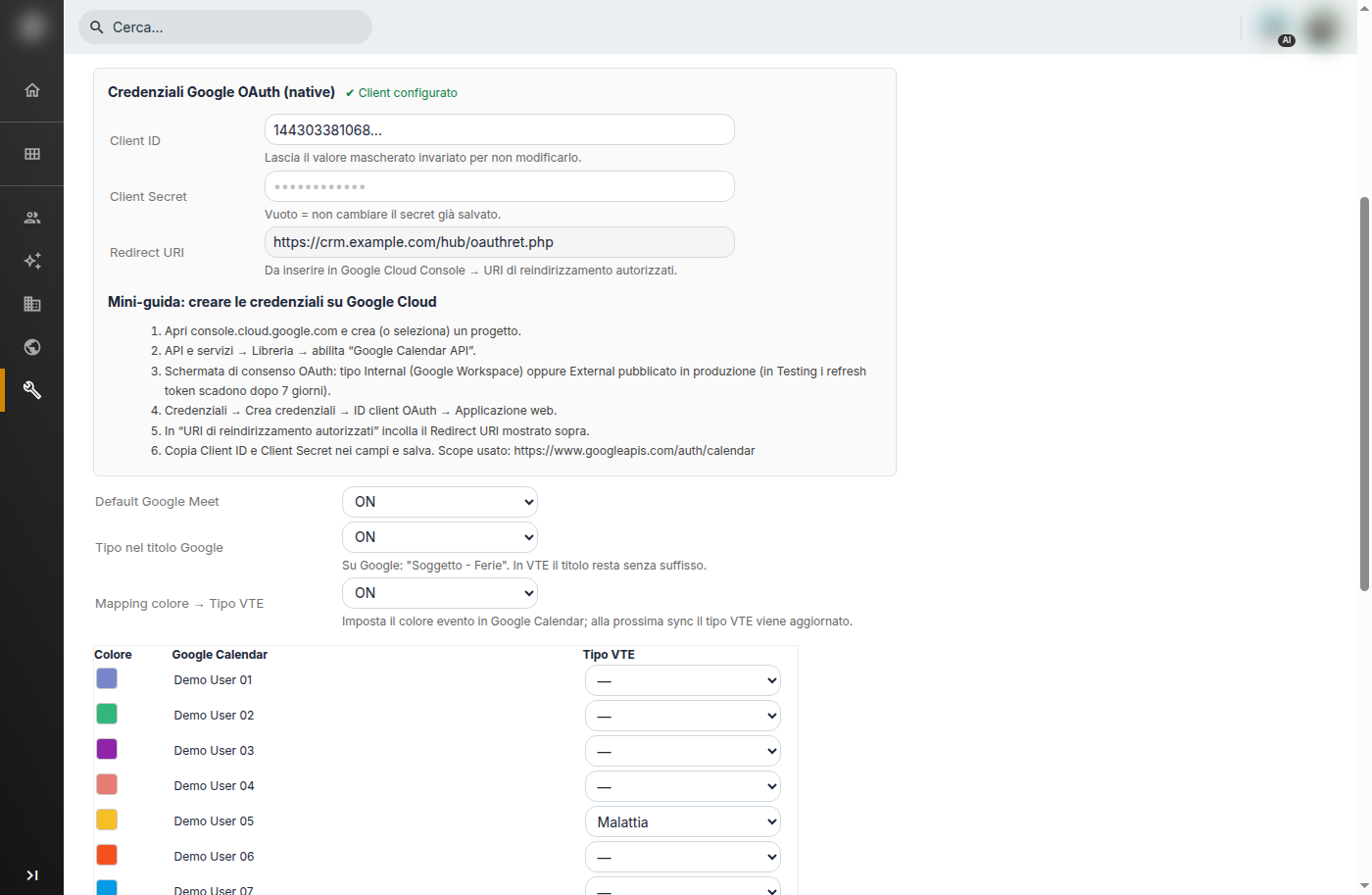
Native OAuth Credentials