
13.1.3 Advanced Reporting Examples
In this section, we will explore in greater detail some of the configurations introduced earlier and examine additional steps of the report creation wizard that have not yet been covered.
Unlike the previous chapter, we will not walk through the complete report creation process again, as it has already been described in detail. Instead, we will focus on more advanced features and configurations, illustrating them through practical examples that will help you create more complex and structured reports.
The examples provided in this chapter are for illustrative purposes only and are not necessarily representative of real-world cases.
Each organization and project has its own specific characteristics, data, and objectives, making it impossible to define practical examples that apply to all operational needs.
Therefore, this guide is not intended to provide recommendations on which fields to use or how to structure reports for a specific business context. Instead, it aims exclusively to illustrate the features of the Reports module and the main ways in which the tool can be used.
How to Select Fields from Related Modules
To select information from the related Account, starting from the Contacts module, you can use the panel located in the upper-right section of the screen, which displays the available relationships.
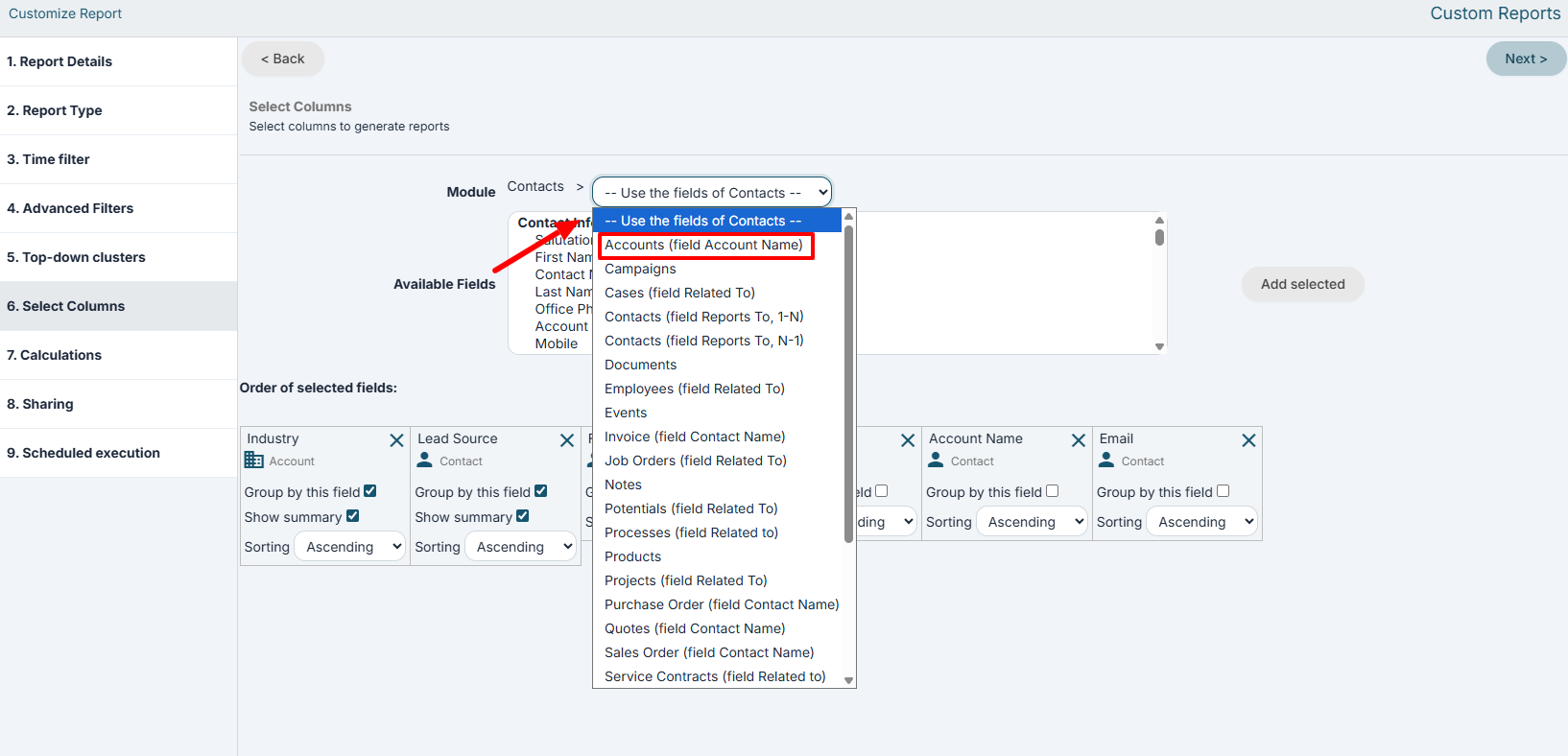 Once the desired relationship has been selected, the fields of the related module will appear in the lower panel and can then be used within the report.
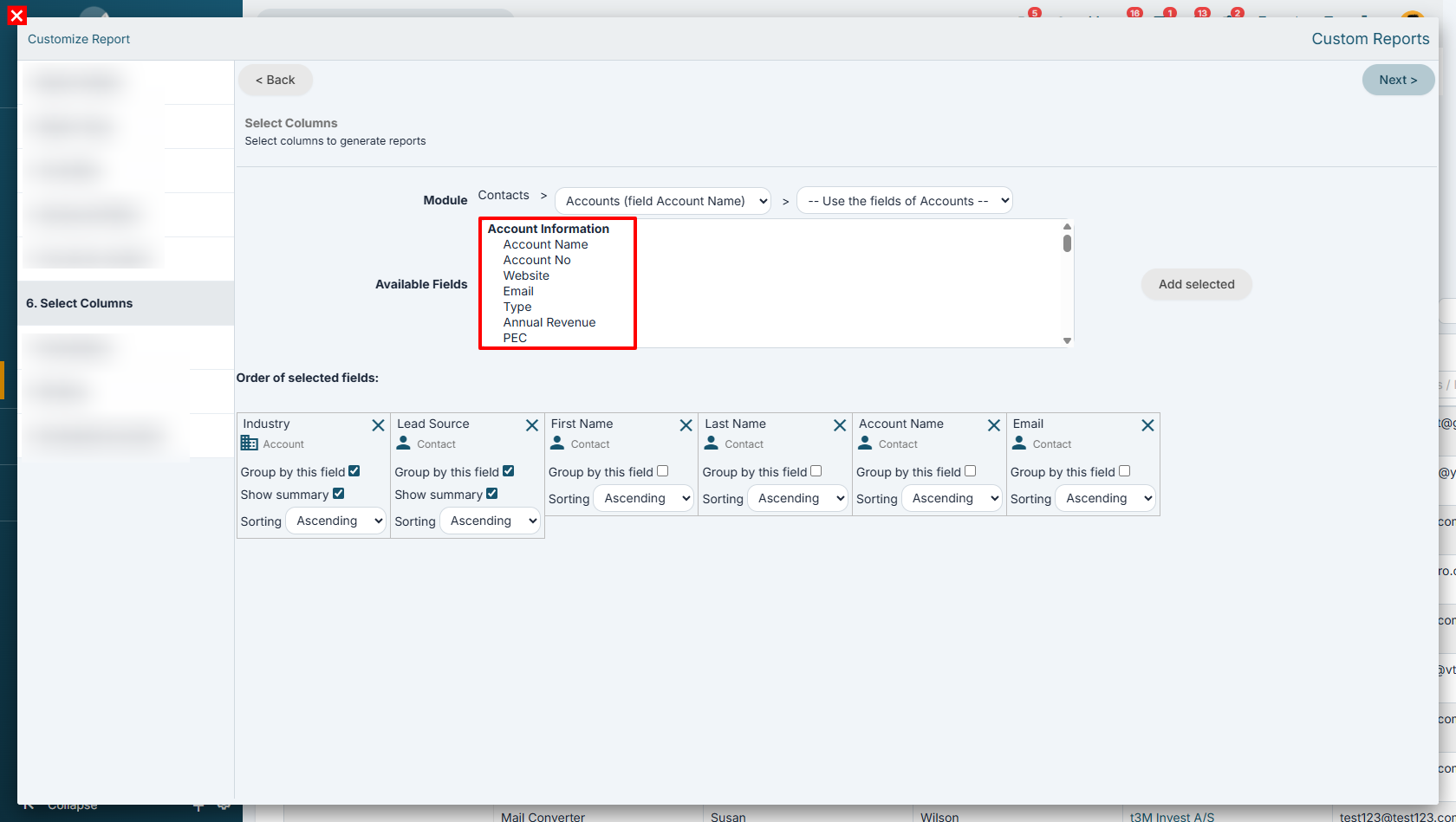
Combining information from different modules enables the creation of more advanced reports and statistics, which can be used, for example, to analyze sales performance and monitor business processes.
Example reports: