
Events
Access vtenext and search among the modules EVENTS.
Create new Event
Click on Create
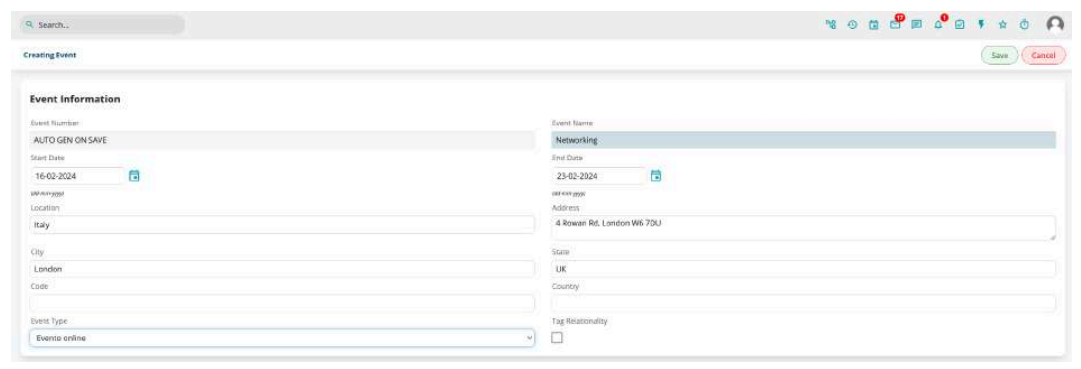
Fill in the data Name (mandatory), start date, end date, location, address, city, province, ZIP code, and country/state and click SAVE in the top right corner.
Remember that your event can simply be called Business Meetings for everyday use of the app unrelated to a particular event.
By checking the “Tag Relationality” option, you allow the addition of tags even from mobile. It is advisable to use it only in specific cases to avoid the uncontrolled proliferation of tags.