
9.2.1 Quote Revision
The Review Quote function, available within the Quotes module, allows you to quickly create a new revision of a quote that has already been shared with the customer, modifying its information without having to recreate it from scratch.
How to access the feature
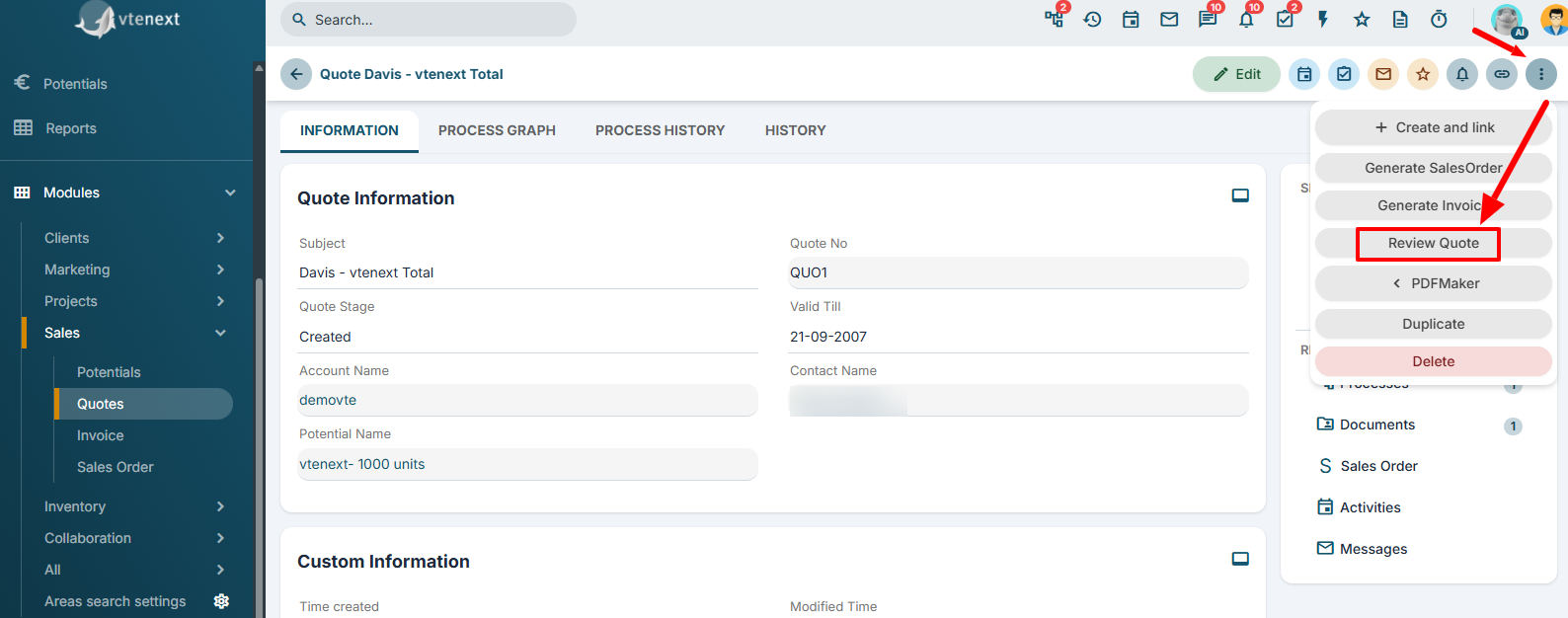
To create a revision, open the quote, click the "Other" button, and select "Review Quote".
How it works
When you select the Review Quote function, the system creates a new quote containing the same information as the original one. You can then modify any detail, such as products, quantities, prices, terms, or any other information.
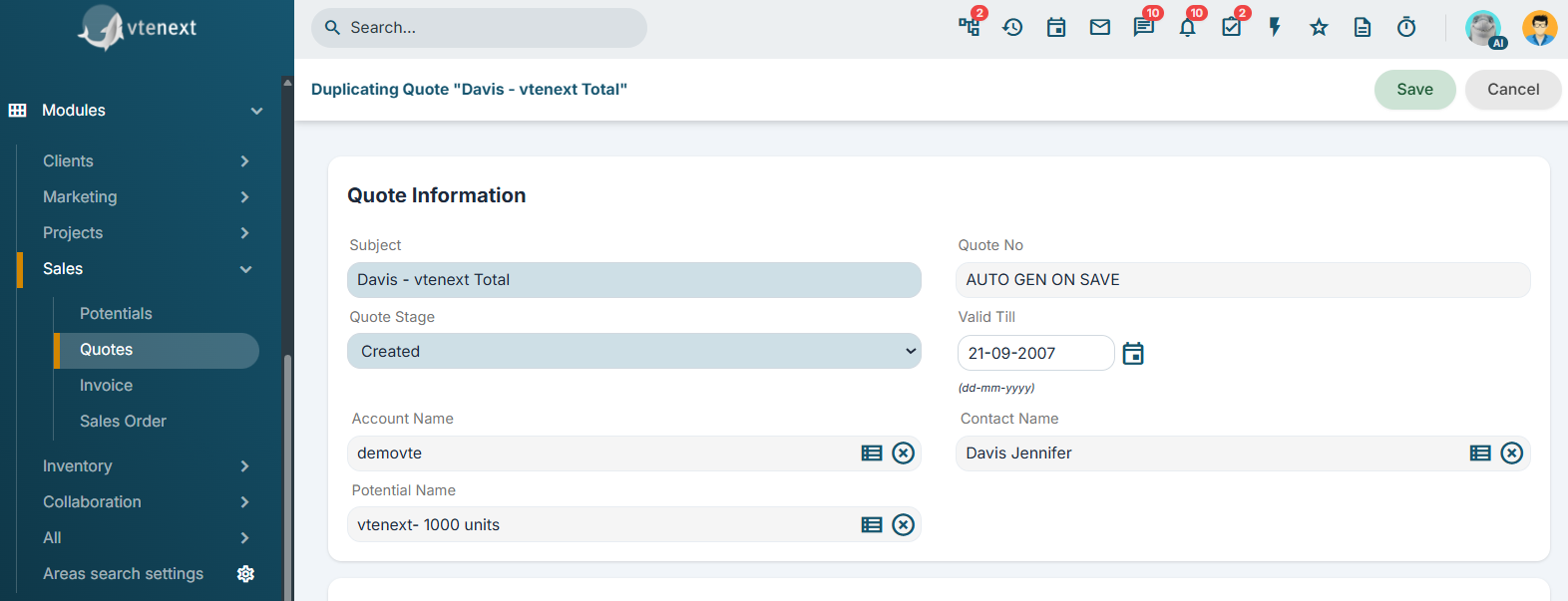
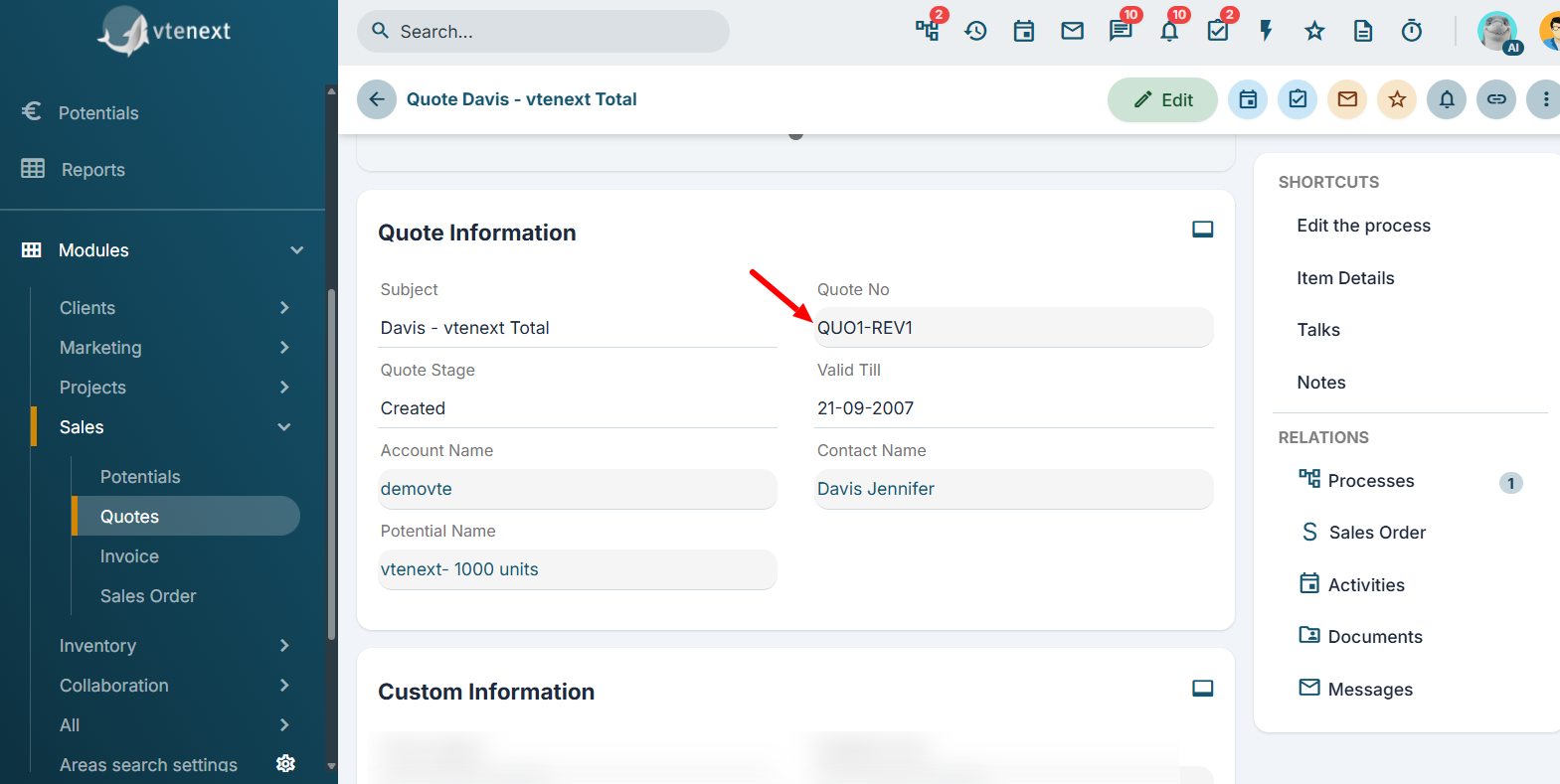
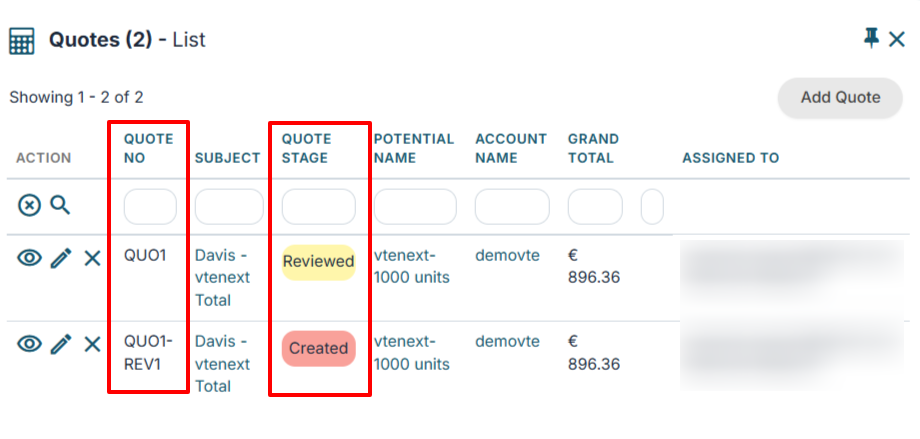
After saving the revised quote, it is important to note that the quote number remains unchanged. For example, if the original quote is number 1, the revised quote will still be number 1. The system will instead assign a revision number (Rev. 1, Rev. 2, Rev. 3, etc.) to distinguish between the different versions.
 At the same time, the original quote is automatically set to the Reviewed status, indicating that it is no longer the current version and that the latest revision should be considered the valid one.
 This feature allows you to maintain the complete revision history of a quote, ensuring full traceability of all changes while enabling users to create updated versions quickly and efficiently without having to rewrite the quote from scratch.