
12.13 SDK Action: Set entity reference
This SDK function allows you to force a certain record within an entity (of the same module) involved in the process.
It is mainly used to be able to perform any type of standard action even on records that have been inserted within "Related to" fields of a dynamic form.
As the first parameter, the metaid (the id that uniquely identifies the instance of a module within a process) of the instance on which you want to force the record must be passed.
Instead, as the second parameter, the crmid of the record to be forced must be passed.
EXAMPLE OF USE
To better understand how it works, below is an example of using the SDK function Set entity reference() to manage the existing company within the standard BPMN lead conversion process.
In the dynamic form of the process helper (configured in the User Task "Request details"), the user is given the option to create a new company or select an existing one.
Specifically, the existing company's CRMID is stored in a "Related to" field within the dynamic form (Figure 1)
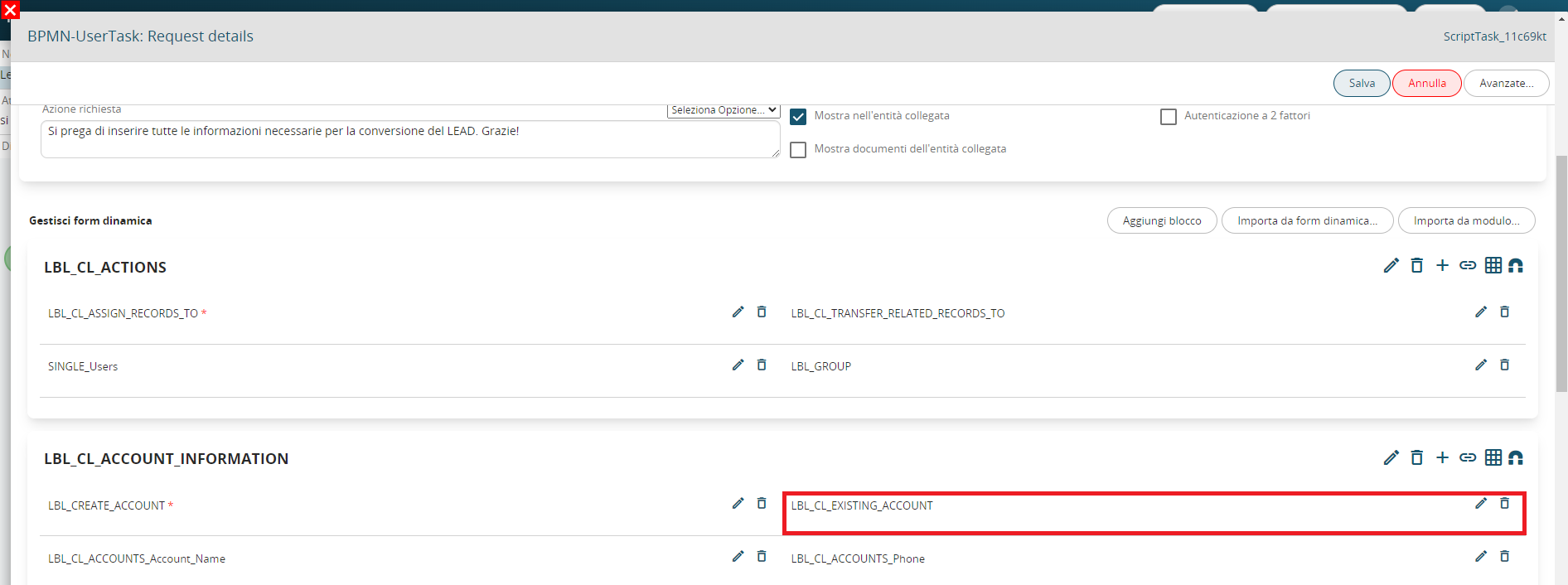
Figure 1 (click on the image for a larger graphic resolution)
This type of field does not establish a real relationship, therefore it is not seen as a complete instance of the Companies module.
In fact, it does not have any metaid (i.e. the id that uniquely identifies the instance of a module within a process).
For this reason, the actions that can be performed on the record contained in the relationship field are limited.
On the contrary, the entity instantiated by the Create entity action (configured in the Action Task "Create account") has its own metaid (i.e. 61), this is because it has been fully involved in the process (Figure 2)

Figure 2
In the case of the lead conversion process, it is not possible to involve the company contained within the relationship field within the standard action "Transfer relationships".
To solve this problem, it is possible to use the SDK Set entity reference() function to force the existing company record (present in the relationship field) within the instance of the Company module involved through the Create entity action (therefore of the company created directly in the process).
In this way, all the necessary actions can be performed without limitations.
Therefore, within the Action Task "Use existing account", an action of type "SDK Functions" was configured in which the SDK Set entity reference() was called.
The metaid of the created company instance was passed as the first parameter, i.e. 61 (Figure 3)
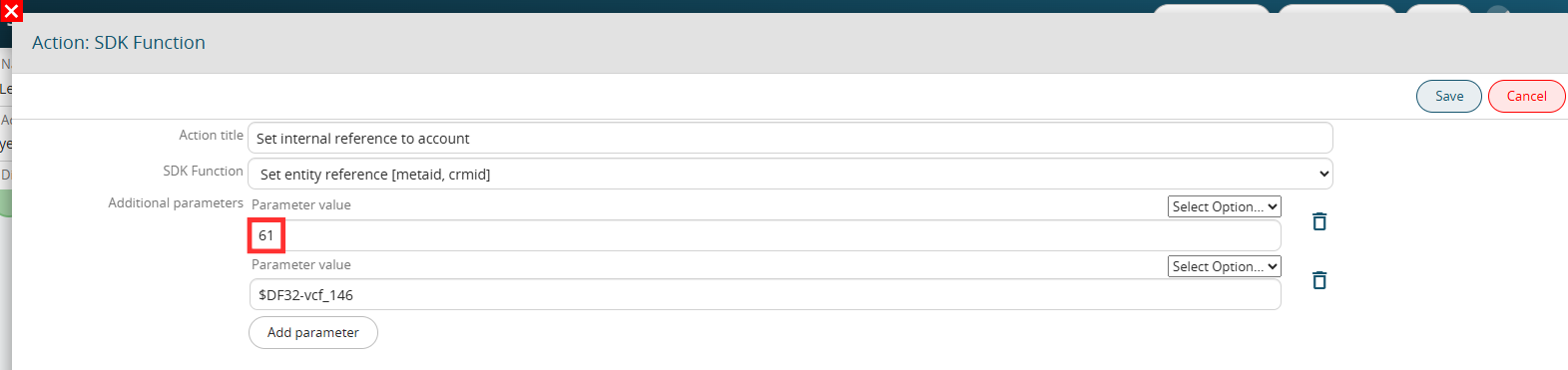
Figure 3 (click on the image for a higher graphic resolution)
The second parameter was passed the content of the relation field containing the existing company (Figure 4)
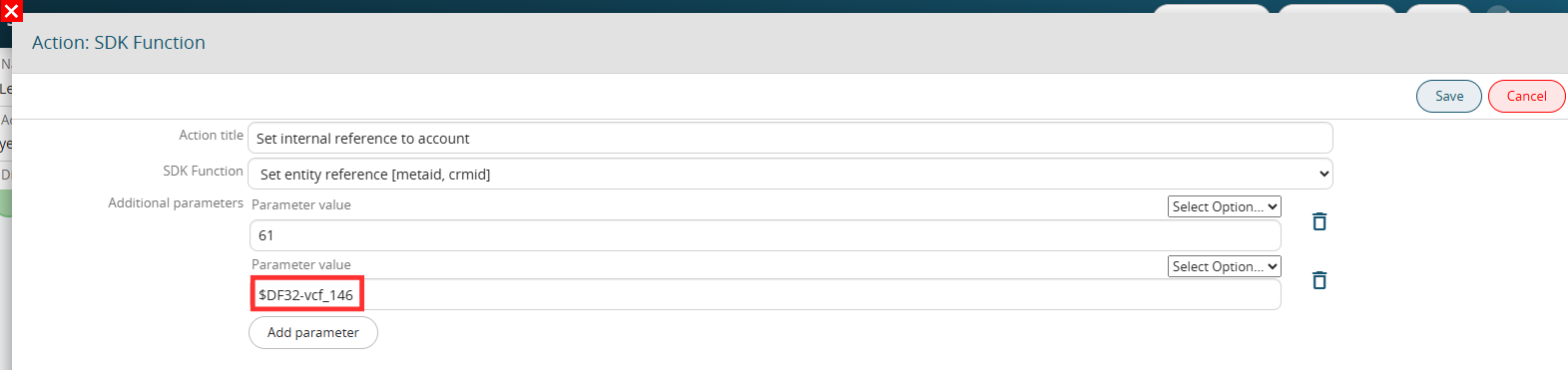
Figure 4 (click on the image for a higher graphic resolution)
In this way, for both cases (created or existing company), in the Action Task "Transfer relations to account" it was sufficient to configure a single Transfer relations action. (Figure 5)
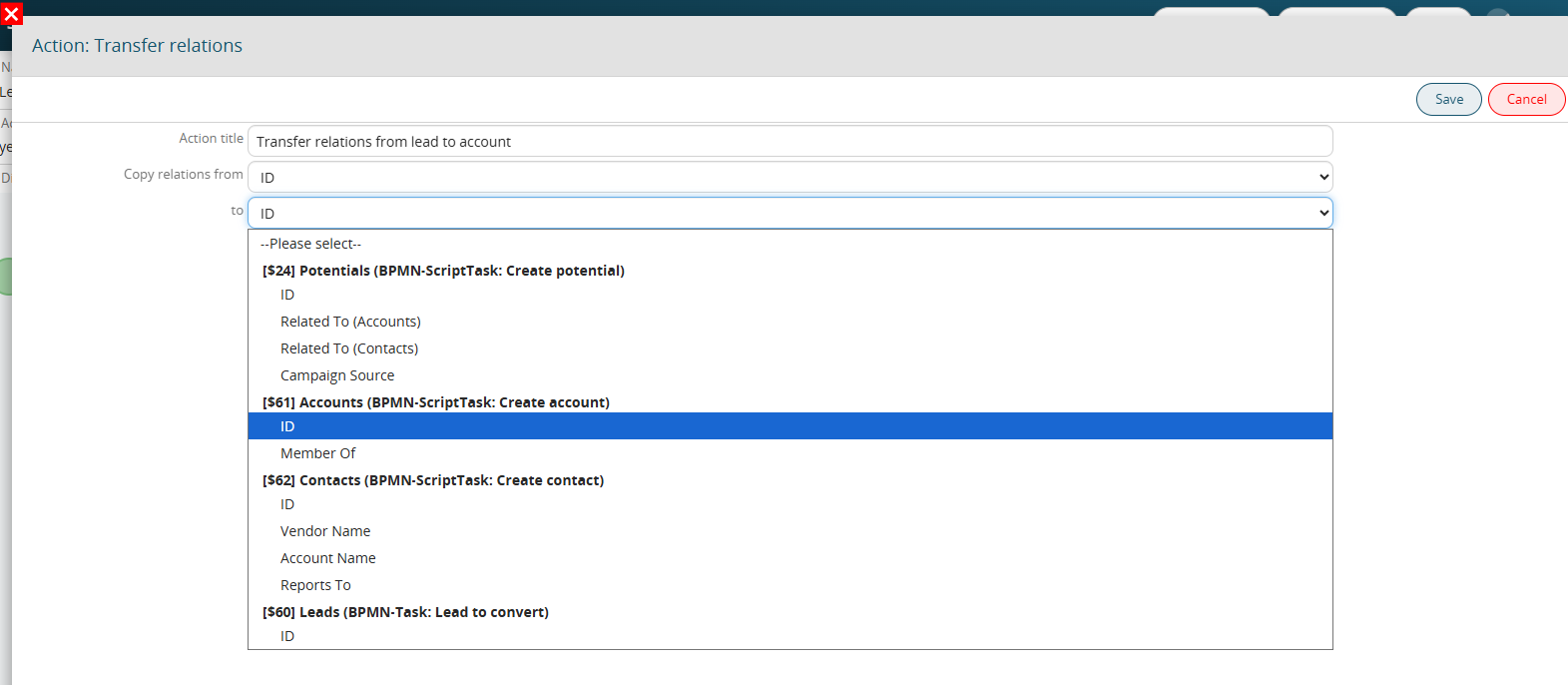 Figure 5 (click on the image for a higher graphic resolution)