
12.11 SDK fieldAction: Diff Date
This SDK function allows you to perform the difference between two dates passed as input parameters.
As the first two parameters, separated by a comma, you will need to pass the values of the two date type fields to be involved in the difference, but keep in mind that the function performs the following calculation:
parameter2 - parameter1
The second date parameter is not mandatory, so if you only pass a date value (parameter1), the calculation will be performed automatically taking today's date-time as the second parameter (parameter2).
By default (so without passing a third parameter), the function will always return the result of the calculation in seconds.
Instead, to obtain the result in days, you will need to pass the fixed string "days".
ATTENTION! by default the function will always return only positive results, to enable the return of negative results you will need to apply a change to the php code.
EXAMPLE
To better understand how it works, here is an example of using the SDK function diffDate() to calculate the difference between the values of two fields called "Start Date" and "End Date" and save the result (in days) in the "Time Range" field (Figure 1)

Figure 1
Within an Action Task we proceed with the configuration of an Update Entity action involving the "Time Range" field.
Specifically, we are going to call the interested SDK function through the "Option Selection" picklist and accessing the "Date Functions" section (Figure 2)
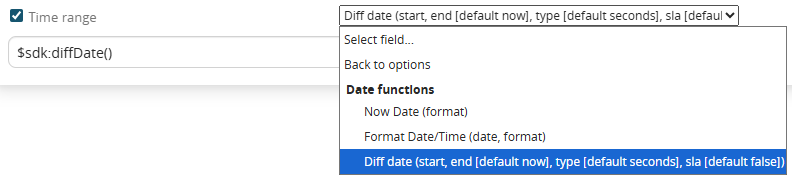
Figure 2 (click on the image for a higher graphic resolution)
N.B: in the label of the selectable function in the picklist "Select option.." the possibility of passing an additional parameter called "sla" is indicated, which by default is set to false, in fact it is only a typo, therefore it is an unmanageable parameter.
As the first and second parameters (separated by commas) we pass the values of the "Start Date" and "End Date" fields in the order just mentioned (Figure 3)
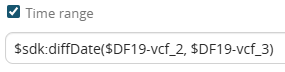
Figure 3
Finally as a third parameter we pass the fixed string "days" (Figure 4)
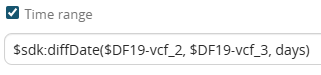
Figure 4
The result will be as shown in figure 5
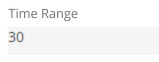
Figure 5