2.4 Exclusive e Parallel Gateway
Exclusive Gateway
Allows the process flow to split into multiple different branches.
It must be preceded by a control task in which the parameters are defined to determine which branch of the Gateway will be followed.

To use it, in diagram editing mode, you need to click on the control task and then select the diamond-shaped symbol called “Gateway.”
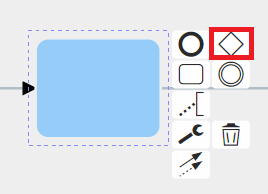
Here is an example of an applied Exclusive Gateway.
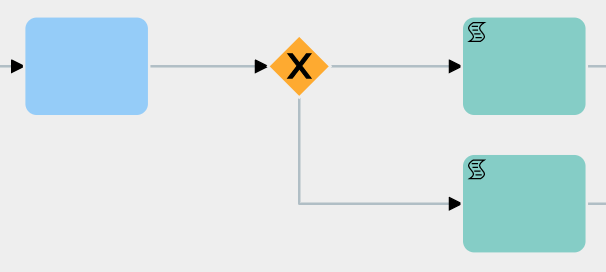
Like all other symbols, it can also be selected from the quick menu on the right.
Parallel Gateway
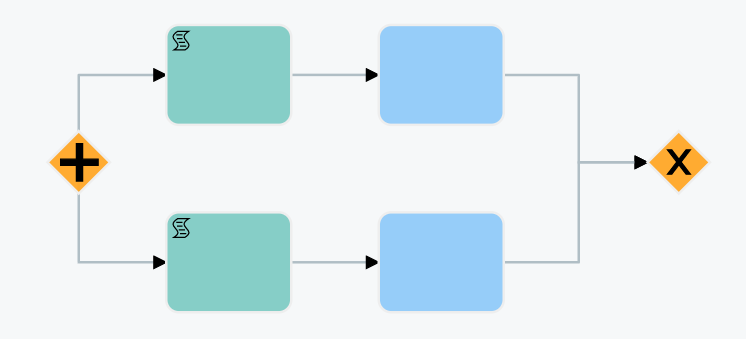
It performs the same function as the Exclusive Gateway, with the only difference being that all branches are executed in parallel. At the end of the branches, an Exclusive Gateway must be present to act as the closing Gateway for the parallel flow. Before the closing Gateway, as many control tasks must be configured as there are branches involved.
This type of structure allows you to choose whether to proceed with the flow upon completion of certain specific branches of the Gateway or wait for all existing branches to be completed.
Note:
- Parallel Gateways cannot be used within other Parallel Gateways. - Multiple Parallel Gateways cannot share a single closing Exclusive Gateway.

To use it, while in diagram editing mode, you need to click on the task and then select the diamond-shaped symbol called “Gateway.”
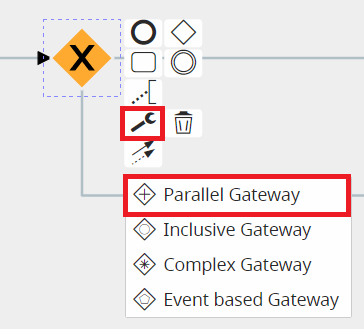
Here is an example of an applied Parallel Gateway.
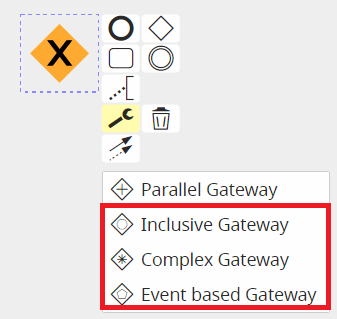
The types of Gateways listed below are not currently implemented.
NOTE: As of version 24.08, they have been completely removed.