
3.1 Create entity
This action allows you to create records for entities within the system (standard or custom modules).
For each individual field, you can set a static or dynamic value (i.e., one derived from the entities involved in the process itself) (Figure 1).
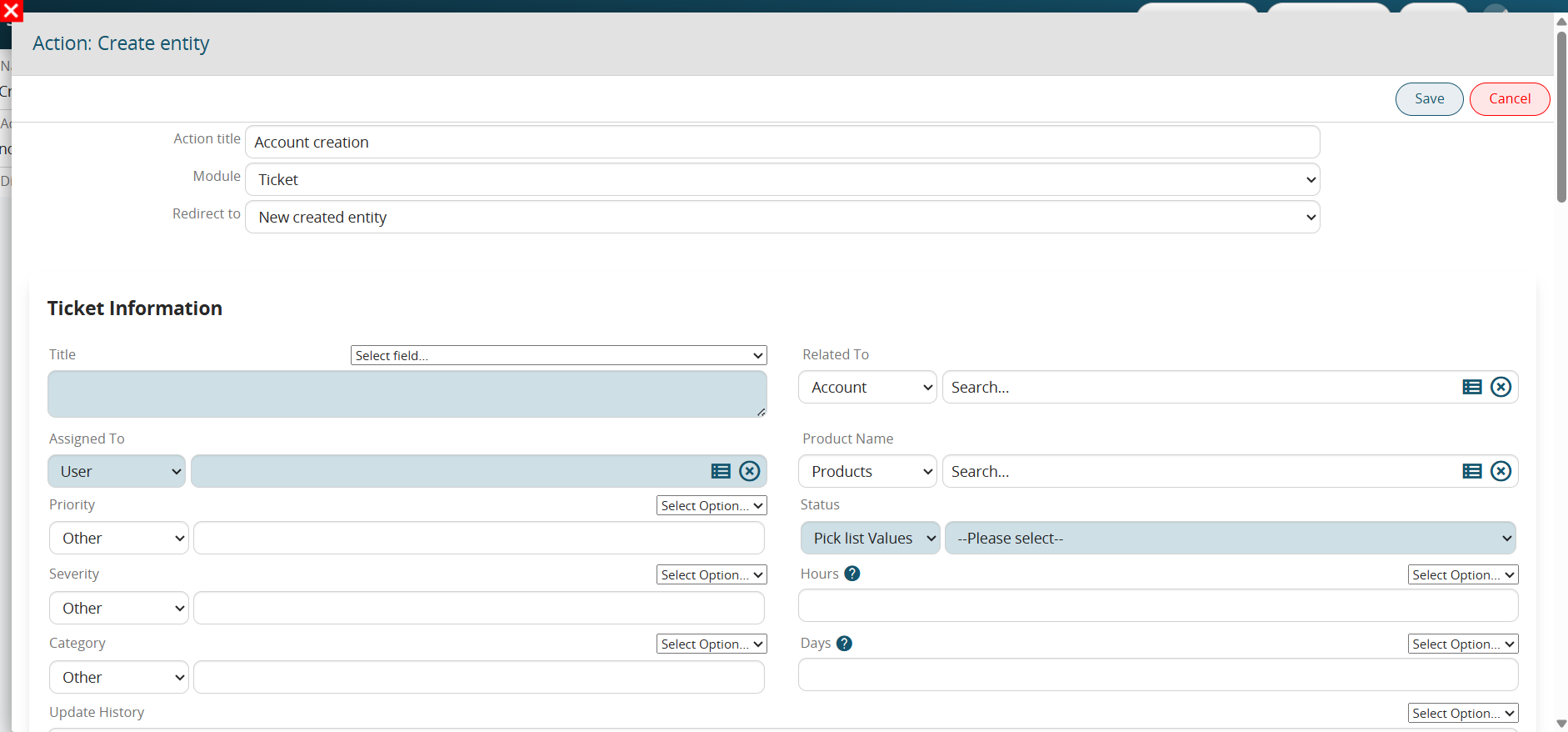
Figure 1
To select a dynamic value, the system provides a "Select option" picklist, from which you can access the entity fields of the modules involved in the process (Figure 2).
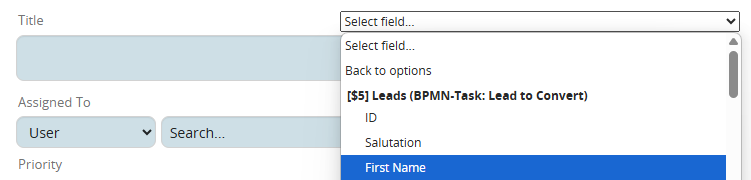
Figure 2
NOTE: For "Picklist" and "User" type fields, to use the "Select option" field, you must first select the "Other" item from the picklist available on the left (Figure 3).
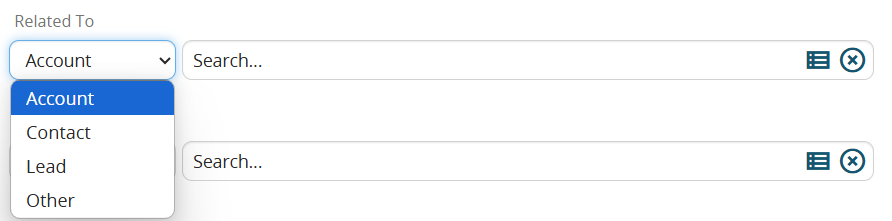
Figure 3
NOTE: The system automatically applies a filter based on the source field from which the "Select options" picklist is being accessed; consequently, it will only display fields with a data type compatible with the source field.
For example, if you wanted to insert the content of the text-type "Surname" field from the Leads module into the "Linked to" field of the Customer Support module, the system would not make that field available, as it only allows the selection of columns from "Related to" type table fields. (Figure 4)
Figure 4
Furthermore, the "Create entity" action also allows us to trigger a redirect to the newly created entity or to an entity involved in the process. (Figure 5)
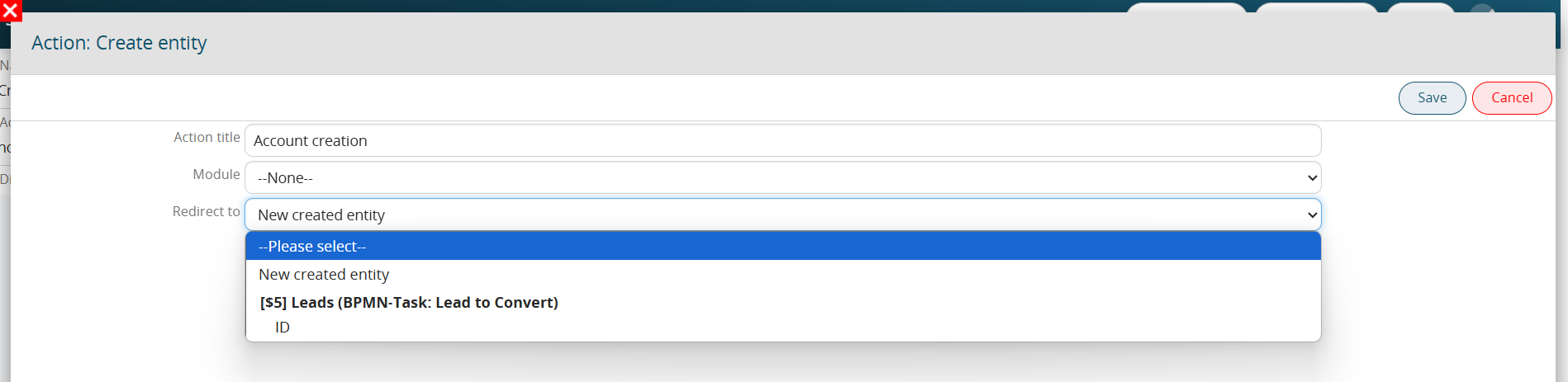
Figure 5
Clicking the "New entity created" button redirects the user to the new record created during this specific action.
Conversely, selecting the ID of one of the other entities involved in the process redirects the user to the record for that specific module.
Creating Calendar Events: "Notify" function
As of version 26.04, it is possible to configure and enable the sending of automatic reminders via the dedicated section. (Figure 6)
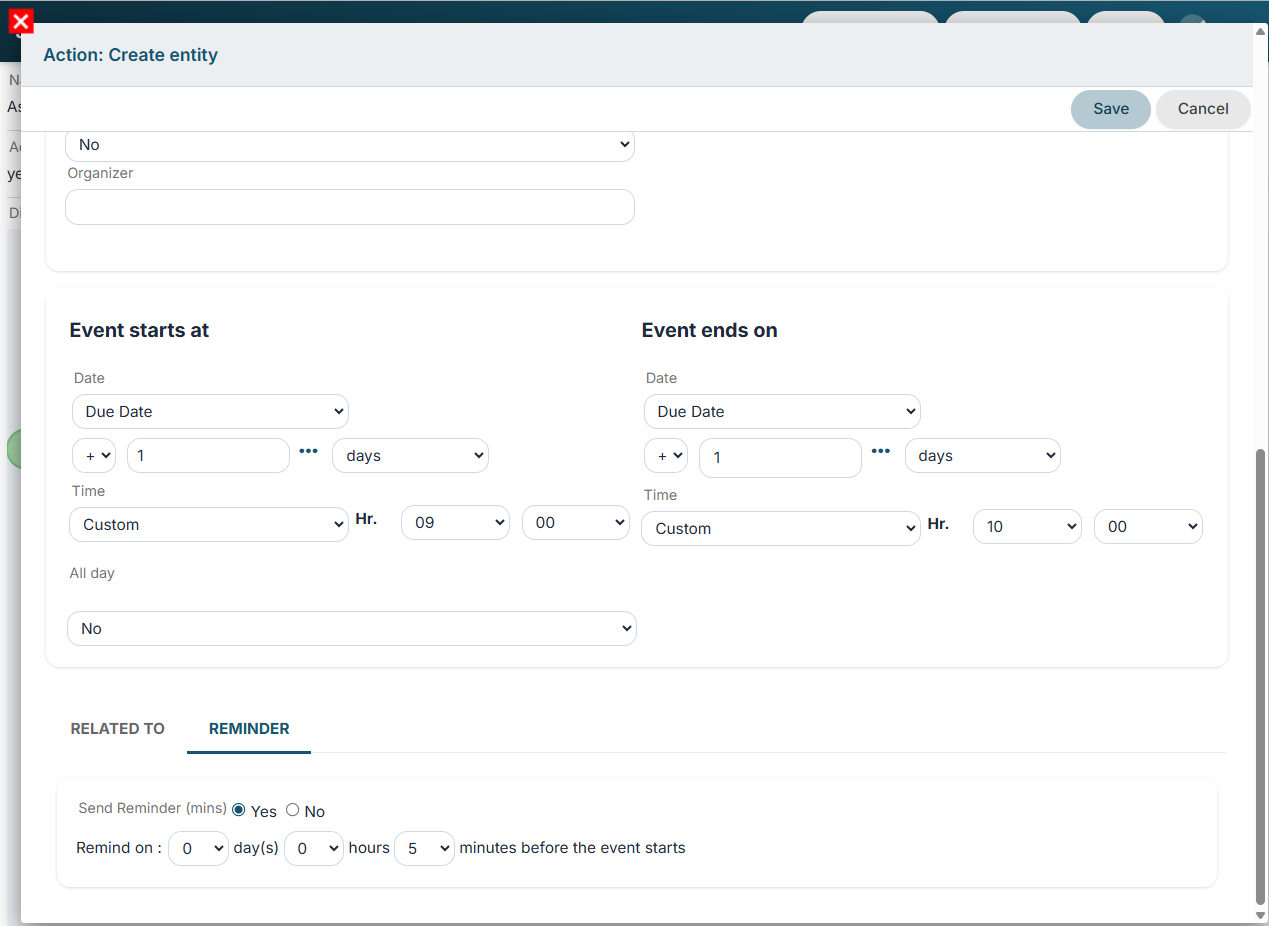
Figure 6