
13.1 Sub-processes: Configuration and Usage Modes
Subprocesses are particular types of processes that can be called within other processes defined as “parent”.
To proceed with their configuration, you must create a process by inserting the entry “when the subprocess is launched” in the initial condition (Figure 1)
In the “Entity” field it will not be possible to select any module, as the instance defined in the “parent” process will be inherited.
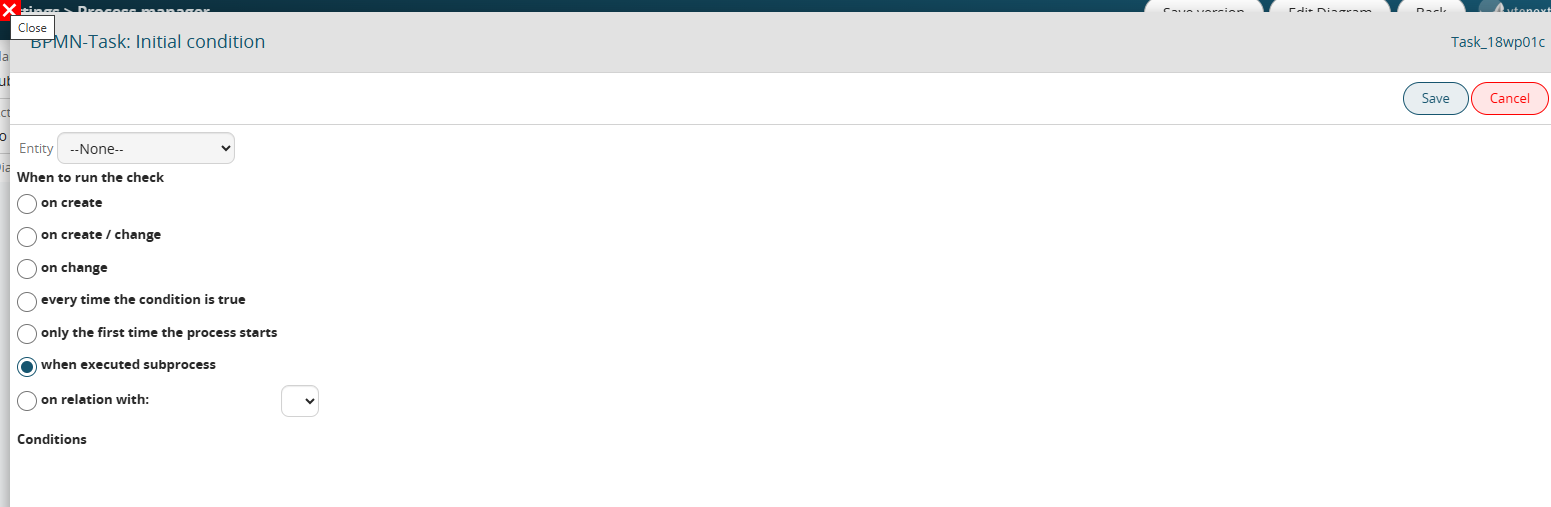
Figure 1
In order to configure the rest of the Tasks/Action Tasks defined in the flowchart (and therefore be able to use all the data of the "parent" process), you must first call the subprocess within the "parent" process using the following procedure:
1) Define a Task within the flowchart of the parent process (Figure 2)

Figure 2
2) Select the "Sub process (collapsed)" item from the available options by clicking on the wrench symbol (Figure 3 and 4)
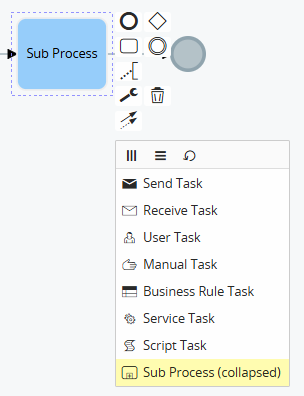
Figure 3
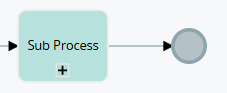
Figure 4
NOTE: if you configure a subprocess in a version PREVIOUS to 24.08, after each "Sub process (collapsed)" Task configured in the "parent" process, you must insert a subsequent Task that allows the "parent" process to interrupt its flow until the called subprocess has finished its execution (Figure 5)
Instead, from version 24.08 onwards the system will automatically manage the interruption and resumption of the flow of the "parent" process.
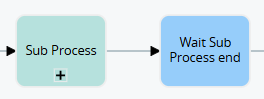
Figure 5
3) Access the Task in configuration mode and select the subprocess to involve (Figure 6)
NOTE: even if in versions prior to 24.08 the "parent" processes will also be visible in this screen, if selected they will not produce any result, this is because only the subprocesses can be selected.

Figure 6
At this point, within the subprocess it will be possible to exploit all the data of the instances of the modules involved in the "parent" process (Figure 7)
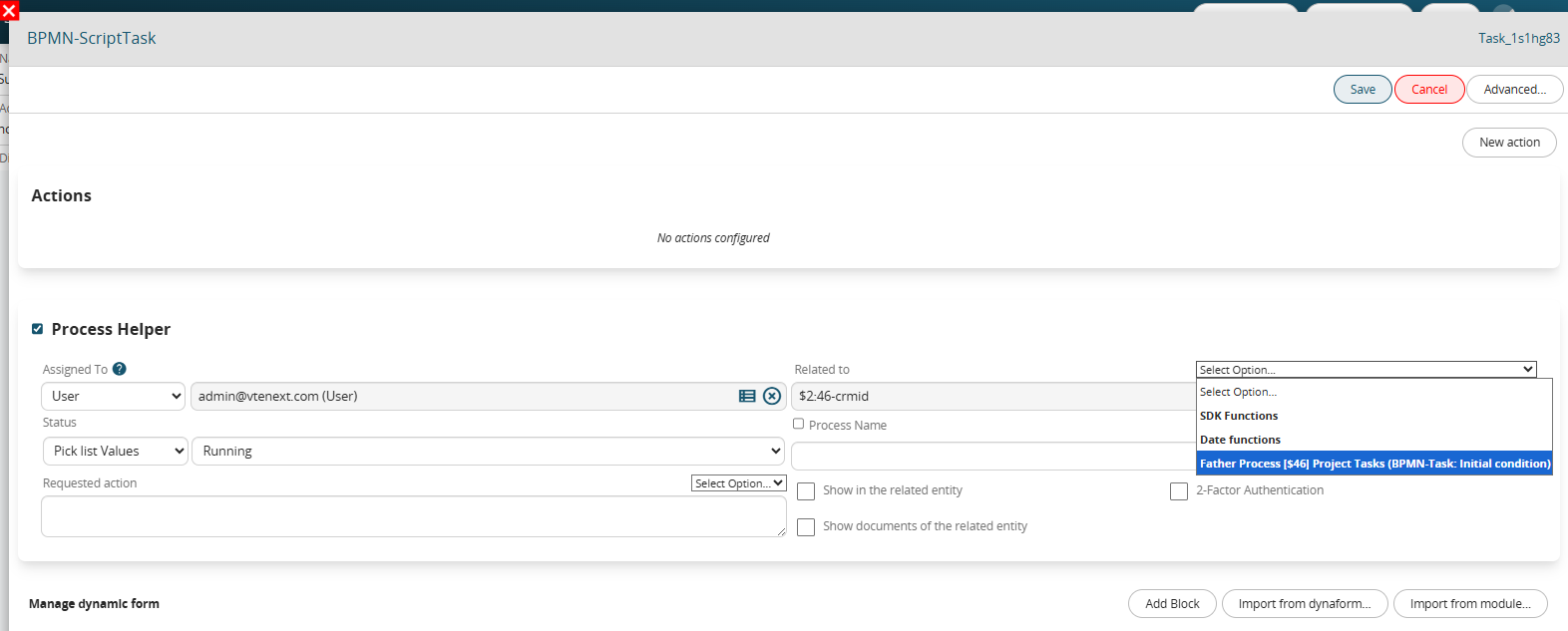
Figure 7
Due to a structural technical limitation of the system, it is NOT possible to call the same subprocess multiple times within a "parent" process.
However, it is possible to circumvent this limitation by composing a flowchart that allows the process to go back and re-execute the "Sub process (collapsed)" type Task in which the involved subprocess is called (Figure 8).
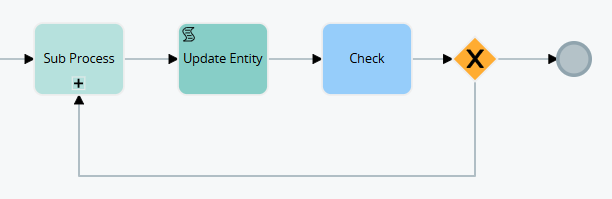
Figure 8