
2.12 Managing Visibility Permissions in Processes
As with any other standard/custom module, to configure the visibility of the Processes module you must access the dedicated "Sharing Access" section located in Settings -> User Permissions -> Sharing Access. (Figure 1)
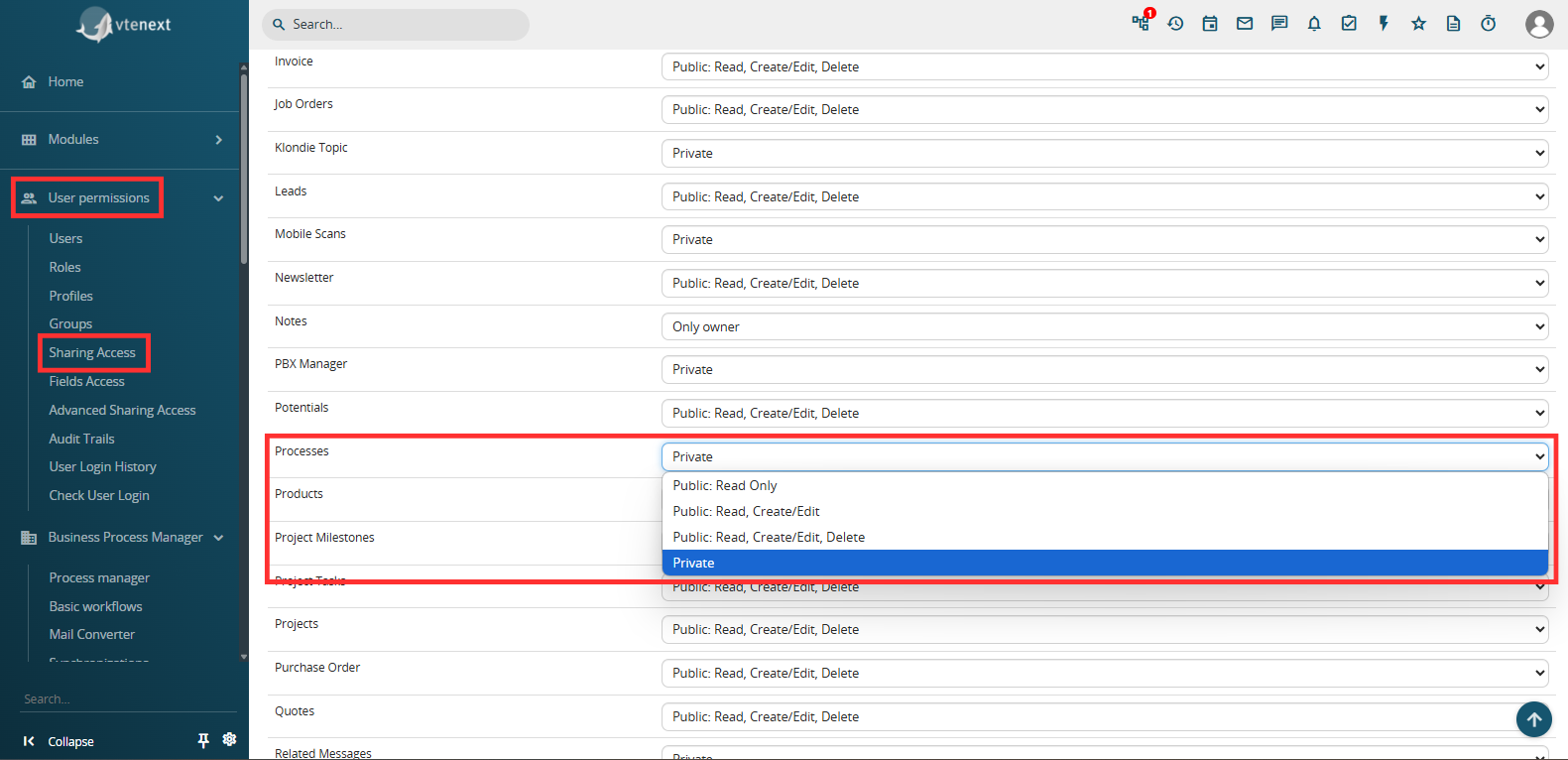
Figure 1
"Private" -> only the following users will be able to view the process:
- the user who triggered the process, that is, the user who made the change on the module record associated with the process by verifying the initial conditions defined.
Even if, in a specific phase of the flow, the process will be assigned to a different user, the user who triggered the process will still be able to see the process from start to finish with the respective graph.
EXAMPLE:
Considering the process shown in Figure 2 having in the EndEvent a Process Helper with assignee corresponding to the user "UserY" (Figure 3), in the case in which the process is triggered by "UserX", the latter will always be able to see the process even if in the EndEvent it is assigned to "UserY".
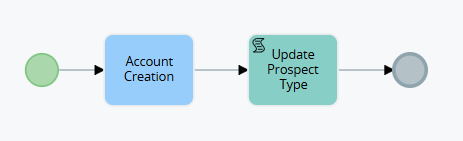
Figure 2
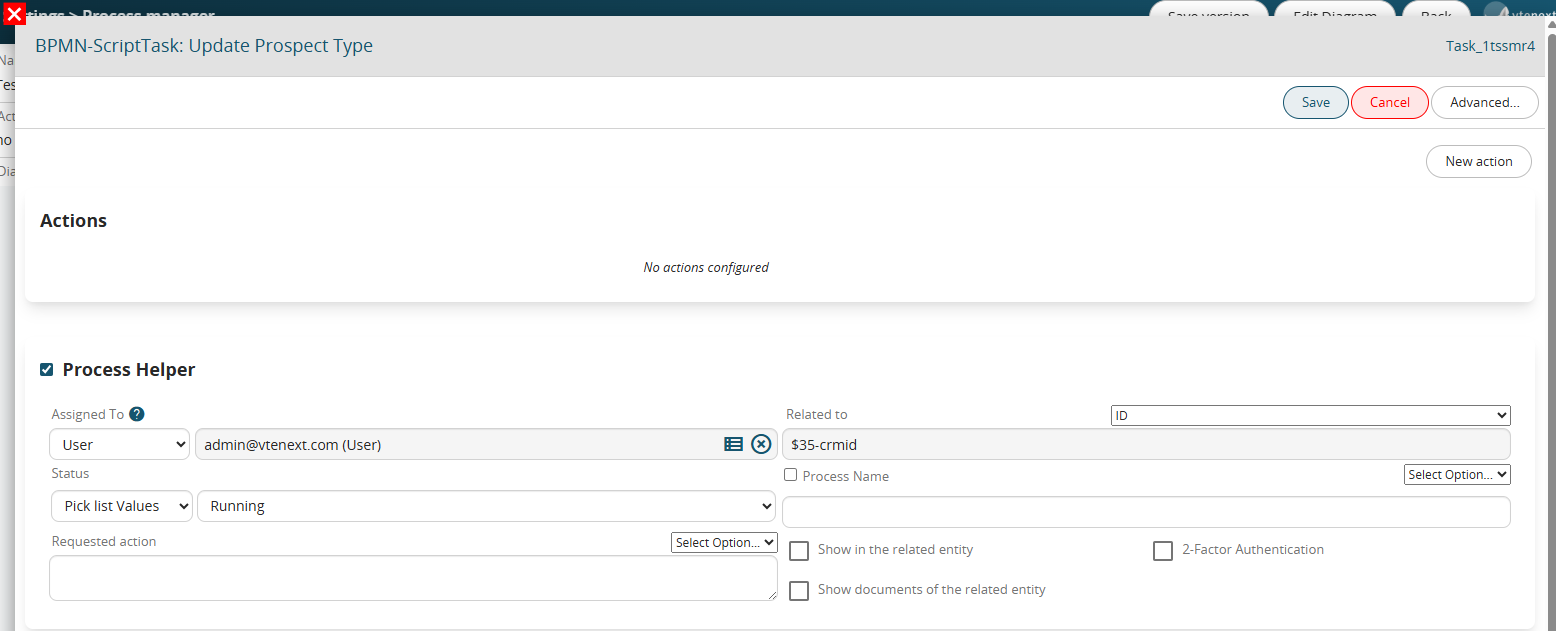
Figure 3
-all users with administrator permissions, that is, with the "Administrator" flag checked in their user preferences
-the user assigned to the Process Helper (and therefore the process) at that specific moment
-the user who performed an activity that allowed the process to continue with its flow, such as modifying a field on the form for which the process was waiting (via a Task)
EXAMPLE:
Considering the process shown in Figure 4, in the case in which the process is triggered by "UserX" and stops on the Task "Waiting for company modification", if the modification to the company is always performed by "UserX" and therefore "UserY" will not have any interaction with the process, in fact "UserY" will never be able to see the process.
If, on the other hand, the modification to the company is performed by "UserY", from that moment on he will be able to start seeing the process.
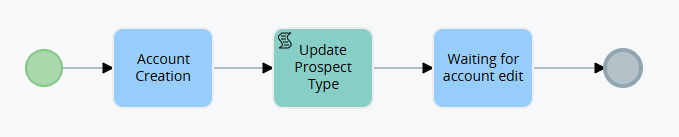
Figure 4
"Public: Read Only" -> all users in the system will be able to view active or terminated processes.
ATTENTION! -> this permission refers to the Processes module and not to the Dynamic Forms of the Process Helpers, so the latter will continue to refer to the Assigned to field of the Process helper and therefore be compilable only by the users or groups defined within it.
"Public: Read, Create/Modify" -> all users in the system will be able to view, create or modify active or terminated processes.
ATTENTION! -> this permission refers to the Processes module and not to the Dynamic Forms of the Process Helpers, so the latter will continue to refer to the Assigned to field of the Process helper and therefore be compilable only by the users or groups defined within it.
"Public: Read, Create/Modify, Delete" -> all users in the system will be able to view, create or modify and finally delete active or terminated processes.
ATTENTION! -> this permission refers to the Processes module and not to the Dynamic Forms of the Process Helpers, therefore the latter will continue to refer to the Assigned to field of the Process helper and therefore can be filled in only by the users or groups defined within it.