
3.8 Reset Dynamic form
As of version 25.02.2, it has been renamed "Reset dynamic form."
This action relates to the use of the Process Helper and allows you to clear the values entered into the dynamic form's fields during the filling-out process.
It is primarily used to enable the dynamic form to be filled out again.
By default, any default values established prior to the actual completion of the dynamic form will be restored. (Figure 1)

Figure 1
However, to completely clear the contents of the fields in the dynamic form—ignoring any default values entered prior to actually filling it out—you must check the “Clear field” box. (Figure 2)

Figure 2
USAGE EXAMPLE
To better understand how it works, an example is provided below showing the use of a dynamic form reset action to handle the potential re-entry of the "Service Date" field in a dynamic form.
The field in question has today's date as its default value. (Figure 3)
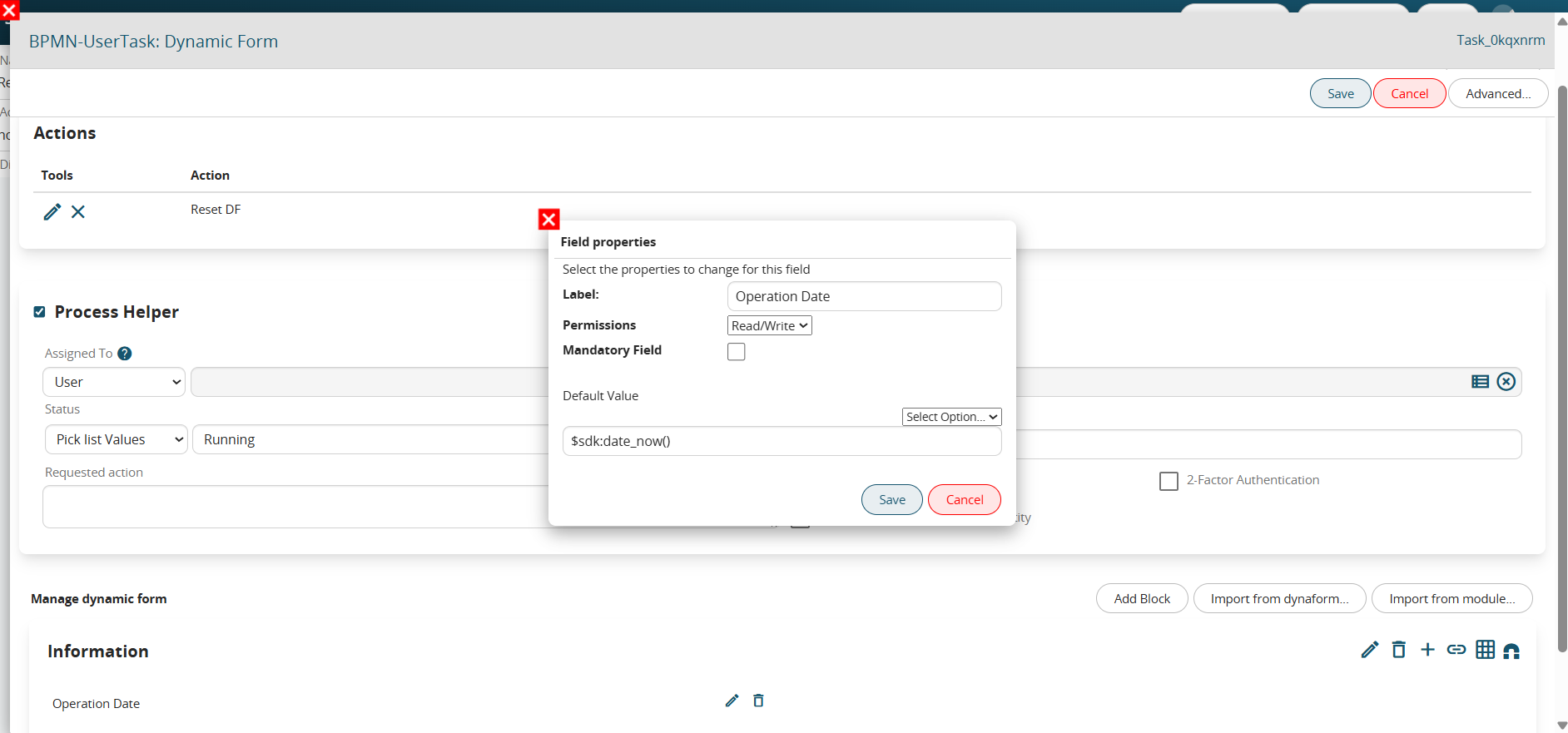
Figure 3
When filling out the dynamic form, the user can modify the field content by manually entering the actual intervention date if it differs from today's date.
If the dynamic form needs to be refilled for any reason, configuring a "reset dynamic form" action (BEFORE configuring the process helper) without selecting the "Clear field" option will cause the system to remove any intervention date entered by the user and revert to today's date.
Conversely, configuring a "reset dynamic form" action (BEFORE configuring the process helper) while selecting the "Clear field" option will cause the system to remove both any user-entered intervention date and the default date (today's date), effectively presenting the user with an empty field.