
16.3 Example: Actiovation of a Customer Reminder Management Process
Now let's take a look at the process in action.
Set the Status to "Waiting for Response" on a Ticket associated with an Organization or Contact (Figure 1).
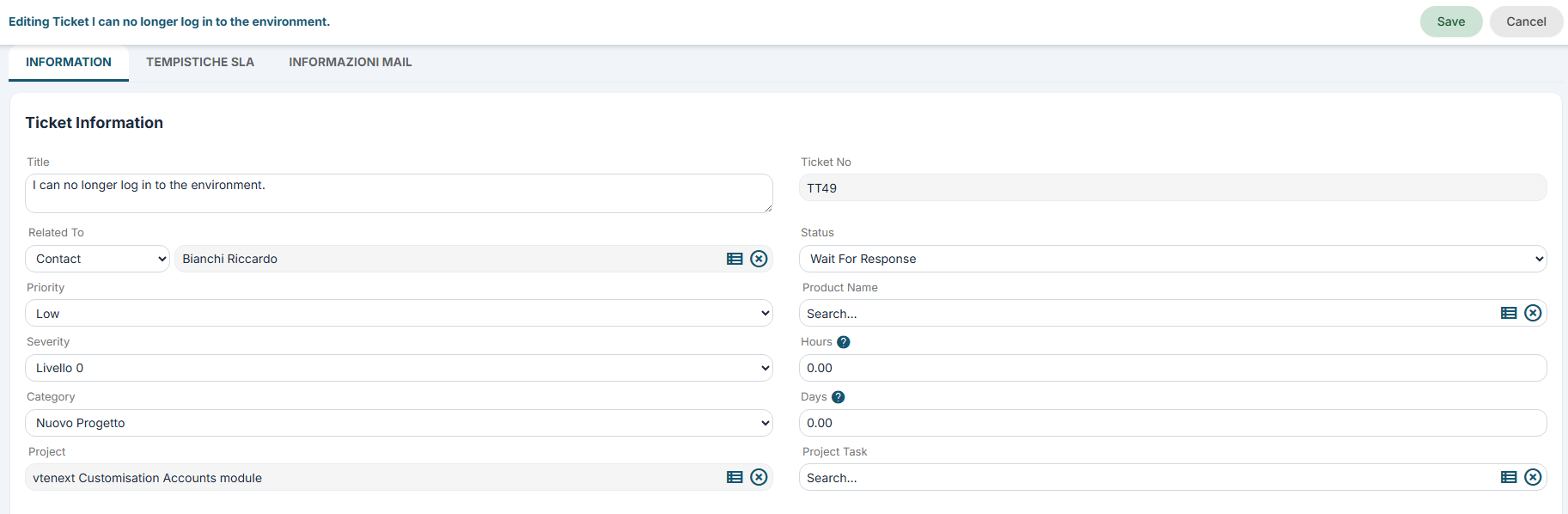
Figure 1
After saving, the Standard Process is triggered and waits for 3 days for the Status to change.
To simulate the scenario in which the Status remains unchanged after the 3-day period, the Standard Process continues through its flow (Figure 2), triggering the related Tool Process (Figure 3), which successfully sends the first automatic email (Figure 4).
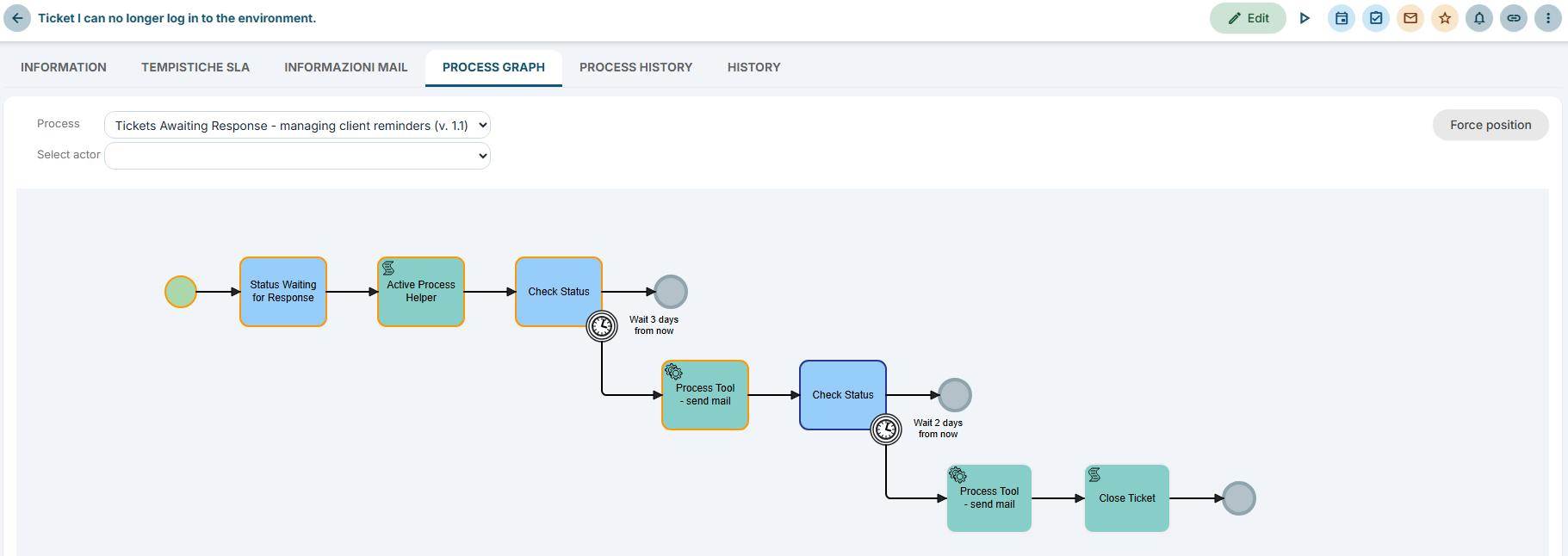
Figure 2
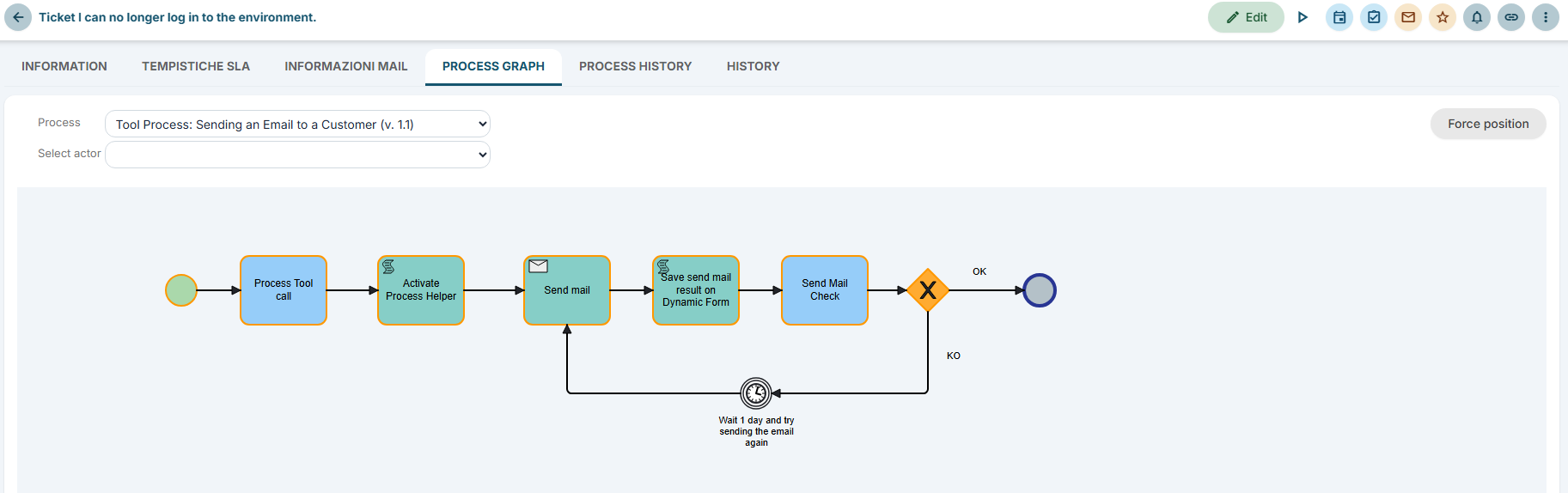
Figure 3

Figure 4
Finally, simulating the scenario in which the Status remains unchanged after the additional 2 days, the Standard Process continues through its flow (Figure 5), triggering the related Tool Process again (Figure 6). The Tool Process successfully sends the second automatic email (Figure 7) and the Ticket is then closed by changing its Status to "Closed" (Figure 8).
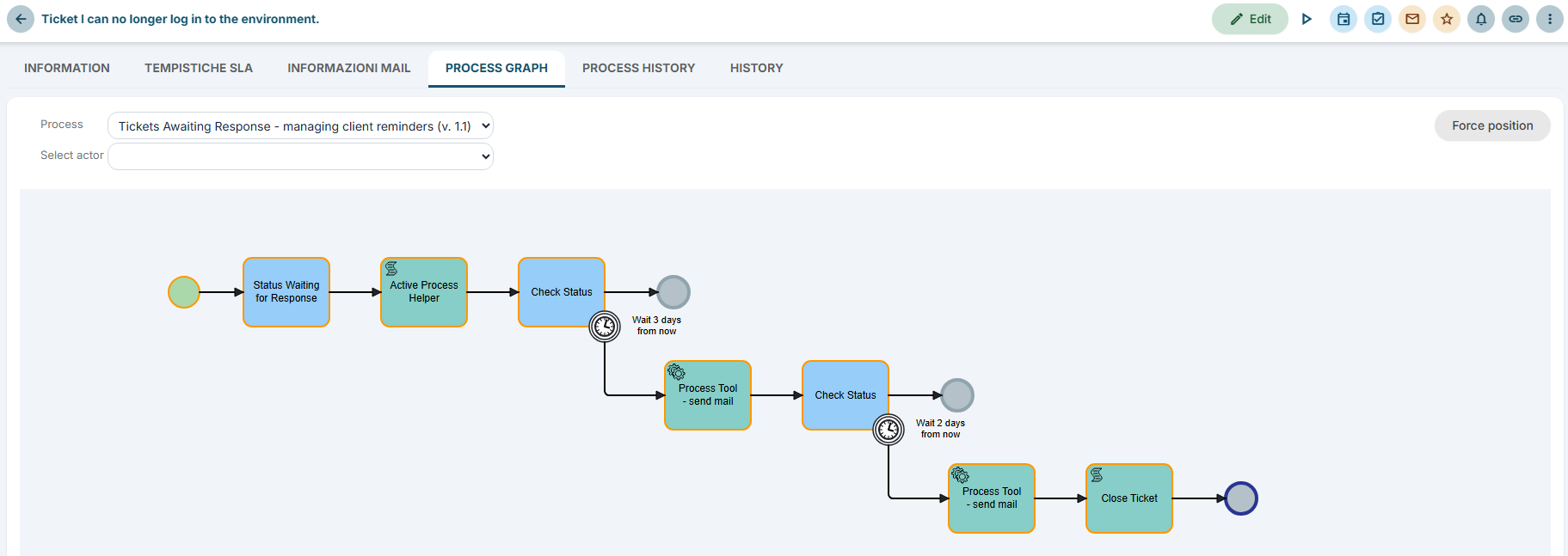
Figure 5
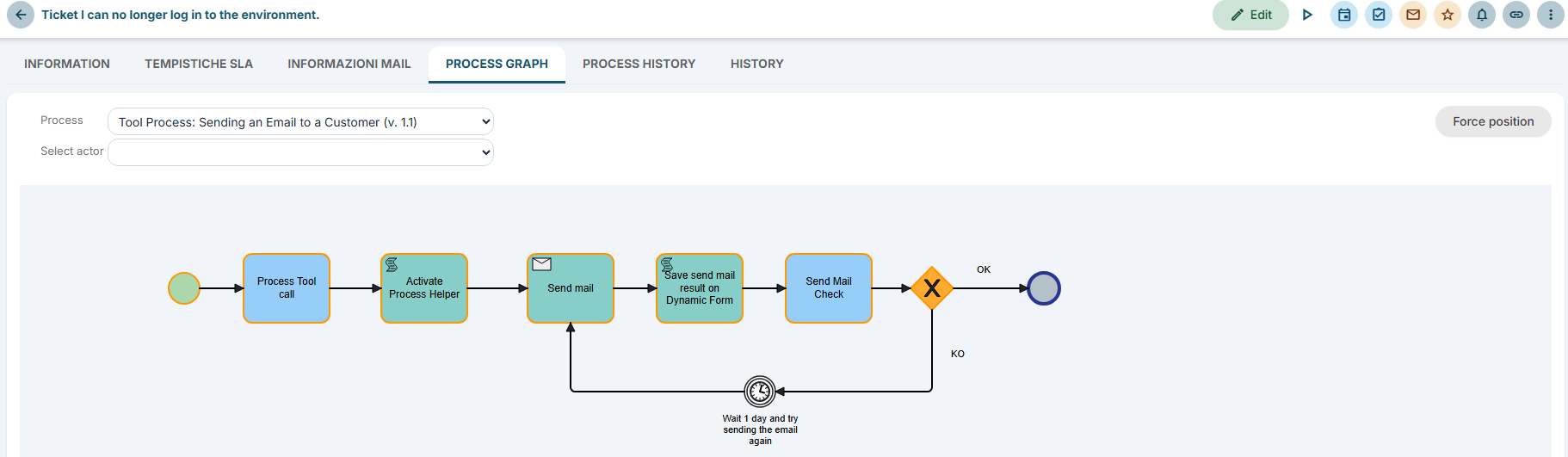
Figure 6

Figure 7
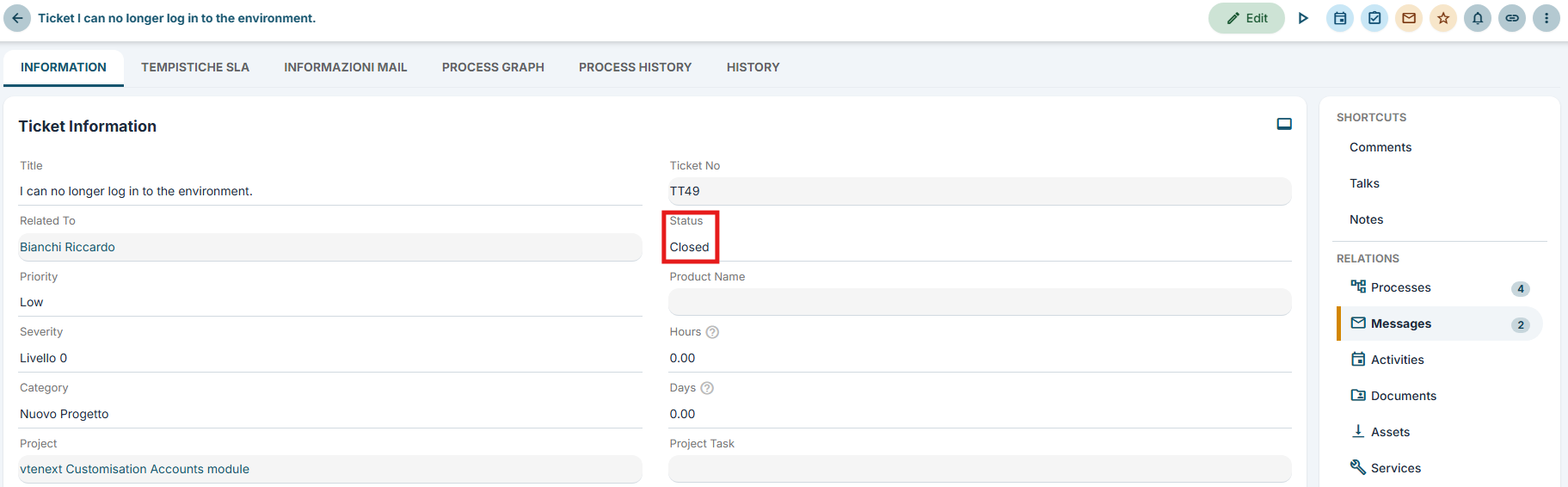
Figure 8